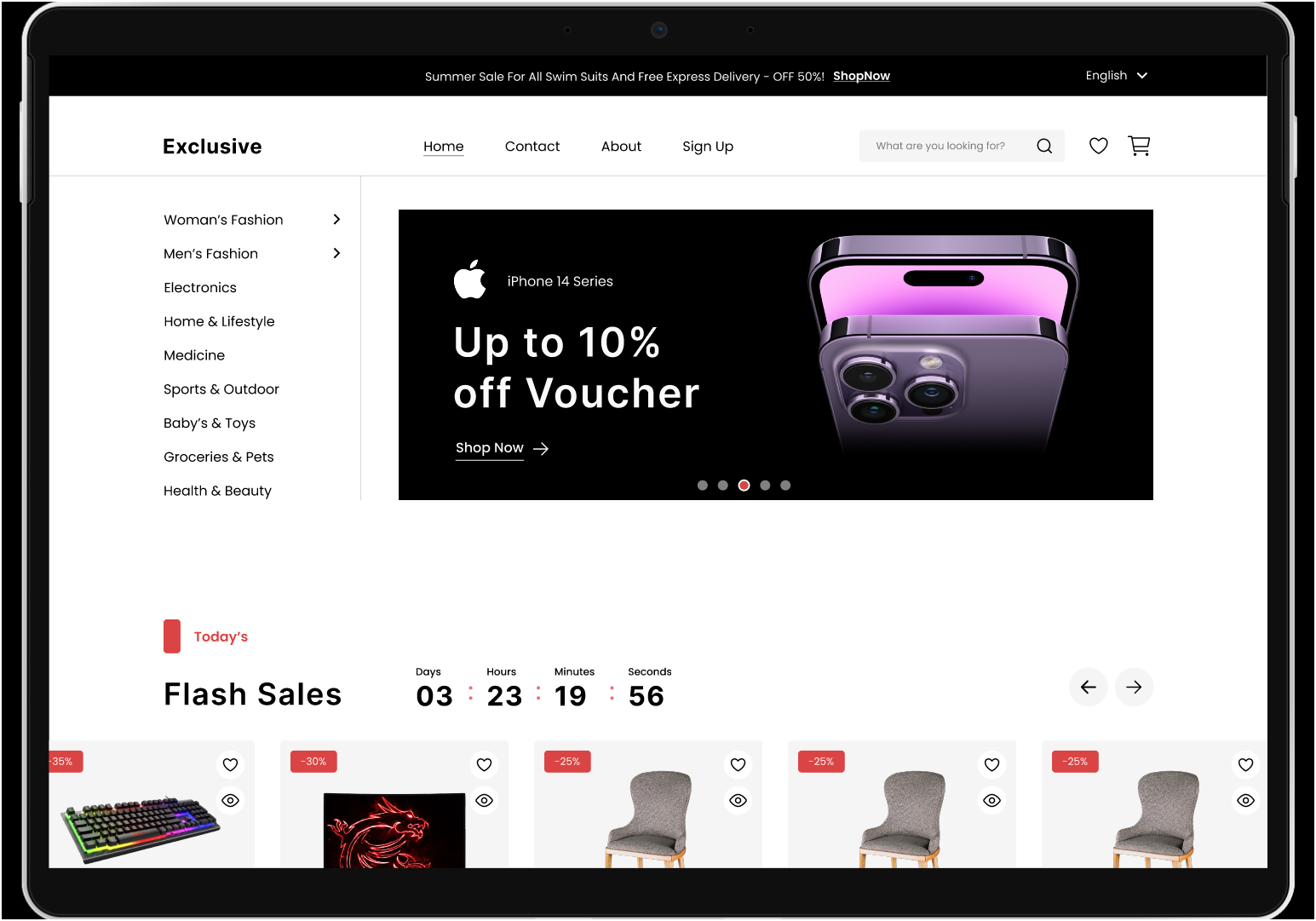
Built with React + Vite, with styling using Tailwind CSS and Material UI components
ReactE-commerce
E-Commerce-Template — React Ecommerce Template
By AbdelrahmanAyman48
A React and Vite e-commerce practice project with user registration and login, product search, wishlist, shopping cart, coupon-enabled checkout, and dark/light theme switching, using Tailwind CSS and Material UI components.
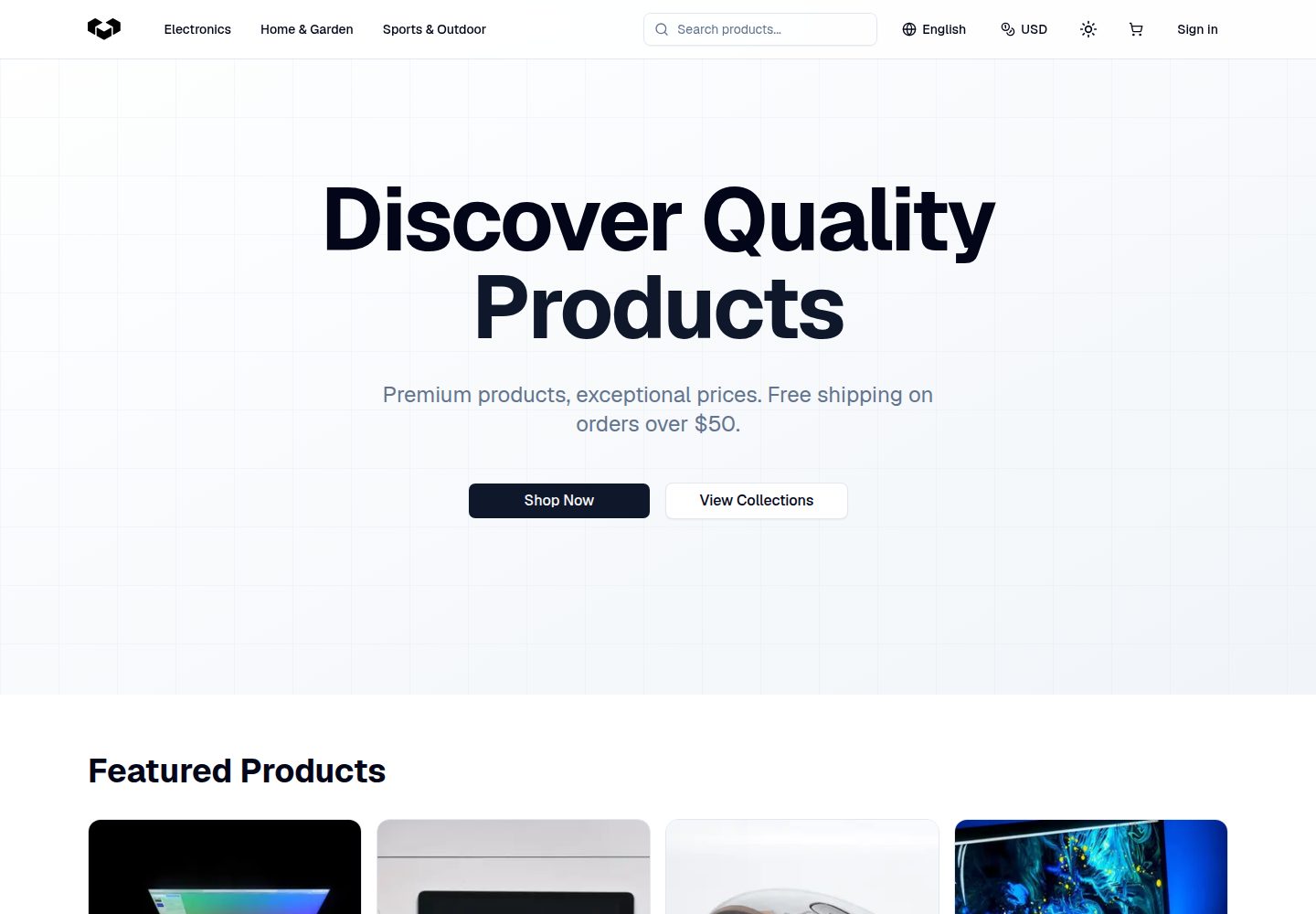
Explore the design
Compare the page layouts and mobile experience. Open any screenshot for a closer look.
Author preview
Author-provided previewTop of page
Preview provided in the project README.
One original preview is available. Open the full image to inspect the design.
Screenshots show visual appearance; interactive behavior may differ.
Recorded 2026-10-12View source
What stands out
A quick read of the recorded project description.
Includes account-related pages such as registration, login, and profile
Provides a wishlist and shopping cart with add, remove, and update item actions
Supports product search and a checkout flow with coupons
Built-in dark/light theme switching
README provides a Figma design link and an online demo address
Template Details
This is an e-commerce website template intended for practice. The front end uses React, the build tool is Vite, and the styling layer uses both Tailwind CSS and Material UI. The README states that it includes registration and login, a wishlist, a shopping cart, product search, a profile page, and a checkout flow that supports coupons, along with dark/light theme switching. The repository includes a link to the Figma design file and an online demo address to help compare the interface structure.
Based on the available information, the project is positioned as a personal practice work. The README does not provide specific implementation details for backend services, databases, or payment gateways, nor does it describe production deployment or performance. It is therefore better suited as a reference for learning React component organization, state management, and e-commerce page flows rather than as a directly deployable commercial solution.
For usage, the local run steps given in the README include cloning the repository, installing dependencies, and additionally installing i18next, react-i18next, and flowbite-react, then starting the development server with npm run dev. The code uses the MIT license, allowing free use, modification, commercial use, and distribution, but third-party assets such as demo images, fonts, and icons need separate license verification, and external services such as domains, hosting, databases, or payments may incur additional costs.
ReactE-commerce
Is it right for your project?
Use Cases
- Learning the page structure and component breakdown of a React e-commerce project
- Referencing front-end implementation ideas for cart, wishlist, and checkout flows
- Practicing interface reproduction with Tailwind CSS and Material UI against the Figma design
- Using as a starting point for personal practice or coursework with further modification
Suitable For
- Developers learning React who want to understand how e-commerce pages are organized
- Students or personal project authors who need a front-end e-commerce interface reference
- Users who want to modify and distribute code based on the MIT license
Getting started & customization
Use these recorded setup notes alongside the repository instructions for your chosen version.
- 1
After cloning the repository, enter the project directory and run npm install to install dependencies
- 2
Additionally install i18next, react-i18next, and flowbite-react as stated in the README
- 3
Start the development server with npm run dev
- 4
Third-party assets such as demo images, fonts, and icons need separate license verification under their respective licenses
- 5
External services such as domains, hosting, databases, or payments may incur additional charges
License & source material
Usage conditions & limitations
Free to use · keep license noticeThis entry covers the free version under the MIT license in a public repository; the free scope applies to that version's code and does not mean external services or third-party assets are free.
Must comply with when using
- The code of this version may be used, modified, used commercially, and distributed free of charge.
- When distributing copies or substantial portions of the code, retain the original author's copyright notice and the full MIT license notice.
- The code is provided as is; warranties and limitations of liability are governed by the original license and applicable law.
Additional costs & items to verify
- Demo images, fonts, icons, and other third-party assets need to be checked under their respective licenses and cannot be judged solely by the code's MIT license.
- External services such as domains, hosting, databases, payments, or AI may incur additional charges.
- Local running requires additionally installing the i18next dependency package, which is a project-specific environment preparation requirement.
- react-i18next must be additionally installed to complete the React integration for i18next.
- The flowbite-react dependency package must be additionally installed to use its UI components.
View Original Text Basis
Permission is hereby granted, free of charge
Original License Text
4. Install `i18next` for internationalization:
Original README
5. Install `react-i18next` for React integration with i18next:
Original README
https://github.com/AbdelrahmanAyman48/E-Commerce-Template/blob/main/LICENSEhttps://github.com/AbdelrahmanAyman48/E-Commerce-Template/blob/main/README.md6. Install `flowbite-react` for UI components:
Original README
Compiled by DeepSeek based on repository license and README ·2026-10-12. Results only cover the materials read; dependencies, images, fonts, and subsequent term changes are subject to their respective original texts.
Project checks & description sources
Template Information
- Source platforms
- GitHub
- Documentation and maintenance reference score
- Partly documented · 65 / 100
- Technologies
- React
- Website type
- E-commerce
How this score is calculated
Our heuristic uses license records (up to 30), a demo link (12), a preview (10), stars (15), recorded maintenance (15), description completeness (8), feature records (5) and classification data (5). It is not a code, security or performance test, or a Google score. A link does not establish tested functionality.
What to verify for this project
- Repository update recorded
- 2024-09-10
- Screenshot last checked
- 2026-10-12
A demo link is listed. Check it with your own content and viewport sizes; its presence does not confirm that forms, authentication or payments work.
The catalog identifies React as the primary stack. Check the actual dependency manifest and lockfile for versions and hosting requirements. These notes use recorded metadata, not a code audit or a deployment test.
Use a selection guide →How this description was prepared
AI-assisted description based on catalog records and repository material. Repository authors are not automatically the reviewers of this description.
Review declaration: [email protected] · 2026-10-13
Inspect the recorded source material
SHA-256: 677bd4d7ff8655caf865ab2a21f4ea7fc8b6fbb112b65a5483b3f0fc4bc52e46
2026-10-12T23:59:27.504Z
Source file / repository# E-Commerce Website 🙌 The E-commerce website is a full-stack application built using React with Vite as the bundler. It incorporates Tailwind CSS for styling and Material UI for components, offering a sleek and modern user interface. The platform provides essential functionalities such as signup and login for users to access their accounts, wishlist and cart pages for managing items, search functionality to easily find products, and a profile section for personalization. Furthermore, it includes checkout processes with support for coupons and purchasing, ensuring a seamless shopping experience for customers. <img src="public/assets/Screenshots/0.png" alt="Home"> ## [🌟Live Website🌟](https://e-commerce-template-tau.vercel.app/) ## [🌟Design on Figma 🌟](https://www.figma.com/file/yn2DFQJla0UiSMvomFsqwT/E-Commerce-Website-%D9%90Almdrasa?type=design&mode=design&t=fqPRRAQH5lDJGmoY-0) ## Table of Contents - [Features](#features) - [Technologies Used](#technologies-used) - [Set Up ](#set-up) - [Screenshots](#screenshots) - [Contact](#contact) ## Featured Skills 1. **React**: Utilized for building the frontend interface, providing dynamic and interactive components. 2. **Vite**: Employed as the build tool to optimize and bundle the project for production. 3. **Tailwind CSS**: Integrated for responsive and customizable styling, enhancing the visual aesthetics of the website. 4. **Material UI**: Leveraged for pre-designed components and UI elements, facilitating rapid development and maintaining consistency in design. 5. **Full-stack Development**: Implemented both frontend and backend functionalities, ensuring end-to-end functionality and user experience. 6. **User Authentication**: Implemented signup and login features to authenticate users and secure their accounts. 7. **Wishlist and Cart Management**: Developed functionalities to add, remove, and update items in the wishlist and cart, enhancing user engagement and convenience. 8. **Search Functionality**: Implemented a search feature to enable users to find products efficiently based on their preferences. 9. **Checkout Process**: Designed a seamless checkout process with support for applying coupons and completing purchases, streamlining the buying journey for users. 10. **Dark/Light Theme**: Implementing a dark/light theme toggle for a website involves adding CSS for both themes and JavaScript to handle the switching logic ## Technologies Used - **React**: JavaScript library for building user interfaces. - **Vite**: Fast, modern build tooling for frontend development. - **Tailwind CSS**: Utility-first CSS framework for rapid UI development. - **Material-UI**: React components for faster and easier web development. - **Custom Hooks**: Utilized custom React hooks for managing state and logic efficiently. - **Git** (for version control) - **Responsive For Mobile** ## Set Up To set up and run the project locally, follow these steps: 1. Clone the repository to your local machine: ```bash git clone (https://github.com/AbdelrahmanAyman48/E-Commerce-Template/tree/main) ``` 2. Navigate to the project directory: ```bash cd E-Commerce-Website ``` 3. Install the project dependencies: ```bash npm install ``` 4. Install `i18next` for internationalization: ```bash npm install i18next ``` 5. Install `react-i18next` for React integration with i18next: ```bash npm install react-i18next ``` 6. Install `flowbite-react` for UI components: ```bash npm install flowbite-react ``` 7. Start the development server: ```bash npm run dev ``` ## Screenshots 1. E-Commerce HomePage <img src="public/assets/Screenshots/E-Commerce HomePage.jpg" alt="E-Commerce HomePage"> 2. Sign Up <img src="public/assets/Screenshots/Sign Up.jpg" alt="Sign Up"> 3. Log In <img src="public/assets/Screenshots/Log In.jpg" alt="Log In"> 4. Product Details page <img src="public/assets/Screenshots/Product Details page.jpg" alt="Product Details page"> 5. Wishlist <img src="public/assets/Screenshots/Wishlist.jpg" alt="Wishlist"> 6. About <img src="public/assets/Screenshots/About.jpg" alt="About"> 7. Cart <img src="public/assets/Screenshots/Cart.jpg" alt="Cart"> 8. CheckOut <img src="public/assets/Screenshots/CheckOut.jpg" alt="CheckOut"> 9. Contact <img src="public/assets/Screenshots/Contact.jpg" alt="Contact"> 10. Account <img src="public/assets/Screenshots/Account.jpg" alt="Account"> ## Contact - [Author](https://github.com/AbdelrahmanAyman48) <!-- - [Website](https://mahmoud-mansy-portfolio.netlify.app/) --> - [Email](mailto:[email protected]) - [LinkedIn](https://www.linkedin.com/in/abdelrahman-ayman-290674252/) ## Useful Repositories ```bash git clone (https://github.com/MMansy19/E-Commerce-Website) ``` # React + Vite This template provides a minimal setup to get React working in Vite with HMR and some ESLint rules. Currently, two official plugins are available: - [@vitejs/plugin-react](https://github.com/vitejs/vite-plugin-react/blob/main/packages/plugin-react/README.md) uses [Babel](https://babeljs.io/) for Fast Refresh - [@vitejs/plugin-react-swc](https://github.com/vitejs/vite-plugin-react-swc) uses [SWC](https://swc.rs/) for Fast Refresh ======= # E-Commerce-Template E-Commerce-Template >>>>>>> 0af8b48809d88f16bdd22b57c84c99da6a8a0d22
Explore similar templates
Compare previews and descriptions within the same stack and category.
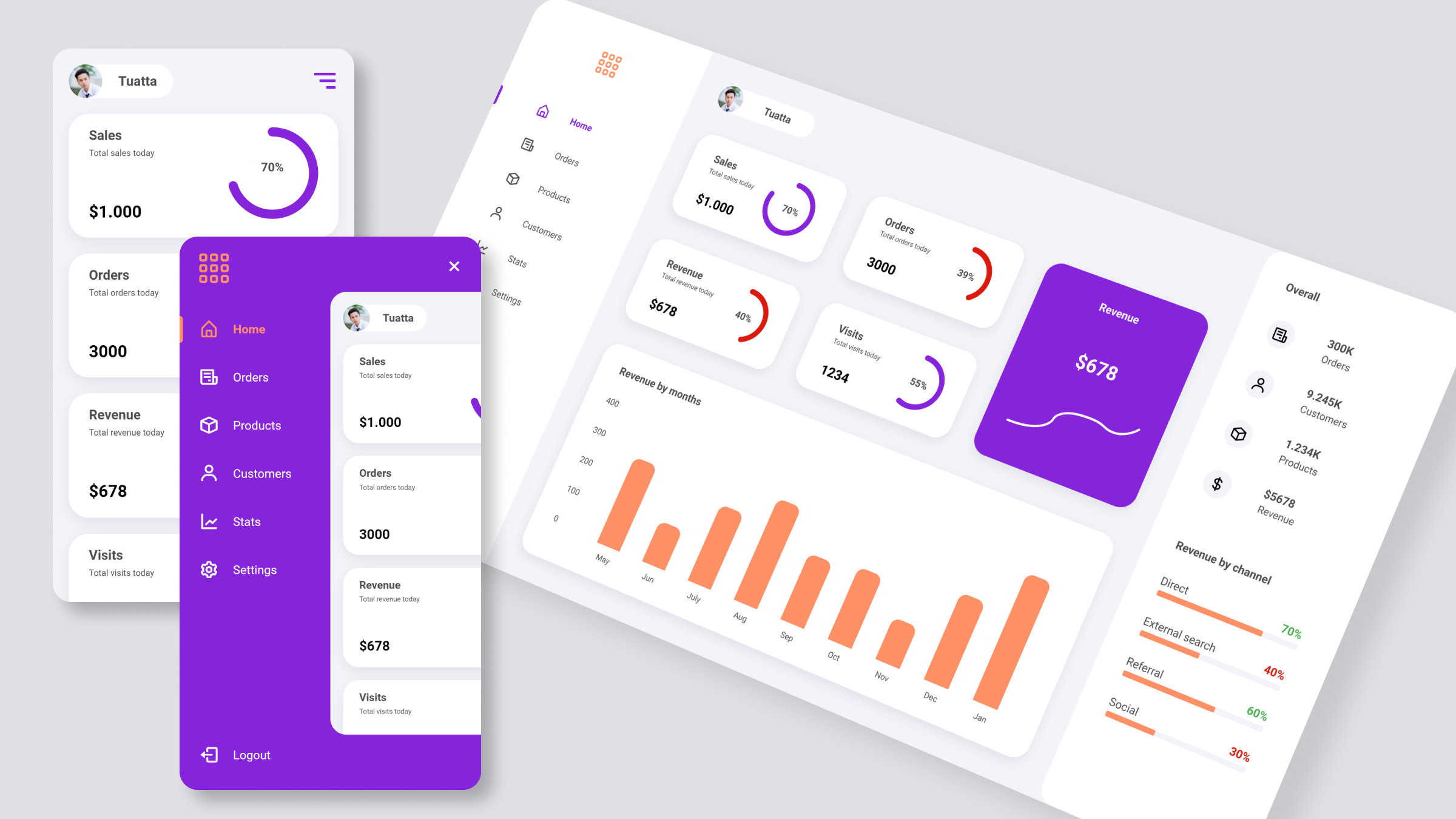
ecommerce-dashboard
A React-based e-commerce admin dashboard template from the trananhtuat/ecommerce-dashboard repository, offering a data interface layout with a YouTube video tutorial and preview images. It uses SASS for styles and Boxicons for icons, and references Figma and Google Font.
React · Admin dashboard
Fashion-eCommerce-Shop-in-React
A React and TypeScript fashion eCommerce front-end template with a complete shopping flow from product browsing to checkout, using Redux Toolkit, TailwindCSS, and a JSON Server mock backend for local demos.
React · E-commerce
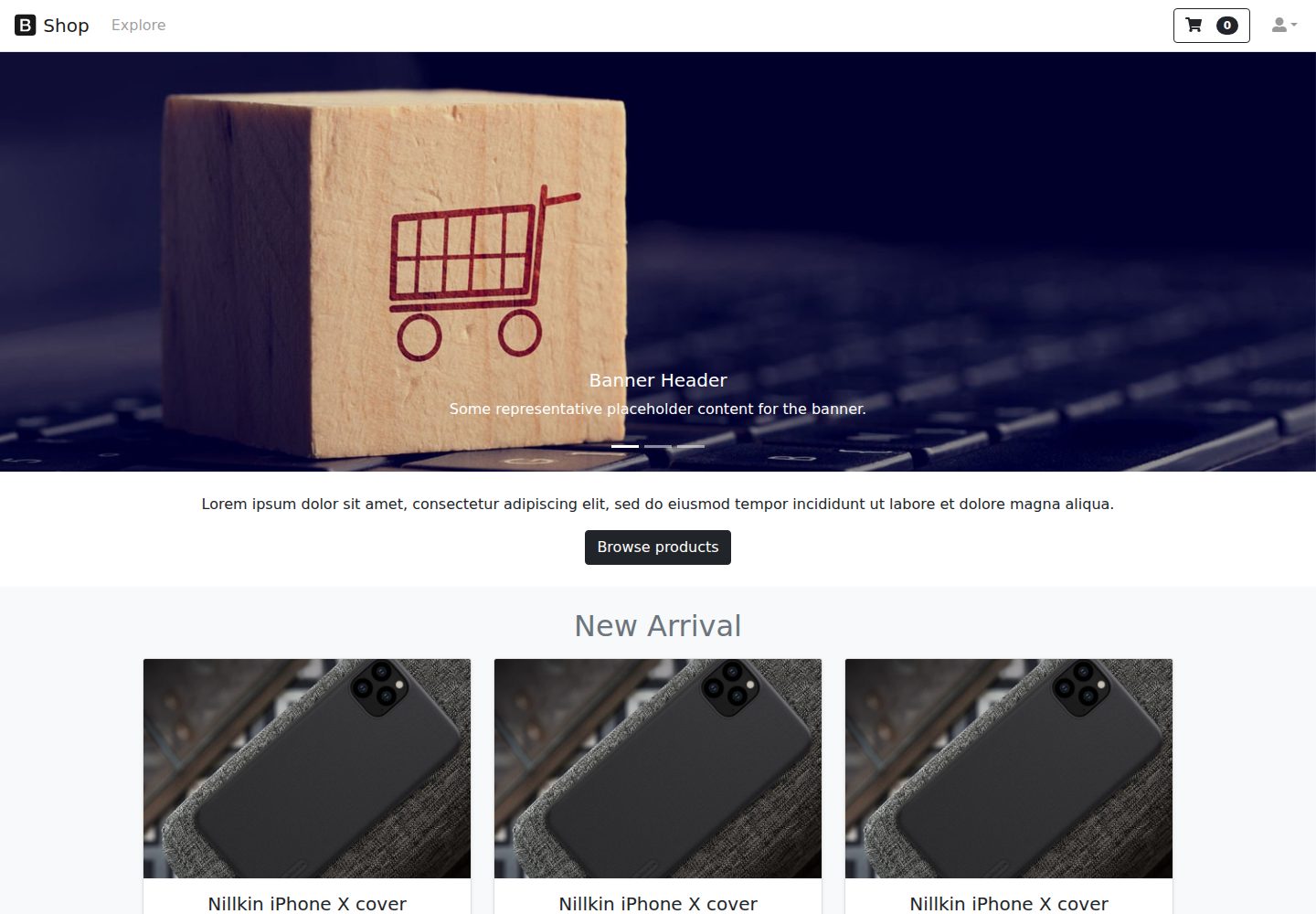
react-ecommerce-template
A React and Bootstrap e-commerce front-end template that provides product display page structures, includes an online demo, and is licensed under MIT for free use and modification, suitable as a starting point for e-commerce page structures.
React · E-commerce
Free-Admin-Dashboard
A free e-commerce admin dashboard template built with React, TypeScript, and Tailwind CSS, designed in Figma. It includes product, order, user, and review management pages, Chart.js dynamic charts, sortable/filterable/paginated data tables, light/dark themes, and responsive layout.
React · Admin dashboard
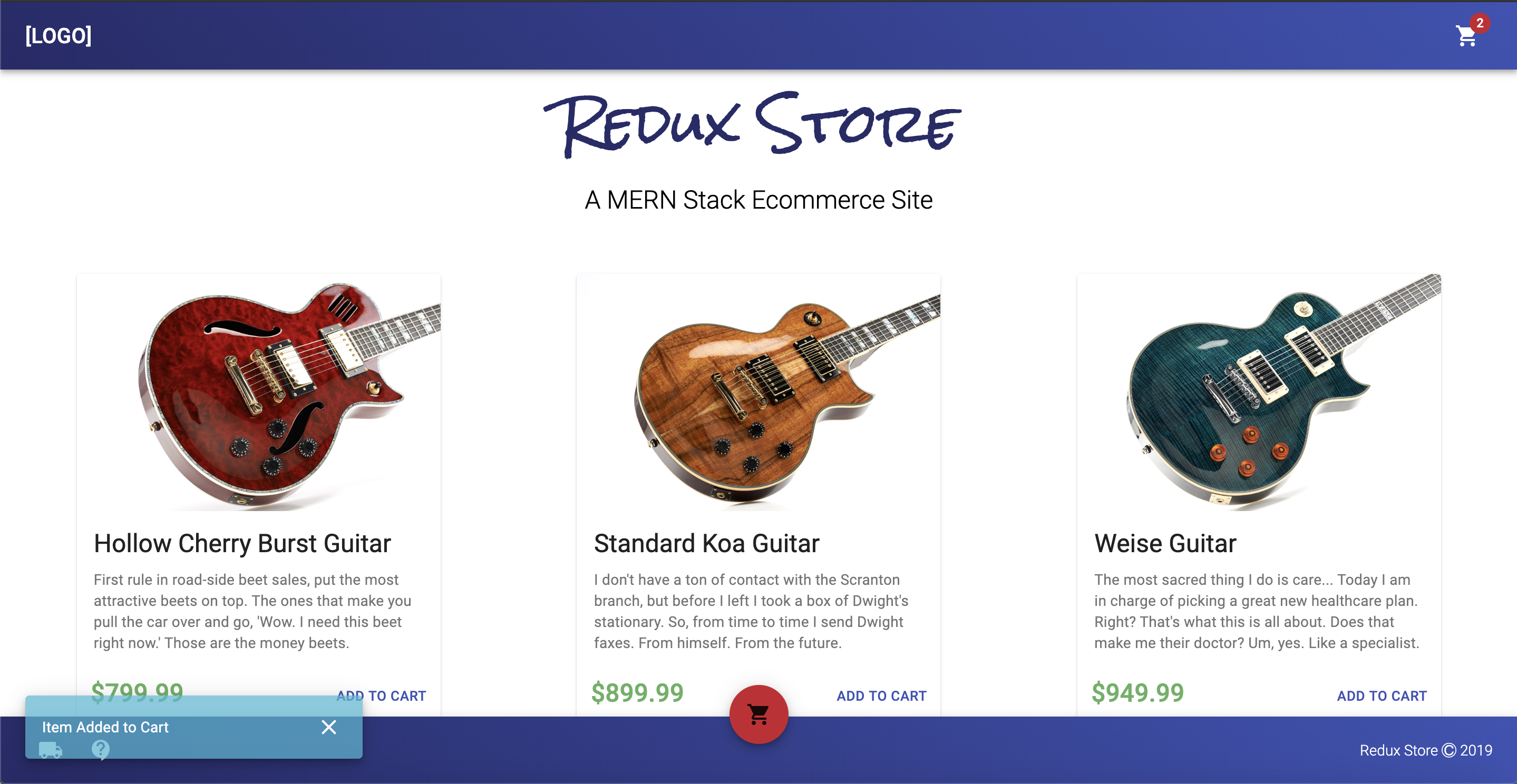
react-redux-ecommerce
react-redux-ecommerce is a React and Redux ecommerce template with a Node.js backend, Stripe payments, Easyship logistics, and a companion Order Manager.
React · E-commerce
tanstack-starter-vendure
Vendure's official TanStack Start storefront starter for building a frontend store for a Vendure headless e-commerce backend.
React · E-commerce