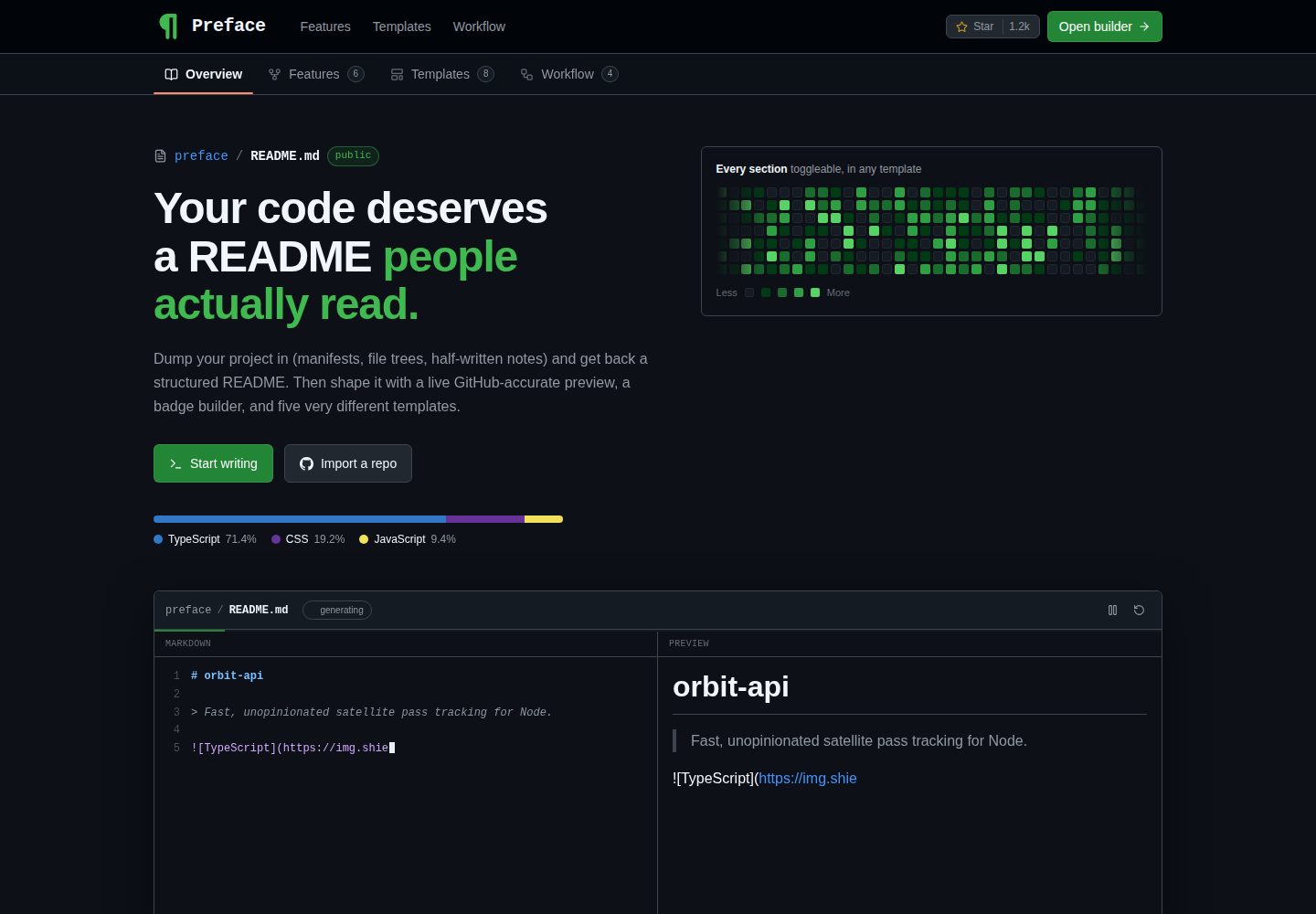
Parses package.json, Cargo.toml, pyproject.toml and go.mod to extract name, description, license, author, repository, scripts, environment variables, language composition, dependencies and file tree
Next.jsReactTool Site
Preface — Next.js Tool Template
By Abudora-0
Preface is a local tool that turns project materials into a structured README. It first parses manifests such as package.json, Cargo.toml, pyproject.toml and go.mod, then lets the user edit and render Markdown, with an optional pass through a local Ollama model to polish the text.
Explore the design
Compare the page layouts and mobile experience. Open any screenshot for a closer look.
Desktop homepage1 / 2
Desktop captureTop of page
Actual screenshot captured by the server browser.
All pages & views 2
Screenshots show visual appearance; interactive behavior may differ.
Recorded 2026-10-14View source
What stands out
A quick read of the recorded project description.
Supports importing description, license, language composition, topics and root manifests from a GitHub repository URL
Provides a GitHub-style live preview in light and dark themes, allowing and sanitizing raw HTML
Built-in around eighty shields.io badges covering languages, frameworks, databases and infrastructure, in four styles
Eight templates render the same structured data; switching templates does not lose content
The generation step uses local Ollama by default; Claude is only enabled when AI_PROVIDER=anthropic is explicitly set
Template Details
At its core, Preface is a deterministic parser, not merely a prompt wrapper. The README explains that it reads pasted package.json, file trees, source code or drafts, extracting project name, description, license, author, repository, scripts, environment variables, language composition, dependency lists and file tree; it also supports action.yml inputs and outputs as well as workspace packages. Identity information comes from package.json, Cargo.toml, pyproject.toml or go.mod, so Rust crates, Python packages and Go modules can be read just like npm projects; pyproject.toml supports both the PEP 621 [project] and Poetry [tool.poetry] layouts, while go.mod only provides the module name, its repository, the Go version and direct dependencies. Parsing, editing, previewing, badge building and template rendering all run locally, and the generation step targets a local Ollama model by default, so it can be used offline. The README also explains the limitations of hosted deployments: the default Ollama address points to the server's own loopback address, so the generation step cannot run; the official recommendation is to set PREFACE_DISABLE_AI=1 to hide generation-related UI, and to set GITHUB_TOKEN to cope with the unauthenticated GitHub limit of 60 requests per hour.
Next.jsTool site
Is it right for your project?
Use Cases
- Paste an existing project's package.json, file tree and source code to generate a structured README draft
- Generate input/output tables, workflow snippets or package lists for a GitHub Action or monorepo
- Polish README text with a local Ollama model in an offline environment, while facts still come from the parser
- Disable AI generation on a hosted deployment and use only the parser and editor features
Suitable For
- Developers who need to organize READMEs for npm, Rust, Python or Go projects
- Users who want the README generation process to stay on their machine, without accounts or API keys
- Maintainers of GitHub Actions or monorepos who need to automatically generate input/output tables or package lists
- Users who want a local small model to assist writing while requiring facts such as dependencies and scripts not to be rewritten by the model
Getting started & customization
Use these recorded setup notes alongside the repository instructions for your chosen version.
- 1
Requires Node.js 20 or newer; run npm install and npm run dev, and the app defaults to http://localhost:3000
- 2
The generation step is optional and requires installing Ollama, running ollama serve and pulling the configured model (default qwen2.5:1.5b)
- 3
All environment variables are optional; you can copy .env.local.example to .env.local for configuration
- 4
For hosted deployments, it is recommended to set PREFACE_DISABLE_AI=1 and to set GITHUB_TOKEN to avoid unauthenticated GitHub request limits
- 5
Using Claude requires setting both AI_PROVIDER=anthropic and ANTHROPIC_API_KEY; the key alone will not enable it
License & source material
Usage conditions & limitations
Free to use · keep license noticeThis entry covers the free version under the MIT license in the public repository; the free scope is the code of that version and does not mean external services or third-party assets are free.
Must comply with when using
- Free use, modification, commercial use and distribution of that version's code are permitted.
- When distributing copies or substantial portions of the code, retain the original author's copyright notice and the full MIT license notice.
- The code is provided as is; warranties and limitations of liability are governed by the original license and applicable law.
Additional costs & items to verify
- Demo images, fonts, icons and other third-party assets need to be checked under their respective licenses; the code's MIT license alone is not sufficient to judge.
- External services such as domains, hosting, databases, payments or AI may incur separate charges.
- The generation step is an optional feature and requires Ollama to be installed and running locally; without it, only local features such as parsing, editing, previewing and template rendering are available.
- Before using the generation step, you must first pull the configured model with ollama pull (default qwen2.5:1.5b), otherwise generation cannot run.
- On hosted deployments, PREFACE_DISABLE_AI=1 should be set; otherwise the generate button will prompt visitors to start ollama serve, which visitors cannot do.
- ANTHROPIC_API_KEY is only read when AI_PROVIDER=anthropic; using Claude requires your own API key and you bear the corresponding costs.
- Without GITHUB_TOKEN, GitHub repository imports are subject to a limit of 60 requests per hour; on hosted deployments this limit is calculated per IP, so all visitors share the same quota.
- Even if ANTHROPIC_API_KEY already exists in the environment, Claude is only enabled when AI_PROVIDER=anthropic is explicitly set, avoiding unexpected API billing from environment variables.
- On hosted deployments, the default Ollama address points to the server's own loopback address, so the generation step cannot run; you need to provide a model service reachable by the server.
- For hosted deployments, setting GITHUB_TOKEN is recommended; otherwise the unauthenticated GitHub request limit is more easily triggered because all visitors share the same IP.
View Original Text Basis
Permission is hereby granted, free of charge
Original License Text
- [Ollama](https://ollama.com), optional, only for the generation pass
Original README
ollama pull qwen2.5:1.5b
Original README
| `PREFACE_DISABLE_AI` | unset | Set to `1` on a hosted deployment to hide the generation pass entirely |
Original README
| `ANTHROPIC_API_KEY` | unset | Only read when `AI_PROVIDER=anthropic` |
Original README
| `GITHUB_TOKEN` | unset | Raises repo import from 60 to 5000 requests per hour |
Original README
`AI_PROVIDER=anthropic` is required to use Claude even when a key is already
Original README
Generation needs a model the server can reach. Hosted, the default Ollama URL
Original README
https://github.com/Abudora-0/Preface/blob/main/LICENSEhttps://github.com/Abudora-0/Preface/blob/main/README.mdSet `GITHUB_TOKEN` as well when hosting. The unauthenticated GitHub limit of 60
Original README
Compiled by DeepSeek based on repository license and README ·2026-10-14. Results only cover the materials read; dependencies, images, fonts, and subsequent term changes are subject to their respective original texts.
Project checks & description sources
Template Information
- Source platforms
- GitHub
- Documentation and maintenance reference score
- More documented · 80 / 100
- Technologies
- Next.js · React
- Website type
- Tool Site
How this score is calculated
Our heuristic uses license records (up to 30), a demo link (12), a preview (10), stars (15), recorded maintenance (15), description completeness (8), feature records (5) and classification data (5). It is not a code, security or performance test, or a Google score. A link does not establish tested functionality.
What to verify for this project
- Repository update recorded
- 2026-08-23
- Screenshot last checked
- 2026-10-14
A demo link is listed. Check it with your own content and viewport sizes; its presence does not confirm that forms, authentication or payments work.
The catalog identifies Next.js as the primary stack. Check the actual dependency manifest and lockfile for versions and hosting requirements. These notes use recorded metadata, not a code audit or a deployment test.
Use a selection guide →How this description was prepared
AI-assisted description based on catalog records and repository material. Repository authors are not automatically the reviewers of this description.
Review declaration: codex-user-requested-batch-review-20261015 · 2026-10-15
Inspect the recorded source material
SHA-256: 0c7b4227f179cd68f6e15c964514f02c82eca5c93a097186ab3d5ad3c4283ee4
2026-10-14T22:53:21.964Z
Source file / repository<div align="center">
<img src="src/app/icon.svg" alt="" width="76" height="76" />
<h1>Preface</h1>
<p><i>Dump your project in, get a well organised README out.</i></p>
<p>
<img src="https://img.shields.io/github/actions/workflow/status/Abudora-0/Preface/ci.yml?style=for-the-badge&label=CI&labelColor=161b23" alt="CI status" />
<img src="https://img.shields.io/badge/license-MIT-3fb950?style=for-the-badge" alt="MIT license" />
<img src="https://img.shields.io/badge/Next.js-16-000000?style=for-the-badge&logo=nextdotjs&logoColor=white" alt="Next.js 16" />
<img src="https://img.shields.io/badge/TypeScript-5-3178C6?style=for-the-badge&logo=typescript&logoColor=white" alt="TypeScript 5" />
<img src="https://img.shields.io/badge/Tailwind_CSS-4-06B6D4?style=for-the-badge&logo=tailwindcss&logoColor=white" alt="Tailwind CSS 4" />
<img src="https://img.shields.io/badge/Ollama-local-000000?style=for-the-badge&logo=ollama&logoColor=white" alt="Runs on local Ollama" />
<img src="https://img.shields.io/badge/tests-162_passing-3fb950?style=for-the-badge" alt="162 tests passing" />
</p>
<p><b>No account. No API key. Nothing leaves your machine.</b></p>
</div>
---
Preface turns a pile of project material into a structured README. Paste a
`package.json`, a file tree, some source files or rough notes, and it parses what
it can, fills a form you control, and renders markdown through one of eight
templates, with a GitHub-accurate live preview beside it.
The parser, editor, preview, badge builder and templates all run locally. The
optional generation pass adds prose on top and runs against a local
[Ollama](https://ollama.com) model by default, so the whole thing works offline
and costs nothing.
## Contents
- [Why it works without a model](#why-it-works-without-a-model)
- [Features](#features)
- [Getting Started](#getting-started)
- [Configuration](#configuration)
- [Deploying](#deploying)
- [Templates](#templates)
- [How it works](#how-it-works)
- [Tests](#tests)
- [Project Structure](#project-structure)
- [Implementation notes](#implementation-notes)
- [License](#license)
## Why it works without a model
Most README tools are a prompt wrapped in a text box. Preface is a parser first.
`analyze.ts` reads the dump and extracts the project name, description, license,
author, repository, scripts, environment variables, language mix, dependency list
and file tree, plus `action.yml` inputs and outputs and workspace packages. All
of that is deterministic and instant.
Identity comes from `package.json`, `Cargo.toml`, `pyproject.toml` or `go.mod`,
so a Rust crate, a Python package or a Go module is read as thoroughly as an npm
one. Both PEP 621 `[project]` and Poetry's older `[tool.poetry]` layout are
understood, along with console entry points. `go.mod` carries no description or
licence, so it supplies the module name, the repository it lives at, the Go
version as a prerequisite, and the direct requirements only: indirect ones are
what the module graph dragged in rather than what the project chose.
A manifest is also proof of its own language, so a `go.mod` or `Cargo.toml`
pasted alone is recognised even with no source files beside it. Where a
repository ships more than one manifest, `package.json` wins: it names the
artifact people install.
A model is only ever asked to improve the writing on top of that structure. Facts
come from the parser and are never overwritten, which is what makes a small local
model a reasonable choice: a weaker model produces flatter prose, not invented
dependencies.
## Features
| Feature | Detail |
| --- | --- |
| **Dump in, README out** | Reads `package.json`, `Cargo.toml`, `pyproject.toml` and `go.mod` for identity, detects npm, pnpm, yarn, bun, pip, cargo and go, then pulls out the stack, scripts, env vars and structure |
| **Import from GitHub** | Paste a repo URL to pull description, license, language breakdown, topics and root manifests |
| **Live preview** | GitHub-accurate rendering in both light and dark theme, with raw HTML allowed and sanitised |
| **Badge builder** | Around eighty shields.io badges across languages, frameworks, databases and infrastructure, in four styles |
| **Eight templates** | The same structured data rendered eight ways, switchable without losing content |
| **Split editing** | Resizable panes driven by mouse, touch, pen or keyboard, with scroll sync and line numbers |
| **Optional AI pass** | Local Ollama by default, Claude behind an explicit opt-in, with live progress |
## Getting Started
### Prerequisites
- Node.js 20 or newer
- [Ollama](https://ollama.com), optional, only for the generation pass
### Installation
```bash
npm install
npm run dev
```
The app is then at <http://localhost:3000>.
### Optional: the generation pass
```bash
ollama serve
ollama pull qwen2.5:1.5b
```
The status endpoint asks the daemon directly whether it is running and whether
the configured model is present, so the builder tells you which of those is
missing instead of failing when you press Generate.
## Configuration
Everything is optional. Copy `.env.local.example` to `.env.local` to change any
of it.
| Variable | Default | Purpose |
| --- | --- | --- |
| `PREFACE_DISABLE_AI` | unset | Set to `1` on a hosted deployment to hide the generation pass entirely |
| `OLLAMA_URL` | `http://127.0.0.1:11434` | Where the local Ollama daemon is listening |
| `OLLAMA_MODEL` | `qwen2.5:1.5b` | The model to generate with. Must already be pulled. |
| `AI_PROVIDER` | `ollama` | Set to `anthropic` to use Claude instead |
| `ANTHROPIC_API_KEY` | unset | Only read when `AI_PROVIDER=anthropic` |
| `GITHUB_TOKEN` | unset | Raises repo import from 60 to 5000 requests per hour |
`AI_PROVIDER=anthropic` is required to use Claude even when a key is already
present in the environment. A key can be exported by an unrelated tool, and
billing an API because of an ambient variable is not a decision this app makes
for you.
## Deploying
Generation needs a model the server can reach. Hosted, the default Ollama URL
is the server's own loopback with nothing behind it, so the pass can never run
there, and a disabled button telling visitors to start `ollama serve` is advice
they cannot act on.
```bash
PREFACE_DISABLE_AI=1
```
Set that and the deployment is a parser and editor: the Generate button, the
model status probe and the AI wording are not rendered at all, and
`/api/generate` answers 404. Everything else is unaffected, and the analyzer
runs in the browser either way. Leave it unset locally to get the model pass
back.
Set `GITHUB_TOKEN` as well when hosting. The unauthenticated GitHub limit of 60
requests an hour is counted per IP, and a serverless deployment puts every
visitor behind the same one.
## Templates
| Template | Best for |
| --- | --- |
| Minimal | Libraries and anything small |
| Standard OSS | Most public repositories |
| Showcase | Portfolio projects and launches |
| Documentation | SDKs, APIs, internal tooling |
| CLI tool | Command line tools and dev utilities |
| GitHub Action | Anything published to the Actions marketplace |
| Monorepo | Workspaces with several published packages |
| Profile README | `github.com/<you>/<you>` |
The model may describe workspace packages and Action inputs and outputs, but
it may not decide which ones exist. Those names are read out of the member
manifests and `action.yml`, and people copy the resulting tables straight into
a workflow file, so an invented entry would be a broken instruction rather than
flat prose.
Three of these carry their own data. Paste or import an `action.yml` and the inputs
and outputs tables fill themselves, then the workflow snippet is generated from
those same inputs so the two cannot drift apart. Paste a workspace and its member
manifests and the package table fills itself, with the root manifest excluded.
Profile README asks for the things a profile is made of rather than the things a
project is: a GitHub handle, what you are working on and learning, what to ask
you about, and any number of links. The handle matters most, since every stats,
streak and profile-view card is keyed on it; an import fills it from the
repository owner so the cards work before you have typed anything.
## How it works
Everything flows through one `ProjectSpec` object:
```text
dump / repo ──▶ analyzer ──▶ ProjectSpec ──▶ renderer ──▶ markdown
│ ▲
(optional) │
Ollama / Claude ─────┘
```
- **`src/lib/analyze.ts`** is the deterministic extraction described above.
- **`src/lib/ai.ts`** is the optional model pass, provider agnostic. It runs the
analyzer first and feeds the result to the model as grounding, then merges:
facts from the parser win, prose from the model wins.
- **`src/lib/render.ts`** turns a `ProjectSpec` into markdown. Switching template
never loses data because all eight render the same spec.
## Tests
The analyzer, renderer and merge logic are pure functions, so they are covered
directly with vitest:
```bash
npm test
npm run test:watch
```
The suite pins the behaviours that are easy to break by accident: blank line
separation in generated markdown, badges emitting real `<img>` tags inside HTML
blocks, table versus list fallbacks, anchors resolving to headings that exist,
the `action.yml` and workspace readers, and the rule that a model can never
rewrite a real script command.
## Project Structure
```text
src/
├── app/
│ ├── api/
│ │ ├── generate/ Model pass, Ollama or Claude
│ │ ├── github/ Repo import
│ │ └── status/ Which integrations are usable right now
│ ├── builder/ The split-screen workspace, with its error.tsx
│ ├── apple-icon.tsx 180x180 touch icon, generated with next/og
│ ├── opengraph-image.tsx 1200x630 social card, same generator
│ ├── icon.svg Favicon (the pilcrow mark)
│ ├── globals.css Design tokens, motion, GitHub markdown styles
│ └── page.tsx Landing page
├── components/
│ ├── ContribGraph.tsx Animated contribution heatmap
│ ├── ErrorBoundary.tsx Contains a render failure to one region
│ ├── PrefaceMark.tsx Brand mark (geometric pilcrow)
│ ├── Preview.tsx Sanitised GitHub-accurate markdown renderer
│ ├── Reveal.tsx Scroll reveal wrapper
│ ├── SectionNav.tsx Scroll-synced repo-style tabs
│ ├── Toast.tsx Transient action confirmations
│ ├── TypingDemo.tsx Live markdown-to-preview demo
│ ├── Wordmark.tsx Per-letter animated wordmark
│ ├── panels.tsx Import / Dump / Details / Sections / Badges / Style
│ └── ui.tsx Buttons, boxes, fields, toggles
└── lib/
├── ai.ts Provider-agnostic model pass and spec merge
├── analyze.ts Deterministic project analyzer
├── badges.ts ~80 shields.io badge definitions
├── render.ts ProjectSpec -> markdown, eight templates
├── templates.ts Template metadata
└── types.ts ProjectSpec and section keys
```
## Implementation notes
A few things that are easy to get wrong and worth knowing before editing.
**Values written into raw HTML are escaped, and link targets are validated.**
Not every value in a spec belongs to the person editing it: importing a
repository by URL pulls in that repository's description and homepage, which
belong to whoever owns it. The templates that emit real HTML run text through
`escHtml` and link targets through `httpUrl`, so an imported description cannot
close the tag it sits in, and a target that is not http(s) is dropped rather
than written out. The preview's sanitizer is the second layer, not the only
one, and it deliberately does not allow `style`: GitHub strips inline styles
from rendered READMEs, so permitting them made the preview less accurate while
handing any pasted node control over position and stacking.
**Markdown is not parsed inside raw HTML blocks.** Templates that wrap badges in
a `<p>` emit real `<img>` tags rather than markdown image syntax, otherwise they
render as literal `` text on GitHub. The badge row at the top of this
file follows the same rule.
**Base element resets live inside `@layer base`.** Unlayered CSS outranks
anything in a layer regardless of specificity, so a bare `textarea { … }` rule
silently beats Tailwind's `font-mono` utility.
**The line-number gutter draws one row per logical line**, so it is only correct
while soft wrap is off. Toggling wrap on hides the gutter rather than showing
numbers that drift.
**Generation progress is read off the output, not off a timer.** Schema
constrained decoding emits the top level keys in the order they are declared,
so the bar advances when a key has actually been written and cannot run ahead
of the model. Because the response streams, a failure arrives as an error event
in the body rather than an HTTP status, which is already committed by then.
**A failing panel does not take the workspace down.** Each region of the
builder sits behind its own boundary, so a panel that cannot render is replaced
on its own while the editor, preview and draft stay on screen. The route level
`error.tsx` is the backstop, and it offers to save or clear the stored draft,
because a draft that crashes on restore makes a plain retry a loop.
**Local models get a smaller dump.** The budget scales with parameter count, 8k
characters at 1.5B up to 40k above 9B, against 180k for Claude. Ollama silently
drops anything past `num_ctx` rather than erroring, and small models lose the
thread well before they run out of context.
## License
[MIT](LICENSE)
Explore similar templates
Compare previews and descriptions within the same stack and category.
tiktokenizer
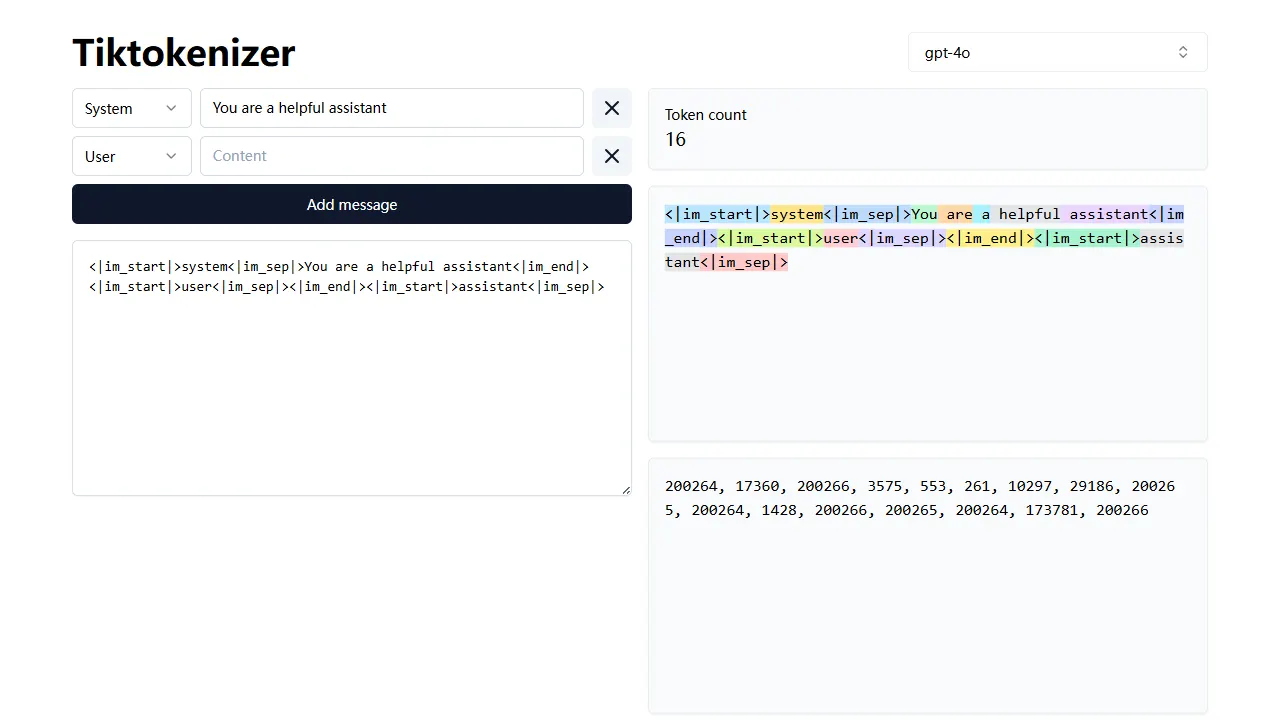
tiktokenizer is an open-source online tool site built with Next.js, TypeScript, and React that calculates token counts for text using the openai/tiktoken library.
Next.js · Tool Site
resume builder
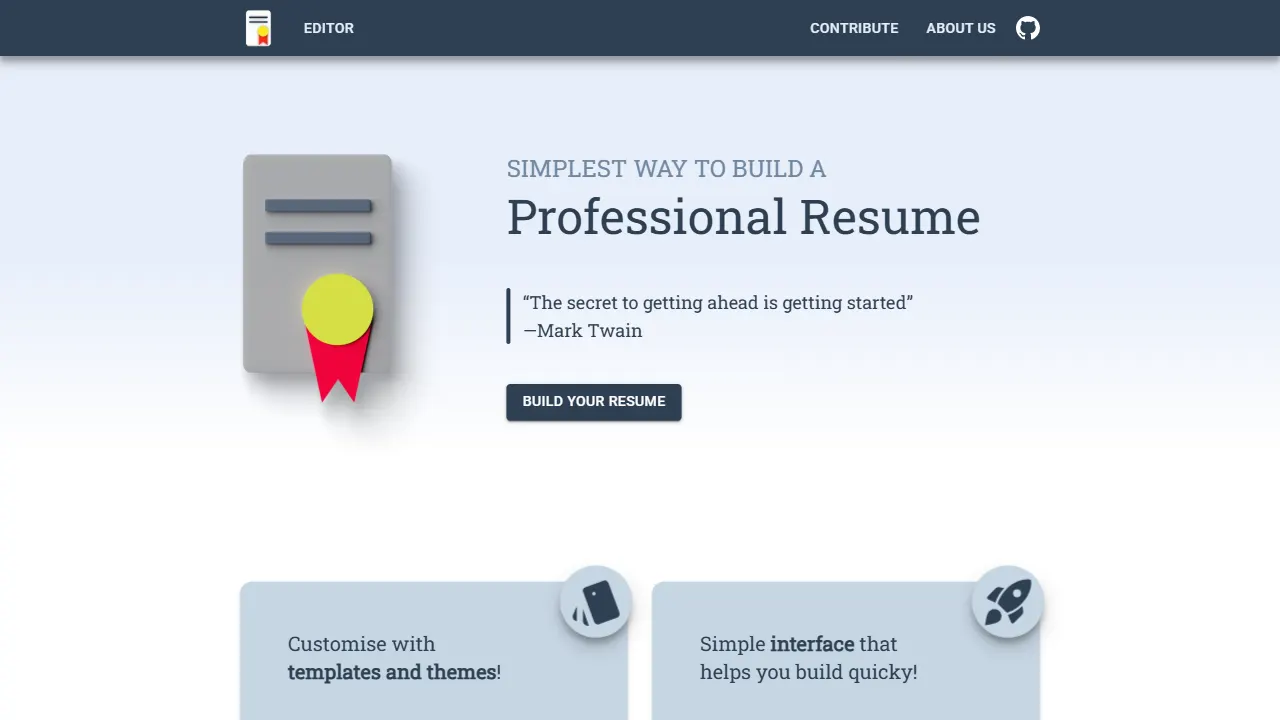
An open-source resume builder built with Next.js, TypeScript, Material UI, and Zustand. It offers multiple templates and themes, real-time editing and preview, and requires no registration.
Next.js · Tool Site
picprose
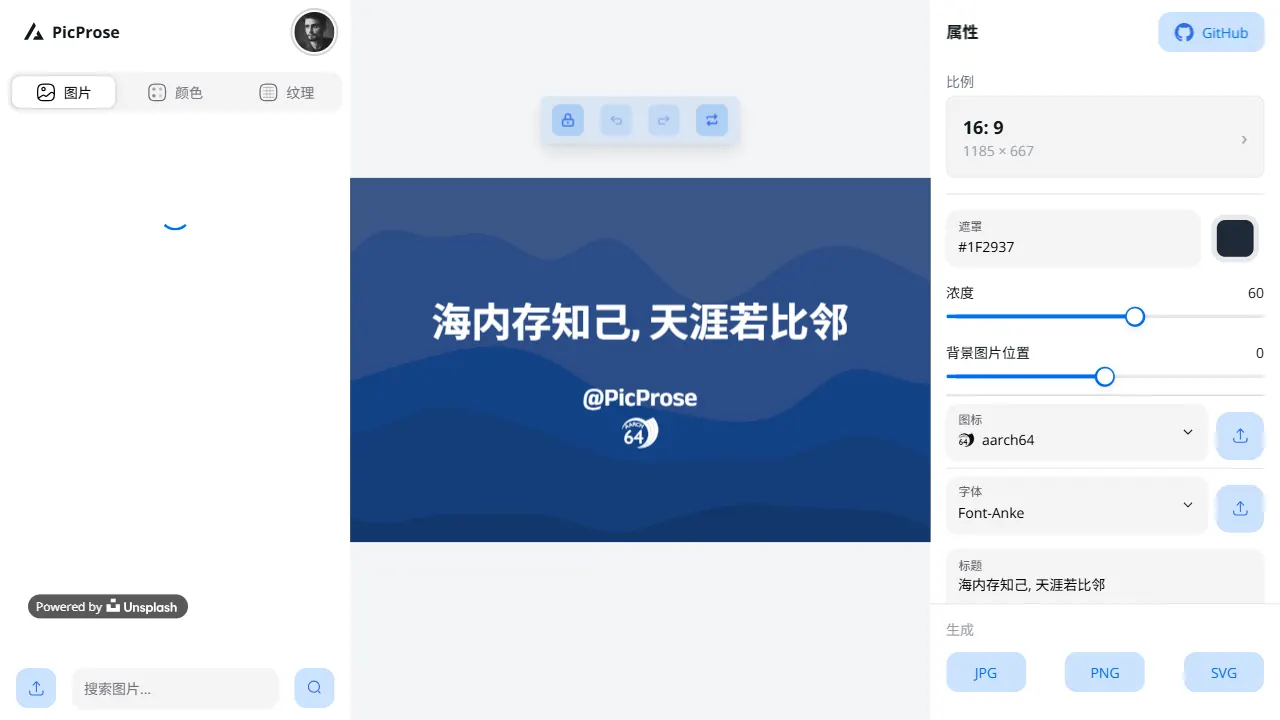
PicProse is an open-source, Next.js-based cover image generator for bloggers, content creators, and developers. It fetches images via the Unsplash API, supports custom titles, author info, fonts, colors, and transparency, offers multiple aspect ratios, and exports to JPG, PNG, and SVG.
Next.js · Tool Site
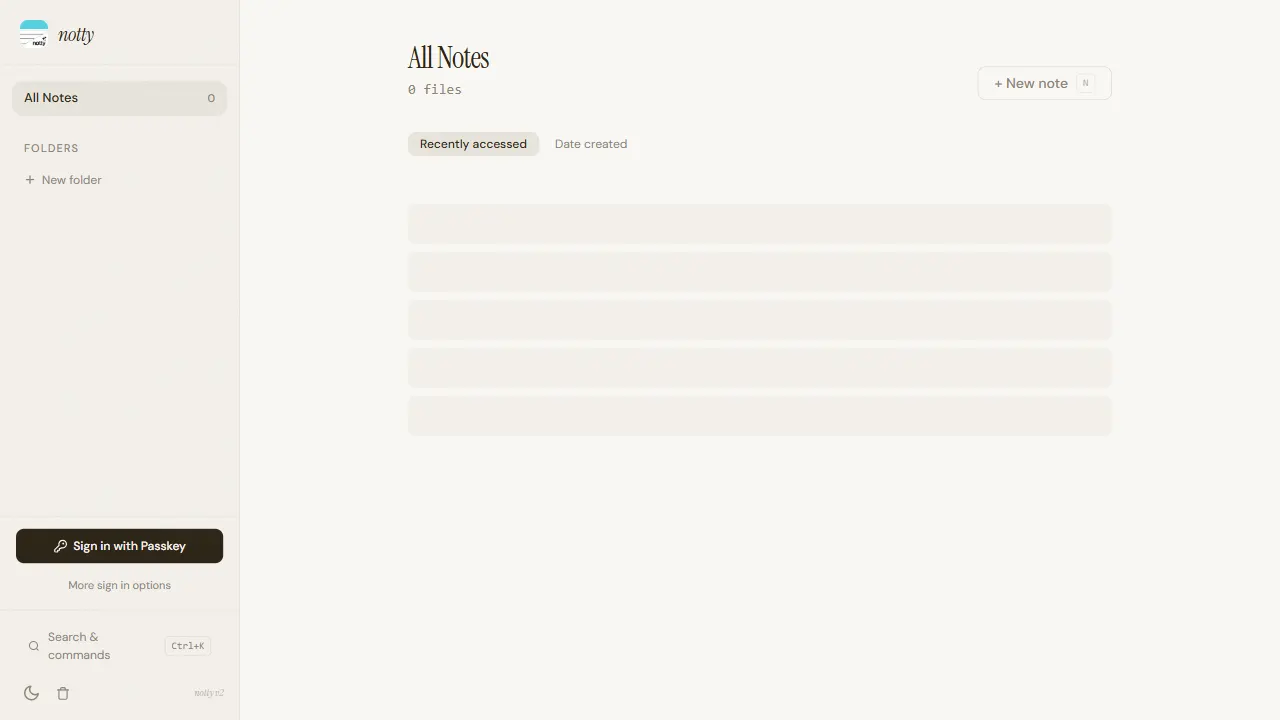
notty
Notty is an offline-first note-taking app template built with Next.js, TypeScript, React, Cloudflare Workers, and Yjs.
Next.js · Tool Site
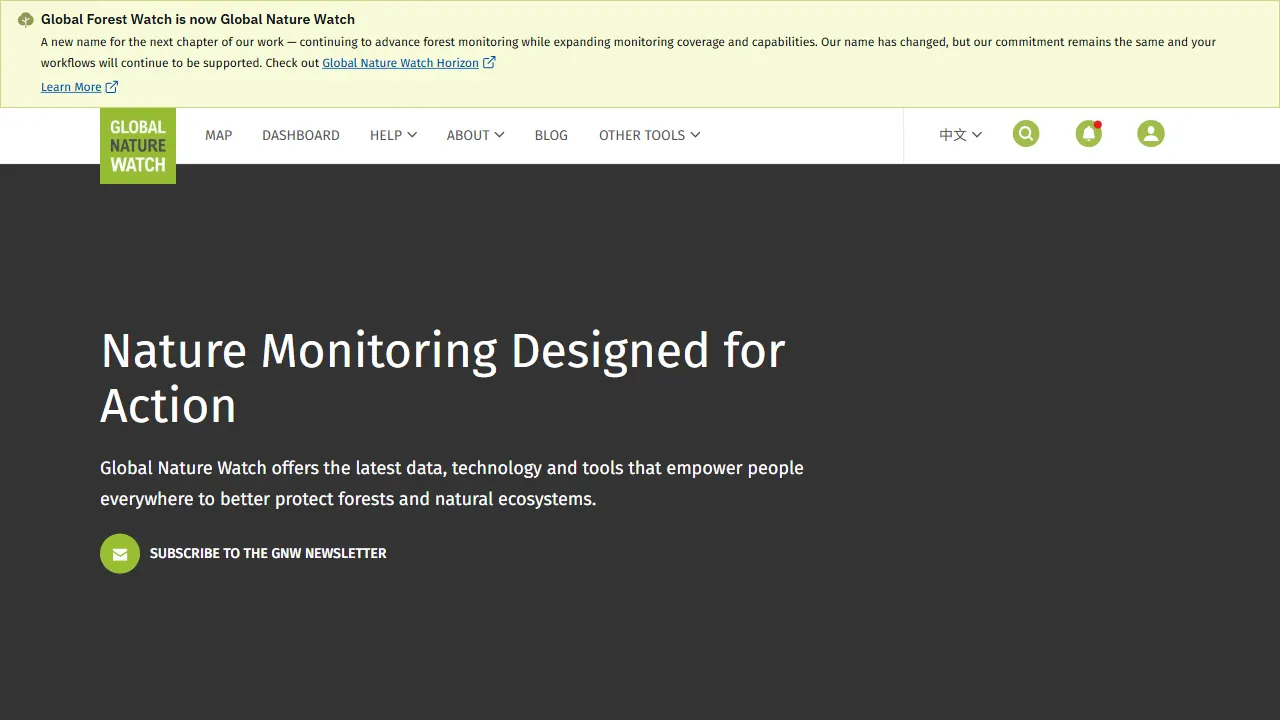
gfw
gfw is the official Global Forest Watch web application, an open-source tool site with a live online demo.
Next.js · Tool Site
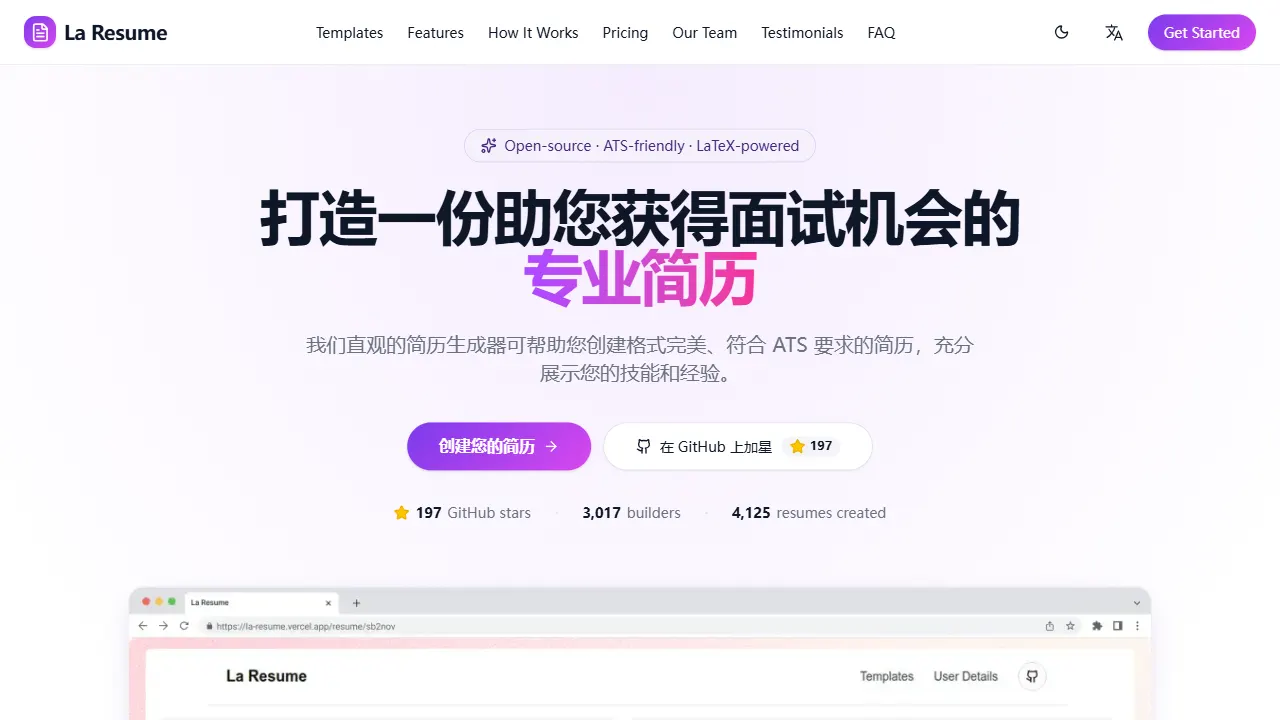
la resume
la resume is an open-source online resume builder built with Next.js, TypeScript, and React. It provides ATS-optimized templates, one-click PDF/LaTeX export, requires no registration, and supports PWA installation.
Next.js · Tool Site