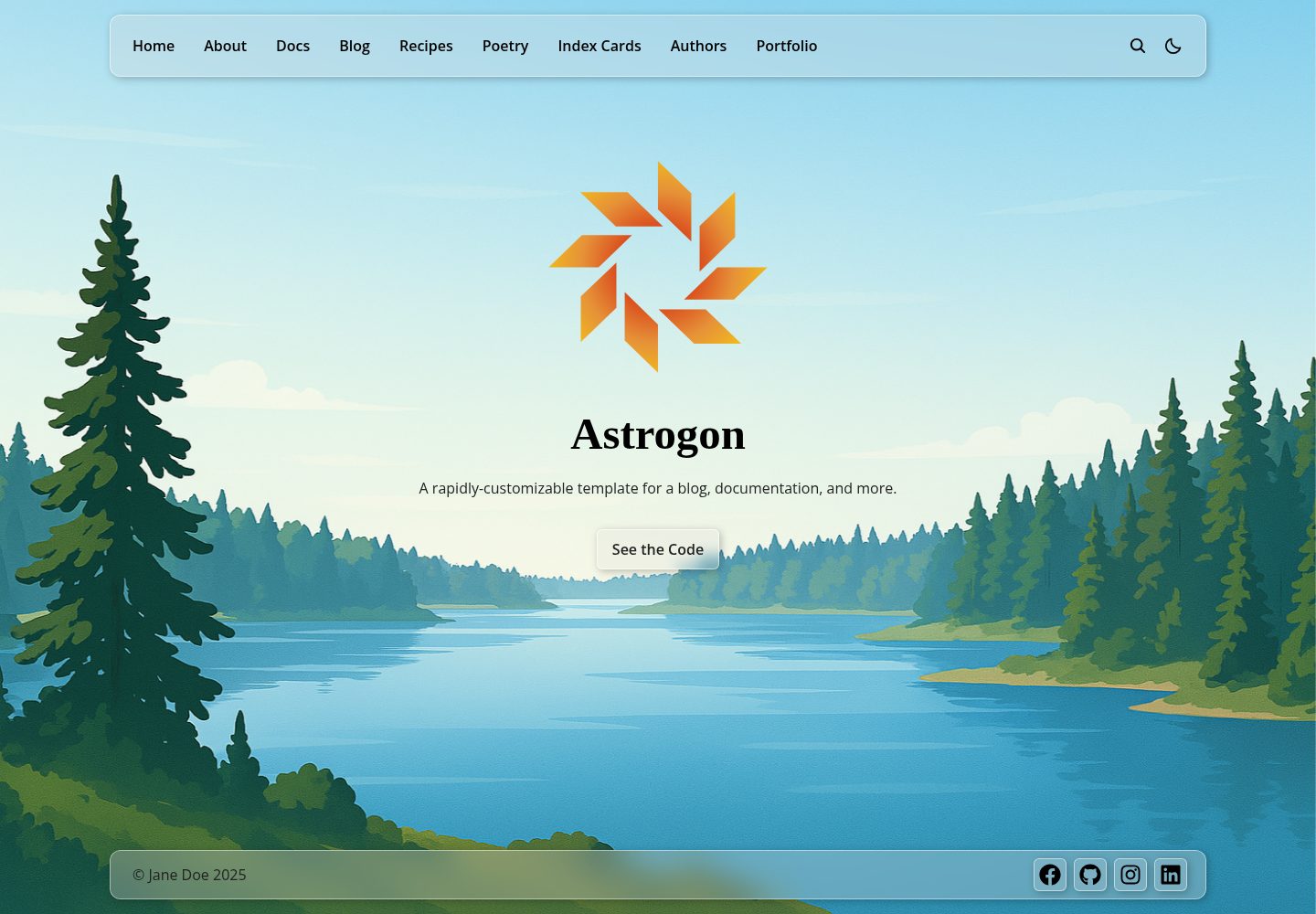
Based on Astro content collections, with built-in example collections for blog, documentation, recipes, authors, poetry, index cards, and more
AstroStarter
astrogon — Astro Starter Template
By astrogon
Astrogon is a multi-purpose website template built with Astro, Tailwind, and a small amount of React, featuring built-in content collections for blogs, documentation, recipes, authors, poetry, and more, along with a rich set of MD/MDX components.
Explore the design
Compare the page layouts and mobile experience. Open any screenshot for a closer look.
Desktop homepage1 / 3
Desktop captureTop of page
Actual screenshot captured by the server browser.
All pages & views 3
Screenshots show visual appearance; interactive behavior may differ.
Recorded 2026-10-02View source
What stands out
A quick read of the recorded project description.
The documentation collection supports multi-level structure and toggleable documentation browsing sidebar and table of contents sidebar
Content components cover accordions, tabs, code blocks, blockquotes, callout blocks, YouTube embeds, and LaTeX formulas
Supports light/dark mode with automatic system preference detection, and provides a frosted glass effect toggle
Includes site-level features such as search, breadcrumbs, related content, reading time, pagination, and social sharing
MIT license, allowing free use, modification, commercial use, and distribution of this version of the code
Template Details
Astrogon is a multi-purpose website template based on Astro, combining Tailwind with a small number of React components, aiming to provide a quickly customizable site skeleton. It organizes content through Astro content collections. The repository already includes example collections such as blog (with categories and tags), documentation (multi-level structure, toggleable documentation browsing sidebar and table of contents sidebar), recipes (highly templated structure), authors (entries can be linked across collections via the Author field), poetry (lightweight collection with pagination), and index cards (content concentrated in a single file, displayed on a single page). It also includes home, about/intro, portfolio, terms, and 404 pages. At the content level, it provides accordions, tabs, code blocks with syntax highlighting, blockquotes, callout blocks (note/tip/info/warning), YouTube embeds, LaTeX inline and block formulas, as well as standard MD/MDX capabilities like footnotes and tables. At the site level, it supports light and dark modes (including automatic system preference detection), search for selected content, responsive layout, tooltips, breadcrumbs, automatically populated related content, automatically calculated reading time, toggleable frosted glass effect, color and font customization, component transition animations, pagination, social sharing components, and built-in SEO-oriented patterns. For development, it is recommended to use Git, Node Version Manager, and Visual Studio Code; the README process is to fork and clone the repository, use Node 22, run npm install, and start with npm run dev, with the local address at http://localhost:4321. Alternatively, npx astro build and npx wrangler dev can be used. The template is released under the MIT license, but third-party assets such as demo images, fonts, and icons need separate license verification, and external services like domains and hosting may incur additional charges.
AstroStarter
Is it right for your project?
Use Cases
- Building a multi-purpose content site that includes both a blog and documentation
- Writing-oriented websites that need categories, tags, pagination, and related content
- Technical content display primarily using MD/MDX, requiring code blocks, callout blocks, and mathematical formulas
- Astro projects that want to start quickly with ready-made content collection structures and customize item by item
Suitable For
- Developers familiar with Astro and Tailwind who want to build upon an existing template
- Personal or team sites that need multiple content forms such as blog, documentation, and portfolio
- Projects that prefer Markdown/MDX writing and need dark mode and site search
Getting started & customization
Use these recorded setup notes alongside the repository instructions for your chosen version.
- 1
The README recommends Node 22, which can be switched via nvm install 22 or nvm use 22
- 2
First fork and clone the repository, then run npm install in the project directory to install dependencies
- 3
Use npm run dev to start the development server, accessible by default at http://localhost:4321
- 4
If deploying to Cloudflare, you can use npx astro build and npx wrangler dev instead
- 5
Third-party assets such as demo images, fonts, and icons need separate license verification according to their respective licenses
License & source material
Usage conditions & limitations
Free to use · keep license noticeThis entry covers the free version under the MIT license in the public repository; the free scope is the code of this version and does not mean that external services or third-party assets are free.
Must comply with when using
- Free use, modification, commercial use, and distribution of this version of the code are allowed.
- When distributing copies or substantial portions of the code, retain the original author's copyright notice and the full MIT license notice.
- The code is provided as is; warranties and limitations of liability are governed by the original license and applicable law.
Additional costs & items to verify
- If deploying to Cloudflare, note that Astro 5.8 and later no longer support Node 18, while older Cloudflare Pages defaults to Node 18, so deployment must switch to Wrangler and Cloudflare Workers.
- The README recommends forking the repository to your own GitHub account before cloning locally; this is a recommended process, not a mandatory license restriction.
- The project is completely free and open source; sponsorships are voluntary donations and do not constitute usage restrictions or payment requirements.
- Demo images, fonts, icons, and other third-party assets need to be checked under their respective licenses and cannot be judged solely by the code's MIT license.
- External services such as domains, hosting, databases, payments, or AI may incur additional charges.
View Original Text Basis
Permission is hereby granted, free of charge
Original License Text
This is relevant if you intend to deploy your site to Cloudflare. Starting with Astro 5.8, Node 18 is unsupported, but the old Cloudflare Pages uses 18 by default. Wrangler appears to be necessary to use the new Cloudflare Workers.
Original README
Fork this repository to your own GitHub account, then clone it to your local machine
Original README
https://github.com/astrogon/astrogon/blob/main/LICENSEhttps://github.com/astrogon/astrogon/blob/main/README.mda small donation [[here](https://github.com/sponsors/reednel)] would be warmly appreciated
Original README
Compiled by DeepSeek based on repository license and README ·2026-10-02. Results only cover the materials read; dependencies, images, fonts, and subsequent term changes are subject to their respective original texts.
Project checks & description sources
Template Information
- Source platforms
- GitHub
- Documentation and maintenance reference score
- More documented · 85 / 100
- Technologies
- Astro
- Website type
- Starter
How this score is calculated
Our heuristic uses license records (up to 30), a demo link (12), a preview (10), stars (15), recorded maintenance (15), description completeness (8), feature records (5) and classification data (5). It is not a code, security or performance test, or a Google score. A link does not establish tested functionality.
What to verify for this project
- Repository update recorded
- 2025-08-15
- Screenshot last checked
- 2026-10-02
A demo link is listed. Check it with your own content and viewport sizes; its presence does not confirm that forms, authentication or payments work.
The catalog identifies Astro as the primary stack. Check the actual dependency manifest and lockfile for versions and hosting requirements. These notes use recorded metadata, not a code audit or a deployment test.
Use a selection guide →How this description was prepared
AI-assisted description based on catalog records and repository material. Repository authors are not automatically the reviewers of this description.
Automatically checked against source and license rules; no manual editorial review.
Inspect the recorded source material
SHA-256: 7a855649dd43fc248167f80241d198bf8f3d3801394b464a95d873df0fdbf258
2026-10-02T16:00:00.520Z
Source file / repository<div align="center"> <img src="src/assets/astrogon-logo.svg" style="width:80%;" alt="Astrogon Logo" align="center" /> </div> --- [](https://github.com/astrogon/astrogon/blob/main/LICENSE) [](https://github.com/astrogon/astrogon)  [](https://astrogon.reednel.com/) Astrogon is a rapidly-customizable multipurpose website template built using Astro JS, Tailwind, and a sprinkle of React. ## Features ### Content Collections - Blog - Implements **Categories** and **Tags**, for easy filtering and searching - Documentation - **Multi-level** document structure - Toggleable **Doc Browser** sidebar - Toggleable **Table of Contents** sidebar - Recipes - Demonstrates a highly **templated structure** - Authors - A collection that can **link entries across collections** by the Author field - Poetry - A trim interface for a lightweight collection, demonstrating pagination over the content pages - Index Cards - A variation on the "Poetry" layout, where all content is kept in a single file, and displayed in a single page - And more: - Homepage - About/Bio - Portfolio - Terms and Conditions - 404 page #### Content Components & Features - **Accordion**/collapsible section - **Tabs** section - **Code Block** with syntax highlighting - **Quote Block** - **Notice Blocks** - note, tip, info, & warning - **Embedded YouTube Video** - Integrated **LaTeX** support for inline and block mathematical expressions - All the standard **MD/MDX** features, including footnotes, tables, and more ### Additional Features - Comprehensive **Light Mode** and **Dark Mode** support, with automatic detection of system preference - **Searchablility** over all content you choose to include - **Adaptive Layout** for all screen sizes, from phone a to a desktop monitor - **Tool Tips** that can be added seamlessly to any interactable element - **Breadcrumbs** for rapid navigation - Auto-populating **Related Content** section available for any content collection - Auto-calculating **Reading Time** available for any content collection - Togglable **Frosted Glass** effect on all components - Easily customizable color scheme and typography - Animated component **Transitions** for an elegant flourish - **Pagination** for any content collection - Component for **Social Media** sharing - Built-in patterns for **Search Engine Optimization** Every one of these features was designed with modularity and customizability in mind, for the smoothest development experience possible. For more details, see [docs/customization.md](docs/customization.md). ## Recommended Technologies - [Git](https://git-scm.com) - [Node Version Manager](https://github.com/nvm-sh/nvm) - [Visual Studio Code](https://code.visualstudio.com/) See [docs/tech-stack.md](docs/tech-stack.md) for more details. ## Development Instructions 1. Fork this repository to your own GitHub account, then clone it to your local machine 2. Use Node 22: `nvm install 22` or `nvm use 22` 3. From the project directory, install Node dependencies: `npm install` 4. From the project directory, build: `npm run dev` 1. Alternately*: `npx astro build`, `npx wrangler dev` 5. See your changes live at `http://localhost:4321` > *This is relevant if you intend to deploy your site to Cloudflare. Starting with Astro 5.8, Node 18 is unsupported, but the old Cloudflare Pages uses 18 by default. Wrangler appears to be necessary to use the new Cloudflare Workers. Read about Astro deployment [here](https://docs.astro.build/en/guides/deploy/cloudflare/#cloudflare-workers). ## License Astrogon is licensed under the [MIT License](LICENSE). ## Acknowledgments This template was originally inspired by the structures of [zeon-studio](https://github.com/zeon-studio)'s [astroplate](https://github.com/zeon-studio/astroplate), [jordienr](https://github.com/jordienr)'s [astro-design-system](https://github.com/jordienr/astro-design-system) and [TheOtterlord](https://github.com/TheOtterlord)'s [manual](https://github.com/TheOtterlord/manual). ## Sponsorship [reednel](https://github.com/reednel) has dedicated hundreds of hours to building this template, and continues to maintain and improve on it. This software is fully Free and Open Source, but if you find value in it, a small donation [[here](https://github.com/sponsors/reednel)] would be warmly appreciated.
Explore similar templates
Compare previews and descriptions within the same stack and category.

astrowind
AstroWind is a free, open-source Astro starter theme using Astro and Tailwind CSS, released under the MIT license.
Astro · Blog
accessible-astro-starter
An accessibility-focused Astro 6 starter template with WCAG 2.2 AA practices, Tailwind CSS 4, TypeScript, Prettier, ESLint, form validation, blog and portfolio examples, and preference toggles for dark mode, high contrast, and reduced motion.
Astro · Blog

astro-erudite
astro-erudite is an opinionated, unstyled static blog template built with Astro and native CSS, with no UI or CSS framework and minimal dependencies.
Astro · Portfolio

astro-shopify
A lightweight Shopify headless ecommerce starter template built with Astro and Svelte, integrating the Shopify Storefront API for product and inventory data, with built-in cart state management and basic add-to-cart and checkout flow.
Astro · E-commerce

brutal
Brutal is a neobrutalism Astro starter theme from ElianCodes, derived from the author's personal site and generalized. It includes a Markdown blog collection, build-time RSS and sitemap, image optimization, Tailwind CSS styling, and Biome checks, with no JavaScript by default.
Astro · Starter

qwind
Qwind is a free and open-source website template built on Qwik and Tailwind CSS, featuring directory-based routing via QwikCity, a Markdown blog, dark mode, and static deployment configuration.
Astro · Tool Site