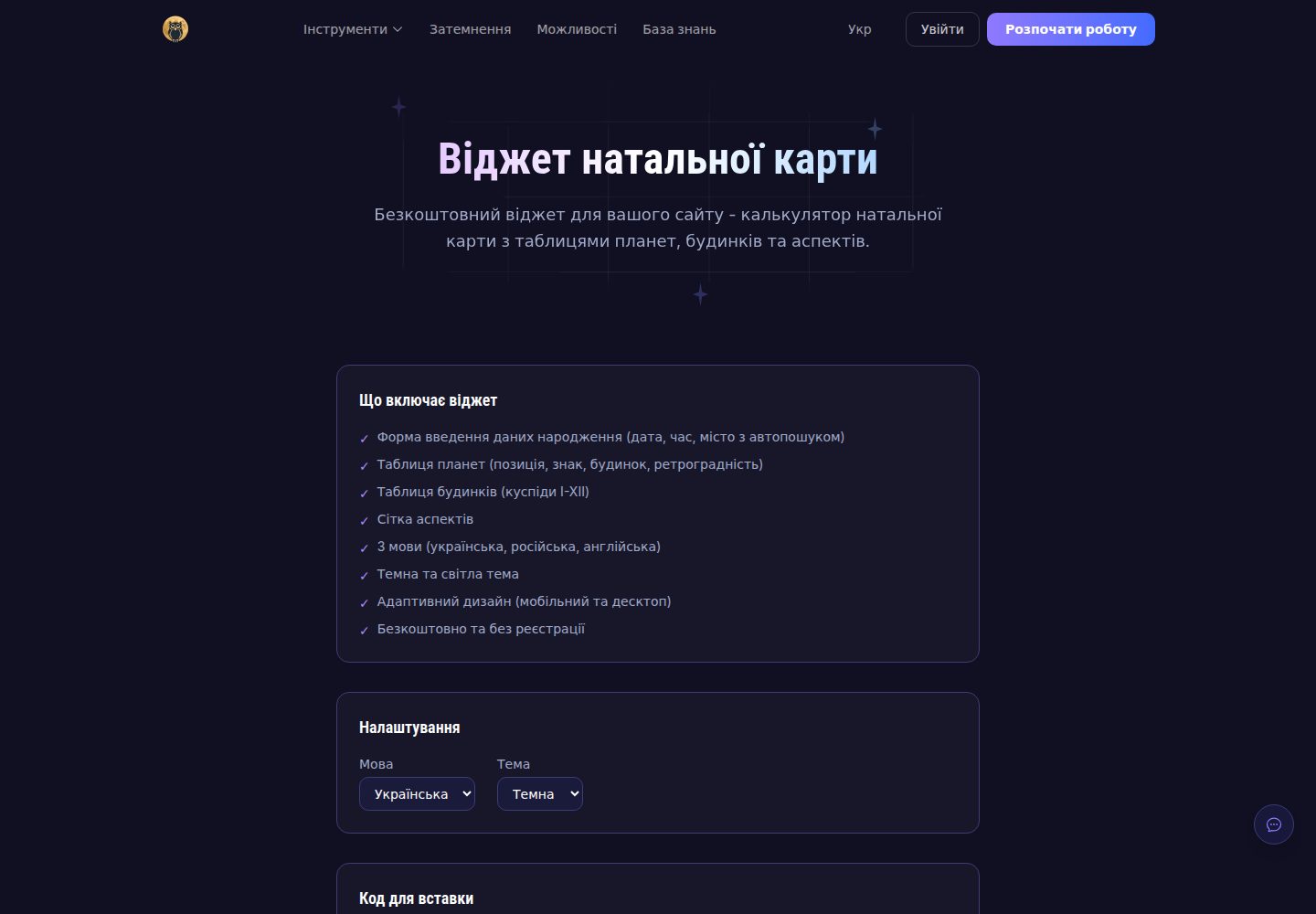
Embed with one div and one script tag, no build step or API key required
AstroTool Site
astroway-widget — Astro Tool Template
By astroway
Astroway natal chart widget embeds into any website with one div and one script tag; Swiss Ephemeris computes locally in the visitor's browser via WASM, with no API key or backend required.
Explore the design
Compare the page layouts and mobile experience. Open any screenshot for a closer look.
Desktop homepage1 / 3
Desktop captureTop of page
Actual screenshot captured by the server browser.
All pages & views 3
Screenshots show visual appearance; interactive behavior may differ.
Recorded 2026-10-13View source
What stands out
A quick read of the recorded project description.
Swiss Ephemeris compiled to WASM computes charts locally in the visitor's browser
Supports ten interface languages and three themes (dark, light, system-following); multiple widgets can be placed on the same page
Provides examples for static HTML, React, Vue 3, and WordPress shortcodes
Supports house systems including Placidus, Koch, Regiomontanus, Campanus, Whole Sign, and Equal
MIT licensed; install @astroway/widget from npm to self-host the loader
Template Details
This is an embeddable natal chart calculator. Integration involves placing a div with data-astroway-widget="natal" on the page and including widget.js hosted at app.astroway.info; the script finds all matching elements on the page, mounts an iframe within each, and resizes it as the chart is drawn. You can also install @astroway/widget from npm to self-host the loader; the repository provides examples for static HTML, React, Vue 3, and WordPress shortcodes.
Calculations are performed by Swiss Ephemeris compiled to WebAssembly, running in the visitor's browser, so no API key or backend service is required, and the date, time, and place entered by the visitor remain in the browser. The widget supports data-lang to specify the interface language (uk, en, de, pl, es, pt, fr, it, hi, ko) and data-theme to specify dark, light, or system-following theme; multiple widgets can be placed on the same page, each with its own language and theme settings. Output includes planetary positions, house cusps, aspects with configurable orbs, and a drawn chart wheel. House systems include Placidus, Koch, Regiomontanus, Campanus, Whole Sign, and Equal. Ephemeris coverage follows the DE431 model, approximately 13,000 BCE to 17,000 CE.
There are several usage limitations to note. The hosted widget.js updates in place, so an SRI hash cannot be used on the script tag; if security policy requires SRI, you must switch to the npm package and serve widget.js from your own origin with a pinned hash. If your site sends a strict CSP, you need to allow app.astroway.info for script-src and frame-src. The "Powered by AstroWay" link rendered by the widget inside the iframe is on its own domain and will not be counted by search engines as a link from your site; if you need a recognizable attribution, you can add a regular link next to the widget. The legacy global variable approach still works, but it supports only one widget per page; new integrations should use the data attribute form.
AstroTool Site
Is it right for your project?
Use Cases
- Embedding a natal chart calculator in astrology or horoscope content websites
- Adding a chart tool to a WordPress site via shortcode
- Integrating chart calculation as a component in React or Vue 3 projects
- Privacy-sensitive scenarios where the visitor's birth data must not leave the browser
Suitable For
- Websites and blogs publishing astrology or horoscope content
- Developers using WordPress, React, or Vue 3
- Teams wanting to quickly embed a tool via iframe without building their own calculation backend
- Sites with requirements for local processing of visitor birth data
Getting started & customization
Use these recorded setup notes alongside the repository instructions for your chosen version.
- 1
Add <div data-astroway-widget="natal" data-lang="en" data-theme="dark"></div> to the page and include https://app.astroway.info/widget.js (async)
- 2
To self-host, run npm install @astroway/widget and import '@astroway/widget'
- 3
The hosted widget.js updates in place and cannot use SRI; if security policy requires SRI, self-host and pin the hash
- 4
Under a strict CSP, allow https://app.astroway.info for script-src and frame-src
- 5
The legacy global variable approach supports only one widget per page; new integrations should use the data attribute form
License & source material
Usage conditions & limitations
Free to use · keep license noticeThis listing covers the free version under the MIT license in the public repository; the free scope applies to that version's code and does not imply that external services or third-party assets are free.
Must comply with when using
- Free use, modification, commercial use, and distribution of this version's code are permitted.
- When distributing copies or substantial portions of the code, retain the original author's copyright notice and the full MIT license notice.
- The code is provided as is; warranties and limitations of liability are governed by the original license and applicable law.
Additional costs & items to verify
- Demo images, fonts, icons, and other third-party assets must be checked against their respective licenses and cannot be assumed free solely based on the code's MIT license.
- External services such as domains, hosting, databases, payments, or AI may incur separate charges.
- The hosted widget.js updates in place and cannot use an SRI hash on the script tag; if security policy requires SRI, you must switch to the npm package and serve widget.js from your own origin with a pinned hash.
- If your site sends a strict CSP, you must allow app.astroway.info for the loader and iframe (script-src and frame-src), otherwise the widget cannot load.
- The "Powered by AstroWay" link rendered by the widget inside the iframe is on Astroway's own domain and will not be counted by search engines as a link from your site, so it cannot serve as an attribution link for your site.
- The legacy global variable approach supports only one widget per page; new integrations should use the data attribute form.
- Ephemeris files are fetched from Astroway's own origin within the iframe, so the widget depends on the availability of the external service app.astroway.info.
View Original Text Basis
Permission is hereby granted, free of charge
Original License Text
The hosted `widget.js` updates in place, so a Subresource Integrity hash on the `<script>` tag would break the embed on the next release. If your security policy requires SRI, install the npm package instead, serve `widget.js` from your own origin and pin the hash there.
Original README
If your site sends a strict CSP, allow the loader and the iframe:
Original README
The widget renders a "Powered by AstroWay" line inside the iframe, but that link lives on our domain, not on yours, so search engines do not read it as a link from your site.
Original README
This form supports a single widget per page. New integrations should use the data-attribute form above.
Original README
https://github.com/astroway/astroway-widget/blob/main/LICENSEhttps://github.com/astroway/astroway-widget/blob/main/README.mdthe ephemeris files are fetched inside the iframe, on our origin.
Original README
Compiled by DeepSeek based on repository license and README ·2026-10-13. Results only cover the materials read; dependencies, images, fonts, and subsequent term changes are subject to their respective original texts.
Project checks & description sources
Template Information
- Source platforms
- GitHub
- Documentation and maintenance reference score
- More documented · 80 / 100
- Technologies
- Astro
- Website type
- Tool Site
How this score is calculated
Our heuristic uses license records (up to 30), a demo link (12), a preview (10), stars (15), recorded maintenance (15), description completeness (8), feature records (5) and classification data (5). It is not a code, security or performance test, or a Google score. A link does not establish tested functionality.
What to verify for this project
- Repository update recorded
- 2026-08-22
- Screenshot last checked
- 2026-10-13
A demo link is listed. Check it with your own content and viewport sizes; its presence does not confirm that forms, authentication or payments work.
The catalog identifies Astro as the primary stack. Check the actual dependency manifest and lockfile for versions and hosting requirements. These notes use recorded metadata, not a code audit or a deployment test.
Use a selection guide →How this description was prepared
AI-assisted description based on catalog records and repository material. Repository authors are not automatically the reviewers of this description.
Review declaration: [email protected] · 2026-10-13
Inspect the recorded source material
SHA-256: d608f3d2bf27d71c13cfd57c1ad97948cccf807ca84e756cf946cc4b3beb1062
2026-10-13T00:57:13.053Z
Source file / repository# Astroway Natal Chart Widget [](https://www.npmjs.com/package/@astroway/widget) [](LICENSE) Embeddable natal chart calculator for any website. One `<div>`, one `<script>`, no build step and no API key. Positions come from [Swiss Ephemeris](https://www.astro.com/swisseph/) compiled to WebAssembly and are computed **in the visitor's browser**. Birth data is never sent to a server. **Live demo and configurator:** https://app.astroway.info/widget ## Install ```html <div data-astroway-widget="natal" data-lang="en" data-theme="dark"></div> <script src="https://app.astroway.info/widget.js" async></script> ``` That is the whole integration. The script finds every `[data-astroway-widget]` on the page, mounts an iframe into it and resizes it as the chart is drawn. Or from npm, if you prefer to self-host the loader: ```bash npm install @astroway/widget ``` ```js import '@astroway/widget' ``` ### Pinning a version The hosted `widget.js` updates in place, so a Subresource Integrity hash on the `<script>` tag would break the embed on the next release. If your security policy requires SRI, install the npm package instead, serve `widget.js` from your own origin and pin the hash there. ## Options | Attribute | Values | Default | Meaning | |---|---|---|---| | `data-astroway-widget` | `natal` | `natal` | Which widget to mount | | `data-lang` | `uk` `en` `de` `pl` `es` `pt` `fr` `it` `hi` `ko` | `en` | Interface language | | `data-theme` | `dark` `light` `auto` | `dark` | Colour scheme; `auto` follows the visitor's system setting | Several widgets can live on one page, each with its own language and theme: ```html <div data-astroway-widget="natal" data-lang="de" data-theme="light"></div> <div data-astroway-widget="natal" data-lang="pl" data-theme="dark"></div> <script src="https://app.astroway.info/widget.js" async></script> ``` ## Content Security Policy If your site sends a strict CSP, allow the loader and the iframe: ``` script-src https://app.astroway.info; frame-src https://app.astroway.info; ``` Nothing else is needed: the widget loads no third-party assets on your page, and the ephemeris files are fetched inside the iframe, on our origin. ## Attribution The widget renders a "Powered by AstroWay" line inside the iframe, but that link lives on our domain, not on yours, so search engines do not read it as a link from your site. If you want to credit the project in a way that counts, add a plain link next to the widget: ```html <p>Chart engine by <a href="https://app.astroway.info" rel="noopener">Astroway</a>.</p> ``` This is optional. The widget works the same either way. ## What the visitor gets Planet positions to the arcsecond, house cusps to the arcminute, aspects with configurable orbs, and a rendered chart wheel. House systems include Placidus, Koch, Regiomontanus, Campanus, Whole Sign and Equal. The full application behind the widget covers synastry, transits, progressions, directions, solar and lunar returns, Human Design and around forty other techniques: https://app.astroway.info/features ## Accuracy The engine is the same one that powers [app.astroway.info](https://app.astroway.info) and the [Astroway Calculation API](https://api.astroway.info). Planet longitudes are checked against Swiss Ephemeris reference output to within one arcsecond, house cusps to within one arcminute. Ephemeris coverage follows the DE431 model: roughly 13000 BCE to 17000 CE. ## Privacy The iframe runs on `app.astroway.info` and loads the WASM ephemeris on demand. Date, time and place entered by the visitor stay in the browser: the chart is computed locally and no birth data is transmitted. The loader adds no cookies and no tracking of its own. ## Legacy integration Pages that already use the global-variable form keep working: ```html <div id="astroway-widget"></div> <script> var astrowayWidget = "natal"; var astrowayLang = "en"; var astrowayTheme = "dark"; </script> <script src="https://app.astroway.info/widget.js"></script> ``` This form supports a single widget per page. New integrations should use the data-attribute form above. ## Examples - [`examples/plain.html`](examples/plain.html): static HTML - [`examples/react.jsx`](examples/react.jsx): React component - [`examples/vue.vue`](examples/vue.vue): Vue 3 single file component - [`examples/wordpress.php`](examples/wordpress.php): WordPress shortcode ## Related - [Astroway app](https://app.astroway.info): the full application - [Calculation API](https://api.astroway.info): REST access to the same engine, 760 endpoints - [`@astroway/mcp`](https://www.npmjs.com/package/@astroway/mcp): MCP server for AI assistants ## Licence MIT. See [LICENSE](LICENSE).
Explore similar templates
Compare previews and descriptions within the same stack and category.

astrowind
AstroWind is a free, open-source Astro starter theme using Astro and Tailwind CSS, released under the MIT license.
Astro · Blog

astro-paper
AstroPaper is a minimal, responsive, accessible, and SEO-friendly Astro blog theme. Articles are stored as Markdown/MDX in src/content/posts/, with subdirectories affecting URLs.
Astro · Blog

astro-theme-cactus
Astro Cactus is an Astro-based blog and portfolio theme that uses Markdown/MDX content collections to manage posts, notes, and tags, with frontmatter type-checked by a schema.
Astro · Portfolio

astrofy
Astrofy is a free and open-source personal portfolio website template built with Astro and TailwindCSS, with built-in blog, CV timeline, project showcase, store, and RSS feed modules.
Astro · Portfolio
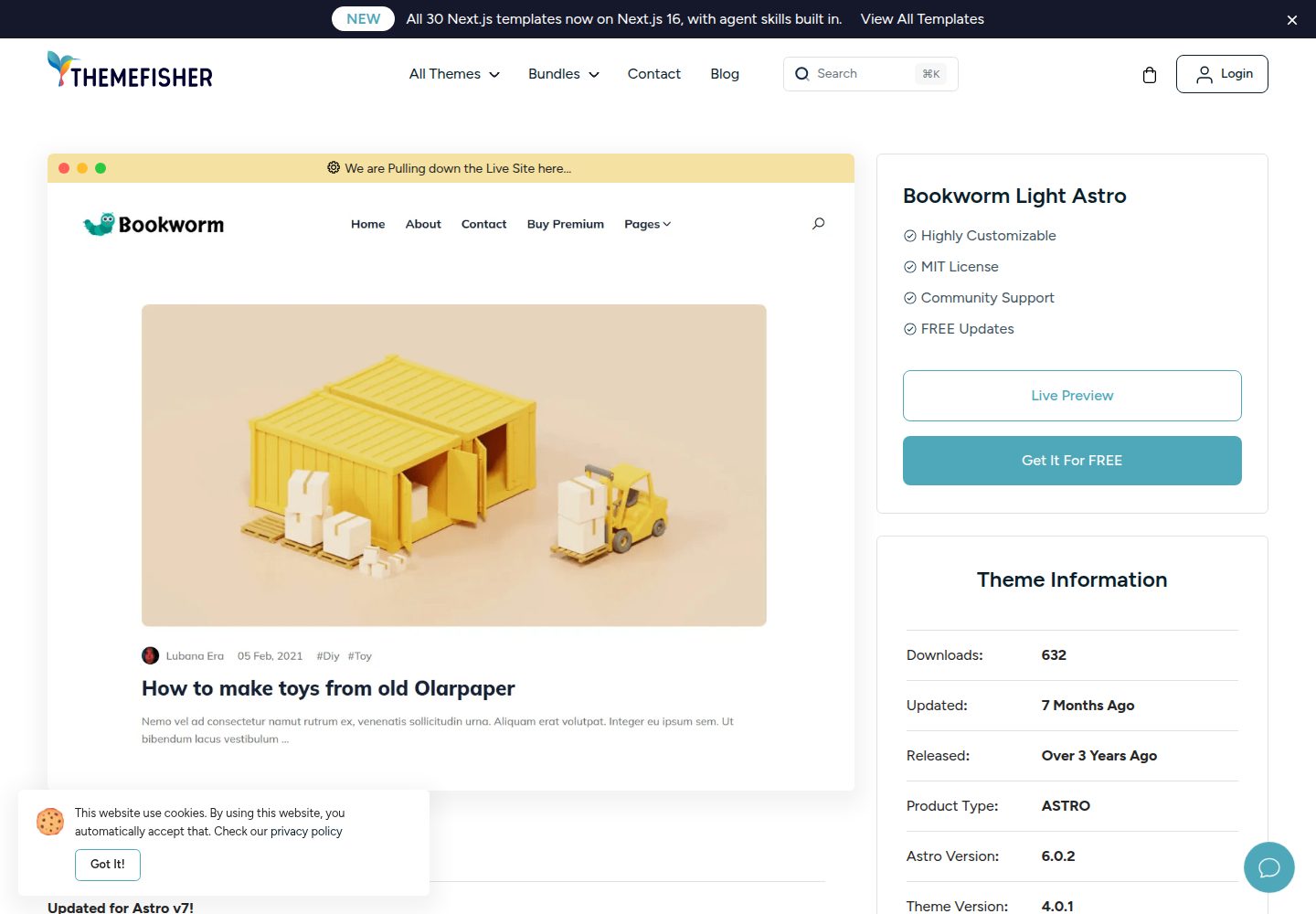
bookworm-light-astro
Bookworm Light Astro is a free, MIT-licensed Astro blog theme by Themefisher for personal or multi-author sites. It offers minimal Tailwind CSS styling, author list and individual author pages, tags, categories, related posts, social sharing, and FuseJS site search.
Astro · Blog

qwind
Qwind is a free and open-source website template built on Qwik and Tailwind CSS, featuring directory-based routing via QwikCity, a Markdown blog, dark mode, and static deployment configuration.
Astro · Tool Site