Vue-based front-end application framework for admin management
VueAdmin dashboard
NoahV — Vue Admin dashboard Template
By baidu
NoahV is a Baidu open-source Vue-based front-end application framework for admin management systems, offering components, JSON-configured layouts, data mocking, and dashboard templates.
Explore the design
Compare the page layouts and mobile experience. Open any screenshot for a closer look.
Desktop homepage
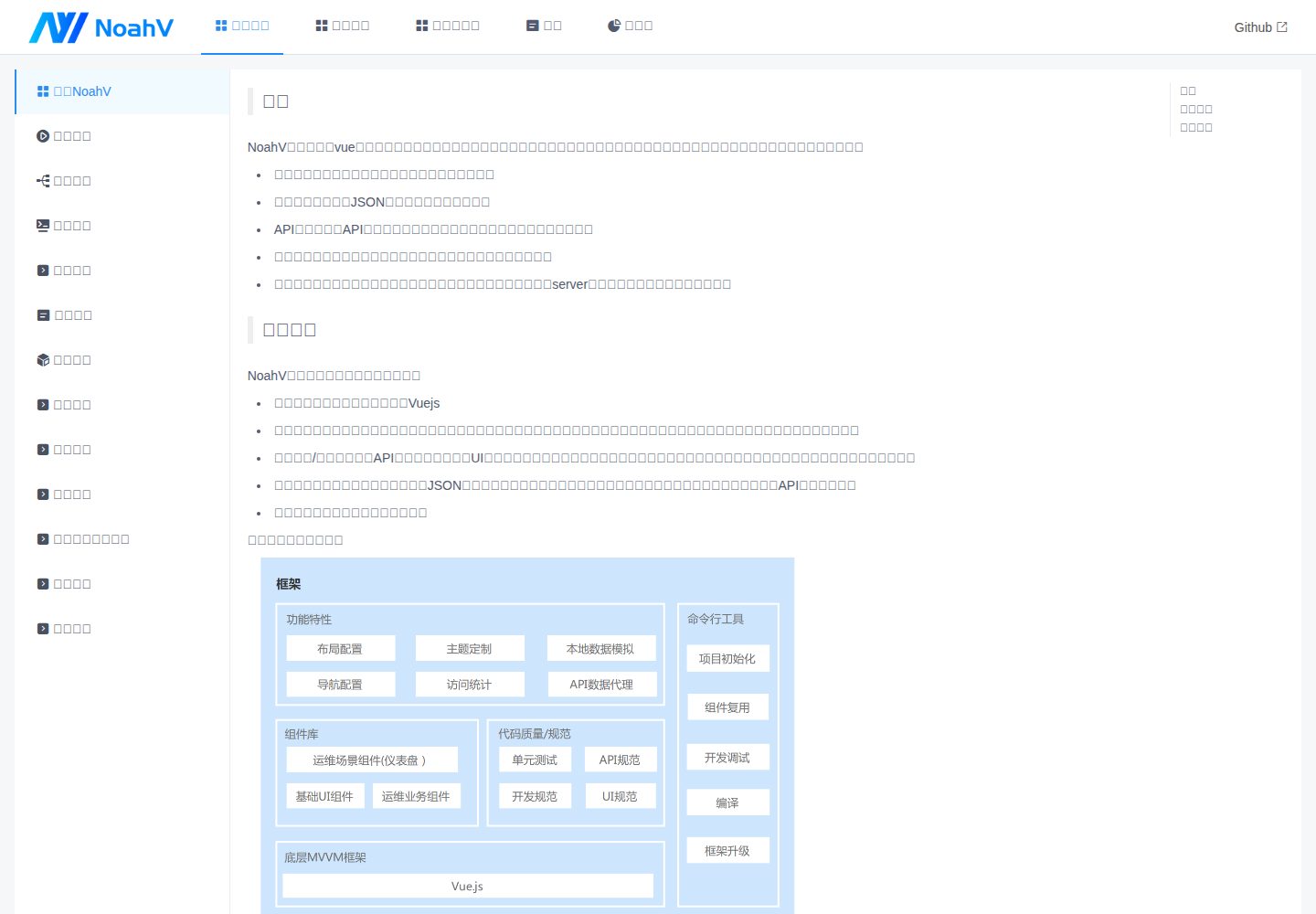
Desktop captureTop of page
Actual screenshot captured by the server browser.
One original preview is available. Open the full image to inspect the design.
Screenshots show visual appearance; interactive behavior may differ.
Recorded 2026-10-02View source
What stands out
A quick read of the recorded project description.
Navigation bar and page layout configured via JSON, without code logic development
Built-in API data mocking and API data proxying, decoupling front-end and back-end
Provides data dashboard functionality for common data visualization needs
Built-in four page templates: form, list, filterList, chart
noahv-cli scaffolding supports project initialization, template reuse, and debug startup
Template Details
NoahV is a front-end application framework built on Vue, primarily intended for common admin management systems. It provides a variety of commonly used components to help start front-end development quickly; the navigation bar and page layout are configured through JSON, without writing code logic. The framework includes built-in API data mocking and API data proxying, decoupling front-end and back-end for easier joint debugging. The data dashboard feature addresses common data visualization needs. The project also provides built-in templates supporting four page types: form, list, filterList, and chart, which can be generated through simple configuration. The accompanying noahv-cli scaffolding covers project initialization, template reuse, mock data creation, debug server startup, and framework upgrades.
Before use, note: the framework requires Node.js v6.0 or above; documentation is available at both GitHub Pages and Gitee. The project is licensed under Apache-2.0, allowing free use, modification, commercial use, and distribution of the code, but third-party assets such as demo images, fonts, and icons must be checked against their respective licenses, and external services such as domains, hosting, and databases may incur separate charges.
VueBackend
Is it right for your project?
Use Cases
- Building enterprise admin management systems
- Developing data dashboards and visual analysis pages
- Quickly generating navigation bars and page layouts through JSON configuration
- API data mocking and proxy joint debugging during front-end/back-end separated development
- Reusing built-in form, list, filter list, and chart templates to create pages
Suitable For
- Front-end teams needing to quickly build admin management interfaces
- Developers wanting to reduce layout code and drive pages with configuration
- Front-end projects requiring interface mocking for parallel front-end/back-end development
- Non-front-end personnel needing built-in templates to lower page development costs
Getting started & customization
Use these recorded setup notes alongside the repository instructions for your chosen version.
- 1
Requires Node.js v6.0 or above installed first
- 2
Install the scaffolding globally via npm install noahv-cli -g
- 3
Initialize a project with noahv init or noahv init --dashboard
- 4
Run noahv start in the project root to launch the debug server
- 5
Use noahv create and follow the prompts to select a template type to create a page
License & source material
Usage conditions & limitations
Free to use · keep license noticeThis entry covers the free version under the Apache-2.0 license in the public repository; the free scope applies to that version's code and does not imply that external services or third-party assets are free.
Must comply with when using
- Free use, modification, commercial use, and distribution are permitted; the Apache-2.0 license must be included when distributing.
- Modified files must carry prominent notices of changes, and relevant copyright, patent, trademark, and attribution notices must be retained.
- If the original project includes a NOTICE file, applicable attribution notices must be retained when distributing derivative works.
- The license includes an applicable contributor patent grant; initiating patent litigation as described in the license terminates that patent grant, and no trademark usage rights are granted.
- The code is provided as-is; warranties and limitations of liability are governed by the original license and applicable law.
Additional costs & items to verify
- Node.js v6.0 or higher must be installed before using the framework; otherwise the scaffolding and debug server cannot run.
- The noahv-cli scaffolding tool must be installed globally via npm, requiring an npm package management environment and network download.
- Project initialization must be performed with the noahv init command in an empty directory, requiring a command-line environment.
- Local development requires running noahv start in the project root to launch the debug server, occupying a local port.
- Built-in templates only support four page types: form, list, filterList, and chart; pages beyond these must be developed separately.
- Demo images, fonts, icons, and other third-party assets must be checked against their respective licenses and cannot be judged solely by the code's Apache-2.0 license.
- External services such as domains, hosting, databases, payment, or AI may incur separate charges.
View Original Text Basis
no-charge, royalty-free, irrevocable copyright license
Original License Text
NoahV框架依赖Nodejs 6.0,在执行如下步骤之前,请确保已经安装 <a href="https://nodejs.org/en/">Node.js</a> v6.0 或以上。
Original README
$ npm install noahv-cli -g
Original README
# 创建一个空目录,进入目录中,运行noahv init 命令创建一个通用项目
Original README
# 在项目根目录启动调试server
Original README
https://github.com/baidu/NoahV/blob/master/LICENSEhttps://github.com/baidu/NoahV/blob/master/README.md# 根据提示选择需要创建的页面类型,目前支持form、list、filterList、chart四种模板类型
Original README
Compiled by DeepSeek based on repository license and README ·2026-10-02. Results only cover the materials read; dependencies, images, fonts, and subsequent term changes are subject to their respective original texts.
Project checks & description sources
Template Information
- Source platforms
- GitHub
- Documentation and maintenance reference score
- More documented · 76 / 100
- Technologies
- Vue
- Website type
- Admin dashboard
How this score is calculated
Our heuristic uses license records (up to 30), a demo link (12), a preview (10), stars (15), recorded maintenance (15), description completeness (8), feature records (5) and classification data (5). It is not a code, security or performance test, or a Google score. A link does not establish tested functionality.
What to verify for this project
- Repository update recorded
- 2023-03-04
- Screenshot last checked
- 2026-10-02
A demo link is listed. Check it with your own content and viewport sizes; its presence does not confirm that forms, authentication or payments work.
The catalog identifies Vue as the primary stack. Check the actual dependency manifest and lockfile for versions and hosting requirements. These notes use recorded metadata, not a code audit or a deployment test.
Use a selection guide →How this description was prepared
AI-assisted description based on catalog records and repository material. Repository authors are not automatically the reviewers of this description.
Automatically checked against source and license rules; no manual editorial review.
Inspect the recorded source material
SHA-256: 8db926310594185edecc7996c5ffda62065638ff012e3d70fdbb55510581158a
2026-10-02T07:14:59.235Z
Source file / repository# NoahV 简体中文 | [English](./README_EN.md) <a href="https://travis-ci.com/baidu/NoahV"> <img src="https://img.shields.io/travis/com/baidu/NoahV?style=flat-square" alt="build"> </a> <a href="https://github.com/baidu/NoahV/blob/master/LICENSE"> <img src="https://img.shields.io/github/license/baidu/NoahV.svg?style=popout-square" alt="license"> </a> <a href="https://github.com/baidu/NoahV/issues"> <img src="https://img.shields.io/github/issues/baidu/NoahV.svg?style=flat-square" alt="open issues"> </a> <a href="https://github.com/baidu/NoahV/commits/master"> <img src="https://img.shields.io/github/commit-activity/w/baidu/NoahV.svg?style=flat-square" alt="commit"> </a> NoahV是一个基于vue开发的前端应用框架,主要适用于常见的后台管理系统,文档地址:[https://baidu.github.io/NoahV](https://baidu.github.io/NoahV), 如访问速度较慢,可尝试访问如下地址:[https://noahv.gitee.io/](https://noahv.gitee.io/) 特性: * 上手简单,提供常用的各类组件,快速开始前端开发 * 导航栏、页面布局JSON配置,无需代码逻辑开发 * API数据模拟和API数据代理,让前后端不再耦合,联调更简单,效率更高 * 数据仪表盘功能,满足常见的数据可视化需求,助力数据分析场景 * 内置模版,只需简单配置就可以开发出想要的页面,非前端同学也能快速上手开发 * 实用的脚手架功能,项目初始化、模板复用、模拟数据创建、调试server启动、框架升级一行命令通通搞定 ## 快速开始 NoahV框架依赖Nodejs 6.0,在执行如下步骤之前,请确保已经安装 <a href="https://nodejs.org/en/">Node.js</a> v6.0 或以上。 1.安装脚手架工具 ```shell # 安装noahv-cli $ npm install noahv-cli -g # 查看使用帮助 $ noahv --help ``` 2.初始化一个项目 ```shell # 创建一个空目录,进入目录中,运行noahv init 命令创建一个通用项目 $ mkdir project && cd project && noahv init # 运行noahv init --dashboard 命令创建一个包含仪表盘功能的项目 $ mkdir project && cd project && noahv init --dashboard ``` 3.运行项目 ```shell # 在项目根目录启动调试server $ noahv start ``` 4.复用模板 ```shell # 在项目根目录复用模板创建页面 $ noahv create # 根据提示选择需要创建的页面类型,目前支持form、list、filterList、chart四种模板类型 ``` 详细信息请查看 [模板使用](https://baidu.github.io/NoahV/#/guide/tpl) 更多关于框架的使用请查看 [NoahV开发指南](https://baidu.github.io/NoahV/#/guide/about) ## 讨论 | 微信群 | GitHub issues | | ---------- | ------------------------------------------------------------ | | <img src="https://noahv.cdn.bcebos.com/github%2Ff414efb2572218cd6756ca483.jpg" width="120px"> | [issues](https://github.com/baidu/NoahV/issues) | ## 参与共建 欢迎大家一起参与NoahV的共建,详情请参考[贡献指南](./CONTRIBUTING.md). ## License Apache License 2.0
Explore similar templates
Compare previews and descriptions within the same stack and category.

vuestic-admin
Vuestic Admin is an open-source Vue 3 admin template maintained by Epicmax, built on Vuestic UI with Vite, Pinia, and Tailwind CSS. It provides a ready-to-run dashboard with a dark theme, global configuration, i18n internationalization, and responsive layout.
Vue · Admin dashboard

v3-admin-vite
v3-admin-vite is an AI-friendly Vue3 admin template built on Vue3, Vite, TypeScript, and Element Plus. It keeps a lean structure with detailed comments, supports backend-controlled dynamic route permissions, page-level and button-level permissions, multiple themes and layouts, and mobile compatibility.
Vue · Admin dashboard

vue-typescript-admin-template
A Vue 2.6 + TypeScript + Element UI admin template ported from vue-element-admin, offering type safety and enterprise features like permission authentication, internationalization, dynamic themes, editors, charts, Excel/PDF handling, and PWA support.
Vue · Admin dashboard

vue-antd-admin
Vue Antd Admin is the Vue implementation of Ant Design Pro, providing an out-of-the-box front-end and design solution for admin dashboards.
Vue · Admin dashboard

coreui-free-vue-admin-template
CoreUI's official free Vue admin template, MIT licensed, built on Vue 3 and the CoreUI component library with Vue Router, Pinia, and Vite.
Vue · Admin dashboard
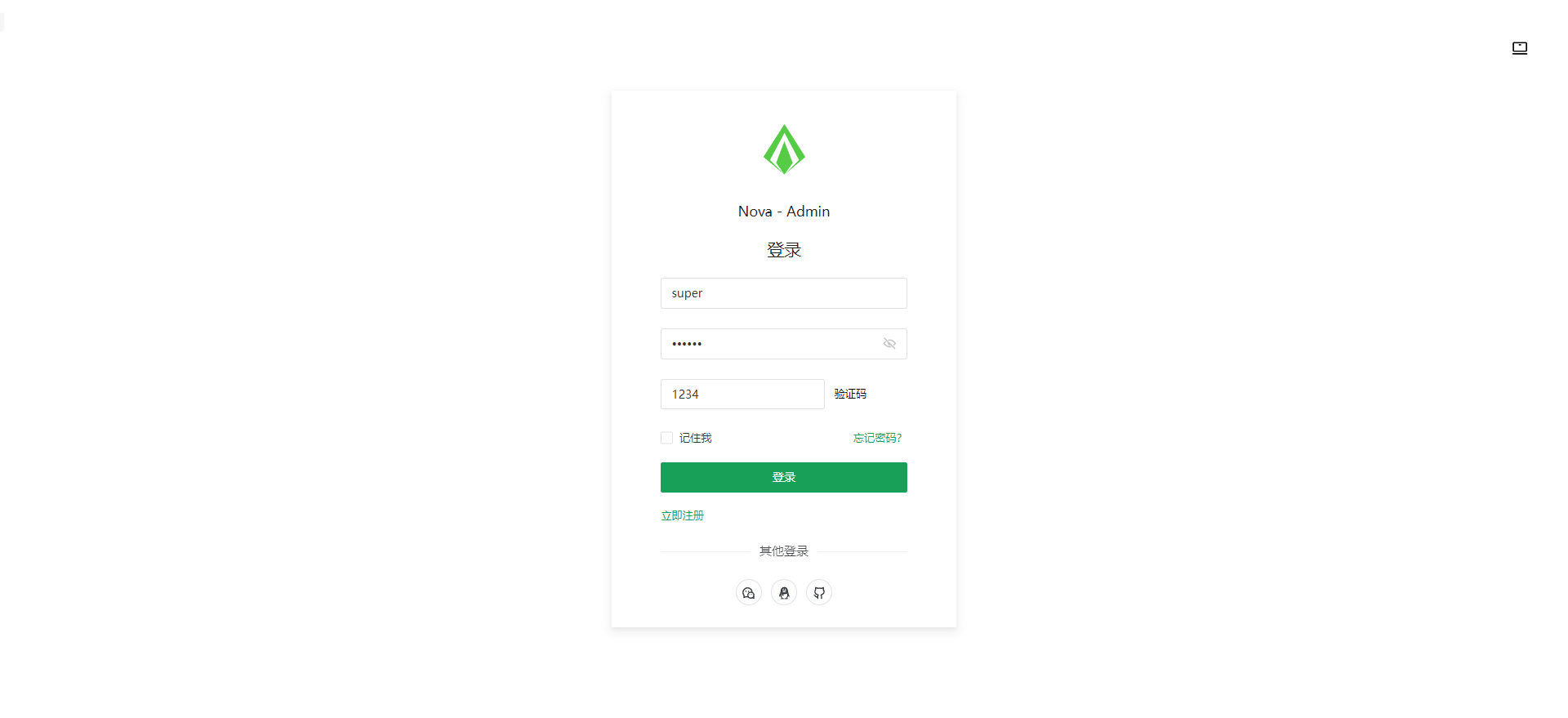
nova-admin
Nova Admin is an admin template built on Vue3, Vite, TypeScript, and Naive UI, with Unocss for styling.
Vue · Admin dashboard