A demo blog project combining Next.js and Appwrite
Next.jsReactBlog
demo-blog-appwrite-nextjs — Next.js Blog Template
By ChiragAgg5k
A demo blog project based on Next.js and Appwrite, including configuration instructions for local development and self-hosted Appwrite.
Explore the design
Compare the page layouts and mobile experience. Open any screenshot for a closer look.
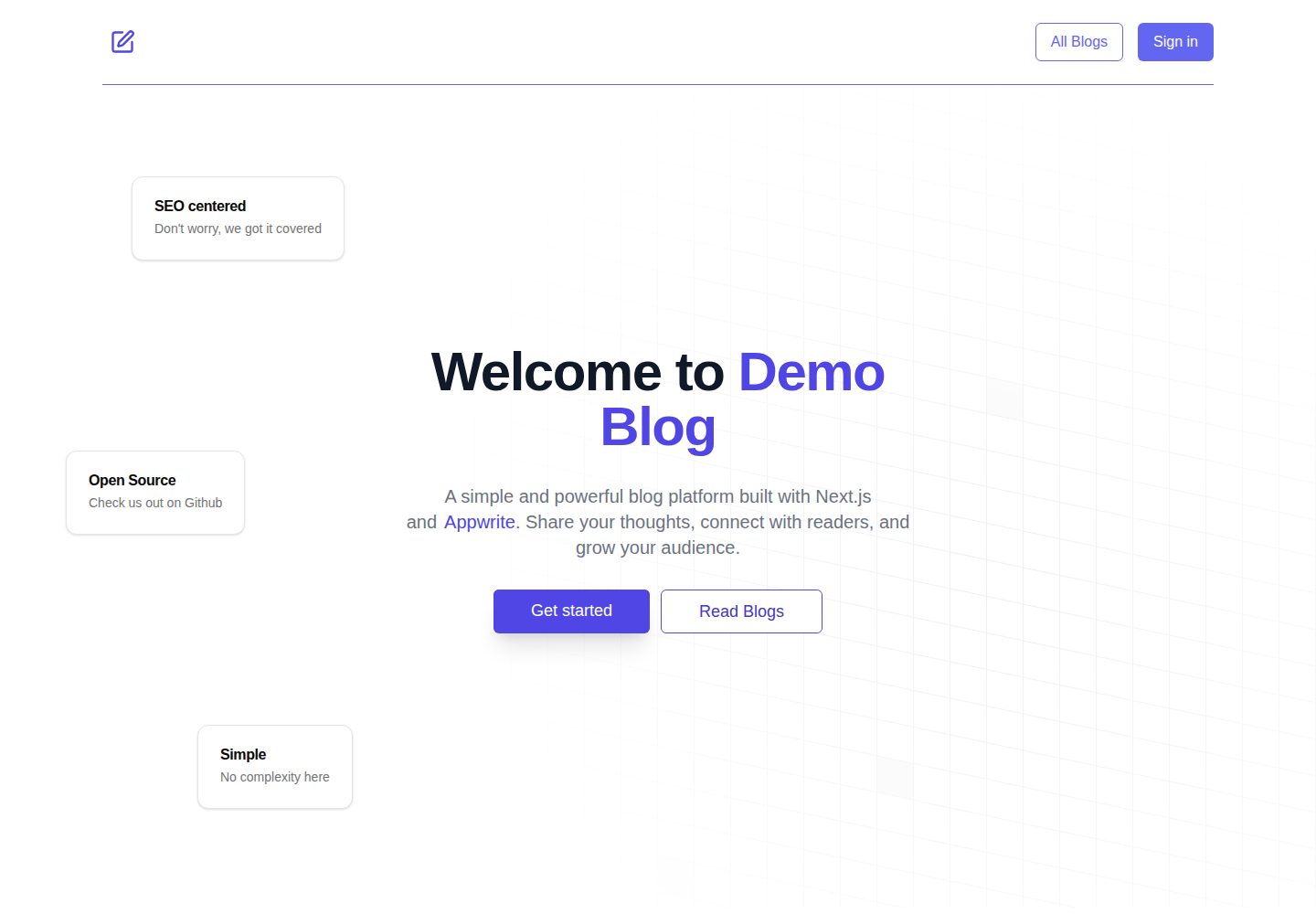
Desktop homepage1 / 2
Desktop captureTop of page
Actual screenshot captured by the server browser.
All pages & views 2
Screenshots show visual appearance; interactive behavior may differ.
Recorded 2026-10-14View source
What stands out
A quick read of the recorded project description.
Connect to Appwrite by configuring NEXT_PUBLIC_APPWRITE_PROJECT_ID in .env.local
Settings can be adjusted in src/lib/constants.ts to customize the blog
Provides a Docker command to run Appwrite 1.6.0 locally
The README points to docs/appwrite.md for steps to create collections and databases
Template Details
This is a demo blog website built with Next.js and Appwrite. The README explains the complete process from cloning the repository, installing dependencies, configuring environment variables, to starting the development server, and notes that some settings can be adjusted in src/lib/constants.ts to customize the blog.
The project supports two backend approaches: when using Appwrite Cloud, you only need to fill in NEXT_PUBLIC_APPWRITE_PROJECT_ID in .env.local; you can also run the Appwrite 1.6.0 image locally using the Docker command provided in the README, change APPWRITE_CLOUD_ENDPOINT in constants.ts to http://localhost/v1, and then create collections and databases according to docs/appwrite.md.
The README does not describe the blog's specific page structure, content model fields, authentication methods, or deployment process; these need to be confirmed by referring to docs/appwrite.md and the source code in the repository.
Next.jsBlog
Is it right for your project?
Use Cases
- A sample project for learning Next.js and Appwrite integration
- Starting Appwrite locally with Docker and setting up a blog backend
- As a starting reference for a self-hosted Appwrite blog
Suitable For
- Developers who want to understand Next.js with Appwrite
- Users who need to run Appwrite locally for blog development
- Developers looking for a customizable blog demo project as a starting point
Getting started & customization
Use these recorded setup notes alongside the repository instructions for your chosen version.
- 1
After cloning the repository, use pnpm install to install dependencies; npm or yarn can also be used
- 2
Create .env.local in the root directory and fill in NEXT_PUBLIC_APPWRITE_PROJECT_ID
- 3
Run pnpm dev to start the development server
- 4
To run Appwrite locally, execute the Docker command in the README and change APPWRITE_CLOUD_ENDPOINT in constants.ts to http://localhost/v1
- 5
Create collections and set up the database according to the instructions in docs/appwrite.md
License & source material
Usage conditions & limitations
Free to use · keep license noticeThis entry covers the free version under the MIT license in the public repository; the free scope is the code of this version and does not mean external services or third-party assets are free.
Must comply with when using
- Free use, modification, commercial use, and distribution of this version's code are allowed.
- When distributing copies or substantial portions of the code, retain the original author's copyright notice and the complete MIT license notice.
- The code is provided as is; warranties and limitations of liability are governed by the original license and applicable law.
Additional costs & items to verify
- Demo images, fonts, icons, and other third-party assets must be checked against their respective licenses and cannot be judged solely by the code's MIT license.
- External services such as domains, hosting, databases, payments, or AI may incur additional charges.
- When using Appwrite Cloud, NEXT_PUBLIC_APPWRITE_PROJECT_ID must be configured in .env.local, i.e., an Appwrite project is required (which may require registering an Appwrite account).
- To run the Appwrite backend locally, the Appwrite Docker image must be installed and run, i.e., a Docker environment is required.
- When self-hosting Appwrite locally, APPWRITE_CLOUD_ENDPOINT in constants.ts must be changed to http://localhost/v1 for a proper connection.
View Original Text Basis
Permission is hereby granted, free of charge
Original License Text
NEXT_PUBLIC_APPWRITE_PROJECT_ID=<your-appwrite-project-id>
Original README
1. Install and run the Appwrite Image.
Original README
https://github.com/ChiragAgg5k/demo-blog-appwrite-nextjs/blob/master/LICENSEhttps://github.com/ChiragAgg5k/demo-blog-appwrite-nextjs/blob/master/README.md2. Change the `APPWRITE_CLOUD_ENDPOINT` in [constants.ts](./src/lib/constants.ts) to `http://localhost/v1`.
Original README
Compiled by DeepSeek based on repository license and README ·2026-10-14. Results only cover the materials read; dependencies, images, fonts, and subsequent term changes are subject to their respective original texts.
Project checks & description sources
Template Information
- Source platforms
- GitHub
- Documentation and maintenance reference score
- Partly documented · 74 / 100
- Technologies
- Next.js · React
- Website type
- Blog
How this score is calculated
Our heuristic uses license records (up to 30), a demo link (12), a preview (10), stars (15), recorded maintenance (15), description completeness (8), feature records (5) and classification data (5). It is not a code, security or performance test, or a Google score. A link does not establish tested functionality.
What to verify for this project
- Repository update recorded
- 2024-12-27
- Screenshot last checked
- 2026-10-14
A demo link is listed. Check it with your own content and viewport sizes; its presence does not confirm that forms, authentication or payments work.
The catalog identifies Next.js as the primary stack. Check the actual dependency manifest and lockfile for versions and hosting requirements. These notes use recorded metadata, not a code audit or a deployment test.
Use a selection guide →How this description was prepared
AI-assisted description based on catalog records and repository material. Repository authors are not automatically the reviewers of this description.
Review declaration: codex-user-requested-batch-review-20261015 · 2026-10-15
Inspect the recorded source material
SHA-256: 234dd73462f1612e1e711859a8fd0e932f0b9ea428e85d93f6e456a9537ae7a2
2026-10-14T05:42:35.243Z
Source file / repository
Demo Blog website built with Next.js and Appwrite.
## Getting Started
1. Clone the repository
```sh
git clone https://github.com/ChiragAgg5k/demo-blog-appwrite-nextjs
cd demo-blog-appwrite-nextjs
```
2. Install dependencies
```sh
pnpm install
```
You can also use `npm` or `yarn` instead of `pnpm`.
3. Create a `.env.local` file in the root directory and add the following environment variables:
```sh
NEXT_PUBLIC_APPWRITE_PROJECT_ID=<your-appwrite-project-id>
```
More information on how to setup Appwrite can be found in the [docs](./docs/appwrite.md).
4. Run the development server
```sh
pnpm dev
```
Additionally, you can change some settings in [constants.ts](./src/lib/constants.ts) to customize the blog.
## Running Appwrite Locally
1. Install and run the Appwrite Image.
```sh
docker run -it --rm \
--volume /var/run/docker.sock:/var/run/docker.sock \
--volume "$(pwd)"/appwrite:/usr/src/code/appwrite:rw \
--entrypoint="install" \
appwrite/appwrite:1.6.0
```
2. Change the `APPWRITE_CLOUD_ENDPOINT` in [constants.ts](./src/lib/constants.ts) to `http://localhost/v1`.
3. Appwrite should be running on `http://localhost:8000`.
4. Follow the instructions in [appwrite.md](./docs/appwrite.md) to create the collections and setup the database.
## Contributing
Contributions are always welcome! Checkout the [CONTRIBUTING.md](./CONTRIBUTING.md) file for more information.
---
Made with ❤️ by [Chirag Aggarwal](https://www.chiragaggarwal.tech/).
Explore similar templates
Compare previews and descriptions within the same stack and category.

tailwind-nextjs-starter-blog
A Next.js and Tailwind CSS blog starter template using Contentlayer for Markdown/MDX, with built-in SEO, code highlighting, and tags. It targets personal technical blogs and migration from Jekyll/Hugo to React, and supports one-click Vercel deployment.
Next.js · Blog

Nextjs-tailwindcss-blog-template
A Next.js blog styled with Tailwind CSS. The current branch processes Markdown with Velite; the earlier Contentlayer setup is retained in a separate historical branch.
Next.js · Blog

Next-js-Blog-Boilerplate
A blog starter built on Next.js 12 and Tailwind CSS 3, integrating TypeScript, ESLint, Prettier, and PostCSS.
Next.js · Blog

nextjs-blog-theme
A Next.js 15 and Tailwind CSS 4.x blog starter by Netlify, designed by Bejamas, with MDX support, dark/light theme switching, and environment-variable configuration. It includes a visual setup wizard for deploying to Netlify and manages content via local .mdx files.
Next.js · Blog

blog
A personal blog forked from Timlrx's tailwind-nextjs-starter-blog, built with Next.js, React, and Tailwind CSS. Content is stored as Markdown/MDX under data/, with site, author, navigation, and project data in separate files.
Next.js · Blog

tailnext
Tailnext is a free, open-source template built on the Next.js 14 App Router and Tailwind CSS, created by the onWidget team.
Next.js · Blog