Rich-text editor based on Tiptap, supporting headings, bold, italic, lists, code blocks, quotes, links, and a toggle to Markdown source view
JekyllBlog
jekyll-chirpy-cms-panel — Jekyll Blog Template
By dollarboysushil
A self-hosted CMS panel for Jekyll Chirpy theme blogs, deployed on Vercel, managing posts and images directly via the GitHub API.
Explore the design
Compare the page layouts and mobile experience. Open any screenshot for a closer look.
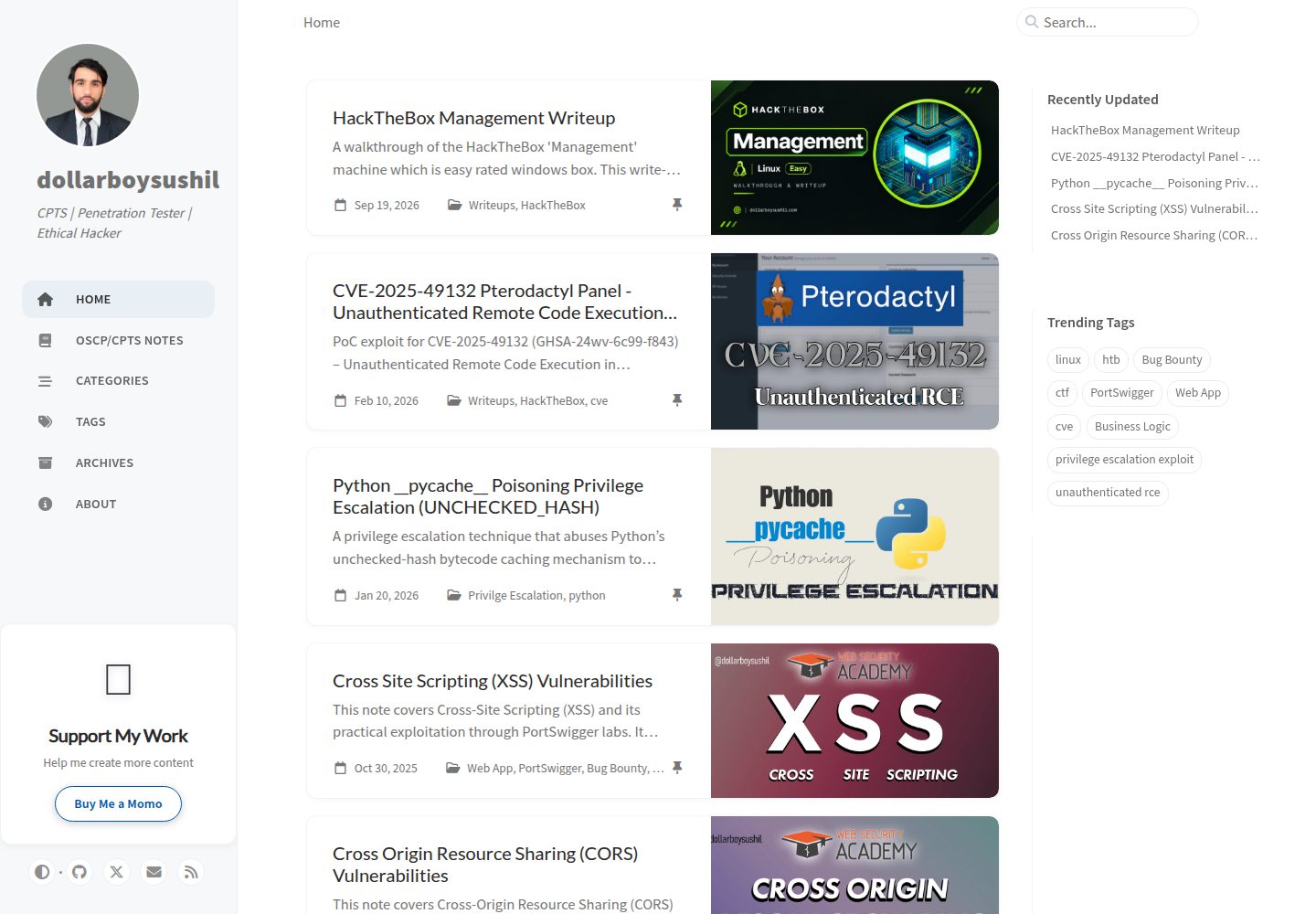
Desktop homepage1 / 3
Desktop captureTop of page
Actual screenshot captured by the server browser.
All pages & views 3
Screenshots show visual appearance; interactive behavior may differ.
Recorded 2026-10-04View source
What stands out
A quick read of the recorded project description.
Drafts auto-save to Vercel Postgres every 5 seconds; uploaded images are automatically converted to WebP and temporarily stored in Vercel Blob
On publish, content is automatically converted to Markdown, Jekyll frontmatter is generated, and it is committed to the _posts/ directory via the GitHub API
Provides three views: all posts, drafts, and published, plus a split-pane Markdown editing interface with preview
Authentication uses an admin password and JWT httpOnly cookie, and includes rate limiting, input validation, and security response headers
Supports one-click Vercel deployment; edit blog content without installing Jekyll locally
Template Details
This is a self-hosted content management panel designed for Jekyll (Chirpy theme) blogs. It does not replace Jekyll itself, but serves as a front end for writing and publishing: you write drafts in a rich-text editor in the browser, drafts are automatically saved to Vercel Postgres, uploaded images are converted to WebP via Sharp and temporarily stored in Vercel Blob; when you click publish, the content is converted to Markdown, Jekyll frontmatter is generated, and it is committed to the blog repository's _posts/ directory via the GitHub API, while images are uploaded under assets/img/, then a GitHub Pages rebuild is triggered. The panel provides three views: all posts, drafts, and published. Login uses an admin password and JWT (httpOnly cookie) authentication.
Before use, you need to prepare a GitHub repository and a Vercel account, and configure environment variables such as GitHub Token, repository owner and name, admin password, and AUTH_SECRET. You also need to enable Vercel Postgres and Blob storage. After deployment, visit /api/setup to initialize the database tables.
Note: the author explicitly states in the README that the project was built in a "vibe coding" manner, has not undergone a formal security audit, and warns that you bear security and data risks yourself; it is not recommended for direct production use without evaluation. The code is MIT licensed, but third-party assets such as demo images, fonts, and icons require separate verification of their licenses.
JekyllBlog
Is it right for your project?
Use Cases
- Write and publish Chirpy theme blog posts on a phone or tablet without a local Jekyll environment
- Temporarily store drafts and images in the cloud, then commit them to the GitHub repository once content is confirmed
- Add a browser-based writing backend to an existing Jekyll Chirpy blog without changing the blog's build process
- Writing workflows that require automatic image WebP conversion, Markdown conversion, and frontmatter generation
Suitable For
- Bloggers using the Jekyll Chirpy theme with blogs hosted on GitHub Pages
- Users willing to use Vercel and its Postgres and Blob storage to host the CMS panel
- Technical users who can configure GitHub Tokens and environment variables themselves and accept bearing security risks
Getting started & customization
Use these recorded setup notes alongside the repository instructions for your chosen version.
- 1
You need a Jekyll Chirpy blog repository, a Vercel account, and a GitHub Personal Access Token with repo scope
- 2
Enable Postgres and Blob storage in Vercel, and configure environment variables such as GITHUB_TOKEN, GITHUB_REPO_OWNER, GITHUB_REPO_NAME, ADMIN_PASSWORD, and AUTH_SECRET
- 3
After deployment, visit /api/setup to initialize the database tables, then log in with the admin password
- 4
The author states the project has not undergone a formal security audit and warns that you bear security and data risks yourself; evaluate before production use
- 5
The code is MIT licensed, but third-party assets such as demo images, fonts, and icons require separate verification under their respective licenses
License & source material
Usage conditions & limitations
Free to use · keep license noticeThis entry covers the free version under the MIT license in the public repository; the free scope is the code of that version and does not imply that external services or third-party assets are free.
Must comply with when using
- You may use, modify, commercially use, and distribute the code of this version for free.
- When distributing copies or substantial portions of the code, retain the original author's copyright notice and the full MIT license notice.
- The code is provided as is; warranties and limitations of liability are governed by the original license and applicable law.
Additional costs & items to verify
- Demo images, fonts, icons, and other third-party assets require verification under their respective licenses; they cannot be judged solely by the code's MIT license.
- External services such as domains, hosting, databases, payments, or AI may incur additional charges.
- Before use, you must have a GitHub account and an existing Jekyll Chirpy blog repository; otherwise it cannot be used as a CMS.
- You must register a Vercel account (a free plan is available) to host the CMS panel.
- You need to create and connect a Postgres database in Vercel to store draft data.
- You need to create Blob storage in Vercel to temporarily store uploaded images.
- You must create a GitHub Personal Access Token yourself to let the panel read and write to the blog repository.
- The GitHub Token needs full repository control (repo scope), which is a broad permission.
- You must configure the GITHUB_TOKEN environment variable; otherwise it cannot interact with GitHub.
- You must set the admin password environment variable yourself for login.
- You must generate and configure the AUTH_SECRET environment variable yourself for JWT authentication.
- After deployment, you must visit /api/setup to initialize the database tables; otherwise the system cannot function properly.
- The author states that the software has not undergone a formal security audit and advises careful evaluation before deploying to production.
- The author states that you use it at your own risk and are not responsible for security issues, data leaks, or defects.
View Original Text Basis
Permission is hereby granted, free of charge
Original License Text
A GitHub account with a Jekyll Chirpy blog repository
Original README
A Vercel account (free tier)
Original README
Click **Create Database** → **Postgres**
Original README
Click **Create** → **Blob**
Original README
Create GitHub Personal Access Token
Original README
Select scope: ✅ **repo** (Full control of repositories)
Original README
GITHUB_TOKEN=ghp_your_token_here
Original README
ADMIN_PASSWORD=your_secure_password
Original README
AUTH_SECRET=generate_with_openssl_rand_base64_32
Original README
https://your-app.vercel.app/api/setup
Original README
This software has not undergone a formal security review. Please exercise caution before deploying it in a production environment.
Original README
https://github.com/dollarboysushil/jekyll-chirpy-cms-panel/blob/main/LICENSEhttps://github.com/dollarboysushil/jekyll-chirpy-cms-panel/blob/main/README.md**Use at your own risk:** I am not responsible for any security-related problems, data leaks, or bugs that may occur.
Original README
Compiled by DeepSeek based on repository license and README ·2026-10-04. Results only cover the materials read; dependencies, images, fonts, and subsequent term changes are subject to their respective original texts.
Project checks & description sources
Template Information
- Source platforms
- GitHub
- Documentation and maintenance reference score
- More documented · 80 / 100
- Technologies
- Jekyll
- Website type
- Blog
How this score is calculated
Our heuristic uses license records (up to 30), a demo link (12), a preview (10), stars (15), recorded maintenance (15), description completeness (8), feature records (5) and classification data (5). It is not a code, security or performance test, or a Google score. A link does not establish tested functionality.
What to verify for this project
- Repository update recorded
- 2026-10-04
- Screenshot last checked
- 2026-10-04
A demo link is listed. Check it with your own content and viewport sizes; its presence does not confirm that forms, authentication or payments work.
The catalog identifies Jekyll as the primary stack. Check the actual dependency manifest and lockfile for versions and hosting requirements. These notes use recorded metadata, not a code audit or a deployment test.
Use a selection guide →How this description was prepared
AI-assisted description based on catalog records and repository material. Repository authors are not automatically the reviewers of this description.
Review declaration: [email protected] · 2026-10-04
Inspect the recorded source material
SHA-256: d79f7c8d3eeab4759245be6b9cda597def5014c51100da7bebd6fc4ebe84b948
2026-10-04T13:58:54.662Z
Source file / repository# Jekyll Chirpy CMS Panel 🚀
A modern, cloud-based CMS panel for managing [Jekyll Chirpy](https://github.com/cotes2020/jekyll-theme-chirpy) blog posts. Edit, manage, and publish your blog posts from anywhere without the need for local Jekyll installation. Hosted entirely on Vercel's free tier with seamless GitHub integration.
[](https://vercel.com/new/clone?repository-url=https://github.com/dollarboysushil/Jekyll-chirpy-cms-panel)
## ✨ Why This CMS?
**No more local editing!** This CMSsolves the pain of editing Jekyll blogs locally by providing:
- ☁️ **100% Cloud-Based** - Edit from anywhere, any device
- 🆓 **Completely Free** - Hosted on Vercel's generous free tier
- 📝 **Rich Text Editor** - Medium-style WYSIWYG editing with Tiptap
- 🖼️ **Smart Image Management** - Automatic WebP conversion & GitHub upload
- 💾 **Auto-Save** - Never lose your work (saves every 5 seconds)
- 🚀 **One-Click Publishing** - Direct publish to GitHub Pages
- 🔒 **Secure** - Token-based authentication with comprehensive security features
- 🎨 **Clean UI** - Modern, responsive design with Tailwind CSS
## 🎬 Demo

Dashboard to add, remove and manage all your posts.

Easy Markdown editor with preview, visual editor and option to paste image from clipboard

Splitview markdown editor
## 🏗️ Architecture
```
┌─────────────┐ ┌──────────────┐ ┌─────────────┐
│ Browser │─────▶│ Vercel │─────▶│ GitHub │
│ (Editor) │ │ (Next.js) │ │ (Blog) │
└─────────────┘ └──────────────┘ └─────────────┘
│
├─▶ Postgres (Drafts)
└─▶ Blob Storage (Temp Images)
```
## 🚀 Quick Start
### Prerequisites
1. A GitHub account with a Jekyll Chirpy blog repository
2. A Vercel account (free tier)
3. That's it! No local dependencies needed.
### One-Click Deploy
1. Click the "Deploy with Vercel" button above
2. Connect your GitHub account
3. Follow the setup wizard below
### Manual Setup
#### 1. Clone & Deploy
```bash
git clone https://github.com/dollarboysushil/CMS.git
cd CMS
```
Deploy to Vercel:
```bash
npm i -g vercel
vercel
```
#### 2. Enable Vercel Postgres
1. Go to your project in [Vercel Dashboard](https://vercel.com/dashboard)
2. Navigate to **Storage** tab
3. Click **Create Database** → **Postgres**
4. Click **Connect** - This auto-injects all database environment variables
#### 3. Enable Vercel Blob Storage
1. In the same **Storage** tab
2. Click **Create** → **Blob**
3. This auto-injects `BLOB_READ_WRITE_TOKEN`
#### 4. Create GitHub Personal Access Token
1. Go to [GitHub Settings → Tokens](https://github.com/settings/tokens)
2. Click **Generate new token (classic)**
3. Name it: `Jekyll CMS Panel`
4. Select scope: ✅ **repo** (Full control of repositories)
5. Click **Generate token** and copy it
#### 5. Configure Environment Variables
Go to **Settings** → **Environment Variables** in Vercel and add:
```env
# GitHub Integration (Required)
GITHUB_TOKEN=ghp_your_token_here
GITHUB_REPO_OWNER=your-github-username
GITHUB_REPO_NAME=your-blog-repo-name
# Authentication (Required)
ADMIN_PASSWORD=your_secure_password
AUTH_SECRET=generate_with_openssl_rand_base64_32
```
**Generate AUTH_SECRET:**
```bash
openssl rand -base64 32
```
#### 6. Initialize Database
After deployment, visit:
```
https://your-app.vercel.app/api/setup
```
This creates the necessary database tables.
#### 7. Login & Start Writing!
Visit your app URL and login with your `ADMIN_PASSWORD`.
## 📖 Features in Detail
### Rich Text Editor
- **Tiptap-powered** WYSIWYG editor
- Headings, bold, italic, lists, code blocks, blockquotes
- Link insertion and editing
- Image upload via drag-and-drop or paste
- Markdown source view for power users
### Image Management
- **Automatic optimization**: WebP conversion at 85% quality
- **Smart resizing**: Max width 1200px for web performance
- **Organized structure**: Images stored in `assets/img/post_media/`
- **Temporary storage**: Uses Vercel Blob until published
- **Auto-cleanup**: Removes temp files after publishing
### Publishing Workflow
1. **Write** - Create drafts with rich text editor
2. **Preview** - See how it looks before publishing
3. **Publish** - One-click publish to GitHub
- Converts HTML to Markdown
- Uploads images to GitHub
- Generates Jekyll frontmatter
- Creates post file in `_posts/`
- Triggers GitHub Pages rebuild
### Three Views for Every Post
- **All Posts** - See everything at a glance
- **Drafts** - Work-in-progress posts
- **Published** - Live posts on your blog
### Security Features
- JWT authentication with httpOnly cookies
- Rate limiting on all endpoints
- Input validation and sanitization
- Security headers (CSP, HSTS, etc.)
- Middleware route protection
This CMS implements multiple security layers:
- **Authentication**: JWT tokens with httpOnly cookies
- **Rate Limiting**: Prevents brute force and abuse
- **Input Validation**: Sanitizes all user inputs
- **Security Headers**: CSP, HSTS, X-Frame-Options, etc.
- **Environment Variables**: Secrets never exposed to client
- **Middleware Protection**: All routes require authentication
See [SECURITY.md](SECURITY.md) for detailed security information.
## 🔧 Tech Stack
| Category | Technology |
| ------------- | ------------------------- |
| **Framework** | Next.js 14 (App Router) |
| **Language** | TypeScript |
| **Database** | Vercel Postgres (Neon) |
| **Storage** | Vercel Blob |
| **Editor** | Tiptap (ProseMirror) |
| **Styling** | Tailwind CSS |
| **GitHub** | Octokit REST API |
| **Images** | Sharp (WebP conversion) |
| **Markdown** | Turndown, Unified, Remark |
| **Auth** | JWT (Jose) |
| **Hosting** | Vercel (Free Tier) |
## 📝 Development
### Local Development
```bash
# Clone repository
git clone https://github.com/dollarboysushil/CMS.git
cd CMS
# Install dependencies
npm install
# Copy environment variables
cp .env.example .env
# Edit .env with your values
# Run development server
npm run dev
```
Visit [http://localhost:3000](http://localhost:3000)
### Build for Production
```bash
npm run build
npm start
```
## 📄 License
MIT License - see [LICENSE](LICENSE) file for details
## 📧 Support
- **Issues**: [GitHub Issues](https://github.com/dollarboysushil/jekyll-chirpy-cms-panel/issues)
- **Discussions**: [GitHub Discussions](https://github.com/dollarboysushil/jekyll-chirpy-cms-panel/discussions)
---
### Creating a Post
1. Login with your admin password
2. Click "New Draft"
3. Start writing in the editor
4. Add title, slug, category, and tags
5. Upload images by dragging/dropping or clicking the image icon
6. Content auto-saves every 5 seconds
7. Click "Publish" when ready
### Publishing Flow
When you publish a post:
1. Drafts are converted from Tiptap JSON to Markdown
2. Images are uploaded to GitHub (`assets/img/posts/`)
3. Jekyll frontmatter is generated automatically
4. Post file is created in `_posts/` directory
5. Temporary images are deleted from Vercel Blob
6. Vercel auto-rebuilds your Jekyll blog
### Jekyll Frontmatter Format
```yaml
---
title: "Post Title"
date: 2025-02-15 14:30:00 +0545
categories: [Category]
tags: [tag1, tag2, tag3]
image:
path: /assets/img/posts/slug/cover.webp
alt: "Alt text"
---
```
**Built with ❤️ for the Jekyll Chirpy community**
**No more local editing. Write from anywhere. Deploy instantly.**
---
# ⚠️ Disclaimer & Notice
This project is heavily built with **vibe coding**. While the development process was fueled by pure intuition and high energy, the codebase may reflect that experimental nature.
### 🛡️ Security & Liability
- **Use at your own risk:** I am not responsible for any security-related problems, data leaks, or bugs that may occur.
- **No Audits:** This software has not undergone a formal security review. Please exercise caution before deploying it in a production environment.
### 🛠️ Issues & Feedback
If you find any problems security related or otherwise please let me know so I can attempt to fix the vibes:
- **GitHub:** Create a new Issue
- **Contact:** Reach out to me directly **[@dollarboysushil on X(twitter)](https://x.com/dollarboysushil/)**
---
Explore similar templates
Compare previews and descriptions within the same stack and category.

al-folio
A Jekyll academic homepage theme for scholars and researchers, with a clean responsive design and out-of-the-box support for publication lists, project showcases, CVs, and blogs.
Jekyll · Portfolio

minimal-mistakes
Minimal Mistakes is a two-column Jekyll theme for personal sites, blogs, project documentation, or portfolios.
Jekyll · Portfolio

Beautiful Jekyll
Beautiful Jekyll is a mature, easy-to-use Jekyll blog theme maintained by Dean Attali since 2015, with over 50,000 users.
Jekyll · Blog

jekyll-TeXt-theme
A customizable Jekyll theme for personal sites, team sites, blogs, projects, and documentation.
Jekyll · Blog

startbootstrap-clean-blog-jekyll
The official Jekyll version of Start Bootstrap's Clean Blog theme, offering a blog home page, about page, contact page, and sample post pages, with a Formspree-powered contact form.
Jekyll · Blog

So Simple
A minimal reading-oriented Jekyll theme by Michael Rose for personal blogs, portfolios, and long-form reading. It offers multiple layouts, microformat markup, Disqus comments, Google Analytics, Jekyll SEO Tag, three skins, and aggregation by year, category, and tag with a grid view.
Jekyll · Blog