Generate a portfolio through interactive Q&A with npx create-portfolio, no manual coding required
HTMLPortfolioTool Site
portfolio-template (elias4044) — HTML Portfolio Template
By elias4044
A Node.js CLI-based portfolio website generator that produces static HTML/CSS/JS portfolio pages through Q&A prompts, with an optional Discord Webhook contact form backend.
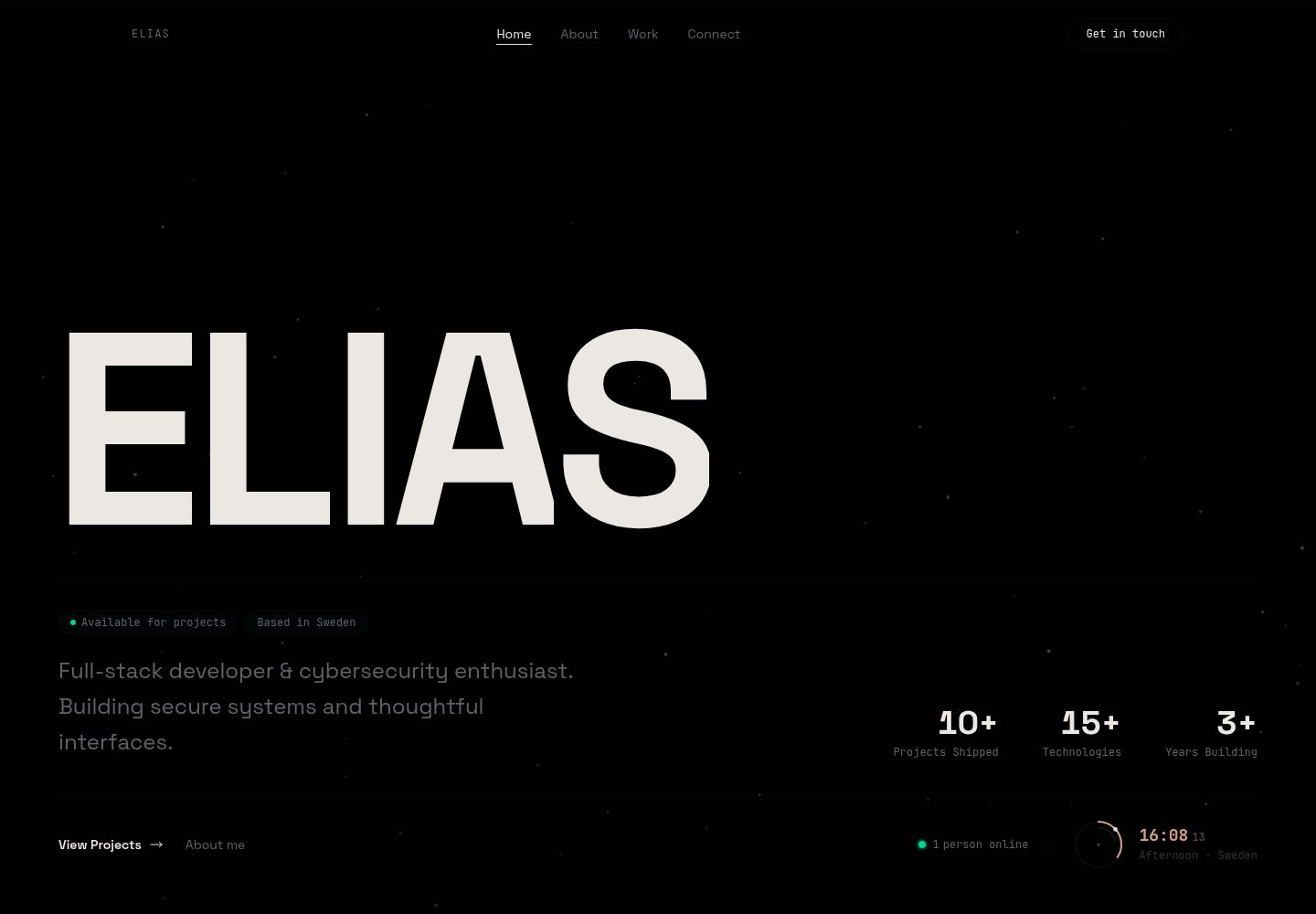
Explore the design
Compare the page layouts and mobile experience. Open any screenshot for a closer look.
Desktop homepage1 / 2
Desktop captureTop of page
Actual screenshot captured by the server browser.
All pages & views 2
Screenshots show visual appearance; interactive behavior may differ.
Recorded 2026-10-12View source
What stands out
A quick read of the recorded project description.
Supports custom input for name, role, skills, projects, contact information, and more
Provides a createPortfolio JavaScript API for programmatic site generation in scripts
Output is static HTML/CSS/JS pages that can be deployed to GitHub Pages, Vercel, Netlify, and other static hosts
The contact form is optional and can connect to an Express backend or Vercel serverless function, forwarding to a Discord Webhook
The code is under the MIT license, allowing free use, modification, commercial use, and distribution
Template Details
This project is a portfolio website generator, primarily an HTML/CSS/JS template used with a Node.js command-line tool. After running npx create-portfolio, you enter your name, role, skills, projects, and contact information as prompted; the output defaults to the my-portfolio folder, and you can also specify a custom output directory. The generated site is static and can be previewed by opening index.html directly in a browser.
Beyond the CLI, the project also provides a JavaScript API: import the createPortfolio function from the package, pass a configuration object containing name, role, skills, projects, and contacts along with an output directory, and you can generate the site programmatically in a script. The template directory includes EJS template files index.html, styles.css, script.js, and favicon icon assets.
The contact form is an optional feature that must be enabled separately: copy .env.example to .env, set DISCORD_WEBHOOK_URL (along with ENABLE_CONTACT_FORM and PORT), install dependencies in the generated directory, then start the Express backend via npm start, or run the Vercel serverless function with vercel dev; form messages are sent to the specified Discord Webhook. Without this backend enabled, the site itself remains a purely static page.
The project is under the MIT license, allowing free use, modification, commercial use, and distribution of the code, provided the copyright notice and license notice are retained; third-party assets such as demo images, fonts, and icons must be checked separately under their respective licenses, and external services such as domains and hosting may incur separate charges.
HTMLPortfolioTool site
Is it right for your project?
Use Cases
- Individual developers or designers quickly building a personal portfolio page to showcase projects and contact information
- Generating a static resume/portfolio site via command-line Q&A without writing front-end code
- Deploying a portfolio to static hosting platforms such as GitHub Pages, Vercel, or Netlify
- Personal sites that need a contact form and forward visitor messages to a Discord channel
Suitable For
- Individual users with a Node.js environment who are willing to generate a site via the command line
- Developers who need to quickly produce static portfolio pages and deploy them themselves
- Users who want to modify or distribute based on MIT-licensed code
Getting started & customization
Use these recorded setup notes alongside the repository instructions for your chosen version.
- 1
Run npm install to install dependencies, then execute npx create-portfolio (or install globally and run create-portfolio) and follow the prompts to generate the site
- 2
The output defaults to the my-portfolio folder; you can also specify a custom output directory when invoking
- 3
For the contact form, copy .env.example to .env and set DISCORD_WEBHOOK_URL, ENABLE_CONTACT_FORM, and PORT
- 4
When enabling the backend, enter the generated directory, run npm install, then start the service with npm start or vercel dev
- 5
Licenses for third-party assets such as demo images, fonts, and icons must be checked separately and cannot be determined solely by the code's MIT license
License & source material
Usage conditions & limitations
Free to use · keep license noticeThis entry covers the free version under the MIT license in the public repository; the free scope is the code of this version and does not mean external services or third-party assets are free.
Must comply with when using
- Free use, modification, commercial use, and distribution of this version's code are permitted.
- When distributing copies or substantial portions of the code, retain the original author's copyright notice and the full MIT license notice.
- The code is provided as is; warranties and limitations of liability are governed by the original license and applicable law.
Additional costs & items to verify
- Demo images, fonts, icons, and other third-party assets must be checked under their respective licenses and cannot be determined solely by the code's MIT license.
- External services such as domains, hosting, databases, payments, or AI may incur additional charges.
- The contact form is an optional feature; enabling it requires configuring a Discord Webhook URL yourself, which is an external service dependency that you must apply for and bear the associated costs.
- After enabling the contact form, messages submitted by visitors are forwarded to the specified Discord channel; you must prepare and maintain that external service yourself.
- A valid Discord Webhook address is required to use the contact form backend, which is an external service account/key requirement.
View Original Text Basis
Permission is hereby granted, free of charge
Original License Text
### Enable Contact Form (Optional) 1. Copy `.env.example` to `.env` and set your Discord webhook URL:
Original README
The contact form will send messages to your Discord!
Original README
https://github.com/elias4044/portfolio-template/blob/main/LICENSEhttps://github.com/elias4044/portfolio-template/blob/main/README.mdDISCORD_WEBHOOK_URL=your_discord_webhook_url_here
Original README
Compiled by DeepSeek based on repository license and README ·2026-10-12. Results only cover the materials read; dependencies, images, fonts, and subsequent term changes are subject to their respective original texts.
Project checks & description sources
Template Information
- Source platforms
- GitHub
- Documentation and maintenance reference score
- More documented · 82 / 100
- Technologies
- HTML
- Website type
- Portfolio · Tool Site
How this score is calculated
Our heuristic uses license records (up to 30), a demo link (12), a preview (10), stars (15), recorded maintenance (15), description completeness (8), feature records (5) and classification data (5). It is not a code, security or performance test, or a Google score. A link does not establish tested functionality.
What to verify for this project
- Repository update recorded
- 2025-07-06
- Screenshot last checked
- 2026-10-12
A demo link is listed. Check it with your own content and viewport sizes; its presence does not confirm that forms, authentication or payments work.
The catalog identifies HTML as the primary stack. Check the actual dependency manifest and lockfile for versions and hosting requirements. These notes use recorded metadata, not a code audit or a deployment test.
Use a selection guide →How this description was prepared
AI-assisted description based on catalog records and repository material. Repository authors are not automatically the reviewers of this description.
Review declaration: [email protected] · 2026-10-13
Inspect the recorded source material
SHA-256: 0ad24255bbeb1aac2de175634ef81acc989ee0d81242ee6d77354096bbee594c
2026-10-12T14:10:14.762Z
Source file / repository# Portfolio Template Generator
A modern, customizable portfolio website generator. Instantly create a beautiful, interactive HTML/CSS/JS portfolio with your own projects and contact info—no coding required!
[Live Demo](https://elias4044.vercel.app/) · [NPM Package](https://www.npmjs.com/package/@elias4044/portfolio-template)
<br>
<br>

## Features
- **Easy CLI:** Answer a few prompts and generate your portfolio in seconds
- **Customizable:** Add your name, role, skills, projects, and contacts
- **Modern Design:** Responsive, animated, and stylish (HTML, CSS, JS)
- **Contact Form:** Optional backend (Node.js/Express) with Discord webhook support
- **Deploy Anywhere:** Works on GitHub Pages, Vercel, Netlify, or any static host
## Quick Start
### 1. Install dependencies
```sh
npm install
```
### 2. Generate your portfolio
```sh
npx create-portfolio
```
_Or, if installed globally:_
```sh
npm install -g .
create-portfolio
```
You’ll be prompted for your name, role, skills, projects, and contact methods. Your site will be generated in the `my-portfolio` folder (or specify a custom output directory).
### 3. Preview your site
Open the generated `index.html` in your browser.
---
## Advanced Usage
### Use in JavaScript
You can use the generator programmatically:
```js
import { createPortfolio } from 'portfolio-template';
await createPortfolio({
name: 'Jane Doe',
role: 'Web Developer',
skills: ['JS', 'CSS', 'React'],
projects: [
{ name: 'Cool App', description: '...', tech: ['React'], website: '...', github: '...' }
],
contacts: [
{ method: 'Email', label: '[email protected]', link: 'mailto:[email protected]' }
]
}, 'output-folder');
```
### Enable Contact Form (Optional)
1. Copy `.env.example` to `.env` and set your Discord webhook URL:
```sh
cp .env.example .env
# Edit .env and set DISCORD_WEBHOOK_URL
```
2. Install dependencies:
```sh
cd my-portfolio
npm install
```
3. Start the backend:
```sh
npm start
```
OR
```sh
vercel dev
```
3. The contact form will send messages to your Discord!
---
## Project Structure
```
cli.js # CLI tool
index.js # Main API
package.json # Project config
README.md # This file
template/ # HTML/CSS/JS template
index.html # EJS template
styles.css # Styles
script.js # JS
api/ # Backend (optional)
express-server.js # Express backend
vercel-function-contact.js # Vercel serverless function
favicon/ # Icons
```
## Environment Variables
Create a `.env` file in the root:
```
ENABLE_CONTACT_FORM=true
DISCORD_WEBHOOK_URL=your_discord_webhook_url_here
PORT=3000
```
## Contributing
Contributions are welcome! If you have a suggestion or want to fix a bug, please feel free to open an issue or submit a pull request.
Please read the [Contributing Guidelines](https://github.com/elias4044/portfolio-template/blob/main/.github/CONTRIBUTING.md) for details on the code of conduct and the process for submitting pull requests.
## License
MIT
---
Portfolio generator by Elias ([@elias4044](https://github.com/elias4044))
Explore similar templates
Compare previews and descriptions within the same stack and category.

simplefolio
Simplefolio is a minimal single-page portfolio template for developers, built with HTML, Bootstrap, SCSS, and Parcel under the MIT license. It includes Hero, About, Projects, Contact, and Footer sections, with content edited in /src/index.html and theme colors controlled by two SCSS variables.
HTML · Portfolio

Freelancer
A bright, single-page Bootstrap portfolio template for freelancers, designers, and small studios. It includes a responsive portfolio grid with modal detail windows and an SB Forms contact form that requires an API token.
HTML · Portfolio

Resume
A single-page resume and CV template from Start Bootstrap, built on Bootstrap with a fixed sidebar and content sections.
HTML · Portfolio

Creative
A single-page marketing template by Start Bootstrap for creative agencies and product services, built on Bootstrap with SCSS, featuring a portfolio grid and call-to-action sections. It includes pre-set SB Forms markers for form integration and npm build scripts for source customization.
HTML · Corporate Website

Grayscale
A dark single-page Bootstrap template from Start Bootstrap for photography, events and brand storytelling, with a large hero and clearly separated sections.
HTML · Corporate Website
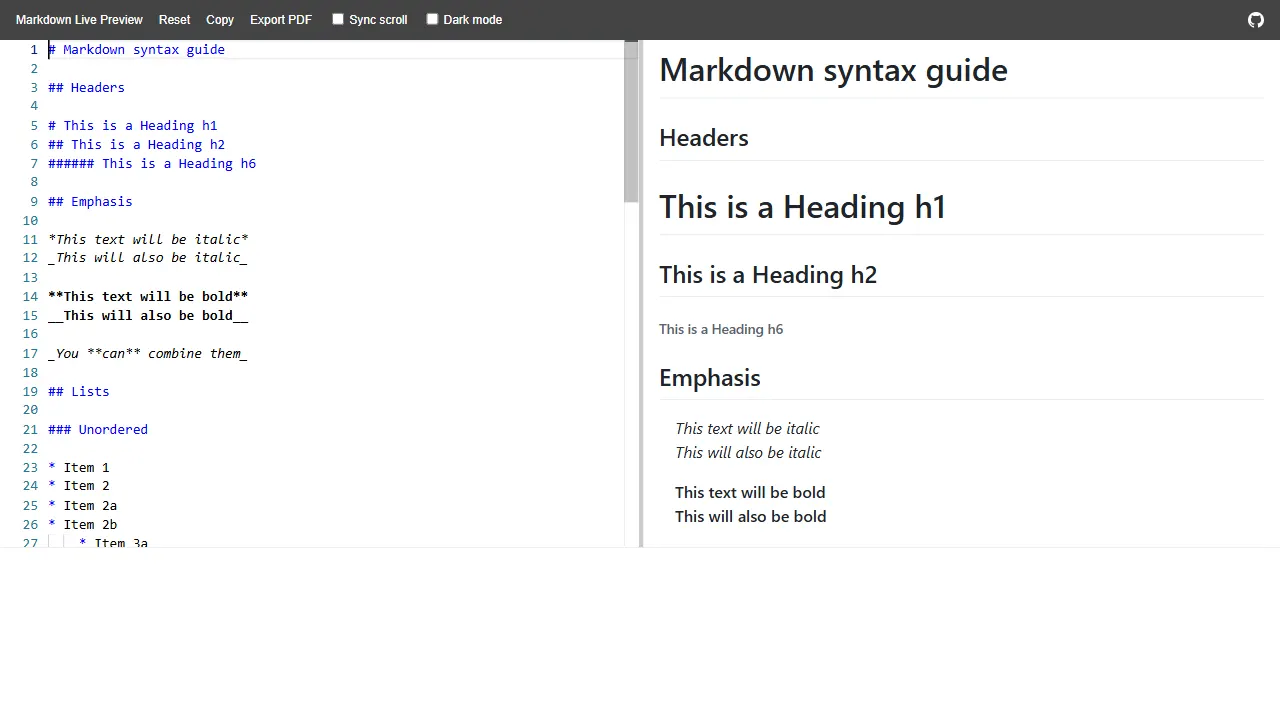
markdown live preview
An open-source Markdown live preview tool built with HTML, offering an online demo and a simple structure. It is suitable as a starting point for text-processing tool sites, Markdown editors, or front-end interaction prototypes.
HTML · Tool Site