A Hugo documentation and blog theme built on Bootstrap 5, with the repository released under the MIT license
HugoHTMLBlogDocumentation
hinode — Hugo Blog Template
By gethinode
Hinode is a Hugo theme based on Bootstrap 5 for documentation and blog sites, using Hugo Modules to manage components, with built-in FlexSearch full-text search, released under the MIT license.
Explore the design
Compare the page layouts and mobile experience. Open any screenshot for a closer look.
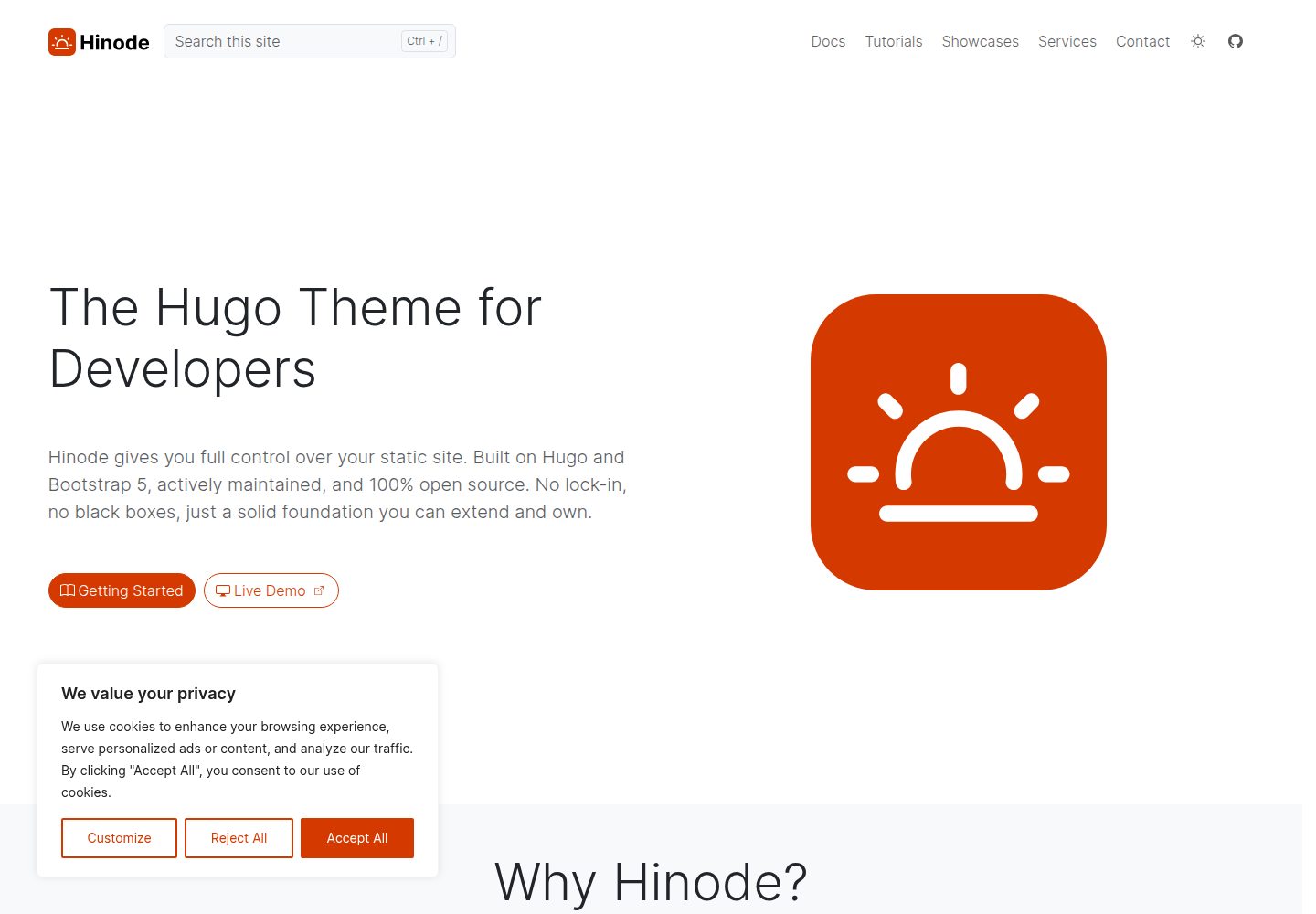
Desktop homepage1 / 3
Desktop captureTop of page
Actual screenshot captured by the server browser.
All pages & views 3
Screenshots show visual appearance; interactive behavior may differ.
Recorded 2026-09-30View source
What stands out
A quick read of the recorded project description.
Installs and maintains components via Hugo Modules, and can also work with npm to automate builds and track dependencies
Uses FlexSearch for site-wide full-text search
v2 is a lean core theme; layouts such as hero, cards, FAQ, and testimonials are provided as optional modules like mod-blocks
Supports outputting an application version meta tag in the document head, with the version coming from a configuration item or an environment variable
Template Details
Hinode is a documentation and blog theme for the Hugo static site generator, with an interface built on Bootstrap 5. The repository is released under the MIT license, and the code may be used, modified, used commercially, and distributed free of charge. The theme installs and maintains components via Hugo Modules; it can be added as a regular Hugo theme or used with npm to automate the build process and track dependencies.
Functionally, Hinode provides site-wide full-text search using FlexSearch. The README states that Hinode v2 is a lean core theme, with optional extensions provided as separate modules. For example, mod-blocks provides preset Bookshop blocks such as hero, cards, FAQ, and testimonials for quickly building page layouts; other modules are listed in the official module list. The theme also supports outputting an application version meta tag in the document head: after configuring [params.application], the version is taken from params.application.version; otherwise it reads the HUGO_APPLICATION_VERSION environment variable; if neither is set, the tag is not output.
Regarding usage constraints and dependencies, local installation requires the Go binary and the Hugo extended version; Git is recommended but not required. Windows installation requires PowerShell v7. Hinode's code is under the MIT license, but the documentation content under /content and /exampleSite/content in the repository, as well as the root README, are under the CC BY-NC 4.0 license. Third-party assets such as demo images, fonts, and icons must be checked individually under their respective licenses; external services such as domains and hosting may incur separate charges.
HugoHTMLBlogDocumentation
Is it right for your project?
Use Cases
- Building a mixed documentation and blog content structure for a Hugo site
- Static sites that require site-wide full-text search
- Projects that want to manage theme components and dependencies via Hugo Modules or npm
- Sites that need to include page blocks (such as hero, cards, FAQ, and testimonials) on demand by module
Suitable For
- Developers using the Hugo extended version and familiar with Hugo Modules
- Site maintainers who need both documentation and blog content
- Projects that want to use, modify, and distribute the theme code under the MIT license
- Users willing to include optional modules on demand rather than enabling all features at once
Getting started & customization
Use these recorded setup notes alongside the repository instructions for your chosen version.
- 1
The Go binary and the Hugo extended version must be installed locally; Git is recommended but not required
- 2
Windows installation requires PowerShell v7; check the version with $PSVersionTable
- 3
Basic process: create a site with hugo new site, initialize the module system with hugo mod init, and import github.com/gethinode/hinode in hugo.toml via [[module.imports]], then run hugo server
- 4
To use preset page blocks, additional optional modules such as github.com/gethinode/mod-blocks can be imported
- 5
Configuring [params.application] outputs the application version meta tag, with the version coming from params.application.version or the HUGO_APPLICATION_VERSION environment variable
License & source material
Usage conditions & limitations
Free to use · keep license noticeThis entry covers the free version under the MIT license in the public repository; the free scope is the code of that version and does not mean that external services or third-party assets are free.
Must comply with when using
- The code of this version may be used, modified, used commercially, and distributed free of charge.
- When distributing copies or substantial portions of the code, retain the original author's copyright notice and the full MIT license notice.
- The code is provided as is; warranties and limitations of liability are governed by the original license and applicable law.
Additional costs & items to verify
- The documentation content under /content and /exampleSite/content in the repository, as well as the root README, are under the CC BY-NC 4.0 license, which is limited to non-commercial use; commercial use requires separate authorization. The MIT license covers only the code portion.
- Local installation and building require the Go binary and the Hugo extended version to be installed in advance; the regular Hugo version does not meet the requirements.
- Installation on Windows requires PowerShell v7, which must be downloaded from the Microsoft Store and checked with $PSVersionTable.
- Demo images, fonts, icons, and other third-party assets must be checked under their respective licenses and cannot be judged solely by the code's MIT license.
- External services such as domains, hosting, databases, payments, or AI may incur separate charges.
View Original Text Basis
Permission is hereby granted, free of charge
Original License Text
The documentation of Hinode is licensed under the Creative Commons [(CC BY-NC 4.0)][cc-by-nc-4.0] license. This includes all files within the repository's `/content` and `/exampleSite/content` folders and their children, as well as the "README" in the repository root.
Original README
Hinode requires the following software to be installed on your local machine. - [Go binary][golang_download] - [Hugo][hugo_download] (extended version)
Original README
https://github.com/gethinode/hinode/blob/main/LICENSEhttps://github.com/gethinode/hinode/blob/main/README.mdThe installation for Windows requires PowerShell v7.
Original README
Compiled by DeepSeek based on repository license and README ·2026-09-30. Results only cover the materials read; dependencies, images, fonts, and subsequent term changes are subject to their respective original texts.
Project checks & description sources
Template Information
- Source platforms
- GitHub
- Documentation and maintenance reference score
- More documented · 96 / 100
- Technologies
- Hugo · HTML
- Website type
- Blog · Documentation
How this score is calculated
Our heuristic uses license records (up to 30), a demo link (12), a preview (10), stars (15), recorded maintenance (15), description completeness (8), feature records (5) and classification data (5). It is not a code, security or performance test, or a Google score. A link does not establish tested functionality.
What to verify for this project
- Repository update recorded
- 2026-09-30
- Screenshot last checked
- 2026-09-30
A demo link is listed. Check it with your own content and viewport sizes; its presence does not confirm that forms, authentication or payments work.
The catalog identifies Hugo as the primary stack. Check the actual dependency manifest and lockfile for versions and hosting requirements. These notes use recorded metadata, not a code audit or a deployment test.
Use a selection guide →How this description was prepared
AI-assisted description based on catalog records and repository material. Repository authors are not automatically the reviewers of this description.
Automatically checked against source and license rules; no manual editorial review.
Inspect the recorded source material
SHA-256: 7bce21b301218588041fa6add1625f3c0a5cdfc095e7de260c8d6b375618d1bb
2026-09-30T09:42:36.656Z
Source file / repository# Hugo Theme Hinode
<!-- markdownlint-disable MD033 -->
<!-- Tagline -->
<p align="center">
<b>A clean documentation and blog theme for your Hugo site based on Bootstrap 5</b>
<br />
</p>
<!-- Badges -->
<p align="center">
<a href="https://gohugo.io">
<img src="https://img.shields.io/badge/generator-hugo-brightgreen" alt="Hugo website">
</a>
<a href="https://gethinode.com">
<img src="https://img.shields.io/badge/theme-hinode-blue" alt="Hinode theme">
</a>
<a href="https://app.netlify.com/sites/gethinode-demo/deploys">
<img src="https://img.shields.io/netlify/0ad42e3e-fdfa-4d37-8e26-58badd429a67" alt="Netlify Status">
</a>
<a href="https://stats.uptimerobot.com/xyGVYhLJmV">
<img src="https://img.shields.io/uptimerobot/status/m791334689-73d9dfc82030f4f955b2d6bb" alt="UptimeRobot Status">
</a>
<a href="https://github.com/gethinode/hinode/commits/main">
<img src="https://img.shields.io/github/last-commit/gethinode/hinode.svg" alt="Last commit">
</a>
<a href="https://github.com/gethinode/hinode/issues">
<img src="https://img.shields.io/github/issues/gethinode/hinode.svg" alt="Issues">
</a>
<a href="https://github.com/gethinode/hinode/pulls">
<img src="https://img.shields.io/github/issues-pr-raw/gethinode/hinode.svg" alt="Pulls">
</a>
<a href="https://github.com/gethinode/hinode/blob/main/LICENSE">
<img src="https://img.shields.io/github/license/gethinode/hinode" alt="License">
</a>
</p>
<!-- Table of Contents -->
<p align="center">
<a href="#about">About</a> •
<a href="#prerequisites">Prerequisites</a> •
<a href="#installation">Installation</a> •
<a href="#configuration">Configuration</a> •
<a href="#contributing">Contributing</a> •
<a href="#donate">Donate</a> •
<a href="#license">License</a>
</p>
<!-- markdownlint-enable MD033 -->
## About

- [Online Demo][demo]
- [PageSpeed Insights][pagespeed]
- [Mozilla Observatory][observatory]
Hinode is a clean documentation and blog theme for [Hugo][hugo], an open-source static site generator. Based on the [Bootstrap 5][bootstrap] framework, the rendered site is fast, secure, and responsive. Hinode uses [FlexSearch][flexsearch] to enable full text search across your site. Finally, the theme supports [Node Package Manager][npm] (npm) to automate the build process and to keep track of dependencies.
Detailed information about Hinode is available on the [official website][website].
## Prerequisites
Hinode is a [Hugo theme that uses modules][hugo_modules] to install and maintain various components. It can be installed using either Hugo or npm. If you would like to take advantage of automation, the npm approach is recommended. Refer to the [Hinode template][repository_template] for installation instructions with npm.
The installation instructions in this readme install Hinode as a regular Hugo theme. Hinode requires the following software to be installed on your local machine.
- [Go binary][golang_download]
- [Hugo][hugo_download] (extended version)
[Git][git_download] is recommended, but is not a strict requirement.
## Installation
<!-- markdownlint-disable MD033 -->
<details>
<summary>Installation notes for Windows</summary>
The installation for Windows requires PowerShell v7. Download it from the Microsoft Store as needed. Check your current version with the command `$PSVersionTable`.
</details>
<!-- markdownlint-enable MD033 -->
Start a new Hinode project in three steps:
1. **Create a new site**
```bash
hugo new site my-hinode-site && cd my-hinode-site
```
2. **Initialize the module system**
```bash
hugo mod init example.com/my-hinode-site
echo "[[module.imports]]" >> hugo.toml
echo "path = 'github.com/gethinode/hinode'" >> hugo.toml
```
3. **Start a development server**
```bash
hugo server
```
## Optional Extensions
Hinode v2 is a minimal core theme. Optional extensions are available to add features:
- **[mod-blocks][mod-blocks]** - Pre-built Bookshop blocks for quickly building page layouts (hero, cards, FAQ, testimonials, etc.)
- Other modules - See the [official modules list][modules]
To add mod-blocks to your site:
```toml
[[module.imports]]
path = "github.com/gethinode/mod-blocks"
```
## Configuration
See the [official documentation][getstarted] on how to configure your site.
### Application version meta tag
Set `[params.application]` to advertise your site's own release version in the document head, alongside the `generator` and `theme` tags:
```toml
[params.application]
name = "My App"
```
This renders `<meta name="application" content="My App <version>">`. The version resolves from `params.application.version`, else the `HUGO_APPLICATION_VERSION` environment variable (set this in your build / CI pipeline). Sites that omit `[params.application]`, or that set neither a config value nor the environment variable, render no such tag.
## Contributing
See the [official documentation][contribute] on how to contribute to the open-source development of Hinode.
## Credits
Hinode is inspired by the following themes:
- [Blist][blist] - a clean and fast blog theme for your Hugo site using Tailwind CSS.
- [Doks][doks] - a Hugo theme for building secure, fast, and SEO-ready documentation websites, which you can easily update and customize.
## Donate
<!-- markdownlint-disable MD033 -->
<a href="https://www.buymeacoffee.com/markdumay" target="_blank" rel="noopener noreferrer nofollow"><img src="https://cdn.buymeacoffee.com/buttons/lato-orange.png" alt="Buy Me A Coffee" style="height: 51px !important;width: 217px !important;"></a>
<!-- markdownlint-enable MD033 -->
## License
The `hinode`, `docs`, and `template` codebase is released under the [MIT license][license]. The documentation of Hinode is licensed under the Creative Commons [(CC BY-NC 4.0)][cc-by-nc-4.0] license. This includes all files within the repository's `/content` and `/exampleSite/content` folders and their children, as well as the "README" in the repository root. This applies to all public repositories maintained by `gethinode` on GitHub, including the `gethinode/hinode`, `gethinode/template`, and `gethinode/docs` repositories, unless specified otherwise.
<!-- MARKDOWN PUBLIC LINKS -->
[blist]: https://github.com/apvarun/blist-hugo-theme
[bootstrap]: https://getbootstrap.com
[cc-by-nc-4.0]: https://creativecommons.org/licenses/by-nc/4.0/
[doks]: https://github.com/h-enk/doks
[flexsearch]: https://github.com/nextapps-de/flexsearch
[git_download]: https://git-scm.com
[hugo]: https://gohugo.io
[hugo_download]: https://gohugo.io/installation
[hugo_modules]: https://gohugo.io/hugo-modules/
[netlify]: https://www.netlify.com
[nodejs]: https://nodejs.org
[npm]: https://www.npmjs.com
[observatory]: https://observatory.mozilla.org/analyze/demo.gethinode.com
[pagespeed]: https://pagespeed.web.dev/report?url=https%3A%2F%2Fdemo.gethinode.com%2F
<!-- MARKDOWN MAINTAINED LINKS -->
[contribute]: https://gethinode.com/contribute
[getstarted]: https://gethinode.com/docs
[golang_download]: https://go.dev/dl/
[mod-blocks]: https://github.com/gethinode/mod-blocks
[modules]: https://gethinode.com/docs/getting-started/modules/
[demo]: https://demo.gethinode.com/
[license]: https://github.com/gethinode/hinode/blob/main/LICENSE
[repository]: https://github.com/gethinode/hinode.git
[repository_template]: https://github.com/gethinode/template.git
[website]: https://gethinode.com/
Explore similar templates
Compare previews and descriptions within the same stack and category.

hugo-PaperMod
A fast, clean, responsive Hugo theme for blogs and lightweight portfolios, with three layout modes (Regular, Home-Info, Profile), automatic and manual light/dark themes, Fuse.js client-side search, multilingual support, and built-in Open Graph, Twitter Cards, and Schema.org data.
Hugo · Portfolio

hugo-book
Hugo Book is a Hugo documentation theme that aims to make documentation sites as simple as a plain book. It emphasizes clean, lightweight, mobile-friendly, and zero initial configuration, and comes with an example site that doubles as documentation.
Hugo · Documentation

LoveIt
LoveIt is a clean, elegant, and feature-rich Hugo blog theme derived from LeaveIt and KeepIt, MIT-licensed. It offers light/dark modes, responsive layout, multilingual support, and search via Lunr.js or Algolia.
Hugo · Blog

hugo-coder
hugo-coder is a minimalist Hugo blog theme maintained by luizdepra under the MIT license. It provides a clean, text-focused blog appearance, configuration documentation in the docs directory, and a complete exampleSite with hugo.toml.
Hugo · Blog

docsy
Docsy is a Hugo theme for technical documentation sites, governed by the Linux Foundation and licensed under Apache-2.0. It provides simple navigation and site structure for open source project and product documentation.
Hugo · Documentation

blowfish
Blowfish is a Hugo personal website and blog theme built with Tailwind CSS 4, focused on lightness, simplicity, and content-first presentation.
Hugo · Blog