Implemented with pure Astro components, no React/Vue runtime, purely static generation
AstroBlog
astro-blur — Astro Blog Template
By Jazee6
Astro Blur is a static blog theme implemented with pure Astro components, including posts, standalone pages, links, projects, and Pagefind site search, with optional comments.
Explore the design
Compare the page layouts and mobile experience. Open any screenshot for a closer look.
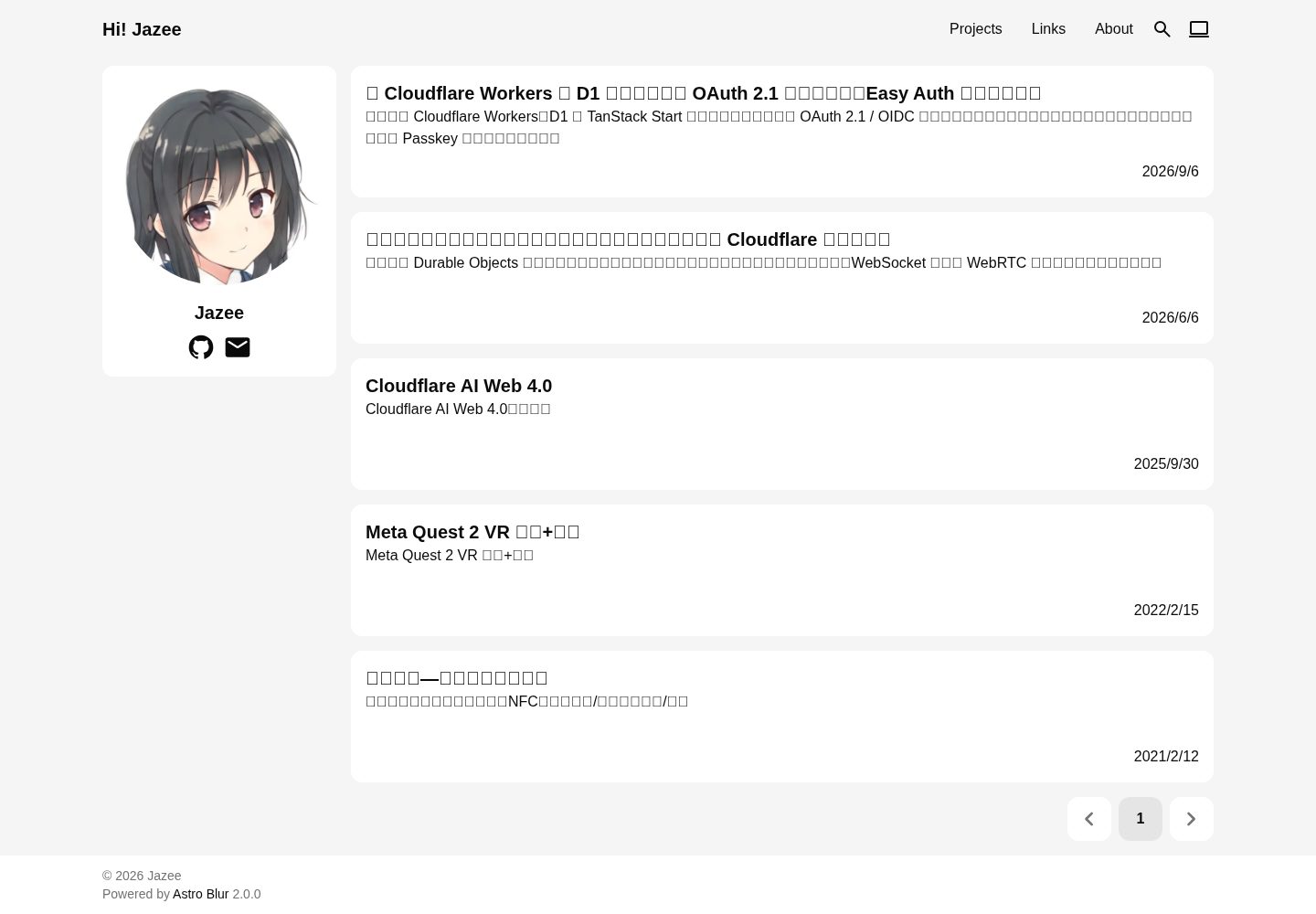
Desktop homepage1 / 3
Desktop captureTop of page
Actual screenshot captured by the server browser.
All pages & views 3
Screenshots show visual appearance; interactive behavior may differ.
Recorded 2026-10-02View source
What stands out
A quick read of the recorded project description.
Pagefind site search, indexing posts, standalone pages, links, and projects
Tag aggregation is case-insensitive, displays the spelling of the first occurrence, and includes pagination
Optional Twikoo comments, disabled by default, enabled after configuring the deployment address
SEO output includes OpenGraph, Sitemap, RSS, and Web App Manifest
Mermaid diagrams are rendered at build time into light and dark SVGs, switching with the theme
Template Details
Astro Blur is a static blog theme based on Astro, with both the repository and demo site publicly available. The theme is implemented with pure Astro components, does not rely on React or Vue runtimes, and builds to purely static pages. For content, posts are placed under src/content/posts/ and support subdirectories and .md / .mdx; standalone pages are placed under src/content/pages/, where each file generates a page whose path is the URL and may include subdirectories; links and project data are located in src/content/data/. Site information, navigation, social links, and pagination size are centralized in src/config.ts.
Functionally, the theme includes Pagefind site search, indexing posts, standalone pages, links, and projects, but not the homepage, pagination, or tag aggregation pages; tag aggregation is case-insensitive, displays the spelling of the first occurrence, uses a normalized identifier in the URL, and includes pagination for the post list. Comments are disabled by default and can be enabled after configuring the Twikoo deployment address; the script is loaded from jsDelivr at a fixed version with SRI verification. SEO-related output includes OpenGraph, Sitemap, RSS (summary and original link only), and a Web App Manifest. Posts support code highlighting, Mermaid diagrams, and a table of contents, which collapses on small screens. Theme modes support following the system, light, and dark; when following the system, it responds to system color scheme in real time; transition animations are progressive enhancements and respect the reduce motion setting.
Regarding usage constraints, the environment requires Bun as the package manager and script runner; when posts contain Mermaid diagrams, build-time rendering requires a Chromium-based browser, trying the local Microsoft Edge, Google Chrome, and Playwright's bundled Chromium in order, and the build fails if none are available; invalid diagrams also block the build. Standalone page paths must not overlap with theme-reserved paths (posts, tags, links, projects, rss.xml, robots.txt, 404, pagefind, sitemap, and purely numeric homepage pagination paths); on overlap, the build fails and indicates the corresponding file. The repository uses the Apache-2.0 license, and third-party assets such as demo images, fonts, and icons must be checked under their respective licenses.
AstroBlog
Is it right for your project?
Use Cases
- Building a personal static blog written in Markdown/MDX
- Content sites that need site search, tag aggregation, and RSS output
- Wanting to embed Mermaid diagrams in posts with light/dark styles that follow the theme
- Maintaining non-post content such as about and documentation via standalone pages
- Integrating Twikoo comments on demand in a static blog
Suitable For
- Developers familiar with Astro content collections and Markdown/MDX writing
- Projects using Bun as the package manager and script runner
- Users who accept that build-time rendering of Mermaid diagrams requires a Chromium-based browser
- Blogs that need purely static output without introducing a frontend framework runtime
Getting started & customization
Use these recorded setup notes alongside the repository instructions for your chosen version.
- 1
Environment requires Bun; download the template with npx degit Jazee6/astro-blur#main my-blog, then run bun install and bun run dev
- 2
Site information, navigation, social links, and pagination size are configured centrally in src/config.ts
- 3
Create posts with bun run new, supporting safe relative nested paths under the posts directory and .md / .mdx extensions
- 4
Comments are disabled by default; set twikooUri in src/config.ts to the Twikoo deployment address
- 5
When posts contain Mermaid diagrams, the build requires a Chromium-based browser, which can be installed via bunx playwright install chromium
License & source material
Usage conditions & limitations
Free to use · keep license noticeThis entry covers the free version under the Apache-2.0 license in the public repository; the free scope is the code of that version and does not mean external services or third-party assets are free.
Must comply with when using
- Free use, modification, commercial use, and distribution are permitted; when distributing, the Apache-2.0 license must be included.
- Modified files must be prominently marked as changed, and relevant copyright, patent, trademark, and attribution notices must be retained.
- If the original project includes a NOTICE file, applicable attribution notices in it must be retained when distributing derivative works.
- The license includes an applicable contributor patent grant; initiating patent litigation as described in the license terminates that patent grant, and no trademark use rights are granted.
- The code is provided as is; warranties and limitations of liability are governed by the original license and applicable law.
Additional costs & items to verify
- Using this theme requires installing Bun as the package manager and script runner; both build and development scripts depend on Bun.
- When posts contain Mermaid diagrams, the build requires a Chromium-based browser; if there is no local Edge, Chrome, or Playwright Chromium, the build fails.
- Enabling comments requires deploying a Twikoo service yourself and entering the deployment address in the configuration; this is an external service dependency and not ready out of the box.
- After comments are enabled, the comment script is loaded from the jsDelivr CDN at fixed version 1.7.19, depending on external CDN availability.
- Standalone page paths must not overlap with theme-reserved paths (posts, tags, links, projects, rss.xml, robots.txt, 404, pagefind, sitemap, and purely numeric pagination paths), otherwise the build fails.
- Mermaid rendering depends on a local Chromium-based browser; you can try Edge, Chrome, or install Playwright Chromium; if none are available, the build fails.
- If a Mermaid diagram in a post has invalid syntax, it directly causes the build to fail.
- Demo images, fonts, icons, and other third-party assets must be checked under their respective licenses and cannot be judged solely by the code's Apache-2.0 license.
- External services such as domains, hosting, databases, payments, or AI may incur additional charges.
View Original Text Basis
no-charge, royalty-free, irrevocable copyright license
Original License Text
- [Bun](https://bun.sh)(包管理与脚本运行)
Original README
Chromium 内核浏览器(仅当文章包含 Mermaid 图表时构建需要,见下方说明)
Original README
在 `src/config.ts` 中设置 `twikooUri` 为你的 [Twikoo](https://twikoo.js.org/) 部署地址即可启用
Original README
脚本从 jsDelivr 以固定版本 1.7.19 加载(带 SRI 校验)
Original README
页面路径不能与主题保留路径重叠(`posts`、`tags`、`links`、`projects`、`rss.xml`、`robots.txt`、 `404`、`pagefind`、站点地图以及纯数字的首页分页路径),重叠时构建失败并指出对应文件。
Original README
渲染需要一个 Chromium 内核浏览器,构建时依次尝试本机的 Microsoft Edge、Google Chrome 与 Playwright 自带的 Chromium(可通过 `bunx playwright install chromium` 安装);都不可用时构建失败并给出提示。
Original README
https://github.com/Jazee6/astro-blur/blob/main/LICENSEhttps://github.com/Jazee6/astro-blur/blob/main/README.md无效的图表同样会阻止构建。
Original README
Compiled by DeepSeek based on repository license and README ·2026-10-02. Results only cover the materials read; dependencies, images, fonts, and subsequent term changes are subject to their respective original texts.
Project checks & description sources
Template Information
- Source platforms
- GitHub
- Documentation and maintenance reference score
- More documented · 87 / 100
- Technologies
- Astro
- Website type
- Blog
How this score is calculated
Our heuristic uses license records (up to 30), a demo link (12), a preview (10), stars (15), recorded maintenance (15), description completeness (8), feature records (5) and classification data (5). It is not a code, security or performance test, or a Google score. A link does not establish tested functionality.
What to verify for this project
- Repository update recorded
- 2026-10-01
- Screenshot last checked
- 2026-10-02
A demo link is listed. Check it with your own content and viewport sizes; its presence does not confirm that forms, authentication or payments work.
The catalog identifies Astro as the primary stack. Check the actual dependency manifest and lockfile for versions and hosting requirements. These notes use recorded metadata, not a code audit or a deployment test.
Use a selection guide →How this description was prepared
AI-assisted description based on catalog records and repository material. Repository authors are not automatically the reviewers of this description.
Automatically checked against source and license rules; no manual editorial review.
Inspect the recorded source material
SHA-256: 817eeb7df49f9093005842ada5179c818680e7557e190fe2d90e813a59b51d7c
2026-10-02T09:42:28.910Z
Source file / repository# Astro Blur 一个静态 Astro 博客主题:文章、页面、友链、项目与站内搜索开箱即用,评论可选。 中文 | [English](./README.en.md) 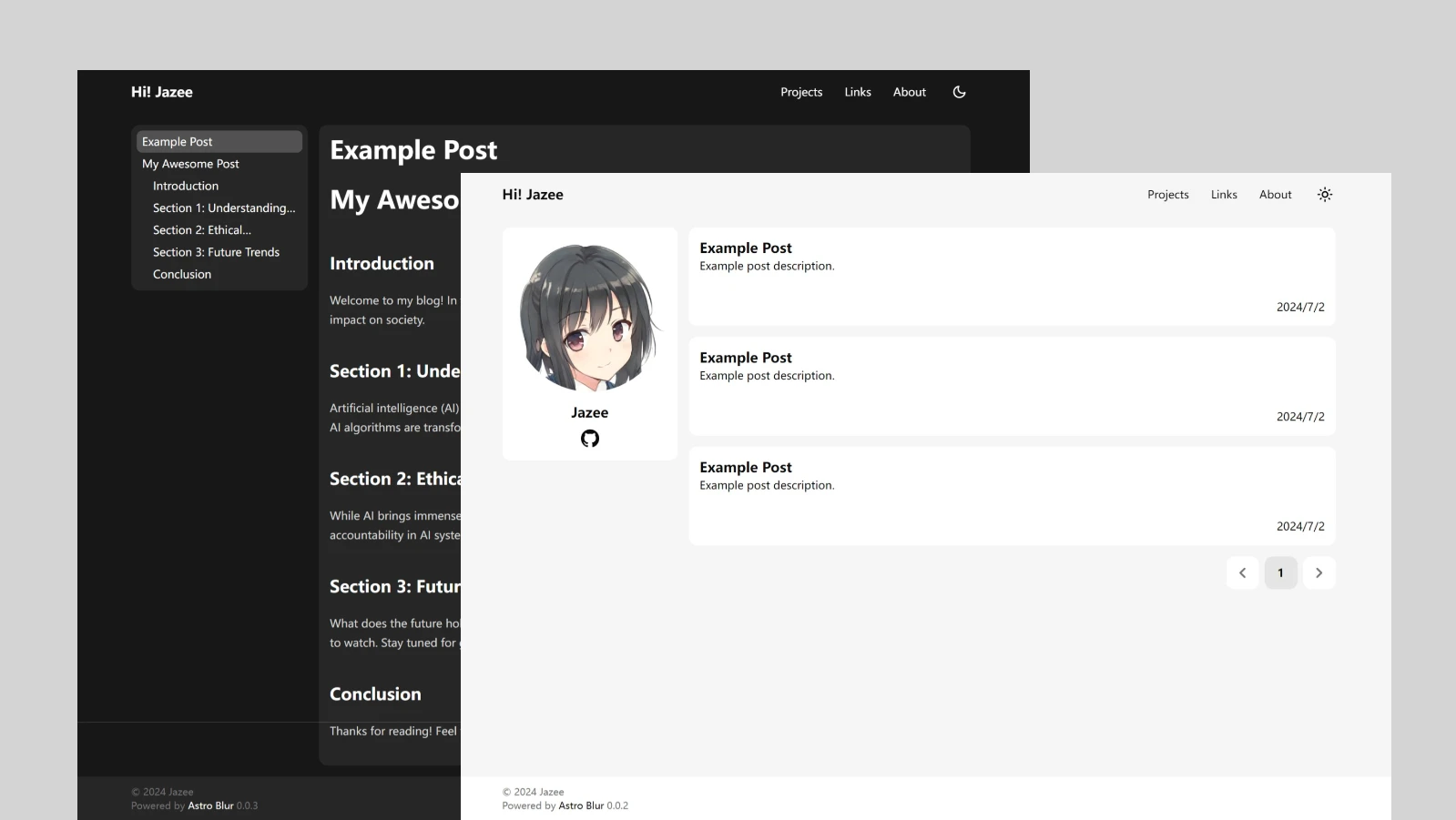 ## 特性 - ✅ 纯 Astro 组件实现,无 React/Vue 运行时,纯静态生成 - ✅ 站内搜索(Pagefind):索引文章、独立页面、友链与项目,不索引首页、分页与标签聚合页 - ✅ 标签:大小写不敏感的聚合身份,展示首次出现的拼写,URL 使用规范化标识,附文章列表分页 - ✅ 可选 Twikoo 评论(默认关闭) - ✅ SEO 友好 — OpenGraph / Sitemap / RSS(仅输出摘要与原文链接)/ Web App Manifest - ✅ 响应式布局 / 代码高亮 / Mermaid 图表 / 文章目录(小屏折叠显示) - ✅ 主题模式:跟随系统 / 浅色 / 深色(无闪烁,跟随系统时实时响应系统配色) - ✅ 克制的过渡动效:页面切换与主题切换整页淡化、弹出层开合过渡(渐进增强,尊重「减少动态效果」设置) - ✅ 中性演示内容与本地资源,开箱即可替换成你自己的站点 ## 环境要求 - [Bun](https://bun.sh)(包管理与脚本运行) - Chromium 内核浏览器(仅当文章包含 Mermaid 图表时构建需要,见下方说明) ## 快速开始 ```shell # 下载模板 npx degit Jazee6/astro-blur#main my-blog # 进入项目 cd my-blog # 安装依赖 bun install # 启动项目 bun run dev # 新建文章(见下方说明) bun run new hello-world # 构建(包含类型检查)并本地预览 bun run build bun run preview ``` ## 新建文章 `bun run new` 接受 posts 目录下安全的相对嵌套路径: ```shell bun run new hello-world # 创建 src/content/posts/hello-world.md bun run new notes/2026/hello # 自动创建目录,创建 src/content/posts/notes/2026/hello.md bun run new notes/hello.mdx # 保留 .md / .mdx 扩展名 ``` ## 配置 站点信息、导航、社交链接与分页大小集中在 `src/config.ts`: ## 独立页面 `src/content/pages/` 下的每个 Markdown/MDX 文件生成一个独立页面,路径即 URL,支持子目录 (如 `pages/docs/guide.md` → `/docs/guide`): ```yaml --- title: About description: 关于本站 # 可选,缺省使用 title comments: true # 可选,默认 false;需同时配置 twikooUri --- ``` 页面路径不能与主题保留路径重叠(`posts`、`tags`、`links`、`projects`、`rss.xml`、`robots.txt`、 `404`、`pagefind`、站点地图以及纯数字的首页分页路径),重叠时构建失败并指出对应文件。 ## 评论(可选) 默认不启用评论。在 `src/config.ts` 中设置 `twikooUri` 为你的 [Twikoo](https://twikoo.js.org/) 部署地址即可启用:脚本从 jsDelivr 以固定版本 1.7.19 加载(带 SRI 校验) ## Mermaid 图表 文章中的 Mermaid 源代码块会在构建期渲染为亮色与暗色两份 SVG,随站点主题即时切换, 无需客户端脚本。渲染需要一个 Chromium 内核浏览器,构建时依次尝试本机的 Microsoft Edge、Google Chrome 与 Playwright 自带的 Chromium(可通过 `bunx playwright install chromium` 安装);都不可用时构建失败并给出提示。 无效的图表同样会阻止构建。 ## 目录结构 ``` src/ ├── content/ │ ├── posts/ # 文章(支持子目录与 .md / .mdx) │ ├── pages/ # 独立页面 │ └── data/ # 友链与项目数据 └── config.ts # 站点配置 ``` ## 谁在使用 Astro Blur? - [Hi! Jazee](https://jaze.top) 欢迎提交 PR 添加你的站点
Explore similar templates
Compare previews and descriptions within the same stack and category.

astrowind
AstroWind is a free, open-source Astro starter theme using Astro and Tailwind CSS, released under the MIT license.
Astro · Blog

astro-paper
AstroPaper is a minimal, responsive, accessible, and SEO-friendly Astro blog theme. Articles are stored as Markdown/MDX in src/content/posts/, with subdirectories affecting URLs.
Astro · Blog

fuwari
Fuwari is a static blog template built with Astro and Tailwind CSS for personal blogs. It manages posts as Markdown files in src/content/posts/, with frontmatter for title, date, description, cover, tags, categories, draft status, and language.
Astro · Blog

Firefly
Firefly is a clean personal blog theme forked from Astro and Fuwari, offering four background modes, single/double sidebar and list/grid layouts, Pagefind client-side full-text search, and a six-language UI.
Astro · Blog

astro-theme-cactus
Astro Cactus is an Astro-based blog and portfolio theme that uses Markdown/MDX content collections to manage posts, notes, and tags, with frontmatter type-checked by a schema.
Astro · Portfolio

astrofy
Astrofy is a free and open-source personal portfolio website template built with Astro and TailwindCSS, with built-in blog, CV timeline, project showcase, store, and RSS feed modules.
Astro · Portfolio