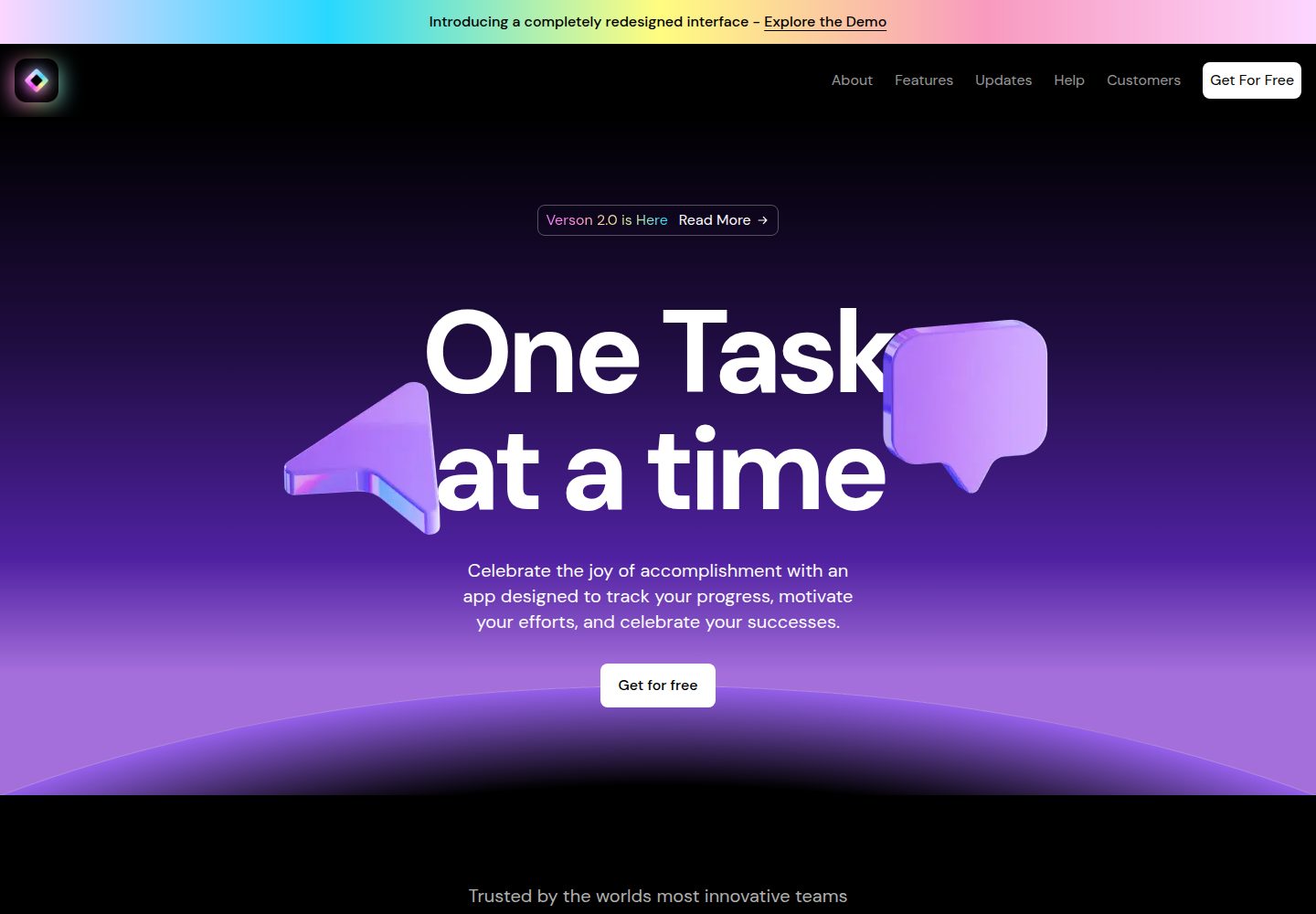
Dark cosmic style interface with animations such as orbital gradients and eclipse hover effects
Next.jsSolidJSReactSaaSCorporate Website
eclipse-platform — Next.js SaaS Template
By jeffreyhasan10
Eclipse Platform is a dark-themed SaaS landing page template built with Next.js, TypeScript, and Tailwind CSS, including hero, features, pricing, testimonials, FAQ, and contact form sections.
Explore the design
Compare the page layouts and mobile experience. Open any screenshot for a closer look.
Desktop homepage1 / 2
Desktop captureTop of page
Actual screenshot captured by the server browser.
All pages & views 2
Screenshots show visual appearance; interactive behavior may differ.
Recorded 2026-10-02View source
What stands out
A quick read of the recorded project description.
Built with Next.js, TypeScript, Tailwind CSS, and Framer Motion
Includes hero, feature showcase, pricing, testimonials, FAQ, contact form, and footer sections
Modular directory structure with main modification entry points at app/page.tsx and the components directory
MIT licensed, allowing free use, modification, commercial use, and distribution of the code
Template Details
Eclipse Platform is a SaaS product landing page template released by developer Jeffrey Hasan, with the repository under the MIT license. The template uses a dark cosmic visual style, employing Next.js, TypeScript, Tailwind CSS, and Framer Motion for page structure and animations.
Page sections include: a hero with orbital gradient animation, feature showcase with eclipse hover effect, tiered pricing, testimonials, expandable FAQ, contact form, and a footer with social links. The README states the template is modularly organized, with the main modification entry point at app/page.tsx, UI components in the components directory, and global styles and theme configuration in the styles directory.
Usage limitations: the template code itself is free, but third-party assets such as demo images, fonts, and icons require separate license verification; the README notes that some elements are adapted from Framer's "SaaS Website UI Kit" (CC BY 4.0). External services such as domain, hosting, database, payment, or AI may incur additional costs. The repository does not provide validation notes regarding production deployment, performance, or accessibility.
Next.jsSolidJSSaaSCorporate Website
Is it right for your project?
Use Cases
- Building a dark-themed marketing landing page for a SaaS product
- Serving as a page structure and animation reference for Next.js + Tailwind CSS projects
- Quickly adjusting landing page content structure by adding or removing sections based on existing modules
Suitable For
- SaaS product teams needing a dark visual style landing page
- Front-end developers using Next.js and Tailwind CSS
- Individuals or small teams wanting to start from ready-made modules for secondary modifications
Getting started & customization
Use these recorded setup notes alongside the repository instructions for your chosen version.
- 1
After cloning the repository, install dependencies using npm, yarn, pnpm, or bun
- 2
Run development commands such as npm run dev and view the page at http://localhost:3000
- 3
Modify app/page.tsx, components, and styles directories to customize content and theme
- 4
The README notes that some elements are adapted from Framer's SaaS Website UI Kit (CC BY 4.0); third-party assets such as demo images, fonts, and icons require separate license verification
License & source material
Usage conditions & limitations
Free to use · keep license noticeThis entry covers the free version under the MIT license in the public repository; the free scope applies to that version's code and does not imply that external services or third-party assets are free.
Must comply with when using
- Free use, modification, commercial use, and distribution of that version's code are permitted.
- When distributing copies or substantial portions of the code, retain the original author's copyright notice and the full MIT license notice.
- The code is provided as-is; warranties and limitations of liability are governed by the original license and applicable law.
Additional costs & items to verify
- Some elements in the template are adapted from Framer's "SaaS Website UI Kit", which is licensed under CC BY 4.0, different from the project's own MIT license. When using it, comply with CC BY 4.0 attribution requirements and separately verify the license and attribution conditions for that material.
- The README recommends deployment via the Vercel platform. Using hosting services such as Vercel may involve account registration, terms of service, and additional costs beyond free quotas; these are external service costs and not covered by the MIT code license.
- Demo images, fonts, icons, and other third-party assets must be verified under their respective licenses; they cannot be judged solely by the code's MIT license.
- External services such as domain, hosting, database, payment, or AI may incur additional charges.
View Original Text Basis
Permission is hereby granted, free of charge
Original License Text
This project includes elements adapted from "SaaS Website UI Kit" by Framer. Retrieved from [Source Link](https://www.figma.com/community/file/1347551304372055519) (licensed under CC BY 4.0).
Original README
https://github.com/jeffreyhasan10/eclipse-platform/blob/main/LICENSEhttps://github.com/jeffreyhasan10/eclipse-platform/blob/main/README.mdThe fastest way to launch your Eclipse Platform is through the [Vercel Platform](https://vercel.com/new) from the creators of Next.js.
Original README
Compiled by DeepSeek based on repository license and README ·2026-10-02. Results only cover the materials read; dependencies, images, fonts, and subsequent term changes are subject to their respective original texts.
Project checks & description sources
Template Information
- Source platforms
- GitHub
- Documentation and maintenance reference score
- More documented · 82 / 100
- Technologies
- Next.js · SolidJS · React
- Website type
- SaaS · Corporate Website
How this score is calculated
Our heuristic uses license records (up to 30), a demo link (12), a preview (10), stars (15), recorded maintenance (15), description completeness (8), feature records (5) and classification data (5). It is not a code, security or performance test, or a Google score. A link does not establish tested functionality.
What to verify for this project
- Repository update recorded
- 2025-03-09
- Screenshot last checked
- 2026-10-02
A demo link is listed. Check it with your own content and viewport sizes; its presence does not confirm that forms, authentication or payments work.
The catalog identifies Next.js as the primary stack. Check the actual dependency manifest and lockfile for versions and hosting requirements. These notes use recorded metadata, not a code audit or a deployment test.
Use a selection guide →How this description was prepared
AI-assisted description based on catalog records and repository material. Repository authors are not automatically the reviewers of this description.
Automatically checked against source and license rules; no manual editorial review.
Inspect the recorded source material
SHA-256: 2f73f54ce5811cf249dcab0bd634f2475b98c11ca099c25b682ba8998f819b9c
2026-10-02T18:46:43.855Z
Source file / repository# Eclipse Platform - Modern SaaS Landing Page Template A sophisticated, dark-themed SaaS landing page template developed by [Jeffrey Hasan](https://github.com/jeffreyhasan10). Eclipse Platform provides developers with a premium foundation for building impressive SaaS product landing pages with minimal setup time.  ## Features - 🌑 Premium dark interface with cosmic-inspired aesthetics - 🚀 Built with Next.js and TypeScript for stellar performance and type safety - 💅 Fully responsive design that adapts seamlessly across all devices - 🎨 Orbital animations and interactive elements for an immersive user experience - 📱 Mobile-first approach with strategically optimized viewports - 🔍 SEO-optimized structure for maximum visibility ## UI Components - Celestial hero section with orbital gradient animations - Feature showcase with eclipse hover effects - Tiered pricing constellation - Stellar testimonials section - Expandable FAQs system - Orbital contact form - Comprehensive footer with social constellation links ## Tech Stack - [Next.js](https://nextjs.org/) - [TypeScript](https://www.typescriptlang.org/) - [Tailwind CSS](https://tailwindcss.com/) - [Framer Motion](https://www.framer.com/motion/) for celestial animations ## Getting Started 1. Clone the repository: ```bash git clone https://github.com/jeffreyhasan10/eclipse-platform cd eclipse-platform ``` 2. Install dependencies: ```bash npm install # or yarn install # or pnpm install # or bun install ``` 3. Launch the development server: ```bash npm run dev # or yarn dev # or pnpm dev # or bun dev ``` 4. Open [http://localhost:3000](http://localhost:3000) in your browser to witness the Eclipse. ## Customization Eclipse Platform is designed for easy customization. Begin by modifying files in the `app` directory. The template features a modular architecture, making it simple to add, remove, or transform sections. Key files to edit: - `app/page.tsx` - Main orbital landing page - `components/` - Celestial UI components - `styles/` - Global styles and eclipse theme configuration ## Credits This project includes elements adapted from "SaaS Website UI Kit" by Framer. Retrieved from [Source Link](https://www.figma.com/community/file/1347551304372055519) (licensed under CC BY 4.0). ## About the Creator Eclipse Platform was developed by [Jeffrey Hasan](https://github.com/jeffreyhasan10), a frontend developer with a passion for crafting stunning user interfaces. - [GitHub](https://github.com/jeffreyhasan10) - [Medium](https://medium.com/@jefyjery10) - [LinkedIn](https://www.linkedin.com/in/jeffreyhasan/) Explore my other projects and articles for more innovative frontend development content! ## Deploy on Vercel The fastest way to launch your Eclipse Platform is through the [Vercel Platform](https://vercel.com/new) from the creators of Next.js. Check out the [Next.js deployment documentation](https://nextjs.org/docs/deployment) for more celestial details. ## License Eclipse Platform is licensed under the MIT License - see the LICENSE file for details.
Explore similar templates
Compare previews and descriptions within the same stack and category.

Next.js SaaS Starter
The official Next.js SaaS starter template, integrating email/password authentication, Stripe Checkout subscriptions, a dashboard with user/team CRUD, basic Owner/Member RBAC, and activity logging.
Next.js · SaaS

SaaS-Boilerplate
SaaS-Boilerplate is an open-source SaaS starter template built with Next.js App Router, React 19, TypeScript, Tailwind CSS, and Shadcn UI.
Next.js · SaaS

create-t3-turbo
A full-stack TypeScript monorepo starter from T3 OSS, listed in the Vercel template directory. It splits apps for Next.js, Expo and optional TanStack Start, with shared packages for tRPC v11, better-auth, Drizzle + Supabase and shadcn/ui.
Next.js · Starter

saas-starter-kit
BoxyHQ's open-source Next.js enterprise SaaS starter template provides a reusable foundation with authentication, team management, SAML SSO, directory sync, webhooks, audit logs, and Stripe payments.
Next.js · SaaS
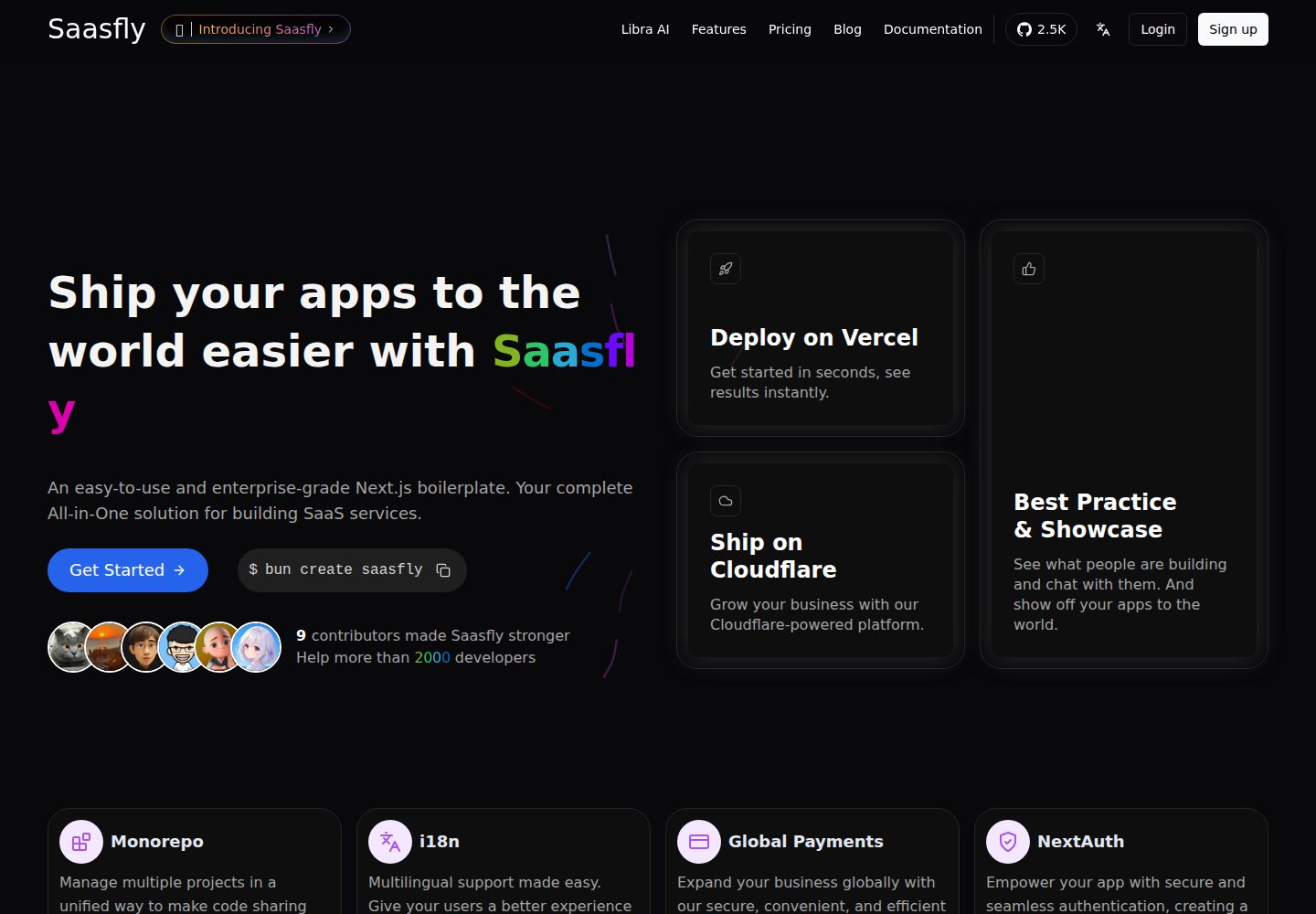
saasfly
Saasfly is an MIT-licensed Next.js SaaS starter template with built-in Clerk authentication, Stripe payment, PostgreSQL, Resend email, internationalization, SEO, tRPC, and Zustand. It is created via `bun create saasfly` and deployable on Vercel.
Next.js · SaaS

Next-JS-Landing-Page-Starter-Template
A free Next.js landing page starter template written in Tailwind CSS and TypeScript, featuring built-in navbar, hero, features, CTA banner, and footer sections.
Next.js · Corporate Website