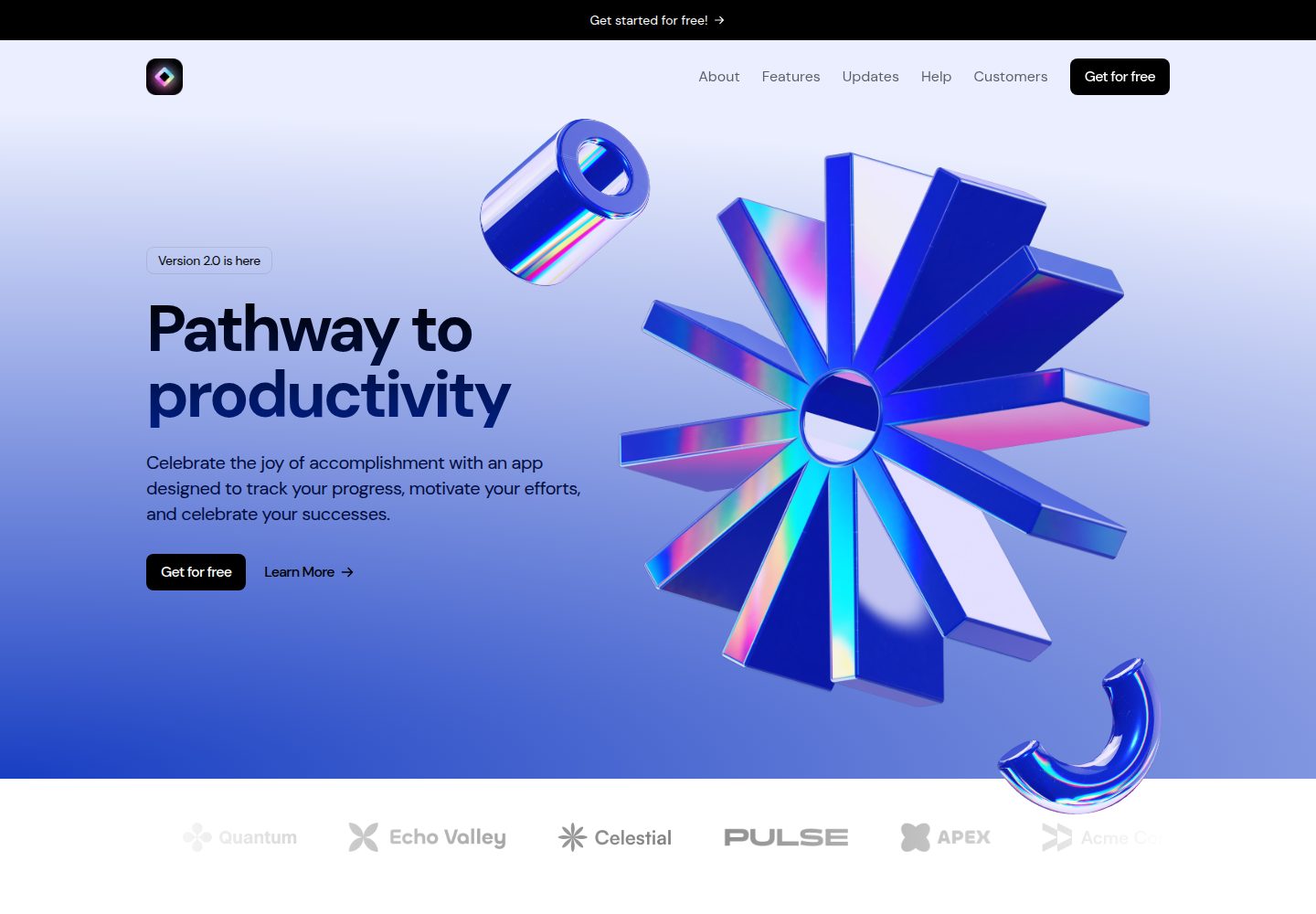
Built with Next.js and React, with TypeScript providing type checking
Next.jsReactSaaSCorporate Website
light-saas-landing-site — Next.js SaaS Template
By jmarellanes
A SaaS landing page template built with Next.js and React, using a light theme and Tailwind CSS, with sections for Hero, logo marquee, product showcase, customer testimonials, pricing, and CTA.
Explore the design
Compare the page layouts and mobile experience. Open any screenshot for a closer look.
Desktop homepage1 / 2
Desktop captureTop of page
Actual screenshot captured by the server browser.
All pages & views 2
Screenshots show visual appearance; interactive behavior may differ.
Recorded 2026-10-02View source
What stands out
A quick read of the recorded project description.
Light theme, including complete sections for Hero, logo marquee, product showcase, testimonials, pricing, and CTA
Tailwind CSS utility class styling, with design tokens adjustable in tailwind.config.ts
Page animations and interaction transitions implemented via Framer Motion
SVGR integration allows SVG files to be used as React components
Provides development, build, start, and lint scripts, along with documentation for multiple deployment methods
Template Details
This is a landing page template for SaaS products, built with Next.js, React, TypeScript, and Tailwind CSS, with an overall light theme. The page consists of multiple independent sections: navigation header, Hero main visual, company logo marquee, product showcase, customer testimonials, pricing plans, call to action, and footer. It is suitable for use as a product website after directly replacing copy and assets.
The template uses a modular component structure, with styles primarily based on Tailwind utility classes, animations powered by Framer Motion, and support for importing SVGs as components via SVGR. The project provides development, build, start, and lint scripts, and the README includes deployment instructions for Vercel, Netlify, Docker, AWS Amplify, and others.
Note: The repository's MIT license covers only the code itself; third-party assets such as demo images, fonts, and icons require separate license verification. External services such as domain, hosting, database, payment, or AI may incur additional costs. The template does not include a backend or data layer; page content must be integrated or replaced by the user.
Next.jsReactSaaSCorporate website
Is it right for your project?
Use Cases
- Build an introductory homepage for a SaaS product, showcasing features, pricing, and customer testimonials
- Use as a learning or starter project for Next.js + Tailwind CSS, referencing component and directory organization
- Quickly replace copy and assets in an existing SaaS project to generate a product landing page
- Use for demos or prototypes to present page structure and visual direction to teams or clients
Suitable For
- Frontend developers who need to quickly build a SaaS product landing page
- Teams familiar with React and Tailwind CSS who want to start with Next.js
- Independent developers or small teams looking for a light-themed, modular section-based website template
Getting started & customization
Use these recorded setup notes alongside the repository instructions for your chosen version.
- 1
Requires Node.js 18.17 or higher, and one of npm, yarn, pnpm, or bun
- 2
After cloning the repository, run npm install to install dependencies, then npm run dev to start the development server
- 3
For production builds, use npm run build, then npm run start to start the production server
- 4
Design tokens such as colors and fonts can be adjusted in tailwind.config.ts; environment variables can be configured in .env.local
- 5
The MIT license covers only the code; third-party assets such as demo images, fonts, and icons require separate license verification
License & source material
Usage conditions & limitations
Free to use · keep license noticeThis entry covers the free version under the MIT license in the public repository; the free scope is the code of this version and does not imply that external services or third-party assets are free.
Must comply with when using
- Free use, modification, commercial use, and distribution of this version's code are permitted.
- When distributing copies or substantial portions of the code, retain the original author's copyright notice and the full MIT license notice.
- The code is provided as-is; warranties and limitations of liability are governed by the original license and applicable law.
Additional costs & items to verify
- The template reads environment variables (such as NEXT_PUBLIC_API_URL) via .env.local; you must provide the addresses and credentials for the corresponding external services yourself; these external services may incur additional costs.
- The MIT license covers only the source code in the repository; third-party assets such as demo images, fonts, and icons are not covered by this license and must be verified under their respective licenses before use.
- Demo images, fonts, icons, and other third-party assets must be checked against their respective licenses and cannot be judged solely based on the code's MIT license.
- External services such as domain, hosting, database, payment, or AI may incur additional charges.
View Original Text Basis
Permission is hereby granted, free of charge
Original License Text
Create a `.env.local` file in the root directory for environment-specific variables
Original README
https://github.com/jmarellanes/light-saas-landing-site/blob/main/LICENSEhttps://github.com/jmarellanes/light-saas-landing-site/blob/main/README.mdThis project is licensed under the license specified in the LICENSE file.
Original README
Compiled by DeepSeek based on repository license and README ·2026-10-02. Results only cover the materials read; dependencies, images, fonts, and subsequent term changes are subject to their respective original texts.
Project checks & description sources
Template Information
- Source platforms
- GitHub
- Documentation and maintenance reference score
- More documented · 88 / 100
- Technologies
- Next.js · React
- Website type
- SaaS · Corporate Website
How this score is calculated
Our heuristic uses license records (up to 30), a demo link (12), a preview (10), stars (15), recorded maintenance (15), description completeness (8), feature records (5) and classification data (5). It is not a code, security or performance test, or a Google score. A link does not establish tested functionality.
What to verify for this project
- Repository update recorded
- 2026-03-09
- Screenshot last checked
- 2026-10-02
A demo link is listed. Check it with your own content and viewport sizes; its presence does not confirm that forms, authentication or payments work.
The catalog identifies Next.js as the primary stack. Check the actual dependency manifest and lockfile for versions and hosting requirements. These notes use recorded metadata, not a code audit or a deployment test.
Use a selection guide →How this description was prepared
AI-assisted description based on catalog records and repository material. Repository authors are not automatically the reviewers of this description.
Automatically checked against source and license rules; no manual editorial review.
Inspect the recorded source material
SHA-256: 87c9433f00fe3058486a06750a196325450df462d31c2bb10a348d86e694be9e
2026-10-02T18:49:25.247Z
Source file / repository# Light SaaS Landing Page > A modern, production-ready landing page for SaaS products with a clean light theme. Built with Next.js, React, and Tailwind CSS. ## 📋 Table of Contents - [Overview](#overview) - [Features](#features) - [Tech Stack](#tech-stack) - [Prerequisites](#prerequisites) - [Installation](#installation) - [Getting Started](#getting-started) - [Project Structure](#project-structure) - [Available Scripts](#available-scripts) - [Configuration](#configuration) - [Deployment](#deployment) - [Contributing](#contributing) - [License](#license) - [Resources](#resources) ## Overview This project is a fully responsive SaaS landing page featuring a clean light theme with smooth animations and modern design patterns. Built with the latest versions of Next.js and React, it leverages TypeScript for type safety and Tailwind CSS for styling. Perfect for showcasing your SaaS product with sections for hero content, logo ticker, product showcase, testimonials, pricing, and calls-to-action. ## ✨ Features - **Responsive Design** - Mobile-first approach, optimized for all screen sizes - **Light Theme** - Clean, modern color scheme with excellent readability - **Smooth Animations** - Framer Motion animations for engaging interactions - **TypeScript** - Full type safety and better developer experience - **SEO Ready** - Optimized for search engines with proper Next.js configurations - **Performance Optimized** - Automatic code splitting and image optimization - **Tailwind CSS** - Utility-first styling with minimal custom CSS - **Easy to Customize** - Modular component structure for quick modifications - **SVG Support** - SVGR integration for seamless SVG component usage ## 🛠️ Tech Stack - **Framework**: [Next.js](https://nextjs.org/) 16.0.7 - **Language**: [TypeScript](https://www.typescriptlang.org/) 5 - **UI Library**: [React](https://react.dev/) 19.2.1 - **Styling**: [Tailwind CSS](https://tailwindcss.com/) 3.4.1 - **Animation**: [Framer Motion](https://www.framer.com/motion/) 11.2.14 - **Development**: [ESLint](https://eslint.org/) 9.39.1, [PostCSS](https://postcss.org/) 8.5.3 - **SVG Handling**: [@svgr/webpack](https://react-svgr.com/) 8.1.0 - **Utilities**: [clsx](https://github.com/lukeed/clsx) 2.1.1, [tailwind-merge](https://github.com/dcastil/tailwind-merge) 2.4.0 ## 📦 Prerequisites Before you begin, ensure you have the following installed: - **Node.js** 18.17 or later - **npm**, **yarn**, **pnpm**, or **bun** (recommended: npm) - **Git** (for version control) ## 🚀 Installation 1. **Clone the repository** ```bash git clone https://github.com/jmarellanes/light-saas-landing-site.git cd light-saas-landing-page ``` 2. **Install dependencies** ```bash npm install ``` Or with your preferred package manager: ```bash yarn install # or pnpm install # or bun install ``` ## 🏃 Getting Started ### Development Start the development server: ```bash npm run dev ``` Open [http://localhost:3000](http://localhost:3000) in your browser to see the application. The app will automatically reload when you make changes to files. Start editing `src/app/page.tsx` to see updates in real time. ### Building for Production Create an optimized production build: ```bash npm run build ``` ### Starting the Production Server After building, start the production server: ```bash npm run start ``` ## 📁 Project Structure ``` src/ ├── app/ │ ├── page.tsx # Main landing page │ ├── layout.tsx # Root layout component │ └── globals.css # Global styles ├── components/ │ ├── [Component files] # Reusable UI components ├── sections/ │ ├── Header.tsx # Navigation header │ ├── Hero.tsx # Hero section │ ├── LogoTicker.tsx # Company logos carousel │ ├── ProductShowcase.tsx # Product demo section │ ├── Testimonials.tsx # Client testimonials │ ├── Pricing.tsx # Pricing plans │ ├── CallToAction.tsx # Call-to-action section │ └── Footer.tsx # Footer section ├── assets/ │ ├── icons/ # SVG icons │ └── images/ # Images and graphics public/ # Static assets Configuration Files: ├── next.config.mjs # Next.js configuration ├── tailwind.config.ts # Tailwind CSS configuration ├── tsconfig.json # TypeScript configuration ├── postcss.config.mjs # PostCSS configuration ├── package.json # Project dependencies └── LICENSE # Project license ``` ## 📜 Available Scripts | Script | Command | Description | |--------|---------|-------------| | `dev` | `npm run dev` | Start development server | | `build` | `npm run build` | Build optimized production bundle | | `start` | `npm run start` | Start production server | | `lint` | `npm run lint` | Run ESLint to check code quality | ## ⚙️ Configuration ### Tailwind CSS Customize colors, fonts, and other design tokens in `tailwind.config.ts`. The project uses utility-first CSS for rapid styling. ### TypeScript Modify TypeScript settings in `tsconfig.json`. The project is pre-configured with strict type checking for better code quality. ### Next.js Configure Next.js behavior in `next.config.mjs` (e.g., image optimization, SVG handling with webpack). ### ESLint ESLint configuration includes Tailwind CSS plugin for linting class names. See `.eslintrc.json` for customization. ### Environment Variables Create a `.env.local` file in the root directory for environment-specific variables: ```bash # .env.local NEXT_PUBLIC_API_URL=https://api.example.com ``` ## 🌐 Deployment ### Deploy on Vercel (Recommended) The easiest way to deploy is using [Vercel](https://vercel.com), created by the Next.js team: 1. Push your code to GitHub, GitLab, or Bitbucket 2. Visit [Vercel Dashboard](https://vercel.com/dashboard) 3. Click "New Project" and import your repository 4. Click "Deploy" Your site will be live with automatic deployments on every push to your main branch. ### Deploy Elsewhere #### Netlify 1. Connect your GitHub repository to Netlify 2. Set build command: `npm run build` 3. Set publish directory: `.next` 4. Deploy #### Docker ```dockerfile FROM node:18-alpine AS base WORKDIR /app FROM base AS deps COPY package.json package-lock.json ./ RUN npm ci FROM base AS builder COPY package.json package-lock.json ./ RUN npm ci COPY . . RUN npm run build FROM base AS runtime RUN apk add --no-cache dumb-init COPY --from=deps /app/node_modules ./node_modules COPY --from=builder /app/.next ./.next COPY --from=builder /app/public ./public COPY --from=builder /app/package.json ./package.json EXPOSE 3000 ENTRYPOINT ["dumb-init", "--"] CMD ["npm", "start"] ``` #### AWS Amplify Follow the [AWS Amplify Next.js deployment guide](https://docs.amplify.aws/nextjs/start/quickstart/) for step-by-step instructions. #### Other Platforms - **Railway**: Connect your GitHub repo and Railway will auto-detect Next.js - **Render**: Similar to Railway, great for hobby and production projects - **GitHub Pages**: Use `next export` (static export) for static site hosting ## 🤝 Contributing Contributions are welcome! Please follow these steps: 1. Fork the repository 2. Create a feature branch (`git checkout -b feature/amazing-feature`) 3. Make your changes 4. Commit changes (`git commit -m 'Add amazing feature'`) 5. Push to branch (`git push origin feature/amazing-feature`) 6. Open a Pull Request ## 📄 License This project is licensed under the license specified in the LICENSE file. See [LICENSE](LICENSE) for details. ## 🔗 Resources - [Next.js Documentation](https://nextjs.org/docs) - [React Documentation](https://react.dev) - [Tailwind CSS Documentation](https://tailwindcss.com/docs) - [Framer Motion Documentation](https://www.framer.com/motion/) - [TypeScript Handbook](https://www.typescriptlang.org/docs/) - [Web Accessibility (WCAG)](https://www.w3.org/WAI/WCAG21/quickref/) ## 💬 Support For issues and feature requests, please [open an issue](../../issues) on the repository. --- **Built with ❤️ for SaaS founders and product teams.**
Explore similar templates
Compare previews and descriptions within the same stack and category.

Next.js SaaS Starter
The official Next.js SaaS starter template, integrating email/password authentication, Stripe Checkout subscriptions, a dashboard with user/team CRUD, basic Owner/Member RBAC, and activity logging.
Next.js · SaaS

SaaS-Boilerplate
SaaS-Boilerplate is an open-source SaaS starter template built with Next.js App Router, React 19, TypeScript, Tailwind CSS, and Shadcn UI.
Next.js · SaaS

create-t3-turbo
A full-stack TypeScript monorepo starter from T3 OSS, listed in the Vercel template directory. It splits apps for Next.js, Expo and optional TanStack Start, with shared packages for tRPC v11, better-auth, Drizzle + Supabase and shadcn/ui.
Next.js · Starter

saas-starter-kit
BoxyHQ's open-source Next.js enterprise SaaS starter template provides a reusable foundation with authentication, team management, SAML SSO, directory sync, webhooks, audit logs, and Stripe payments.
Next.js · SaaS
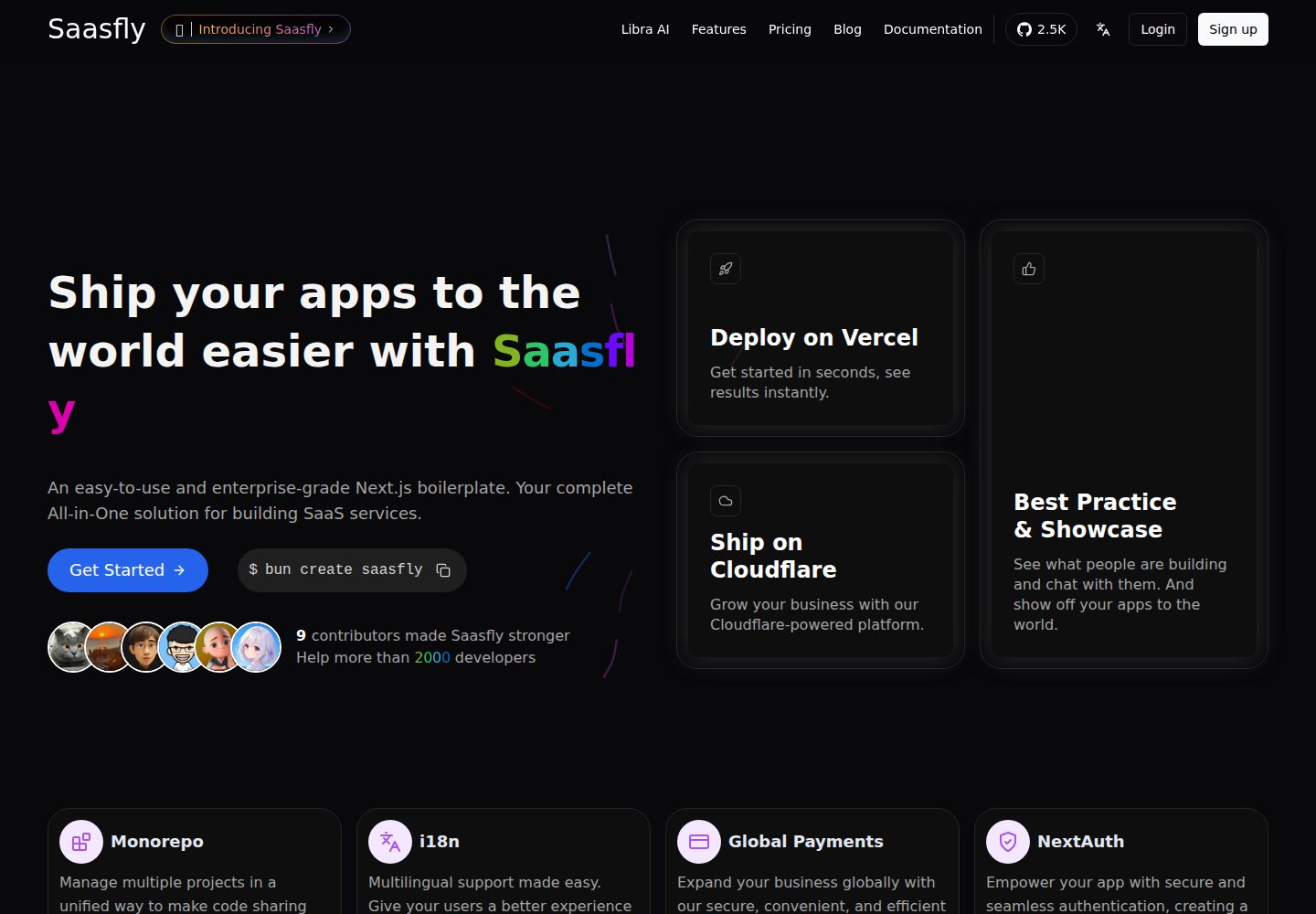
saasfly
Saasfly is an MIT-licensed Next.js SaaS starter template with built-in Clerk authentication, Stripe payment, PostgreSQL, Resend email, internationalization, SEO, tRPC, and Zustand. It is created via `bun create saasfly` and deployable on Vercel.
Next.js · SaaS

Next-JS-Landing-Page-Starter-Template
A free Next.js landing page starter template written in Tailwind CSS and TypeScript, featuring built-in navbar, hero, features, CTA banner, and footer sections.
Next.js · Corporate Website