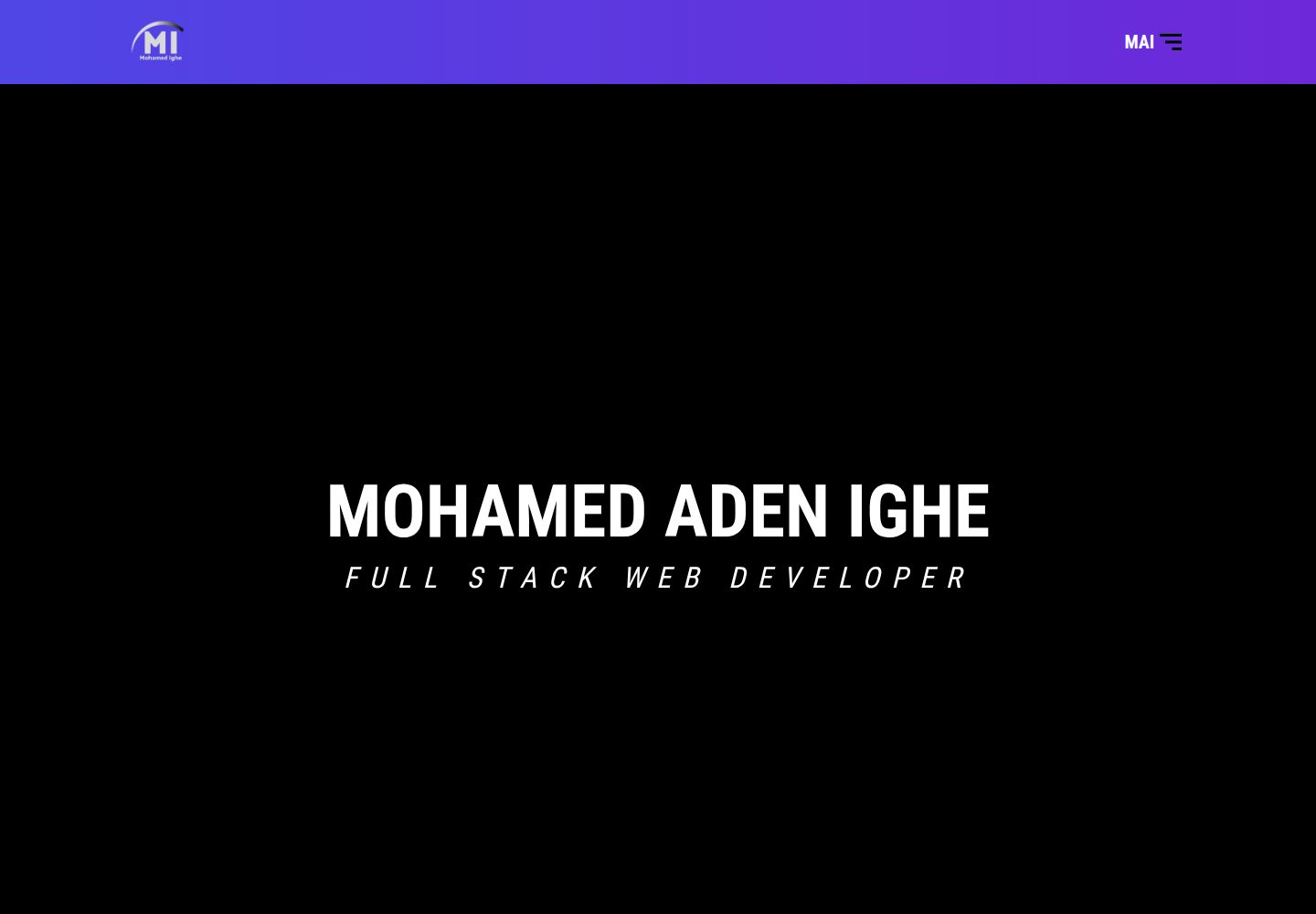
Built with React and Vite, using Tailwind CSS and React Icons for interface styling and icons
ReactPortfolioCorporate Website
my-portfolio-website — React Portfolio Template
By katarighe
A personal portfolio website template built with React and Vite, featuring four pages: Home, Portfolio, About, and Contact, with a UI built using Tailwind CSS and React Icons.
Explore the design
Compare the page layouts and mobile experience. Open any screenshot for a closer look.
Desktop homepage1 / 2
Desktop captureTop of page
Actual screenshot captured by the server browser.
All pages & views 2
Screenshots show visual appearance; interactive behavior may differ.
Recorded 2026-10-13View source
What stands out
A quick read of the recorded project description.
Includes four pages: Home, Portfolio, About, and Contact, covering personal presentation and communication entry points
The Portfolio page showcases over 15 projects, covering front-end and Ruby on Rails technology directions
The repository is under the MIT license, allowing free use, modification, commercial use, and distribution of this version of the code
The README provides npm install, development, test, and build commands, and integrates ESLint checks
Template Details
This template is the personal portfolio website of author Mohamed Aden Ighe, using React and Vite as development and build tools, with interface styling handled by Tailwind CSS and React Icons. The page structure is divided into four parts: the Home page provides a personal introduction, skills, and a portfolio overview; the Portfolio page showcases over 15 projects involving technologies such as HTML5/CSS3, JavaScript, React/Redux, APIs, Ruby, and Ruby on Rails; the About page includes a self-introduction, skill descriptions, and social media links; the Contact page offers a message entry point for project collaboration or coding assistance communication.
The repository is under the MIT license, allowing free use, modification, commercial use, and distribution of this version of the code, provided that the copyright notice and the full MIT license notice are retained when distributing. The design theme mentioned in the README comes from a third-party repository and is marked with a Creative Commons 4.0 license; users must verify the asset licensing themselves before use.
The project installs dependencies via npm, and the commands given in the README include npm install, npm start, npm run test, npm run dev, and npm run build, and uses ESLint to check JavaScript/JSX files. The blog, interactive resume, skill progress charts, client testimonials, etc. listed in the README are future feature ideas and are not included in the current version.
ReactPortfolioCorporate website
Is it right for your project?
Use Cases
- Developers or designers building a personal portfolio website to centrally display projects, experience, and educational background
- Needing to quickly start a React front-end project that includes Home, Portfolio, About, and Contact pages
- As a reference project for learning the combination of React, Vite, and Tailwind CSS
- For static sites used by individuals or small teams to showcase technical capabilities and project cases externally
Suitable For
- Front-end developers who want to build a personal portfolio with React
- Freelancers who need to display multiple project cases and personal resumes
- Developers looking for an MIT-licensed, freely modifiable React portfolio template
- Beginners learning the project structure of Vite and Tailwind CSS
Getting started & customization
Use these recorded setup notes alongside the repository instructions for your chosen version.
- 1
After cloning the repository, enter the project directory and run npm install to install dependencies
- 2
Use npm start to start the development server, or use npm run dev as described in the README
- 3
Use npm run build to build the production version, and npm run test for testing
- 4
Use npx eslint "**/*.{js,jsx}" to check JavaScript/JSX files
- 5
Third-party assets such as demo images, fonts, and icons must be verified according to their respective licenses; they cannot be judged solely based on the code's MIT license
License & source material
Usage conditions & limitations
Free to use · keep license noticeThis entry covers the free version under the MIT license in the public repository; the free scope is this version of the code and does not mean that external services or third-party assets are free.
Must comply with when using
- Allows free use, modification, commercial use, and distribution of this version of the code.
- When distributing copies or substantial portions of the code, retain the original author's copyright notice and the full MIT license notice.
- The code is provided as is; warranties and limitations of liability are governed by the original license and applicable law.
Additional costs & items to verify
- Demo images, fonts, icons, and other third-party assets must be verified according to their respective licenses; they cannot be judged solely based on the code's MIT license.
- External services such as domains, hosting, databases, payments, or AI may incur additional charges.
- The acknowledgments section of the README marks a Creative Commons 4.0 license (the link points to CC BY-NC 4.0, i.e., non-commercial use), which applies to third-party design themes and other assets, different from the code's MIT license; users must verify asset licensing themselves before commercial use.
- The design theme comes from the third-party repository ticoniq/portfolio-design and is not original to this project; using this design requires compliance with the licensing terms of its original repository.
View Original Text Basis
Permission is hereby granted, free of charge
Original License Text
- [Creative Commons 4.0 License](https://creativecommons.org/licenses/by-nc/4.0/)
Original README
https://github.com/katarighe/my-portfolio-website/blob/main/LICENSEhttps://github.com/katarighe/my-portfolio-website/blob/main/README.md- [Link to the original design theme](https://github.com/ticoniq/portfolio-design)
Original README
Compiled by DeepSeek based on repository license and README ·2026-10-13. Results only cover the materials read; dependencies, images, fonts, and subsequent term changes are subject to their respective original texts.
Project checks & description sources
Template Information
- Source platforms
- GitHub
- Documentation and maintenance reference score
- Partly documented · 70 / 100
- Technologies
- React
- Website type
- Portfolio · Corporate Website
How this score is calculated
Our heuristic uses license records (up to 30), a demo link (12), a preview (10), stars (15), recorded maintenance (15), description completeness (8), feature records (5) and classification data (5). It is not a code, security or performance test, or a Google score. A link does not establish tested functionality.
What to verify for this project
- Repository update recorded
- 2024-01-15
- Screenshot last checked
- 2026-10-13
A demo link is listed. Check it with your own content and viewport sizes; its presence does not confirm that forms, authentication or payments work.
The catalog identifies React as the primary stack. Check the actual dependency manifest and lockfile for versions and hosting requirements. These notes use recorded metadata, not a code audit or a deployment test.
Use a selection guide →How this description was prepared
AI-assisted description based on catalog records and repository material. Repository authors are not automatically the reviewers of this description.
Review declaration: [email protected] · 2026-10-13
Inspect the recorded source material
SHA-256: 9de1402a83a937f375aa5bc7716b7cc5260614121525d59aaf18ebdb5fd91fb0
2026-10-13T04:42:16.099Z
Source file / repository<a name="readme-top"></a>
<div align="center">
<img src="src/assets/mai-logo.png" alt="logo" width="140" height="auto" />
<br/>
<h3><b>My Portfolio Website</b></h3>
</div>
# 📗 Table of Contents
- [📖 About the Project](#about-project)
- [🛠 Built With](#built-with)
- [Tech Stack](#tech-stack)
- [Key Features](#key-features)
- [🚀 Live Demo](#live-demo)
- [💻 Getting Started](#getting-started)
- [Install](#install)
- [Usage](#usage)
- [Run tests](#run-tests)
- [👥 Authors](#authors)
- [🔭 Future Features](#future-features)
- [🤝 Contributing](#contributing)
- [⭐️ Show your support](#support)
- [🙏 Acknowledgements](#acknowledgements)
- [📝 License](#license)
# 📖 My Portfolio Website <a name="about-project"></a>
Step into the world of my creative journey as you explore my portfolio! Here, you'll discover a curated collection of my projects that reflect my passion, skills, and dedication. Take a closer look at the intricate details of each endeavor, from innovative concepts to polished executions. Delve into my professional background and experience, gaining insights into the diverse challenges I've tackled and conquered. Uncover the building blocks of my knowledge and expertise through an in-depth exploration of my educational journey. Whether you're here to appreciate the aesthetics of my designs, understand the strategy behind my projects, or trace the evolution of my skills, this portfolio is your gateway to understanding the essence of who I am as a creative professional. Enjoy the seamless navigation, and feel free to reach out with any questions or opportunities for collaboration.
## 🛠 Built With <a name="built-with"></a>
### Tech Stack <a name="tech-stack"></a>
<details>
<summary>Client</summary>
<ul>
<li><a href="https://developer.mozilla.org/en/docs/Web/HTML">HTML</a></li>
<li><a href="https://developer.mozilla.org/en/docs/Web/CSS">CSS</a></li>
<li><a href="https://developer.mozilla.org/en/docs/Web/JavaScript">JavaScript</a></li>
</ul>
</details>
<details>
<summary>Server</summary>
<ul>
<li><a href="https://react.dev/">React</a></li>
<li><a href="https://vitejs.dev/">Vite</a></li>
</ul>
</details>
<details>
<summary>Design</summary>
<ul>
<li><a href="https://tailwindcss.com/">Tailwind CSS</a></li>
<li><a href="https://react-icons.github.io/react-icons/">React Icons</a></li>
</ul>
</details>
### Key Features <a name="key-features"></a>
The features incorporated into my personal portfolio website are as follows:
- **Home:** A webpage featuring a concise overview, skills, and portfolio.
- **Portfolio:** Displays a portfolio featuring more than 15 projects developed with robust technology stacks, incorporating HTML5/CSS3, JavaScript, React/Redux, API, Ruby, and Ruby on Rails.
- **About:** Offers a concise self-introduction, highlights my skill set, and establishes connections with various social media networks.
- **Contact:** Encourages users to leave a message if they are interested in initiating a project or require assistance with coding activities.
<p align="right">(<a href="#readme-top">back to top</a>)</p>
## 🚀 Live Demo <a name="live-demo"></a>
- [Live Demo Link](https://katarighe.vercel.app/)
<p align="right">(<a href="#readme-top">back to top</a>)</p>
## 💻 Getting Started <a name="getting-started"></a>
Clone this repository to your desired folder:
```
git clone [email protected]:katarighe/my-portoflio-website.git
cd my-portoflio-website
```
<p align="right">(<a href="#readme-top">back to top</a>)</p>
### Install <a name="install"></a>
Install this project by using:
```
npm install
```
<p align="right">(<a href="#readme-top">back to top</a>)</p>
### Usage <a name="usage"></a>
- Install dependencies
```bash
npm i
or
npm install
```
- Start the development server
```bash
npm start
```
- Test the frontend project
```bash
npm run test
```
- To run the p project run `npm run dev` and then run `npm run build` when you're done.
To add more features in the project, you will neeed to either create a new branch.
<p align="right">(<a href="#readme-top">back to top</a>)</p>
### Run tests <a name="run-tests"></a>
To ensure code quality and prevent typos, we've integrated linters and tests into this project.
For your convenience, you can use the following commands to check your HTML and CSS files while working in this repository:
```sh
npx eslint "**/*.{js,jsx}"
```
<p align="right">(<a href="#readme-top">back to top</a>)</p>
## 👥 Authors <a name="authors"></a>
👤 **Mohamed Aden Ighe**
- GitHub: [@katarighe](https://github.com/katarighe)
- Twitter: [@katarighe](https://twitter.com/katarighe)
- LinkedIn: [@mighe](https://linkedin.com/in/mighe)
<p align="right">(<a href="#readme-top">back to top</a>)</p>
## 🔭 Future Features <a name="future-features"></a>
Here are some future features that could be added to the portfolio website in the future.
- **Blog Section:** Introducing a blog to share insights, experiences, and updates on the latest trends in web development and technology.
- **Interactive Resume:** Enhancing the portfolio with an interactive and dynamic resume section, providing a detailed overview of my professional journey.
- **Skill Progression Chart:** Incorporating a visual representation of my skill progression over time, showcasing continuous learning and development.
- **Client Testimonials:** Adding a section to display testimonials from satisfied clients or collaborators, enhancing credibility and showcasing successful collaborations.
- **Responsive Design Improvements:** Continuously refining and optimizing the website's responsiveness to ensure a seamless user experience across various devices.
These are just a few potential future features for the portfolio website.
They aim to further enrich the user experience and provide a comprehensive view of my skills, projects, and professional journey.
The specific features that are implemented will depend on the needs and preferences of the users, as well as the available resources and technology.
<p align="right">(<a href="#readme-top">back to top</a>)</p>
## 🤝 Contributing <a name="contributing"></a>
Contributions, issues, and feature requests are welcome!
Feel free to check the [issues page](../../issues/).
<p align="right">(<a href="#readme-top">back to top</a>)</p>
## ⭐️ Show your support <a name="support"></a>
Give a star⭐️ or a thumbs up 👍 if you like this project! You can visit my GitHub profile for more of my projects.
<p align="right">(<a href="#readme-top">back to top</a>)</p>
## 🙏 Acknowledgments <a name="acknowledgements"></a>
- I want to express my gratitude to my colleague [Ticoniq](https://github.com/ticoniq/) for assisting me in constructing this portfolio website from scratch.
- [Link to the original design theme](https://github.com/ticoniq/portfolio-design)
- Project supervised by [Microverse](https://www.microverse.org/)
- [Creative Commons 4.0 License](https://creativecommons.org/licenses/by-nc/4.0/)
<p align="right">(<a href="#readme-top">back to top</a>)</p>
## 📝 License <a name="license"></a>
This project is [MIT](./LICENSE) licensed.
<p align="right">(<a href="#readme-top">back to top</a>)</p>Explore similar templates
Compare previews and descriptions within the same stack and category.

shadcn-landing-page
A free React landing page template built with TypeScript, Tailwind and Shadcn/UI, offering 16 ready-to-use sections such as Navbar, Hero, Pricing, FAQ and Footer, with responsive layout, dark mode and meta tags.
React · Corporate Website

react-saas-template
A React and Material-UI template for SaaS or admin websites, offering dashboard, chart, blog, payment, and file upload components. It uses Create-React-App, React-Router, Recharts, React-Stripe-js, React-Dropzone, and React-Cropper, with theme colors centralized in src/theme.js.
React · Admin dashboard
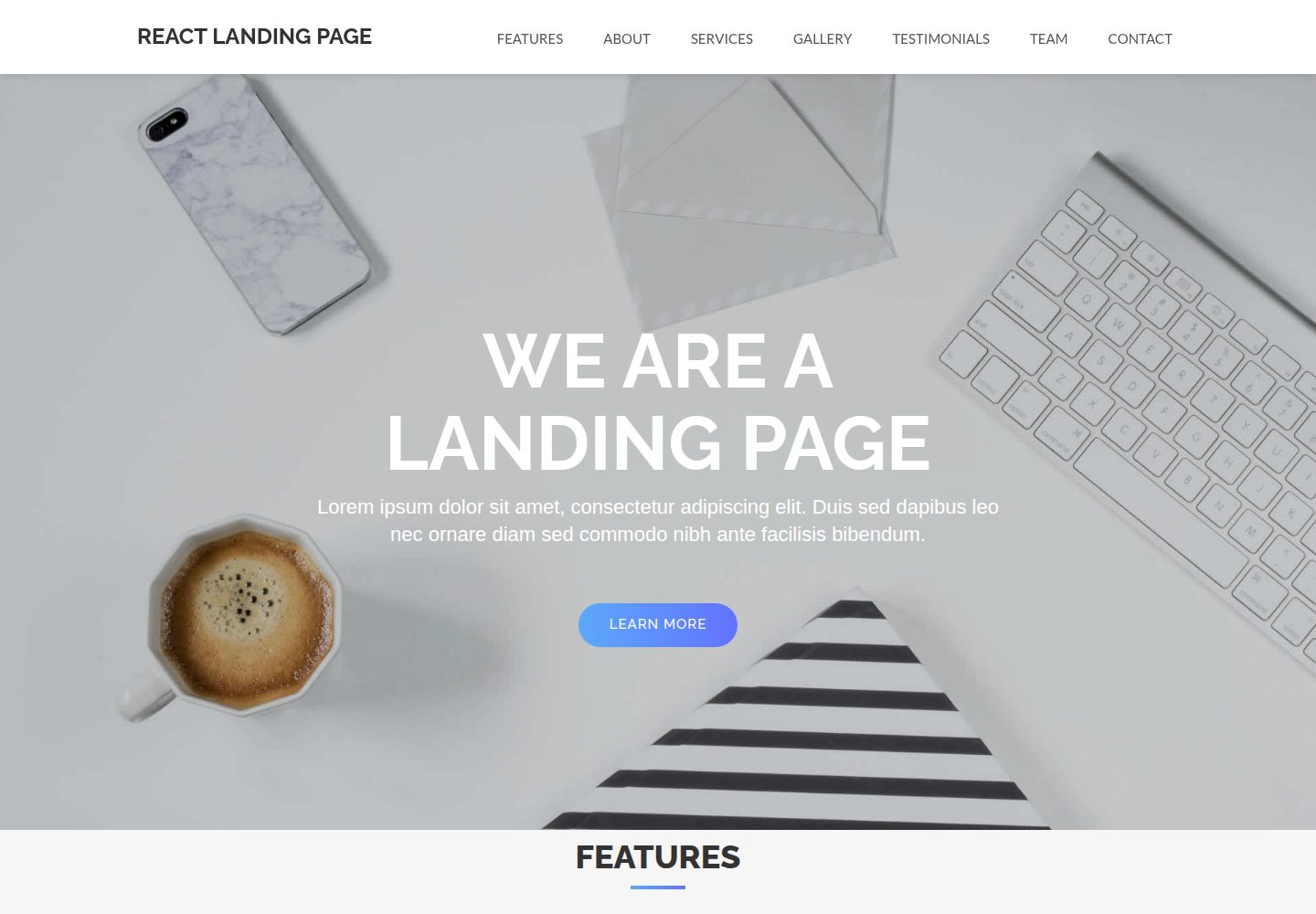
React-Landing-Page-Template
A React single-page landing page template for startups and service businesses, with copy and image references centralized in data.json, assets in public/img/, styles in public/css/, and a contact form that requires your own EmailJS service ID, template ID, and Public Key.
React · Corporate Website
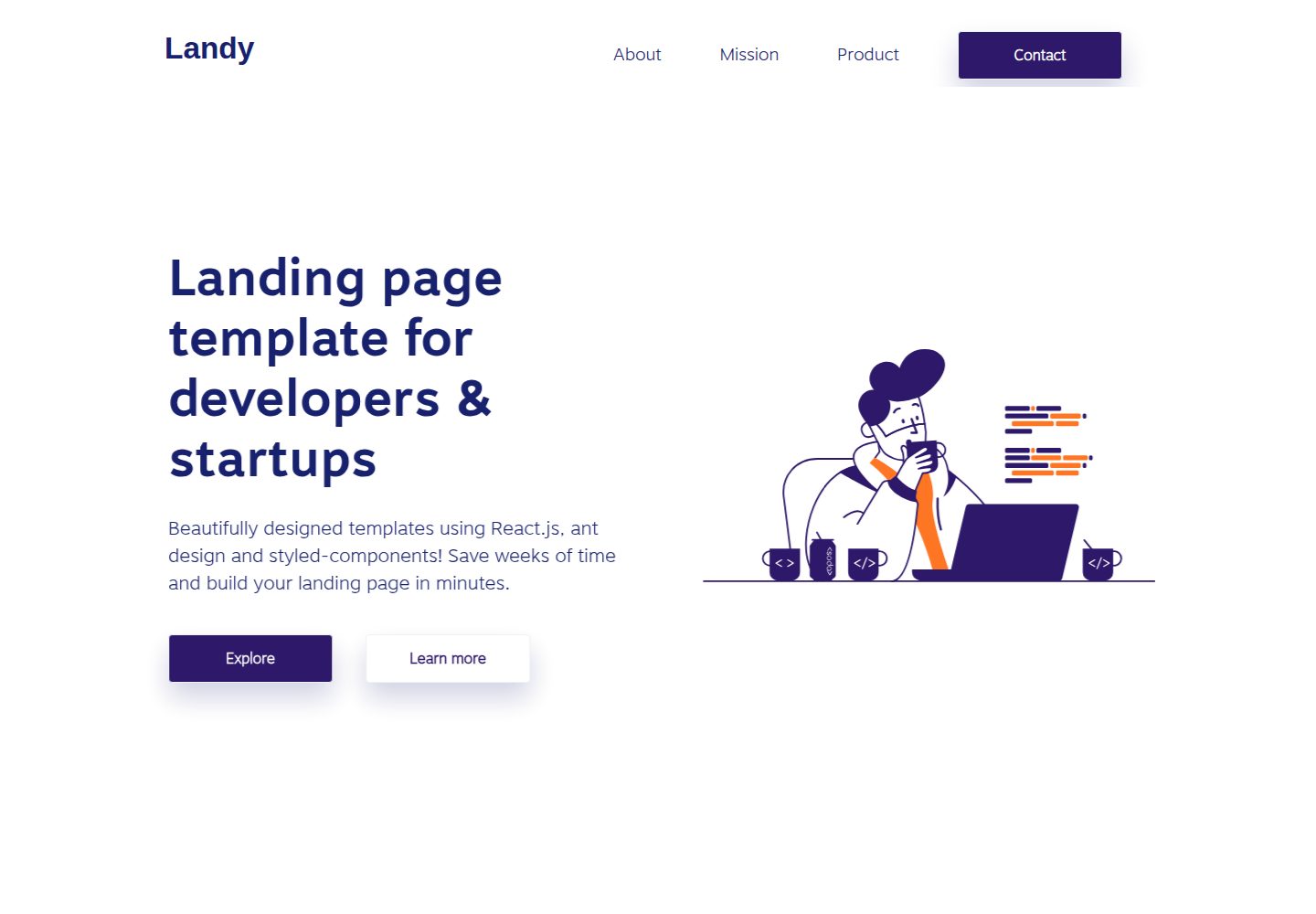
landy-react-template
Landy is an open-source React single-page landing page template written in TypeScript, aimed at developers and startup teams.
React · Corporate Website

react-portfolio-template
A React-based developer portfolio template for showcasing projects, work history, and skills. It offers a multi-component layout, dark and light modes, and responsive mobile adaptation, with text and images editable in src/components.
React · Portfolio

personal-website-react
A single-page developer portfolio template built with React and Material-UI, driven by a JSON Resume-compliant resume.json. It offers light/dark theme switching with localStorage persistence, a clean responsive layout, and Create React App tooling for simple builds and static deployment.
React · Portfolio