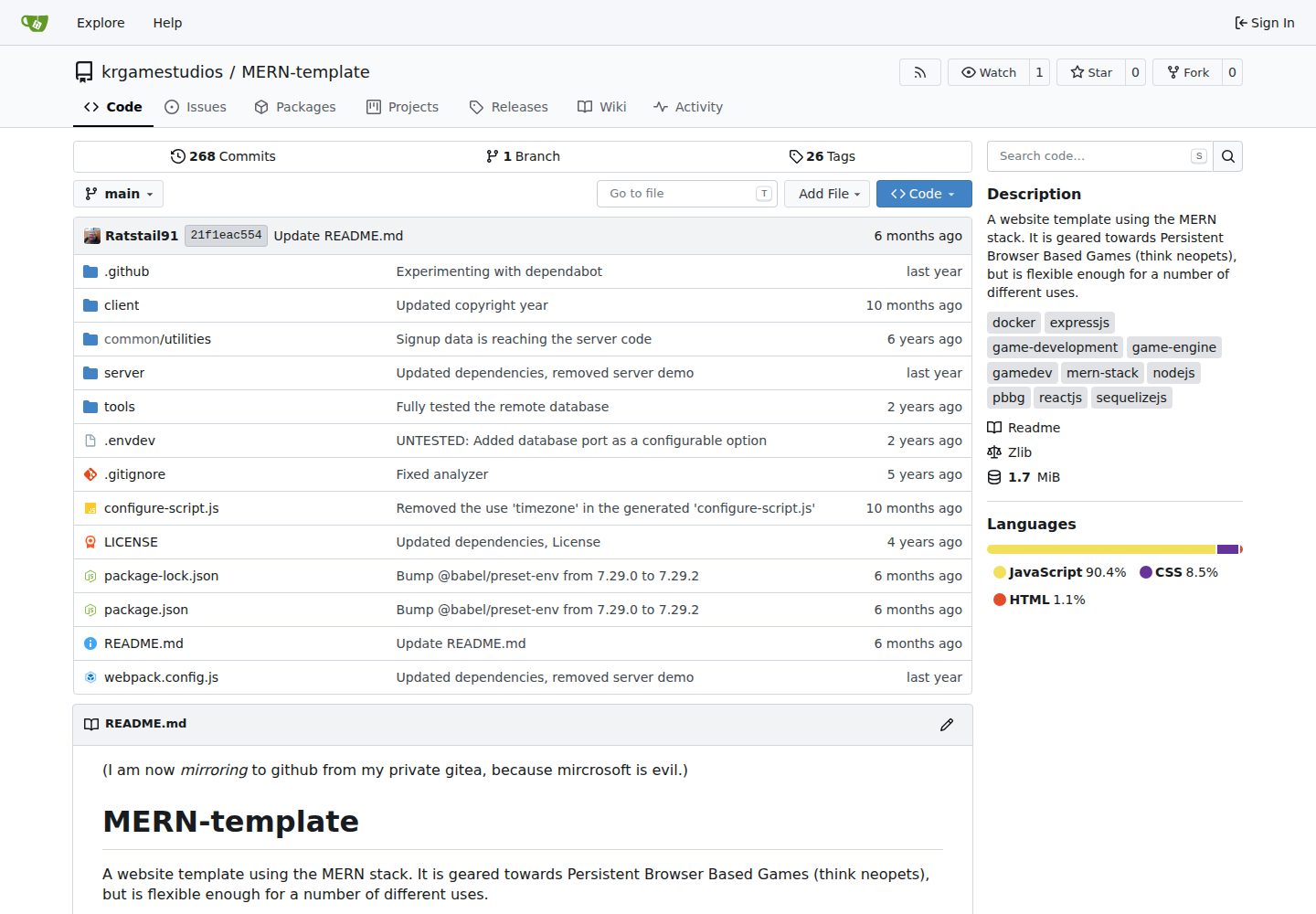
A MERN template built with React, Node.js, MariaDB (Sequelize), and Docker Compose
ReactStarter
MERN-template — React Starter Template
By krgamestudios
A MERN-stack website template for persistent browser-based game (PBBG) development, with three optional microservices for accounts, news, and chat.
Explore the design
Compare the page layouts and mobile experience. Open any screenshot for a closer look.
Desktop homepage1 / 3
Desktop captureTop of page
Actual screenshot captured by the server browser.
All pages & views 3
Screenshots show visual appearance; interactive behavior may differ.
Recorded 2026-10-02View source
What stands out
A quick read of the recorded project description.
Accounts, news, and chat are provided as independent microservices that can be integrated or removed as needed
The account system includes email verification, JWT authentication, HttpOnly cookies, and password management
The chat system supports room-based chat (/room name) and stores chat logs in the database
Provides administrative tools such as bans, temporary mutes, and reporting chat content
Includes a configure-script.js configuration script for deployment via Docker
Template Details
This template is built with React, Node.js, MariaDB (via Sequelize), and Docker Compose. It is primarily aimed at website development for persistent browser-based games (PBBGs, similar to Neopets-style gameplay), but can also be used for other purposes. The template itself and its companion microservices can be used separately: to omit a microservice, simply remove the React components that access it.
The repository splits the account system, news blog, and chat system into three independent external microservices, located in the news-server, auth-server, and chat-server repositories and published on Docker Hub. The account system includes email verification, login and logout, account deletion, password management, JSON Web Token authentication, HttpOnly cookies, and an optional post-registration verification hook; the news blog supports publishing, editing, and deleting articles and is protected by an admin panel; the chat system is available after login, supports room-based chat (type /room name to enter a specified room), and writes chat logs to the database. The template also provides administrative tools such as permanently banning users, temporary mutes, and reporting chat content.
For installation, the repository provides a configure-script.js configuration script that can be used to deploy with Docker and optionally create a default admin account. Development mode requires running MariaDB locally, executing the database creation SQL, installing dependencies, copying .envdev to .env and filling in the configuration, then running the development command; each microservice must repeat this process separately. The "Coming Soon" and "Coming Eventually" items listed in the README (such as standalone article pages, restoring deleted articles, undoing edits, custom emoji, private messages, leaderboards, and item/shop/trade/currency backends) are unimplemented or planned content and should not be treated as existing features. Full documentation is available on the GitHub Wiki.
ReactLauncher
Is it right for your project?
Use Cases
- Developing a persistent browser-based game (PBBG) website that needs basic modules such as accounts, news, and chat
- Integrating the account, news, or chat microservices as needed into an existing React frontend project
- Quickly setting up a runnable MERN project environment using Docker Compose
- Using it as a reference project for learning MERN and microservice separation
Suitable For
- Individuals or small teams planning to develop a persistent browser-based game
- React project developers who need ready-made account and chat modules
- Developers familiar with Docker and Node.js who want to deploy and modify the code themselves
Getting started & customization
Use these recorded setup notes alongside the repository instructions for your chosen version.
- 1
Deployment: clone the repository, run node configure-script.js, then execute docker compose up --build
- 2
Development mode requires running MariaDB locally and executing tools/create_database.sql as the root user to create the database
- 3
Development mode requires running npm install, copying .envdev to .env and filling in the configuration, then running npm run dev
- 4
The default development access address is http://localhost:3001
- 5
The account, news, and chat microservices each require repeating the development environment setup process according to their respective repository instructions
License & source material
Usage conditions & limitations
Free to use · keep license noticeThis entry covers the free version under the Zlib license in the public repository; the free scope applies to that version's code and does not mean external services or third-party assets are free.
Must comply with when using
- Free use, modification, and distribution are permitted, including commercial applications.
- The code's origin must not be misrepresented or claimed as originally written by you; modified source code must be clearly marked.
- No source code distribution may remove or alter the original license notice; product documentation acknowledgment is recommended but not required.
- The code is provided as is; warranties and limitations of liability are governed by the original license and applicable law.
Additional costs & items to verify
- The account, news, and chat features are provided as external microservices in separate repositories and published on Docker Hub; if not integrated, you must remove the React components that access them yourself, and the template does not include the code for these services.
- In development mode, each microservice must be cloned, have dependencies installed, be configured with its own .env, and be run separately, making deployment and maintenance more costly than a single application.
- You must fill in the .env configuration yourself (such as database connections) before running; the template does not provide a ready-to-use default production configuration.
- Development mode depends on a locally running MariaDB database and requires executing the database creation script as the root user.
- The configuration script can optionally create a default admin account; if enabled, you must manage that account's credential security yourself.
- Demo images, fonts, icons, and other third-party assets must be checked against their respective licenses and cannot be judged solely by the code's Zlib license.
- External services such as domains, hosting, databases, payments, or AI may incur additional charges.
View Original Text Basis
including commercial applications
Original License Text
These can be omitted entirely by simply removing the React components that access them.
Original README
Repeat this process for each microservice (linked above)
Original README
Run `cp .envdev .env` and enter your details into the `.env` file
Original README
Ensure mariadb is running in your development environment
Original README
https://github.com/krgamestudios/MERN-template/blob/main/LICENSEhttps://github.com/krgamestudios/MERN-template/blob/main/README.mdA default admin account (if desired)
Original README
Compiled by DeepSeek based on repository license and README ·2026-10-02. Results only cover the materials read; dependencies, images, fonts, and subsequent term changes are subject to their respective original texts.
Project checks & description sources
Template Information
- Source platforms
- GitHub
- Documentation and maintenance reference score
- More documented · 87 / 100
- Technologies
- React
- Website type
- Starter
How this score is calculated
Our heuristic uses license records (up to 30), a demo link (12), a preview (10), stars (15), recorded maintenance (15), description completeness (8), feature records (5) and classification data (5). It is not a code, security or performance test, or a Google score. A link does not establish tested functionality.
What to verify for this project
- Repository update recorded
- 2026-09-29
- Screenshot last checked
- 2026-10-02
A demo link is listed. Check it with your own content and viewport sizes; its presence does not confirm that forms, authentication or payments work.
The catalog identifies React as the primary stack. Check the actual dependency manifest and lockfile for versions and hosting requirements. These notes use recorded metadata, not a code audit or a deployment test.
Use a selection guide →How this description was prepared
AI-assisted description based on catalog records and repository material. Repository authors are not automatically the reviewers of this description.
Automatically checked against source and license rules; no manual editorial review.
Inspect the recorded source material
SHA-256: 8981d88e8270afdd38df994d19f5a3402754c763de2dc16ef7c884370643e6e3
2026-10-02T09:16:31.155Z
Source file / repository(I am now *mirroring* to github from my private gitea, because mircrosoft is evil.) # MERN-template A website template using the MERN stack. It is geared towards Persistent Browser Based Games (think neopets), but is flexible enough for a number of different uses. The primary technology involved is: * React * Nodejs * MariaDB (with Sequelize) * Docker (with docker compose) This template is designed to support the development of persistent browser based games (PBBGs), but it, and it's component microservices, can be used elsewhere. This template is released under the zlib license (see LICENSE). See the [github wiki](https://github.com/krgamestudios/MERN-template/wiki) for full documentation. # Microservices There are external components to this template referred to as "microservices". These can be omitted entirely by simply removing the React components that access them. These are also available via [docker hub](https://hub.docker.com/u/krgamestudios). * News Server: https://github.com/krgamestudios/news-server * Auth Server: https://github.com/krgamestudios/auth-server * Chat Server: https://github.com/krgamestudios/chat-server # Setup Deployment A clean install is this easy: ``` git clone https://github.com/krgamestudios/MERN-template.git cd MERN-template node configure-script.js docker compose up --build ``` # Setup Development To set up this template in development mode: 1. Ensure mariadb is running in your development environment 2. Run `mariadb tools/create_database.sql` as the root user 3. Run `npm install` 4. Run `cp .envdev .env` and enter your details into the `.env` file 5. Execute `npm run dev` 6. Navigate to `http://localhost:3001` in your web browser 7. Repeat this process for each microservice (linked above) # Features List - Mainly one language across the codebase (JavaScript) - Full documentation - Setup tutorial - Fully Featured Account System (as a microservice) - Email validation - Logging in and out - Account deletion - Password management - JSON web token authentication - HttpOnly cookies for security - Optional post validation hook - Fully Featured News Blog (as a microservice) - Publish, edit or delete articles as needed - Secured via admin panel - Fully Featured Chat System (as a microservice) - Available when logged in - Chat logs saved to the database - Room-based chat (type `/room name` to access a specific room) - Moderation tools - Permanently banning users - Chat-muting users for a time period - Users reporting offensive chat-content - Easy To Use Configuration Script - Sets up everything via docker - A default admin account (if desired) # Coming Soon - Full documentation - Modding tutorials - Fully Featured News Blog (as a microservice) - Individual pages for news articles # Coming Eventually - Fully Featured News Blog (as a microservice) - Restore deleted articles - Undo edits - Fully Featured Chat System (as a microservice) - Custom emoji - Private messaging - Broadcasting to all channels - Badges next to usernames - Backend for leaderboards (modding tutorial?) - Backend for energy systems (modding tutorial?) - Backend for items, shops, trading and currency (modding tutorial?)
Explore similar templates
Compare previews and descriptions within the same stack and category.
ant-design-pro
Ant Design Pro is an enterprise-grade React admin scaffold built on React 19, Umi Max 4, and antd 6 with TypeScript.
React · Admin dashboard
react-boilerplate
A production-grade React + Redux starter for experienced developers, integrating Redux, redux-saga, styled-components, and react-router, with offline-first and PWA support, CLI code generation, and built-in testing and CI configuration. Requires Node.js v8.15.1 and npm v5 or higher; not suitable for beginners.
React · Starter

fastapi-react
A Cookiecutter template for FastAPI + React (TypeScript) full-stack projects, integrating PostgreSQL, SQLAlchemy, Alembic, Celery, Redis, JWT authentication, a react-admin admin panel, and a Docker Compose development environment with Nginx reverse proxy.
React · Admin dashboard

shadcn-landing-page
A free React landing page template built with TypeScript, Tailwind and Shadcn/UI, offering 16 ready-to-use sections such as Navbar, Hero, Pricing, FAQ and Footer, with responsive layout, dark mode and meta tags.
React · Corporate Website
start-ui-web
Start UI [web] is an opinionated full-stack starter from the BearStudio team, built on Node.js, TypeScript, React, and TanStack Start, with Tailwind CSS, shadcn/ui, React Hook Form, oRPC, Prisma, and Better Auth.
React · Starter
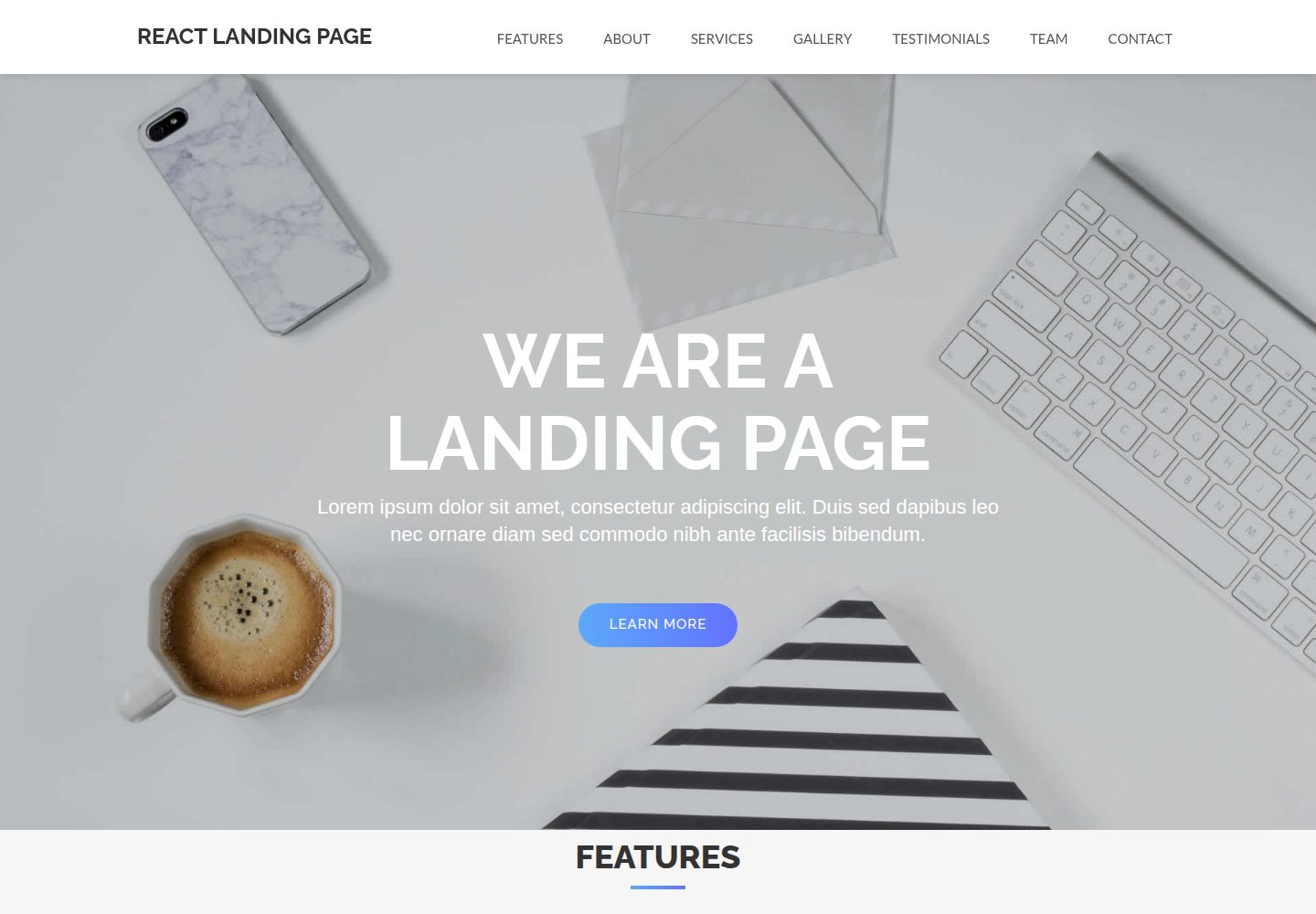
React-Landing-Page-Template
A React single-page landing page template for startups and service businesses, with copy and image references centralized in data.json, assets in public/img/, styles in public/css/, and a contact form that requires your own EmailJS service ID, template ID, and Public Key.
React · Corporate Website