Define checklist templates in YAML, making them easy to version-control with systems such as Git
HTMLAdmin dashboardDocumentationTool Site
checklistfabrik — HTML Admin dashboard Template
By Linuxfabrik
ChecklistFabrik is a Python tool that renders YAML templates into interactive HTML checklists, with a built-in local web server and dashboard for executing and recording recurring operational processes.
Explore the design
Compare the page layouts and mobile experience. Open any screenshot for a closer look.
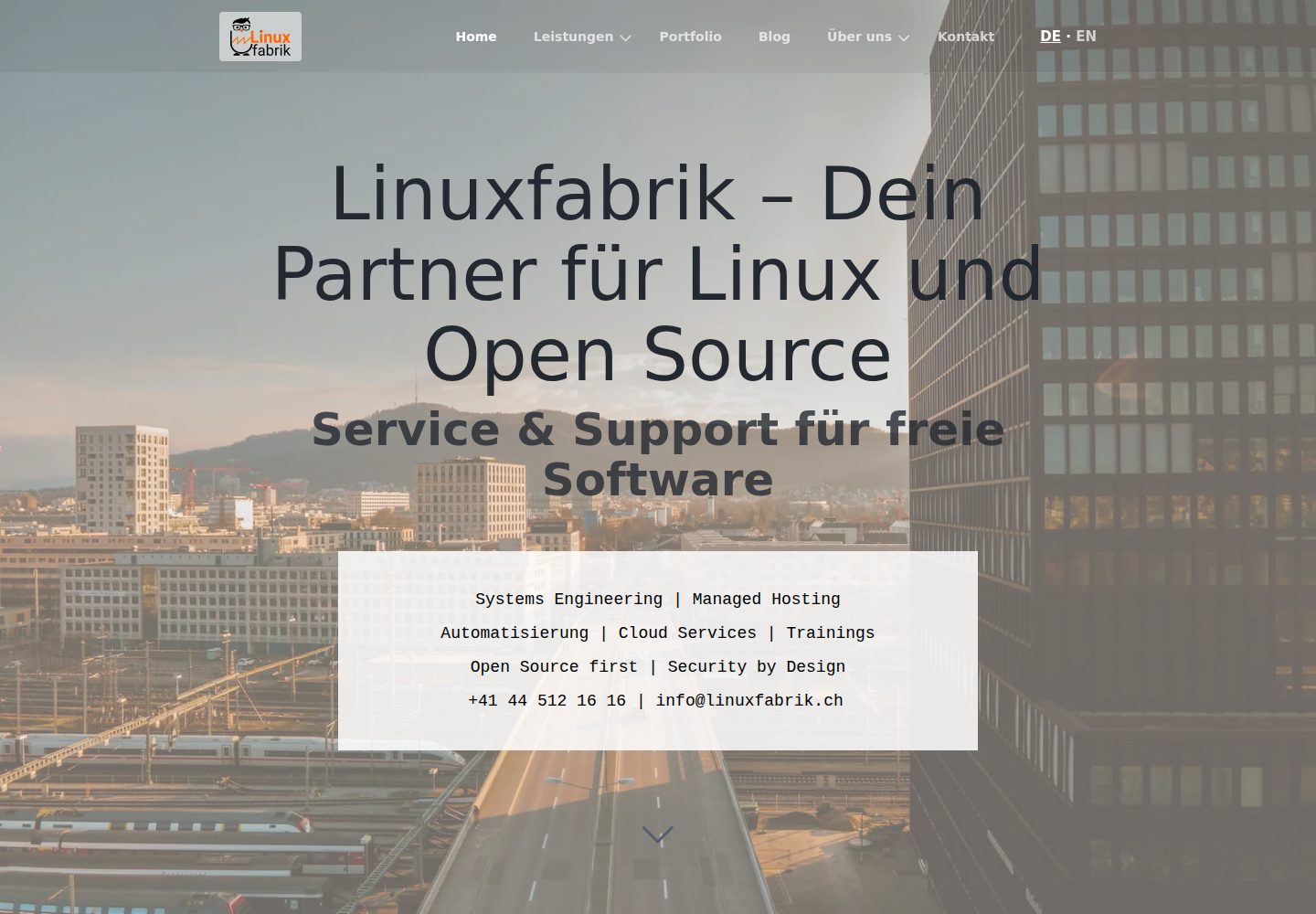
Desktop homepage1 / 3
Desktop captureTop of page
Actual screenshot captured by the server browser.
All pages & views 3
Screenshots show visual appearance; interactive behavior may differ.
Recorded 2026-10-02View source
What stands out
A quick read of the recorded project description.
Built-in local web server and dashboard; fill in pages in the browser with automatic progress saving
Templates support Jinja variables and conditional expressions to dynamically exclude inapplicable pages or tasks
Task rendering is handled by pluggable Python modules, which can also support static export
Supports template include and sub-checklists launched via a Run button, making it easy to split long processes
clf-export can export reports to AsciiDoc, HTML, Markdown, PDF or reStructuredText
Template Details
ChecklistFabrik (command-line tool clf-play) targets processes, SOPs and deployment operations that need to be executed repeatedly. It uses YAML templates as checklist definitions, presents them in the browser as paginated HTML forms via a built-in local web server, and generates a YAML report file after the user fills in each page. Templates support Jinja template language variables and boolean expressions, which can be used to dynamically decide whether a page or task is applicable; task rendering is handled by pluggable Python modules located in the checklistfabrik.modules namespace that provide a main method returning HTML. If an export method is also provided, that task can also be included in static exports.
In terms of usage, running clf-play without arguments opens the dashboard, automatically detects the templates/ and reports/ subdirectories in the current directory, lists templates and existing reports, and allows creating a new one or reopening an existing one with one click; you can also use --template to run a specified template directly, or pass an existing report file to continue filling it in. Progress is written to the report file on each page submission, so closing the browser tab midway will not lose submitted answers. Templates can be reused via include, or another template can be embedded as a card on a page; clicking Run opens it in a new tab as an independent checklist and generates its own report.
Reports can be converted by clf-export to AsciiDoc, HTML, Markdown, PDF or reStructuredText. Exported files are written next to the report by default and do not modify the original YAML; PDF export requires installing the optional checklistfabrik[pdf] dependency. Installation via uv is recommended (uvx checklistfabrik or uv tool install checklistfabrik), or you can clone from Git and install in editable mode. The project uses the Unlicense license, and full documentation is published at linuxfabrik.github.io/checklistfabrik.
HTMLBackendDocumentationTool site
Is it right for your project?
Use Cases
- Recurring operational checks and routine inspections performed by teams
- Step-by-step execution and recording of deployment or change processes such as monthly server maintenance
- Turning standard operating procedures (SOPs) into fillable, archivable interactive checklists
- Exporting completed reports as documents to submit to a repository or publish to a documentation site
Suitable For
- Operations or SRE teams that need to standardize recurring processes and keep execution records
- Technical teams accustomed to managing process definitions with YAML and Git
- Users who want to fill in checklists in a browser without introducing a full web application stack
Getting started & customization
Use these recorded setup notes alongside the repository instructions for your chosen version.
- 1
Installing via uv is recommended: uvx checklistfabrik runs it directly, uv tool install checklistfabrik installs it as a tool; you can also clone from Git and run pip install --editable . for a development install.
- 2
Running clf-play opens the dashboard and automatically detects the templates/ and reports/ subdirectories in the current directory; you can also specify paths with --templates-dir and --reports-dir.
- 3
Run a template directly: clf-play --template path/to/template.yml path/to/report.yml; reopen an existing checklist: clf-play path/to/existing_checklist.yml.
- 4
Export a report: clf-export path/to/report.yml --format rst, supporting asciidoc, html, markdown, pdf, rst; PDF export requires additionally installing checklistfabrik[pdf].
- 5
Example templates are located in the repository's examples/ directory; you can run clf-play in that directory to browse them via the dashboard.
License & source material
Usage conditions & limitations
Free to use · keep license noticeThis entry covers the free version under the Unlicense license in the public repository; the free scope is the code of that version and does not mean external services or third-party assets are free.
Must comply with when using
- The code of that version may be freely copied, modified, published, used, compiled, sold and distributed, including for commercial purposes.
- The author waives related copyright through a public domain dedication; the legal effect of that dedication depends on the applicable jurisdiction.
- The code is provided as is; warranties and limitations of liability are governed by the original license and applicable law.
Additional costs & items to verify
- PDF export is an optional feature requiring the additional checklistfabrik[pdf] dependency; without that dependency PDF cannot be exported, while other formats are unaffected.
- Demo images, fonts, icons and other third-party assets must be checked against their respective licenses and cannot be judged solely by the code's Unlicense license.
- External services such as domains, hosting, databases, payments or AI may incur separate charges.
View Original Text Basis
for any purpose, commercial or non-commercial, and by any means
Original License Text
https://github.com/Linuxfabrik/checklistfabrik/blob/main/LICENSEhttps://github.com/Linuxfabrik/checklistfabrik/blob/main/README.mdPDF export needs an optional dependency:
Original README
Compiled by DeepSeek based on repository license and README ·2026-10-02. Results only cover the materials read; dependencies, images, fonts, and subsequent term changes are subject to their respective original texts.
Project checks & description sources
Template Information
- Source platforms
- GitHub
- Documentation and maintenance reference score
- More documented · 92 / 100
- Technologies
- HTML
- Website type
- Admin dashboard · Documentation · Tool Site
How this score is calculated
Our heuristic uses license records (up to 30), a demo link (12), a preview (10), stars (15), recorded maintenance (15), description completeness (8), feature records (5) and classification data (5). It is not a code, security or performance test, or a Google score. A link does not establish tested functionality.
What to verify for this project
- Repository update recorded
- 2026-10-02
- Screenshot last checked
- 2026-10-02
A demo link is listed. Check it with your own content and viewport sizes; its presence does not confirm that forms, authentication or payments work.
The catalog identifies HTML as the primary stack. Check the actual dependency manifest and lockfile for versions and hosting requirements. These notes use recorded metadata, not a code audit or a deployment test.
Use a selection guide →How this description was prepared
AI-assisted description based on catalog records and repository material. Repository authors are not automatically the reviewers of this description.
Automatically checked against source and license rules; no manual editorial review.
Inspect the recorded source material
SHA-256: bceeb8470ad1613bad75038c91dc0db8845944b90acee44910852cf2af22a2ee
2026-10-02T07:17:03.158Z
Source file / repository<h1 align="center">
<a href="https://linuxfabrik.ch" target="_blank">
<picture>
<img width="600" src="https://download.linuxfabrik.ch/assets/linuxfabrik-clf-teaser.png">
</picture>
</a>
<br />
Linuxfabrik ChecklistFabrik
</h1>
<p align="center">
Python tool that generates interactive HTML checklists from YAML templates. Jinja conditionals, reusable includes, pluggable modules, built-in web server. Ideal for SOPs, deployments & recurring ops.
<span>•</span>
<b>made by <a href="https://linuxfabrik.ch/">Linuxfabrik</a></b>
</p>
<div align="center" markdown="1">



[](https://pypi.org/project/checklistfabrik/)


[](https://www.bestpractices.dev/projects/10574)
[](https://scorecard.dev/viewer/?uri=github.com/Linuxfabrik/checklistfabrik)
[](https://github.com/sponsors/Linuxfabrik)
[](https://www.paypal.com/cgi-bin/webscr?cmd=_s-xclick&hosted_button_id=7AW3VVX62TR4A&source=url)
</div>
<br />
# ChecklistFabrik - Open Source Checklist Maker Tool
ChecklistFabrik (clf-play) is a Python 3 tool designed to manage your team's recurring checklists,
processes, and procedures. It leverages simple yet powerful YAML templates to create interactive HTML forms for an enhanced user experience. Utilize variables and logic through the Jinja templating language to define adaptive procedures, and enjoy seamless progress tracking.
> If ChecklistFabrik helps you running your team's SOPs, deployments and recurring procedures, please give it a star.
## Documentation
Full documentation is available at [linuxfabrik.github.io/checklistfabrik](https://linuxfabrik.github.io/checklistfabrik/). It is automatically built and deployed on every push to `main`.
## Features
* **Auto-Save on Every Submit:**
Progress is written to the report file on every page change, not only on a clean shutdown. Closing the browser tab mid-run no longer loses already-submitted answers — re-open the report later to continue.
* **Dashboard:**
Run `clf-play` without arguments to open a web dashboard that lists all your templates and reports. Start new checklists or re-open previous ones with a single click.
* **Dynamic Item Exclusion:**
Automatically mark pages or tasks as inapplicable using conditional `when` expressions.
(See the [User Guide](docs/user_guide.md#conditional-pages-and-tasks) for details.)
* **HTML Interface with Built-In Web Server:**
View and complete checklists via a user-friendly HTML interface powered by a built-in local web server.
* **Jinja Templating Support:**
Create dynamic checklists using variables and Boolean expressions enabled by the Jinja templating language.
* **Simple YAML Checklists:**
Define templates and generate reports with plain YAML, making version control with systems such as Git straightforward.
* **Static Report Export:**
Convert a completed report into AsciiDoc, HTML, Markdown, PDF or reStructuredText with `clf-export`, or straight from the dashboard. Commit the result next to the YAML source, review it in a pull request or publish it in your documentation, without installing or starting ChecklistFabrik.
(See the [User Guide](docs/user_guide.md#exporting-reports) for details.)
* **Sub-Checklists with a "Run" Button:**
Embed another checklist template as a card on a page. Clicking the **Run** button launches the referenced template in a new browser tab as an independent checklist with its own report file — useful for splitting long procedures into reusable, self-contained sub-checklists.
* **Template Includes for Rapid Checklist Generation:**
Reuse checklist templates to quickly generate multiple checklists from a single file, eliminating the need to start from scratch each time.
## Definitions and Terms
* **Checklist:**
A series of tasks outlining a procedure, organized into pages.
* **Page:**
A collection of tasks displayed simultaneously to the user.
* **Report:**
The output of a checklist run—a YAML file generated from a template.
* **Task:**
A description of work to be performed.
Tasks can appear in various forms, such as text fields, checkboxes, radio buttons,
or non-interactive text blocks (see the [User Guide](docs/user_guide.md#task-modules) for details).
* **Checklist Template:**
A YAML file used to create checklists, intended for reuse rather than direct execution.
* **Task Module:**
To support an extensible architecture, ChecklistFabrik delegates task rendering to separate,
pluggable Python modules.
A valid task module is any Python module within the `checklistfabrik.modules` namespace
that provides a `main` method returning a dictionary that includes an `html` key with the rendered HTML as its value.
A module may additionally provide an `export` method that describes the task independently of any output format,
which makes it part of static report exports.
## Installation
### Using uv (recommended)
The recommended way to install ChecklistFabrik. You can run it without a permanent install:
```bash
uvx checklistfabrik
```
Or install it as a tool:
```bash
uv tool install checklistfabrik
```
For other installation methods (pipx, pip, development setup), see the [PyPI page](https://pypi.org/project/checklistfabrik/).
### From Git (For Development)
```bash
git clone https://github.com/Linuxfabrik/checklistfabrik.git
cd checklistfabrik
pip install --editable .
```
## Quick Start
A checklist template is a simple YAML file:
```yaml
title: 'Server Maintenance'
description: 'Monthly maintenance procedure for production servers.'
version: '2025031901'
pages:
- title: 'Preparation'
tasks:
- linuxfabrik.clf.text_input:
label: 'Ticket number'
required: true
fact_name: 'ticket'
- linuxfabrik.clf.checkbox_input:
values:
- label: 'Notify users about the maintenance window'
- label: 'Create a full backup'
required: true
- title: 'Maintenance'
tasks:
- linuxfabrik.clf.markdown:
content: 'Working on ticket **{{ ticket }}**.'
- linuxfabrik.clf.checkbox_input:
label: 'Apply updates and reboot'
required: true
```
Run it:
```shell
# Open the dashboard (auto-detects templates/ and reports/ subdirectories):
clf-play
# Or run a template directly:
clf-play --template server-maintenance.yml
```
To explore the bundled examples in a dashboard, run:
```shell
cd examples/
clf-play
```
For the full guide on creating checklists—including conditional pages, imports, and all task modules—see the [User Guide](docs/user_guide.md).
## Usage
### Open the Dashboard
```shell
clf-play
```
The dashboard scans for `*.yml` files and lists them as templates and reports:
1. If `templates/` and/or `reports/` subdirectories exist in the current working directory, they are used automatically.
2. If only one of them exists, the other falls back to the current directory.
3. If both point to the same directory, all files are shown in both sections — use "Run" to start a new checklist or "View" to re-open an existing one.
You can override this with explicit paths:
```shell
clf-play --templates-dir ./my-templates --reports-dir ./my-reports
```
### Create a New Checklist From a Template
```shell
clf-play --template path/to/template.yml path/to/report.yml
```
The destination file may be omitted; in that case:
- If the template specifies a `report_path`, then that field is used to generate a new filename.
- Otherwise, a generic, timestamped filename is generated.
### Re-Open an Existing Checklist
```shell
clf-play path/to/existing_checklist.yml
```
### Export a Report as a Static Document
```shell
clf-export path/to/report.yml --format rst
```
Supported formats are `asciidoc`, `html`, `markdown`, `pdf` and `rst`. The document is written next to the report unless `--output` or `--output-dir` says otherwise, and the YAML report itself is left untouched. Pass a directory to export all reports in it, and `--output -` to write to stdout.
PDF export needs an optional dependency:
```shell
pip install 'checklistfabrik[pdf]'
```
## Credits, License
* Authors: [Linuxfabrik GmbH, Zurich](https://www.linuxfabrik.ch)
* License: The Unlicense, see [LICENSE file](https://unlicense.org/)
Explore similar templates
Compare previews and descriptions within the same stack and category.

gentelella
Gentelella v4 is a free, open-source admin dashboard template maintained by Colorlib, built with vanilla JavaScript, SCSS, and Vite 8 without Bootstrap or jQuery.
HTML · Admin dashboard

coreui-free-bootstrap-admin-template
A free Bootstrap admin template maintained by CoreUI, built on CoreUI's own UI component library. It provides compiled HTML pages and Pug template source code, covering dashboards, authentication, forms, components, icons, and error pages.
HTML · Admin dashboard

dashboards
A collection of responsive dashboard HTML templates open-sourced by Keen IO, built on CSS Grid, offering multiple prebuilt admin data interface layouts.
HTML · Admin dashboard

SB Admin 2
SB Admin 2 is a classic Bootstrap admin template from Start Bootstrap, offering dashboards, charts, tables, and common management pages.
HTML · Admin dashboard

Adminator-admin-dashboard
Adminator 4 is a vanilla HTML, CSS and JavaScript admin dashboard template with a CSS-variable token design system, built-in light and dark themes, no jQuery or Bootstrap dependency, and 18 pages covering dashboards, mail, calendar, charts, forms, tables and error pages.
HTML · Admin dashboard

SB Admin
SB Admin is a lightweight, open-source Bootstrap admin template from Start Bootstrap. It offers a sidebar-and-top-bar layout with data tables, forms, and stat cards, plus responsive design.
HTML · Admin dashboard