Windows desktop client built with Tauri v2 + Rust + Svelte 5, currently at version 1.0.0
AstroSvelteViteBlog
Fireflux — Astro Blog Template
By loveFirefly-26710
Fireflux is a Windows desktop management client for Firefly-themed Astro blogs, used to edit Markdown and configuration files locally and trigger the blog repository's CI build and deployment via git commit and push.
Explore the design
Compare the page layouts and mobile experience. Open any screenshot for a closer look.
Desktop homepage1 / 3
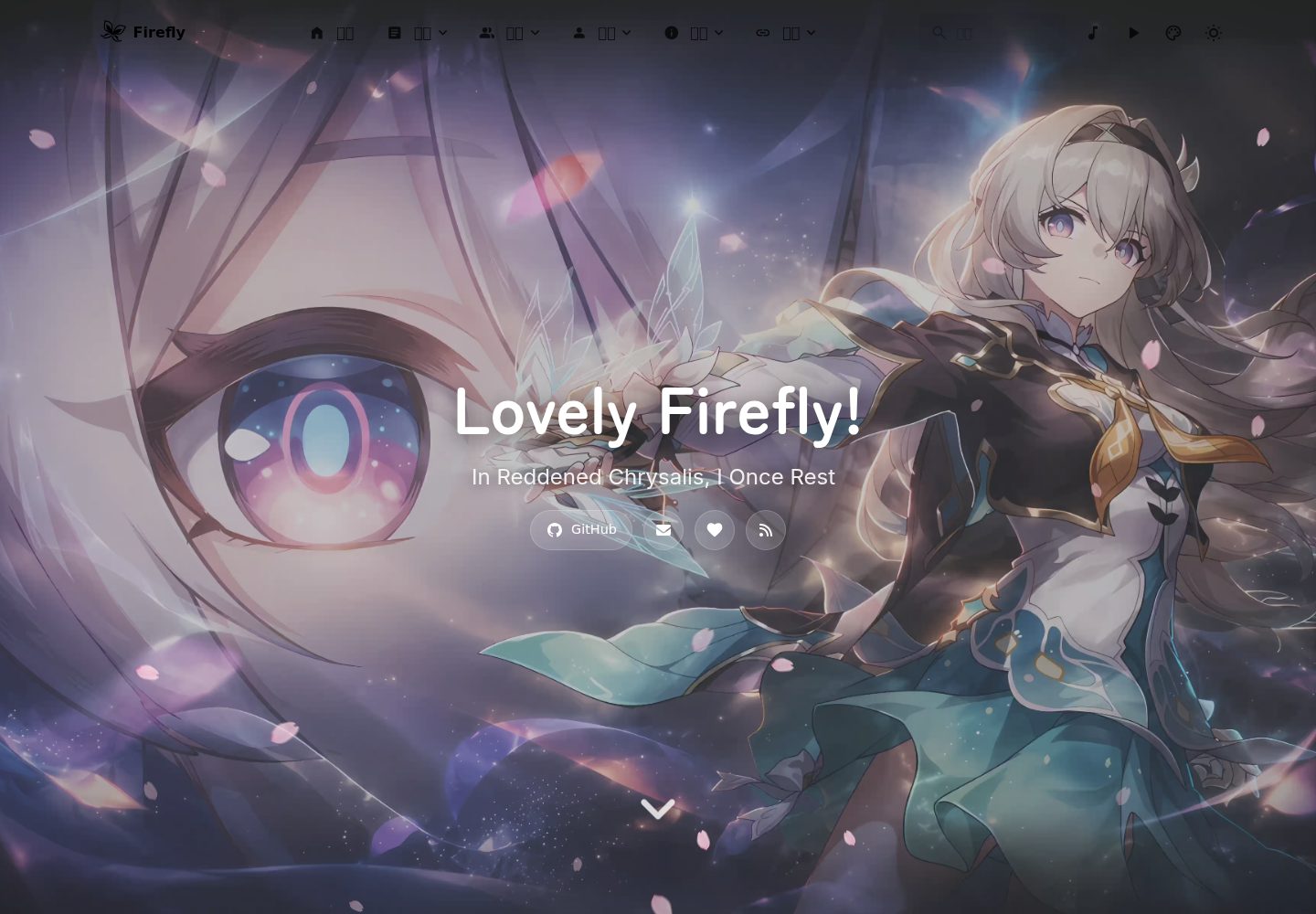
Desktop captureTop of page
Actual screenshot captured by the server browser.
All pages & views 3
Screenshots show visual appearance; interactive behavior may differ.
Recorded 2026-10-12View source
What stands out
A quick read of the recorded project description.
Covers 9 entries: dynamic publishing, article and project editing, gallery management, graphical modification of 25 configuration files, git commit and push, recycle bin, and settings
The configuration engine is a self-developed TypeScript literal parser on the Rust side, replacing only the changed fields by span, preserving Chinese comments and as const
All file reads and writes are restricted to the three whitelisted directories src/content, src/config, and public; out-of-bounds paths are rejected
Deletions are all soft deletions into .fireflux-trash/, and can be restored with one click from the recycle bin; multi-file operations such as import, ID change, and clone go through transactions
Provides two release packages: a single-file exe for direct execution and an NSIS installer version, with identical functionality
Template Details
Fireflux is a standalone Windows desktop application built with Tauri v2 + Rust + Svelte 5, currently at version 1.0.0. It is used to manage Firefly-themed Astro blogs: dynamic publishing, article and project editing, gallery management, graphical modification of 25 configuration files, and git commit and push, with a Firefly kanban musume in the sidebar.
The blog itself remains purely static: the client does not modify theme source code, does not introduce a database, and does not run anything on a server; it only modifies local Markdown and configuration files, and after pushing, the blog repository's GitHub Actions builds and deploys. All reads and writes are performed on the Rust side using relative paths and are restricted to the three whitelisted directories src/content, src/config, and public.
The left side has 9 entries in total: dynamic publishing, article management, project showcase, Spec pages, gallery management, configuration center, publish and deploy, recycle bin, and settings. Deletions are all soft deletions, going into the project's .fireflux-trash/, and can be restored from the recycle bin page. Configuration modifications are handled by a self-developed TypeScript literal parser that replaces only the changed fields by span, preserving Chinese comments and the rest of the code.
The README does not provide information about performance, production readiness, or platforms other than Windows. System requirements are 64-bit Windows 10/11 and the WebView2 runtime; the program is not code-signed, so the first run may trigger a SmartScreen prompt.
AstroSvelteViteBlog
Is it right for your project?
Use Cases
- Editing Markdown articles, projects, and Spec page content for a Firefly-themed Astro blog locally
- Modifying the blog's 25 configuration files through a graphical interface, avoiding errors from directly editing source code
- Managing gallery images, including sorting, cover, alias, encryption, and soft deletion
- Completing git staging, commit, and push within the client, with the blog repository's CI building and deploying
- Restoring files and attachments from the recycle bin after accidental deletion
Suitable For
- Windows users who use a Firefly-themed Astro blog and want to manage local content through a desktop interface
- People who need to modify blog configuration files graphically without directly editing TypeScript source code
- Blog maintainers who are used to editing locally and then pushing via git, with deployment completed by the repository's CI
Getting started & customization
Use these recorded setup notes alongside the repository instructions for your chosen version.
- 1
Download the direct-execution version or the NSIS installer version from Releases; both have identical functionality. System requirements are 64-bit Windows 10/11 and the WebView2 runtime
- 2
The program is not code-signed, so a SmartScreen prompt may appear on first run; you can choose "More info → Run anyway"
- 3
On first open it stays on the onboarding page; you need to select the root directory of a blog repository that contains both src/content and src/config. Directories that do not meet this are rejected
- 4
Local builds require Node.js 22 or higher, pnpm, the Rust stable toolchain, the MSVC build tools, and WebView2
- 5
Compiling the release version must include --features custom-protocol, otherwise frontend assets will not be embedded
License & source material
Usage conditions & limitations
Free to use · keep license noticeThis entry covers the free version under the MIT license in the public repository; the free scope is the code of that version and does not mean that external services or third-party assets are free.
Must comply with when using
- Free use, modification, commercial use, and distribution of that version's code are permitted.
- When distributing copies or substantial portions of the code, retain the original author's copyright notice and the complete MIT license notice.
- The code is provided as is; warranties and limitations of liability are governed by the original license and applicable law.
Additional costs & items to verify
- Demo images, fonts, icons, and other third-party assets must be checked against their respective licenses and cannot be judged solely by the code's MIT license.
- External services such as domains, hosting, databases, payments, or AI may incur separate charges.
- Only supports 64-bit Windows 10/11 and requires the system-level WebView2 runtime (Windows 11 and newer Windows 10 already include it; otherwise you need to install it yourself).
- You must select the root directory of a blog repository that contains both src/content and src/config; directories that do not meet this are rejected, and other structures cannot be bound.
- Online deployment is determined by the blog repository's own deployment configuration (such as Vercel, Cloudflare Pages, etc.) and must be configured separately according to the theme README; the client itself is not responsible for deployment.
- The Memos login state is stored in the WebView2 cache and web session under data/userData/; using the remote dynamic publishing mode requires logging in to the Memos service yourself.
- Some configuration fields generated by code or referenced across files are "read-only code blocks" and are not yet supported for graphical modification; they must be changed manually in the source files.
- When the window height is less than 700px, the kanban musume is hidden by design, and it can also be turned off in settings.
- The manager does not perform request-level diagnostics; subresource failures such as broken images or disconnected APIs are not visible within the client and must be investigated using the system browser's F12.
- The Live2D models and resources under src/renderer/public/live2d/, such as model/, load/, assets/, and firefly.css, are copyrighted by the upstream author, and their use must follow the license and notices of Iskongkongyo/Firefly-live2d.
View Original Text Basis
Permission is hereby granted, free of charge
Original License Text
**系统要求**:64 位 Windows 10 / 11,以及 **WebView2 运行时**(Windows 11 与较新的 Windows 10 已自带;
Original README
2. 选中**博客仓库的根目录**(就是那个同时含 `src/content` 与 `src/config` 的目录,例如 `D:\blog`)。
Original README
- **线上能看到什么**:由你的博客仓库决定的 —— 主题自带的部署配置支持 Vercel、Cloudflare Pages 等,
Original README
| `userData/` | WebView2 缓存与网页会话(Memos 登录态在这里) |
Original README
- **配置里出现「只读代码块」**:个别字段由代码生成(如导航预设引用)或跨文件引用,
Original README
- **看板娘不显示**:窗口高度小于 700px 时按设计隐藏;也可以在设置里关掉(关掉后拖拽更流畅);
Original README
⚠️ 管理器**不做请求级诊断**(图片裂开、接口断连这类子资源失败管理器里看不到),
Original README
https://github.com/loveFirefly-26710/Fireflux/blob/master/LICENSEhttps://github.com/loveFirefly-26710/Fireflux/blob/master/README.md- **Live2D 模型与相关资源**(`src/renderer/public/live2d/` 下的 `model/`、`load/`、`assets/`、`firefly.css`)
Original README
Compiled by DeepSeek based on repository license and README ·2026-10-12. Results only cover the materials read; dependencies, images, fonts, and subsequent term changes are subject to their respective original texts.
Project checks & description sources
Template Information
- Source platforms
- GitHub
- Documentation and maintenance reference score
- More documented · 88 / 100
- Technologies
- Astro · Svelte · Vite
- Website type
- Blog
How this score is calculated
Our heuristic uses license records (up to 30), a demo link (12), a preview (10), stars (15), recorded maintenance (15), description completeness (8), feature records (5) and classification data (5). It is not a code, security or performance test, or a Google score. A link does not establish tested functionality.
What to verify for this project
- Repository update recorded
- 2026-09-26
- Screenshot last checked
- 2026-10-12
A demo link is listed. Check it with your own content and viewport sizes; its presence does not confirm that forms, authentication or payments work.
The catalog identifies Astro as the primary stack. Check the actual dependency manifest and lockfile for versions and hosting requirements. These notes use recorded metadata, not a code audit or a deployment test.
Use a selection guide →How this description was prepared
AI-assisted description based on catalog records and repository material. Repository authors are not automatically the reviewers of this description.
Review declaration: codex-user-requested-batch-review-20261015 · 2026-10-15
Inspect the recorded source material
SHA-256: 5b3c1e00f6ef750d303326039c29aa1d5e7bfcb31bf8e42d4a1fc79e77d34a93
2026-10-12T23:12:19.445Z
Source file / repository# Fireflux
**流萤博客的本地管理客户端 —— 改本地文件,一键推送上线的桌面座舱。**
[English](README.en.md) | 简体中文
[](../../releases)
[](LICENSE)
[](#下载与安装)
Fireflux 是一个独立的 Windows 桌面应用(**Tauri v2 + Rust + Svelte 5**),
用来管理**Firefly 主题的 Astro 博客**:动态发布、文章与项目编辑、相册管理、
25 个配置文件全部图形化修改、git 提交与推送,外加一只常驻侧栏的流萤看板娘。
博客本身保持**纯静态**:客户端不改主题源码、不引入数据库、不在服务器上跑任何东西。
它只改你本地的 Markdown 与配置文件,推送之后由博客仓库的 GitHub Actions 构建上线。
当前版本 **1.0.0**。
---
## 目录
- [功能特性](#功能特性)
- [技术亮点](#技术亮点)
- [下载与安装](#下载与安装)
- [第一次使用](#第一次使用)
- [部署使用方法](#部署使用方法)
- [项目架构](#项目架构)
- [本地构建](#本地构建)
- [数据存放在哪里](#数据存放在哪里)
- [常见问题](#常见问题)
- [参与开发](#参与开发)
- [致谢](#致谢)
- [许可](#许可)
---
## 功能特性
左侧 9 个入口,覆盖 Firefly 博客日常维护的全部动作:
| 页面 | 能做什么 |
|---|---|
| **动态发布** | 远端模式内嵌 Memos 网页(按 `dynamicConfig` 自动选默认页签,带加载状态;被 `X-Frame-Options` 拒绝时可用「↗ 在浏览器打开」兜底);本地模式直接编辑 `src/content/dynamic/` 下的 Markdown,支持插图、粘贴截图、从磁盘导入 |
| **文章管理** | 列表 / 编辑 / 新建(中文标题自动转拼音 slug,与博客自带的 `new-post` 脚本一致)/ 删除 / 导入 Markdown / 插入本地配图 / 克隆 / 保存后扫描未使用附件 |
| **项目展示** | 同上,对应 `src/content/projects` |
| **Spec 页面** | about / friends / guestbook 等页面内容的编辑与导入(`friends.mdx` 按主题的写法渲染) |
| **相册管理** | 相册列表与图片网格;拖动排序、拖到第一格设为封面、远程图(`urls.txt`)排序、别名、加密、克隆、软删除;右键可在系统文件管理器里打开图片或相册目录 |
| **配置中心** | **25 个配置文件全部图形化**:下拉框、开关、列表增删排序、本地图片/视频/音乐/二维码导入(自动复制到约定目录并生成引用路径)。保存时只补丁被改动的字段,中文注释与其余代码原样保留 |
| **发布上线** | 改动清单、暂存、提交、推送(推送前弹窗确认)、拉取最新、git diff 与提交历史;改动项可直接点开文件或定位目录 |
| **回收站** | 所有删除都是软删除,按时间列出、可一键恢复、可清空 |
| **设置** | 绑定/更换博客项目、主题色、壁纸与不透明度、数据目录、看板娘开关与大小位置、拖拽布局、即时预览、克隆后缀、窗口尺寸 |
## 技术亮点
- **配置改不坏**:配置引擎是 Rust 侧**自研的 TypeScript 字面量解析器**(不依赖 ts-morph 等 Node 侧工具),
按 span 只替换被修改字段的字面量,中文注释、`as const`、跨文件引用一律不动;写盘前逐项复核,不一致就整份不写。
- **只动该动的文件**:所有读写都在 **Rust 侧**按相对路径拼到博客项目根目录,并限制在
`src/content`、`src/config`、`public` 三个白名单目录内,越界路径一律拒绝。
- **为省电而设计**:看板娘只在鼠标移动、指针停在它身上、点击摸头时逐帧渲染,其余时间渲染完最后一帧就完全停住
(画面仍是流萤,只是不动),静止态 CPU 归零;拖分隔条、缩放窗口、失焦时**一帧都不渲染**。
- **启动不白屏**:窗口底色 → `index.html` 里的静态启动屏 → 前端动画,三层同色接力;
入口 bundle 只有约 1.8KB,重依赖全部动态加载。
- **删除都可撤销**:内容、附件、相册一律软删除进项目内的 `.fireflux-trash/`,回收站页一键恢复。
- **一切落盘都原子**:导入、改 ID、克隆这类会同时动多个文件的操作走事务,
任何一步失败都会把已产生的改动全部撤回。
## 下载与安装
到 [Releases](../../releases) 下载最新版本。每次发布都提供**两种包,功能完全一致**,只是形态不同:
| 文件 | 形态 | 适合谁 |
|---|---|---|
| `Fireflux_<版本>_x64.exe` | **直接执行版** —— 单个裸 exe,前端与图标都已嵌在里面,双击即跑 | 想把一个文件随手丢到任何地方就能用的人 |
| `Fireflux_<版本>_x64-setup.exe` | **安装版** —— NSIS 安装包,自动建开始菜单与桌面快捷方式,可在「应用和功能」里卸载 | 大多数人 |
**关于「依赖文件」**:本程序**不需要附带任何 DLL 或资源目录**。Tauri 把前端产物与图标全部嵌进了 exe,
所以直接执行版就是一个文件,安装版装完之后的安装目录里也只有主程序本身
(额外多一个卸载器 `uninstall.exe`)。唯一的外部依赖是**系统级的 WebView2 运行时**
(Windows 11 与较新的 Windows 10 已自带)。
**系统要求**:64 位 Windows 10 / 11,以及 **WebView2 运行时**(Windows 11 与较新的 Windows 10 已自带;
若提示缺少,装一次 [Microsoft Edge WebView2 Runtime](https://developer.microsoft.com/microsoft-edge/webview2/) 即可)。
> **关于 SmartScreen**:本程序未做代码签名,首次运行 Windows 可能提示「已保护你的电脑」——
> 点「更多信息 → 仍要运行」即可。介意的话请按下面的[本地构建](#本地构建)自己编译一份。
## 第一次使用
1. 打开 Fireflux,会停在**引导页**,只有一个按钮:选择你的博客项目文件夹。
2. 选中**博客仓库的根目录**(就是那个同时含 `src/content` 与 `src/config` 的目录,例如 `D:\blog`)。
选择后应用会校验一次,不符合的目录会被拒绝并说明原因。
3. 进去之后建议先到**设置**页看一眼,尤其是「数据目录」和「看板娘」。
之后所有读写都通过相对路径进行。文件夹挪了位置或换了电脑,在设置里重新绑定一次即可,其余功能照常。
## 部署使用方法
Fireflux 是**本地工具**,它不部署任何东西 —— 部署仍然由博客仓库自己的 CI 完成。完整链路是:
```text
Fireflux(本地) 博客仓库(远端)
───────────────── ─────────────────────────────
改 Markdown / 配置 / 相册
│
├── 点「暂存」 ──────────▶ git add
├── 点「提交」 ──────────▶ git commit
└── 点「推送」 ──────────▶ git push ──▶ GitHub Actions 构建 Astro 站点
│
▼
静态站点上线
(Vercel / Cloudflare Pages / 自建…)
```
也就是说:
- **本地能看到的**:Fireflux 里的编辑、预览、git 操作日志。
- **线上能看到什么**:由你的博客仓库决定的 —— 主题自带的部署配置支持 Vercel、Cloudflare Pages 等,
按主题 README 配好之后,推送到远端即自动构建。
- **没推送之前**,所有改动只在你本机。Fireflux 的「发布上线」页会明确告诉你当前有多少项改动待推送。
> 相册的图片在 `public/gallery/<相册 ID>/` 下,元信息写在 `src/config/galleryConfig.ts`;
> 两者都要推送后才会在网站上生效。
## 项目架构
三层结构,**业务逻辑与界面严格分离**,因此核心逻辑可以脱离界面直接跑单元测试:
```text
┌──────────────────────────────────────────────────────────────┐
│ src/renderer/ Svelte 5 界面层 │
│ pages/ 6 个页面(Gallery 已拆成 pages/gallery/ 模块)│
│ components/ 跨页面组件(内容管理器、布局编辑器、预览…) │
│ lib/ api 适配层(tauri-api.ts)、契约断言、纯函数 │
├──────────────────────────────────────────────────────────────┤
│ src-tauri/src/commands/ Tauri 命令层(85 个 IPC 命令) │
│ 只做参数搬运、文件对话框、把重活丢进 spawn_blocking │
├──────────────────────────────────────────────────────────────┤
│ src-tauri/src/engine/ 引擎层(纯业务,可 cargo test 直测)│
│ config/ 自研 TS 字面量解析 + span 补丁 │
│ content / attachments / gallery / clone / trash │
│ git / layout / settings / dev / assets / paths / datetime │
└──────────────────────────────────────────────────────────────┘
▲
src/shared/ 前后端共用的数据结构与配置清单
(types.ts / registry.ts:25 个配置文件的唯一清单)
```
几条贯穿全局的约定:
- **单一事实来源**:25 个配置文件的清单只在 `src/shared/registry.ts` 写一遍,
配置中心的菜单、表单 schema、后端读写全部由它派生。
- **API 契约有编译期断言**:`lib/api-contract.ts` 会在 `tsc` 阶段双向比对
「`api.d.ts` 的声明」与「`tauri-api.ts` 的实现」,少一个方法就编译不过。
- **数据目录可搬迁**:所有用户状态放在 exe 旁边的 `data/`,与博客项目完全隔离。
目录速览:
```text
src-tauri/src/ Rust 后端:commands/(命令层)、engine/(引擎层)
src/renderer/ Svelte 5 界面;看板娘资源在 public/live2d
src/shared/ 前后端共用类型与配置清单
scripts/ 验证脚本(probe-run.sh 一键跑真实界面探针)
tests/ Node 侧回归测试 + CDP 界面探针(18 个,标准集跑 16 个)
docs/ 参数说明 / 开发笔记 / 构建方案
```
技术栈:**Tauri v2**(Rust 后端)+ **Svelte 5**(runes)+ **TypeScript** + **Vite**。
## 本地构建
### 前置环境
| 需要 | 版本 / 说明 |
|---|---|
| Node.js | 22 或更高 |
| pnpm | `npm i -g pnpm`(仓库用 pnpm 管理依赖) |
| Rust | 稳定版工具链(`rustup` 安装即可),Tauri 编译必需 |
| WebView2 | Windows 11 / 较新的 Windows 10 已自带 |
| 编译工具链 | MSVC(Visual Studio Build Tools 的「使用 C++ 的桌面开发」) |
> ⚠️ 如果 Rust 装在非默认位置,编译前要先设 `RUSTUP_HOME` / `CARGO_HOME` 环境变量,
> 否则会报 `rustup could not choose a version of cargo to run`。详见[构建方案](docs/构建方案.md)。
### 开发模式
```bash
pnpm install
pnpm dev # = tauri dev,会自动先起 vite dev server(http://localhost:1420)
```
### 产出 EXE:直接执行版(单文件)
**单文件可执行版就是一个 exe**:Tauri 会把前端产物嵌进可执行文件里,所以
`src-tauri/target/release/fireflux.exe` 单独拷出来就能跑,不需要任何附带文件
(CI 会把它改名成 `Fireflux_<版本>_x64.exe` 作为独立产物发布)。
```bash
# 1) 先构建前端(约 20 秒)
rm -rf src/renderer/dist
pnpm vite:build
# 2) 再编译 Rust(首次十几分钟,之后增量很快)
cd src-tauri
cargo build --release --features custom-protocol
```
产物:`src-tauri/target/release/fireflux.exe`(约 17.4MB)。双击即可运行,
数据目录会建在**它旁边**的 `data/` 里。
> ⚠️ `--features custom-protocol` **不能省**。不带它时 `tauri` 的 build.rs 会判定
> `dev = true`,**一个前端资源都不嵌**,做出一个「必须开着 vite dev server 才能跑」的假 release
> (判据:exe 只有 4.5MB 而不是 17.4MB,页面 URL 是 `localhost:1420` 而不是 `tauri.localhost`)。
> `Cargo.toml` 里已声明该 feature,但**刻意不设为默认** —— 设成默认会把 debug 构建也变成
> 「绕过 dev server」,HMR 直接失效。
### 产出 EXE:安装版
```bash
pnpm build # = tauri build,会先跑 vite:build,再编译并打出 NSIS 安装包
```
产物:`src-tauri/target/release/bundle/nsis/Fireflux_1.0.0_x64-setup.exe`(约 14.7MB)。
> ⚠️ **本机实测 `pnpm build` 的 `vite build` 阶段可能卡死**(45 分钟无进展、`dist/` 时间戳不动),
> 原因是 `emptyOutDir` 删不动 `public/live2d` 那 11MB 资产。
> 遇到就换成「先手工构建前端,再让 tauri 跳过这一步」:
>
> ```bash
> rm -rf src/renderer/dist && pnpm vite:build
> npx tauri build --config '{"build":{"beforeBuildCommand":""}}'
> ```
>
> ⚠️ 跳过这一步等于**不再自动重建前端**,`dist/` 旧了就会打出旧界面。
> CI 上不需要这个绕法(干净检出里根本没有 `dist/`)。
### 版本号
版本号写在**三个地方**,必须一起改,否则会出现「安装包版本没变、界面显示的版本变了」:
| 文件 | 作用 |
|---|---|
| `src-tauri/tauri.conf.json` | **权威来源**:Tauri 用它决定安装包与 exe 的版本 |
| `package.json` | 前端读它显示版本 |
| `src-tauri/Cargo.toml` | Rust crate 版本 |
推送到 `master` 后 GitHub Actions 会自动构建并发布 Release(见
[`.github/workflows/release.yml`](.github/workflows/release.yml)),**一次产出直接执行版与安装版两种 EXE**。
Release 版本取自 `tauri.conf.json`;推 `vX.Y.Z` 标签时以标签为准(并把上面三处一起改写)。
### 验证闸门
改完代码建议跑一遍这几道闸门(CI 里也是这几道):
```bash
pnpm typecheck # 类型 + API 契约双向断言
npx tsx --test tests/svelte-compile.test.mjs # 逐个编译 Svelte 组件
npx tsx --test tests/gitlog.test.mjs tests/rendering.test.mjs tests/mdx.test.mjs tests/repo-rel.test.mjs
pnpm test:rust # Rust 单元测试
bash scripts/probe-run.sh all # 真实界面探针(需先构建 debug 版)
```
## 数据存放在哪里
全部数据放在**应用旁边的 `data/` 目录**(便携式布局,整个目录可以直接拷走):
| 文件 / 目录 | 内容 |
|---|---|
| `pointer.json` | 绑定的博客项目路径 |
| `settings.json` | 外观与偏好(主题色、壁纸、看板娘、克隆后缀…) |
| `layout.json` | 窗口几何、面板宽度、模块顺序、块尺寸 |
| `gallery.json` | 相册别名等管理器自己的偏好 |
| `dev.json` / `clone.json` | 即时预览的预设、克隆后缀 |
| `wallpapers/` | 壁纸文件 |
| `userData/` | WebView2 缓存与网页会话(Memos 登录态在这里) |
- **开发模式**:仓库目录下的 `data/`
- **直接执行版**:exe 旁边的 `data/`
- **安装版**:安装目录旁边的 `data/`(装到不可写位置时自动回退到系统用户目录)
这些数据**不会**写进博客项目,也不会被提交。设置页可以把数据目录换到别处(现有数据会自动复制过去)。
## 常见问题
- **首次 `pnpm build` 很慢**:Tauri 要编译整棵 Rust 依赖树(首次十几分钟,`src-tauri/target/` 会涨到几 GB)。
只想验前端就 `pnpm vite:build`。
- **`pnpm build` 卡在 vite 阶段**:先手工构建前端,再让 tauri 跳过这一步 ——
`rm -rf src/renderer/dist && pnpm vite:build`,然后
`npx tauri build --config '{"build":{"beforeBuildCommand":""}}'`。
- **推送报错**:看「发布上线」页的日志原文,常见原因是网络或远端仓库权限。
- **配置改坏了**:改动前的版本都在博客项目的 git 历史里,`git checkout -- src/config/xxx.ts` 即可还原;
客户端不另做备份。
- **配置里出现「只读代码块」**:个别字段由代码生成(如导航预设引用)或跨文件引用,
暂不支持图形化修改,需在源文件里手动改。
- **看板娘不显示**:窗口高度小于 700px 时按设计隐藏;也可以在设置里关掉(关掉后拖拽更流畅);
或者你点过看板娘自己的 🔙 —— 它现在是「收起看板娘」,只把显示区收走,侧栏会留一个
「展开看板娘」按钮,点一下就回来。
- **动态页里的图片裂开 / 内嵌网页打不开**:先用「↗ 在浏览器打开」在系统浏览器里打开同一地址对照 ——
图也裂就是图源或服务器的问题,与客户端无关。
⚠️ 管理器**不做请求级诊断**(图片裂开、接口断连这类子资源失败管理器里看不到),
需要时用系统浏览器的 F12 → Network 排查。
- **删掉的东西找不回来?** 不会。所有删除都是软删除,去「回收站」页一键恢复。
## 参与开发
动手之前建议先读 [开发笔记](docs/开发笔记.md):那里写了性能与节能设计的来龙去脉、
看板娘的实现约束、以及踩过的坑(含每一条的实测数字)。贡献流程与代码约定见
[CONTRIBUTING.md](CONTRIBUTING.md),安全问题的报告方式见 [SECURITY.md](SECURITY.md)。
## 致谢
- **Live2D 模型**:流萤模型来自开源项目 [Iskongkongyo/Firefly-live2d](https://github.com/Iskongkongyo/Firefly-live2d),
感谢作者的开源与授权。模型、纹理、动作、物理与音频均出自该项目。
- **看板娘加载器**:`src/renderer/public/live2d/` 基于上游 Firefly Live2D Web & Userscript v6.6.2,
其中 `model/`、`load/`、`firefly.css`、`assets/` 与上游**逐字节一致**;
本仓库只改了 `firefly-loader.js`(省电分支)与 `embed.html`(画布与嵌入方式)。
- **博客主题**:[Firefly](https://github.com/CuteLeaf/Firefly) —— 没有它就没有这个客户端要管的东西
(客户端只读取和修改它的配置与内容文件,不改主题源码)。
- 界面用 [Svelte 5](https://svelte.dev/),外壳用 [Tauri v2](https://tauri.app/),
渲染管线借力 [marked](https://marked.js.org/)、[KaTeX](https://katex.org/)、[Mermaid](https://mermaid.js.org/)、
[highlight.js](https://highlightjs.org/)。
## 许可
- **应用代码**(Rust 后端、Svelte 界面、文档)以 [MIT 许可](LICENSE)发布,
版权归 [loveFirefly-26710](https://github.com/loveFirefly-26710)。
- **Live2D 模型与相关资源**(`src/renderer/public/live2d/` 下的 `model/`、`load/`、`assets/`、`firefly.css`)
版权归上游作者所有,使用请遵循
[Iskongkongyo/Firefly-live2d](https://github.com/Iskongkongyo/Firefly-live2d) 的许可与声明。
## 文档
- [参数说明](docs/参数说明.md) —— 客户端自己能调的参数:改哪个文件里的哪个值、编译后软件会变成什么样
- [开发笔记](docs/开发笔记.md) —— 性能与节能设计、看板娘实现约束、界面与探针踩过的坑、实测数据
- [构建方案](docs/构建方案.md) —— 工具链、构建与打包、CI 发布、产物校验、排错
Explore similar templates
Compare previews and descriptions within the same stack and category.

astrowind
AstroWind is a free, open-source Astro starter theme using Astro and Tailwind CSS, released under the MIT license.
Astro · Blog

astro-paper
An Astro blog theme with Markdown/MDX content, Tailwind styling and Pagefind search. Search is a feature of the blog, rather than a separate tool-site product.
Astro · Blog

fuwari
Fuwari is a static blog template built with Astro and Tailwind CSS for personal blogs. It manages posts as Markdown files in src/content/posts/, with frontmatter for title, date, description, cover, tags, categories, draft status, and language.
Astro · Blog

Firefly
Firefly is a clean personal blog theme forked from Astro and Fuwari, offering four background modes, single/double sidebar and list/grid layouts, Pagefind client-side full-text search, and a six-language UI.
Astro · Blog

astro-theme-cactus
An Astro blog and notes starter with Markdown/MDX content, Tailwind styling and Pagefind search. Its main purpose is publishing posts and notes.
Astro · Blog

astrofy
Astrofy is a free and open-source personal portfolio website template built with Astro and TailwindCSS, with built-in blog, CV timeline, project showcase, store, and RSS feed modules.
Astro · Portfolio