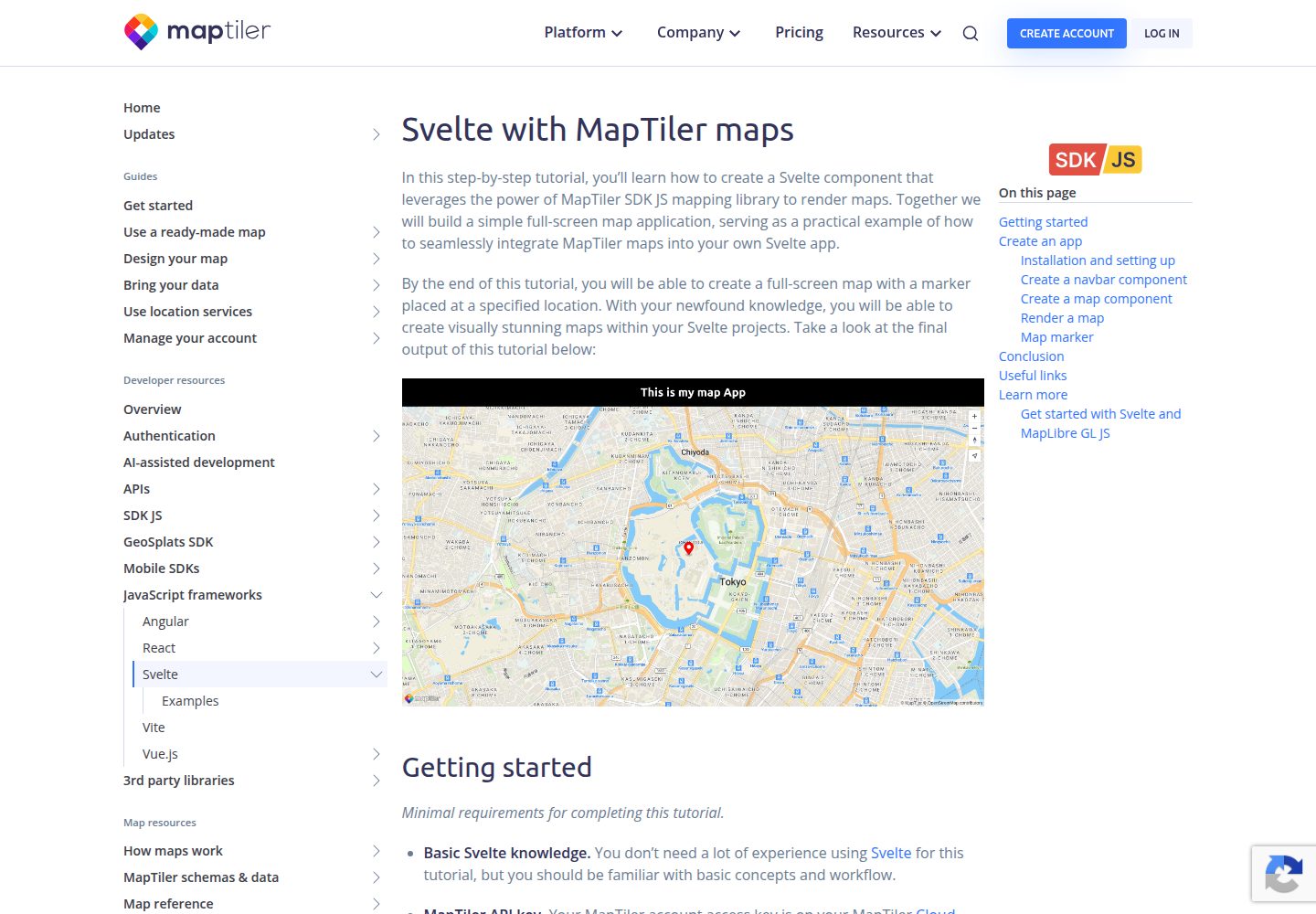
Provides a full-screen map example combining Svelte and MapLibre GL JS
SvelteDocumentation
svelte-template-maplibre-gl-js — Svelte Documentation Template
By maptiler
A Svelte map application starter template from MapTiler that uses MapLibre GL JS to display a full-screen map. Requires a MapTiler API key.
Explore the design
Compare the page layouts and mobile experience. Open any screenshot for a closer look.
Desktop homepage1 / 3
Desktop captureTop of page
Actual screenshot captured by the server browser.
All pages & views 3
Screenshots show visual appearance; interactive behavior may differ.
Recorded 2026-10-02View source
What stands out
A quick read of the recorded project description.
Includes complete getting-started steps from cloning and installing dependencies to local running
Configures the MapTiler API key via a .env file
Comes with instructions for production build and gh-pages deployment scripts
Released under the MIT license, allowing free use, modification, and distribution of the code
Template Details
This is a Svelte-based web map application starter template maintained by MapTiler and released under the MIT license. The template uses a full-screen map as an example to demonstrate how to combine MapLibre GL JS with MapTiler map services in a Svelte project. The repository is generated from sveltejs/template via degit and includes instructions for installation, API key configuration, local running, production build, and deployment to gh-pages.
Before use, you need to obtain a MapTiler API key and write it into a .env file; the template itself does not include map data or map services, and map tiles and styles depend on MapTiler cloud services. The free scope of the template is limited to the code under the MIT license; MapTiler services, demo images, and other third-party assets must be checked against their respective terms.
SvelteDocumentation
Is it right for your project?
Use Cases
- Quickly set up a full-screen map page in a Svelte project
- Learn how to integrate MapLibre GL JS into Svelte components
- Serve as a starting point for a Svelte application that requires MapTiler map services
- Refer to the template's build and gh-pages deployment configuration
Suitable For
- Developers familiar with Svelte who want to add map functionality
- Teams needing an integration example of MapLibre GL JS with Svelte
- Users who already have or plan to apply for a MapTiler API key
Getting started & customization
Use these recorded setup notes alongside the repository instructions for your chosen version.
- 1
After cloning the repository, enter the project directory and run npm install to install dependencies
- 2
Copy .env.example to .env and replace YOUR_MAPTILER_API_KEY with your own MapTiler API key
- 3
Run npm run dev to start the local development environment, default address http://localhost:5000/
- 4
Run npm run build for a production build, and run node gh-pages.js to deploy to the gh-pages branch
- 5
The MapTiler API key must be obtained from the MapTiler Cloud account page
License & source material
Usage conditions & limitations
Free to use · keep license noticeThis entry covers the free version under the MIT license in a public repository; the free scope applies to that version's code and does not imply that external services or third-party assets are free.
Must comply with when using
- Free use, modification, commercial use, and distribution of this version's code are permitted.
- When distributing copies or substantial portions of the code, retain the original author's copyright notice and the full MIT license notice.
- The code is provided as is; warranties and limitations of liability are governed by the original license and applicable law.
Additional costs & items to verify
- You must obtain and configure a MapTiler API key before using the template, otherwise the map will not load properly.
- You need to register a MapTiler Cloud account to obtain an API key, which is an external service dependency.
- API keys can be created for free, but map services are subject to MapTiler's free tier limits, and exceeding them may incur charges.
- MapTiler map services provide 100,000 free map loads per month; exceeding this quota requires payment under MapTiler's terms.
- Demo images, fonts, icons, and other third-party assets must be checked against their respective licenses and cannot be judged solely by the code's MIT license.
- External services such as domains, hosting, databases, payments, or AI may incur additional charges.
View Original Text Basis
Permission is hereby granted, free of charge
Original License Text
you will need to replace **YOUR_MAPTILER_API_KEY** with your own MapTiler API key
Original README
Your MapTiler account access key is on your MapTiler [Cloud](https://cloud.maptiler.com/account/keys/) account page.
Original README
If you don't have an API KEY, you can create it for free at https://www.maptiler.com/cloud/
Original README
https://github.com/maptiler/svelte-template-maplibre-gl-js/blob/main/LICENSEhttps://github.com/maptiler/svelte-template-maplibre-gl-js/blob/main/README.mdStart building with 100,000 free map loads per month ・ No credit card required.
Original README
Compiled by DeepSeek based on repository license and README ·2026-10-03. Results only cover the materials read; dependencies, images, fonts, and subsequent term changes are subject to their respective original texts.
Project checks & description sources
Template Information
- Source platforms
- GitHub
- Documentation and maintenance reference score
- More documented · 87 / 100
- Technologies
- Svelte
- Website type
- Documentation
How this score is calculated
Our heuristic uses license records (up to 30), a demo link (12), a preview (10), stars (15), recorded maintenance (15), description completeness (8), feature records (5) and classification data (5). It is not a code, security or performance test, or a Google score. A link does not establish tested functionality.
What to verify for this project
- Repository update recorded
- 2026-01-20
- Screenshot last checked
- 2026-10-03
A demo link is listed. Check it with your own content and viewport sizes; its presence does not confirm that forms, authentication or payments work.
The catalog identifies Svelte as the primary stack. Check the actual dependency manifest and lockfile for versions and hosting requirements. These notes use recorded metadata, not a code audit or a deployment test.
Use a selection guide →How this description was prepared
AI-assisted description based on catalog records and repository material. Repository authors are not automatically the reviewers of this description.
Review declaration: [email protected] · 2026-10-03
Inspect the recorded source material
SHA-256: 9ed8f1666e44d5e2077787f88e155aec9e0aee77165405cf2212b1d41ca402e4
2026-10-03T11:19:18.089Z
Source file / repository<img src="https://raw.githubusercontent.com/maptiler/maptiler-sdk-kotlin/main/Examples/maptiler-logo.png" alt="Company Logo" height="32"/> # Svelte map using MapLibre GL JS A quick way to start a web map application with Svelte using MapLibre GL JS. A simple fullscreen map application is used to showcase how to utilize MapTiler maps together with Svelte and MapLibre GL JS for your Svelte app. [](https://www.npmjs.com/package/maplibre-gl)  --- 📖 [Documentation](https://docs.maptiler.com/svelte/) 🌐 [Website](https://www.maptiler.com/) 🔑 [Get API Key](https://cloud.maptiler.com/account/keys/) --- <br> <details> <summary><b>Table of Contents</b></summary> <ul> <li><a href="#-installation">Installation</a></li> <li><a href="#-basic-usage">Basic Usage</a></li> <li><a href="#-related-examples">Examples</a></li> <li><a href="#-support">Support</a></li> <li><a href="#-contributing">Contributing</a></li> <li><a href="#-license">License</a></li> <li><a href="#-acknowledgements">Acknowledgements</a></li> </ul> </details> <p align="center"> <img src="./assets/svelte-maplibre-template.png" alt="Demo Screenshot" width="80%"/> <br> ## 📦 Installation Clone the repo to create a new Svelte project. Run in your command-line: ```shell git clone https://github.com/maptiler/svelte-template-maplibre-gl-js.git my-svelte-map ``` This project was generated with ```shell npx degit sveltejs/template my-svelte-project ``` <br> ## 🚀 Basic Usage ### Create an app Navigate to the newly created project folder **my-svelte-map** ```shell cd my-svelte-map ``` Install the NPM packages dependencies. Run in your command-line: ```shell npm install ``` ### API KEY Rename or copy the `.env.example` file to `.env` ```shell cp .env.example .env ``` Open the `.env` file, :warning: you will need to replace **YOUR_MAPTILER_API_KEY** with your own MapTiler API key. Your MapTiler account access key is on your MapTiler [Cloud](https://cloud.maptiler.com/account/keys/) account page. :information_source: If you don't have an API KEY, you can create it for free at https://www.maptiler.com/cloud/ ### Run To start your local environment, run: ```shell npm run dev ``` You will find your app on address http://localhost:5000/. Now you should see the app in your browser. ### Build To build for production, run: ```shell npm run build ``` ### gh-pages To deploy the app to the gh-pages branch, run: ```shell node gh-pages.js ``` <br> ## 💡 Related Examples - [How to display a map in Svelte using MapLibre GL JS](https://docs.maptiler.com/svelte/maplibre-gl-js/how-to-use-maplibre-gl-js/) - [Get Started with Svelte and MapLibre GL JS](https://docs.maptiler.com/svelte/maplibre-gl-js/get-started/) - [MapLibre GL JS geocoding control how to search places using Svelte](https://docs.maptiler.com/svelte/maplibre-gl-js/geocoding-control/) Check out the full list of [MapTiler examples](https://docs.maptiler.com/svelte/examples/) <br> ## 💬 Support - 📚 [Documentation](https://docs.maptiler.com/svelte/) - Comprehensive guides and API reference - ✉️ [Contact us](https://maptiler.com/contact) - Get in touch or submit a request - 🐦 [Twitter/X](https://twitter.com/maptiler) - Follow us for updates <br> --- <br> ## 🤝 Contributing We love contributions from the community! Whether it's bug reports, feature requests, or pull requests, all contributions are welcome: - Fork the repository and create your branch from `main` - If you've added code, add tests that cover your changes - Ensure your code follows our style guidelines - Give your pull request a clear, descriptive summary - Open a Pull Request with a comprehensive description <br> ## 📄 License This project is licensed under the MIT License – see the [LICENSE](./LICENSE) file for details. <br> ## 🙏 Acknowledgements This project is built on the shoulders of giants: - [MapTiler](https://www.maptiler.com/) – Maps for developers - [MapLibre GL JS](https://maplibre.org/maplibre-gl-js/docs/) – Open-source TypeScript library for publishing maps on your website - [Svelte](https://svelte.dev/) – Web development for the rest of us <br> <p align="center" style="margin-top:20px;margin-bottom:20px;"> <a href="https://cloud.maptiler.com/account/keys/" style="display:inline-block;padding:12px 32px;background:#F2F6FF;color:#000;font-weight:bold;border-radius:6px;text-decoration:none;"> Get Your API Key <sup style="background-color:#0000ff;color:#fff;padding:2px 6px;font-size:12px;border-radius:3px;">FREE</sup><br /> <span style="font-size:90%;font-weight:400;">Start building with 100,000 free map loads per month ・ No credit card required.</span> </a> </p> <br> <p align="center"> 💜 Made with love by the <a href="https://www.maptiler.com/">MapTiler</a> team <br /> <p align="center"> <a href="https://www.maptiler.com/">Website</a> • <a href="https://docs.maptiler.com/svelte/">Documentation</a> • <a href="https://github.com/maptiler/get-started-svelte-maplibre-gl-js">GitHub</a> </p>
Explore similar templates
Compare previews and descriptions within the same stack and category.
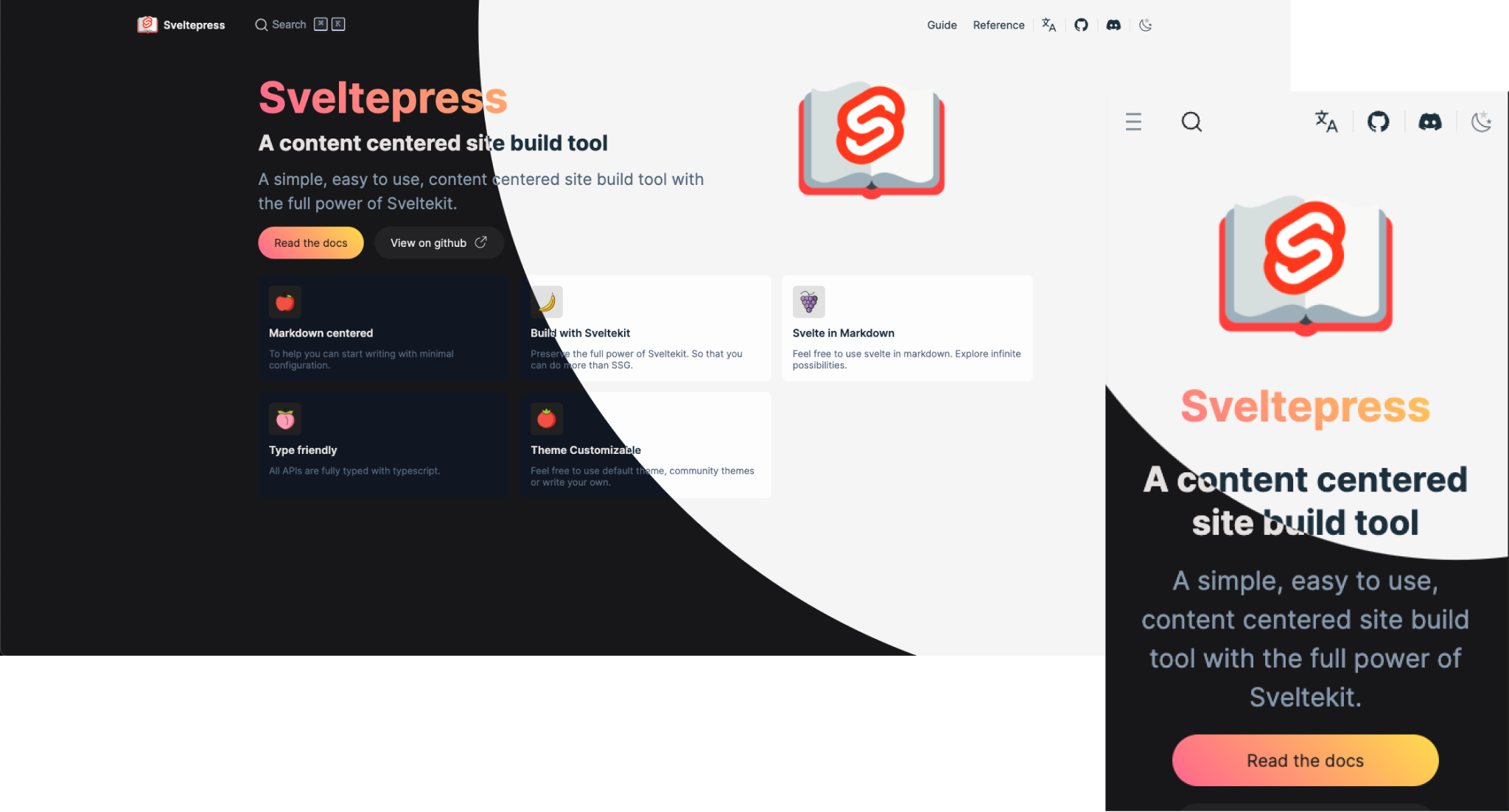
sveltepress
Sveltepress is a SvelteKit-based static site generator for documentation and blogs, with Markdown that can use Svelte 5 Runes, components, and interactive islands.
Svelte · Tool Site

minimal-mistakes
Minimal Mistakes is a two-column Jekyll theme for personal sites, blogs, project documentation, or portfolios.
Jekyll · Portfolio

hugo-book
Hugo Book is a Hugo documentation theme that aims to make documentation sites as simple as a plain book. It emphasizes clean, lightweight, mobile-friendly, and zero initial configuration, and comes with an example site that doubles as documentation.
Hugo · Documentation

jekyll-TeXt-theme
A customizable Jekyll theme for personal sites, team sites, blogs, projects, and documentation.
Jekyll · Blog

docsy
Docsy is a Hugo theme for technical documentation sites, governed by the Linux Foundation and licensed under Apache-2.0. It provides simple navigation and site structure for open source project and product documentation.
Hugo · Documentation

hextra
Hextra is a Hugo theme for documentation and blog sites, built on Hugo and Tailwind CSS with design referencing Nextra.
Hugo · Documentation