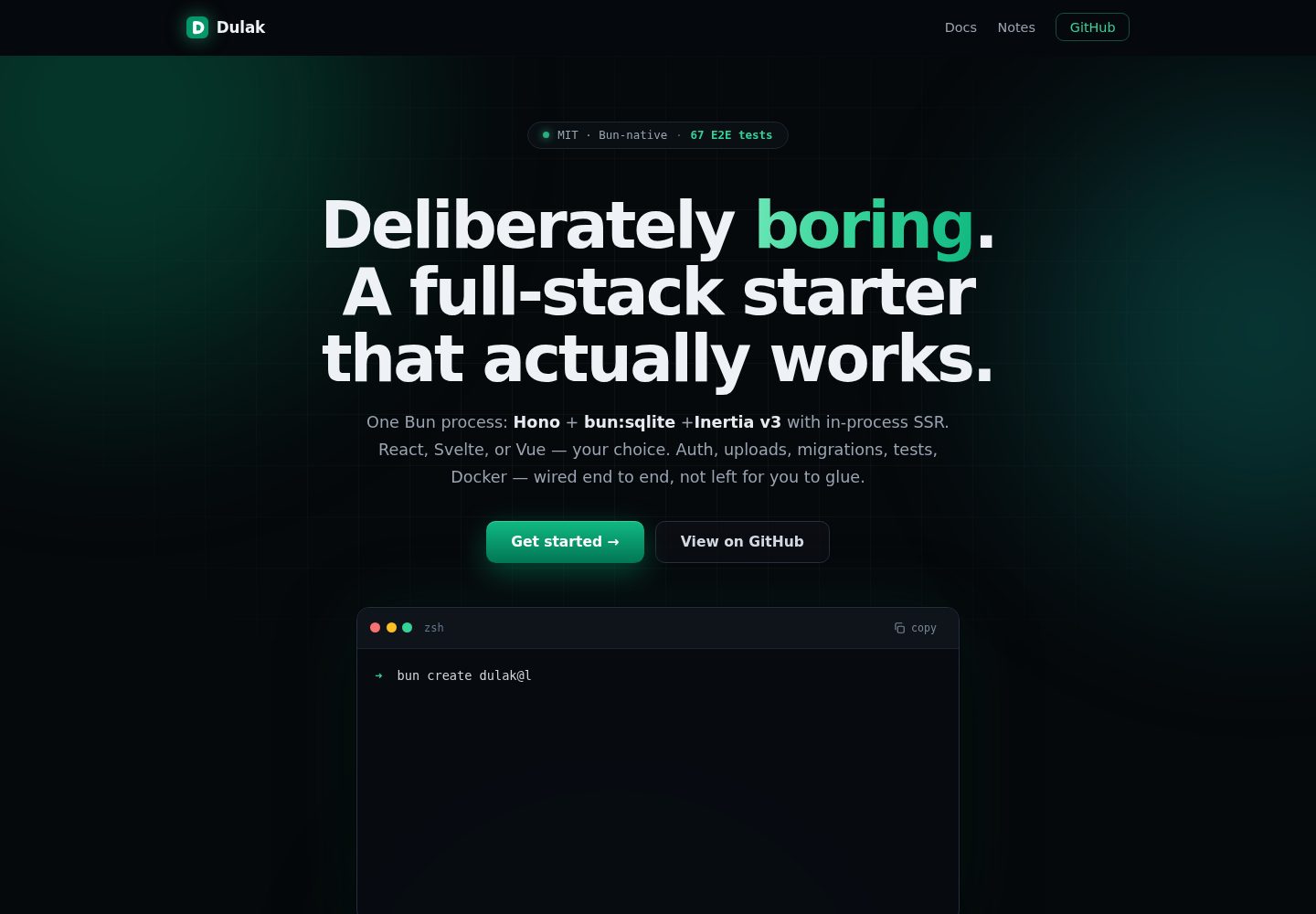
Runs entirely on Bun: Bun.serve provides HTTP, bun:sqlite stores data, Bun.build bundles, and bun test runs tests
SvelteVueReactStarter
dulak — Svelte Starter Template
By maulanashalihin
Dulak is a full-stack starter that runs entirely on Bun, integrating Hono, bun:sqlite, and Inertia v3. It provides React, Svelte, and Vue templates with built-in authentication, OAuth, roles, uploads, migrations, tests, and Docker.
Explore the design
Compare the page layouts and mobile experience. Open any screenshot for a closer look.
Desktop homepage1 / 3
Desktop captureTop of page
Actual screenshot captured by the server browser.
All pages & views 3
Screenshots show visual appearance; interactive behavior may differ.
Recorded 2026-10-03View source
What stands out
A quick read of the recorded project description.
Inertia v3 completes SSR inside the same Bun process, serving HTML on first load and SPA navigation afterward
Provides React, Svelte, and Vue templates, with optional plain CSS or Tailwind CSS v4
Built-in authentication, Google OAuth, password reset, user/admin roles, and a paginated /admin user list
Supports both standard multipart uploads and tus v1 resumable chunked uploads
Includes CSRF, rate limiting, security response headers, versioned migrations, Docker, and CI
Template Details
Dulak is a full-stack starter based on the Bun runtime. It uses Hono for the HTTP layer, bun:sqlite for data storage, and Inertia v3 for server-driven rendering, with SSR completed inside the same Bun process. The project offers three frontend templates: React, Svelte, and Vue. The default template uses React 19 with plain CSS; svelte-vanilla and vue-vanilla use component-scoped styles; and three *-tailwind templates integrate Tailwind CSS v4.
Functionally, the project includes registration and login, password reset emails, Google OAuth, user/admin roles with a paginated /admin user list, rate limiting for global and authenticated endpoints, CSRF validation, versioned SQL migrations, request logging, gzip, security response headers, /health and /metrics, graceful shutdown, and Docker. Uploads support two protocols: standard multipart/form-data (≤100 MB; avatars are decoded via Bun.Image, resized to 256×256, and transcoded to WebP) and tus v1 resumable chunked uploads (for files larger than 100 MB).
Configuration is managed through .env and covers the port, database path, SSR toggle, mail driver (log/resend/mailtrap), Google OAuth credentials, rate limiting parameters, upload directory, and tus expiration settings. If configuration is incomplete, startup fails immediately with an error. Tests use bun test and start the application against an in-memory SQLite database.
Limitations: the project is positioned as a skeleton with production-grade safeguards and does not include business logic. Third-party assets such as demo images, fonts, and icons require separate license verification. External services such as domains, hosting, databases, and email may incur costs.
SvelteVueReactStarter
Is it right for your project?
Use Cases
- You need a full-stack project starting point based on Bun and Hono, and want the frontend to be selectable among React, Svelte, and Vue
- You want to use Inertia for server-driven rendering while retaining SPA navigation
- You need out-of-the-box authentication, OAuth, roles, and password reset flows as a foundation for business development
- You need a backend skeleton that supports both standard uploads for small files and resumable chunked uploads for large files
- You want to use bun test for end-to-end testing of flows such as authentication, roles, Inertia, and tus
Suitable For
- Developers familiar with the Bun runtime who want to reduce dependencies on multiple language runtimes and external services
- Teams that need a full-stack project starter template for any of React, Svelte, or Vue
- Developers who want to start writing business logic from a project skeleton with security protections and operational foundations already connected
- Application prototypes that need resumable chunked uploads or avatar processing capabilities
Getting started & customization
Use these recorded setup notes alongside the repository instructions for your chosen version.
- 1
Install Bun first, then run bun create dulak@latest my-app to create a project; you can use --template to specify a template
- 2
After entering the project directory, run bun run dev; by default, access http://localhost:4000
- 3
Configure mail drivers, Google OAuth credentials, rate limiting, and upload-related parameters in .env as needed
- 4
Use bun run db:seed to create a demo user; the parameters are email, password, and role
- 5
For production builds, use bun run build to generate dist/ and manifest.json, then start with bun run start
License & source material
Usage conditions & limitations
Free to use · keep license noticeThis entry covers the free version in the public repository under the MIT license; the free scope is the code of that version and does not mean external services or third-party assets are free.
Must comply with when using
- You may use, modify, commercially use, and distribute the code of this version for free.
- When distributing copies or substantial portions of the code, retain the original author's copyright notice and the complete MIT license notice.
- The code is provided as is; warranties and limitations of liability are governed by the original license and applicable law.
Additional costs & items to verify
- Demo images, fonts, icons, and other third-party assets must be checked under their respective licenses and cannot be judged solely by the code's MIT license.
- External services such as domains, hosting, databases, payments, or AI may incur additional charges.
- The project requires Bun 1.4 or later. Avatar uploads rely on Bun.Image for decoding, resizing, and WebP transcoding, so this feature is unavailable on lower Bun versions.
- When using the resend mail driver, RESEND_API_KEY must be configured; otherwise email sending is unavailable.
- When using the mailtrap mail driver, MAILTRAP_API_TOKEN must be configured; otherwise email sending is unavailable.
- Google OAuth login requires both GOOGLE_CLIENT_ID and GOOGLE_CLIENT_SECRET to be configured; if not configured, the login button is hidden.
- If METRICS_TOKEN is not set, the /metrics endpoint only allows local loopback access, and metrics cannot be read remotely.
- Rate limiting trusts the X-Forwarded-For header, so it must be deployed behind a proxy that sets this header; otherwise rate limiting may be bypassed or misjudged.
- The project is positioned as a skeleton with production-grade safeguards, not a production application ready to launch; business logic must be implemented by the user.
- The project does not include business logic; users must write their own business code before using it in an actual product.
- Rate limiting uses in-memory storage by default. For horizontal scaling, replace it with shared storage such as Redis; otherwise rate limiting will not work across multiple instances.
- The default template uses plain CSS. Tailwind v4 must be integrated per project and is not a default capability.
View Original Text Basis
Permission is hereby granted, free of charge
Original License Text
**Bun 1.4+ required** — avatar upload uses `Bun.Image` (decode, resize, re-encode to WebP), which is only available in Bun 1.4+.
Original README
`RESEND_API_KEY` | — | required when `MAIL_DRIVER=resend`
Original README
`MAILTRAP_API_TOKEN` | — | required when `MAIL_DRIVER=mailtrap`
Original README
`GOOGLE_CLIENT_ID` / `GOOGLE_CLIENT_SECRET` | — | enable Google OAuth (both or none)
Original README
`METRICS_TOKEN` | — | bearer token for `/metrics`; if unset, `/metrics` is restricted to loopback only
Original README
`X-Forwarded-For` is trusted for rate limiting — only run behind a proxy that sets it.
Original README
**Production-grade guardrails, not a production app.**
Original README
What is missing is your business logic, and that is the point
Original README
Swap the store for Redis behind the same hook signature when scaling horizontally.
Original README
https://github.com/maulanashalihin/dulak/blob/main/LICENSEhttps://github.com/maulanashalihin/dulak/blob/main/README.mdAdding **Tailwind v4** is a per-project decision — the boilerplate stays vanilla CSS by design.
Original README
Compiled by DeepSeek based on repository license and README ·2026-10-05. Results only cover the materials read; dependencies, images, fonts, and subsequent term changes are subject to their respective original texts.
Project checks & description sources
Template Information
- Source platforms
- GitHub
- Documentation and maintenance reference score
- More documented · 88 / 100
- Technologies
- Svelte · Vue · React
- Website type
- Starter
How this score is calculated
Our heuristic uses license records (up to 30), a demo link (12), a preview (10), stars (15), recorded maintenance (15), description completeness (8), feature records (5) and classification data (5). It is not a code, security or performance test, or a Google score. A link does not establish tested functionality.
What to verify for this project
- Repository update recorded
- 2026-09-14
- Screenshot last checked
- 2026-10-05
A demo link is listed. Check it with your own content and viewport sizes; its presence does not confirm that forms, authentication or payments work.
The catalog identifies Svelte as the primary stack. Check the actual dependency manifest and lockfile for versions and hosting requirements. These notes use recorded metadata, not a code audit or a deployment test.
Use a selection guide →How this description was prepared
AI-assisted description based on catalog records and repository material. Repository authors are not automatically the reviewers of this description.
Review declaration: [email protected] · 2026-10-05
Inspect the recorded source material
SHA-256: 915022b3e5281b3c23a3ecf700771e7f5ca743134681cab63380cd0472435fde
2026-10-05T02:26:01.260Z
Source file / repository# Dulak
The Banjar word for *bored* — a deliberately boring full-stack starter.
[](https://github.com/maulanashalihin/dulak/actions/workflows/ci.yml)
[](LICENSE)
[](https://bun.sh)
[](https://dulak.pages.dev)
[](https://www.npmjs.com/package/create-dulak)
A full-stack starter running entirely on **Bun**: **Hono** for HTTP,
**bun:sqlite** for data, **Inertia v3** for server-driven UI with
**in-process SSR** — no separate SSR server, it runs inside the same Bun
process — with React, Svelte, and Vue templates. Auth, uploads,
migrations, tests, Docker — wired end to end.
```mermaid
flowchart LR
Browser -->|Inertia XHR / full HTML| Hono
subgraph Bun process
Hono -->|session, flash| Auth
Hono -->|page payloads| InertiaAdapter
InertiaAdapter -->|renderToString| ReactSSR
Hono -->|SQL| bun:sqlite
end
ReactSSR --> Browser
Google -->|OAuth callback| Hono
Mail -->|reset emails| Hono
subgraph Assets
Bun.build --> dist
end
```
## Philosophy
**Dulak** is the Banjar word for *bored* — and the name is the manifesto:
code that is "boring" is the most valuable code there is. Boring here does
not mean dull — it means **predictable**. No surprises, no clever tricks
that require the next maintainer to reverse-engineer intent. Whoever comes
later — human or AI agent — should be able to understand the code, change
it, and not be afraid of breaking it.
- **Deliberately boring.** Every choice trades "clever" for "obviously
right". When two ways of doing the same thing exist, only one is kept —
the simpler one. Route handlers are written inline in their route file
instead of being split into abstract controllers. Boring? Yes.
Followable at a glance? Far more.
- **Zero-dependency where it's cheap.** Every dependency is a liability:
it must be upgraded, audited, and can break under you. When 60 lines of
our own code are enough, we write them: the rate limiter is hand-rolled
(`rate-limit.ts`), the Google OAuth client is plain `fetch` (no SDK),
CSS is vanilla by default, and the database layer is raw `bun:sqlite`
prepared statements — no ORM.
- **One runtime, zero setup.** Not a PHP/Laravel-style stack — no separate
language runtime, package manager, web server, and database to install
and wire together before your first `php artisan serve`. The whole stack
is Bun: `Bun.serve` is the HTTP server, `bun:sqlite` is the database,
`Bun.build` is the bundler, `bun test` is the test runner, `bun install`
is the package manager. Setup is exactly three steps — install Bun,
scaffold with `bun create dulak`, run `bun run dev` — and you have a
running app with auth, migrations, SSR, and tests.
- **One obvious way to do things.** Structure is standardized, on purpose:
routes only live in `routes/<feature>.routes.ts`, all SQL lives in
`db.ts`, environment variables are read only in `config.ts`. No
"structural creativity" — that is the point. When everyone writes the
same way, anyone can find anything.
- **Discoverability as a contract.** Given a URL you can name the file
that owns it: `/login` → `routes/auth.routes.ts`, `/uploads` →
`routes/uploads.routes.ts`. Every URL lives in exactly one file, with
its GET render and POST actions together. Paste a broken URL and you
land in exactly one place — no guessing.
- **Production-grade guardrails, not a production app.** The
infrastructure a deployed app needs — CSRF, rate limiting, security
headers, versioned migrations, graceful shutdown, Docker, CI — is wired
and tested from day one, not scaffolded. What is missing is your
business logic, and that is the point: you start from a skeleton that
already works, not one you have to harden.
- **Boring versions, pinned, not chased.** A starter gets forked and
maintained for years — its dependencies decide how much forced
maintenance lands on the fork owner. "Current" does not mean "always
the latest": Dulak pins specific stable versions (Hono 4.x, Bun 1.4+,
Inertia v3) and upgrades only when there is a concrete reason. A pinned
version is a resting point, not a moving target that drags every fork
into an upgrade cycle.
- **No inherited rewrite churn.** A dependency whose next major is a
full rewrite strands the boilerplate on a legacy track with no upgrade
path.
- **Breaking changes become schedulable.** On a stable track, upgrades
are deliberate, documented migrations you can plan and test — not
emergency fixes when a beta dependency shifts under you.
- **A new major must prove itself.** It ships when there is a concrete
reason (security, ecosystem, maintenance), not because it is the
newest thing.
- **Correctness over cleverness.** Synchronous, explicitly typed,
parameterized queries; fail-fast configuration; deterministic tests
(`bun test --isolate`). Prefer the boring implementation that is
obviously correct over the clever one that is hard to verify.
- **Built for AI agents.** The "next maintainer" includes the agent
writing the next feature — which, in this project, is the main way the
code evolves. That is why conventions are codified where agents read
them (`AGENTS.md`), validation errors have exact, documented shapes
(TypeBox), mistakes fail at compile time (`strict` +
`noUncheckedIndexedAccess`), and the test suite runs deterministically
as the safety net. A codebase an agent can extend without inventing
conventions is a codebase that stays coherent.
## Quick start
```bash
# Scaffold a new project (prompts for template, installs deps, creates .env)
bun create dulak@latest my-app
cd my-app
bun run dev # http://localhost:4000
# Or pick a template directly:
bun create dulak@latest my-app --template svelte-vanilla
```
### Templates
| Template | Stack | Branch |
| ----------------- | ---------------------------------- | ------------------------- |
| `default` | React 19 + vanilla CSS | `main` |
| `svelte-vanilla` | Svelte 5 + scoped `<style>` CSS | `template/svelte-vanilla` |
| `vue-vanilla` | Vue 3 + scoped `<style>` CSS | `template/vue-vanilla` |
| `svelte-tailwind` | Svelte 5 + Tailwind CSS v4 | `template/svelte-tailwind`|
| `react-tailwind` | React 19 + Tailwind CSS v4 | `template/react-tailwind` |
| `vue-tailwind` | Vue 3 + Tailwind CSS v4 | `template/vue-tailwind` |
The `default` template (this branch) uses React 19 with co-located vanilla
CSS — no CSS framework. The `svelte-vanilla` and `vue-vanilla` templates
use native scoped `<style>` blocks (Svelte/Vue SFCs). The `*-tailwind`
templates add Tailwind CSS v4 (via `@tailwindcss/cli`, no PostCSS) with
the same auth, roles, SSR, and test suite.
### Scripts
| Command | What it does |
| ------------------- | --------------------------------------------------------- |
| `bun run dev` | Watch mode; rebuilds client assets on restart |
| `bun run build` | Prebuild client assets → `dist/` (+ `manifest.json`) |
| `bun run start` | Serve prebuilt assets (`NODE_ENV=production`) |
| `bun run test` | E2E suite (auth, roles, reset flow, Inertia, tus, avatar upload) |
| `bun run db:seed` | Create a demo user (`[email] [password] [role]` args) |
| `bun run typecheck` | `tsc --noEmit` |
## Features
- **Auth**: register, login, logout — argon2id passwords, DB-backed sessions
(httpOnly `SameSite=Lax` cookies, 30-day expiry), CSRF (Origin check).
- **Forgot / reset password** with email delivery (see Mail below) and
hashed reset tokens (60-minute expiry).
- **Google OAuth** register-or-login (zero-dep, plain fetch; button hidden
when not configured). The profile picture is downloaded and stored locally
(the CSP blocks external images), so avatars always load from our origin.
- **Roles**: `user` / `admin`, `requireRole('admin')` guard, `/admin` page
with paginated user list.
- **Rate limiting**: global per-IP limit on all routes (DDoS baseline, excludes `/health` and `/assets/*`) plus a stricter layer on auth endpoints (brute-force protection). In-memory fixed window, configurable via env.
- **Inertia v3**: full SSR on first load, SPA navigation after, asset-version
negotiation (409 + reload), partial reloads, flash messages, shared props.
- **Two upload protocols**:
- **Regular upload** (multipart/form-data) for files ≤ 100 MB. Avatar
uploads use this path: the image is decoded, resized to 256×256 and
re-encoded to WebP with `Bun.Image` (Bun 1.4) before storage, so
avatars are always small, raster, and served from our own origin.
- **tus protocol v1** at `/uploads` (creation, creation-with-upload,
termination, expiration, checksum) with SQLite state and on-disk
storage — for resumable chunked uploads of files > 100 MB where a
plain multipart request would be unreliable.
- **Migrations**: versioned SQL files applied at startup in transactions.
- **Ops**: batched request logging with correlation id, gzip compression,
security headers (CSP, nosniff, frame denial), `/health`, graceful
shutdown, Docker.
- **Testing**: `bun test` — boots the app against an in-memory SQLite DB.
## Configuration (.env)
| Variable | Default | Notes |
| --- | --- | --- |
| `PORT` | `4000` | In dev, auto-increments to the next free port if busy (prod fails fast) |
| `APP_URL` | `http://localhost:4000` | Absolute base URL (email links, OAuth redirects) |
| `DATABASE_PATH` | `./data/app.sqlite` | |
| `SSR` | `true` | `false` ships an empty shell — client renders from scratch (no hydrate) |
| `MAIL_DRIVER` | `log` | `log` \| `resend` \| `mailtrap` |
| `MAIL_FROM` | `[email protected]` | |
| `RESEND_API_KEY` | — | required when `MAIL_DRIVER=resend` |
| `MAILTRAP_API_TOKEN` | — | required when `MAIL_DRIVER=mailtrap` |
| `MAILTRAP_INBOX_ID` | — | use the sandbox endpoint when set |
| `GOOGLE_CLIENT_ID` / `GOOGLE_CLIENT_SECRET` | — | enable Google OAuth (both or none) |
| `RATE_LIMIT_GLOBAL_MAX` / `RATE_LIMIT_GLOBAL_WINDOW` | `200` / `60` | per-IP requests per window on all routes (excludes `/health`, `/assets/*`) |
| `RATE_LIMIT_AUTH_MAX` / `RATE_LIMIT_AUTH_WINDOW` | `30` / `60` | stricter per-IP limit on auth endpoints (brute-force protection) |
| `UPLOAD_DIR` | `./data/uploads` | tus upload bytes on disk |
| `TUS_MAX_SIZE` | `0` | max upload size in bytes (`0` = unlimited) |
| `TUS_EXPIRATION_SECONDS` | `0` | unfinished upload TTL in seconds (`0` = no expiry) |
| `METRICS_TOKEN` | — | bearer token for `/metrics`; if unset, `/metrics` is restricted to loopback only |
Invalid/incomplete config fails fast at startup with a clear message
(`src/server/config.ts`).
### Google OAuth setup
1. [Google Cloud Console](https://console.cloud.google.com/apis/credentials) →
create OAuth client (Web application).
2. Authorized redirect URI: `https://<your-domain>/auth/google/callback`
(`http://localhost:4000/auth/google/callback` for local dev).
3. Set `GOOGLE_CLIENT_ID` and `GOOGLE_CLIENT_SECRET` in `.env`.
### Mail drivers
- **log** (default): prints a formatted message and records it in
`sentMails` — usable in dev and asserted in tests.
- **resend**: set `RESEND_API_KEY` (`MAIL_DRIVER=resend`).
- **mailtrap**: set `MAILTRAP_API_TOKEN` (`MAIL_DRIVER=mailtrap`); add
`MAILTRAP_INBOX_ID` to use the sandbox endpoint.
## Architecture
AI agents: follow [`AGENTS.md`](AGENTS.md) — it codifies the layout rules
below so new code stays structurally consistent.
```
src/
├── index.ts # entry: build assets (dev), Bun.serve, graceful shutdown
├── server/
│ ├── app.ts # composition: logging, CSRF, secureHeaders, rate limit, onError, routes
│ ├── config.ts # validated env config (fails fast)
│ ├── db.ts # bun:sqlite: connection, prepared statements
│ ├── migrations.ts # SQL migration runner
│ ├── auth.ts # argon2id, sessions, flash, cookies, reset tokens, guards
│ ├── inertia.ts # Inertia v3 server adapter (SSR shell, XHR, 409)
│ ├── inertia-middleware.ts # per-request session resolve → c.var (AppEnv)
│ ├── validation.ts # TypeBox JSON validation → ValidationFailed (422)
│ ├── mailer.ts # mail drivers: log / resend / mailtrap
│ ├── rate-limit.ts # in-memory fixed-window rate limiter
│ ├── logger.ts # request logging + x-request-id
│ ├── security.ts # CSRF origin check (headers via hono/secure-headers)
│ ├── url.ts # defensive request-URL parsing
│ ├── assets.ts # Bun.build pipeline + manifest + static serving
│ ├── tus-protocol.ts # tus v1 protocol constants & helpers
│ ├── tus-storage.ts # tus upload bytes on disk (data/uploads)
│ └── routes/
│ ├── auth.routes.ts # /login /register /logout /forgot/reset (GET+POST)
│ ├── google-oauth.routes.ts # /auth/google, /auth/google/callback
│ ├── pages.routes.ts # app-shell pages: /, /dashboard, /admin
│ ├── profile.routes.ts # /profile page + /profile/avatar (multipart + Bun.Image)
│ └── uploads.routes.ts # /uploads* (tus resumable upload)
├── client/
│ ├── app.tsx # Inertia client bootstrap (hydrate or render)
│ ├── ssr.tsx # in-process SSR renderer (react-dom/server)
│ ├── pages.ts # explicit page registry (shared by SSR + bundle)
│ ├── pages/ # Login, Register, Dashboard, ForgotPassword,
│ │ # ResetPassword, Admin, NotFound
│ ├── components/ # Layout, AuthLayout, Field
│ └── styles.css # plain CSS, light/dark
├── shared/
│ ├── types.ts # User, Role, FlashData, SharedPageProps, Paginated
│ └── inertia.d.ts # InertiaConfig augmentation → typed props.auth
├── migrations/ # versioned SQL schema files (0001, 0002, …)
├── tests/ # bun:test E2E suite (in-memory DB)
└── scripts/ # build.ts, seed.ts
```
## How the pieces fit
- **Request lifecycle**: `requestLogger` (correlation id) → `checkOrigin`
(CSRF) → `secureHeaders` → inertia session resolve → global rate limit →
guards + handler → Inertia render (SSR HTML for browsers, JSON for
`X-Inertia` XHR) → `onError` (422 validation with friendly field
messages, 500) / `notFound` (404 Inertia page).
- **Auth**: argon2id via `Bun.password`; 256-bit random session tokens in
SQLite; cookies httpOnly/`SameSite=Lax`/Secure-in-prod. Logout deletes the
session row server-side. `passwordHash` never leaves the server.
- **Guards** are Hono middleware: `requireAuth`, `guestOnly`,
`requireRole('admin')` (non-admins redirect to `/dashboard`). They return a
Response to short-circuit the chain, or call `next()`.
- **Rate limiting** is an in-memory fixed-window limiter keyed by
`X-Forwarded-For`/peer IP (Bun's `server.requestIP` via `c.env`). Two
layers: a global limiter in `app.ts` (DDoS baseline, excludes `/health`
and `/assets/*`) and a stricter one on auth routes (brute-force). Swap
the store for Redis behind the same hook signature when scaling
horizontally.
- **Inertia v3 protocol** (`inertia.ts`): full HTML with SSR markup +
`data-page` JSON for browser visits; JSON page payloads for XHR;
`409 + X-Inertia-Location` on asset-version mismatch; partial reloads via
`X-Inertia-Partial-*`; one-shot flash and shared props merged per page.
- **SSR + hydration**: `renderPage()` renders with
`createInertiaApp({ page, render: renderToString })`; the client hydrates
when `data-server-rendered` is present. Same page registry on both sides.
- **Asset versioning**: `Bun.build` emits content-hashed files; the hash is
the Inertia `version`. Stale clients get a 409 and reload.
- **Validation**: TypeBox schemas at the route level (see
`src/server/validation.ts`); `onError` maps `ValidationFailed` to 422
Inertia page payloads (`VALIDATION_MESSAGES` in
`routes/auth.routes.ts`). The `email` format is registered explicitly —
plain `@sinclair/typebox` does not pre-register string formats.
## Database migrations
Schema changes are plain SQL files in `migrations/`, applied automatically at
startup in filename order, each inside a transaction, recorded in
`schema_migrations` (never re-applied).
```bash
# add a column to an existing table
cat > migrations/0003_add_last_login.sql <<'SQL'
ALTER TABLE users ADD COLUMN last_login_at TEXT;
SQL
bun run dev # migration runs on boot
```
Rules:
- **Never edit an applied migration** — add a new numbered file instead.
- SQLite `ALTER TABLE ADD COLUMN` with `NOT NULL` requires a `DEFAULT`.
- A failed migration rolls back and aborts startup.
- Edited an applied migration anyway (e.g. while prototyping)? Applied
migrations are never re-run, so delete `data/app.sqlite*` and re-start to
rebuild the dev database from scratch.
## Testing
```bash
bun test --isolate # or: bun run test
```
63 tests (snapshot — the suite grows; AGENTS.md only requires it stays green). The suite boots the full app against an in-memory SQLite database
and drives it through `app.request()`: registration/login/logout, guards and
roles, password reset end to end (via the log mail driver), Inertia protocol
(409/404/SSR), CSRF, `/health`, static asset serving, the tus
resumable-upload flow (creation, resume, checksum, termination, ownership),
and avatar upload via multipart with Bun.Image re-encoding to WebP.
`--isolate` gives each test file fresh globals. It is required: the files
are written as independent suites — each sets its env (`DATABASE_PATH`,
`UPLOAD_DIR`, …) in `beforeAll` before importing the app, and `db.close()`s
in `afterAll` — so running them in one shared process would let one file's
teardown finalize the next file's prepared statements.
## Deployment
```bash
docker compose up -d --build
```
- Multi-stage `Dockerfile` (`oven/bun:1.4-alpine`): assets prebuilt in the
build stage, production deps only at runtime. The app process runs as a
non-root user (`bun`, UID 1000) — the entrypoint fixes the `./data`
bind-mount ownership, then drops privileges before exec'ing Bun.
- `./data` volume keeps the SQLite database across restarts; healthcheck hits
`/health`.
Alternatives: `bun build --compile` for a single binary, or plain
`bun run start` behind your process supervisor (it handles SIGTERM
gracefully). No Docker? Follow the
[Linux VPS guide](https://dulak.pages.dev/deployment/vps/) — Bun +
systemd + Cloudflare (origin rule or tunnel), no reverse proxy to
install.
## Styling
**Vanilla CSS by design** (`src/client/styles.css`, ~6KB): design tokens via CSS
variables, light/dark via `prefers-color-scheme`, no framework. Chosen to keep
the starter zero-dependency and zero extra build steps — the CSS is bundled and
content-hashed by the same `Bun.build` pipeline as the JS.
Adding **Tailwind v4** is a per-project decision — the boilerplate stays
vanilla CSS by design. It is verified to work without PostCSS using only
`@tailwindcss/cli` as a pre-build step; dark mode and existing CSS variables
bridge cleanly. See the
[Tailwind v4 setup guide](.llm-wiki/wiki/concepts/tailwind-v4-setup.md).
## Notes / decisions
- **Bun 1.4+ required** — avatar upload uses `Bun.Image` (decode, resize,
re-encode to WebP), which is only available in Bun 1.4+. The `bun`
engine constraint in `package.json` enforces this.
- **Hono integration gotchas handled**: Hono converts HEAD requests to GET
(body stripped, headers kept) while `c.req.method` still reports "HEAD" —
the tus `dispatch` uses that to route HEAD correctly; `c.header()`-queued
headers (cookies!) are dropped when a handler returns a custom `Response`,
so cookie helpers append to `c.res.headers` directly; the `/*` wildcard
produces no named param, so upload ids are derived from `c.req.path`;
`hono/conninfo`'s ESM build is an empty stub in 4.13, so the rate limiter
reads the peer IP from `c.env` (the Bun server) instead.
- `import.meta.glob` was removed from Bun 1.3 — the page registry uses
explicit imports.
- In dev, `bun --watch` rebuilds client assets on every change, so the
Inertia version changes; an already-open tab does one 409 + full page
reload after a rebuild (version negotiation), then settles back to SPA
navigation. Refresh after a server restart if you see a one-off reload.
- CSP uses `script-src 'unsafe-inline'` because Inertia embeds the page
payload as inline JSON; external script injection is still blocked.
- `X-Forwarded-For` is trusted for rate limiting — only run behind a proxy
that sets it.
- gzip compression is a custom middleware (`compress.ts`) — Hono's built-in
relies on the Web `CompressionStream`, which is not reliably present in
every Bun 1.3.14 context; `node:zlib` is. `busy_timeout = 5000` is set so
concurrent writes wait instead of failing with SQLITE_BUSY.
- Prefer Svelte, Vue, or Tailwind? `bun create dulak@latest my-app --template svelte-tailwind`
(or `react-tailwind` / `vue-tailwind`). The server side is adapter-agnostic —
Inertia v3 works with React, Svelte, or Vue. The Svelte template follows a
verified migration guide (Bun.build plugin, SSR, API mapping) in the
[Svelte 5 migration guide](.llm-wiki/wiki/concepts/svelte-5-migration.md);
the Vue template uses the same architecture (`vue-plugin.ts`, `@inertiajs/vue3`).
Explore similar templates
Compare previews and descriptions within the same stack and category.

CMSaasStarter
CMSaasStarter is an MIT-licensed SaaS starter template built with SvelteKit, TailwindCSS, DaisyUI, and Supabase, with Stripe Checkout and Stripe Portal for payments.
Svelte · Admin dashboard
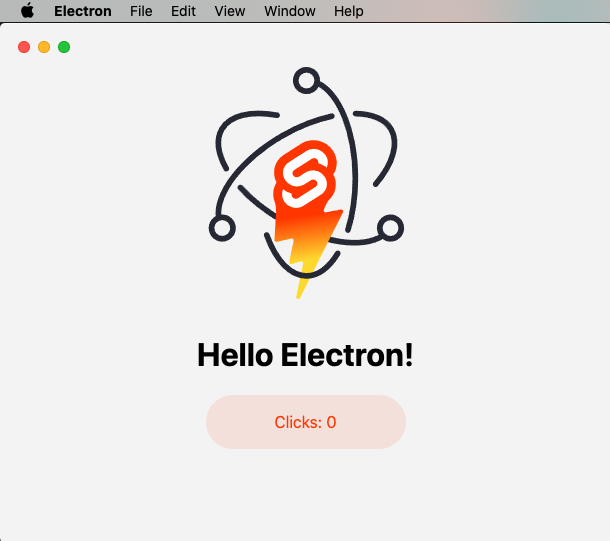
sveltekit-electron
A minimal SvelteKit + Electron starter template for cross-platform desktop applications. It provides clone, install, development, and build commands, with build targets adjustable in package.json and defaulting to Mac, Windows, and Linux.
Svelte · Starter

tauri-sveltekit
A minimal Tauri 2 and SvelteKit desktop starter template that builds the frontend as a static SPA via @sveltejs/adapter-static and loads it in Tauri's WebView.
Svelte · Starter
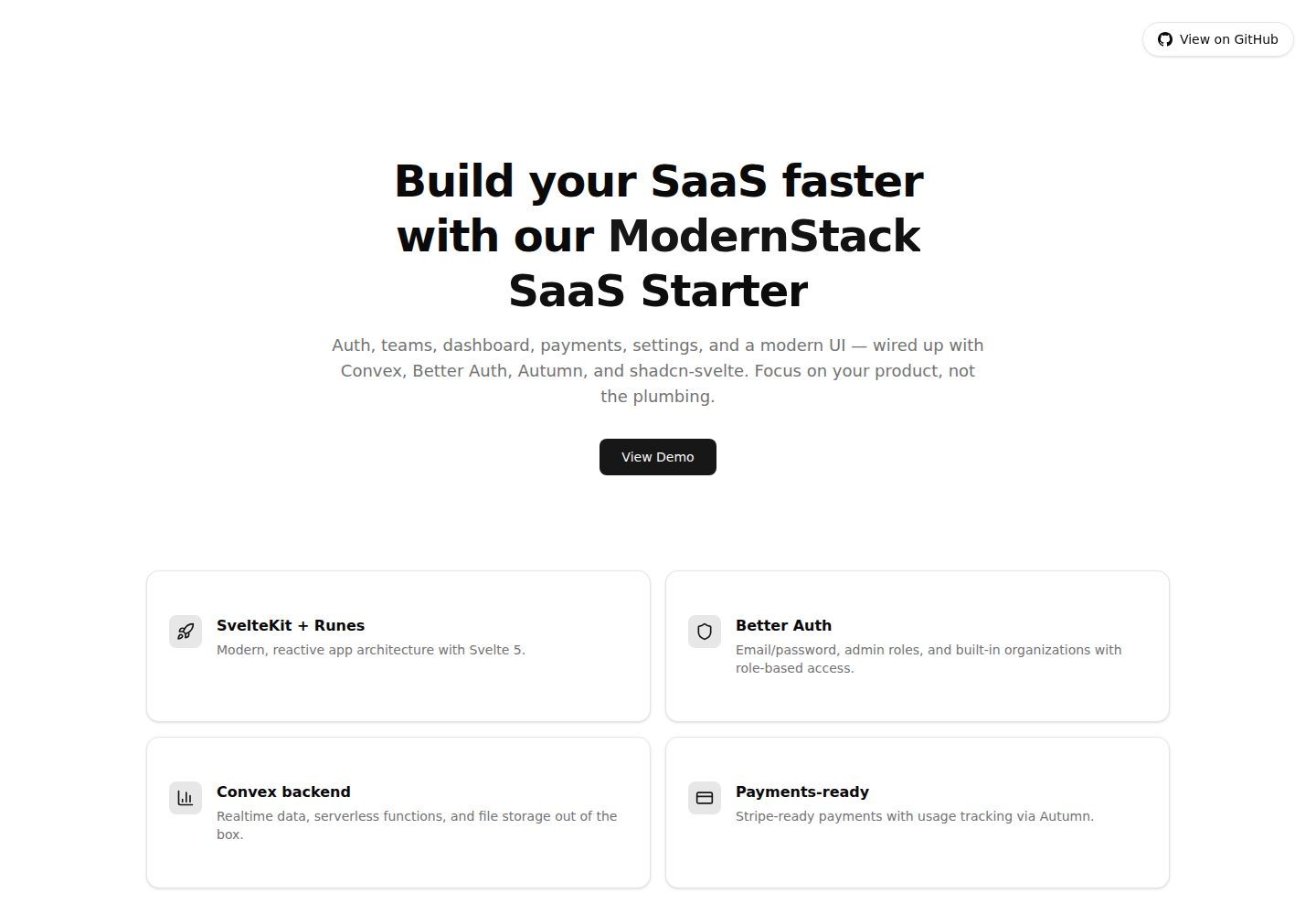
modernstack-saas
A SaaS starter template built with SvelteKit, Convex, Better Auth, and shadcn-svelte. It includes subscription billing via Autumn/Stripe, user and admin dashboards, user settings, organization multi-tenancy with roles and invitations, and a waitlist mode that can disable public registration.
Svelte · Admin dashboard

sveltekit-mdsvex-blog-template
A SvelteKit and MDsveX blog starter for Markdown writing with embedded Svelte components, Tailwind CSS typography, tags, dark mode, SEO metadata, and Cloudflare Workers deployment configuration. Requires Node.js 22.12+ and pnpm 11.17.0; third-party demo assets need separate license verification.
Svelte · Portfolio
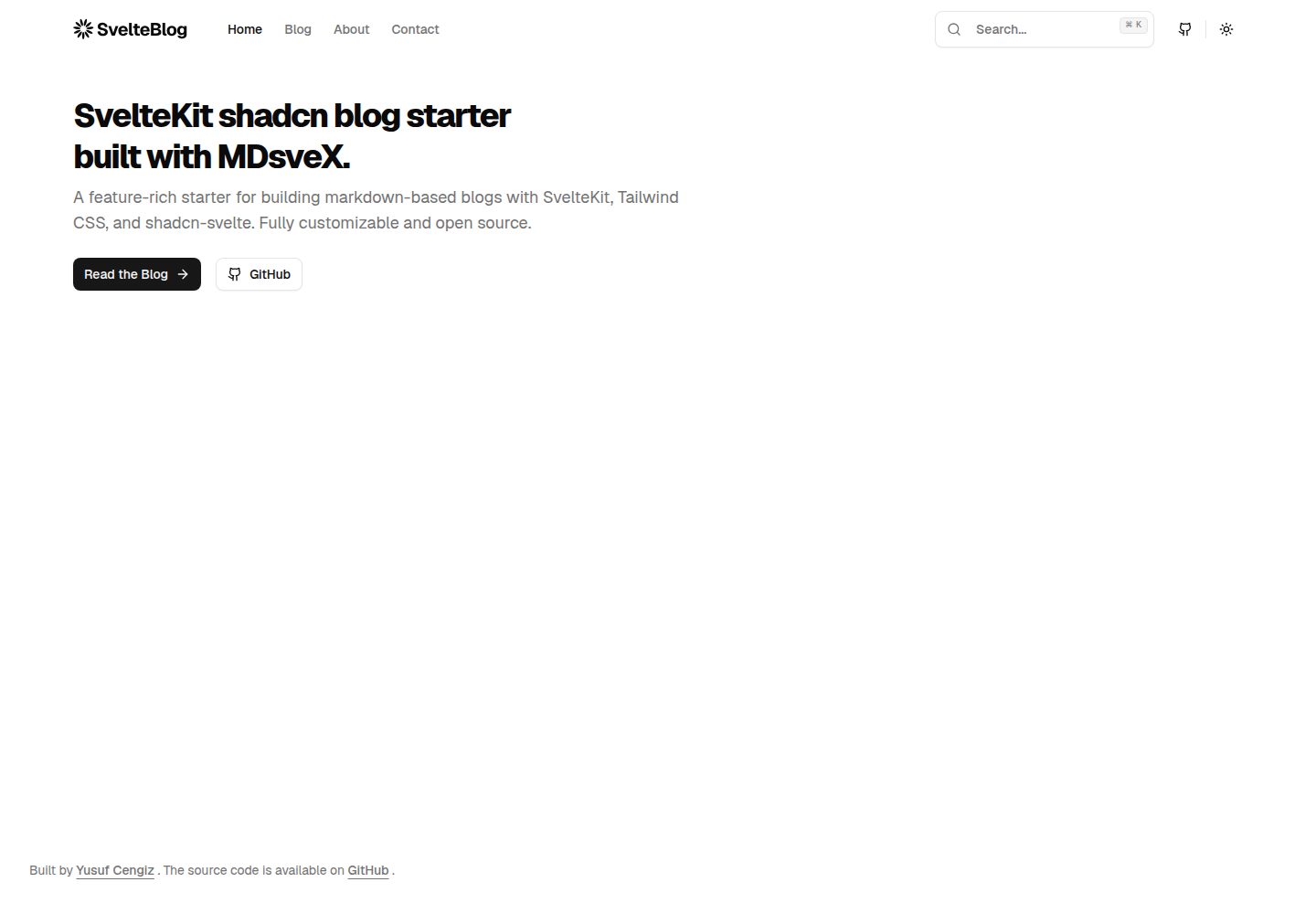
sveltekit-shadcn-blog-starter
A SvelteKit blog starter that combines shadcn-svelte, Tailwind CSS, MDsveX, and TypeScript, offering multi-author support, tag archives, built-in search, light/dark themes, and automatic sitemap and RSS generation.
Svelte · Blog