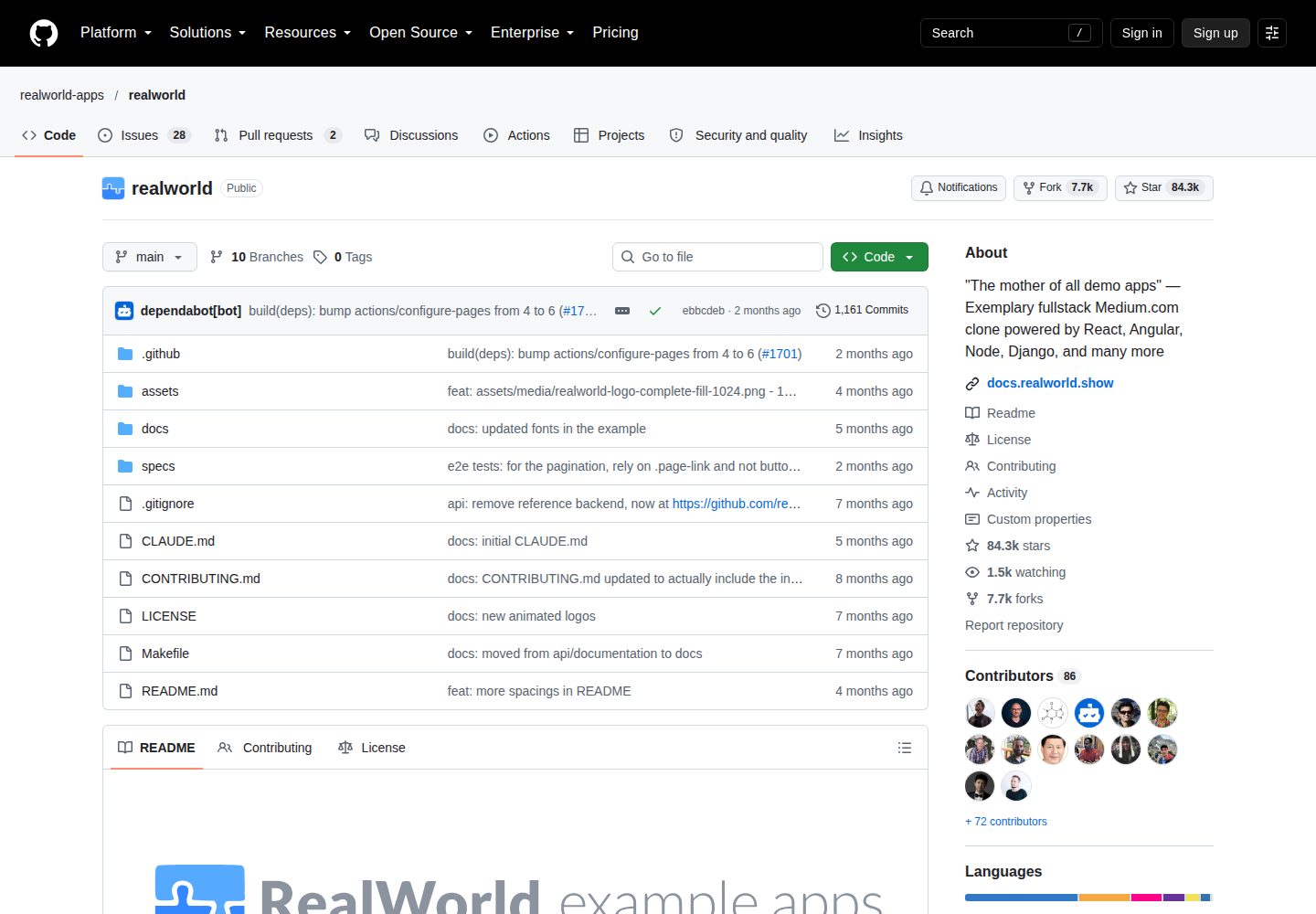
Implements a backend API according to the RealWorld spec and can be used with any frontend that conforms to that spec
LaravelStarter
laravel-realworld-example-app — Laravel Starter Template
By MiguelMoutela
A Laravel-based RealWorld backend API starter that implements CRUD, JWT authentication, and endpoints for articles, comments, tags, and follows.
Explore the design
Compare the page layouts and mobile experience. Open any screenshot for a closer look.
Desktop homepage1 / 3
Desktop captureTop of page
Actual screenshot captured by the server browser.
All pages & views 3
Screenshots show visual appearance; interactive behavior may differ.
Recorded 2026-10-12View source
What stands out
A quick read of the recorded project description.
Uses JWT for authentication, with tokens passed via the Authorization request header using the Token scheme
CORS is enabled by default for all API endpoints, allowing origins localhost:3000 and localhost:4200
Provides DummyDataSeeder, which can generate seed data including users, articles, comments, tags, favorites, and follow relationships
Code is organized in layers: filters, controllers, middleware, form requests, paginator, and transformers
Template Details
This is a Laravel backend API starter that follows the RealWorld spec and API implementation example codebase, covering CRUD, authentication, and more complex business patterns. The repository description states that the functionality is complete and welcomes pull requests and issues.
The project uses JWT for authentication. Tokens are passed via the Authorization request header using the Token scheme and are validated by JWT authentication middleware. CORS is enabled by default for all API endpoints, allowing requests from localhost:3000 and localhost:4200 to facilitate frontend integration. Dependencies include eloquent-sluggable (automatic unique slug generation), jwt-auth (JWT authentication), and laravel-cors (cross-origin resource sharing).
In terms of code structure, the app directory holds Eloquent models, app/Filters holds query filters for filtering API requests, app/Http/Controllers/Api holds API controllers, app/Http/Middleware holds JWT authentication middleware, app/Http/Requests/Api holds API form requests, app/Paginate holds a custom paginator, and app/Transformers holds data transformers. The database directory contains model factories, migrations, and seed files, and routes are centralized in routes/api.php.
Note: the repository has been moved to gothinkster/laravel-realworld-example-app; the current repository is the old address. The clone command in the README points to SandeeshS/laravel-realworld-example-app, which is inconsistent with the repository ownership. The materials do not specify the framework version, runtime requirements, or production deployment method, so you should verify the dependency list and compatibility yourself before use.
LaravelStarter
Is it right for your project?
Use Cases
- Provide a matching backend API for a frontend project that follows the RealWorld spec
- Learn how JWT authentication and API middleware are implemented in Laravel
- Quickly set up an API testing environment with related content through seed data
- Reference how query filters, data transformers, and a custom paginator are organized
Suitable For
- Developers who need a backend implementation that follows the RealWorld spec
- Learners who want to study Laravel API layered structure
- Teams preparing to integrate a frontend that conforms to the RealWorld spec with an API
Getting started & customization
Use these recorded setup notes alongside the repository instructions for your chosen version.
- 1
The repository has been moved to gothinkster/laravel-realworld-example-app; the clone address in the README does not match the actual repository, so confirm the target address before cloning
- 2
Install dependencies with composer install, then copy .env.example to .env and configure the database connection
- 3
Run php artisan key:generate and php artisan jwt:generate in sequence to generate the application key and JWT key
- 4
Before running php artisan migrate, you must first set the correct database connection information in .env
- 5
Optionally run php artisan db:seed to populate seed data; it is recommended to run on a clean database, and you can reset with php artisan migrate:refresh
License & source material
Usage conditions & limitations
Free to use · keep license noticeThis entry covers the free version of the public repository under the MIT license; the free scope is the code of that version and does not mean that external services or third-party assets are free.
Must comply with when using
- You are allowed to use, modify, commercialize, and distribute the code of this version for free.
- When distributing copies or substantial portions of the code, retain the original author's copyright notice and the full MIT license notice.
- The code is provided as is; warranties and limitations of liability are governed by the original license and applicable law.
Additional costs & items to verify
- Demo images, fonts, icons, and other third-party assets must be checked against their respective licenses and cannot be judged solely by the code's MIT license.
- External services such as domains, hosting, databases, payments, or AI may incur additional charges.
- The repository has been moved to gothinkster/laravel-realworld-example-app; the current address is the old repository, and future maintenance and updates may no longer occur here, so confirm the target repository before use.
- Before running database migrations, you must first set the correct database connection information in .env, otherwise migrations cannot run properly.
- Seed data is used for quickly testing the API or integrating with the frontend; you need to first open DummyDataSeeder to set attribute values as needed, then run php artisan db:seed.
- It is recommended to run seeding on a clean database; you can reset the database with php artisan migrate:refresh, which will clear existing data.
- By default, CORS only allows requests from localhost:3000 and localhost:4200 for frontend integration; if you need other origins, you must modify the allowed origins in the configuration file.
- Authentication relies on JWT; tokens must be passed via the Authorization request header using the Token scheme, and clients must carry tokens in this format to access protected endpoints.
View Original Text Basis
Permission is hereby granted, free of charge
Original License Text
This repo has been moved to [gothinkster/laravel-realworld-example-app](https://github.com/gothinkster/laravel-realworld-example-app)
Original README
**Make sure you set the correct database connection information before running the migrations**
Original README
**Populate the database with seed data with relationships which includes users, articles, comments, tags, favorites and follows. This can help you to quickly start testing the api or couple a frontend and start using it with ready content.**
Original README
***Note*** : It's recommended to have a clean database before seeding. You can refresh your migrations at any point to clean the database by running the following command
Original README
The default configuration allows requests from `http://localhost:3000` and `http://localhost:4200` to help speed up your frontend testing. The CORS allowed origins can be changed by setting them in the config file.
Original README
https://github.com/MiguelMoutela/laravel-realworld-example-app/blob/master/LICENSEhttps://github.com/MiguelMoutela/laravel-realworld-example-app/blob/master/readme.mdThis applications uses JSON Web Token (JWT) to handle authentication. The token is passed with each request using the `Authorization` header with `Token` scheme.
Original README
Compiled by DeepSeek based on repository license and README ·2026-10-12. Results only cover the materials read; dependencies, images, fonts, and subsequent term changes are subject to their respective original texts.
Project checks & description sources
Template Information
- Source platforms
- GitHub
- Documentation and maintenance reference score
- Partly documented · 65 / 100
- Technologies
- Laravel
- Website type
- Starter
How this score is calculated
Our heuristic uses license records (up to 30), a demo link (12), a preview (10), stars (15), recorded maintenance (15), description completeness (8), feature records (5) and classification data (5). It is not a code, security or performance test, or a Google score. A link does not establish tested functionality.
What to verify for this project
- Repository update recorded
- 2017-05-03
- Screenshot last checked
- 2026-10-12
A demo link is listed. Check it with your own content and viewport sizes; its presence does not confirm that forms, authentication or payments work.
The catalog identifies Laravel as the primary stack. Check the actual dependency manifest and lockfile for versions and hosting requirements. These notes use recorded metadata, not a code audit or a deployment test.
Use a selection guide →How this description was prepared
AI-assisted description based on catalog records and repository material. Repository authors are not automatically the reviewers of this description.
Review declaration: [email protected] · 2026-10-13
Inspect the recorded source material
SHA-256: 869cc8dea45de64a86e5ebe13c3d51239738ede6bce2a5d324021549c255658d
2026-10-12T22:14:18.032Z
Source file / repository## This repo has been moved to [gothinkster/laravel-realworld-example-app](https://github.com/gothinkster/laravel-realworld-example-app)
# 
> ### Example Laravel codebase containing real world examples (CRUD, auth, advanced patterns and more) that adheres to the [RealWorld](https://github.com/gothinkster/realworld-example-apps) spec and API.
This repo is functionality complete — PR's and issues welcome!
----------
# Getting started
## Installation
Clone the repository
git clone [email protected]:SandeeshS/laravel-realworld-example-app.git
Switch to the repo folder
cd laravel-realworld-example-app
Install all the dependencies using composer
composer install
Copy the example env file and make the required configuration changes in the .env file
cp .env.example .env
Generate a new application key
php artisan key:generate
Generate a new JWT authentication secret key
php artisan jwt:generate
Run the database migrations (**Set the database connection in .env before migrating**)
php artisan migrate
Start the local development server
php artisan serve
You can now access the server at http://localhost:8000
**TL;DR command list**
git clone [email protected]:SandeeshS/laravel-realworld-example-app.git
cd laravel-realworld-example-app
composer install
cp .env.example .env
php artisan key:generate
php artisan jwt:generate
**Make sure you set the correct database connection information before running the migrations** [Environment variables](#environment-variables)
php artisan migrate
php artisan serve
## Database seeding
**Populate the database with seed data with relationships which includes users, articles, comments, tags, favorites and follows. This can help you to quickly start testing the api or couple a frontend and start using it with ready content.**
Open the DummyDataSeeder and set the property values as per your requirement
database/seeds/DummyDataSeeder.php
Run the database seeder and you're done
php artisan db:seed
***Note*** : It's recommended to have a clean database before seeding. You can refresh your migrations at any point to clean the database by running the following command
php artisan migrate:refresh
## API Specification
This application adheres to the api specifications set by the [Thinkster](https://github.com/gothinkster) team. This helps mix and match any backend with any other frontend without conflicts.
> [Full API Spec](https://github.com/gothinkster/realworld/tree/master/api)
More information regarding the project can be found here https://github.com/gothinkster/realworld
----------
# Code overview
## Dependencies
- [eloquent-sluggable](https://github.com/cviebrock/eloquent-sluggable) - For auto generation of unique slugs
- [jwt-auth](https://github.com/tymondesigns/jwt-auth) - For authentication using JSON Web Tokens
- [laravel-cors](https://github.com/barryvdh/laravel-cors) - For handling Cross-Origin Resource Sharing (CORS)
## Folders
- `app` - Contains all the Eloquent models
- `app/config` - Contains all the application configuration files
- `app/Filters` - Contains the query filters used for filtering api requests
- `app/Http/Controllers/Api` - Contains all the api controllers
- `app/Http/Middleware` - Contains the JWT auth middleware
- `app/Http/Requests/Api` - Contains all the api form requests
- `app/Paginate` - Contains the custom pagintor used to paginate the result
- `app/Transformers` - Contains all the data transformers
- `database/factories` - Contains the model factory for all the models
- `database/migrations` - Contains all the database migrations
- `database/seeds` - Contains the database seeder
- `routes` - Contains all the api routes defined in api.php file
## Environment variables
- `.env` - Environment variables can be set in this file
***Note*** : You can quickly set the database information and other variables in this file and have the application fully working.
----------
# Testing API
Run the laravel development server
php artisan serve
The api can now be accessed at
http://localhost:8000/api
Request headers
| **Required** | **Key** | **Value** |
|---------- |------------------ |------------------ |
| Yes | Content-Type | application/json |
| Yes | X-Requested-With | XMLHttpRequest |
| Optional | Authorization | Token {JWT} |
Refer the [api specification](#api-specification) for more info.
----------
# Authentication
This applications uses JSON Web Token (JWT) to handle authentication. The token is passed with each request using the `Authorization` header with `Token` scheme. The JWT authentication middleware handles the validation and authentication of the token. Please check the following sources to learn more about JWT.
- https://jwt.io/introduction/
- https://self-issued.info/docs/draft-ietf-oauth-json-web-token.html
----------
# Cross-Origin Resource Sharing (CORS)
This applications has CORS enabled by default on all API endpoints. The default configuration allows requests from `http://localhost:3000` and `http://localhost:4200` to help speed up your frontend testing. The CORS allowed origins can be changed by setting them in the config file. Please check the following sources to learn more about CORS.
- https://developer.mozilla.org/en-US/docs/Web/HTTP/Access_control_CORS
- https://en.wikipedia.org/wiki/Cross-origin_resource_sharing
- https://www.w3.org/TR/cors
Explore similar templates
Compare previews and descriptions within the same stack and category.

sage
Sage is a WordPress starter theme maintained by Roots, using Laravel Blade components and templates, Vite builds, Tailwind CSS, and built-in block editor support.
Laravel · Starter

wave
Wave is an open-source SaaS starter kit built on Laravel and released under the MIT license.
Laravel · SaaS

filament-starter
A Laravel TALL stack starter template maintained by Log1x, with a preconfigured Filament admin panel and plugins including Curator, Gravatar, Exceptions, Jobs Monitor, Breezy, Peek, and Logger.
Laravel · Starter

electrik
Electrik is a Laravel SaaS starter kit installed as a Composer package, with authentication, teams, Stripe subscription billing, and the Slate 3 interface under the Electrik\ namespace rather than copied into App\.
Laravel · SaaS

php-saas
php-saas is a Laravel-based SaaS starter positioned as an everything-included kit. It generates new projects via a global Composer command and includes authentication with two-factor, API tokens, Stripe and Paddle billing, and project, team, and organization management.
Laravel · SaaS

filament-jetstream
A Laravel starter kit that implements Jetstream-like authentication and account features using Filament's native panels and components. It includes login, registration, two-factor authentication, session management, user profiles, and optional teams and API tokens.
Laravel · Starter