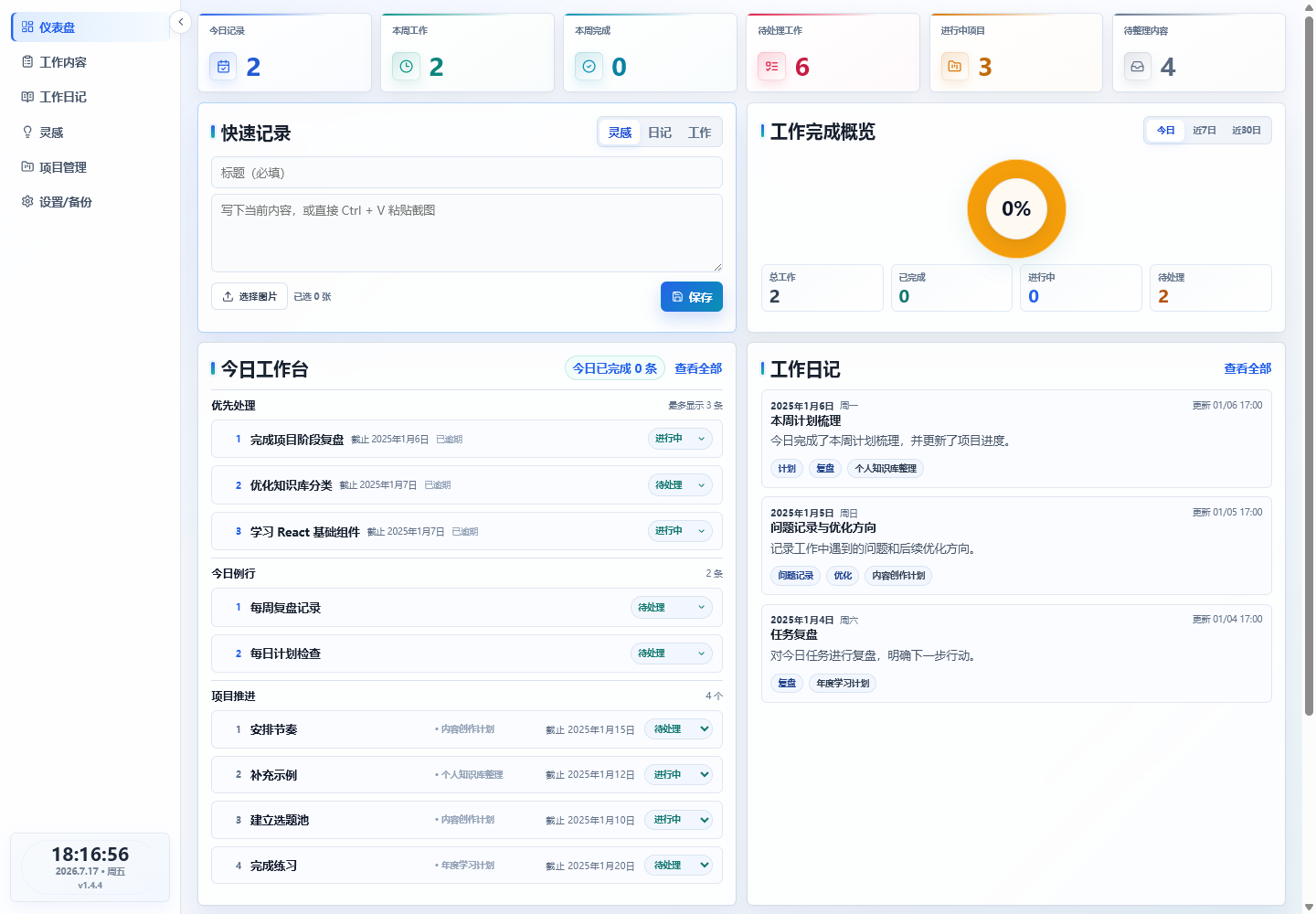
Uses browser localStorage by default; runs without a backend or database
ViteReactAdmin dashboard
personal-dashboard-template — Vite Admin dashboard Template
By muzi59418-creator
A personal work dashboard template built with React, TypeScript, and Vite. It uses browser local storage by default, with optional Supabase configuration to enable email login and cloud saving.
Explore the design
Compare the page layouts and mobile experience. Open any screenshot for a closer look.
Author preview
Author-provided previewTop of page
Preview provided in the project README.
One original preview is available. Open the full image to inspect the design.
Screenshots show visual appearance; interactive behavior may differ.
Recorded 2026-10-03View source
What stands out
A quick read of the recorded project description.
Optional Supabase configuration enables email login and controlled cloud saving; automatic cloud saving is off by default
Project management supports an important-urgent four-quadrant view, a project tree up to 5 levels deep, progress items, and automatic progress
Routine work supports daily, weekday, weekly, monthly, and custom dates, as well as pause, resume, skip, postpone, and holiday handling
Supports JSON export, import, and compatibility with older backup versions; a failed import will not overwrite current data
Adapts to both desktop and mobile
Template Details
This is a local-first management dashboard template for personal work, built with React, TypeScript, and Vite. By default, it requires no backend or database; data is stored in the browser's localStorage, and it runs after installing dependencies. After configuring Supabase environment variables, email login and controlled cloud saving can be enabled. Automatic cloud saving is off by default.
The template covers modules including project management, today's tasks, work journal, inspiration, routine work, work templates, long-term responsibilities, category management, and JSON backup and restore. Project management supports an important-urgent four-quadrant view, a project tree up to 5 levels deep, progress items, automatic progress calculation based on the completion rate of progress items, drag-and-drop reordering, and moving within the same parent project. Routine work supports daily, weekday, weekly, monthly, and custom dates, as well as pause, resume, skip, postpone, and holiday handling.
The repository includes generic Chinese demo data and a Xiaohongshu account entry made public with the author's authorization; it does not include personal work data, passwords, keys, tokens, local private paths, or internal business information. Public builds do not inject Supabase configuration, so they display demo data by default and use browser local storage.
Usage limitations: when Supabase is not configured, no account system is enabled, and local data will not automatically sync after switching browsers, switching devices, or clearing browser data. For important data, it is recommended to regularly export JSON backups from the settings page. Third-party assets such as demo images, fonts, and icons must be checked against their respective licenses.
ViteReactAdmin
Is it right for your project?
Use Cases
- Managing to-dos, projects, routine work, journal entries, and inspiration in a single workspace
- Personal use cases where data should first be stored in the local browser
- Creating your own copy via GitHub Template and replacing demo data, adjusting pages, or adding features
- Deploying to GitHub Pages, Vercel, or Cloudflare Pages as a public demo page
Suitable For
- Individual users who want to put to-dos, projects, routine work, journal entries, and inspiration in one workspace
- Operations, product, development, and freelance professionals who want data stored in the local browser first
- People who want to use the open-source template directly or continue secondary development on top of its existing capabilities
Getting started & customization
Use these recorded setup notes alongside the repository instructions for your chosen version.
- 1
Install Node.js first, then run npm install and npm run dev. The terminal will show the local access address, usually http://localhost:5173/
- 2
Build output is generated in the dist directory; dist is included in .gitignore and will not be committed to the repository
- 3
When Supabase environment variables are not configured, no backend service is required and no account system is enabled
- 4
After configuring Supabase, email login can be enabled; automatic cloud saving is off by default, and local data will not automatically sync unless actively enabled
- 5
For important data, it is recommended to regularly export JSON backups from the settings/backup page
License & source material
Usage conditions & limitations
Free to use · keep license noticeThis entry covers the free version under the MIT license in the public repository; the free scope is the code of that version and does not mean external services or third-party assets are free.
Must comply with when using
- The code of this version may be used, modified, used commercially, and distributed free of charge.
- When distributing copies or substantial portions of the code, retain the original author's copyright notice and the complete MIT license notice.
- The code is provided as is; warranties and limitations of liability are governed by the original license and applicable law.
Additional costs & items to verify
- When Supabase environment variables are not configured, no account system is enabled, and data is stored only in the current browser locally.
- Cloud saving is off by default; unless actively enabled, local data will not automatically sync after switching browsers, switching devices, or clearing browser data.
- Enabling email login requires configuring Supabase environment variables yourself, which is an external service dependency.
- For important data, users must regularly export JSON backups themselves; the project does not provide automatic sync guarantees.
- Public builds display demo data by default and use browser local storage; they do not connect to a production cloud database.
- Demo images, fonts, icons, and other third-party assets must be checked against their respective licenses; they cannot be judged solely by the code's MIT license.
- External services such as domains, hosting, databases, payments, or AI may incur separate charges.
View Original Text Basis
Permission is hereby granted, free of charge
Original License Text
未配置 Supabase 环境变量时不需要后端服务,也不启用账号体系。
Original README
自动云端保存默认关闭;未主动启用时,换浏览器、换设备或清空浏览器数据后,本地数据不会自动同步。
Original README
配置 Supabase 后可启用邮箱登录;侧栏账号名称只读取当前运行时会话的已有 metadata 或邮箱,不新增账号存储字段。
Original README
重要数据建议在“设置 / 备份”页面定期导出 JSON 备份。
Original README
https://github.com/muzi59418-creator/personal-dashboard-template/blob/main/LICENSEhttps://github.com/muzi59418-creator/personal-dashboard-template/blob/main/README.md公开构建不会注入 Supabase 配置,因此默认展示通用演示数据并使用浏览器本地存储。
Original README
Compiled by DeepSeek based on repository license and README ·2026-10-03. Results only cover the materials read; dependencies, images, fonts, and subsequent term changes are subject to their respective original texts.
Project checks & description sources
Template Information
- Source platforms
- GitHub
- Documentation and maintenance reference score
- Partly documented · 72 / 100
- Technologies
- Vite · React
- Website type
- Admin dashboard
How this score is calculated
Our heuristic uses license records (up to 30), a demo link (12), a preview (10), stars (15), recorded maintenance (15), description completeness (8), feature records (5) and classification data (5). It is not a code, security or performance test, or a Google score. A link does not establish tested functionality.
What to verify for this project
- Repository update recorded
- 2026-09-11
- Screenshot last checked
- 2026-10-03
No demo link is recorded. Use the repository instructions to evaluate the project locally; the screenshot alone cannot establish interactive behavior.
The catalog identifies Vite as the primary stack. Check the actual dependency manifest and lockfile for versions and hosting requirements. These notes use recorded metadata, not a code audit or a deployment test.
Use a selection guide →How this description was prepared
AI-assisted description based on catalog records and repository material. Repository authors are not automatically the reviewers of this description.
Automatically checked against source and license rules; no manual editorial review.
Inspect the recorded source material
SHA-256: ede126ae7e9dce4dde3f580e5b705876255e54e8c8099047072fef8c04ed961f
2026-10-03T04:23:07.966Z
Source file / repository# 个人工作仪表板模板 一个面向个人工作的本地优先管理仪表板:默认无需后端和数据库,下载后即可运行,也可以通过 GitHub Template 创建自己的版本并继续二次开发。 这是一个基于 React、TypeScript 和 Vite 的开源模板项目。项目默认使用浏览器本地存储;配置 Supabase 环境变量后可启用邮箱登录与受控云端保存。仓库包含通用中文演示数据,以及经作者授权公开的小红书账号入口;不包含个人工作数据、密码、密钥、token、本地私人路径或内部业务信息。 当前版本:**v1.6.2** · [查看更新日志](CHANGELOG.md) ## GitHub 仓库与重要内容 - GitHub 仓库:[personal-dashboard-template](https://github.com/muzi59418-creator/personal-dashboard-template) - 当前版本:`v1.6.2` - 核心能力:项目管理与推进事项、今日任务、工作日记、灵感、例行工作、JSON 备份恢复。 - 数据策略:默认使用浏览器 localStorage;配置 Supabase 后可启用邮箱登录与受控云端保存,公开构建不连接私人正式库。 - 公开社交入口:侧栏展示小红书号 `920528061`,可打开主页或查看二维码。 - 重要文件:`CHANGELOG.md`、`docs/VERSIONING.md`、`src/data/socialProfile.ts`。 ## v1.6.2 1. 精简项目列表,移除重复的“子项目”和下级数量提示,让项目层级更清晰。 2. 更新日志改为分项展示,并统一使用更容易理解的描述。 3. 浏览器标签名称由“AI工作仪表盘”调整为“个人工作台”。 4. 首页“今日工作台”更名为“今日任务”,完成数量展示同步精简。 5. 调整首页项目看板位置,工作和个人项目看板统一移动到工作日记下方。 6. 精简设置页的存储说明,将两块大卡片合并为一条简洁提示,减少页面占用空间。 7. 侧边栏新增小红书账号入口,可直接打开主页或查看二维码。 ## 在线体验 GitHub Pages:[https://muzi59418-creator.github.io/personal-dashboard-template/](https://muzi59418-creator.github.io/personal-dashboard-template/) > 部署完成后启用。该页面用于公开体验仪表板界面与功能;开源版与私人正式版数据隔离,用户如需自行部署,可 Fork 仓库后配置自己的环境。 ## v1.6.1 - 项目树拖拽按上 / 中 / 下三段命中:上、下为同级插入线,中部为子级高亮;同级排序不改 `parentId`,父项目携带整棵子树移动,最多 5 层。 - 修复新增 / 编辑项目的“延期”复选框对齐;新增子项目默认追加到同级末尾。 - 优化项目统计卡片、项目弹窗宽度与移动端布局,移除项目页象限 / 状态 / 最近更新筛选。 - 新增主项目 / 子项目弹窗标题去重,删除确认改为居中的红色危险态对话框并展示级联删除影响。 - 项目编号改为根据当前树结构和 `sortOrder` 派生展示:主项目中文编号、子项目分层编号实时更新,不写回真实项目名称。 - 本版本不修改 `schemaVersion`、localStorage key 或 Supabase 表结构;旧数据中的手写编号保留,不做批量清洗,也不执行一次性迁移。 ## v1.6.0 - 项目管理页改为四象限折叠分组 + 最多 5 级的树形项目列表,搜索、筛选和排序保留主项目上下文。 - 任意项目节点都可以添加推进事项;父级按直属子项目递归计算进度,叶子项目按推进事项完成率计算,无可计算内容显示 `—`。 - 项目状态由进度自动推导为未开始 / 进行中 / 已完成,延期作为独立的人工标记展示。 - 支持项目路径导航、下一步、备注、子项目与推进事项 Tab、同一主项目内移动、跨象限移动、拖拽调整和 5 级限制。 - 旧项目会在读取时迁移为 L1 主项目,原有字段、推进事项、localStorage key 和导入导出能力继续保留。 ## v1.5.0 - 登录状态下,侧栏底部新增账号首字与账号名称展示;长名称自动省略,折叠侧栏仅保留头像首字,原退出登录入口保持不变。 - “优先处理 / 今日例行 / 项目推进”统一使用轻量单行空状态,移除今日例行的大面积虚线框,并压缩全空工作台高度。 - 首页工作日记改为展示最近 3 个自然日内的全部日记,按日期从新到旧排序;第 4 天及更早记录仍可通过“查看全部”访问。 - 本次不修改历史日记、核心业务逻辑、数据结构、localStorage key 或 SCHEMA_VERSION。 ## 项目特点 - 数据默认保存在当前浏览器,未配置 Supabase 时不依赖服务器和数据库。 - 未配置 Supabase 时不启用账号体系,安装依赖后即可使用。 - 支持 JSON 导出、导入和旧版本备份兼容。 - 仓库包含通用中文演示数据,以及经作者授权公开的小红书账号入口;不包含真实个人工作或业务数据。 - 同时适配电脑端和手机端。 - 基于 React、TypeScript 和 Vite,便于继续修改页面、数据与功能。 ## 效果预览  ## 页面截图 ### 今日工作台 集中查看优先处理、今日例行、项目推进和状态操作。  ### 工作内容 按分类、状态、项目和日期筛选工作,并直接管理事项状态。  ### 项目管理 使用重要紧急四象限组织项目,并查看由推进事项自动计算的进度。  ### 工作日记 按日期整理复盘记录、标签和关联项目;灵感页面可另外保存文字、截图和待整理内容。  ### 设置与数据备份 查看本地数据状态,完成 JSON 导入导出、存储刷新和演示数据恢复。  ## 核心功能 - **首页工作概览**:汇总今日记录、本周工作、本周完成、待处理工作、进行中项目和待整理内容。 - **今日工作台**:集中展示优先事项、今日例行、项目推进和今日已完成内容。 - **工作内容管理**:新增、筛选、查看和更新待处理、进行中、已完成、暂停等工作事项。 - **工作模板**:把高频但非固定周期的工作保存为模板,创建时先预填再由用户确认。 - **例行工作**:支持每天、工作日、每周、每月和自定义日期,以及暂停、恢复、跳过、顺延和节假日处理。 - **工作日记**:按日期记录总结、问题、复盘、标签和关联项目。 - **灵感记录**:快速保存文字、截图、图片和待整理内容,并可转为工作内容或工作日记。 - **项目管理**:按重要紧急四象限管理最多 5 级项目树、推进事项、自动进度和下一步动作。 - **项目推进清单**:将项目拆成可执行事项,推进事项和下一步动作都可先转入新增工作表单。 - **项目自动进度**:根据推进事项完成数量自动计算项目进度,无推进事项时明确提示。 - **分类管理**:自定义工作分类名称、颜色和排序。 - **长期职责**:按职责组维护长期负责范围,帮助区分固定职责、临时任务和项目任务。 - **数据备份与恢复**:支持导出 JSON、导入 JSON、刷新存储和恢复通用演示数据。 - **响应式布局**:支持电脑端和手机端使用。 ## 适合哪些人 - 想把待办、项目、例行工作、日记和灵感放在一个工作台中的个人用户。 - 希望数据先保存在本机浏览器中的运营、产品、开发和自由职业者。 - 想直接使用开源模板,或在现有能力上继续二次开发的人。 ## 快速开始 先安装 Node.js,然后运行: ```bash npm install npm run dev ``` 终端会显示本地访问地址,通常为: ```text http://localhost:5173/ ``` ## 构建和检查命令 ```bash npm run lint npm run build npm run test:project npm run test:routine npm run test:dashboard npm run test:sync ``` 构建产物生成在 `dist` 目录中。`dist` 已加入 `.gitignore`,不会提交到仓库。 ## 数据存储与隐私说明 - 默认使用浏览器 `localStorage`。 - 未配置 Supabase 环境变量时不需要后端服务,也不启用账号体系。 - 配置 Supabase 后可启用邮箱登录;侧栏账号名称只读取当前运行时会话的已有 metadata 或邮箱,不新增账号存储字段。 - 自动云端保存默认关闭;未主动启用时,换浏览器、换设备或清空浏览器数据后,本地数据不会自动同步。 - 仓库包含虚构的通用演示数据,以及经作者授权公开的小红书号 `920528061`、主页链接和二维码;不包含个人工作记录、客户信息、密码、API Key、token、本地私人路径或内部业务名称。 - 重要数据建议在“设置 / 备份”页面定期导出 JSON 备份。 ## 数据备份和兼容说明 - 建议定期在“设置 / 备份”页面导出 JSON。 - 导出的 JSON 包含 `version`、`appVersion` 和 `schemaVersion`。 - 旧版本 JSON 备份可以继续导入;缺少的新字段会在读取时补齐。 - 读取旧本地数据时会先保留迁移前备份,再完成字段兼容。 - 导入失败时不会覆盖当前数据。 ## 部署方式 ### GitHub Pages 仓库已包含 GitHub Actions 部署工作流:推送到 `main` 或手动运行 `workflow_dispatch` 后,会依次执行依赖安装、类型检查、核心测试和生产构建,并将 `dist` 发布到 GitHub Pages。 GitHub Pages 构建会自动使用 `/<仓库名>/` 作为 Vite base;本地开发以及 Vercel、Cloudflare Pages 等根目录部署默认使用 `/`。公开构建不会注入 Supabase 配置,因此默认展示通用演示数据并使用浏览器本地存储。 首次启用时,在 GitHub 仓库的 **Settings → Pages → Build and deployment → Source** 选择 **GitHub Actions**。 ### Vercel 1. 将仓库导入 Vercel。 2. Framework Preset 选择 `Vite`。 3. Build Command 使用 `npm run build`。 4. Output Directory 使用 `dist`。 5. 保存并部署。 ### Cloudflare Pages 1. 在 Cloudflare Dashboard 进入 `Workers & Pages` 并创建 Pages 项目。 2. 连接自己的 GitHub 仓库。 3. Framework preset 选择 `Vite`。 4. Build command 填写 `npm run build`。 5. Build output directory 填写 `dist`。 6. 保存并部署。 ## 使用 GitHub Template 创建自己的版本 在 GitHub 仓库页面点击 `Use this template`,选择 `Create a new repository`,填写仓库名称后即可获得自己的副本。你可以继续替换演示数据、调整颜色、修改页面或增加自己的功能。 ## 更新日志与版本规则 - 完整用户更新记录:[CHANGELOG.md](CHANGELOG.md) - 版本规则与数据兼容边界:[docs/VERSIONING.md](docs/VERSIONING.md) v1.6.0 将项目管理升级为四象限折叠项目树,支持最多 5 级、推进事项、递归进度、自动状态、同主项目内移动和详情抽屉;旧项目会通过兼容迁移保留原字段与原有存储键。 ## 开源协议 本项目使用 [MIT License](LICENSE)。你可以自由使用、修改和分发,但请保留许可证说明。
Explore similar templates
Compare previews and descriptions within the same stack and category.

kiaalap
Kiaalap is a free, open-source admin template from Colorlib for education, online courses, and school management.
Vite · Admin dashboard

react-vite-admin
A backend management starter built on Vite and React, integrating Recoil, React Query, TypeScript, and Axios, with Ant Design-style interface screenshots. Suitable as a starting point for management-side projects, licensed under MIT, with Chinese documentation and common scripts.
Vite · Admin dashboard
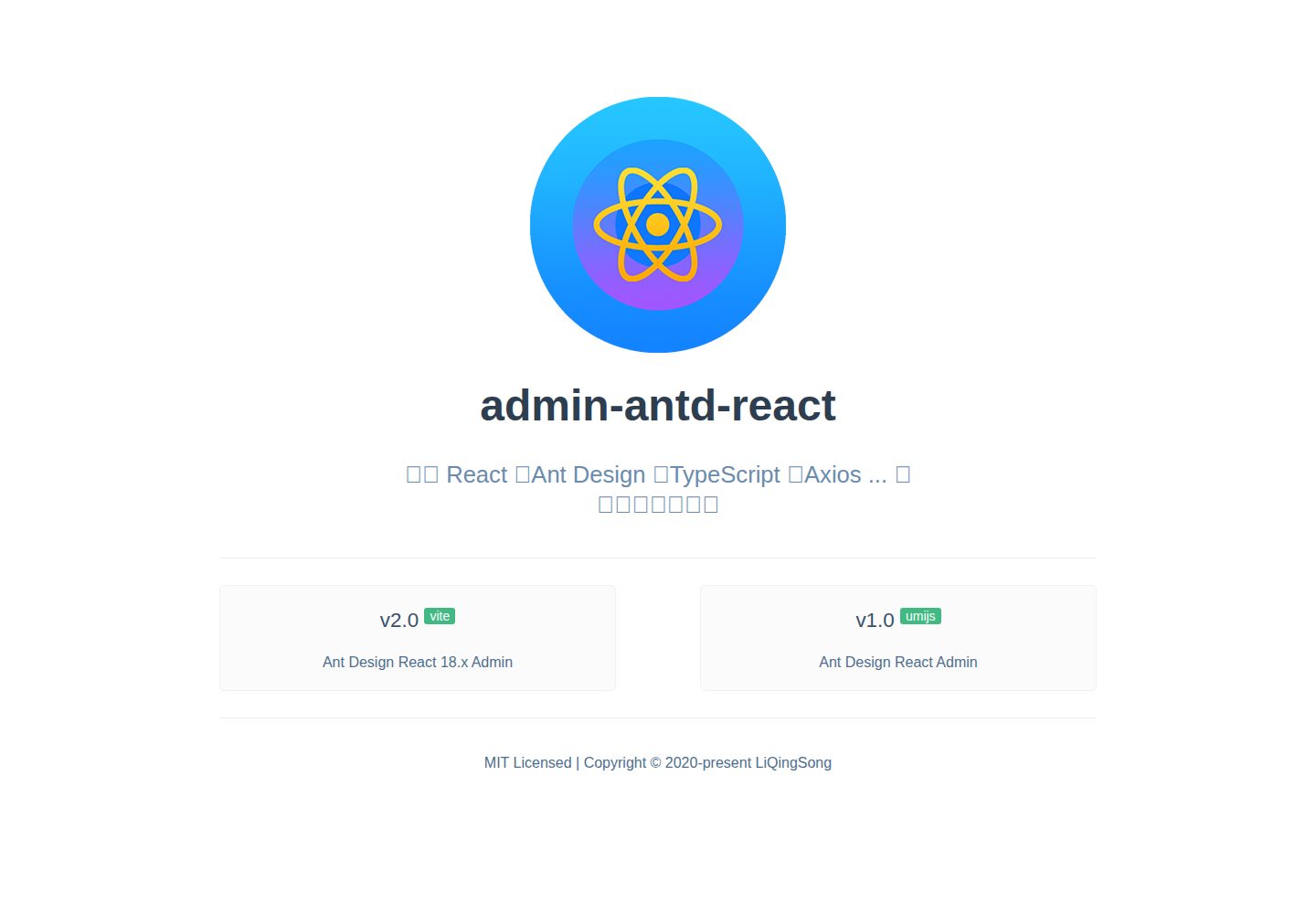
admin-antd-react
A Vite + React 18 admin template using Ant Design and Recoil, with login, logout, and registration flows; page, button, and permission configuration verification; internationalization; dynamic sidebar and breadcrumbs; Svg Sprite icons; Mock data; and list, form, and detail page examples.
Vite · Admin dashboard
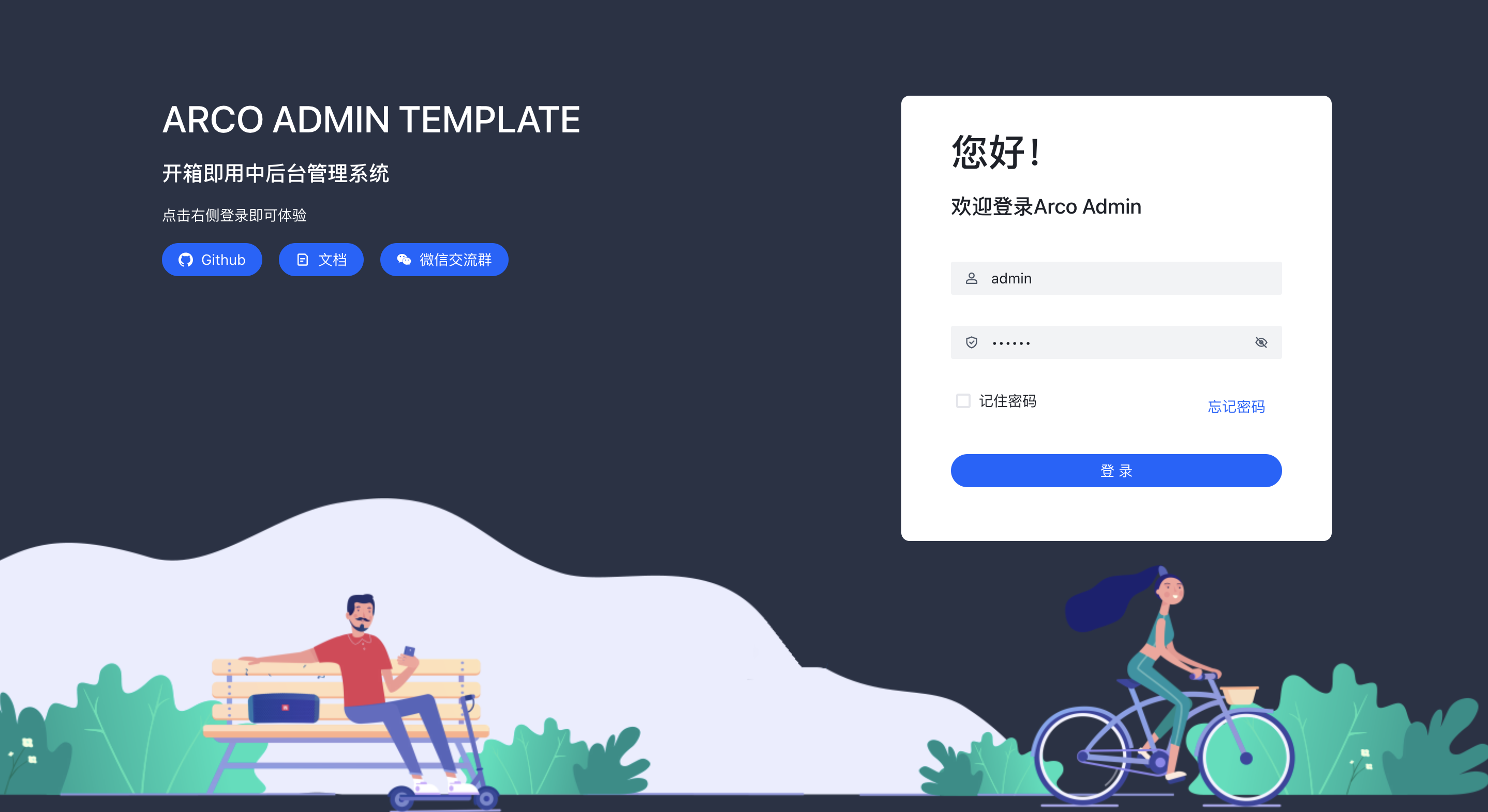
arco-admin-template
A Vite + React mid-to-back-office template using Arco Design, react-router-dom v6, mockjs, and less, with internationalization, theme customization, and light/dark switching. Includes login, dashboard, resource, component examples, settings, and 404 pages.
Vite · Admin dashboard
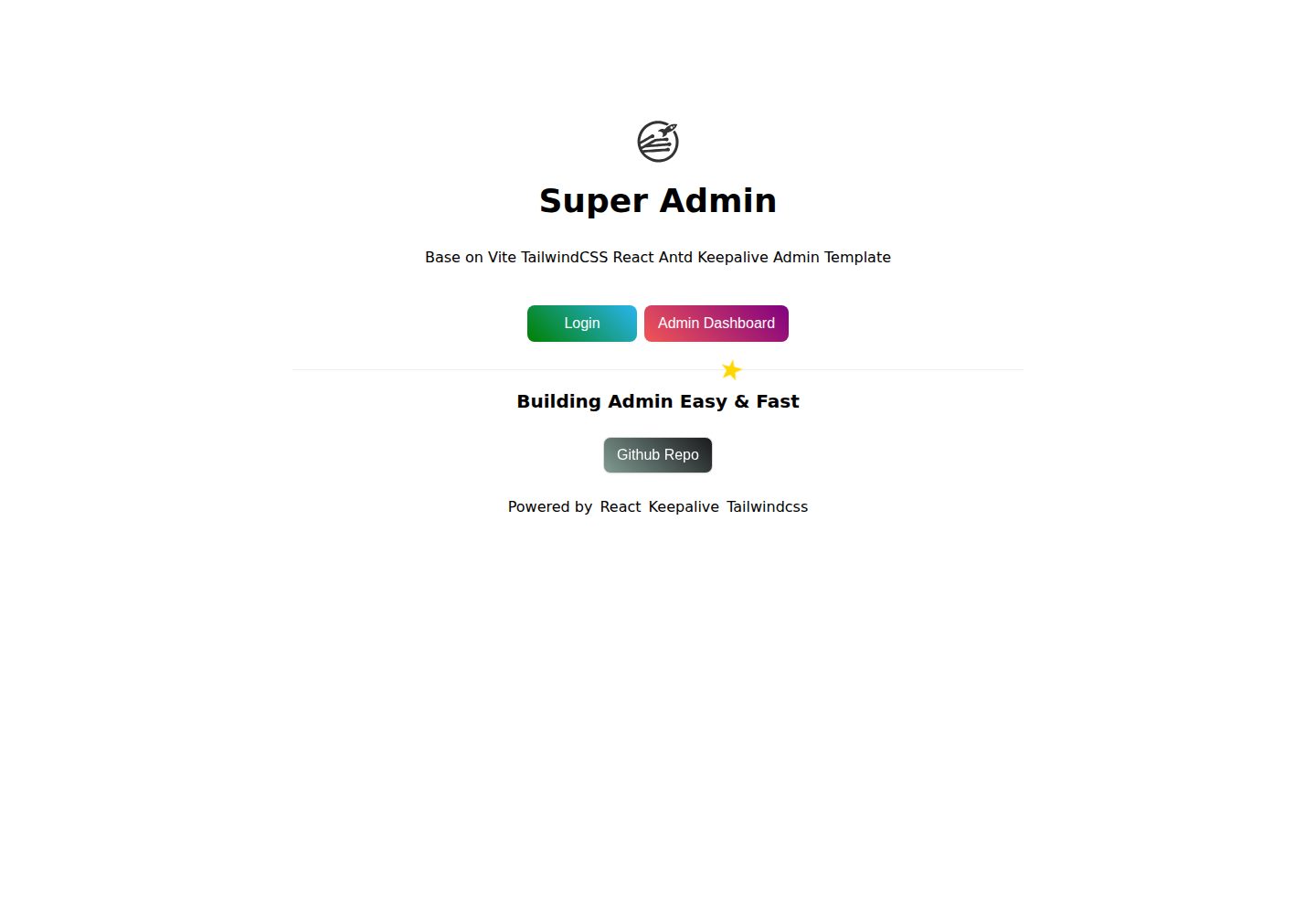
super-admin
A React, Vite, and Antd admin template that implements multi-tab route caching similar to Vue keepalive and route-based permission control.
Vite · Admin dashboard
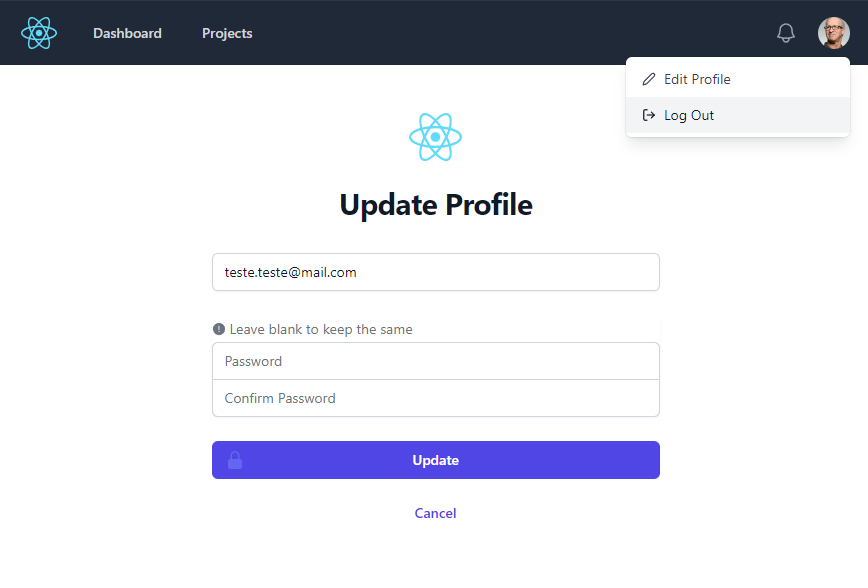
react-vite-tailwind-typescript-firebase-auth-template
A starter template for backend applications using Vite, React, TypeScript, TailwindCSS, and Firebase Auth, featuring login and dashboard interfaces. Requires your own Firebase project and credentials in .env; no backend logic included.
Vite · Admin dashboard