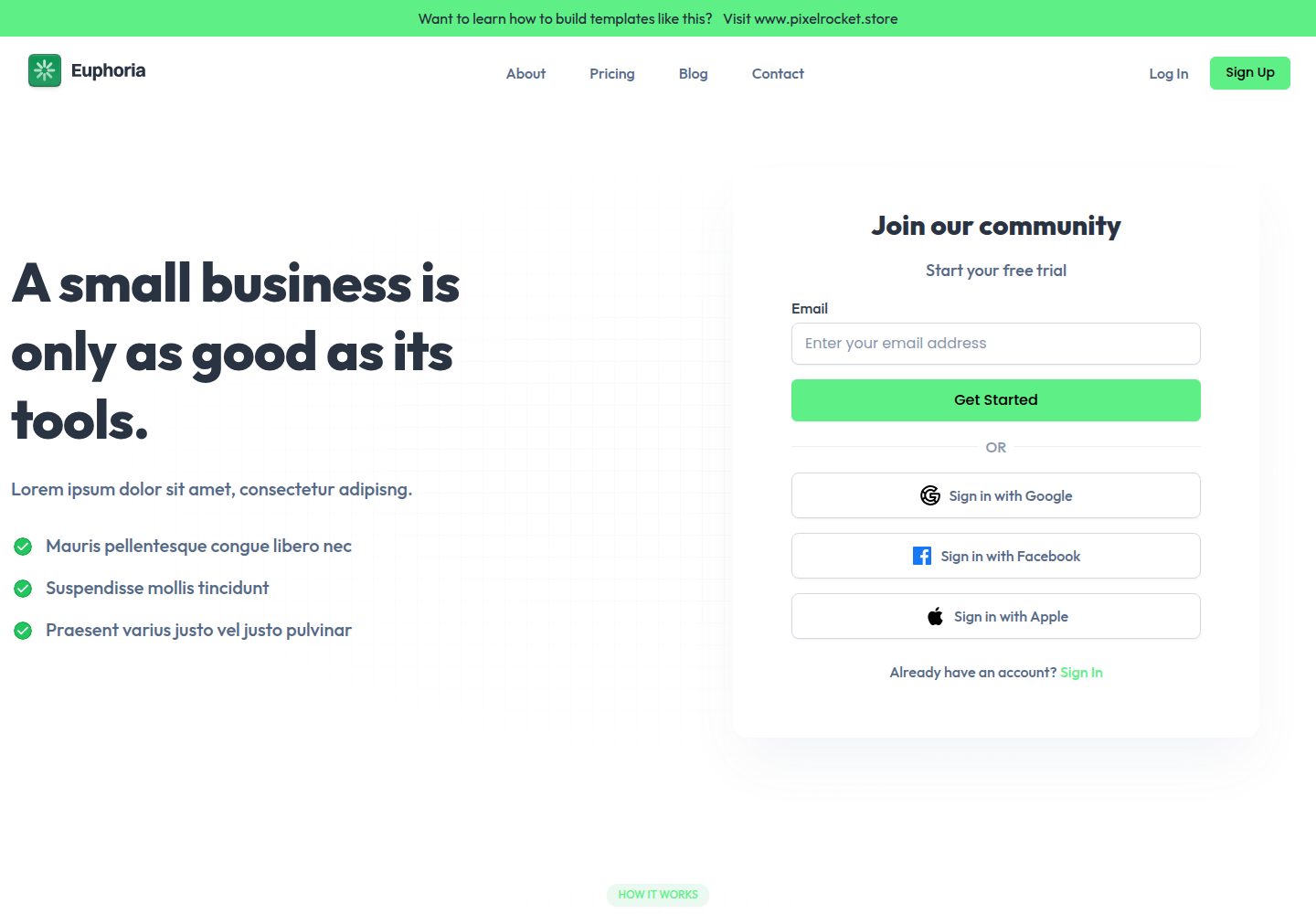
Responsive HTML template built with Bootstrap 5, including desktop and mobile homepage previews
HTMLSaaSStarter
html-euphoria-starter — HTML SaaS Template
By oeaksoy
A Bootstrap 5 HTML website template for SaaS and business, the starter version in the repository includes only the homepage; the remaining pages require registration on the author's website and subscribing to the mailing list to obtain the full version.
Explore the design
Compare the page layouts and mobile experience. Open any screenshot for a closer look.
Desktop homepage1 / 3
Desktop captureTop of page
Actual screenshot captured by the server browser.
All pages & views 3
Screenshots show visual appearance; interactive behavior may differ.
Recorded 2026-10-02View source
What stands out
A quick read of the recorded project description.
The starter version includes only the homepage; full version pages require registration on the author's website and subscribing to the mailing list
Pages are organized as separate .pug files, with static assets and theme configuration stored in separate directories
Provides npm install, npm run watch (Browsersync live preview), and npm run build scripts
Code is under the MIT license, allowing free use, modification, commercial use, and distribution
Template Details
Euphoria is an HTML website template for small business tools and operational scenarios, using a light color scheme, green accents, and typography that emphasizes readability. The homepage organizes content around selling points such as performance metrics, custom analytics, and team management, to quickly express the product value proposition.
The starter version in the repository provides only the homepage; pages such as About, Pricing, Blog, Contact, Login, and Register exist only in the full version. The full version requires registration on the author's website and joining the mailing list to download for free, so this repository cannot directly provide a multi-page site structure.
In terms of source code organization, pages are stored as separate .pug files in src/pug/, static assets are in src/assets/, and theme build configuration is in src/tailwind/. The README provides the process: npm install to install dependencies, npm run watch to start a development server with Browsersync live preview, npm run build to generate a production build, and notes that npm commands will overwrite the ./public directory.
The template code is under the MIT license, allowing free use, modification, commercial use, and distribution, but copyright and license notices must be retained; third-party assets such as images, fonts, and icons in the demo need to be checked separately under their respective licenses.
HTMLSaaSStarter
Is it right for your project?
Use Cases
- Build a single-page homepage showcase for a small business or SaaS product
- Use as a starting point for page structure and styles in a Bootstrap 5 project
- Preview and adjust homepage layout and color scheme locally via Browsersync
- Expand to a multi-page site including pricing, blog, contact, and login/register after obtaining the full version
Suitable For
- Developers who need a SaaS homepage with a light, green-accented style
- Front-end personnel familiar with or willing to use Pug and npm build processes
- Projects that wish to make secondary modifications based on MIT-licensed code
- Users who can accept registering and subscribing to a mailing list to obtain the full template
Getting started & customization
Use these recorded setup notes alongside the repository instructions for your chosen version.
- 1
The starter version in the repository includes only the homepage; the full template requires registration on the author's website and joining the mailing list to download
- 2
Run npm install to install dependencies, npm run watch to start development preview, npm run build to generate a production build
- 3
npm commands will overwrite the ./public directory; back up its contents before building
- 4
Placeholder images in src/assets need to be replaced with your own assets
- 5
Licenses for third-party assets such as demo images, fonts, and icons need to be checked separately; the MIT license covers only the template code
License & source material
Usage conditions & limitations
Free to use · keep license noticeThis entry covers the free version under the MIT license in the public repository; the free scope is the code of this version and does not mean external services or third-party assets are free.
Must comply with when using
- Permits free use, modification, commercial use, and distribution of this version's code.
- When distributing copies or substantial portions of the code, retain the original author's copyright notice and the full MIT license notice.
- Code is provided as is; warranties and limitations of liability are governed by the original license and applicable law.
Additional costs & items to verify
- The starter version in the repository includes only the homepage; pages such as About, Pricing, Blog, Contact, Login, and Register are only available in the full version, which requires registration on the author's website and subscribing to the mailing list to download for free, so this repository cannot directly provide a multi-page site structure.
- Running npm commands will overwrite the ./public directory; back up its contents before building.
- src/assets contains default placeholder assets that need to be replaced with your own files; licenses for third-party assets such as demo images, fonts, and icons need to be checked separately; the MIT license covers only the template code.
- Demo images, fonts, icons, and other third-party assets need to be checked under their respective licenses and cannot be judged solely by the code's MIT license.
- External services such as domain, hosting, database, payment, or AI may incur additional charges.
View Original Text Basis
Permission is hereby granted, free of charge
Original License Text
The full template is available for free to users who are registered on my website and signed up to my mailing list.
Original README
NOTE: npm commands overwrite the ./public directory.
Original README
https://github.com/oeaksoy/html-euphoria-starter/blob/main/LICENSE.mdhttps://github.com/oeaksoy/html-euphoria-starter/blob/main/README.md./src/assets - default static files (eg. image placeholders). You should replace them with your own files.
Original README
Compiled by DeepSeek based on repository license and README ·2026-10-02. Results only cover the materials read; dependencies, images, fonts, and subsequent term changes are subject to their respective original texts.
Project checks & description sources
Template Information
- Source platforms
- GitHub
- Documentation and maintenance reference score
- More documented · 79 / 100
- Technologies
- HTML
- Website type
- SaaS · Starter
How this score is calculated
Our heuristic uses license records (up to 30), a demo link (12), a preview (10), stars (15), recorded maintenance (15), description completeness (8), feature records (5) and classification data (5). It is not a code, security or performance test, or a Google score. A link does not establish tested functionality.
What to verify for this project
- Repository update recorded
- 2024-12-09
- Screenshot last checked
- 2026-10-02
A demo link is listed. Check it with your own content and viewport sizes; its presence does not confirm that forms, authentication or payments work.
The catalog identifies HTML as the primary stack. Check the actual dependency manifest and lockfile for versions and hosting requirements. These notes use recorded metadata, not a code audit or a deployment test.
Use a selection guide →How this description was prepared
AI-assisted description based on catalog records and repository material. Repository authors are not automatically the reviewers of this description.
Automatically checked against source and license rules; no manual editorial review.
Inspect the recorded source material
SHA-256: b45201b258e9ec36094a246a47e23519ddd378ec8df7acff74193c556e99a9a5
2026-10-02T22:34:56.385Z
Source file / repository# Euphoria - HTML Bootstrap 5 SaaS Application Template ## Description The Euphoria HTML template is a clean, modern, and fully responsive design tailored for small businesses aiming to optimize their tools and operations. The template features a fresh and minimalistic layout with a light color scheme, green accents, and clear typography that emphasizes readability and ease of use. The homepage is designed to quickly convey the value proposition of Euphoria, showcasing key features such as performance measurement, custom analytics, and team management in a visually appealing manner. This template is built using Bootstrap 5, a powerful front-end framework for faster and easier web development. It includes modern features and responsive design to help you create beautiful web pages. > [Click here to view demo](https://html-euphoria-full.vercel.app/) > **Important:** You are currently viewing only the starter template, which includes only the homepage. The full template is available for free to users who are registered on my website and signed up to my mailing list. > [Click here to download the full template](https://pixelrocket.store/free-templates/html-templates/euphoria-html-bootstrap-saas-website-template)  ## Pages - Homepage - About Us (full version only) - Pricing (full version only) - Blog (full version only) - Contact Us (full version only) - Login (full version only) - Register (full version only) ## 1. Getting Started NOTE: npm commands overwrite the ./public directory. Project's source files are placed in ./src/ directory. * ./src/assets - default static files (eg. image placeholders). You should replace them with your own files. * ./src/tailwind/ - Tailwind config file used to build the theme. Variables used in Theme Customizer are located in tailwind.config.js file. All your pages (templates) are stored in separated .pug files * ./src/pug/*.pug ## 2. Installation # Install dependencies npm install # Run dev server with live preview (Browsersync) npm run watch # Or make a production build npm run build ``` ## 3. Contact If you have have any questions, feel free to contact me: [email protected] ## 4. Learn Frontend Web Development Want to learn frontend web development so you can build templates like this one? Visit my site: https://www.pixelrocket.store for a range of frontend web development learning resources and courses. ## 5. Credits & Special thanks Image placeholders from https://unsplash.com/ Screenshot & Logo placeholders from https://www.figma.com/community
Explore similar templates
Compare previews and descriptions within the same stack and category.

startbootstrap-simple-sidebar
A Bootstrap off-canvas sidebar navigation HTML starter template from Start Bootstrap. It provides directly editable HTML and CSS in the dist directory, while the source uses Pug, SCSS, and JavaScript with npm build scripts for live preview and compilation.
HTML · Starter

adminkit
AdminKit is a free, MIT-licensed HTML admin and dashboard template built on Bootstrap 5. The free version includes 15 demo pages, 1 plugin, and 1 color scheme, with hundreds of UI components, forms, tables, charts, and icons.
HTML · Admin dashboard

Landing-Page
A general-purpose landing page HTML template maintained by Tailwind Toolbox, written in pure HTML and loading the complete Tailwind CSS via CDN.
HTML · Corporate Website

light-bootstrap-dashboard
Light Bootstrap Dashboard is a free, MIT-licensed admin dashboard template from Creative Tim, built on Bootstrap with a responsive static HTML structure.
HTML · Admin dashboard

sing-app
Sing App Lite is a free, open-source admin dashboard template from Flatlogic, built with Bootstrap 4.5 and SCSS. It provides a responsive layout, dashboard examples, typography, tables, notifications, basic charts, icons, maps, and a hover sidebar, along with styled Bootstrap components.
HTML · Admin dashboard
play-tailwind
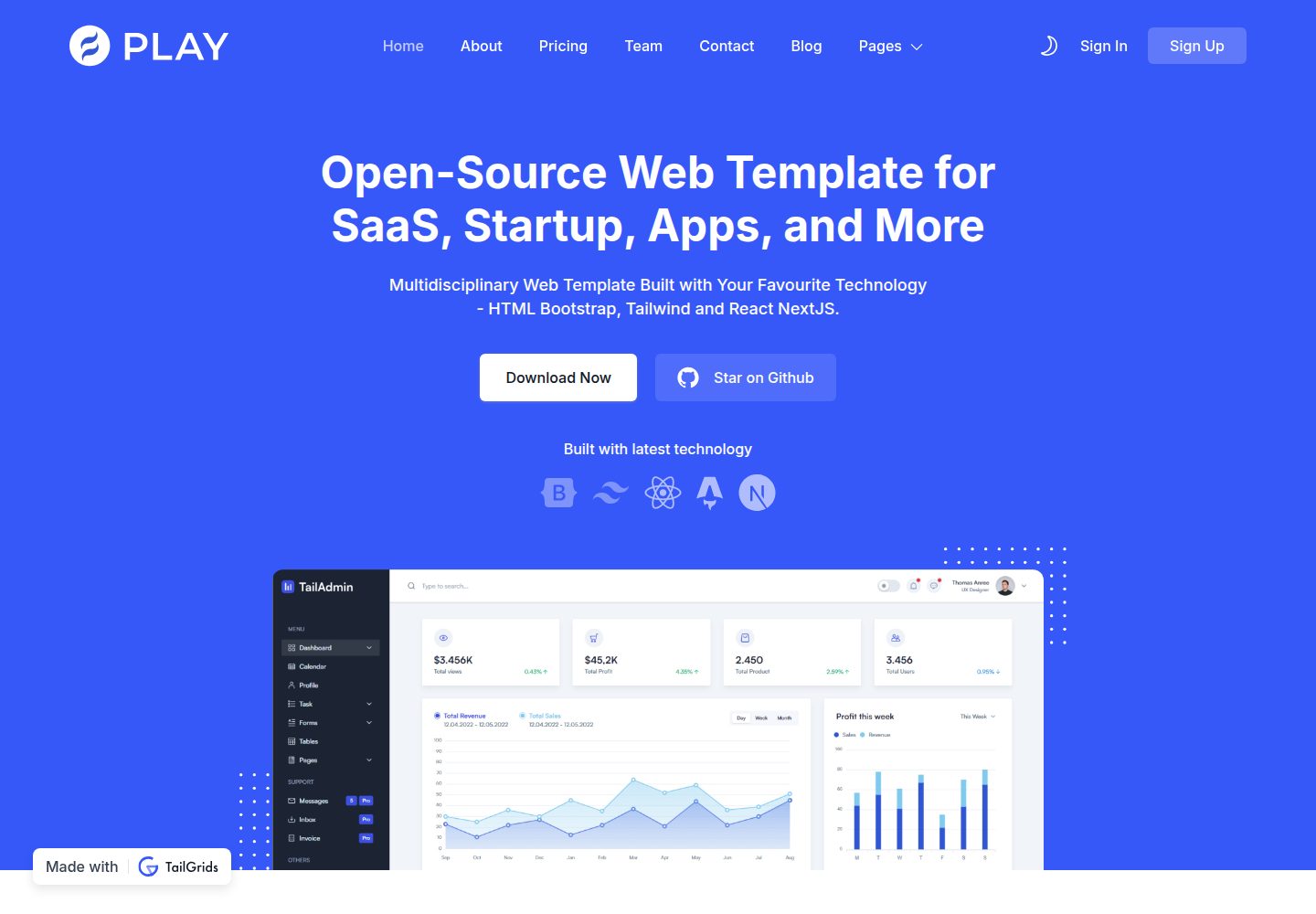
Play is a free and open source Tailwind CSS template from TailGrids and UIdeck, built with HTML and TailGrids UI components for SaaS, startup, app and business websites.
HTML · SaaS