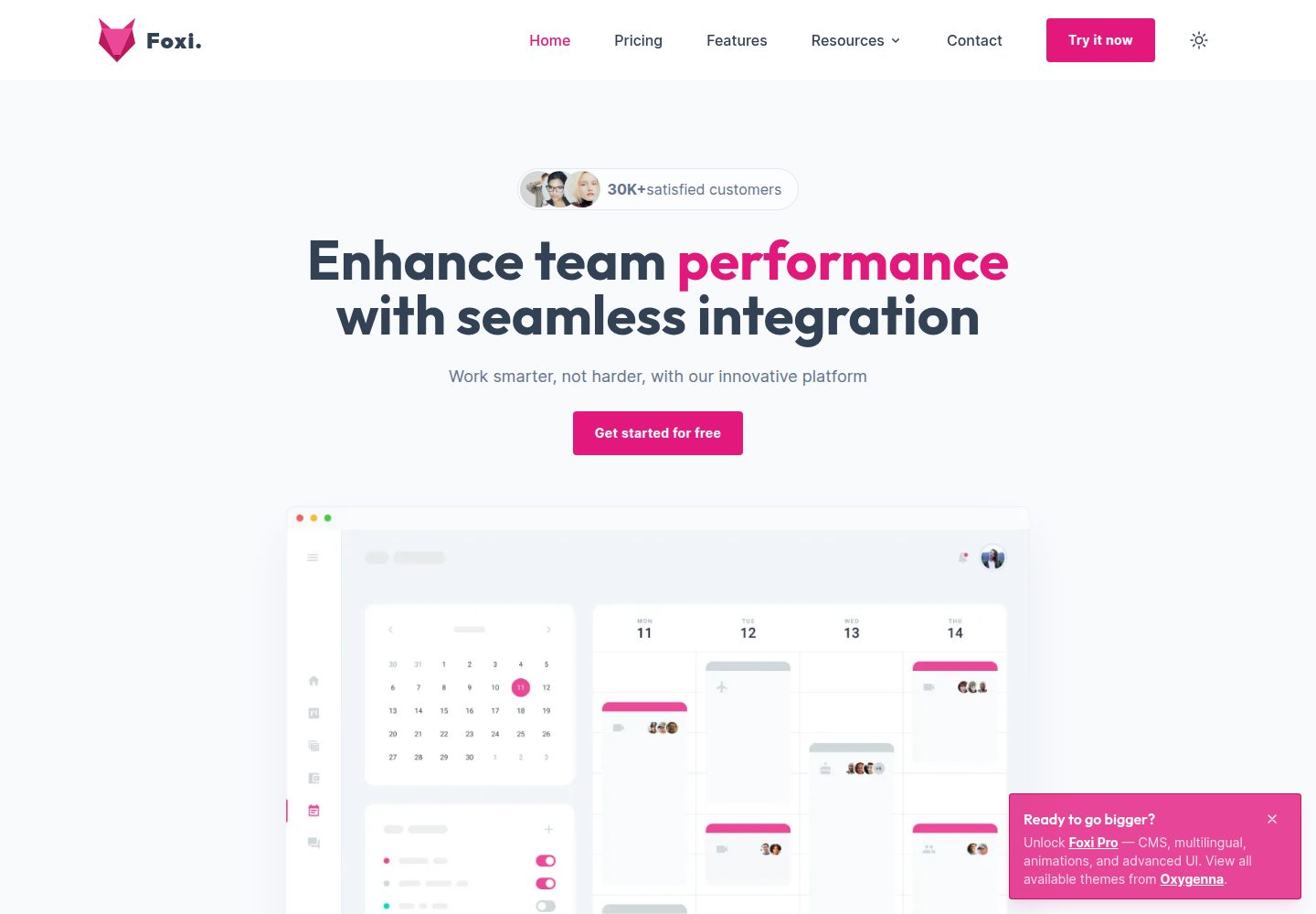
Built with Astro and Tailwind CSS, with components split into blocks and ui layers
AstroBlogSaaSCorporate WebsiteStarter
foxi-astro-theme — Astro Blog Template
By oxygenna-themes
Foxi is a free, open-source website template based on Astro and Tailwind CSS. It provides pre-designed pages such as blog, pricing, features and contact, and is suitable for building SaaS and corporate websites.
Explore the design
Compare the page layouts and mobile experience. Open any screenshot for a closer look.
Desktop homepage1 / 3
Desktop captureTop of page
Actual screenshot captured by the server browser.
All pages & views 3
Screenshots show visual appearance; interactive behavior may differ.
Recorded 2026-10-08View source
What stands out
A quick read of the recorded project description.
Provides pre-designed pages such as Home, Pricing, Features and Contact; the free version has 10 pages in total
The blog collection supports Markdown and MDX, with tag categorization
Content data is maintained in JSON and Markdown files, and configuration is centralized in TypeScript files under src/config
Includes light/dark mode, page transition animations, a built-in contact form and a sitemap
Integrates Google Analytics and Google Tag Manager
Template Details
Foxi is an Astro template released by oxygenna-themes on GitHub under the MIT license. It is built with Tailwind CSS components and positioned as a responsive site starting point for SaaS and corporate websites. The repository provides desktop and mobile homepage screenshots, plus a representative inner-page screenshot; the demo site is deployed on Netlify.
The template includes a set of pre-designed pages. The README lists Home, Pricing, Features, Contact and others, and it includes a blog collection that supports Markdown and MDX authoring as well as tag categorization. Content data is partly kept in JSON and Markdown files for centralized updates; configuration is centralized in TypeScript files under the src/config directory, covering basic information, navigation, footer, analytics and social links.
On the feature side, the README mentions light/dark mode, page load and transition animations, a built-in contact form, Heroicons icons, a sitemap, and integrations with Google Analytics and Google Tag Manager. The code splits components into blocks and ui, and page routing is determined by .astro files under src/pages.
Note the differences between the free and Pro versions: the free version has 10 pages in total and does not include i18n multilingual support, Sitepins CMS, Mega Menu, video popup, Lottie integration, blog authors, post pagination, eGuides, Roadmap, or a SignUp page; the Pro version uses a commercial license and is priced at 79.99 USD. This entry covers only the free code in the public repository and does not include the paid upgrade. Third-party assets such as demo images, fonts and icons must be checked separately under their respective licenses, and external services such as domains and hosting may also incur costs.
AstroBlogSaaSCorporate websiteStarter
Is it right for your project?
Use Cases
- Build a SaaS product website using the pre-designed home, features and pricing pages
- Create a Markdown/MDX blog with tag categorization
- Build a corporate website by reusing configurable navigation, footer and contact form
- Use as an Astro project starting point and extend pages according to the blocks and ui structure
Suitable For
- Front-end developers familiar with Astro and Tailwind CSS
- SaaS or corporate website projects that need a quick start
- Site maintainers who want to manage content with JSON/Markdown
- Projects that accept the free version's page count and feature scope and do not need multilingual support or a CMS
Getting started & customization
Use these recorded setup notes alongside the repository instructions for your chosen version.
- 1
Requires Node.js 22.12.0 or higher
- 2
After installing dependencies, use npm run dev to start the local development server at localhost:4321
- 3
The build command is npm run build, output goes to ./dist/, and npm run preview can be used for local preview
- 4
Theme configuration is in the src/config directory, and content data is in src/data and src/content/blog
- 5
The free version uses the MIT license; when distributing, the copyright and license notice must be retained; demo assets and external services require separate license and cost checks
License & source material
Usage conditions & limitations
Free to use · keep license noticeThis entry covers the free version in the public repository under the MIT license; the free scope is the code of this version and does not mean external services or third-party assets are free.
Must comply with when using
- The code of this version may be used, modified, used commercially and distributed for free.
- When distributing copies or substantial portions of the code, retain the original author's copyright notice and the complete MIT license notice.
- The code is provided as is; warranties and limitations of liability are governed by the original license and applicable law.
Additional costs & items to verify
- The project materials mention an optional paid version or features; this entry covers only the public free code and does not include the paid upgrade.
- Demo images, fonts, icons and other third-party assets must be checked under their respective licenses and cannot be judged solely by the code's MIT license.
- External services such as domains, hosting, databases, payments or AI may incur separate charges.
- The free version does not include i18n multilingual support; this feature is only available in the paid Pro version.
- The free version does not include Sitepins CMS; this feature is only available in the paid Pro version.
- The free version does not include Mega Menu; this feature is only available in the paid Pro version.
- The free version does not include video popup; this feature is only available in the paid Pro version.
- The free version does not include Lottie file integration; this feature is only available in the paid Pro version.
- The free version does not include blog authors; this feature is only available in the paid Pro version.
- The free version does not include post pagination; this feature is only available in the paid Pro version.
- The free version does not include the eGuides collection; this feature is only available in the paid Pro version.
- The free version does not include the Roadmap page; this feature is only available in the paid Pro version.
- The free version does not include the SignUp page; this feature is only available in the paid Pro version.
- The free version does not include a working contact page; this feature is only available in the paid Pro version.
- The free version has 10 pages in total, while the Pro version provides more than 20 pages.
- The free version uses the MIT license, while the Pro version uses a commercial license; the two have different license scopes.
- The Pro version is priced at 79.99 USD and is a paid upgrade not included in the free code.
- Running the template requires Node.js 22.12.0 or higher.
View Original Text Basis
Permission is hereby granted, free of charge
Original License Text
| i18n Multilingual Support | ❌ | ✅ |
Original README
| Sitepins CMS | ❌ | ✅ |
Original README
| Mega Menu | ❌ | ✅ |
Original README
| Video Popup | ❌ | ✅ |
Original README
| Lottie File Integration | ❌ | ✅ |
Original README
| Blog Authors | ❌ | ✅ |
Original README
| Post Pagination | ❌ | ✅ |
Original README
| eGuides Collection | ❌ | ✅ |
Original README
| Roadmap Page | ❌ | ✅ |
Original README
| SignUp Page | ❌ | ✅ |
Original README
| Working Contact Page | ❌ | ✅ |
Original README
| Total Pages | 10 | 20+ |
Original README
| License | MIT | Commercial |
Original README
| Pricing | Free | $79.99 |
Original README
https://github.com/oxygenna-themes/foxi-astro-theme/blob/main/LICENSEhttps://github.com/oxygenna-themes/foxi-astro-theme/blob/main/README.md| `nvm use ...` | [Install node js](https://nodejs.org/en/download/) You will need to use Node.js version 22.12.0 or later. |
Original README
Compiled by DeepSeek based on repository license and README ·2026-10-08. Results only cover the materials read; dependencies, images, fonts, and subsequent term changes are subject to their respective original texts.
Project checks & description sources
Template Information
- Source platforms
- GitHub
- Documentation and maintenance reference score
- More documented · 96 / 100
- Technologies
- Astro
- Website type
- Blog · SaaS · Corporate Website · Starter
How this score is calculated
Our heuristic uses license records (up to 30), a demo link (12), a preview (10), stars (15), recorded maintenance (15), description completeness (8), feature records (5) and classification data (5). It is not a code, security or performance test, or a Google score. A link does not establish tested functionality.
What to verify for this project
- Repository update recorded
- 2026-09-17
- Screenshot last checked
- 2026-10-08
A demo link is listed. Check it with your own content and viewport sizes; its presence does not confirm that forms, authentication or payments work.
The catalog identifies Astro as the primary stack. Check the actual dependency manifest and lockfile for versions and hosting requirements. These notes use recorded metadata, not a code audit or a deployment test.
Use a selection guide →How this description was prepared
AI-assisted description based on catalog records and repository material. Repository authors are not automatically the reviewers of this description.
Review declaration: codex-user-requested-batch-review-20261017 · 2026-10-16
Inspect the recorded source material
SHA-256: 1beaaa94365bdb397128df1579c69b65fa8fa39b572398e924ed1254aade28d6
2026-10-08T11:52:16.869Z
Source file / repository# Foxi - Astro Theme Open-source Astro website template with fully responsive, customizable TailwindCSS components. 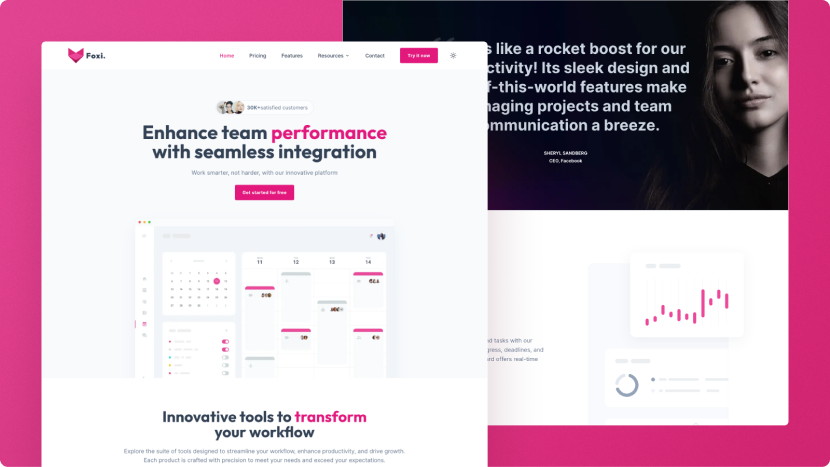 [](https://foxi.netlify.app) [](https://pagespeed.web.dev/analysis/https-foxi-netlify-app/c9ig3t85mu?form_factor=desktop) ## Introduction ### About Foxi is a free, highly customizable, and production-ready template for Astro, utilizing Tailwind CSS components. Designed with developers in mind, Foxi offers a solid foundation for building modern, high-performance websites quickly and efficiently.  ### Features - **Astro v6:** Built with the latest version of Astro for optimal performance and features. - **Built with Tailwind CSS:** Powered by Tailwind CSS for rapid UI development and responsive design. - **Perfect Scores in PageSpeed Insights:** Achieve perfect 100s for both desktop and mobile performance. - **Light & Dark Mode Support:** Seamlessly switch between light and dark themes to suit user preferences. - **Fully Responsive & Customizable:** Ensure your site looks great on any device, with easy customization to match your brand’s identity. - **SEO-friendly:** Optimized for search engines to improve visibility and organic traffic. - **Pre-designed Pages:** Includes a variety of pages such as Home, Pricing, Features, Contact, and more, to get you started quickly. - **Blog with MDX Support & Tags:** Create dynamic blog content with Markdown and JSX, complete with tagging for better organization. - **Easy Updates with JSON Files:** Simplify content management and updates using structured JSON files. - **Page Loading & Transition Animations:** Enhance user experience with smooth loading and transition effects. - **Clean Code & Folder Structure:** Maintain a well-organized codebase that’s easy to navigate and extend. - **Heroicons by Tailwind:** Access a wide range of high-quality icons to use across your site. - **Built-in Contact Form:** Ready-to-use contact form included. - **Utilizes WindUI Components:** Integrates optional WindUI TailwindCSS components. - **Modular Design:** The template is organized into reusable blocks enabling easy customization and expansion. - **Integrated Analytics:** Includes integrated Google Analytics and Google Tag Manager functionalities. - **Sitemap Included:** Includes a sitemap to enhance website navigation and search engine indexing. ### Upgrade to Pro Version | Feature | Free Version | Pro Version | | :------------------------ | :------------------------- | :--------------------------------------------------------------- | | Tailwind CSS | ✅ | ✅ | | Mobile Responsive | ✅ | ✅ | | SEO-Friendly | ✅ | ✅ | | i18n Multilingual Support | ❌ | ✅ | | Sitepins CMS | ❌ | ✅ | | Content Collections | ✅ | ✅ | | Mega Menu | ❌ | ✅ | | Video Popup | ❌ | ✅ | | Lottie File Integration | ❌ | ✅ | | Homepage Variations | ❌ | ✅ | | Features Page Variations | ❌ | ✅ | | Integrations Page | ❌ | ✅ | | Advanced Pricing Page | ❌ | ✅ | | Blog Collection | ✅ | ✅ | | Blog Categories | ✅ | ✅ | | Blog Authors | ❌ | ✅ | | Post Pagination | ❌ | ✅ | | eGuides Collection | ❌ | ✅ | | Roadmap Page | ❌ | ✅ | | SignUp Page | ❌ | ✅ | | Changelog Page | ✅ | ✅ | | FAQ Page | ✅ | ✅ | | Terms Page | ✅ | ✅ | | Working Contact Page | ❌ | ✅ | | Total Pages | 10 | 20+ | | | | | | Free Updates | ✅ | ✅ | | License | MIT | Commercial | | | | | | Pricing | Free | $79.99 | | | Continue with Free version | [View Pro Version](https://astro.build/themes/details/foxi-pro/) | [](https://oxygenna.lemonsqueezy.com/buy/2e32ec07-aa31-45a4-835d-8ebb7f6048cc) [](https://foxi-pro.netlify.app/) ## Getting Started ### Commands After downloading the template, you'll need to install some dependencies. Once that's done, you can run it on your local server. Check out the package.json file to see what scripts are available. | Command | Action | | :---------------- | :-------------------------------------------------------------------------------------------------------- | | `nvm use ...` | [Install node js](https://nodejs.org/en/download/) You will need to use Node.js version 22.12.0 or later. | | `npm install` | Installs dependencies | | `npm run dev` | Starts local dev server at `localhost:4321` | | `npm run build` | Build your production site to `./dist/` | | `npm run preview` | Preview your build locally, before deploying | ### Folder structure Inside Foxi Astro project, you'll see the following folders and files: ```plaintext / ├── public/ │ └── favicon.svg ├── src/ │ ├── assets/ │ ├── components/ │ │ ├── blocks/ │ │ │ └── ... │ │ └── ui/ │ │ └── ... │ ├── config/ │ │ └── ... │ ├── content/ │ │ └── blog/ │ │ └── ... │ ├── data/ │ │ └── ... │ ├── icons/ │ │ └── ... │ ├── layouts/ │ │ └── ... │ ├── page-sections/ │ │ └── home/ │ │ └── ... │ └── pages/ │ └── ... └── package.json ``` | Directory/File | Description | | ------------------------ | ---------------------------------------------------------------------------------------------------------------------------------- | | `public/` | Contains static assets like images and the favicon. These files are served directly at the root URL. | | `src/assets/` | Contains all images and assets used in the project. | | `src/components/` | Contains reusable components for your site. This directory is divided into `ui` for UI components and `blocks` for section blocks. | | `src/components/blocks/` | Contains Section blocks used throughout the site. | | `src/components/ui/` | Contains individual UI components. | | `src/config/` | Contains configuration files for the project in typescript format. | | `src/content/` | Holds collection data, such as blog posts. | | `src/content/blog/` | Contains individual blog posts in markdown. | | `src/data/` | Contains JSON and md files with content data (like features, testimonials etc). | | `src/icons/` | Contains all icons used in the project, sourced from [Heroicons](https://heroicons.com/). | | `src/layouts/` | Contains layout components that define the overall structure of your pages. | | `src/pages/` | Contains `.astro` files for each page. Each file here is exposed as a route based on its file name. | | `package.json` | Lists dependencies and scripts for your project, including metadata and various package requirements. | ## Theme Configuration You can find the configuration files in the `src/config` directory. The configuration files are written in TypeScript and contain various settings for the theme, such as basic information, navigation bar, footer navigation, analytics, and social links. You can customize these settings to fit your specific needs. | Configuration File | Description | | -------------------------------- | ----------------------------------------------------------------------------------------------- | | `src/config/config.ts` | Includes the basic configuration settings including SEO, mode, and scroll animations. | | `src/config/navigationBar.ts` | Includes menu options for the navigation bar. | | `src/config/footerNavigation.ts` | Includes menu options for the footer navigation. | | `src/config/analytics.ts` | Includes the required codes for Google Analytics, Google Tag Manager and Google Search Console. | | `src/config/socialLinks.ts` | Contains the social link data for the website. | ### Basic configuration settings In the `src/config/config.ts` file, you can find the basic configuration settings. These includes the default SEO settings: - `siteTitle`: The default title of your website. - `siteDescription`: The default description of your website. - `ogImage`: The open graph image for your website. - `logo`: The logo for your website. - `canonical`: Whether to use canonical links for your website. - `noindex`: Prevents search engines from indexing your website if set to true. as well as the default site settings: - `mode`: The default mode for your website. Can be set to 'auto', 'light', or 'dark'. Auto mode will automatically switch between light and dark modes based on the user's system settings, while 'light' and 'dark' will force the site to use the corresponding mode. - `scrollAnimations`: Whether to enable smooth scrolling animations for your website. ## Theme Customization ### Customize the Colors The theme uses two main colors: primary and neutral. These colors are defined in the Tailwind CSS configuration file. To personalize the color scheme of your project, you can easily modify these color values. To customize the colors, follow these steps: 1. Open the `tailwind.config.js` file. 2. Find the `theme` section within the file. 3. Under `theme`, locate the `extend` property and then the `colors` object. 4. Modify the color values for `primary` and `neutral` to suit your preferred color palette. You can use the [tailwind CSS colors](https://nodejs.org/en/download/) or create your [own palette](https://uicolors.app/create) . ### Customize the Fonts To customize the fonts used in your project, follow these steps: 1. **Update the Tailwind CSS Configuration** Open the `tailwind.config.js` file. In the `theme` section, find the `extend` property and update the `fontFamily` object. 2. **Ensure Font Packages are Installed** Verify that the necessary font packages are included in your `package.json` file and also imported in the `src/layouts/Layout.astro` file. You can add your own fonts by following [this guide](https://docs.astro.build/en/guides/fonts/#using-fontsource) ### Dark/Light Mode By default, the site uses an automatic mode switcher, allowing it users to switch between light and dark modes based on the user's system settings or by using the mode switcher in the navigation bar. This is achioeved by setting the `mode-auto` class in the `Layout.astro` file. If you need to enforce a specific theme, you can set the class above as **`mode-light`** or **`mode-dark`**. When **`mode-light`** is applied, the site will consistently display in light mode, and the switcher will not be functional. Similarly, **`mode-dark`** will force the site to dark mode, with the switcher rendered non-functional. These settings allow you to maintain a fixed appearance across the site regardless of user preferences or system settings. ## License Copyright © 2026 - Designed & Developed by [Oxygenna](http://www.oxygenna.com/) Released under the MIT license. ## Want more themes? ### Mizu Check out **Mizu**, a product launch template designed for modern SaaS companies, digital products, and ambitious startups.  [](https://astro.build/themes/details/mizu/) [](https://mizu-theme.netlify.app/) ### Toki Check out **Toki**, a standout agency template with striking design, blazing speed, built for modern agencies and creatives.  [](https://astro.build/themes/details/toki/) [](https://toki-theme.netlify.app/) ### Foxi Framer Check out **Foxi Framer**, our premium Astro website template with fully responsive, customizable Tailwind CSS components.  [](https://framer.link/daY9kpl) [](https://foxi.framer.website/) ## Join the Community You can join our community on [Discord](https://discord.gg/YC5Eup8ZEx)! [](mailto:[email protected],[email protected])
Explore similar templates
Compare previews and descriptions within the same stack and category.

astrowind
AstroWind is a free, open-source Astro starter theme using Astro and Tailwind CSS, released under the MIT license.
Astro · Blog

astro-paper
An Astro blog theme with Markdown/MDX content, Tailwind styling and Pagefind search. Search is a feature of the blog, rather than a separate tool-site product.
Astro · Blog

fuwari
Fuwari is a static blog template built with Astro and Tailwind CSS for personal blogs. It manages posts as Markdown files in src/content/posts/, with frontmatter for title, date, description, cover, tags, categories, draft status, and language.
Astro · Blog

Firefly
Firefly is a clean personal blog theme forked from Astro and Fuwari, offering four background modes, single/double sidebar and list/grid layouts, Pagefind client-side full-text search, and a six-language UI.
Astro · Blog

astro-theme-cactus
An Astro blog and notes starter with Markdown/MDX content, Tailwind styling and Pagefind search. Its main purpose is publishing posts and notes.
Astro · Blog

astrofy
Astrofy is a free and open-source personal portfolio website template built with Astro and TailwindCSS, with built-in blog, CV timeline, project showcase, store, and RSS feed modules.
Astro · Portfolio