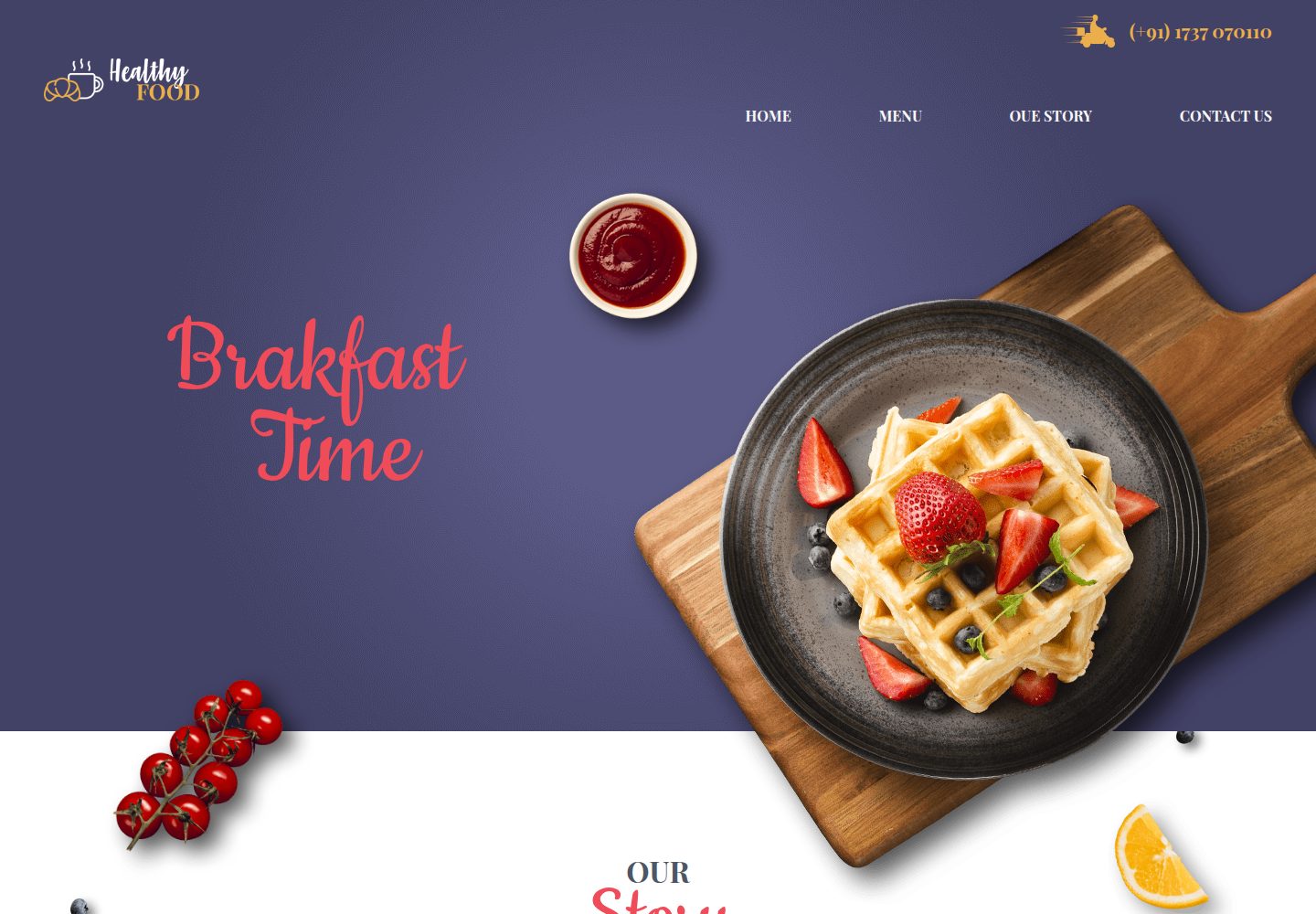
The README states the project is configured with webpack, babel, and node-sass
HTMLCorporate Website
breakfast-restaurant-landing-page-template — HTML Business Template
By romkravets
A static page starter template based on webpack, Babel, and node-sass. The README states it is used to build multi-page HTML projects and provides a development server, page add/remove scripts, and gh-pages deployment commands.
Explore the design
Compare the page layouts and mobile experience. Open any screenshot for a closer look.
Desktop homepage1 / 2
Desktop captureTop of page
Actual screenshot captured by the server browser.
All pages & views 2
Screenshots show visual appearance; interactive behavior may differ.
Recorded 2026-10-11View source
What stands out
A quick read of the recorded project description.
Provides npm start to launch the development server, accessible by default at http://localhost:8080
src is organized by page, and the common directory stores scripts and styles shared across pages
The assets directory is used to store fonts, images, and other resources
Provides npm run page:add and npm run page:remove to manage pages
Supports publishing to gh-pages via npm run deploy
Template Details
This repository is breakfast-restaurant-landing-page-template by romkravets. The README describes it as a project foundation with webpack, babel, and node-sass configuration, used to build static HTML pages.
To use it, download and extract the project, then run npm install and npm start in sequence in the terminal to start the development server and visit http://localhost:8080 in the browser; to stop the development server, press CTRL+C twice in the console. The README notes that when a compilation error occurs, the terminal outputs red error messages, and suggests attaching a screenshot of the console error.
In terms of project structure, src is organized by page: the index directory contains index.html, index.js, index.less, as well as scripts and styles subdirectories; the common directory stores scripts and styles shared by all pages, which need to be imported in the page's main file. The assets directory is used to store fonts, images, and other resources; the example reference given in the README is located at common/styles/header.less.
The README also provides page management commands: npm run page:add [page name] to add a page, npm run page:remove [page name] to remove a page, and adding the -- --styles=scss parameter lets the new page use the SCSS preprocessor. When accessing a non-index page, append the page name to the address, for example http://localhost:8080/index.html. Regarding deployment, the README states that running npm run deploy publishes the static files to gh-pages.
The README does not describe which specific page sections, components, or visual content the template includes, nor does it provide specific version numbers in the dependency list, so the page functionality and framework versions cannot be confirmed from it.
HTMLCorporate website
Is it right for your project?
Use Cases
- Need a static HTML multi-page starter project with webpack and Babel configuration
- Want to organize page styles with less or SCSS and split files by page
- Need to publish the built static files to GitHub Pages
Suitable For
- Developers familiar with npm commands and terminal operations
- Static site projects that need to build the page structure and content themselves
- Front-end projects that want to organize HTML, JS, and style files by page directory
Getting started & customization
Use these recorded setup notes alongside the repository instructions for your chosen version.
- 1
After downloading and extracting the project, run npm install in the terminal to install dependencies
- 2
Run npm start to launch the development server, and visit http://localhost:8080 in the browser
- 3
To stop the development server, press CTRL+C twice in the console
- 4
Use npm run page:add [page name] to add a page and npm run page:remove [page name] to remove a page
- 5
Run npm run deploy to publish to gh-pages
License & source material
Usage conditions & limitations
Free to use · keep license noticeThis entry covers the free version under the MIT license in the public repository; the free scope is the code of this version and does not mean external services or third-party assets are free.
Must comply with when using
- Allows free use, modification, commercial use, and distribution of this version's code.
- When distributing copies or substantial portions of the code, retain the original author's copyright notice and the complete MIT license notice.
- The code is provided as is; warranties and limitations of liability are governed by the original license and applicable law.
Additional costs & items to verify
- Demo images, fonts, icons, and other third-party assets must be checked against their respective licenses and cannot be judged solely by the code's MIT license.
- External services such as domains, hosting, databases, payments, or AI may incur additional charges.
View Original Text Basis
Compiled by DeepSeek based on repository license and README ·2026-10-11. Results only cover the materials read; dependencies, images, fonts, and subsequent term changes are subject to their respective original texts.
Project checks & description sources
Template Information
- Source platforms
- GitHub
- Documentation and maintenance reference score
- Partly documented · 68 / 100
- Technologies
- HTML
- Website type
- Corporate Website
How this score is calculated
Our heuristic uses license records (up to 30), a demo link (12), a preview (10), stars (15), recorded maintenance (15), description completeness (8), feature records (5) and classification data (5). It is not a code, security or performance test, or a Google score. A link does not establish tested functionality.
What to verify for this project
- Repository update recorded
- 2022-12-10
- Screenshot last checked
- 2026-10-11
A demo link is listed. Check it with your own content and viewport sizes; its presence does not confirm that forms, authentication or payments work.
The catalog identifies HTML as the primary stack. Check the actual dependency manifest and lockfile for versions and hosting requirements. These notes use recorded metadata, not a code audit or a deployment test.
Use a selection guide →How this description was prepared
AI-assisted description based on catalog records and repository material. Repository authors are not automatically the reviewers of this description.
Review declaration: codex-user-requested-batch-review-20261015 · 2026-10-15
Inspect the recorded source material
SHA-256: 1e0a7e25fdfc300731bb88483563c154dbb24c7658a7e5cbabfbbf4119068aeb
2026-10-11T21:44:30.466Z
Source file / repository### webpack-html-project
Основа для проекіа с начтроенними webpack, babel, node-sass
## Базовая структура проекта с настроенными webpack, less, babel
Для использования скачать, разархивировать, и выполнить следующие команды в терминал(командной строке)
1. npm install
2. npm start -команда которая запустит dev сервер, необходимо для авоматической компиляции less/ES6 файлов
3. Перейти в браузере по адресу `<a>http://localhost:8080</a>`
4. Для остановки дев сервера в консоле(терминале) необходимо нажать два раза CTRL+C
Если возникают ошибки компиляции то в терминале будут красные
сообщения об ошибке, в самом начале сообщения достаточно
точно описывается что пошло не так, обращайте на это внимание. Так же в случае проблем со сборкой просьба к вопросу прикладывать скриншот с текстом ошибки консоли
### Файловая структура
assets - дирректория для хранения асеетов - шрифты изображения пример использования смотреть в common/styles/header.less
###
```
src
.
|
├──index - старница index.html и все что к ней относится
| |
| +-- scripts - скрипты, обязательно необходимо импортить в index.js
| +-- styles - все стили разделенные по файлам, так же необходимо импортить в index.less
| +-- index.html - основной документ html, домашняя страница вашего сайта
| +-- index.js - главный фаил js, весь скрипт который относится к данной странице импортится в данном файле(из дирректории scripts)
| +-- index.less - основной фаил стилей
+- common - дирректория в которой хранятся общие файлы для всех страниц вашего сайта например стили и скрипты для использования нужно имопртить в главных файла страниц смотреть index/index.less
|
+- scripts
|
+- styles
```
### Добавление новой страницы
Выполнить команду `npm run page:add [имя страницы]`
например `npm run page:add lesson_5` - создаст новую старницу lesson_5
### Удаление страницы
`npm run page:remove [имя страницы]`
#### SCSS
Для добавления страницы с подключенным препроцессором SCSS выполните команду
`npm run page:add [имя страницы] -- --styles=scss`
<br/> Для перехода на другие страницы не index, в адресной строке добавить к http://localhost:8080/имя_страницы.html например http://localhost:8080/index.html
#### GH PAGES DEPLOY
Для размещение статических файлов на сервере gh-pages выполнить команду `npm run deploy`Explore similar templates
Compare previews and descriptions within the same stack and category.

mazer
Mazer is a free and open-source Bootstrap 5 admin dashboard and landing page template that does not depend on jQuery. It provides prebuilt releases, source builds, and CDN inclusion, and includes dark mode, perfect-scrollbar, and ApexCharts examples.
HTML · Admin dashboard

Freelancer
A bright, single-page Bootstrap portfolio template for freelancers, designers, and small studios. It includes a responsive portfolio grid with modal detail windows and an SB Forms contact form that requires an API token.
HTML · Portfolio

Creative
A single-page marketing template by Start Bootstrap for creative agencies and product services, built on Bootstrap with SCSS, featuring a portfolio grid and call-to-action sections. It includes pre-set SB Forms markers for form integration and npm build scripts for source customization.
HTML · Corporate Website

startbootstrap-agency
Agency is a one-page Bootstrap portfolio theme from Start Bootstrap, MIT licensed. It includes a responsive portfolio grid with modal details and a preconfigured SB Forms contact form that requires an API token.
HTML · Corporate Website

startbootstrap-landing-page
A general-purpose Bootstrap landing page template from Start Bootstrap, MIT licensed, with a Pug/SCSS/npm build pipeline.
HTML · Corporate Website

Landing-Page
A general-purpose landing page HTML template maintained by Tailwind Toolbox, written in pure HTML and loading the complete Tailwind CSS via CDN.
HTML · Corporate Website