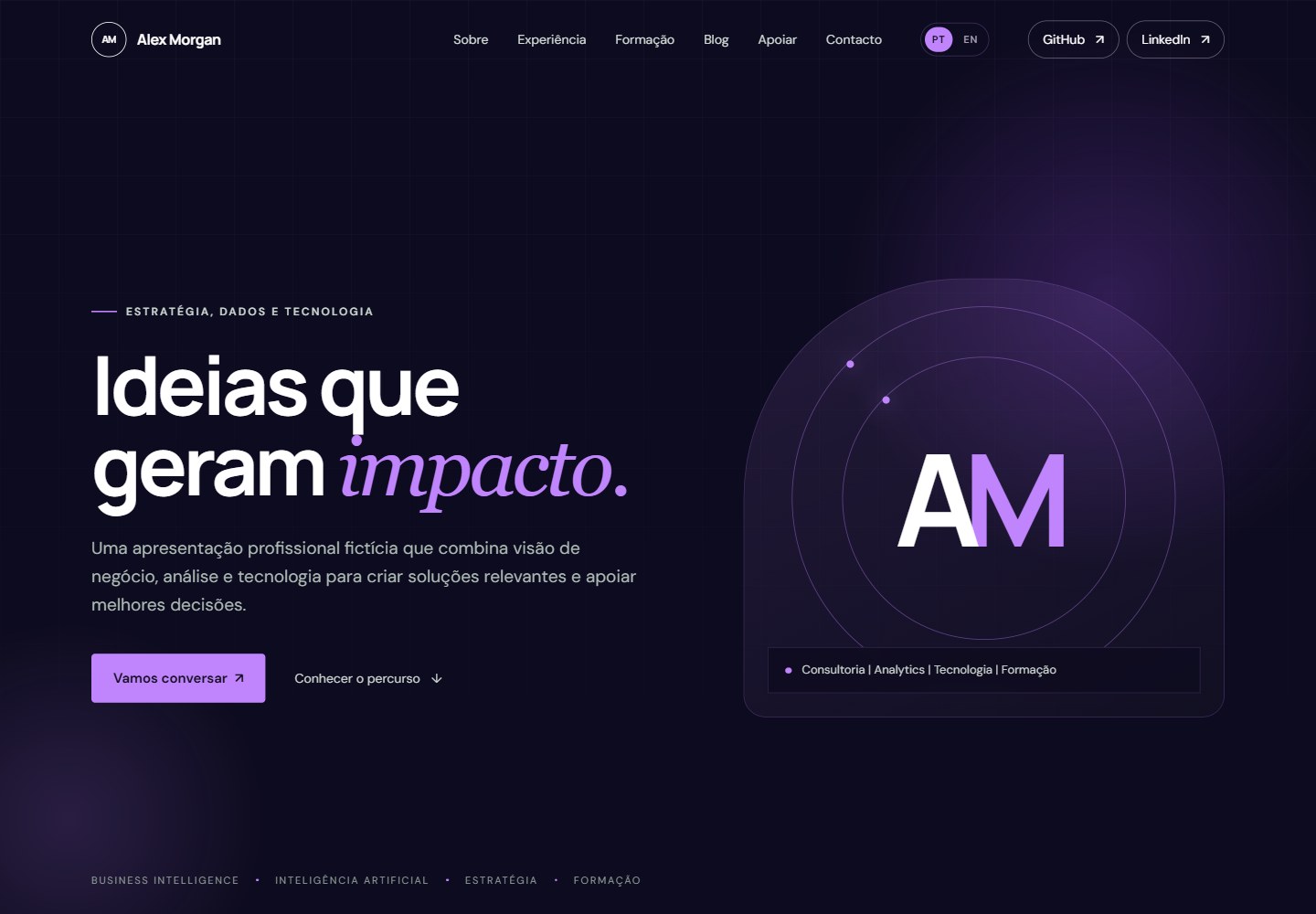
Provides both Portuguese and English language versions
HTMLPortfolioBlog
violet-insight-personal-site — HTML Portfolio Template
By ruialexrib
A static bilingual personal website template for GitHub Pages, using HTML5, CSS3 and JavaScript, with no frameworks and no build process.
Explore the design
Compare the page layouts and mobile experience. Open any screenshot for a closer look.
Desktop homepage1 / 2
Desktop captureTop of page
Rendered from the fixed source checkout.
All pages & views 2
Screenshots show visual appearance; interactive behavior may differ.
Recorded 2026-10-16View source
What stands out
A quick read of the recorded project description.
Implemented with HTML5, CSS3 and JavaScript, with no frameworks, no build process and no external dependencies
Includes sections for profile, career history, education and research, areas of interest and contact details
Provides static blog pages for linking external articles and publications
Responsive layout, adapting to desktop and mobile devices
Targeted at GitHub Pages deployment, with branch deployment steps given in the README
Template Details
Violet Insight Personal Site is a static personal website template that can be hosted directly on GitHub Pages, offering Portuguese and English versions. The README states that it includes a professional landing page, profile and career history, education and research, areas of interest, contact details, and a static blog for linking external articles and publications. The technology stack is HTML5, CSS3 and JavaScript; the project deliberately does not use front-end frameworks or build tools, so there is no installation or build step. You can open index.html directly in a browser, or start a local server for preview with python -m http.server 8000. Customization includes replacing the name, initials and introductory copy in index.html and en/index.html, updating external links such as GitHub and LinkedIn, adding blog entries to blog/index.html and en/blog/index.html following the existing article structure, adjusting the purple color scheme in palette.css, and replacing images and the favicon in assets/. Deployment involves pushing to GitHub and then choosing branch deployment in Settings → Pages, specifying the main branch and the repository root directory. The README does not provide information about performance, the degree of accessibility compliance, or the range of browser compatibility.
HTMLPortfolioBlog
Is it right for your project?
Use Cases
- As a starting point for a personal career website
- Building a profile page for an academic or researcher
- Creating an online resume or CV page
- Establishing a static blog that links to externally published content
- As a personal homepage on GitHub Pages
Suitable For
- Professionals who want to present their profile with static pages
- Researchers or educators who need a bilingual version other than Chinese and English (Portuguese/English)
- Developers who prefer a maintenance approach with no frameworks and no build process
- Users planning to host a personal website with GitHub Pages
Getting started & customization
Use these recorded setup notes alongside the repository instructions for your chosen version.
- 1
No installation or build is required; you can open index.html directly in a browser, or run python -m http.server 8000 and then visit http://localhost:8000
- 2
Replace the sample name, initials and introductory copy in index.html and en/index.html
- 3
Update external links such as GitHub and LinkedIn in the HTML files, and replace or remove support links as needed
- 4
Add blog entries to blog/index.html and en/blog/index.html following the existing article structure
- 5
Adjust the purple color scheme in palette.css, and replace images and the favicon in assets/
License & source material
Usage conditions & limitations
Free to use · keep license noticeThis entry covers the free version under the MIT license in the public repository; the free scope is the code of that version and does not mean that external services or third-party assets are free.
Must comply with when using
- You are allowed to use, modify, commercially use and distribute the code of this version for free.
- When distributing copies or substantial portions of the code, retain the original author's copyright notice and the complete MIT license notice.
- The code is provided as is; warranties and limitations of liability are governed by the original license and applicable law.
Additional costs & items to verify
- Demo images, fonts, icons and other third-party assets must be checked against their respective licenses; they cannot be judged solely by the code's MIT license.
- External services such as domains, hosting, databases, payments or AI may incur additional charges.
View Original Text Basis
https://github.com/ruialexrib/violet-insight-personal-site/blob/main/LICENSEhttps://github.com/ruialexrib/violet-insight-personal-site/blob/main/README.mdPermission is hereby granted, free of charge
Original License Text
Compiled by DeepSeek based on repository license and README ·2026-10-13. Results only cover the materials read; dependencies, images, fonts, and subsequent term changes are subject to their respective original texts.
Project checks & description sources
Template Information
- Source platforms
- GitHub
- Documentation and maintenance reference score
- Partly documented · 73 / 100
- Technologies
- HTML
- Website type
- Portfolio · Blog
How this score is calculated
Our heuristic uses license records (up to 30), a demo link (12), a preview (10), stars (15), recorded maintenance (15), description completeness (8), feature records (5) and classification data (5). It is not a code, security or performance test, or a Google score. A link does not establish tested functionality.
What to verify for this project
- Repository update recorded
- 2026-08-28
- Screenshot last checked
- 2026-10-16
No demo link is recorded. Use the repository instructions to evaluate the project locally; the screenshot alone cannot establish interactive behavior.
The catalog identifies HTML as the primary stack. Check the actual dependency manifest and lockfile for versions and hosting requirements. These notes use recorded metadata, not a code audit or a deployment test.
Use a selection guide →How this description was prepared
AI-assisted description based on catalog records and repository material. Repository authors are not automatically the reviewers of this description.
Review declaration: codex-user-requested-batch-review-20261017 · 2026-10-16
Inspect the recorded source material
SHA-256: ff2a21f622fce6875a16ed3be1db51302079ff03ef3c4de5ee951602a3a9c8ee
2026-10-13T16:22:48.068Z
Source file / repository<div align="center"> # Violet Insight Personal Site ### A modern, bilingual personal website template for GitHub Pages [](https://developer.mozilla.org/en-US/docs/Web/HTML) [](https://developer.mozilla.org/en-US/docs/Web/CSS) [](https://developer.mozilla.org/en-US/docs/Web/JavaScript) [](https://pages.github.com/) [](LICENSE) **Responsive · Bilingual · Static · No build process** </div> --- ## About **Violet Insight Personal Site** is a lightweight, bilingual personal website template designed for professionals, researchers, educators, and technology enthusiasts who want a clean online presence hosted directly on GitHub Pages. The site combines a professional landing page, profile and career information, areas of interest, education and research, contact links, and a static blog for linking to external articles and publications.  --- ## Highlights - Portuguese and English versions - Responsive layout for desktop and mobile devices - Professional profile and career sections - Education, research, and areas of interest - Static blog for external articles and publications - Accessible navigation and subtle scroll animations - No framework, build process, or external dependencies - Ready for deployment with GitHub Pages - Simple structure that is easy to customise --- ## Technology Stack | Technology | Purpose | | --- | --- | | **HTML5** | Page structure and semantic content | | **CSS3** | Layout, responsive design, and visual styling | | **JavaScript** | Lightweight interactions and animations | | **GitHub Pages** | Static website hosting and deployment | The project intentionally avoids front-end frameworks and build tooling, keeping the site portable and straightforward to maintain. --- ## Website Structure The template provides dedicated areas for: - Landing page and professional introduction - Profile and focus areas - Professional experience - Education and research - Credentials and qualifications - Contact and external profiles - Blog and external publications - Portuguese and English content --- ## Project Structure ```text violet-insight-personal-site/ ├── assets/ # Images, favicons and visual assets ├── blog/ # Portuguese blog pages ├── en/ # English version of the website ├── index.html # Portuguese landing page ├── script.js # Client-side interactions ├── style.css # Main styles ├── palette.css # Colour palette ├── profile.css # Profile-specific styles ├── credentials.css # Credentials-specific styles ├── blog.css # Blog-specific styles ├── language.css # Language selector styles ├── finishing.css # Additional visual refinements ├── LICENSE └── README.md ``` --- ## Customisation To adapt the template to your own profile: 1. Replace the demonstration name, initials, and profile copy in `index.html` and `en/index.html`. 2. Update the GitHub, LinkedIn, and other external profile links in the HTML files. 3. Replace or remove the support link according to your needs. 4. Add blog entries to `blog/index.html` and `en/blog/index.html` by following the existing article structure. 5. Adjust the violet colour palette in `palette.css`. 6. Replace the images and favicon files in `assets/`. --- ## Run Locally No installation or build step is required. You can open `index.html` directly in a browser or start a simple local HTTP server: ```bash python -m http.server 8000 ``` Then open `http://localhost:8000` in your browser. --- ## Deployment The project is designed for **GitHub Pages**. 1. Push the repository to GitHub. 2. Open **Settings → Pages**. 3. Select **Deploy from a branch**. 4. Choose the `main` branch and the repository root. 5. Save the configuration and wait for GitHub Pages to publish the site. --- ## Use Cases This template can be used as a starting point for: - Personal professional websites - Academic and research profiles - Developer portfolios - Online CVs and résumés - Personal blogs linking to external publications - GitHub Pages profile sites --- ## License This project is released under the [MIT License](LICENSE). Copyright © 2026 Violet Insight contributors.
Explore similar templates
Compare previews and descriptions within the same stack and category.

simplefolio
Simplefolio is a minimal single-page portfolio template for developers, built with HTML, Bootstrap, SCSS, and Parcel under the MIT license. It includes Hero, About, Projects, Contact, and Footer sections, with content edited in /src/index.html and theme colors controlled by two SCSS variables.
HTML · Portfolio

Freelancer
A bright, single-page Bootstrap portfolio template for freelancers, designers, and small studios. It includes a responsive portfolio grid with modal detail windows and an SB Forms contact form that requires an API token.
HTML · Portfolio

Casper
Casper is Ghost's official classic blog theme, long used as the default and still maintained.
HTML · Magazine

Resume
A single-page resume and CV template from Start Bootstrap, built on Bootstrap with a fixed sidebar and content sections.
HTML · Portfolio

Creative
A single-page marketing template by Start Bootstrap for creative agencies and product services, built on Bootstrap with SCSS, featuring a portfolio grid and call-to-action sections. It includes pre-set SB Forms markers for form integration and npm build scripts for source customization.
HTML · Corporate Website
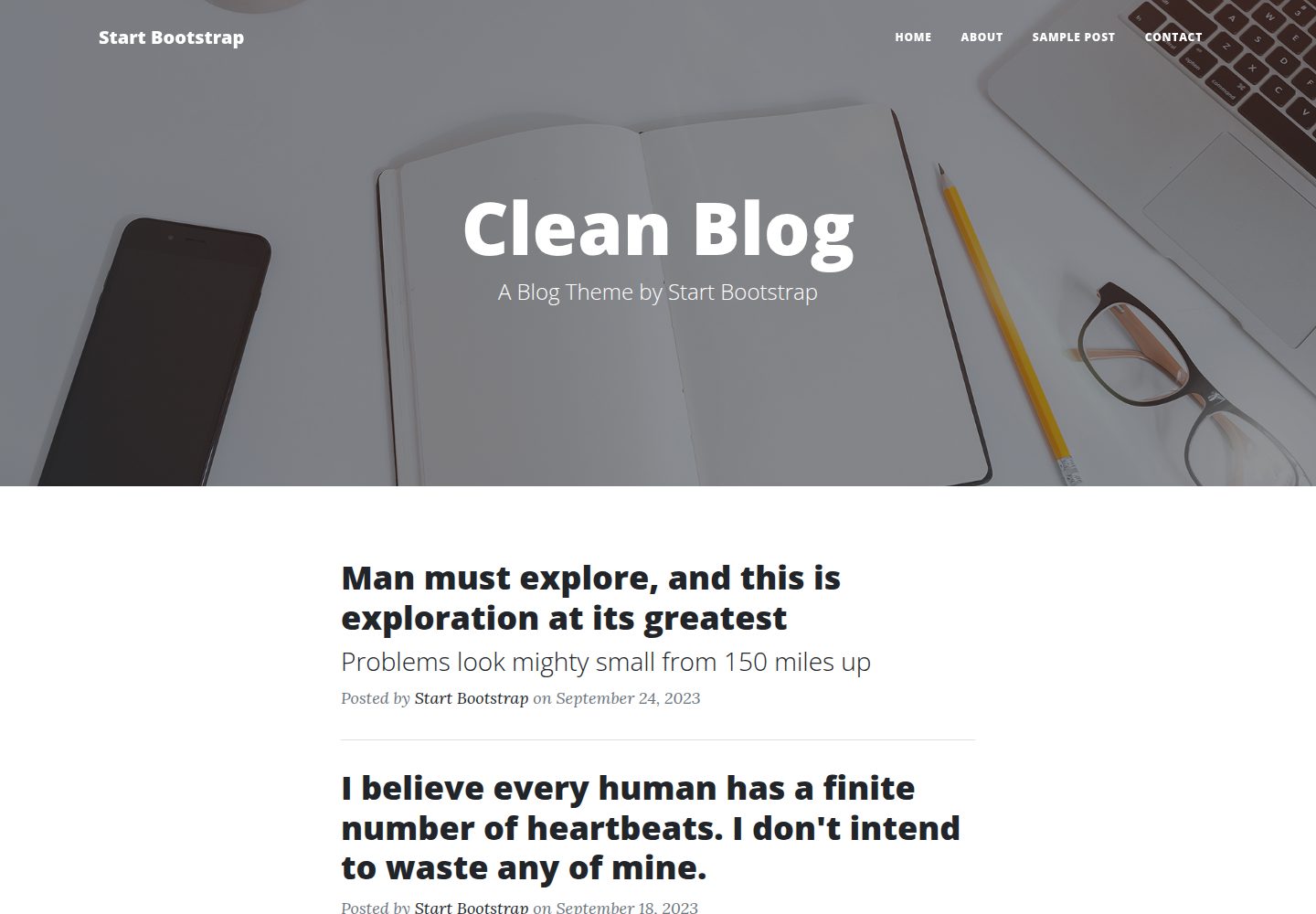
startbootstrap-clean-blog
Clean Blog by Start Bootstrap is a responsive Bootstrap blog theme with a home page, about page, contact page, and sample post page, plus a working PHP contact form preconfigured for SB Forms.
HTML · Blog