Minimal blog template officially released by microCMS
Next.jsReactBlog
nextjs-simple-blog-template — Next.js Blog Template
By scout-ai
A minimal blog template officially provided by microCMS, built on Next.js, connecting to the microCMS service via environment variables and supporting preview screen configuration in the microCMS admin panel.
Explore the design
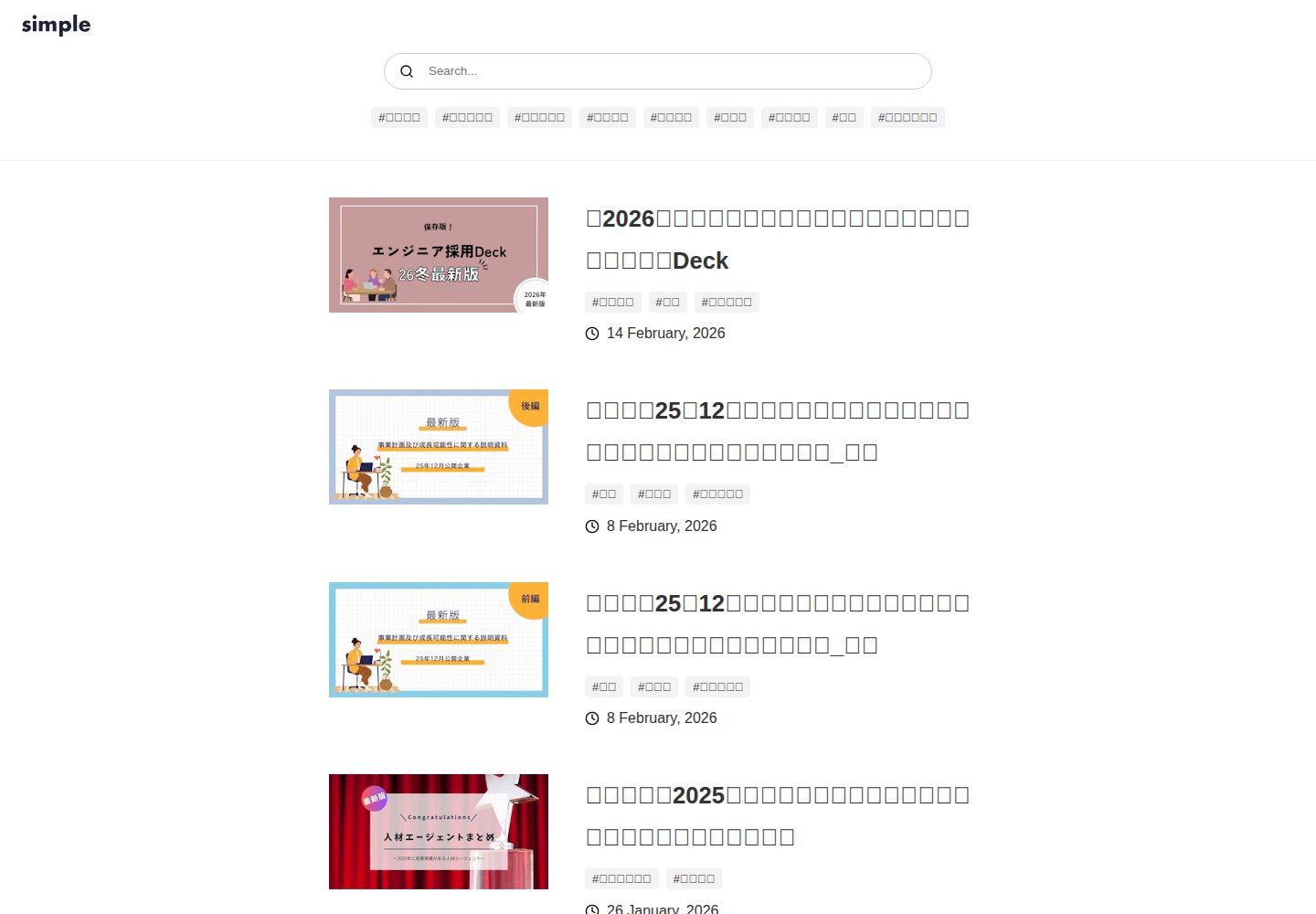
Compare the page layouts and mobile experience. Open any screenshot for a closer look.
Desktop homepage1 / 3
Desktop captureTop of page
Actual screenshot captured by the server browser.
All pages & views 3
Screenshots show visual appearance; interactive behavior may differ.
Recorded 2026-10-13View source
What stands out
A quick read of the recorded project description.
Requires Node.js 18 or higher
Configure MICROCMS_API_KEY, MICROCMS_SERVICE_DOMAIN, and BASE_URL via .env
Supports setting up preview screen in the microCMS admin panel to view draft content
README provides Vercel deployment steps, requiring environment variables to be registered in Environment Variables
Template Details
This template is a minimal blog template officially released by microCMS, with the repository at scout-ai/nextjs-simple-blog-template. The README states that it requires Node.js 18 or higher. Before use, you need to create a .env file in the project root and fill in three environment variables: MICROCMS_API_KEY, MICROCMS_SERVICE_DOMAIN, and BASE_URL, corresponding to the microCMS API key, service domain, and deployment address, respectively.
The development workflow is to install dependencies, run the development server, and access the local address in a browser. The README also explains how to configure preview screen for the blog API in the microCMS admin panel to preview draft content; for deployment, it provides steps to deploy via Vercel by linking the repository and registering environment variables. The README does not provide page structure, style details, content model fields, or other integrations beyond microCMS.
Next.jsBlog
Is it right for your project?
Use Cases
- Building a blog site using microCMS as the content source
- Previewing draft content in the microCMS admin panel
- Deploying the blog to Vercel
Suitable For
- Content teams already using microCMS and wanting to quickly build a blog frontend
- Blog editing workflows that require draft preview capability
- Developers deploying a Next.js project on Vercel following the README steps
Getting started & customization
Use these recorded setup notes alongside the repository instructions for your chosen version.
- 1
Requires Node.js 18 or higher
- 2
Create .env in the project root and fill in MICROCMS_API_KEY, MICROCMS_SERVICE_DOMAIN, BASE_URL
- 3
Run npm install to install dependencies, npm run dev to start the development environment, and access http://localhost:3000
- 4
In the microCMS blog API's "API Settings > Preview Screen", configure the preview URL, replacing the domain part with the deployment domain (localhost can also be used)
- 5
When deploying to Vercel, link the repository and register environment variables in Environment Variables
License & source material
Usage conditions & limitations
Free to use · keep license noticeThis entry covers the free version under the MIT license in a public repository; the free scope is the code of this version and does not imply that external services or third-party assets are free.
Must comply with when using
- Free use, modification, commercial use, and distribution of this version's code are permitted.
- When distributing copies or substantial portions of the code, retain the original author's copyright notice and the full MIT license notice.
- The code is provided as-is; warranties and limitations of liability are governed by the original license and applicable law.
Additional costs & items to verify
- Demo images, fonts, icons, and other third-party assets must be checked against their respective licenses and cannot be judged solely by the code's MIT license.
- External services such as domains, hosting, databases, payments, or AI may incur additional charges.
- Before use, you must configure the microCMS API key (MICROCMS_API_KEY), requiring a microCMS account and obtaining the key.
- You must configure the microCMS service domain (MICROCMS_SERVICE_DOMAIN), meaning it depends on microCMS as an external content service.
- The API key must be obtained from the microCMS admin panel under "Service Settings > API Key"; using this template requires registering and logging into microCMS.
- Previewing draft content requires setting up preview screen in the microCMS admin panel, depending on microCMS backend functionality.
View Original Text Basis
Permission is hereby granted, free of charge
Original License Text
MICROCMS_API_KEY=xxxxxxxxxx
Original README
MICROCMS_SERVICE_DOMAIN=xxxxxxxxxx
Original README
microCMS 管理画面の「サービス設定 > API キー」から確認することができます。
Original README
https://github.com/scout-ai/nextjs-simple-blog-template/blob/main/LICENSEhttps://github.com/scout-ai/nextjs-simple-blog-template/blob/main/README.md下書き状態のコンテンツをプレビューするために、microCMS管理画面にて画面プレビューの設定が必要です。
Original README
Compiled by DeepSeek based on repository license and README ·2026-10-13. Results only cover the materials read; dependencies, images, fonts, and subsequent term changes are subject to their respective original texts.
Project checks & description sources
Template Information
- Source platforms
- GitHub
- Documentation and maintenance reference score
- Partly documented · 57 / 100
- Technologies
- Next.js · React
- Website type
- Blog
How this score is calculated
Our heuristic uses license records (up to 30), a demo link (12), a preview (10), stars (15), recorded maintenance (15), description completeness (8), feature records (5) and classification data (5). It is not a code, security or performance test, or a Google score. A link does not establish tested functionality.
What to verify for this project
- Repository update recorded
- 2023-09-15
- Screenshot last checked
- 2026-10-13
A demo link is listed. Check it with your own content and viewport sizes; its presence does not confirm that forms, authentication or payments work.
The catalog identifies Next.js as the primary stack. Check the actual dependency manifest and lockfile for versions and hosting requirements. These notes use recorded metadata, not a code audit or a deployment test.
Use a selection guide →How this description was prepared
AI-assisted description based on catalog records and repository material. Repository authors are not automatically the reviewers of this description.
Review declaration: codex-user-requested-batch-review-20261015 · 2026-10-15
Inspect the recorded source material
SHA-256: 001b34e91763a776f817a96c6a8abedc1d41ee52f41bc58bca7ecb6e2d8f22f8
2026-10-13T22:50:59.237Z
Source file / repository# シンプルなブログ  microCMS 公式のシンプルなブログのテンプレートです。 ## 動作環境 Node.js 18 以上 ## 環境変数の設定 ルート直下に`.env`ファイルを作成し、下記の情報を入力してください。 ``` MICROCMS_API_KEY=xxxxxxxxxx MICROCMS_SERVICE_DOMAIN=xxxxxxxxxx BASE_URL=xxxxxxxxxx ``` `MICROCMS_API_KEY` microCMS 管理画面の「サービス設定 > API キー」から確認することができます。 `MICROCMS_SERVICE_DOMAIN` microCMS 管理画面の URL(https://xxxxxxxx.microcms.io)の xxxxxxxx の部分です。 `BASE_URL` デプロイ先の URL です。プロトコルから記載してください。 例) 開発環境 → http://localhost:3000 本番環境 → https://xxxxxxxx.vercel.app/ など ## 開発の仕方 1. パッケージのインストール ```bash npm install ``` 2. 開発環境の起動 ```bash npm run dev ``` 3. 開発環境へのアクセス [http://localhost:3000](http://localhost:3000)にアクセス ## 画面プレビューの設定 下書き状態のコンテンツをプレビューするために、microCMS管理画面にて画面プレビューの設定が必要です。 ブログAPIの「API設定 > 画面プレビュー」に下記のように設定してください。 ※`your-domain`部分はデプロイ先のドメインに置き換えてください。(localhost指定でも動作します)  設定後はコンテンツ編集画面にて画面プレビューボタンが利用可能になります。 ## Vercel へのデプロイ [Vercel Platform](https://vercel.com/new?utm_medium=default-template&filter=next.js&utm_source=create-next-app&utm_campaign=create-next-app-readme)から簡単にデプロイが可能です。 リポジトリを紐付け、環境変数を `Environment Variables` に登録後、デプロイしてみましょう。 
Explore similar templates
Compare previews and descriptions within the same stack and category.

tailwind-nextjs-starter-blog
A Next.js and Tailwind CSS blog starter template using Contentlayer for Markdown/MDX, with built-in SEO, code highlighting, and tags. It targets personal technical blogs and migration from Jekyll/Hugo to React, and supports one-click Vercel deployment.
Next.js · Blog

Nextjs-tailwindcss-blog-template
A Next.js blog styled with Tailwind CSS. The current branch processes Markdown with Velite; the earlier Contentlayer setup is retained in a separate historical branch.
Next.js · Blog

Next-js-Blog-Boilerplate
A blog starter built on Next.js 12 and Tailwind CSS 3, integrating TypeScript, ESLint, Prettier, and PostCSS.
Next.js · Blog

nextjs-blog-theme
A Next.js 15 and Tailwind CSS 4.x blog starter by Netlify, designed by Bejamas, with MDX support, dark/light theme switching, and environment-variable configuration. It includes a visual setup wizard for deploying to Netlify and manages content via local .mdx files.
Next.js · Blog

blog
A personal blog forked from Timlrx's tailwind-nextjs-starter-blog, built with Next.js, React, and Tailwind CSS. Content is stored as Markdown/MDX under data/, with site, author, navigation, and project data in separate files.
Next.js · Blog

tailnext
Tailnext is a free, open-source template built on the Next.js 14 App Router and Tailwind CSS, created by the onWidget team.
Next.js · Blog