Generates timetables, assessment overviews, assessment descriptions, module overviews, and module team pages from editable JSON presets
HTMLCorporate Website
modu-mate — HTML Business Template
By smcnab1
ModuMate is a browser-based teaching module content generation tool that produces timetables, assessment overviews, assessment descriptions, module overviews, and module team pages from editable JSON presets.
Explore the design
Compare the page layouts and mobile experience. Open any screenshot for a closer look.
Desktop homepage1 / 2
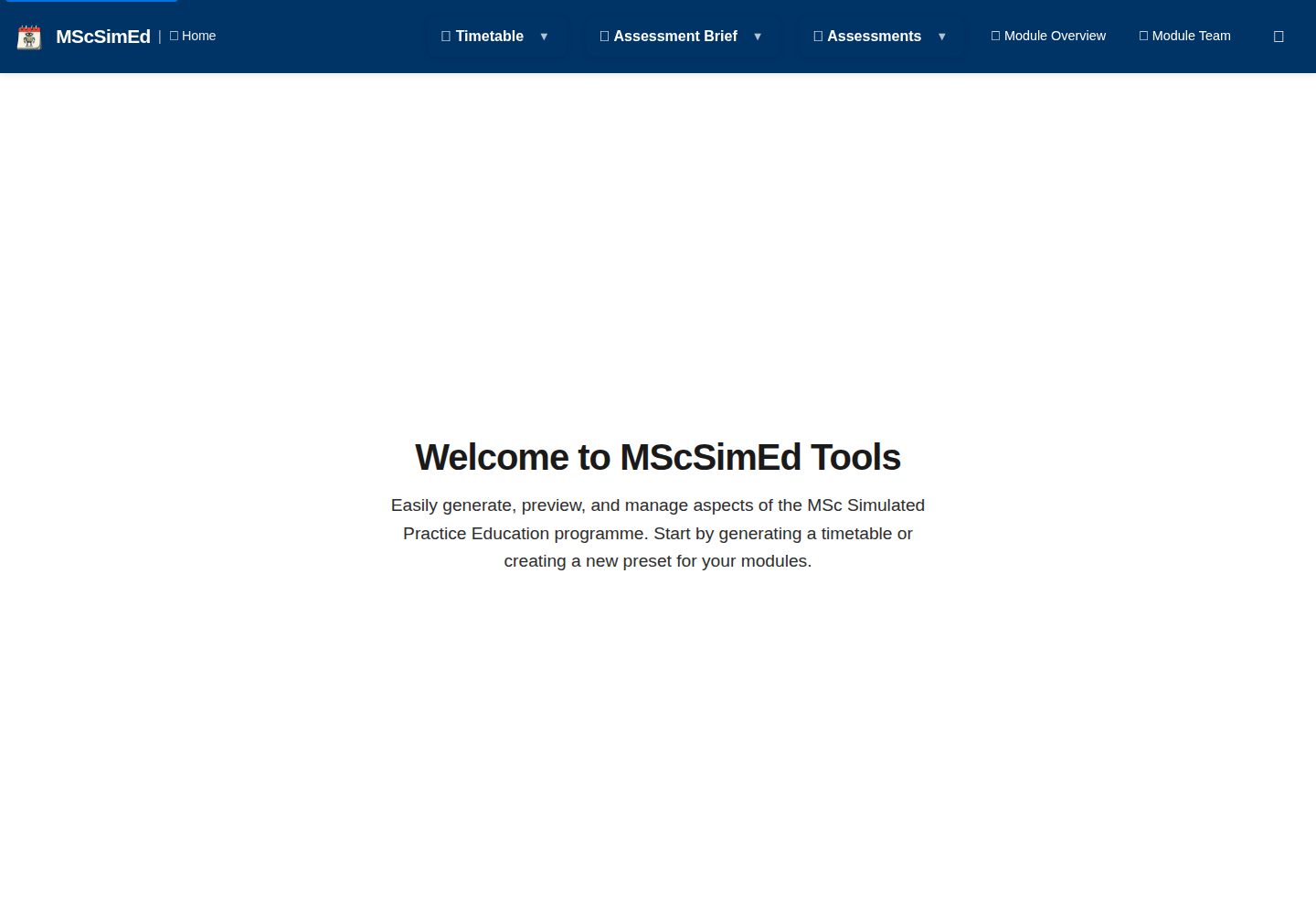
Desktop captureTop of page
Actual screenshot captured by the server browser.
All pages & views 2
Screenshots show visual appearance; interactive behavior may differ.
Recorded 2026-10-01View source
What stands out
A quick read of the recorded project description.
Supports preview and export to HTML, PDF, iCalendar, and other formats
Can import and export JSON presets for reuse
Offers light and dark theme switching
Pure static HTML, CSS, and vanilla JavaScript application, using browser storage to save local preferences and work data
Template Details
ModuMate is aimed at educational settings, using static browser-side pages to organize reusable module content. It generates timetables, assessment overviews, individual assessment descriptions, module overviews, and module team pages based on editable JSON presets, and supports preview and export to HTML, PDF, iCalendar, and other formats. It can also import and export JSON presets for reuse, and offers light and dark theme switching.
Technically, it is a static application built with HTML, CSS, and vanilla JavaScript, using browser storage to save local preferences and work data; some pages load Font Awesome or jsPDF from external CDNs, so full functionality requires a network connection. The repository does not include server-side authentication or access control, so confidential or sensitive information should not be placed in public deployments. The people and contact details in the repository are fictional examples and must be replaced with authorized data before producing real module content.
Running locally requires a current Node.js version and npm. After cloning, run npm ci, npm run lint, and serve the files over HTTP with python3 -m http.server 8000, then visit http://localhost:8000; the README recommends serving the repository over HTTP because browser security rules may block local file access to presets. The project is MIT licensed, contributions require reading the contribution guidelines and submitting a PR to the master branch, and security issues are handled according to the security policy. Accessibility is designed according to WCAG 2.1 AA principles; see ACCESSIBILITY.md for specific implementation and verification scope.
HTMLCorporate Website
Is it right for your project?
Use Cases
- Create and edit timetable presets for different student groups
- Generate assessment overviews and individual assessment description documents
- Build module team pages with reusable contact card data
- Export timetables or assessment information as HTML, PDF, or iCalendar for distribution
Suitable For
- Educators or course teams who need to organize teaching content by module and reuse presets
- Users who want to generate timetables and assessment documents as static pages in the browser
- Developers who can replace the example data themselves and accept a deployment without server-side authentication
Getting started & customization
Use these recorded setup notes alongside the repository instructions for your chosen version.
- 1
Requires a current Node.js version and npm; after cloning the repository, run npm ci and npm run lint
- 2
Serve the files over HTTP with python3 -m http.server 8000, then visit http://localhost:8000; opening directly as local files is not recommended because browser security rules may block access to presets
- 3
Some pages load Font Awesome or jsPDF from external CDNs, so full functionality requires a network connection
- 4
The people and contact details in the repository are fictional examples; replace them with authorized data before producing real content
- 5
There is no server-side authentication or access control, so do not place confidential or sensitive information in public deployments
License & source material
Usage conditions & limitations
Free to use · keep license noticeThis entry covers the free version under the MIT license in the public repository; the free scope is the code of that version and does not imply that external services or third-party assets are free.
Must comply with when using
- You may use, modify, commercialize, and distribute the code of this version for free.
- When distributing copies or substantial portions of the code, retain the original author's copyright notice and the full MIT license notice.
- The code is provided as is; warranties and limitations of liability are governed by the original license and applicable law.
Additional costs & items to verify
- Some pages load Font Awesome or jsPDF from external CDNs, so full functionality requires a network connection; these features may be unavailable offline.
- The project has no server-side authentication or access control, so confidential or sensitive information must not be placed in public deployments.
- The people and contact details in the repository are fictional examples and must be replaced with authorized data before producing real module content.
- Demo images, fonts, icons, and other third-party assets must be checked against their respective licenses; the code's MIT license alone does not determine this.
- External services such as domains, hosting, databases, payments, or AI may incur separate charges.
View Original Text Basis
Permission is hereby granted, free of charge
Original License Text
Some pages load Font Awesome or jsPDF from external CDNs, so a network connection is required for all features to work reliably.
Original README
There is no server-side authentication or access control. Do not put confidential or sensitive information in a public deployment.
Original README
https://github.com/smcnab1/modu-mate/blob/master/LICENSE.mdhttps://github.com/smcnab1/modu-mate/blob/master/README.mdThe repository contains fictional sample people and contact details. Replace them with data you are authorised to use before producing real module content.
Original README
Compiled by DeepSeek based on repository license and README ·2026-10-01. Results only cover the materials read; dependencies, images, fonts, and subsequent term changes are subject to their respective original texts.
Project checks & description sources
Template Information
- Source platforms
- GitHub
- Documentation and maintenance reference score
- More documented · 80 / 100
- Technologies
- HTML
- Website type
- Corporate Website
How this score is calculated
Our heuristic uses license records (up to 30), a demo link (12), a preview (10), stars (15), recorded maintenance (15), description completeness (8), feature records (5) and classification data (5). It is not a code, security or performance test, or a Google score. A link does not establish tested functionality.
What to verify for this project
- Repository update recorded
- 2026-09-24
- Screenshot last checked
- 2026-10-01
A demo link is listed. Check it with your own content and viewport sizes; its presence does not confirm that forms, authentication or payments work.
The catalog identifies HTML as the primary stack. Check the actual dependency manifest and lockfile for versions and hosting requirements. These notes use recorded metadata, not a code audit or a deployment test.
Use a selection guide →How this description was prepared
AI-assisted description based on catalog records and repository material. Repository authors are not automatically the reviewers of this description.
Automatically checked against source and license rules; no manual editorial review.
Inspect the recorded source material
SHA-256: 07ee67b4cc8c13e227194e63ca2759f457eaab465e0570f2cb6ca19bb53e2554
2026-10-01T15:23:38.326Z
Source file / repository# ModuMate ModuMate is a browser-based toolkit for creating reusable module content. It can generate timetables, assessment overviews, individual assessment briefs, module overviews and module-team pages from editable JSON presets. [Open the live demo](https://smcnab1.github.io/modu-mate/)  ## Features - Create and edit timetable presets for different cohorts. - Generate assessment briefs, assessment overviews and module overviews. - Build module-team pages from reusable contact-card data. - Preview content and export supported formats, including HTML, PDF and iCalendar. - Import and export JSON presets for reuse. - Switch between light and dark themes. The repository contains fictional sample people and contact details. Replace them with data you are authorised to use before producing real module content. ## Tech stack ModuMate is a static application built with HTML, CSS and vanilla JavaScript. It uses browser storage for local preferences and working data. Some pages load Font Awesome or jsPDF from external CDNs, so a network connection is required for all features to work reliably. There is no server-side authentication or access control. Do not put confidential or sensitive information in a public deployment. ## Local development Requirements: a current Node.js release and npm. ```bash git clone https://github.com/smcnab1/modu-mate.git cd modu-mate npm ci npm run lint python3 -m http.server 8000 ``` Open <http://localhost:8000>. Serving the repository over HTTP is recommended because browser security rules can block local file access to presets. ## Contributing and security Contributions are welcome. Read the [contribution guide](.github/CONTRIBUTING.md) and open a pull request against `master`. Report ordinary bugs through [GitHub Issues](https://github.com/smcnab1/modu-mate/issues). Please follow the [security policy](.github/SECURITY.md) for vulnerabilities and avoid including private data in public reports. ## Accessibility ModuMate is designed with WCAG 2.1 AA accessibility principles in mind. See [ACCESSIBILITY.md](ACCESSIBILITY.md) for the implemented considerations and current verification limits. ## Licence ModuMate is available under the [MIT Licence](LICENSE.md).
Explore similar templates
Compare previews and descriptions within the same stack and category.

mazer
Mazer is a free and open-source Bootstrap 5 admin dashboard and landing page template that does not depend on jQuery. It provides prebuilt releases, source builds, and CDN inclusion, and includes dark mode, perfect-scrollbar, and ApexCharts examples.
HTML · Admin dashboard

Freelancer
A bright, single-page Bootstrap portfolio template for freelancers, designers, and small studios. It includes a responsive portfolio grid with modal detail windows and an SB Forms contact form that requires an API token.
HTML · Portfolio

Creative
A single-page marketing template by Start Bootstrap for creative agencies and product services, built on Bootstrap with SCSS, featuring a portfolio grid and call-to-action sections. It includes pre-set SB Forms markers for form integration and npm build scripts for source customization.
HTML · Corporate Website

startbootstrap-agency
Agency is a one-page Bootstrap portfolio theme from Start Bootstrap, MIT licensed. It includes a responsive portfolio grid with modal details and a preconfigured SB Forms contact form that requires an API token.
HTML · Corporate Website

startbootstrap-landing-page
A general-purpose Bootstrap landing page template from Start Bootstrap, MIT licensed, with a Pug/SCSS/npm build pipeline.
HTML · Corporate Website

Landing-Page
A general-purpose landing page HTML template maintained by Tailwind Toolbox, written in pure HTML and loading the complete Tailwind CSS via CDN.
HTML · Corporate Website