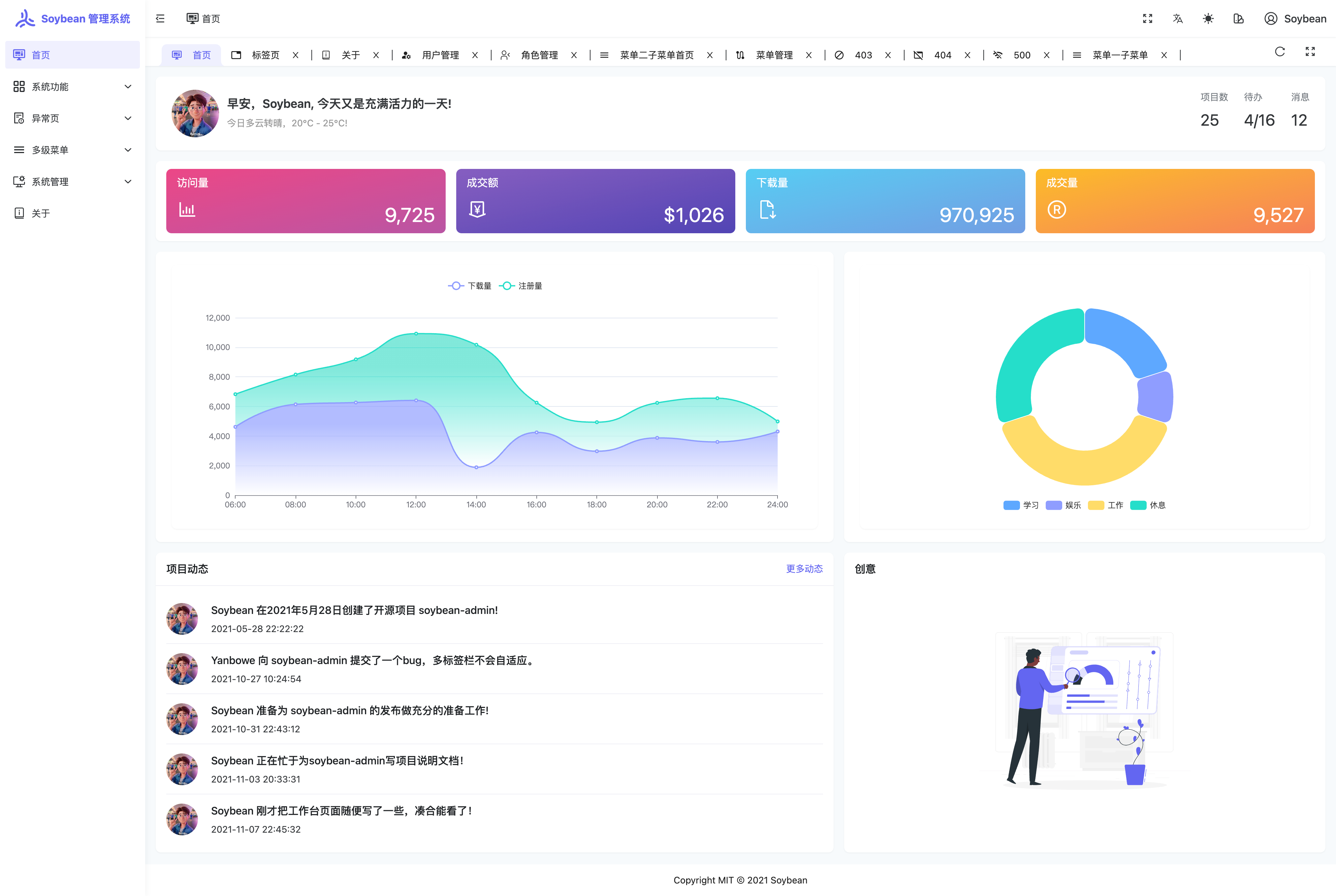
Provides an Element Plus version of the admin interface and page components such as layout, tabs and theme configuration
VueViteAdmin dashboard
soybean-admin-element-plus — Vue Admin dashboard Template
By soybeanjs
An admin template based on Vue 3, Vite, TypeScript, Pinia, Element Plus and UnoCSS, organized as a pnpm monorepo, with built-in theme configuration, internationalization, file-based routing and permission routing.
Explore the design
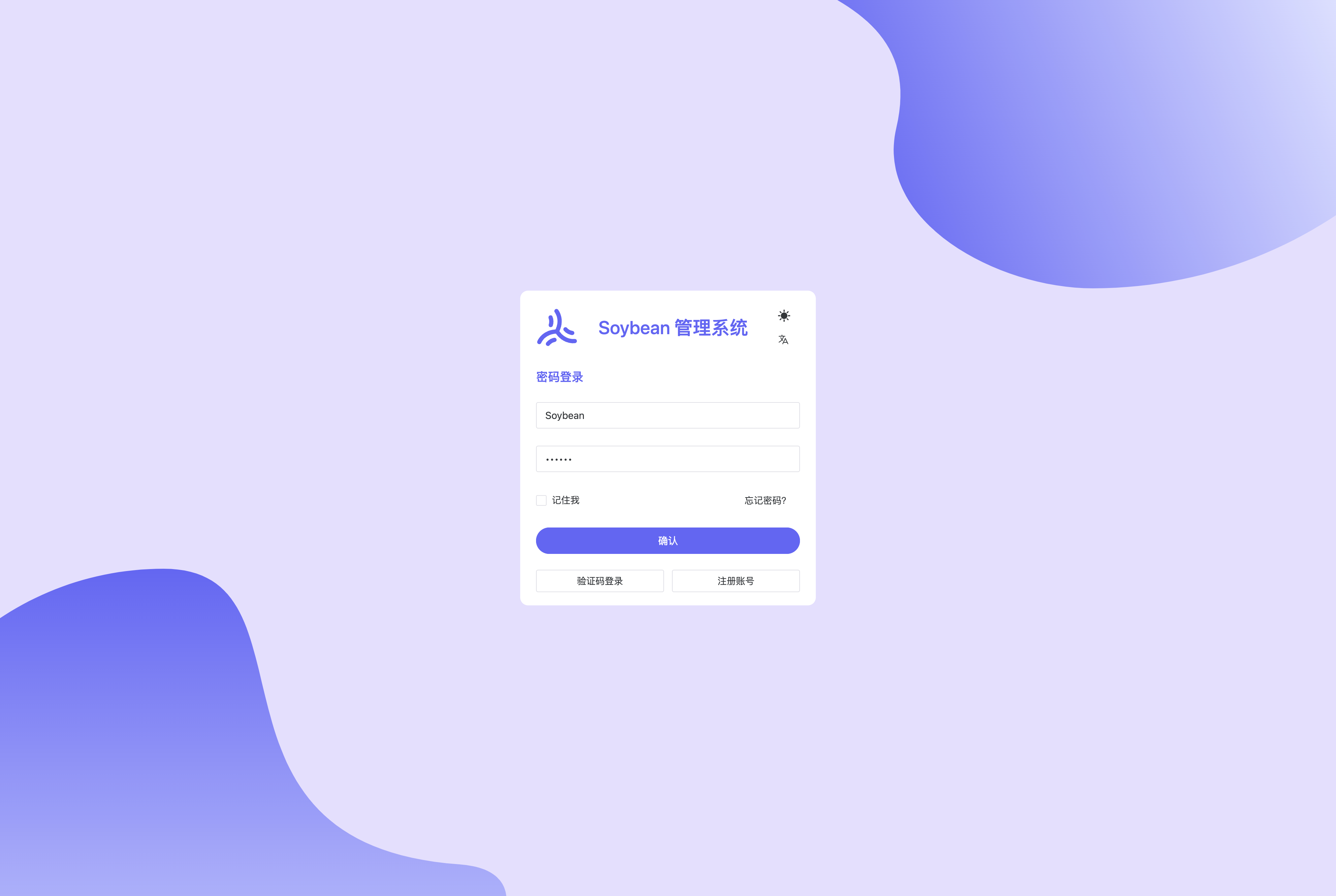
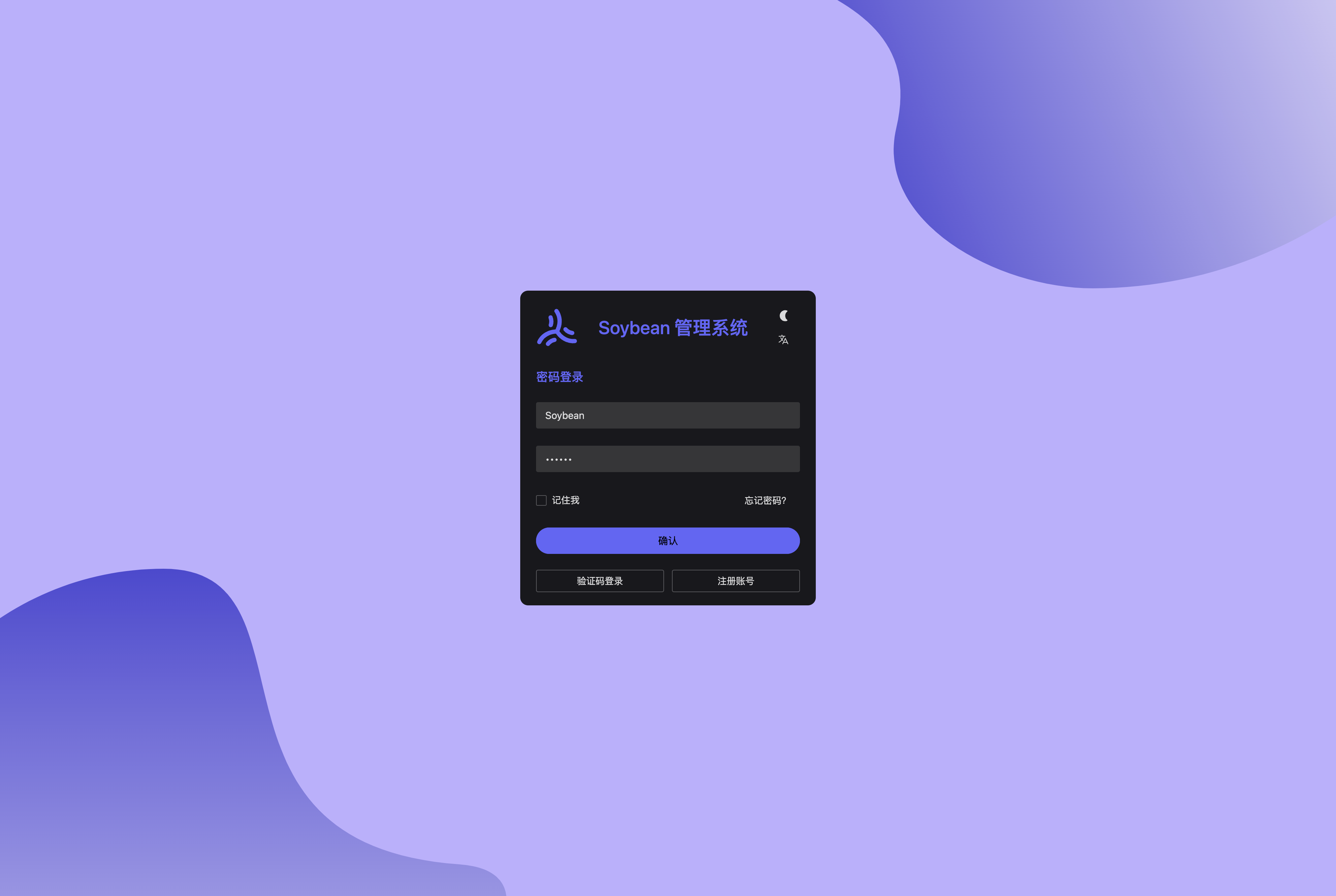
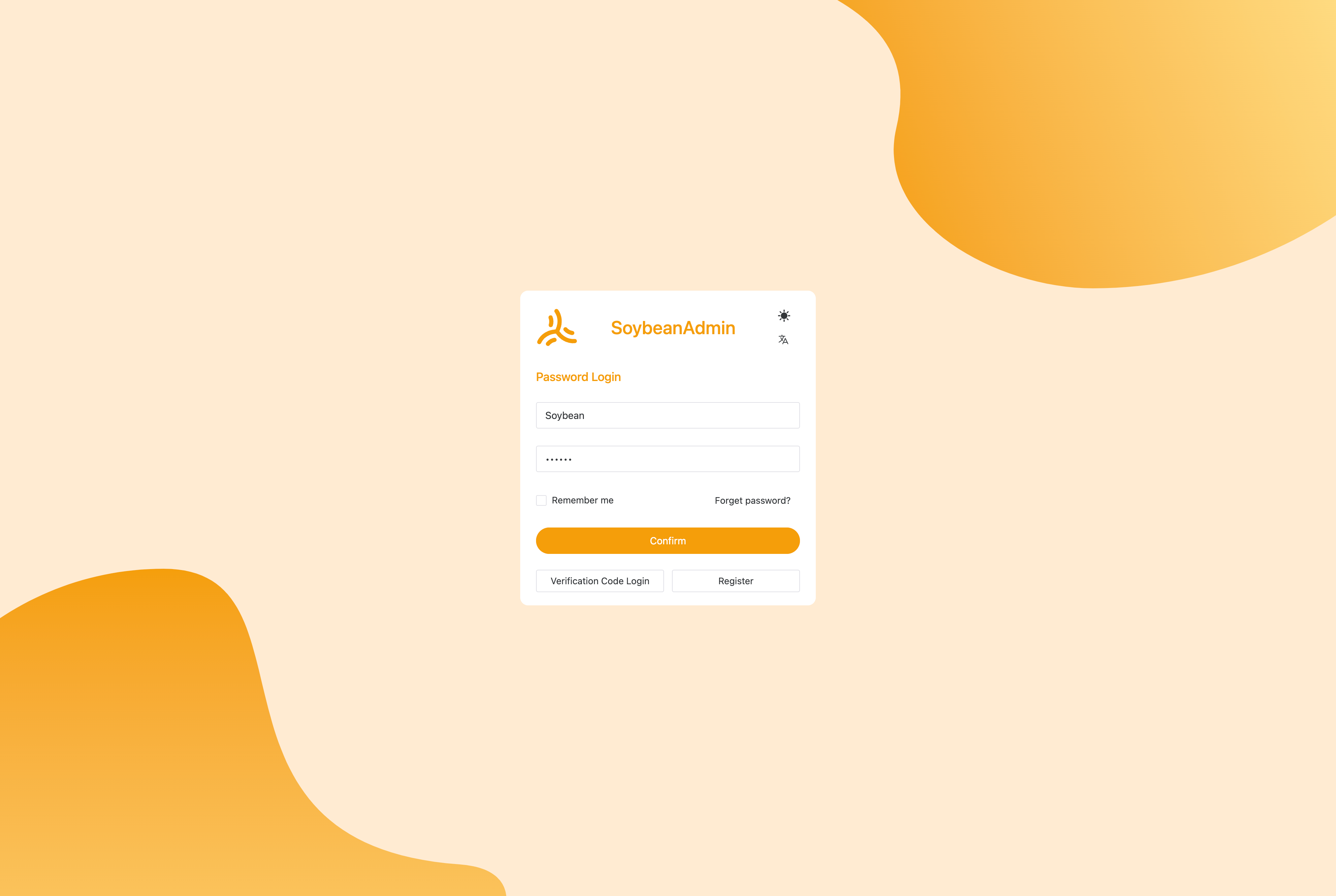
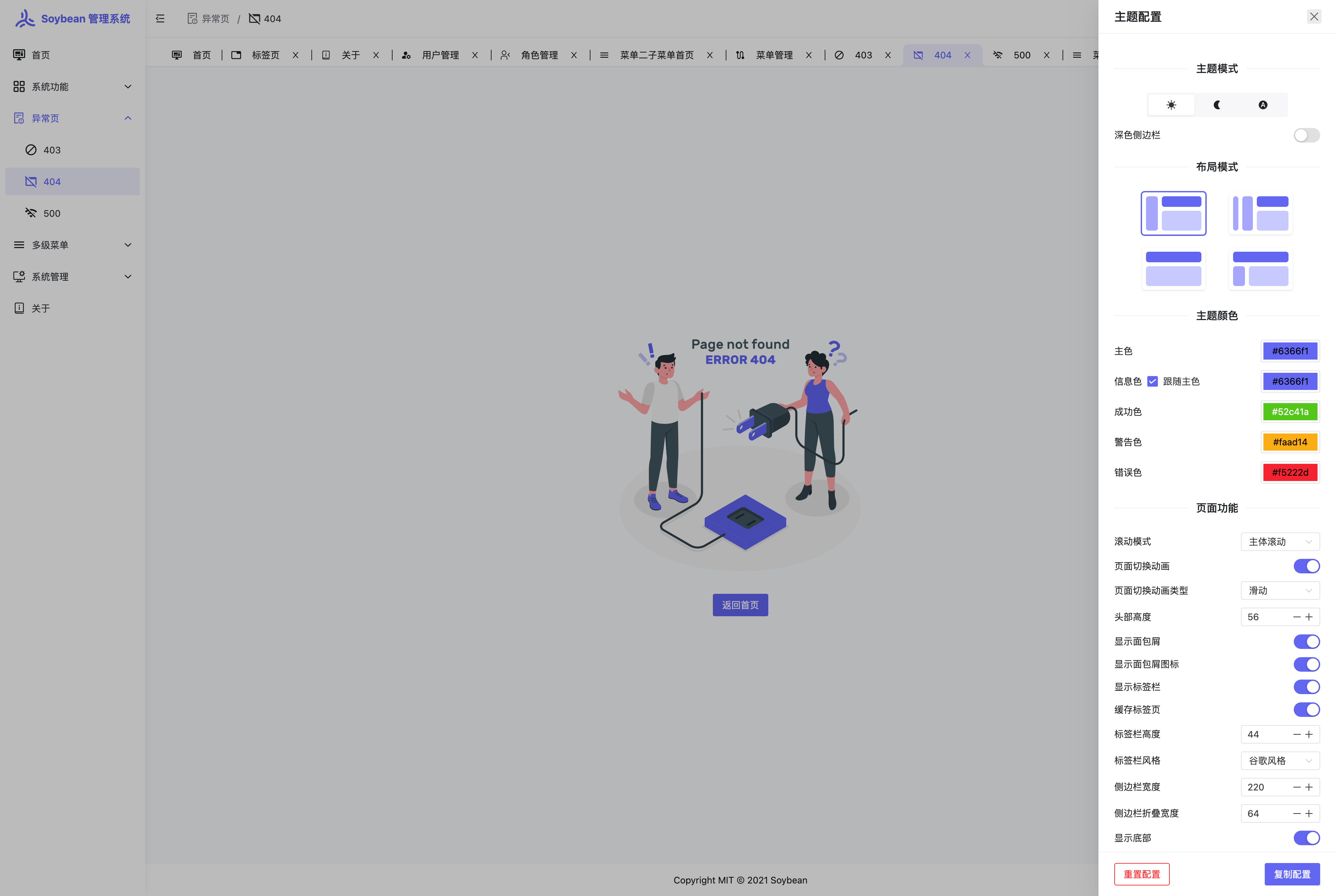
Compare the page layouts and mobile experience. Open any screenshot for a closer look.
Author preview
Author-provided previewTop of page
Preview provided in the project README.
One original preview is available. Open the full image to inspect the design.
Screenshots show visual appearance; interactive behavior may differ.
Recorded 2026-10-08View source
What stands out
A quick read of the recorded project description.
Includes built-in 403, 404, 500 and other error pages, as well as multiple theme configurations combined with UnoCSS
Supports both front-end static routing and back-end dynamic routing permission routing modes
Automatically generates route imports, declarations and types via Elegant Router
Uses a pnpm monorepo architecture, integrating ESLint, Prettier, simple-git-hooks and command-line tools
Built-in internationalization solution, with support for mobile adaptive layout
Template Details
SoybeanAdmin ElementPlus is the version of the SoybeanAdmin series that integrates the Element Plus component library. The repository is soybeanjs/soybean-admin-element-plus and is MIT licensed. The project is positioned as an admin template, providing layout, tab pages, theme configuration, and page components such as 403/404/500, and supports both front-end static routing and back-end dynamic routing for permission routing.
At the engineering level, it uses a pnpm monorepo structure, integrates ESLint, Prettier and simple-git-hooks, and provides command-line tools such as git commit. Routes are automatically generated with imports, declarations and types by Elegant Router. The styling solution is UnoCSS, state management uses Pinia, and the language is TypeScript.
Before use, note the following: dependency installation must use pnpm; the official requirements are Node.js 20.19.0 or higher and pnpm 10.5.0 or higher. The clone and start commands in the README point to the NaiveUI main repository; for this repository, replace them with the corresponding address. The demo data is based on the ApiFox online mock solution; connecting to a real backend requires replacing it yourself. The template itself does not include a backend service; third-party assets and external services must be checked separately according to their respective licenses and fees.
VueViteAdmin
Is it right for your project?
Use Cases
- Building the front-end skeleton of an enterprise internal admin backend
- As a reference for project structure and conventions for Vue 3 + Element Plus projects
- Starting an admin system that requires theme switching, multiple languages and permission routing
- Learning how file-based routing, monorepo and UnoCSS are organized in an admin project
Suitable For
- Front-end teams using the Vue 3 and Element Plus tech stack
- Projects that need ready-made admin layout, theme and permission routing solutions
- Developers who accept the pnpm monorepo workflow and have the corresponding Node environment
Getting started & customization
Use these recorded setup notes alongside the repository instructions for your chosen version.
- 1
Environment requirements: Node.js >= 20.19.0, pnpm >= 10.5.0, and git must be installed
- 2
Dependencies must be installed with pnpm (pnpm i); do not use npm or yarn
- 3
The clone address in the README points to the NaiveUI main repository; for this repository, use https://github.com/soybeanjs/soybean-admin-element-plus
- 4
Start and build commands are pnpm dev and pnpm build; for commits, pnpm commit can be used
- 5
Demo data comes from ApiFox online mock; connecting to real APIs requires replacing it yourself
License & source material
Usage conditions & limitations
Free to use · keep license noticeThis entry covers the free version under the MIT license in the public repository; the free scope is the code of this version and does not mean that external services or third-party assets are free.
Must comply with when using
- Free use, modification, commercial use and distribution of this version's code are permitted.
- When distributing copies or substantial portions of the code, retain the original author's copyright notice and the full MIT license notice.
- The code is provided as is; warranties and limitations of liability are governed by the original license and applicable law.
Additional costs & items to verify
- Demo images, fonts, icons and other third-party assets must be checked under their respective licenses and cannot be judged solely by the code's MIT license.
- External services such as domains, hosting, databases, payments or AI may incur additional fees.
- The project states it is for learning reference only; commercial use must retain the author's copyright information, and the author does not guarantee and assumes no risk for any use.
- Dependency installation must use pnpm; npm or yarn must not be used.
- The runtime environment requires Node.js not lower than 20.19.0.
- The package manager requires pnpm not lower than 10.5.0.
- Demo data relies on the ApiFox online mock solution; connecting to a real backend requires replacing it yourself.
View Original Text Basis
Permission is hereby granted, free of charge
Original License Text
仅供学习参考,商业使用请保留作者版权信息,作者不保证也不承担任何软件的使用风险。
Original README
由于本项目采用了 pnpm monorepo 的管理方式,因此请不要使用 npm 或 yarn 来安装依赖。
Original README
- **NodeJS**: >=20.19.0,推荐 20.19.0 或更高。
Original README
- **pnpm**: >= 10.5.0,推荐 10.5.0 或更高。
Original README
https://github.com/soybeanjs/soybean-admin-element-plus/blob/main/LICENSEhttps://github.com/soybeanjs/soybean-admin-element-plus/blob/main/README.md此外,它还采用了基于 ApiFox 的在线Mock数据方案。
Original README
Compiled by DeepSeek based on repository license and README ·2026-10-08. Results only cover the materials read; dependencies, images, fonts, and subsequent term changes are subject to their respective original texts.
Project checks & description sources
Template Information
- Source platforms
- GitHub
- Documentation and maintenance reference score
- More documented · 96 / 100
- Technologies
- Vue · Vite
- Website type
- Admin dashboard
How this score is calculated
Our heuristic uses license records (up to 30), a demo link (12), a preview (10), stars (15), recorded maintenance (15), description completeness (8), feature records (5) and classification data (5). It is not a code, security or performance test, or a Google score. A link does not establish tested functionality.
What to verify for this project
- Repository update recorded
- 2026-06-22
- Screenshot last checked
- 2026-10-08
A demo link is listed. Check it with your own content and viewport sizes; its presence does not confirm that forms, authentication or payments work.
The catalog identifies Vue as the primary stack. Check the actual dependency manifest and lockfile for versions and hosting requirements. These notes use recorded metadata, not a code audit or a deployment test.
Use a selection guide →How this description was prepared
AI-assisted description based on catalog records and repository material. Repository authors are not automatically the reviewers of this description.
Review declaration: [email protected] · 2026-10-08
Inspect the recorded source material
SHA-256: d78c537bc5b490ffdf025508f70a16bd90adc7578f9ac70042267ebd1cde1aca
2026-10-08T12:38:05.492Z
Source file / repository<div align="center">
<img src="./public/favicon.svg" width="160" />
<h1>SoybeanAdmin ElementPlus</h1>
<span>中文 | <a href="./README.en_US.md">English</a></span>
</div>
---
[](./LICENSE)
[](https://github.com/soybeanjs/soybean-admin-element-plus)
[](https://github.com/soybeanjs/soybean-admin-element-plus)
[](https://gitee.com/honghuangdc/soybean-admin-element-plus)
[](https://gitcode.com/soybeanjs/soybean-admin-element-plus)
<div style="display: flex; gap: 12px; align-items: center;">
<a href="https://trendshift.io/repositories/7963" target="_blank"><img src="https://trendshift.io/api/badge/repositories/7963" alt="soybeanjs%2Fsoybean-admin | Trendshift" style="width: 250px; height: 55px;" width="250" height="55"/></a>
<a href="https://hellogithub.com/repository/1298f27d5fe54959a16cf9686516ddb3" target="_blank"><img src="https://abroad.hellogithub.com/v1/widgets/recommend.svg?rid=1298f27d5fe54959a16cf9686516ddb3&claim_uid=IiDXWmP4TEntjbV" alt="Featured|HelloGitHub" style="width: 250px; height: 54px;" width="250" height="54" /></a>
</div>
> [!NOTE]
> 如果您觉得 `SoybeanAdmin`对您有所帮助,或者您喜欢我们的项目,请在 GitHub 上给我们一个 ⭐️。您的支持是我们持续改进和增加新功能的动力!感谢您的支持!
> [!NOTE]
> `SoybeanAdmin` 快速上手系列视频已在 [Bilibili](https://www.bilibili.com/video/BV1YKdRYXELC) 上线 [点击这里](https://www.bilibili.com/video/BV1YKdRYXELC) 前往查看
<div align="center">
<table width="100%">
<tr>
<td align="left">
<table>
<tr>
<td>
<a href="https://ui.soybeanjs.cn">
<img alt="SoybeanUI" src="./public/favicon.svg" width="52" />
</a>
</td>
<td>
<a href="https://ui.soybeanjs.cn">
<img
alt="SoybeanUI"
src="https://img.shields.io/badge/SoybeanUI-Headless%20%2B%20UI-6366f1?style=for-the-badge&labelColor=312e81"
/>
</a>
</td>
</tr>
</table>
<strong>面向 Vue 3 的强大而优雅的组件系统,提供无头交互能力与开箱即用的样式封装。</strong><br />
<sub>采用 Headless + UI 两层架构,复用底层交互能力,统一上层界面表达。</sub>
<br /><br />
<img alt="Vue 3" src="https://img.shields.io/badge/Vue%203-Component%20Library-6366f1?style=flat-square&labelColor=4338ca" />
<img alt="Headless" src="https://img.shields.io/badge/Headless-Logic%20%26%20State-818cf8?style=flat-square&labelColor=3730a3" />
<img alt="Admin" src="https://img.shields.io/badge/Admin-Professional%20UI-a5b4fc?style=flat-square&labelColor=4f46e5" />
</td>
<td align="right">
<a href="https://ui.soybeanjs.cn">
<img
alt="Visit SoybeanUI"
src="https://img.shields.io/badge/%E7%AB%8B%E5%8D%B3%E8%AE%BF%E9%97%AE-ui.soybeanjs.cn-6366f1?style=for-the-badge&labelColor=312e81&logo=vercel&logoColor=white"
/>
</a>
</td>
</tr>
</table>
</div>
## 简介
[`SoybeanAdmin`](https://github.com/soybeanjs/soybean-admin) 是一个清新优雅、高颜值且功能强大的后台管理模板,基于最新的前端技术栈,包括 Vue3, Vite8, TypeScript, Pinia 和 UnoCSS。它内置了丰富的主题配置和组件,代码规范严谨,实现了自动化的文件路由系统。此外,它还采用了基于 ApiFox 的在线Mock数据方案。`SoybeanAdmin` 为您提供了一站式的后台管理解决方案,无需额外配置,开箱即用。同样是一个快速学习前沿技术的最佳实践。
## 特性
- **前沿技术应用**:采用 Vue3, Vite8, TypeScript, Pinia 和 UnoCSS 等最新流行的技术栈。
- **清晰的项目架构**:采用 pnpm monorepo 架构,结构清晰,优雅易懂。
- **严格的代码规范**:遵循 [SoybeanJS 规范](https://docs.soybeanjs.cn/zh/standard),集成了eslint, prettier 和 simple-git-hooks,保证代码的规范性。
- **TypeScript**: 支持严格的类型检查,提高代码的可维护性。
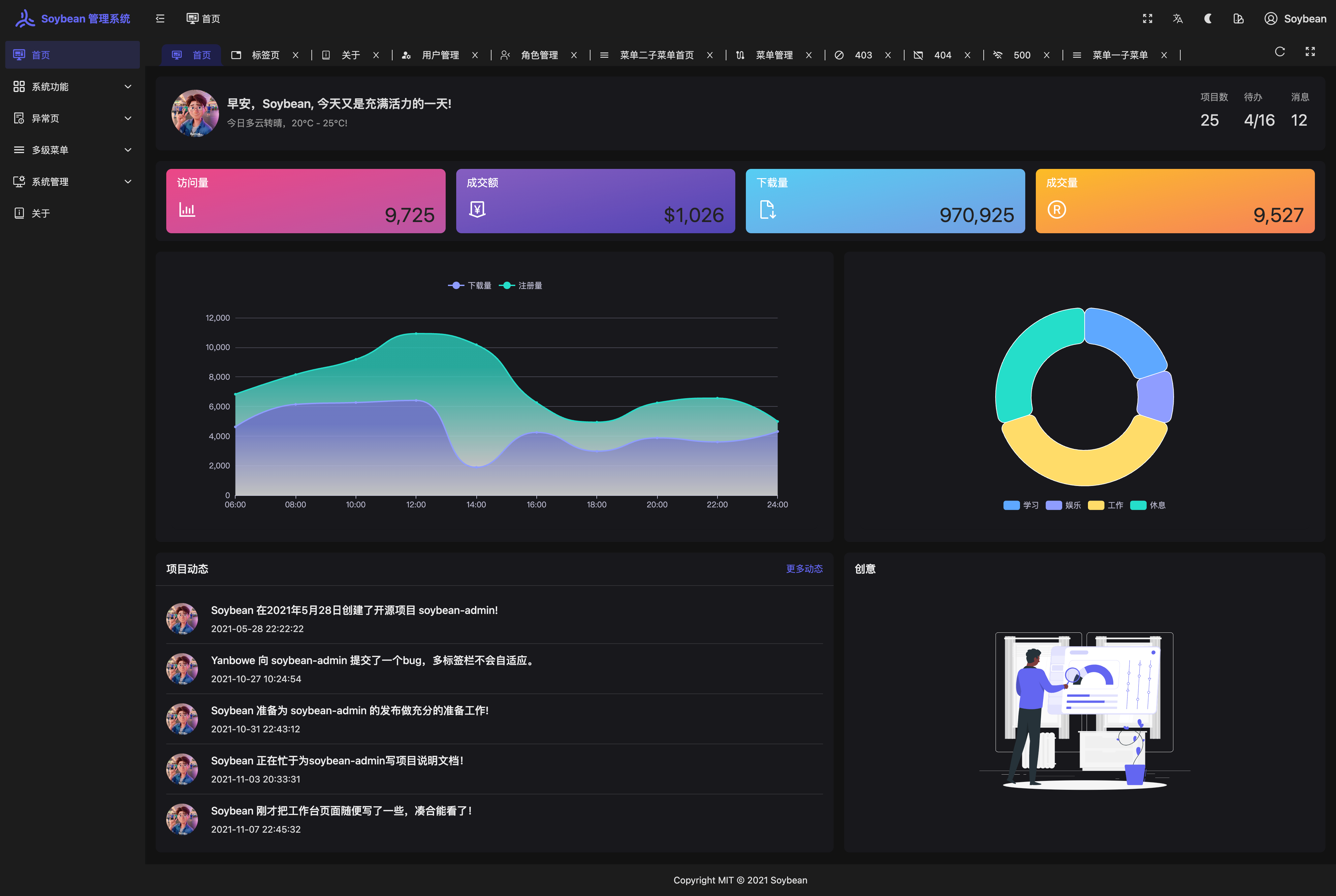
- **丰富的主题配置**:内置多样的主题配置,与 UnoCSS 完美结合。
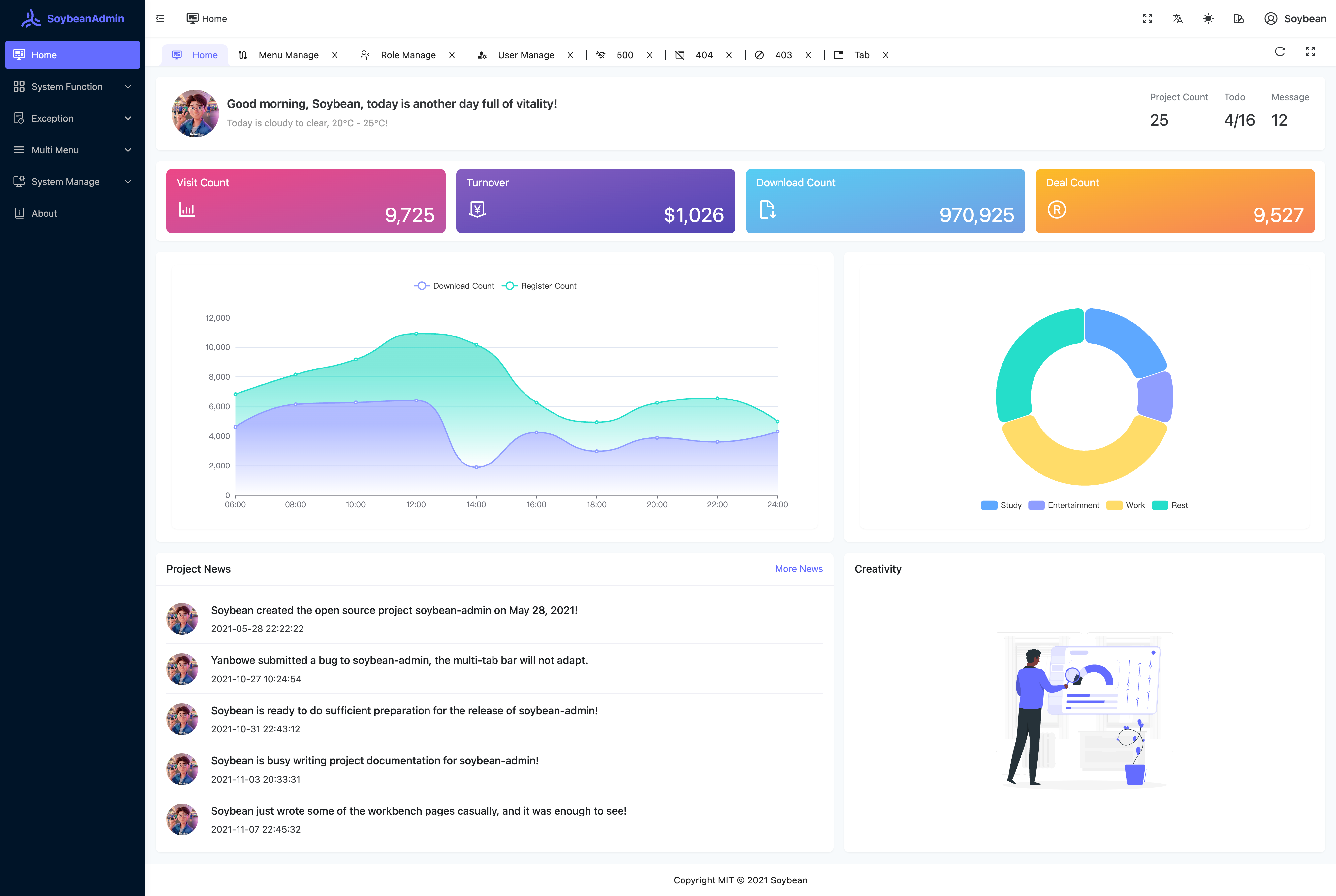
- **内置国际化方案**:轻松实现多语言支持。
- **自动化文件路由系统**:自动生成路由导入、声明和类型。更多细节请查看 [Elegant Router](https://github.com/soybeanjs/elegant-router)。
- **灵活的权限路由**:同时支持前端静态路由和后端动态路由。
- **丰富的页面组件**:内置多样页面和组件,包括403、404、500页面,以及布局组件、标签组件、主题配置组件等。
- **命令行工具**:内置高效的命令行工具,git提交、删除文件、发布等。
- **移动端适配**:完美支持移动端,实现自适应布局。
## 版本
- **NaiveUI 版本:**
- [预览地址](https://naive.soybeanjs.cn/)
- [Github 仓库](https://github.com/soybeanjs/soybean-admin)
- [Gitee 仓库](https://gitee.com/honghuangdc/soybean-admin)
- [Gitcode 仓库](https://gitcode.com/soybeanjs/soybean-admin)
- **AntDesignVue 版本:**
- [预览地址](https://antd.soybeanjs.cn/)
- [Github 仓库](https://github.com/soybeanjs/soybean-admin-antd)
- [Gitee 仓库](https://gitee.com/honghuangdc/soybean-admin-antd)
- [Gitcode 仓库](https://gitcode.com/soybeanjs/soybean-admin-antd)
- **ElementPlus 版本:**
- [预览地址](https://elp.soybeanjs.cn/)
- [Github 仓库](https://github.com/soybeanjs/soybean-admin-element-plus)
- [Gitee 仓库](https://gitee.com/honghuangdc/soybean-admin-element-plus)
- [Gitcode 仓库](https://gitcode.com/soybeanjs/soybean-admin-element-plus)
- **旧版:**
- [预览地址](https://legacy.soybeanjs.cn/)
- [Github 仓库](https://github.com/soybeanjs/soybean-admin/tree/legacy)
- [Gitee 仓库](https://gitee.com/honghuangdc/soybean-admin/tree/legacy)
- [Gitcode 仓库](https://gitcode.com/soybeanjs/soybean-admin/tree/legacy)
## 文档
- [地址](https://docs.soybeanjs.cn)
- [旧版文档](https://legacy-docs.soybeanjs.cn)
## 合作事项
我们非常感谢大家对 [`SoybeanAdmin`](https://github.com/soybeanjs/soybean-admin) 的支持!为了进一步回馈社区,并助力企业和开发者实现个性化需求,我们现提供多种合作服务,期待与您携手共赢。
##### 1、定制化管理后台开发
针对企业和开发者的特定业务需求,我们提供基于 [`SoybeanAdmin`](https://github.com/soybeanjs/soybean-admin) 的定制化管理后台开发服务。我们的团队具备丰富的行业经验,能够迅速理解并实现您的需求,打造高效、灵活且安全的定制化解决方案。
- **定制开发**:我们将根据您的具体需求,提供从需求分析、UI设计到功能实现的全方位服务,确保项目高效交付。
- **功能扩展**:在 [`SoybeanAdmin`](https://github.com/soybeanjs/soybean-admin) 基础上,扩展您所需的特定功能模块,提升管理后台的功能和用户体验。
##### 2、企业外包服务
我们承接各类企业级外包项目,特别是在管理后台系统的开发、集成与运维方面。我们以精益求精的态度,确保项目的质量和进度,为您的业务提供强有力的技术支持。
- **项目开发**:无论是全新的项目,还是现有系统的优化与集成,我们都将为您量身打造高效可靠的解决方案。
- **系统集成与维护**:我们也提供基于 [`SoybeanAdmin`](https://github.com/soybeanjs/soybean-admin) 的系统集成与长期维护服务,确保您的系统稳定、安全地运行。
##### 3、联系方式
如有合作意向或项目咨询,请通过以下方式与我们联系:
- **Email**: [[email protected]](mailto:[email protected])
- **GitHub Issues**: 欢迎通过 [GitHub Issues](https://github.com/soybeanjs/soybean-admin/issues/new) 联系我们,进行初步的合作洽谈。
- **商务合作微信**: honghuangdc
期待与您开展深入合作,共同推动 SoybeanAdmin 项目及其在更多领域的成功应用!
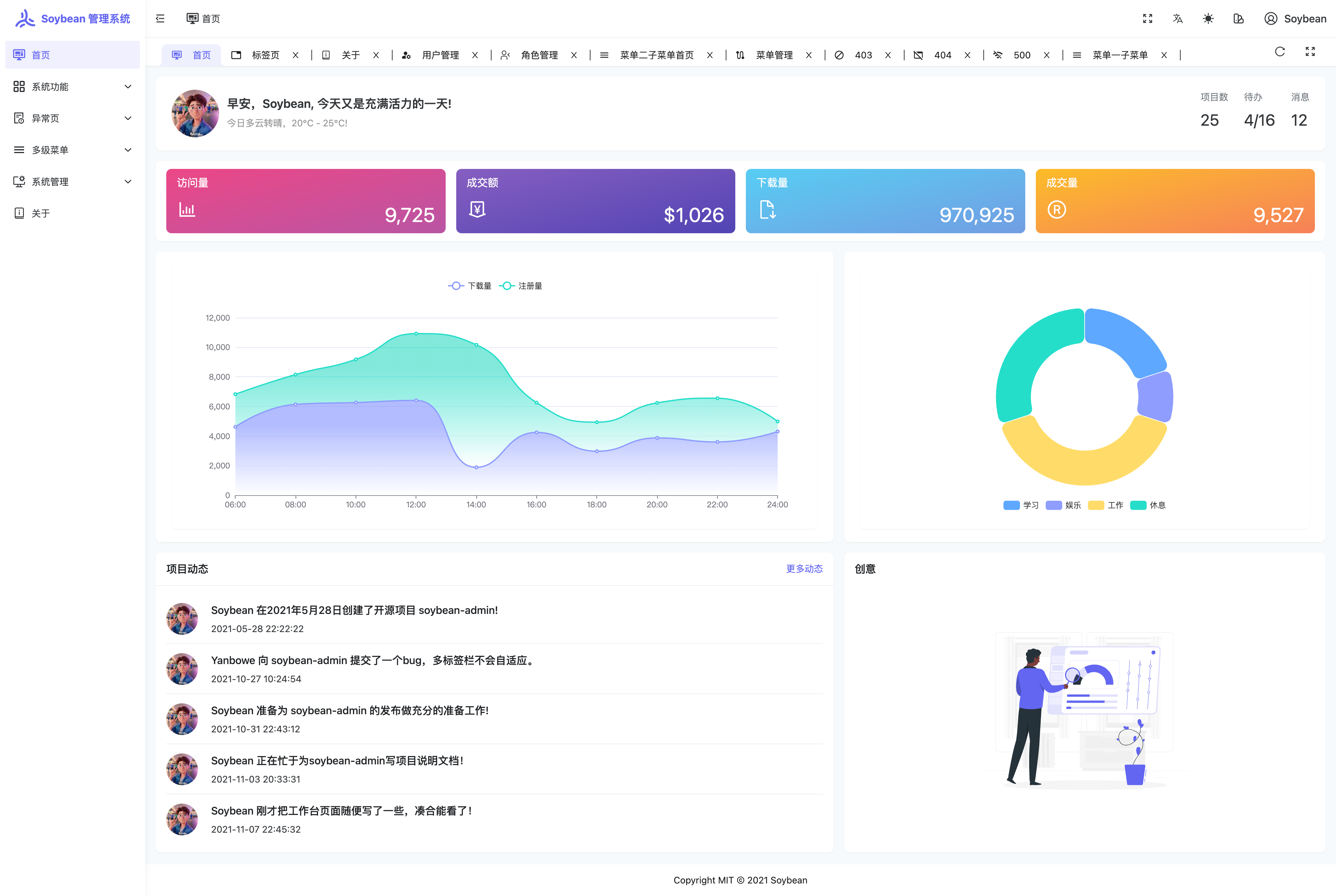
## 示例图片
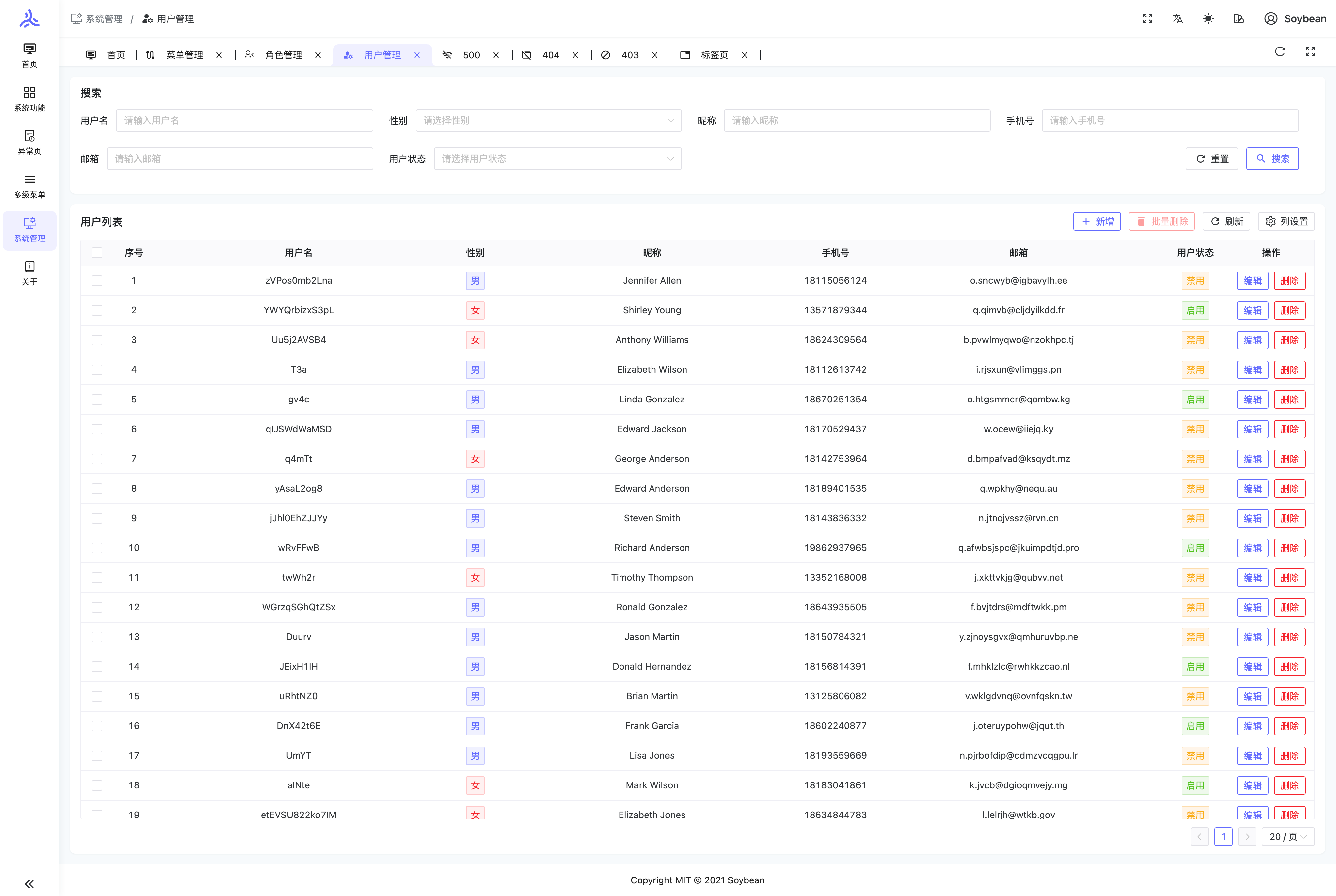
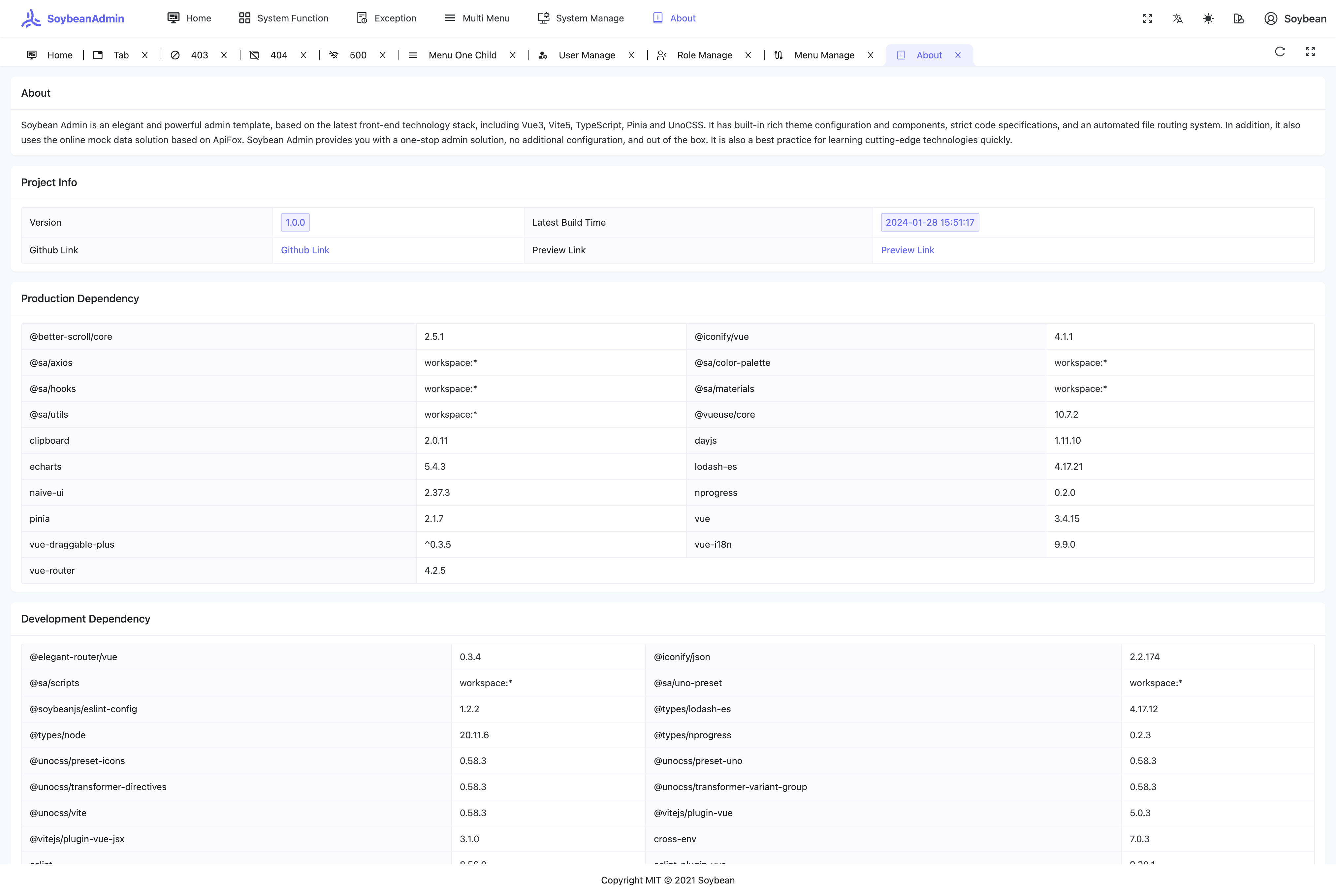
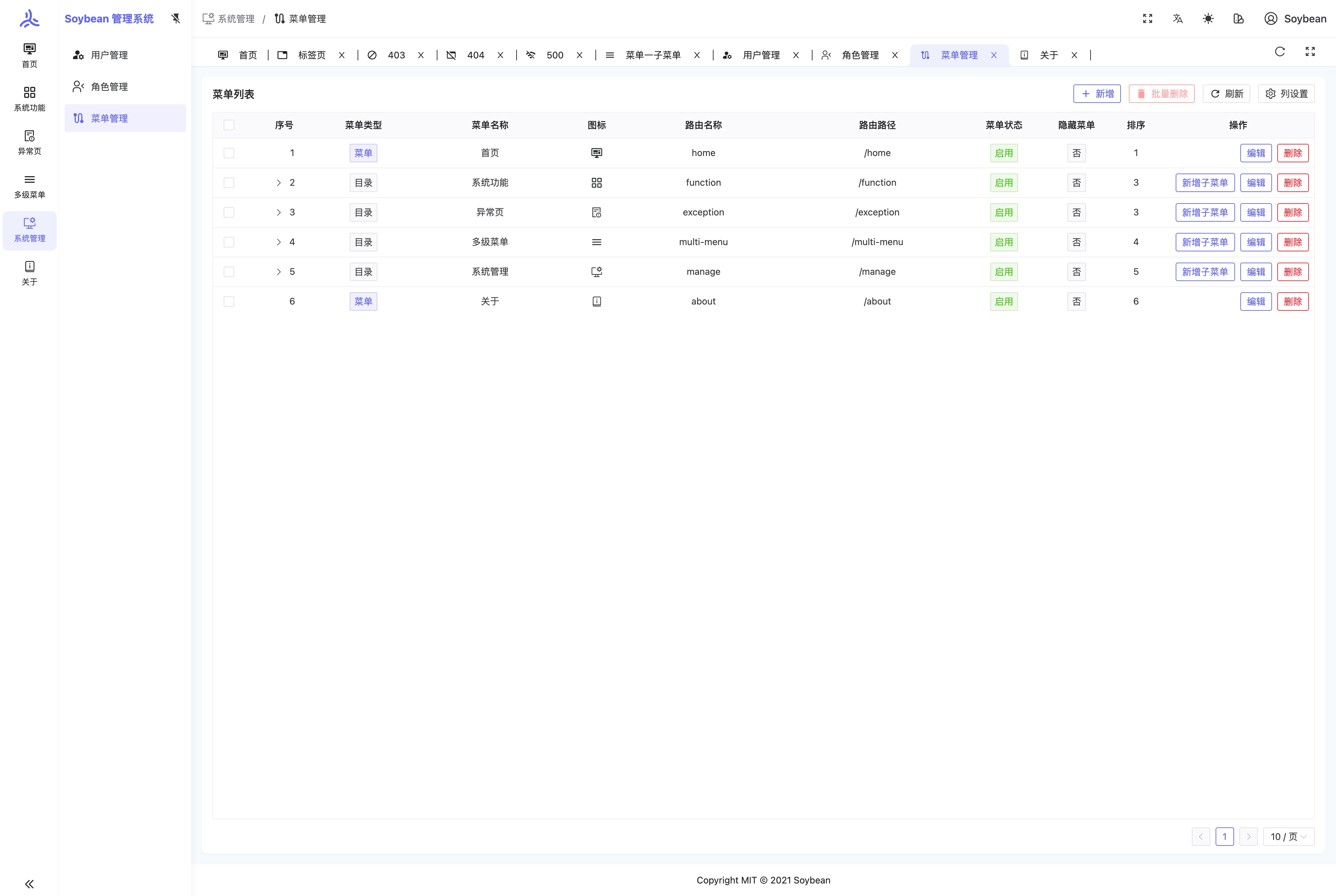

## 使用
**环境准备**
确保你的环境满足以下要求:
- **git**: 你需要git来克隆和管理项目版本。
- **NodeJS**: >=20.19.0,推荐 20.19.0 或更高。
- **pnpm**: >= 10.5.0,推荐 10.5.0 或更高。
**克隆项目**
```bash
# github
git clone https://github.com/soybeanjs/soybean-admin.git
# gitee
git clone https://gitee.com/honghuangdc/soybean-admin.git
# gitcode
git clone https://gitcode.com/soybeanjs/soybean-admin.git
```
**安装依赖**
```bash
pnpm i
```
> 由于本项目采用了 pnpm monorepo 的管理方式,因此请不要使用 npm 或 yarn 来安装依赖。
**启动项目**
```bash
pnpm dev
```
**构建项目**
```bash
pnpm build
```
**代码同步**
参考 [代码同步](https://docs.soybeanjs.cn/zh/guide/sync) 文档。
## 周边生态
- [skyroc-admin](https://github.com/Ohh-889/skyroc-admin): SoybeanAdmin的React版本实现.
- [electron-mock-admin](https://github.com/lixin59/electron-mock-api): 一个 Mock Api 管理系统,帮助前端开发伙伴快速实现接口的 mock。
- [T-Shell](https://github.com/TheBlindM/T-Shell): 是一个可配置命令提示的终端模拟器和 SSH 客户端。
- [pea](https://github.com/haitang1894/pea) : 采用SpringBoot3.2 + JDK21、MyBatis-Plus、SpringSecurity安全框架等,适配 [soybean-admin](https://gitee.com/honghuangdc/soybean-admin) 开发的简单权限系统。
- [MalusAdmin](https://github.com/pridejoy/MalusAdmin): 基于 Vue3/TypeScript/NaiveUI 和 NET7 & Sqlsugar 开发的后台管理框架。采用最原生最简洁的方式来实现, 前端清新优雅高颜值,后端 结构清晰,优雅易懂,功能强大。
- [PanisAdmin](https://github.com/paynezhuang/panis-admin): 采用SpringBoot3、SaToken、MySQL等框架开发,二次修改 [soybean-admin](https://github.com/soybeanjs/soybean-admin),适配动态菜单/按钮级别的鉴权,保留原汁原味、清新优雅、高颜值的后台管理系统脚手架。
- [snail-job](https://github.com/aizuda/snail-job): 一款兼具 “高性能、高颜值、高活跃” 的分布式任务重试和分布式任务调度平台。
- [SuperApi](https://github.com/TmmTop/SuperApi): 快速将你的 idea 变成线上稳定运行的产品! 无实体建库建表,对无实体库表进行增删改查,支持 15 种条件查询,以及分页,列表,无限级树形列表 等功能的 API 部署! 拥有接口文档,Auth 授权,接口限流,获取客户端真实 IP,先进的服务器缓存组件,动态 API 等功能,期待您的体验!
- [FastSoyAdmin](https://github.com/sleep1223/fast-soy-admin): 基于 FastAPI+Vue3+Naive UI 的现代化轻量管理平台.
- [ba](https://github.com/xiatianYa/Ba-Server): 基于goFrame框架开发的后端服务对接soybean-admin,适配动态路由,接口鉴权限。
- [soybean-admin-go](https://github.com/WgoW/soybean-admin-go):基于gin+gorm框架开发的go语言后端服务对接soybean-admin的example分支,适配动态路由,接口鉴权限。
- [soybean-admin-element-plus-skill](https://github.com/a596544022/soybean-admin-element-plus-skill): 这是一个用于在 soybean-admin-element-plus 项目,或其他 Vue 3 + Element Plus 项目中快速生成标准 CRUD 管理页面的 skill 包。
更多周边生态请翻阅 [周边生态](https://docs.soybeanjs.cn/zh/awesome) 文档。
## 如何贡献
我们热烈欢迎并感谢所有形式的贡献。如果您有任何想法或建议,欢迎通过提交 [pull requests](https://github.com/soybeanjs/soybean-admin/pulls) 或创建 GitHub [issue](https://github.com/soybeanjs/soybean-admin/issues/new) 来分享。
## Git 提交规范
本项目已内置 `commit` 命令,您可以通过执行 `pnpm commit` 来生成符合 [Conventional Commits](<[conventionalcommits](https://www.conventionalcommits.org/)>) 规范的提交信息。在提交PR时,请务必使用 `commit` 命令来创建提交信息,以确保信息的规范性。
## 浏览器支持
推荐使用最新版的 Chrome 浏览器进行开发,以获得更好的体验。
| [<img src="https://raw.githubusercontent.com/alrra/browser-logos/master/src/archive/internet-explorer_9-11/internet-explorer_9-11_48x48.png" alt="IE" width="24px" height="24px" />](http://godban.github.io/browsers-support-badges/) | [<img src="https://raw.githubusercontent.com/alrra/browser-logos/master/src/edge/edge_48x48.png" alt=" Edge" width="24px" height="24px" />](http://godban.github.io/browsers-support-badges/) | [<img src="https://raw.githubusercontent.com/alrra/browser-logos/master/src/firefox/firefox_48x48.png" alt="Firefox" width="24px" height="24px" />](http://godban.github.io/browsers-support-badges/) | [<img src="https://raw.githubusercontent.com/alrra/browser-logos/master/src/chrome/chrome_48x48.png" alt="Chrome" width="24px" height="24px" />](http://godban.github.io/browsers-support-badges/) | [<img src="https://raw.githubusercontent.com/alrra/browser-logos/master/src/safari/safari_48x48.png" alt="Safari" width="24px" height="24px" />](http://godban.github.io/browsers-support-badges/) |
| --------------------------------------------------------------------------------------------------------------------------------------------------------------------------------------------------------------------------------------- | --------------------------------------------------------------------------------------------------------------------------------------------------------------------------------------------- | ----------------------------------------------------------------------------------------------------------------------------------------------------------------------------------------------------- | -------------------------------------------------------------------------------------------------------------------------------------------------------------------------------------------------- | -------------------------------------------------------------------------------------------------------------------------------------------------------------------------------------------------- |
| not support | last 2 versions | last 2 versions | last 2 versions | last 2 versions |
## 开源作者
[Soybean](https://github.com/honghuangdc)
## 贡献者
感谢以下贡献者的贡献。如果您想为本项目做出贡献,请参考 [如何贡献](#如何贡献)。
<a href="https://github.com/soybeanjs/soybean-admin-element-plus/graphs/contributors">
<img src="https://contrib.rocks/image?repo=soybeanjs/soybean-admin-element-plus" />
</a>
---
以下是近一年中活跃度较高的贡献者,感谢各位的支持,让项目得以持续发展。
<a href="https://openomy.com/soybeanjs/soybean-admin-element-plus" target="_blank" style="display: block; width: 100%;" align="center">
<img src="https://www.openomy.com/svg?repo=soybeanjs/soybean-admin-element-plus&chart=list&latestMonth=12" target="_blank" alt="Contribution Leaderboard" style="display: block; width: 100%;" />
</a>
## 交流
`SoybeanAdmin` 是完全开源免费的项目,在帮助开发者更方便地进行中大型管理系统开发,同时提供飞书群供大家交流,使用问题欢迎在群内提问。
<div>
<p>飞书群</p>
<img src="https://soybeanjs-1300612522.cos.ap-guangzhou.myqcloud.com/uPic/feishu-soybean-admin.png?v=202605151546" style="width:200px" />
</div>
## Star 趋势
[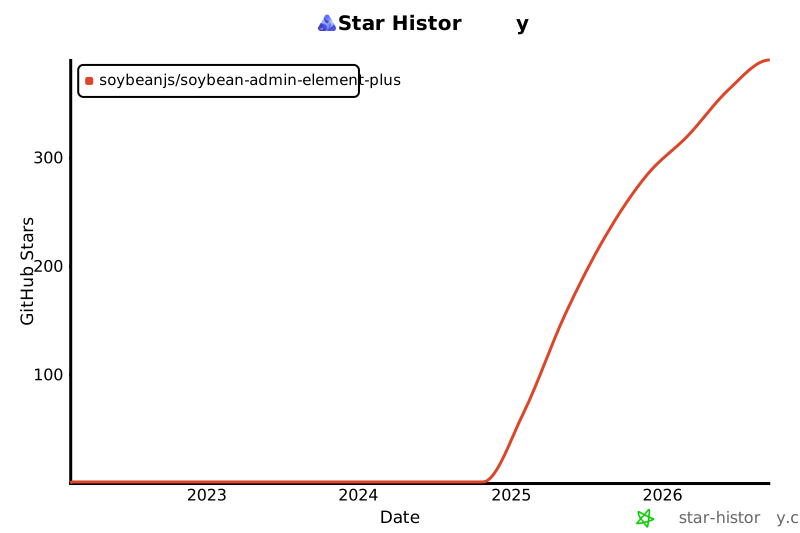](https://star-history.com/#soybeanjs/soybean-admin-element-plus&Date)
## 开源协议
项目基于 [MIT © 2021 Soybean](./LICENSE) 协议,仅供学习参考,商业使用请保留作者版权信息,作者不保证也不承担任何软件的使用风险。
Explore similar templates
Compare previews and descriptions within the same stack and category.

vuestic-admin
Vuestic Admin is an open-source Vue 3 admin template maintained by Epicmax, built on Vuestic UI with Vite, Pinia, and Tailwind CSS. It provides a ready-to-run dashboard with a dark theme, global configuration, i18n internationalization, and responsive layout.
Vue · Admin dashboard

v3-admin-vite
v3-admin-vite is an AI-friendly Vue3 admin template built on Vue3, Vite, TypeScript, and Element Plus. It keeps a lean structure with detailed comments, supports backend-controlled dynamic route permissions, page-level and button-level permissions, multiple themes and layouts, and mobile compatibility.
Vue · Admin dashboard

vue-typescript-admin-template
A Vue 2.6 + TypeScript + Element UI admin template ported from vue-element-admin, offering type safety and enterprise features like permission authentication, internationalization, dynamic themes, editors, charts, Excel/PDF handling, and PWA support.
Vue · Admin dashboard

vue-antd-admin
Vue Antd Admin is the Vue implementation of Ant Design Pro, providing an out-of-the-box front-end and design solution for admin dashboards.
Vue · Admin dashboard

coreui-free-vue-admin-template
CoreUI's official free Vue admin template, MIT licensed, built on Vue 3 and the CoreUI component library with Vue Router, Pinia, and Vite.
Vue · Admin dashboard
nova-admin
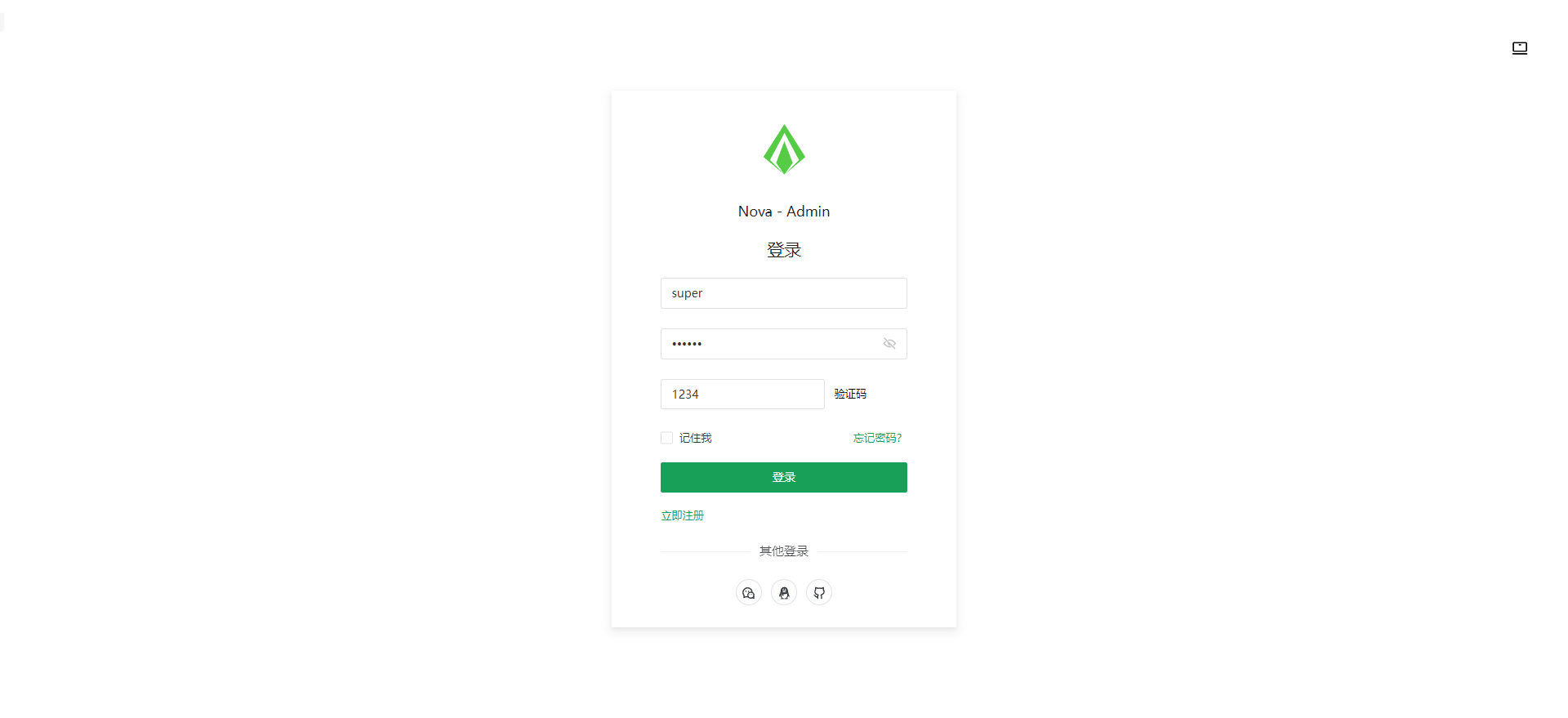
Nova Admin is an admin template built on Vue3, Vite, TypeScript, and Naive UI, with Unocss for styling.
Vue · Admin dashboard