A Docusaurus-based static site template that accommodates both blog and documentation content
DocusaurusBlog
dev-blog-template — Docusaurus Blog Template
By spmse
A Docusaurus-based developer blog repository template that includes both blog and documentation content structures, supports local development and static builds, and can be deployed to GitHub Pages or hosted via Docker and NGINX.
Explore the design
Compare the page layouts and mobile experience. Open any screenshot for a closer look.
Desktop homepage1 / 3
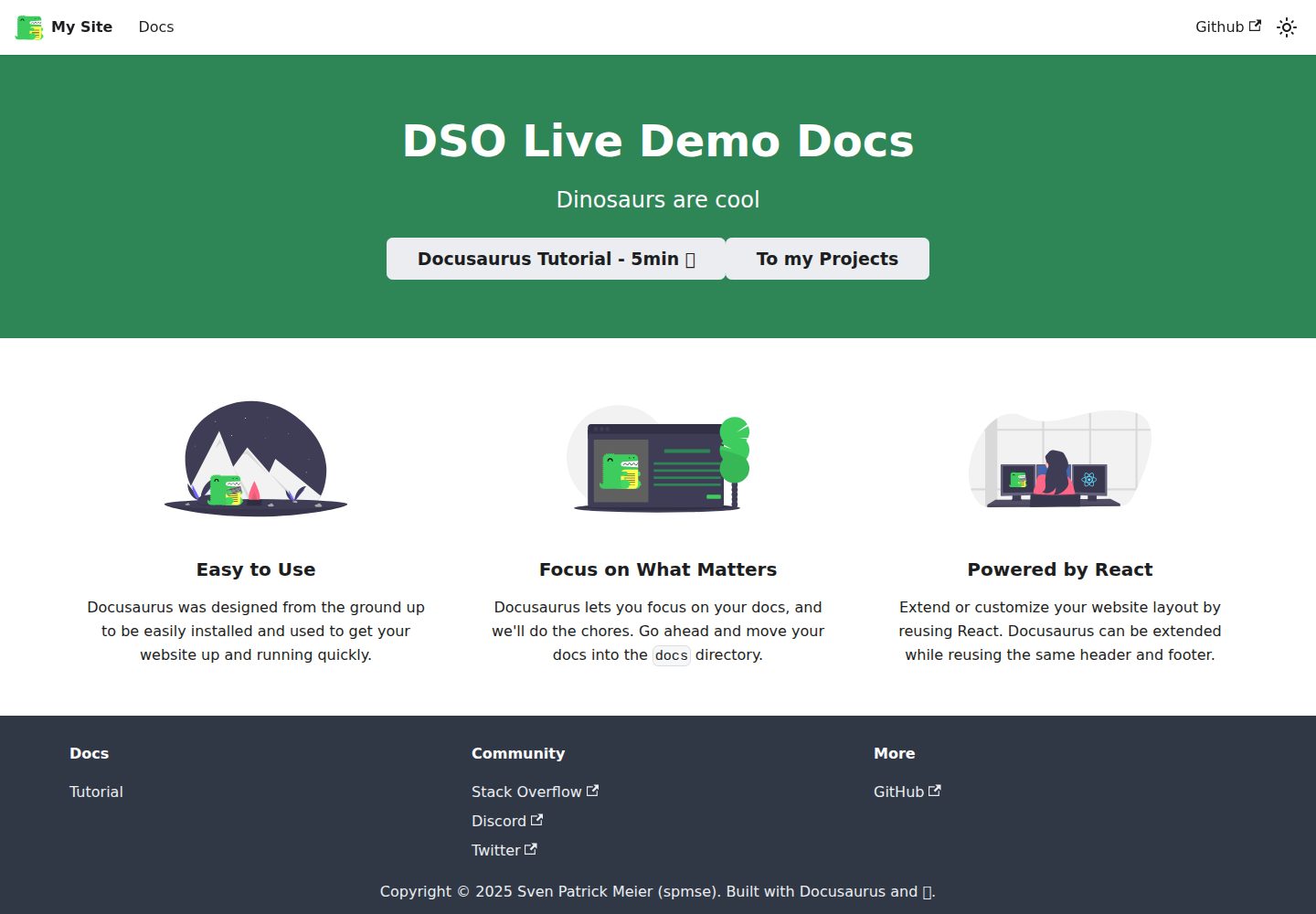
Desktop captureTop of page
Actual screenshot captured by the server browser.
All pages & views 3
Screenshots show visual appearance; interactive behavior may differ.
Recorded 2026-10-01View source
What stands out
A quick read of the recorded project description.
The blog/ directory stores blog Markdown, and the docs/ directory stores documentation Markdown; adding posts requires no extra configuration
sidebars.ts defines the documentation sidebar structure, and docusaurus.config.ts serves as the main configuration file
src/ supports custom React components, CSS, and JavaScript, while static/ stores static assets such as images
The README provides two deployment paths: GitHub Pages and Docker + NGINX
Template Details
This is a repository template for building a developer blog with Docusaurus. The repository name and README title are My Developer Blog. It places two types of content in the same site: blog/ stores Markdown files for blog posts, docs/ stores documentation Markdown, and sidebars.ts defines the documentation sidebar structure. src/ is used for custom React components, CSS, and JavaScript, while static/ stores static assets such as images and icons that are served directly. docusaurus.config.ts is the main configuration file used to adjust site behavior.
The workflow is primarily based on pnpm: after installing dependencies, run pnpm start to launch the local development server, and pnpm build to generate the static site into the build/ directory. For deployment, the README provides two approaches: push to GitHub Pages (using USE_SSH=true pnpm deploy or GIT_USER=<username> pnpm deploy), or deploy via Docker and NGINX by following docs/guides/deploy-docusaurus-with-docker-and-nginx.md in the repository.
Limitations to note: the README recommends Node.js v16 or higher, and Docker is only required when using the NGINX deployment approach. To add a blog post, simply place it in the blog/ directory; to add documentation, place it in the docs/ directory, and the documentation also needs to be referenced in sidebars.ts to form the sidebar. The README does not describe the theme styling, plugin list, or specific production environment configuration; these need to be confirmed by examining the actual code.
DocusaurusBlog
Is it right for your project?
Use Cases
- Building a personal developer blog along with a maintainable set of technical documentation
- Quickly initializing a Docusaurus site using a repository template
- Deploying the blog and documentation as a static site to GitHub Pages
- Hosting the build output on your own server via Docker and NGINX
Suitable For
- Developers who want to write in Markdown without relying on a database
- Individuals or small teams that need a blog and documentation to coexist on the same site
- Front-end developers familiar with Node.js and the pnpm workflow
- Those planning to publish a static site with GitHub Pages or their own NGINX server
Getting started & customization
Use these recorded setup notes alongside the repository instructions for your chosen version.
- 1
Requires Node.js v16 or higher, and uses pnpm to install dependencies
- 2
Run pnpm start for local development, and pnpm build to build the static site; the output goes to the build/ directory
- 3
Before deploying to GitHub Pages, confirm that docusaurus.config.ts meets the requirements in the Docusaurus deployment documentation, then run USE_SSH=true pnpm deploy or GIT_USER=<username> pnpm deploy
- 4
When deploying with Docker and NGINX, Docker must be installed, and you should follow docs/guides/deploy-docusaurus-with-docker-and-nginx.md in the repository
- 5
New documentation must be placed in docs/ and referenced in sidebars.ts; new blog posts only need to be placed in blog/
License & source material
Usage conditions & limitations
Free to use · keep license noticeThis entry covers the free version under the MIT license in the public repository; the free scope is the code of that version and does not mean that external services or third-party assets are free.
Must comply with when using
- The code of this version may be used, modified, used commercially, and distributed free of charge.
- When distributing copies or substantial portions of the code, retain the original author's copyright notice and the full MIT license notice.
- The code is provided as is; warranties and limitations of liability are governed by the original license and applicable law.
Additional costs & items to verify
- Docker is only required when deploying via NGINX; other static hosting approaches such as GitHub Pages do not require Docker.
- Local development and builds require Node.js v16 or higher; lower versions may not run properly.
- Deploying to GitHub Pages requires the pnpm deploy command and either SSH configuration (USE_SSH=true) or a GIT_USER username, and depends on a GitHub account and repository permissions.
- Deploying via Docker and NGINX requires following the specified guide document in the repository; this is an additional deployment step and is not ready out of the box.
- Demo images, fonts, icons, and other third-party assets must be checked against their respective licenses and cannot be judged solely by the code's MIT license.
- External services such as domains, hosting, databases, payments, or AI may incur separate charges.
View Original Text Basis
Permission is hereby granted, free of charge
Original License Text
- [Docker](https://www.docker.com/products/docker-desktop) (only required if [deploying using NGINX](#deploying-using-nginx))
Original README
- [Node.js](https://nodejs.org/) (v16 or later recommended)
Original README
$ USE_SSH=true pnpm deploy
Original README
https://github.com/spmse/dev-blog-template/blob/main/LICENSEhttps://github.com/spmse/dev-blog-template/blob/main/README.mdTo deploy the site using NGINX and Docker, follow this [guide](./docs/guides/deploy-docusaurus-with-docker-and-nginx.md)
Original README
Compiled by DeepSeek based on repository license and README ·2026-10-01. Results only cover the materials read; dependencies, images, fonts, and subsequent term changes are subject to their respective original texts.
Project checks & description sources
Template Information
- Source platforms
- GitHub
- Documentation and maintenance reference score
- More documented · 77 / 100
- Technologies
- Docusaurus
- Website type
- Blog
How this score is calculated
Our heuristic uses license records (up to 30), a demo link (12), a preview (10), stars (15), recorded maintenance (15), description completeness (8), feature records (5) and classification data (5). It is not a code, security or performance test, or a Google score. A link does not establish tested functionality.
What to verify for this project
- Repository update recorded
- 2025-09-07
- Screenshot last checked
- 2026-10-01
A demo link is listed. Check it with your own content and viewport sizes; its presence does not confirm that forms, authentication or payments work.
The catalog identifies Docusaurus as the primary stack. Check the actual dependency manifest and lockfile for versions and hosting requirements. These notes use recorded metadata, not a code audit or a deployment test.
Use a selection guide →How this description was prepared
AI-assisted description based on catalog records and repository material. Repository authors are not automatically the reviewers of this description.
Automatically checked against source and license rules; no manual editorial review.
Inspect the recorded source material
SHA-256: 90619cdc4ac146daa9c7a0aa417b7f64c2552708b7667846707559c67f71a7e0
2026-10-01T03:47:40.018Z
Source file / repository# My Developer Blog
This website is built using [Docusaurus](https://docusaurus.io/), a modern static website generator.
## Repository Description
This repository hosts a developer blog built with Docusaurus. It includes tools and scripts for creating, managing, and deploying static web content. The software supports rapid local development, customizable theming, and seamless deployment to platforms like GitHub Pages or NGINX.
## Table of Contents
- [My Developer Blog](#my-developer-blog)
- [Repository Description](#repository-description)
- [Table of Contents](#table-of-contents)
- [Quickstart](#quickstart)
- [Prerequisites](#prerequisites)
- [Repository Structure](#repository-structure)
- [Deployment](#deployment)
- [Deploy to Github Pages](#deploy-to-github-pages)
- [Deploying using NGINX](#deploying-using-nginx)
- [Contributing](#contributing)
## Quickstart
### Prerequisites
- [Node.js](https://nodejs.org/) (v16 or later recommended)
- [pnpm](https://pnpm.io/) (package manager for faster and more efficient dependency handling)
- [Docker](https://www.docker.com/products/docker-desktop) (only required if [deploying using NGINX](#deploying-using-nginx))
1. Installation
```
$ pnpm install
```
2. Local Development
```
$ pnpm start
```
This command starts a local development server and opens up a browser window. Most changes are reflected live without having to restart the server.
3. Build
```
$ pnpm build
```
This command generates static content into the `build` directory and can be served using any static contents hosting service.
4. Deployment
In order to deploy onto Github Pages, ensure that your `docusaurus.config.ts` conforms with the [documentation guidelines](https://docusaurus.io/docs/deployment#deploying-to-github-pages). After that is ensured run the following command to deploy:
```
$ USE_SSH=true pnpm deploy
```
For detailed information about deploying this Docusaurus project, refer to the [Deployment](#deployment) section below.
## Repository Structure
The repository is organized as follows:
- `blog/`: Contains markdown files for blog posts. Blog-related metadata is automatically picked up by the Docusaurus configuration.
- `docs/`: Contains markdown files for documentation. These files are referenced in `sidebars.ts` to define the sidebar structure.
- `src/`: Contains custom React components, CSS, and JavaScript for additional functionality or theming.
- `static/`: Stores static assets (e.g., images, icons) served directly without processing.
- `sidebars.ts`: Configures the structure of sidebars in the documentation section.
- `docusaurus.config.ts`: Main configuration file for customizing and managing Docusaurus behavior.
- `build/`: Generated after running the `pnpm build` command. Contains the static website files ready for deployment.
New content can be added as follows:
- Add new documentation files to the `docs/` folder.
- Add new blog posts to the `blog/` folder. No additional configuration is required.
## Deployment
### Deploy to Github Pages
To deploy using SSH:
```
$ USE_SSH=true pnpm deploy
```
To deploy without using SSH, run:
```
$ GIT_USER=<Your GitHub username> pnpm deploy
```
If you are using GitHub pages for hosting, this command is a convenient way to build the website and push to the `gh-pages` branch.
### Deploying using NGINX
To deploy the site using NGINX and Docker, follow this [guide](./docs/guides/deploy-docusaurus-with-docker-and-nginx.md)
Explore similar templates
Compare previews and descriptions within the same stack and category.

al-folio
A Jekyll academic homepage theme for scholars and researchers, with a clean responsive design and out-of-the-box support for publication lists, project showcases, CVs, and blogs.
Jekyll · Portfolio

hugo-PaperMod
A fast, clean, responsive Hugo theme for blogs and lightweight portfolios, with three layout modes (Regular, Home-Info, Profile), automatic and manual light/dark themes, Fuse.js client-side search, multilingual support, and built-in Open Graph, Twitter Cards, and Schema.org data.
Hugo · Portfolio

minimal-mistakes
Minimal Mistakes is a two-column Jekyll theme for personal sites, blogs, project documentation, or portfolios.
Jekyll · Portfolio

tailwind-nextjs-starter-blog
A Next.js and Tailwind CSS blog starter template using Contentlayer for Markdown/MDX, with built-in SEO, code highlighting, and tags. It targets personal technical blogs and migration from Jekyll/Hugo to React, and supports one-click Vercel deployment.
Next.js · Blog

astrowind
AstroWind is a free, open-source Astro starter theme using Astro and Tailwind CSS, released under the MIT license.
Astro · Blog

Beautiful Jekyll
Beautiful Jekyll is a mature, easy-to-use Jekyll blog theme maintained by Dean Attali since 2015, with over 50,000 users.
Jekyll · Blog