HTML admin dashboard template built on TailwindCSS, made by Creative Tim
HTMLAdmin dashboard
ArgonDashboard — HTML Admin dashboard Template
By stack-over-kill
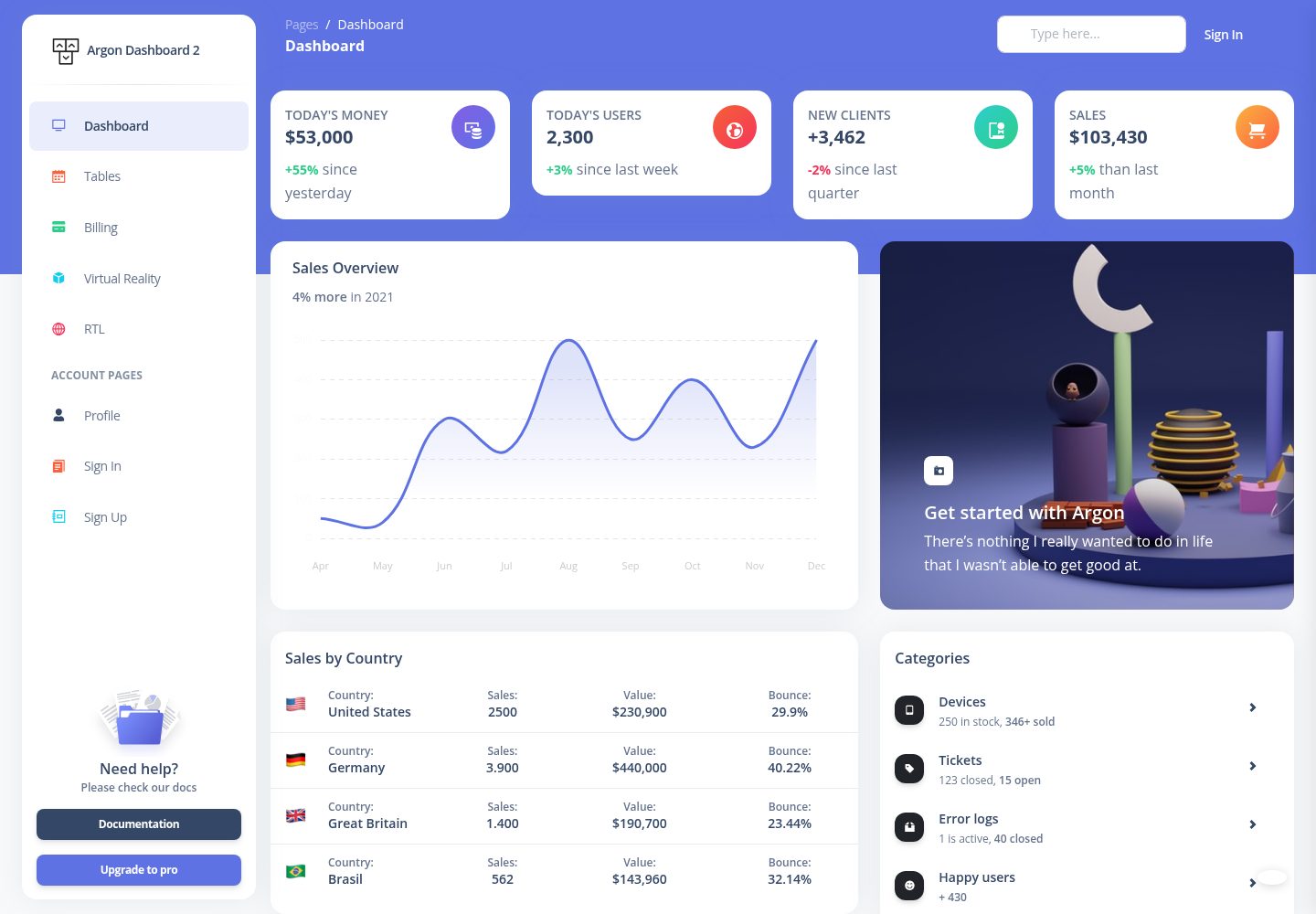
Argon Dashboard 2 Tailwind by Creative Tim is an HTML admin dashboard template built on TailwindCSS, containing over 70 frontend elements, prebuilt design blocks, and example pages such as dashboard, profile, login, and registration.
Explore the design
Compare the page layouts and mobile experience. Open any screenshot for a closer look.
Desktop homepage1 / 2
Desktop captureTop of page
Actual screenshot captured by the server browser.
All pages & views 2
Screenshots show visual appearance; interactive behavior may differ.
Recorded 2026-10-14View source
What stands out
A quick read of the recorded project description.
Includes over 70 frontend elements, such as buttons, inputs, navbars, nav tabs, cards, and alerts
Provides prebuilt design blocks and coded pages; component colors can be adjusted via SASS files and classes
Comes with example pages including dashboard, profile, login, and registration
Offers online documentation explaining component usage item by item
File structure includes a build output directory, package.json, src/styles.css, and tailwind.config.js
Template Details
Argon Dashboard 2 Tailwind is a free TailwindCSS admin dashboard template made by Creative Tim, released as HTML. The README states it includes over 70 standalone frontend elements, such as buttons, inputs, navbars, nav tabs, cards, and alerts; component colors can be adjusted via SASS files and classes. It also provides prebuilt design blocks and coded pages to help move from prototype to actual code.
The template comes with example pages including dashboard, profile, login, and registration, and offers online documentation explaining how to use each element. The file structure includes a build directory (assets/css, fonts, img, js, docs, index.html, pages), package.json, src/styles.css, and tailwind.config.js.
Before use, download and install Node.js from the official Node.js website, then run npm install in the project root to install local dependencies. The README does not provide build, bundle, or deployment commands, nor does it explain backend APIs, data sources, or production environment configuration; these need to be confirmed further via the official documentation or product page.
HTMLAdmin
Is it right for your project?
Use Cases
- Building HTML static page prototypes for admin management interfaces
- Referencing TailwindCSS component patterns and design block organization
- Quickly creating example page structures such as login, registration, and profile
- Reusing its frontend elements and styles in existing TailwindCSS projects
Suitable For
- Frontend developers who need a TailwindCSS admin dashboard HTML template
- Teams looking to shorten the prototype-to-code process with ready-made components and pages
- Projects that prefer customizing component colors via SASS files and classes
Getting started & customization
Use these recorded setup notes alongside the repository instructions for your chosen version.
- 1
Download and install Node.js from the official Node.js website
- 2
Run npm install in the project root to install local dependencies
- 3
The README does not provide build, bundle, or deployment commands; consult the official documentation or product page
- 4
The README does not explain backend APIs, data sources, or production environment configuration
License & source material
Usage conditions & limitations
Free to use · keep license noticeThis entry covers the free version under the MIT license in the public repository; the free scope applies to that version's code and does not mean external services or third-party assets are free.
Must comply with when using
- Permits free use, modification, commercial use, and distribution of that version's code.
- When distributing copies or substantial portions of the code, retain the original author's copyright notice and the full MIT license notice.
- The code is provided as is; warranties and liability limitations are governed by the original license and applicable law.
Additional costs & items to verify
- Demo images, fonts, icons, and other third-party assets must be checked against their respective licenses; they cannot be judged solely by the code's MIT license.
- External services such as domains, hosting, databases, payments, or AI may incur additional charges.
- The quick start method is to download the product package from the Creative Tim website, not directly from the repository.
- Before use, download and install Node.js from the official Node.js website.
- Run npm install in the project root to install local dependencies.
- Official support covers only the latest two versions of major browsers.
- Integration product-related questions should be asked via the Creative Tim contact page, not by opening a GitHub issue.
View Original Text Basis
Permission is hereby granted, free of charge
Original License Text
- Download from [Creative Tim](https://www.creative-tim.com/product/argon-dashboard-tailwind?ref=readme-ad2t).
Original README
1. Download and Install NodeJs from [NodeJs Official Page](https://nodejs.org/en/download/).
Original README
2. Navigate to the root / directory and run npm install to install our local dependencies.
Original README
At present, we officially aim to support the last two versions of the following browsers:
Original README
https://github.com/stack-over-kill/ArgonDashboard/blob/main/LICENSEhttps://github.com/stack-over-kill/ArgonDashboard/blob/main/README.mdIf you have questions or need help integrating the product please [contact us](https://www.creative-tim.com/contact-us?ref=readme-ad2t) instead of opening an issue.
Original README
Compiled by DeepSeek based on repository license and README ·2026-10-14. Results only cover the materials read; dependencies, images, fonts, and subsequent term changes are subject to their respective original texts.
Project checks & description sources
Template Information
- Source platforms
- GitHub
- Documentation and maintenance reference score
- Partly documented · 74 / 100
- Technologies
- HTML
- Website type
- Admin dashboard
How this score is calculated
Our heuristic uses license records (up to 30), a demo link (12), a preview (10), stars (15), recorded maintenance (15), description completeness (8), feature records (5) and classification data (5). It is not a code, security or performance test, or a Google score. A link does not establish tested functionality.
What to verify for this project
- Repository update recorded
- 2025-06-16
- Screenshot last checked
- 2026-10-14
A demo link is listed. Check it with your own content and viewport sizes; its presence does not confirm that forms, authentication or payments work.
The catalog identifies HTML as the primary stack. Check the actual dependency manifest and lockfile for versions and hosting requirements. These notes use recorded metadata, not a code audit or a deployment test.
Use a selection guide →How this description was prepared
AI-assisted description based on catalog records and repository material. Repository authors are not automatically the reviewers of this description.
Review declaration: codex-user-requested-batch-review-20261015 · 2026-10-15
Inspect the recorded source material
SHA-256: 5264d609d1d741a84686ac1b111b6b8aa734048ef8274770948cd20b6f27c269
2026-10-14T16:41:03.158Z
Source file / repository# [Argon Dashboard 2 Tailwind](http://demos.creative-tim.com/argon-dashboard-tailwind/pages/dashboard.html?ref=readme-ad2t) [](https://twitter.com/intent/tweet?url=https://www.creative-tim.com/product/argon-dashboard-tailwind&text=Check%20Argon%20Dashboard%202%20Tailwind%20made%20by%20@CreativeTim%20#webdesign%20#dashboard%20#softdesign%20#html%20https://www.creative-tim.com/product/argon-dashboard-tailwind) [](https://discord.gg/FhCJCaHdQa)  [](https://github.com/creativetimofficial/argon-dashboard-tailwind/issues?q=is%3Aopen+is%3Aissue) [](https://github.com/creativetimofficial/argon-dashboard-tailwind/issues?q=is%3Aissue+is%3Aclosed) 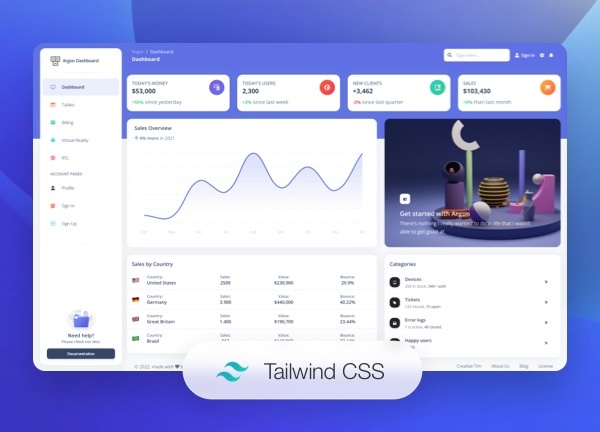 Most complex and innovative Dashboard Made by [Creative Tim](https://creative-tim.com/). Check our latest Free TailwindCSS Dashboard. Designed for those who like bold elements and beautiful websites. Made of hundred of elements, designed blocks and fully coded pages, Argon Dashboard 2 Tailwind is ready to help you create stunning websites and webapps. We created many examples for pages like Sign In, Profile and so on. Just choose between a Basic Design, an illustration or a cover and you are good to go! **Fully Coded Elements** Argon Dashboard 2 Tailwind is built with over 70 frontend individual elements, like buttons, inputs, navbars, navtabs, cards or alerts, giving you the freedom of choosing and combining. All components can take variations in color, that you can easily modify using SASS files and classes. You will save a lot of time going from prototyping to full-functional code, because all elements are implemented. This Free TailwindCSS Dashboard is coming with prebuilt design blocks, so the development process is seamless, switching from our pages to the real website is very easy to be done. View [all components here](https://www.creative-tim.com/learning-lab/tailwind/html/alert/argon-dashboard/?ref=readme-ad2t). **Documentation built by Developers** Each element is well presented in a very complex documentation. You can read more about the <a href="https://www.creative-tim.com/learning-lab/tailwind/html/quick-start/argon-dashboard/?ref=readme-ad2t" target="_blank">documentation here</a>. **Example Pages** If you want to get inspiration or just show something directly to your clients, you can jump start your development with our pre-built example pages. You will be able to quickly set up the basic structure for your web project. View <a href="https://demos.creative-tim.com/argon-dashboard-tailwind/pages/dashboard.html" target="_blank">example pages here</a>. **HELPFUL LINKS** - View <a href="https://github.com/creativetimofficial/argon-dashboard-tailwind" target="_blank">Github Repository</a> - Check <a href="https://www.creative-tim.com/faq" target="_blank">FAQ Page</a> #### Special thanks During the development of this dashboard, we have used many existing resources from awesome developers. We want to thank them for providing their tools open source: - [TailwindCSS](https://tailwindcss.com/)- Open source front end framework - [Popper.js](https://popper.js.org/) - Kickass library used to manage poppers Let us know your thoughts below. And good luck with development! ## Table of Contents * [Versions](#versions) * [Demo](#demo) * [Quick Start](#quick-start) * [Documentation](#documentation) * [File Structure](#file-structure) * [Browser Support](#browser-support) * [Resources](#resources) * [Reporting Issues](#reporting-issues) * [Technical Support or Questions](#technical-support-or-questions) * [Licensing](#licensing) * [Useful Links](#useful-links) ## Versions [<img src="https://s3.amazonaws.com/creativetim_bucket/github/html.png" width="60" height="60" />](https://www.creative-tim.com/product/argon-dashboard-tailwind?ref=readme-ad2t) | HTML | | --- | | [](http://demos.creative-tim.com/argon-dashboard-tailwind/pages/dashboard.html?ref=readme-ad2t) ## Demo - [Profile page](http://demos.creative-tim.com/argon-dashboard-tailwind/pages/profile.html?ref=readme-ad2t) - [Sign in page](http://demos.creative-tim.com/argon-dashboard-tailwind/pages/sign-in.html?ref=readme-ad2t) - [Sign up page](https://demos.creative-tim.com/argon-dashboard-tailwind/pages/sign-up.html?ref=readme-ad2t) [View More](https://demos.creative-tim.com/argon-dashboard-tailwind/pages/dashboard.html?ref=readme-ad2t). ## Quick start Quick start options: - Download from [Creative Tim](https://www.creative-tim.com/product/argon-dashboard-tailwind?ref=readme-ad2t). ## Terminal Commands 1. Download and Install NodeJs from [NodeJs Official Page](https://nodejs.org/en/download/). 2. Navigate to the root / directory and run npm install to install our local dependencies. ## Documentation The documentation for the Argon Dashboard 2 is hosted at our [website](https://www.creative-tim.com/learning-lab/tailwind/html/quick-start/argon-dashboard/?ref=readme-ad2t). ### What's included Within the download you'll find the following directories and files: ``` argon-dashboard-tailwind ├── build │ ├── assets │ │ ├── css │ │ │ ├── argon-dashboard-tailwind.css │ │ │ ├── argon-dashboard-tailwind.min.css │ │ ├── fonts │ │ ├── img │ │ └── js │ │ ├── plugins │ │ ├── argon-dashboard-tailwind.js │ │ └── argon-dashboard-tailwind.min.js │ ├── docs │ │ └── documentation.html │ ├── index.html │ └── pages ├── package.json ├── src │ └── styles.css └── tailwind.config.js ``` ## Browser Support At present, we officially aim to support the last two versions of the following browsers: <img src="https://s3.amazonaws.com/creativetim_bucket/github/browser/chrome.png" width="64" height="64"> <img src="https://s3.amazonaws.com/creativetim_bucket/github/browser/firefox.png" width="64" height="64"> <img src="https://s3.amazonaws.com/creativetim_bucket/github/browser/edge.png" width="64" height="64"> <img src="https://s3.amazonaws.com/creativetim_bucket/github/browser/safari.png" width="64" height="64"> <img src="https://s3.amazonaws.com/creativetim_bucket/github/browser/opera.png" width="64" height="64"> ## Resources - [Live Preview](https://demos.creative-tim.com/argon-dashboard-tailwind/pages/dashboard.html?ref=readme-ad2t) - [Download Page](https://www.creative-tim.com/product/argon-dashboard-tailwind?ref=readme-ad2t) - Documentation is [here](https://www.creative-tim.com/learning-lab/tailwind/html/quick-start/argon-dashboard/?ref=readme-ad2t) - [License Agreement](https://www.creative-tim.com/license?ref=readme-ad2t) - [Support](https://www.creative-tim.com/contact-us?ref=readme-ad2t) - Issues: [Github Issues Page](https://github.com/creativetimofficial/argon-dashboard-tailwind/issues) ## Reporting Issues We use GitHub Issues as the official bug tracker for the Argon Dashboard 2 Tailwind. Here are some advices for our users that want to report an issue: 1. Make sure that you are using the latest version of the Argon Dashboard 2. Check the CHANGELOG from your dashboard on our [website](https://www.creative-tim.com/product/argon-dashboard-tailwind?ref=readme-ad2t). 2. Providing us reproducible steps for the issue will shorten the time it takes for it to be fixed. 3. Some issues may be browser specific, so specifying in what browser you encountered the issue might help. ## Technical Support or Questions If you have questions or need help integrating the product please [contact us](https://www.creative-tim.com/contact-us?ref=readme-ad2t) instead of opening an issue. ## Licensing - Copyright 2022 [Creative Tim](https://www.creative-tim.com?ref=readme-ad2t) - Creative Tim [license](https://www.creative-tim.com/license?ref=readme-ad2t) ## Useful Links - [More products](https://www.creative-tim.com/templates?ref=readme-ad2t) from Creative Tim - [Tutorials](https://www.youtube.com/channel/UCVyTG4sCw-rOvB9oHkzZD1w) - [Freebies](https://www.creative-tim.com/bootstrap-themes/free?ref=readme-ad2t) from Creative Tim - [Affiliate Program](https://www.creative-tim.com/affiliates/new?ref=readme-ad2t) (earn money) ##### Social Media Twitter: <https://twitter.com/CreativeTim> Facebook: <https://www.facebook.com/CreativeTim> Dribbble: <https://dribbble.com/creativetim> Instagram: <https://instagram.com/creativetimofficial> TikTok: <https://tiktok.com/@creative.tim>
Explore similar templates
Compare previews and descriptions within the same stack and category.

AdminLTE
An HTML admin dashboard built with Bootstrap 5 and vanilla JavaScript. Astro builds the documentation; React, Vue and Angular editions live in separate repositories.
HTML · Admin dashboard

gentelella
Gentelella v4 is a free, open-source admin dashboard template maintained by Colorlib, built with vanilla JavaScript, SCSS, and Vite 8 without Bootstrap or jQuery.
HTML · Admin dashboard

coreui-free-bootstrap-admin-template
A free Bootstrap admin template maintained by CoreUI, built on CoreUI's own UI component library. It provides compiled HTML pages and Pug template source code, covering dashboards, authentication, forms, components, icons, and error pages.
HTML · Admin dashboard

dashboards
A collection of responsive dashboard HTML templates open-sourced by Keen IO, built on CSS Grid, offering multiple prebuilt admin data interface layouts.
HTML · Admin dashboard

SB Admin 2
SB Admin 2 is a classic Bootstrap admin template from Start Bootstrap, offering dashboards, charts, tables, and common management pages.
HTML · Admin dashboard

Adminator-admin-dashboard
Adminator 4 is a vanilla HTML, CSS and JavaScript admin dashboard template with a CSS-variable token design system, built-in light and dark themes, no jQuery or Bootstrap dependency, and 18 pages covering dashboards, mail, calendar, charts, forms, tables and error pages.
HTML · Admin dashboard