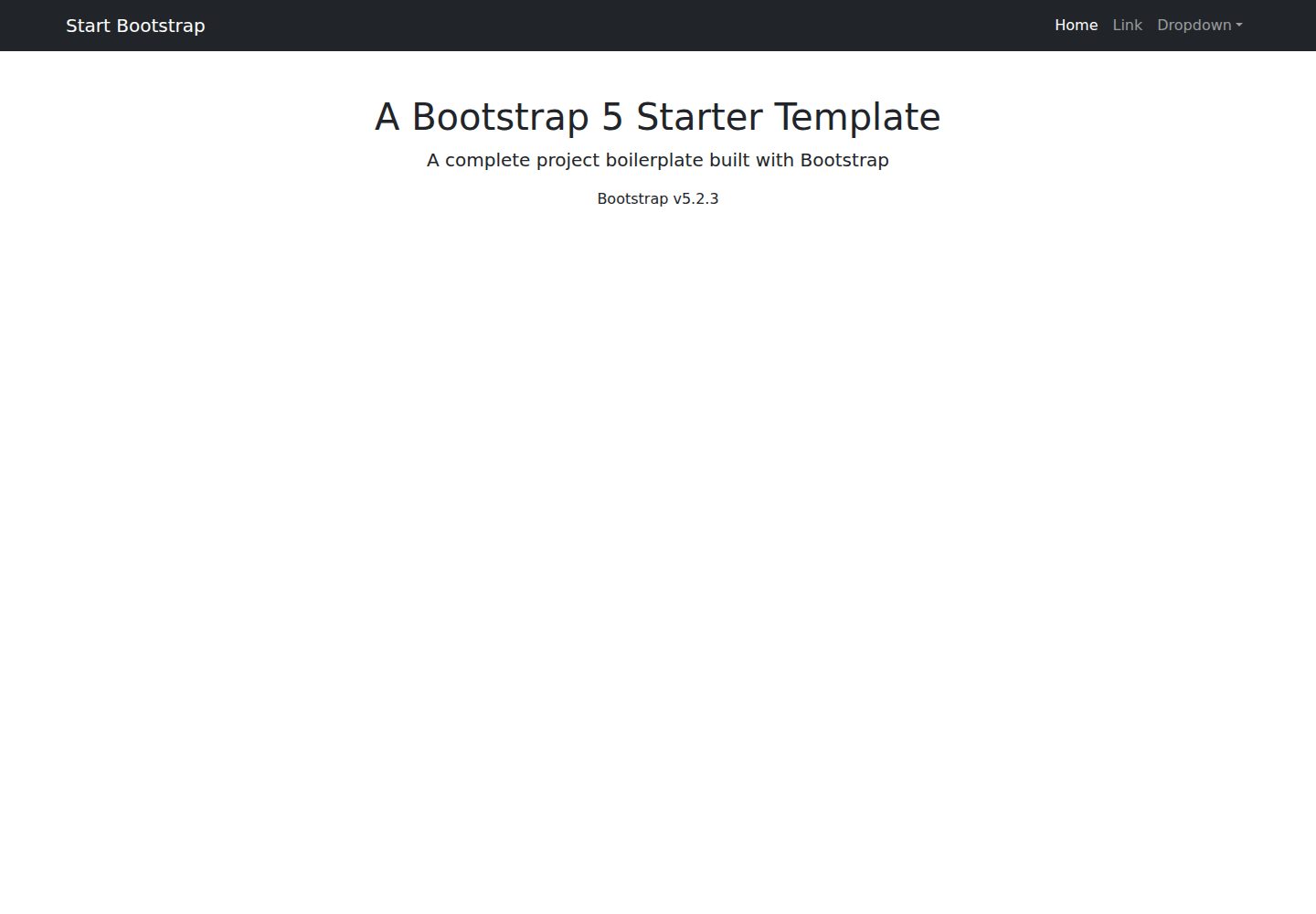
A blank Bootstrap-based HTML page skeleton with no preset sections
HTMLStarter
startbootstrap-bare — HTML Starter Template
By StartBootstrap
A minimal Bootstrap HTML starter template from Start Bootstrap, providing a blank page skeleton for building responsive websites from scratch.
Explore the design
Compare the page layouts and mobile experience. Open any screenshot for a closer look.
Desktop homepage1 / 2
Desktop captureTop of page
Actual screenshot captured by the server browser.
All pages & views 2
Screenshots show visual appearance; interactive behavior may differ.
Recorded 2026-09-30View source
What stands out
A quick read of the recorded project description.
Provides a dist directory where HTML and CSS can be edited directly and previewed in a browser
The source includes Pug, SCSS, and JS, built to dist via npm scripts
npm start launches a local preview and watches the src directory for changes with automatic refresh
MIT licensed, permitting free use, modification, commercial use, and distribution
Template Details
This is a minimal Bootstrap-based HTML starter template maintained by Start Bootstrap. It does not preset any page sections or visual style; it only provides a blank page skeleton that can be edited directly, intended for building responsive websites or applications from scratch.
The template offers two ways to use it. The basic approach is to edit the HTML and CSS files in the dist directory directly and open index.html in a browser to preview, with no build tools required. The advanced approach is to clone the source code, install dependencies via npm, and run development scripts; the source directory contains Pug templates, SCSS styles, and JS scripts, which are built and output to dist.
Note that its purpose is a project starting point rather than a finished page; it does not include ready-made components such as navigation, footers, or content sections. Using the build process requires npm to be installed locally. The code is released under the MIT license, allowing free use, modification, commercial use, and distribution, but third-party assets such as demo images, fonts, and icons require separate license verification.
HTMLStarter
Is it right for your project?
Use Cases
- Building a responsive static website or landing page from scratch
- Serving as the initial directory and build process starting point for a Bootstrap project
- Developing custom page styles under a Pug and SCSS workflow
- Quickly verifying the effect of an HTML/CSS change in the browser
Suitable For
- Developers familiar with HTML and CSS who want to organize the page structure themselves
- Bootstrap users who need a clean starting point rather than ready-made page components
- Front-end developers willing to use an npm build process to compile Pug and SCSS
Getting started & customization
Use these recorded setup notes alongside the repository instructions for your chosen version.
- 1
Basic usage: after downloading, edit the HTML and CSS in the dist directory directly, and open index.html in a browser to preview
- 2
Advanced usage: after cloning the repository, run npm install, then run npm start to launch local preview and file watching
- 3
Build commands include npm run build, build:pug, build:scss, build:scripts, and clean
- 4
Using the build environment requires npm to be installed locally
- 5
Third-party images, fonts, and icon assets require separate license verification under their respective terms
License & source material
Usage conditions & limitations
Free to use · keep license noticeThis entry covers the free version under the MIT license in the public repository; the free scope applies to that version's code and does not imply that external services or third-party assets are free.
Must comply with when using
- Free use, modification, commercial use, and distribution of that version's code are permitted.
- When distributing copies or substantial portions of the code, retain the original author's copyright notice and the full MIT license notice.
- The code is provided as is; warranties and limitations of liability are governed by the original license and applicable law.
Additional costs & items to verify
- Using the advanced build process (npm install, npm start, npm run build, etc.) requires npm to be installed locally in advance; the basic usage of directly editing HTML/CSS in the dist directory does not require npm.
- Demo images, fonts, icons, and other third-party assets require license verification under their respective terms and cannot be judged solely by the code's MIT license.
- External services such as domains, hosting, databases, payments, or AI may incur additional charges.
View Original Text Basis
Permission is hereby granted, free of charge
Original License Text
https://github.com/StartBootstrap/startbootstrap-bare/blob/master/LICENSEhttps://github.com/StartBootstrap/startbootstrap-bare/blob/master/README.mdYou must have npm installed in order to use this build environment.
Original README
Compiled by DeepSeek based on repository license and README ·2026-10-01. Results only cover the materials read; dependencies, images, fonts, and subsequent term changes are subject to their respective original texts.
Project checks & description sources
Template Information
- Source platforms
- Start Bootstrap
- Documentation and maintenance reference score
- More documented · 76 / 100
- Technologies
- HTML
- Website type
- Starter
How this score is calculated
Our heuristic uses license records (up to 30), a demo link (12), a preview (10), stars (15), recorded maintenance (15), description completeness (8), feature records (5) and classification data (5). It is not a code, security or performance test, or a Google score. A link does not establish tested functionality.
What to verify for this project
- Repository update recorded
- 2024-06-20
- Screenshot last checked
- 2026-10-01
A demo link is listed. Check it with your own content and viewport sizes; its presence does not confirm that forms, authentication or payments work.
The catalog identifies HTML as the primary stack. Check the actual dependency manifest and lockfile for versions and hosting requirements. These notes use recorded metadata, not a code audit or a deployment test.
Use a selection guide →How this description was prepared
AI-assisted description based on catalog records and repository material. Repository authors are not automatically the reviewers of this description.
Automatically checked against source and license rules; no manual editorial review.
Inspect the recorded source material
SHA-256: c63dfb3ef1111b2cd320eeb86b9646ceba53950b4281bab3925d66ecc3ec08c5
2026-10-01T13:36:14.497Z
Source file / repository# [Start Bootstrap - Bare](https://startbootstrap.com/template/bare/) [Bare](https://startbootstrap.com/template/bare/) is a bare HTML starter template for [Bootstrap](https://getbootstrap.com/) created by [Start Bootstrap](https://startbootstrap.com/). This template serves as a basic project boilerplate perfect for creating modern, responsive websites and applications. ## Preview [](https://startbootstrap.github.io/startbootstrap-bare/) **[View Live Preview](https://startbootstrap.github.io/startbootstrap-bare/)** ## Status [](https://raw.githubusercontent.com/StartBootstrap/startbootstrap-bare/master/LICENSE) [](https://www.npmjs.com/package/startbootstrap-bare) ## Download and Installation To begin using this template, choose one of the following options to get started: * [Download the latest release on Start Bootstrap](https://startbootstrap.com/template/bare/) * Install via npm: `npm i startbootstrap-bare` * Clone the repo: `git clone https://github.com/StartBootstrap/startbootstrap-bare.git` * [Fork, Clone, or Download on GitHub](https://github.com/StartBootstrap/startbootstrap-bare) ## Usage ### Basic Usage After downloading, simply edit the HTML and CSS files included with `dist` directory. These are the only files you need to worry about, you can ignore everything else! To preview the changes you make to the code, open the `index.html` file in your web browser. ### Advanced Usage Clone the source files of the theme and navigate into the theme's root directory. Run `npm install` and then run `npm start` which will open up a preview of the template in your default browser, watch for changes to core template files, and live reload the browser when changes are saved. You can view the `package.json` file to see which scripts are included. #### npm Scripts * `npm run build` builds the project - this builds assets, HTML, JS, and CSS into `dist` * `npm run build:assets` copies the files in the `src/assets/` directory into `dist` * `npm run build:pug` compiles the Pug located in the `src/pug/` directory into `dist` * `npm run build:scripts` brings the `src/js/scripts.js` file into `dist` * `npm run build:scss` compiles the SCSS files located in the `src/scss/` directory into `dist` * `npm run clean` deletes the `dist` directory to prepare for rebuilding the project * `npm run start:debug` runs the project in debug mode * `npm start` or `npm run start` runs the project, launches a live preview in your default browser, and watches for changes made to files in `src` You must have npm installed in order to use this build environment. ## Bugs and Issues Have a bug or an issue with this template? [Open a new issue](https://github.com/StartBootstrap/startbootstrap-bare/issues) here on GitHub or leave a comment on the [template overview page at Start Bootstrap](https://startbootstrap.com/template/bare/). ## About Start Bootstrap is an open source library of free Bootstrap templates and themes. All of the free templates and themes on Start Bootstrap are released under the MIT license, which means you can use them for any purpose, even for commercial projects. * <https://startbootstrap.com> * <https://twitter.com/SBootstrap> Start Bootstrap was created by and is maintained by **[David Miller](https://davidmiller.io/)**. * <https://davidmiller.io> * <https://twitter.com/davidmillerhere> * <https://github.com/davidtmiller> Start Bootstrap is based on the [Bootstrap](https://getbootstrap.com/) framework created by [Mark Otto](https://twitter.com/mdo) and [Jacob Thorton](https://twitter.com/fat). ## Copyright and License Copyright 2013-2023 Start Bootstrap LLC. Code released under the [MIT](https://github.com/StartBootstrap/startbootstrap-bare/blob/master/LICENSE) license.
Explore similar templates
Compare previews and descriptions within the same stack and category.

startbootstrap-simple-sidebar
A Bootstrap off-canvas sidebar navigation HTML starter template from Start Bootstrap. It provides directly editable HTML and CSS in the dist directory, while the source uses Pug, SCSS, and JavaScript with npm build scripts for live preview and compilation.
HTML · Starter

adminkit
AdminKit is a free, MIT-licensed HTML admin and dashboard template built on Bootstrap 5. The free version includes 15 demo pages, 1 plugin, and 1 color scheme, with hundreds of UI components, forms, tables, charts, and icons.
HTML · Admin dashboard

Landing-Page
A general-purpose landing page HTML template maintained by Tailwind Toolbox, written in pure HTML and loading the complete Tailwind CSS via CDN.
HTML · Corporate Website

light-bootstrap-dashboard
Light Bootstrap Dashboard is a free, MIT-licensed admin dashboard template from Creative Tim, built on Bootstrap with a responsive static HTML structure.
HTML · Admin dashboard

sing-app
Sing App Lite is a free, open-source admin dashboard template from Flatlogic, built with Bootstrap 4.5 and SCSS. It provides a responsive layout, dashboard examples, typography, tables, notifications, basic charts, icons, maps, and a hover sidebar, along with styled Bootstrap components.
HTML · Admin dashboard

startbootstrap-modern-business
Modern Business is a multipurpose Bootstrap full-site HTML template from Start Bootstrap with 17 standalone pages covering home, about, services, portfolio, pricing, blog, FAQ, and contact.
HTML · Starter