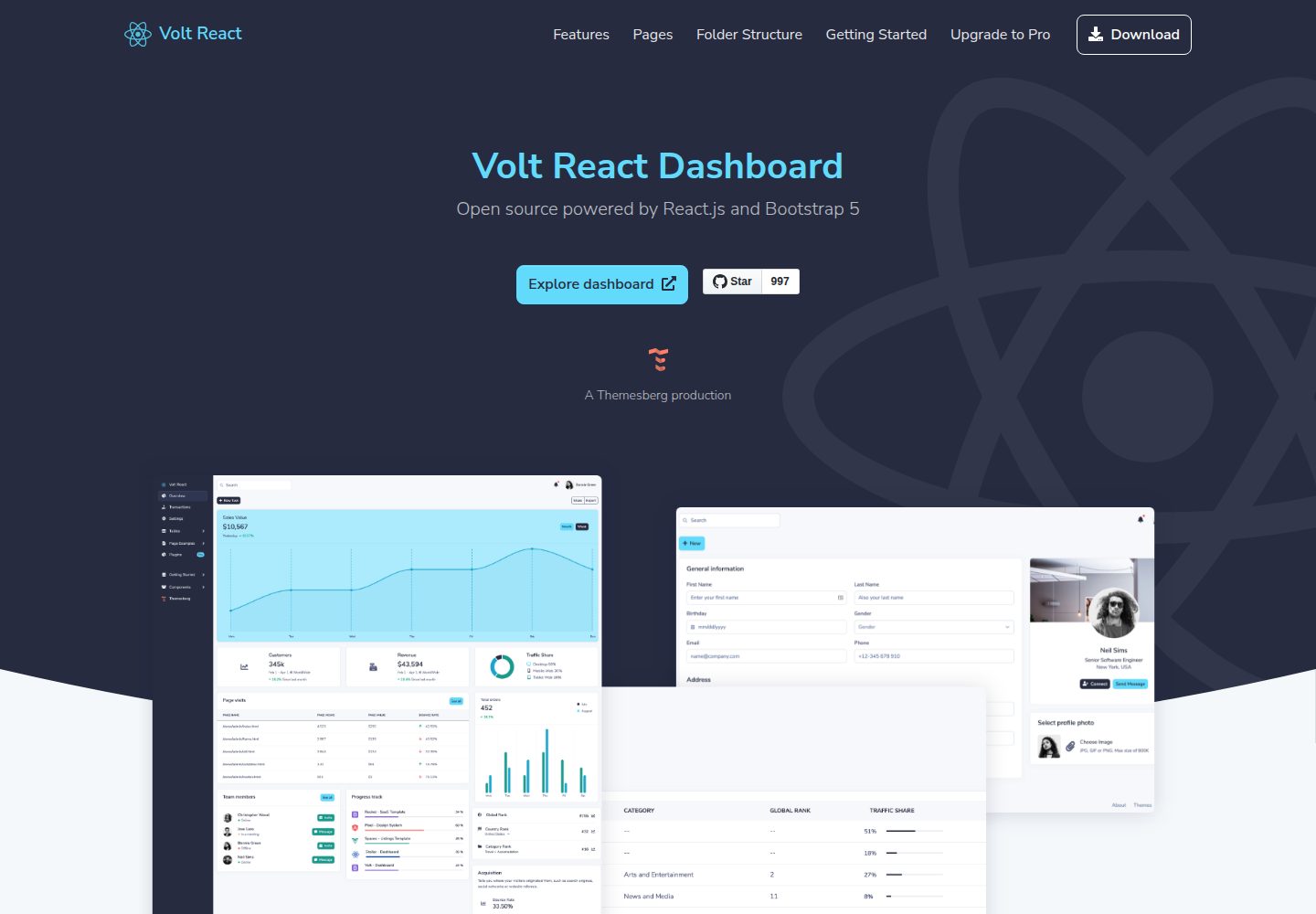
Built on React and Bootstrap 5, with components extended via react-bootstrap
ReactHTMLAdmin dashboard
volt-react-dashboard — React Admin dashboard Template
By themesberg
A free and open source admin dashboard template built with React and Bootstrap 5, containing over 100 React UI components and 10 example pages, with data passed to components as arrays of objects.
Explore the design
Compare the page layouts and mobile experience. Open any screenshot for a closer look.
Desktop homepage
Desktop captureTop of page
Actual screenshot captured by the server browser.
One original preview is available. Open the full image to inspect the design.
Screenshots show visual appearance; interactive behavior may differ.
Recorded 2026-09-30View source
What stands out
A quick read of the recorded project description.
Provides over 100 React UI elements, styled with Sass variables and mixins
Data-driven design: tasks, messages, notifications, and similar data are passed to components as arrays of objects, making backend API integration easier
Includes 10 example pages: dashboard, transactions, settings, tables, login/register, error pages, and more
Comes with online documentation and tutorials for installation, customization, and building
MIT licensed, allowing free use, modification, commercial use, and distribution
Template Details
Volt React Dashboard is a free and open source admin template released by Themesberg, built with React, styled with Bootstrap 5, and extended with react-bootstrap for additional component capabilities. The project organizes the interface in a data-driven way: tasks, messages, user notifications, and similar data are passed to components as arrays of objects, making it easy to connect to any backend API.
The template provides over 100 React UI elements, including buttons, form elements, alerts, modals, tabs, navbars, date pickers, and more, all restyled by the designer on top of Bootstrap using Sass variables, mixins, and custom markup. There are 10 example pages in total, covering dashboard overview, transactions, settings, tables, login, register, forgot password, reset password, lock profile, 404 and 500 error pages, and a documentation page.
The repository includes online documentation and tutorials explaining installation, browsing UI elements, creating new pages, customizing Sass variables, and building production code. The build toolchain uses NPM and Yarn, and styling uses Sass preprocessing. The code is MIT licensed and may be used, modified, used commercially, and distributed for free, but third-party assets such as demo images, fonts, and icons require separate license checks; a paid version is also available, and this entry covers only the public free code.
ReactHTMLAdmin
Is it right for your project?
Use Cases
- Building a React admin interface that needs to connect quickly to a backend API
- Unifying admin UI elements such as forms, tables, and navigation under a Bootstrap 5 visual style
- Referencing data-driven component patterns to switch list and notification data to API responses
- Reusing example page structures such as login, register, forgot password, 404, and 500
Suitable For
- Frontend teams developing admin systems with React
- Projects that need Bootstrap 5 visual style and Sass customization capabilities
- Dashboard projects that want to connect to their own APIs using arrays of objects
Getting started & customization
Use these recorded setup notes alongside the repository instructions for your chosen version.
- 1
With Yarn, run yarn install to install dependencies, then run yarn start to launch development mode
- 2
With NPM, run npm install, then run npm run start; Node.js and npm must meet the minimum versions stated in the README
- 3
The development server runs at http://localhost:3000 by default
- 4
Before building production files, change homepage in package.json to the application deployment domain, then run yarn build or npm run build
- 5
Third-party assets such as demo images, fonts, and icons must be checked against their respective licenses and cannot be judged solely by the code's MIT license
License & source material
Usage conditions & limitations
Free to use · keep license noticeThis entry covers the free version under the MIT license in the public repository; the free scope applies to that version's code and does not mean external services or third-party assets are free.
Must comply with when using
- The code in this version may be used, modified, used commercially, and distributed for free.
- When distributing copies or substantial portions of the code, retain the original author's copyright notice and the full MIT license notice.
- The code is provided as is; warranties and limitations of liability are governed by the original license and applicable law.
Additional costs & items to verify
- The free version includes only the components and example pages in the open source repository; the Volt Pro React Dashboard mentioned in the README is a paid premium version with over 800 components and 20 example pages, is not part of the free offering, and must be purchased separately.
- Downloading from the Themesberg website requires registering an account first; the repository can also be cloned directly to obtain the code, so registration is not mandatory.
- The README points to Themesberg's license agreement page; before use, check whether that page's terms are consistent with the MIT license in the repository.
- The project materials mention optional paid versions or features; this entry covers only the public free code and does not include paid upgrades.
- Demo images, fonts, icons, and other third-party assets must be checked against their respective licenses and cannot be judged solely by the code's MIT license.
- External services such as domains, hosting, databases, payments, or AI may incur separate charges.
View Original Text Basis
Permission is hereby granted, free of charge
Original License Text
If you'd like to support this open source software, we invite you to check out the premium version of this React dashboard called [Volt Pro React Dashboard](https://themesberg.com/product/dashboard/volt-pro-react). It features over 800 React components, customized pugins, and 20 example pages.
Original README
1. Register and Download from [Themesberg](https://themesberg.com/product/dashboard/volt-react) or clone this repository
Original README
https://github.com/themesberg/volt-react-dashboard/blob/master/LICENSE.mdhttps://github.com/themesberg/volt-react-dashboard/blob/master/README.md- License Agreement: <https://themesberg.com/licensing>
Original README
Compiled by DeepSeek based on repository license and README ·2026-09-30. Results only cover the materials read; dependencies, images, fonts, and subsequent term changes are subject to their respective original texts.
Project checks & description sources
Template Information
- Source platforms
- GitHub
- Documentation and maintenance reference score
- More documented · 81 / 100
- Technologies
- React · HTML
- Website type
- Admin dashboard
How this score is calculated
Our heuristic uses license records (up to 30), a demo link (12), a preview (10), stars (15), recorded maintenance (15), description completeness (8), feature records (5) and classification data (5). It is not a code, security or performance test, or a Google score. A link does not establish tested functionality.
What to verify for this project
- Repository update recorded
- 2024-01-27
- Screenshot last checked
- 2026-09-30
A demo link is listed. Check it with your own content and viewport sizes; its presence does not confirm that forms, authentication or payments work.
The catalog identifies React as the primary stack. Check the actual dependency manifest and lockfile for versions and hosting requirements. These notes use recorded metadata, not a code audit or a deployment test.
Use a selection guide →How this description was prepared
AI-assisted description based on catalog records and repository material. Repository authors are not automatically the reviewers of this description.
Automatically checked against source and license rules; no manual editorial review.
Inspect the recorded source material
SHA-256: cd0fb32463d82effaca93c85883e7df2e3f9198f9fb9185cb67feaf23f8a5f32
2026-09-30T09:07:07.248Z
Source file / repository# [Volt React Dashboard Bootstrap 5](https://demo.themesberg.com/volt-react-dashboard) [](https://twitter.com/intent/tweet?url=https%3A%2F%2Fgithub.com%2Fthemesberg%2Fvolt-react-dashboard&via=themesberg&text=Check%20out%20this%20open%20source%20React%20Dashboard) [](https://www.npmjs.com/package/@themesberg/volt-react-dashboard) [](LICENSE.md) [](https://github.com/themesberg/volt-react-dashboard/issues?q=is%3Aopen+is%3Aissue) [](https://github.com/themesberg/volt-react-dashboard/issues?q=is%3Aissue+is%3Aclosed) [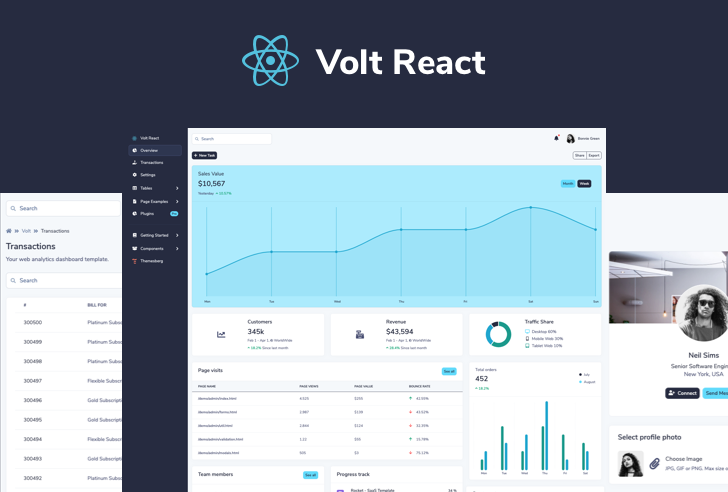](https://demo.themesberg.com/volt-react-dashboard) Volt React is a free and open source admin dashboard template built in React.js and based on the latest version of the Bootstrap 5 CSS framework. It features over 100 UI elements, plugins, and example based built with React components. ## Powered by React.js Volt React is an extension of the popular [react-bootstrap](https://react-bootstrap.github.io/) library and it is based on the newest version of Bootstrap 5. ## Data-driven This library has been built using a data driven methodology, meaning that a large part of data, such as tasks, messages, user notifications are passed to the components as an array of objects. This will make it easy to connect the UI interface with any back-end API. ## Bootstrap 5 This library is based on the latest version of the [Bootstrap 5 CSS framework](https://getbootstrap.com/) which brought many improvements, such as [dropping dependency on jQuery](https://themesberg.com/blog/tutorial/bootstrap-5-tutorial), introducing RTL support, the utility API and many other style and markup improvements. ## Over 100 React Components Volt React included over 100 React UI elements such as buttons, form elements, alerts, modals, tabs, navigation bars, date pickers, and many more. They are all custom styled by professional designers as an extension of the base Bootstrap elements using Sass variables, mixins, and custom markup. ## 10 Example Dashboard Pages Get started with 10 beautiful example pages for a dashboard which is based on the most popular dashboard template written in Bootstrap 5, called [Volt Dashboard](https://github.com/themesberg/volt-bootstrap-5-dashboard). ## Getting Started and live code editor Every component, plugin and getting started is thoroughly documented on our [online documentation](https://demo.themesberg.com/volt-react-dashboard/#/documentation/quick-start). ## Tutorial We also [wrote a tutorial](https://themesberg.com/blog/tutorial/react-dashboard) on how you can install the project, explore the UI elements, create a new page, customize the Sass variables and upload the production code to the server. ## Workflow This product is built using the following widely used technologies: - React.js front-end library - Bootstrap 5 CSS Framework - Sass preprocessing language - NPM & Yarn ## Table of Contents * [Version](#versions) * [Demo](#demo) * [Quick Start](#quick-start) * [Documentation](#documentation) * [File Structure](#file-structure) * [Browser Support](#browser-support) * [Resources](#resources) * [Upgrade to PRO](#upgrade-to-pro) * [Reporting Issues](#reporting-issues) * [Technical Support or Questions](#technical-support-or-questions) * [Licensing](#licensing) * [Useful Links](#useful-links) ## Versions [<img src="https://github.com/creativetimofficial/public-assets/blob/master/logos/html-logo.jpg?raw=true" width="60" height="60" />](https://themesberg.com/product/admin-dashboard/volt-bootstrap-5-dashboard)[<img src="https://github.com/creativetimofficial/public-assets/blob/master/logos/react-logo.jpg?raw=true" width="60" height="60" />](https://themesberg.com/product/dashboard/volt-react)[<img src="https://themesberg.s3.us-east-2.amazonaws.com/public/github/technology/laravel-logo.jpeg" width="60" height="60" />](https://themesberg.com/product/laravel/volt-admin-dashboard-template). | HTML | React | | --- | --- | | [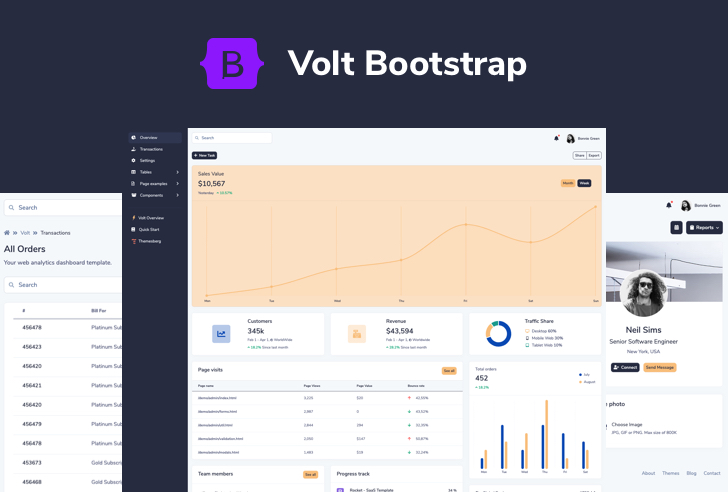](https://github.com/themesberg/volt-bootstrap-5-dashboard) | [](https://demo.themesberg.com/volt-react-dashboard/) ## Demo | Dashboard | Transactions | Settings | Forms | | --- | --- | --- | --- | | [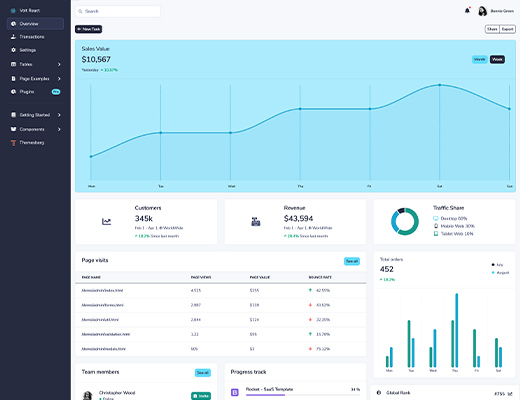](https://demo.themesberg.com/volt-react-dashboard/#/dashboard/overview) | [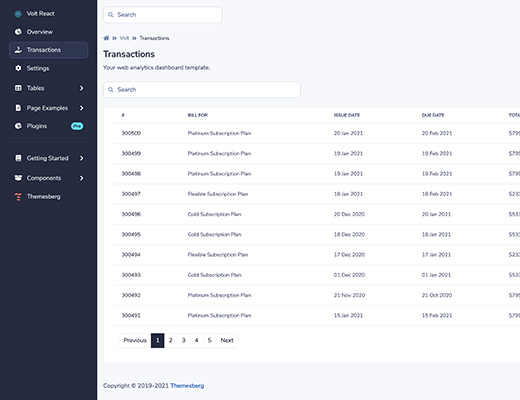](https://demo.themesberg.com/volt-react-dashboard/#/transactions) | [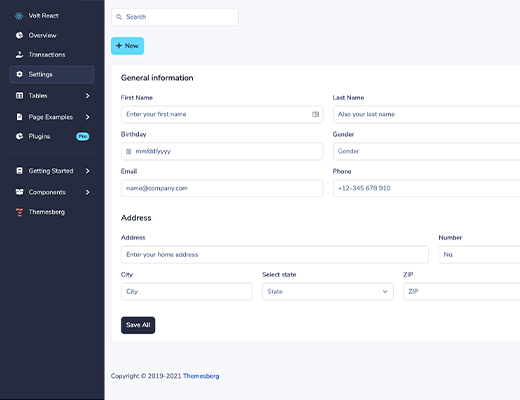](https://demo.themesberg.com/volt-react-dashboard/#/settings) | [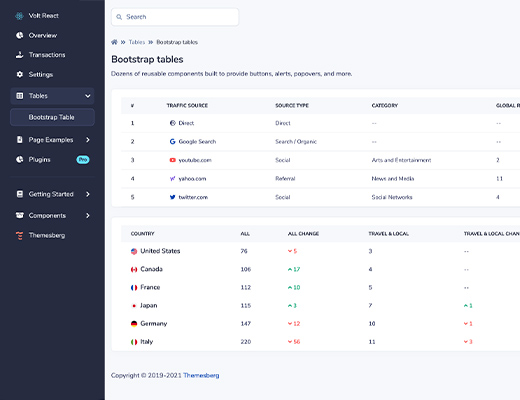](https://demo.themesberg.com/volt-react-dashboard/#/tables/bootstrap-tables) | Sign in | Sign up | Forgot password | Reset password | | --- | --- | --- | --- | | [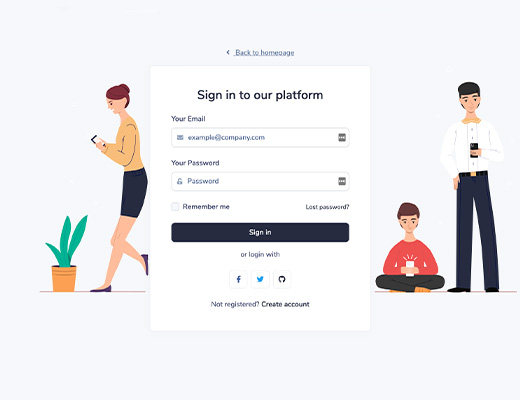](https://demo.themesberg.com/volt-react-dashboard/#/examples/sign-in) | [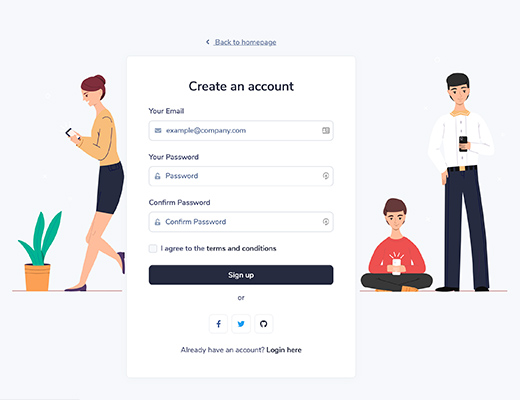](https://demo.themesberg.com/volt-react-dashboard/#/examples/sign-up) | [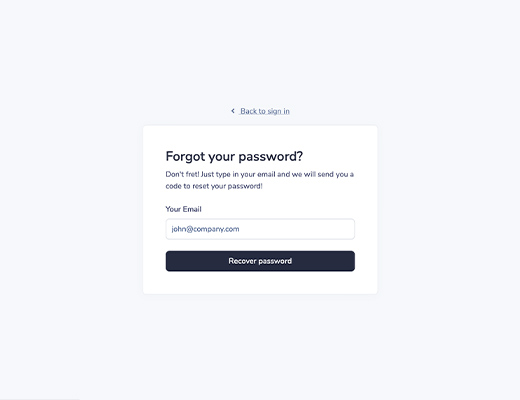](https://demo.themesberg.com/volt-react-dashboard/#/examples/forgot-password) | [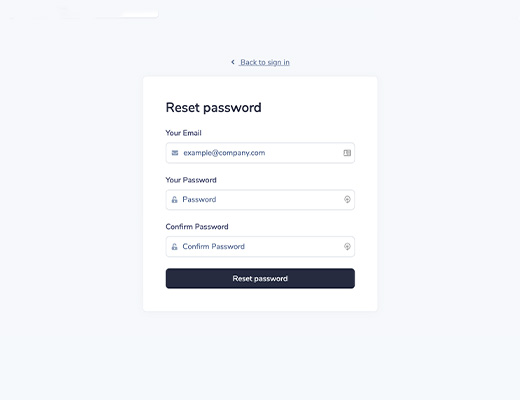](https://demo.themesberg.com/volt-react-dashboard/#/examples/reset-password) | Lock Profile | 404 Not Found | 500 Server Error | Documentation | | --- | --- | --- | --- | | [](https://demo.themesberg.com/volt-react-dashboard/#/examples/lock) | [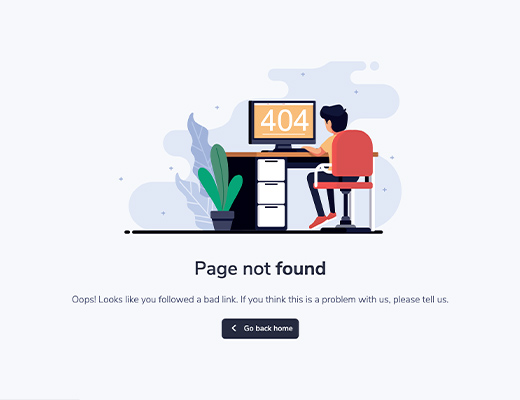](https://demo.themesberg.com/volt-react-dashboard/#/examples/404) | [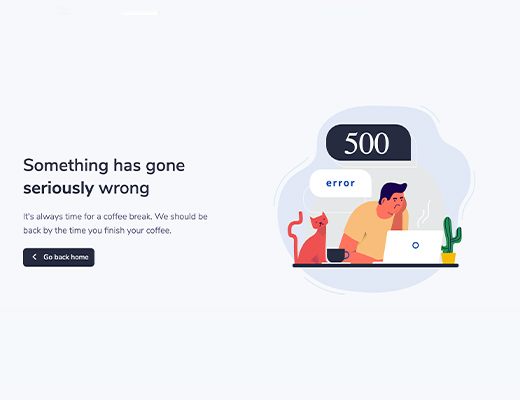](https://demo.themesberg.com/volt-react-dashboard/#/examples/500) | [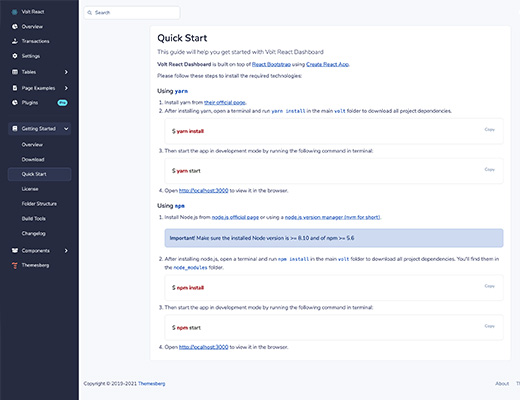](https://demo.themesberg.com/volt-react-dashboard/#/documentation/quick-start) - [Live Demo](https://demo.themesberg.com/volt-react-dashboard) - [Download](https://themesberg.com/product/dashboard/volt-react) ## Quick start 1. Register and Download from [Themesberg](https://themesberg.com/product/dashboard/volt-react) or clone this repository 2. Download the project's zip ### Using Yarn 3. Make sure you have [Yarn](https://yarnpkg.com/) installed. 4. After installing `yarn`, open a terminal and run `yarn install` in the main volt folder to download all project dependencies. ``` yarn install ``` 5. Then start the app in development mode by running the following command in terminal: ``` yarn start ``` 6. Open http://localhost:3000 to view it in the browser. Any changes you make to the code will be automatically reflected in the browser. 7. If you want to generate the production files, change the `homepage` value from the `package.json` to the domain name that the app will be hosted on, and then run the following command in the terminal: ``` yarn build ``` ### Using NPM 3. Make sure you have [Node.js](https://nodejs.org/en/) installed. Make sure the installed Node version is >= 8.10 and of npm >= 5.6 4. After installing Node.js, open a terminal and run `npm install` in the main `volt-react-dashboard/` folder to download all project dependencies. You'll find them in the `node_modules/` folder. ``` npm install ``` 5. Then start the app in development mode by running the following command in terminal: ``` npm run start ``` 6. Open http://localhost:3000 to view it in the browser. Any changes you make to the code will be automatically reflected in the browser. 7. If you want to generate the production files, change the `homepage` value from the `package.json` to the domain name that the app will be hosted on, and then run the following command in the terminal: ``` npm run build ``` ## Documentation Every component, plugin and getting started is thoroughly documented on our [online documentation](https://demo.themesberg.com/volt-react-dashboard/#/documentation/quick-start). ## File Structure Within the download you'll find the following directories and files: ``` Volt React Dashboard . ├── LICENSE.md ├── README.md ├── package-lock.json ├── package.json ├── public │ ├── android-chrome-192x192.png │ ├── android-chrome-512x512.png │ ├── apple-touch-icon.png │ ├── browserconfig.xml │ ├── favicon-16x16.png │ ├── favicon-32x32.png │ ├── favicon.ico │ ├── index.html │ ├── manifest.json │ ├── mstile-150x150.png │ ├── robots.txt │ ├── safari-pinned-tab.svg │ └── site.webmanifest ├── src │ ├── assets │ │ ├── img │ │ └── syntax-themes │ ├── components │ │ ├── AccordionComponent.js │ │ ├── Charts.js │ │ ├── Code.js │ │ ├── CodeEditor.js │ │ ├── Documentation.js │ │ ├── Footer.js │ │ ├── Forms.js │ │ ├── Navbar.js │ │ ├── Preloader.js │ │ ├── Progress.js │ │ ├── ScrollToTop.js │ │ ├── Sidebar.js │ │ ├── Tables.js │ │ └── Widgets.js │ ├── data │ │ ├── charts.js │ │ ├── commands.js │ │ ├── features.js │ │ ├── notifications.js │ │ ├── pages.js │ │ ├── tables.js │ │ ├── teamMembers.js │ │ └── transactions.js │ ├── index.js │ ├── pages │ │ ├── HomePage.js │ │ ├── Presentation.js │ │ ├── Settings.js │ │ ├── Transactions.js │ │ ├── components │ │ ├── dashboard │ │ ├── documentation │ │ ├── examples │ │ └── tables │ ├── routes.js │ └── scss │ ├── volt │ └── volt.scss └── yarn.lock ``` ## Browser Support At present, we officially aim to support the last two versions of the following browsers: <img src="https://s3.amazonaws.com/creativetim_bucket/github/browser/chrome.png" width="64" height="64"> <img src="https://s3.amazonaws.com/creativetim_bucket/github/browser/firefox.png" width="64" height="64"> <img src="https://s3.amazonaws.com/creativetim_bucket/github/browser/edge.png" width="64" height="64"> <img src="https://s3.amazonaws.com/creativetim_bucket/github/browser/safari.png" width="64" height="64"> <img src="https://s3.amazonaws.com/creativetim_bucket/github/browser/opera.png" width="64" height="64"> ## Resources - Demo: <https://demo.themesberg.com/volt-react-dashboard> - Download Page: <https://themesberg.com/product/dashboard/volt-react> - Documentation: <https://demo.themesberg.com/volt-react-dashboard/#/documentation/overview> - License Agreement: <https://themesberg.com/licensing> - Support: <https://themesberg.com/contact> - Issues: [Github Issues Page](https://github.com/themesberg/volt-react-dashboard/issues) ## Upgrade to Pro If you'd like to support this open source software, we invite you to check out the premium version of this React dashboard called [Volt Pro React Dashboard](https://themesberg.com/product/dashboard/volt-pro-react). It features over 800 React components, customized pugins, and 20 example pages. ## Reporting Issues We use GitHub Issues as the official bug tracker for Volt React Dashboard. Here are some advices for our users that want to report an issue: 1. Make sure that you are using the latest version of Volt React Dashboard. Check the CHANGELOG from your dashboard on our [website](https://themesberg.com/product/dashboard/volt-react#changelog). 2. Providing us reproducible steps for the issue will shorten the time it takes for it to be fixed. 3. Some issues may be browser specific, so specifying in what browser you encountered the issue might help. ## Technical Support or Questions If you have questions or need help integrating the product please [contact us](https://themesberg.com/contact) instead of opening an issue. ## Licensing - Copyright 2021 Themesberg (Crafty Dwarf LLC) (https://themesberg.com) - Themesberg [license](https://themesberg.com/licensing#mit) (MIT License) ## Useful Links - [React themes](https://themesberg.com/templates/react) from Themesberg - [Affiliate Program](https://themesberg.com/affiliate) ##### Social Media Twitter: <https://twitter.com/themesberg> Facebook: <https://www.facebook.com/themesberg/> Dribbble: <https://dribbble.com/themesberg> Instagram: <https://www.instagram.com/themesberg/>
Explore similar templates
Compare previews and descriptions within the same stack and category.
ant-design-pro
Ant Design Pro is an enterprise-grade React admin scaffold built on React 19, Umi Max 4, and antd 6 with TypeScript.
React · Admin dashboard

coreui-free-react-admin-template
CoreUI's free React admin template, built on React and the CoreUI component library, provides dashboard layouts, sidebar navigation, routing, and example views. It includes .cursorrules, ARCHITECTURE.md, and DEVELOPMENT.md context files, plus JSDoc comments and PropTypes, to support AI-assisted development.
React · Admin dashboard

fastapi-react
A Cookiecutter template for FastAPI + React (TypeScript) full-stack projects, integrating PostgreSQL, SQLAlchemy, Alembic, Celery, Redis, JWT authentication, a react-admin admin panel, and a Docker Compose development environment with Nginx reverse proxy.
React · Admin dashboard

react-antd-admin-template
A React + Ant Design admin template for mid- and back-office products, with built-in login/logout, dynamic routing, permission checks, and user management.
React · Admin dashboard

react-saas-template
A React and Material-UI template for SaaS or admin websites, offering dashboard, chart, blog, payment, and file upload components. It uses Create-React-App, React-Router, Recharts, React-Stripe-js, React-Dropzone, and React-Cropper, with theme colors centralized in src/theme.js.
React · Admin dashboard

react-material-admin
React Material Admin is an MIT-licensed React admin template by Flatlogic, built on Material-UI. It provides dashboards, charts, tables, authentication, profile, and notification pages, with three color themes and responsive layouts.
React · Admin dashboard