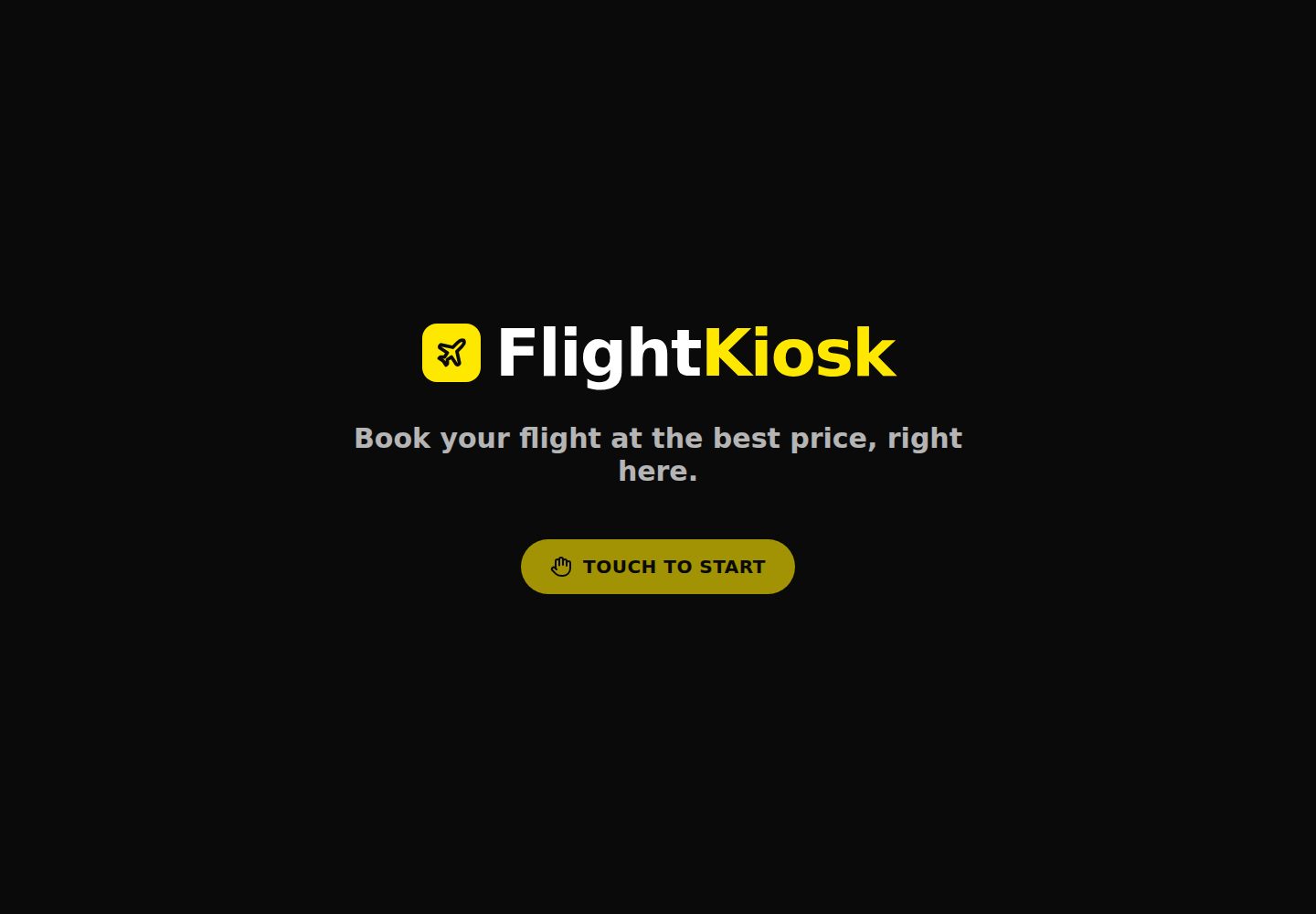
Full-screen tablet kiosk mode with locked viewport, no scrolling, and idle auto-reset
Next.jsReactCorporate Website
flight-kiosk-widget — Next.js Business Template
By tovrr
A self-service flight-booking kiosk template for physical shops, built on Next.js, earning commissions through Travelpayouts affiliate links, with full-screen tablet kiosk mode and website embedding.
Explore the design
Compare the page layouts and mobile experience. Open any screenshot for a closer look.
Desktop homepage1 / 2
Desktop captureTop of page
Actual screenshot captured by the server browser.
All pages & views 2
Screenshots show visual appearance; interactive behavior may differ.
Recorded 2026-10-02View source
What stands out
A quick read of the recorded project description.
Per-shop tracking via the ?ref= parameter in the URL, with commissions settled by the Travelpayouts affiliate program
Provides an /embed route and embed.js, allowing embedding into an existing website with a single script tag
Shows a retry card when offline, caches the app shell with a service worker, and keeps the screen always on
Brand name, colors, language, currency, idle time, and more are configured via environment variables
Includes English, French, and Dutch, and supports PWA installation
Template Details
This is a self-service flight-booking kiosk template for physical shops. Customers search, compare prices, and jump to partners to complete bookings on a tablet or iPad in full screen; the shop is tracked via the ?ref= parameter in the URL, and commissions are settled by the Travelpayouts affiliate program. The project itself does not process payments or collect personal data such as names and emails; it only stores the shop ref code in localStorage for attribution.
The template configures brand name, colors, language, currency, idle reset time, and more through environment variables, with no code changes required. In addition to full-screen kiosk mode, it provides an /embed route and embed.js, allowing the search component to be embedded into any website with a single script tag. It includes English, French, and Dutch, and supports PWA installation.
Before use, you need to register a Travelpayouts account, obtain the marker and the trs identifier for the Flights Search Form, and fill them into environment variables. Because NEXT_PUBLIC_* variables are written into the client bundle at build time, changes require redeployment.
Next.jsCorporate Website
Is it right for your project?
Use Cases
- A physical shop places a full-screen flight search kiosk on a tablet or iPad for customers to search and jump to booking on their own
- Embed the flight search component as an iframe into an existing website to track conversions by shop or channel
- Affiliate marketing scenarios that need to distinguish commission sources by different shops or sub-channels
- Still wanting to show a retryable search entry when the in-store network is unstable
Suitable For
- Merchants with physical stores who want to increase flight-booking commission income
- Affiliate marketers who have registered or plan to register with Travelpayouts
- Front-end developers who need to quickly deploy a branded flight search kiosk without building from scratch
- Operators who want to embed flight search into an existing website while retaining channel tracking
Getting started & customization
Use these recorded setup notes alongside the repository instructions for your chosen version.
- 1
You must first register a Travelpayouts account, obtain the marker and the trs for the Flights Search Form, and fill them into the corresponding environment variables
- 2
NEXT_PUBLIC_* variables are written into the client bundle at build time; after changes, redeploy and disable the build cache
- 3
For local development, copy .env.example to .env.local, then run npm install and npm run dev
- 4
The Travelpayouts component script loads from tpwidg.com; when the network is restricted, an offline fallback is shown
- 5
The search component in the demo is mock content; in production it is replaced with the real Travelpayouts form
License & source material
Usage conditions & limitations
Free to use · keep license noticeThis entry covers the free version in the public repository under the MIT license; the free scope is the code of that version and does not mean that external services or third-party assets are free.
Must comply with when using
- You may use, modify, commercialize, and distribute the code of this version for free.
- When distributing copies or substantial portions of the code, retain the original author's copyright notice and the complete MIT license notice.
- The code is provided as is; warranties and limitations of liability are governed by the original license and applicable law.
Additional costs & items to verify
- Before use, you must register a Travelpayouts account and obtain the marker and the trs identifier for the Flights Search Form to fill into environment variables; otherwise the search component cannot display properly.
- You must provide credentials such as the Travelpayouts partner marker and trs; this is an external service dependency and cannot run purely locally.
- The search component script loads from the third-party domain tpwidg.com; when the network is restricted or blocked, an offline fallback is shown and search cannot work normally.
- NEXT_PUBLIC_* variables are written into the client bundle at build time; after changes, you must redeploy and disable the build cache, and runtime hot updates are not possible.
- The Travelpayouts registration link in the README carries the maintainer's referral marker; registering through that link generates referral revenue for the maintainer (without affecting the user's commission).
- Demo images, fonts, icons, and other third-party assets must be checked against their respective licenses and cannot be judged solely by the code's MIT license.
- External services such as domains, hosting, databases, payments, or AI may incur additional charges.
View Original Text Basis
Permission is hereby granted, free of charge
Original License Text
Create a free Travelpayouts account
Original README
your **marker / Partner ID** → `NEXT_PUBLIC_TRAVELPAYOUTS_MARKER`
Original README
The Travelpayouts widget loads its script from `tpwidg.com`
Original README
changing them later requires a redeploy
Original README
https://github.com/tovrr/flight-kiosk-widget/blob/main/LICENSEhttps://github.com/tovrr/flight-kiosk-widget/blob/main/README.mdthe Travelpayouts sign-up link above carries the > maintainer's *refer-a-partner* marker
Original README
Compiled by DeepSeek based on repository license and README ·2026-10-02. Results only cover the materials read; dependencies, images, fonts, and subsequent term changes are subject to their respective original texts.
Project checks & description sources
Template Information
- Source platforms
- GitHub
- Documentation and maintenance reference score
- More documented · 80 / 100
- Technologies
- Next.js · React
- Website type
- Corporate Website
How this score is calculated
Our heuristic uses license records (up to 30), a demo link (12), a preview (10), stars (15), recorded maintenance (15), description completeness (8), feature records (5) and classification data (5). It is not a code, security or performance test, or a Google score. A link does not establish tested functionality.
What to verify for this project
- Repository update recorded
- 2026-09-13
- Screenshot last checked
- 2026-10-02
A demo link is listed. Check it with your own content and viewport sizes; its presence does not confirm that forms, authentication or payments work.
The catalog identifies Next.js as the primary stack. Check the actual dependency manifest and lockfile for versions and hosting requirements. These notes use recorded metadata, not a code audit or a deployment test.
Use a selection guide →How this description was prepared
AI-assisted description based on catalog records and repository material. Repository authors are not automatically the reviewers of this description.
Automatically checked against source and license rules; no manual editorial review.
Inspect the recorded source material
SHA-256: 4c974969f0c072d604c597ec41ac966d990c5ca04a0825aaaeca7f6b5188131c
2026-10-02T07:24:14.143Z
Source file / repository# Flight Kiosk Widget
<p align="center">
<a href="https://vercel.com/new/clone?repository-url=https://github.com/tovrr/flight-kiosk-widget">
<img src="https://vercel.com/button" alt="Deploy with Vercel" height="34">
</a>
<a href="LICENSE"><img src="https://img.shields.io/badge/license-MIT-black.svg" alt="MIT License"></a>
<img src="https://img.shields.io/badge/Next.js-16-black?logo=nextdotjs&logoColor=white" alt="Next.js 16">
<img src="https://img.shields.io/badge/Travelpayouts-affiliate-ffe800?labelColor=0a0a0a" alt="Travelpayouts affiliate">
</p>
A self-service **flight-booking kiosk** for physical shops — designed to run
fullscreen on a tablet/iPad in kiosk mode. A customer searches for a flight,
compares prices, and books, while the partner shop is tracked via a `?ref=`
in the URL. Monetisation is
**[Travelpayouts](https://www.travelpayouts.com/?marker=749997) affiliate**
(you earn a commission on every booking).
Fork it, plug in your own Travelpayouts IDs, set a brand, and deploy — no code
changes required. Everything is configured through environment variables.

<p align="center"><em>Booking screen · the attract screen shown between customers 👇</em></p>

> The widget above is rendered from a mock in this demo; in production the real
> Travelpayouts flight-search form loads in its place.
---
## 💸 Deploy your own & earn — in 5 minutes
> 🏗️ Built by [**DevForge Systems**](https://devforge.systems) — enterprise software development, from build to deploy.
Every flight booked through your kiosk pays **you** an affiliate commission via
Travelpayouts. This template is the fastest way to get a branded,
production-ready booking kiosk (or an embeddable widget) live — **no code, just
environment variables**.
<p align="center">
<a href="https://vercel.com/new/clone?repository-url=https://github.com/tovrr/flight-kiosk-widget">
<img src="https://vercel.com/button" alt="Deploy with Vercel" height="34">
</a>
</p>
1. **[Create a free Travelpayouts account](https://www.travelpayouts.com/?marker=749997)** and grab your marker + a Flights Search Form `trs`.
2. **Deploy** (one click above), paste those two values as env vars.
3. **Put a tablet in a shop** — or drop the `<script>` on any site — and earn on every booking. You keep **100 % of the affiliate commission**.
> **Transparency:** the Travelpayouts sign-up link above carries the
> maintainer's *refer-a-partner* marker. It costs you **nothing** and does **not**
> reduce your commissions — Travelpayouts simply shares a small slice of *their*
> own margin with the referrer. Prefer not to? Just sign up directly at
> [travelpayouts.com](https://www.travelpayouts.com/). Either way, the code is
> yours under MIT.
---
## Features
- **Kiosk mode** — fullscreen, no scroll, locked viewport, tablet-first.
- **Attract screen** ("Touch to start") + **idle reset** between customers.
- **Travelpayouts flight-search widget** with per-shop tracking (`shmarker`),
no Aviasales logo / "Powered by".
- **Offline fallback** — a clean "service unavailable / retry" card when the
in-store wifi drops, instead of an empty frame.
- **Mobile-continuity QR** — the customer scans it to finish on their phone,
keeping the shop `?ref=` intact.
- **Optional "Popular flights"** button to your results / White Label page.
- **Embeddable** on any website with a one-line `<script>` (`/embed` + `embed.js`).
- Fully **rebrandable** (name + colours) via env vars, **installable PWA**.
- **Resilient by design** — service worker caches the app shell (reloads offline
if the wifi drops), self-healing error screen, and the screen stays awake.
- **Built-in languages** (EN / FR / NL) via `NEXT_PUBLIC_LOCALE`.
---
## How the affiliate model works
1. A shop's kiosk URL carries its name: `https://your-app.com/?ref=shop-name`.
2. That `ref` is stored and folded into the Travelpayouts marker as
`MARKER.shop-name` (`shmarker`), so every booking is traced to the shop.
3. The customer searches → is redirected to the results page → books with the
seller. **Travelpayouts pays you the commission** (marker), and you know
which shop drove it (sub-marker).
---
## Deploy your own
### 1. Get a Travelpayouts account
Sign up at [travelpayouts.com](https://www.travelpayouts.com/?marker=749997).
From the dashboard you need:
- your **marker / Partner ID** → `NEXT_PUBLIC_TRAVELPAYOUTS_MARKER`
- a **"Flights Search Form"** widget → copy its **`trs`** →
`NEXT_PUBLIC_TP_TRS`
- *(optional)* the **Drive** domain-verification script URL →
`NEXT_PUBLIC_TP_DRIVE_SRC`
- *(optional)* a **White Label** domain for branded results →
`NEXT_PUBLIC_TP_SEARCH_URL` / `NEXT_PUBLIC_RESULTS_URL`
### 2. One-click deploy (Vercel)
[](https://vercel.com/new/clone?repository-url=https://github.com/tovrr/flight-kiosk-widget)
Set the environment variables (see below) during the import, then deploy.
Because `NEXT_PUBLIC_*` values are baked in at build time, **changing them
later requires a redeploy** (uncheck "Use existing Build Cache").
### 3. Point your kiosk at it
Open the deployed URL with a shop ref, e.g.
`https://your-app.com/?ref=shop-name`, and put the tablet in guided-access /
kiosk mode.
---
## Embed on an existing website
Besides the full-screen kiosk, the search widget can be dropped into any
website with **one line** — like a Calendly/Typeform embed:
```html
<script src="https://your-app.com/embed.js" data-ref="your-shop" async></script>
```
- Injects a responsive `<iframe>` of the flight-search widget right where the
script is placed (or into `data-target="#some-element"`).
- Auto-resizes to its content height, transparent background to blend in.
- Tracked by `data-ref` (same `?ref=` → marker model as the kiosk).
The widget lives at `/embed?ref=...` and is the only route allowed to be framed
by third-party sites (every other route stays `X-Frame-Options: SAMEORIGIN`).
---
## Environment variables
| Variable | Required | Default | Role |
| --- | :---: | --- | --- |
| `NEXT_PUBLIC_TRAVELPAYOUTS_MARKER` | ✅ | `000000` | Your partner marker (base of `shmarker`). Placeholder = no attribution. |
| `NEXT_PUBLIC_TP_TRS` | ✅ | — | Tracking source id of your Flights Search Form widget. |
| `NEXT_PUBLIC_TP_DRIVE_SRC` | | — | Drive domain-verification script URL (injected only if set). |
| `NEXT_PUBLIC_TP_SEARCH_URL` | | — | Host (no protocol) where results open, e.g. your White Label. |
| `NEXT_PUBLIC_SHOW_HOTELS` | | `false` | Show the "also search hotels" checkbox in the flight widget. |
| `NEXT_PUBLIC_BRAND_PREFIX` | | `Flight` | Brand name, first tone (foreground). |
| `NEXT_PUBLIC_BRAND_SUFFIX` | | `Kiosk` | Brand name, second tone (accent). |
| `NEXT_PUBLIC_COLOR_PRIMARY` | | `#0A0A0A` | Widget primary colour. |
| `NEXT_PUBLIC_COLOR_ACCENT` | | `#FFE800` | Widget accent colour. |
| `NEXT_PUBLIC_SITE_URL` | | current origin | Canonical URL for the mobile-continue QR. |
| `NEXT_PUBLIC_RESULTS_URL` | | — | Full URL for the "Popular flights" button (hidden if empty). |
| `NEXT_PUBLIC_LOCALE` | | `en` | Widget / page language. |
| `NEXT_PUBLIC_CURRENCY` | | `usd` | Widget currency. |
| `NEXT_PUBLIC_IDLE_TIMEOUT_MS` | | `90000` | Idle delay before the kiosk resets. |
> ⚠️ These are **identifiers, not secrets** — they ship in the client bundle by
> design. **Never** put a Travelpayouts API token in a `NEXT_PUBLIC_*` variable.
---
## Local development
```bash
cp .env.example .env.local # fill in your values
npm install
npm run dev # http://localhost:3000/?ref=demo-shop
npm run lint # ESLint (next/core-web-vitals)
npm test # unit tests (Vitest)
```
The Travelpayouts widget loads its script from `tpwidg.com`; if your network
blocks it you'll see the offline fallback — that's expected locally.
## Customisation
- **Name / colours** → env vars above. To also restyle the app chrome (not just
the widget), edit the two colours in `app/globals.css` (Tailwind v4 `@theme`
is static, so it can't read env at runtime).
- **Language** → set `NEXT_PUBLIC_LOCALE` (`en`, `fr`, `nl` built in). Add a
locale by extending the dictionary in `lib/i18n.js`; the widget follows the
same variable.
- **Icon** → replace `app/icon.svg` (also used as the PWA icon).
## Data & privacy
This app is a thin, brand-able shell around Travelpayouts — it runs almost no
logic of its own, and **collects no personal data**.
- **What it stores:** only the `?ref=` shop code, in `localStorage`, to keep
per-shop attribution across a reload. No names, emails, accounts, or payment
data — ever. No first-party tracking cookies.
- **What flows where:** the search widget and the results page are both hosted
by **Travelpayouts**. When a visitor searches, only the **search query**
(route, dates, passengers) and your **marker** are passed — via the URL — to
the results page. There is no shared backend and no database.
- **Payments** happen on the airline/OTA's own checkout, never here, so there is
no card handling or PCI scope.
- **Isolation:** every deployment uses its own marker/White Label (its own env
vars). One fork can never read another's traffic or bookings.
- **`NEXT_PUBLIC_*` values are identifiers, not secrets** — they ship in the
client bundle by design. Never put an API token in one.
Add your own privacy notice if your jurisdiction requires one; the third-party
Travelpayouts scripts have their own policy.
## Stack
Next.js 16 (App Router) · React 19 · Tailwind CSS 4 · `react-qr-code` ·
`lucide-react` · Node 22.
## License
[MIT](LICENSE) — do whatever you want, no warranty.
Explore similar templates
Compare previews and descriptions within the same stack and category.

SaaS-Boilerplate
SaaS-Boilerplate is an open-source SaaS starter template built with Next.js App Router, React 19, TypeScript, Tailwind CSS, and Shadcn UI.
Next.js · SaaS

Next-JS-Landing-Page-Starter-Template
A free Next.js landing page starter template written in Tailwind CSS and TypeScript, featuring built-in navbar, hero, features, CTA banner, and footer sections.
Next.js · Corporate Website

next-saas-starter
A free Next.js SaaS marketing landing page template from Blazity, using static generation and styled-components with no extra UI library.
Next.js · SaaS

startup-nextjs
Startup is a free, MIT-licensed Next.js template from NextJSTemplates for SaaS startups and corporate landing pages.
Next.js · SaaS

shadcn-landing-page
A Next.js landing page template built with Shadcn, TypeScript, and Tailwind, converted from a Shadcn-Vue version. It includes sections such as Navbar, mobile Sidebar, Hero, Pricing, FAQ, and Footer, and highlights responsive design, navigation, and dark mode.
Next.js · Corporate Website

shadcn-dashboard-landing-template
An open-source admin dashboard and marketing landing page template built on shadcn/ui and Tailwind CSS, with both Vite + React and Next.js versions in one repository.
Next.js · Admin dashboard