Pure HTML static starter template with no build step and no external dependencies
HTMLStarter
template-website — HTML Starter Template
By vrillusions
A minimal static website starter template containing only HTML and basic CSS, providing default files such as favicon.ico and robots.txt, with no external resource dependencies.
Explore the design
Compare the page layouts and mobile experience. Open any screenshot for a closer look.
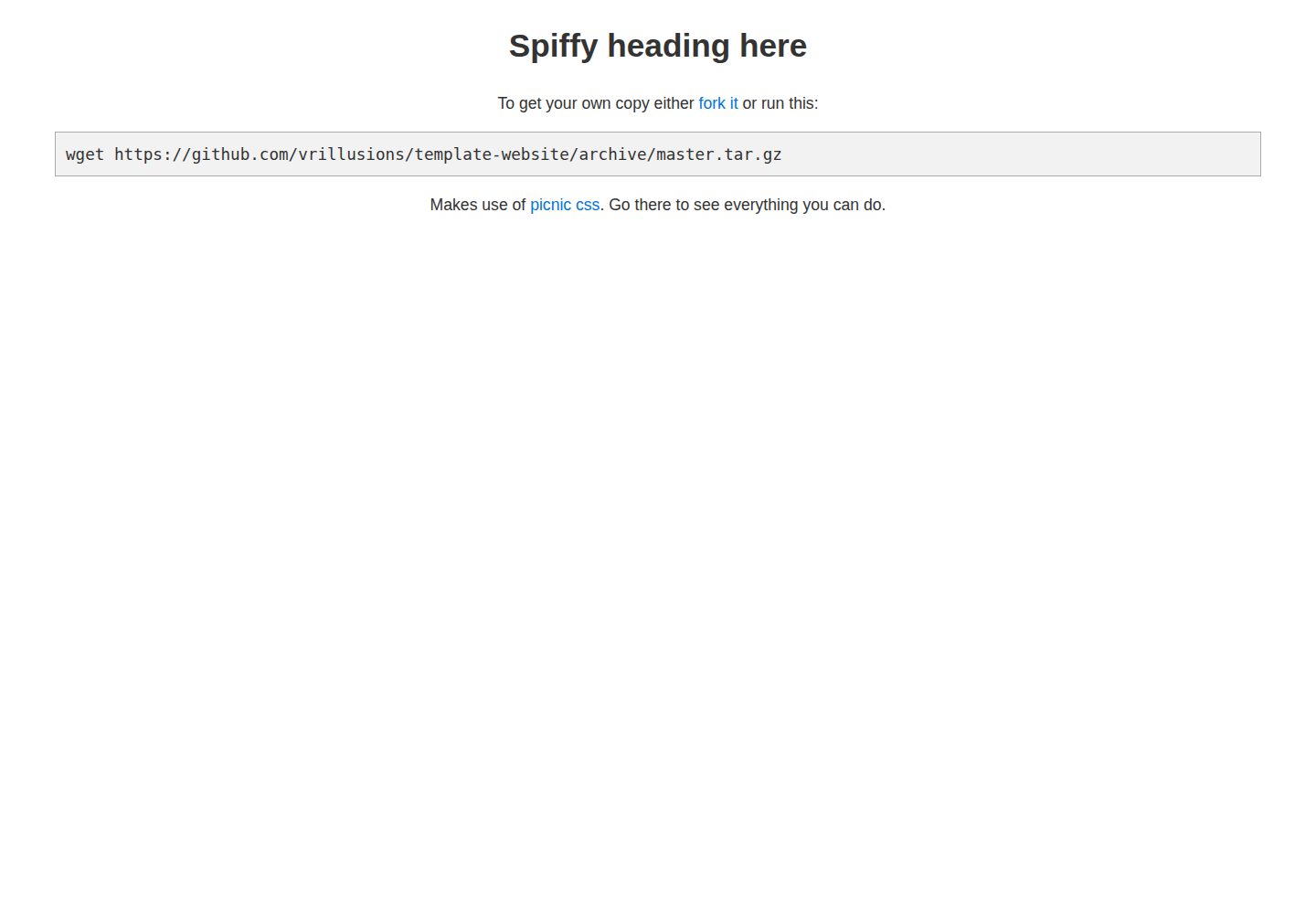
Desktop homepage1 / 2
Desktop captureTop of page
Actual screenshot captured by the server browser.
All pages & views 2
Screenshots show visual appearance; interactive behavior may differ.
Recorded 2026-10-02View source
What stands out
A quick read of the recorded project description.
Includes default site files such as favicon.ico and robots.txt
Uses picnic for basic CSS styling to improve the default appearance of bare HTML
Design goal explicitly requires no external resource references
README provides two ways to obtain the public directory: cloning or downloading the archive
Includes local preview commands using Python's built-in HTTP server
Template Details
This is a minimal starter template for static sites, described in its repository as a "very basic starter website." It addresses the appearance problem when index.html contains only a single line of bare HTML, by introducing basic CSS to make the default page look tidier. The template's design goals are clear: include common default website files (favicon.ico, robots.txt), use basic CSS (picnic), and reference no external resources.
There are two ways to use it: clone the repository and place the public directory at the target location, or download the archive, extract it, and move the public directory, for example to /srv/www/example.com/.
The template also explains how to quickly start a local test server using Python's built-in module: under Python 3, run python3 -m http.server 8000 in the public directory; under Python 2, run python -m SimpleHTTPServer 8000. This server will serve any file within the public directory and can be used for temporary file sharing; if there is no index.html in the directory, it will list the directory contents. The README also warns that this simple HTTP server is not suitable for direct exposure to the public internet.
The repository was last updated in 2014 and has very few stars; it is a lightweight, personally maintained template whose scope is limited to the static files and styles described above, with no build tools, frameworks, or backend capabilities.
HTMLStarter
Is it right for your project?
Use Cases
- Preparing a starting point for static pages where content can be directly replaced
- Setting up a temporary file-sharing directory and distributing files via directory listing
- Quickly previewing static files locally with Python's built-in server
- Serving as a minimal example for learning HTML and basic CSS structure
Suitable For
- Individual developers who need a minimal static site skeleton
- Scenarios requiring zero-dependency, zero-build direct deployment of static files
- Simple sites that need default favicon and robots.txt files
- Use cases limited to local or intranet temporary file serving
Getting started & customization
Use these recorded setup notes alongside the repository instructions for your chosen version.
- 1
After cloning the repository, copy the public directory to the target location, or download the archive, extract it, and move the public directory
- 2
For local preview, run python3 -m http.server 8000 in the public directory (for Python 2, use python -m SimpleHTTPServer 8000)
- 3
This simple HTTP server will serve any file within public; the README warns against exposing it directly to the public internet
- 4
The code uses the Unlicense, but third-party assets such as demo images, fonts, and icons require separate license verification
- 5
The repository was last updated in 2014; before use, consider whether the content still meets current needs
License & source material
Usage conditions & limitations
Free to use · keep license noticeThis entry covers the free version from the public repository under the Unlicense; the free scope applies to that version's code and does not imply that external services or third-party assets are free.
Must comply with when using
- The code of this version may be freely copied, modified, published, used, compiled, sold, and distributed, including for commercial purposes.
- The author waives related copyright through a public domain dedication; the legal effect of that dedication depends on the applicable jurisdiction.
- The code is provided as-is; warranties and limitations of liability are governed by the original license and applicable law.
Additional costs & items to verify
- README warning: do not expose the template's bundled Python simple HTTP server directly to the public internet; it will serve any file within the public directory and is only suitable for local or intranet temporary use.
- Demo images, fonts, icons, and other third-party assets must be checked against their respective licenses; they cannot be judged solely by the code's Unlicense.
- External services such as domains, hosting, databases, payments, or AI may incur additional charges.
View Original Text Basis
for any purpose, commercial or non-commercial, and by any means
Original License Text
https://github.com/vrillusions/template-website/blob/master/LICENSEhttps://github.com/vrillusions/template-website/blob/master/readme.mkdit wouldn't be the best of ideas to run this simple http server on the internet
Original README
Compiled by DeepSeek based on repository license and README ·2026-10-02. Results only cover the materials read; dependencies, images, fonts, and subsequent term changes are subject to their respective original texts.
Project checks & description sources
Template Information
- Source platforms
- GitHub
- Documentation and maintenance reference score
- Partly documented · 68 / 100
- Technologies
- HTML
- Website type
- Starter
How this score is calculated
Our heuristic uses license records (up to 30), a demo link (12), a preview (10), stars (15), recorded maintenance (15), description completeness (8), feature records (5) and classification data (5). It is not a code, security or performance test, or a Google score. A link does not establish tested functionality.
What to verify for this project
- Repository update recorded
- 2014-10-11
- Screenshot last checked
- 2026-10-02
A demo link is listed. Check it with your own content and viewport sizes; its presence does not confirm that forms, authentication or payments work.
The catalog identifies HTML as the primary stack. Check the actual dependency manifest and lockfile for versions and hosting requirements. These notes use recorded metadata, not a code audit or a deployment test.
Use a selection guide →How this description was prepared
AI-assisted description based on catalog records and repository material. Repository authors are not automatically the reviewers of this description.
Automatically checked against source and license rules; no manual editorial review.
Inspect the recorded source material
SHA-256: de0afaddbdf0aaf24efce4e61eeedb260ae3d8d3944080115958782c1e6a02ff
2026-10-02T09:12:07.378Z
Source file / repository# Template: website
<html><body>It works</body></html>
Is that what your `index.html` looks like? Well that looks ugly. This template will make it look slightly less ugly.
## Design goals
- all the default files needed (`favicon.ico`, `robots.txt`)
- basic CSS ([picnic](https://github.com/picnicss/picnic))
- no external resources
## Usage
Can either clone this project and place the `public` folder somewhere or to download just the archive:
```
wget https://github.com/vrillusions/template-website/archive/master.tar.gz
tar xzf master.tar.gz
mv template-website-master/public /srv/www/example.com/
```
## Test web server
Want to just start a basic web server?
### Python 3
cd public
python3 -m http.server 8000 &>>../simpleserver.log &
### Python 2
cd public
python -m SimpleHTTPServer 8000 &>>../simpleserver.log &
Now you have a web server listening on port 8000 that will happily send any file inside the `public` folder. Use this to setup quick ad hoc file servers. Just create a `files` folder off of `public` and toss all your stuff in there. So long as there isn't an `index.html` it will list the contents of the folder.
It should be obvious but it wouldn't be the best of ideas to run this simple http server on the internet.
## Credits
- CSS is done with [picnic](https://github.com/picnicss/picnic)
Explore similar templates
Compare previews and descriptions within the same stack and category.

startbootstrap-simple-sidebar
A Bootstrap off-canvas sidebar navigation HTML starter template from Start Bootstrap. It provides directly editable HTML and CSS in the dist directory, while the source uses Pug, SCSS, and JavaScript with npm build scripts for live preview and compilation.
HTML · Starter

adminkit
AdminKit is a free, MIT-licensed HTML admin and dashboard template built on Bootstrap 5. The free version includes 15 demo pages, 1 plugin, and 1 color scheme, with hundreds of UI components, forms, tables, charts, and icons.
HTML · Admin dashboard

Landing-Page
A general-purpose landing page HTML template maintained by Tailwind Toolbox, written in pure HTML and loading the complete Tailwind CSS via CDN.
HTML · Corporate Website

light-bootstrap-dashboard
Light Bootstrap Dashboard is a free, MIT-licensed admin dashboard template from Creative Tim, built on Bootstrap with a responsive static HTML structure.
HTML · Admin dashboard

sing-app
Sing App Lite is a free, open-source admin dashboard template from Flatlogic, built with Bootstrap 4.5 and SCSS. It provides a responsive layout, dashboard examples, typography, tables, notifications, basic charts, icons, maps, and a hover sidebar, along with styled Bootstrap components.
HTML · Admin dashboard

startbootstrap-modern-business
Modern Business is a multipurpose Bootstrap full-site HTML template from Start Bootstrap with 17 standalone pages covering home, about, services, portfolio, pricing, blog, FAQ, and contact.
HTML · Starter