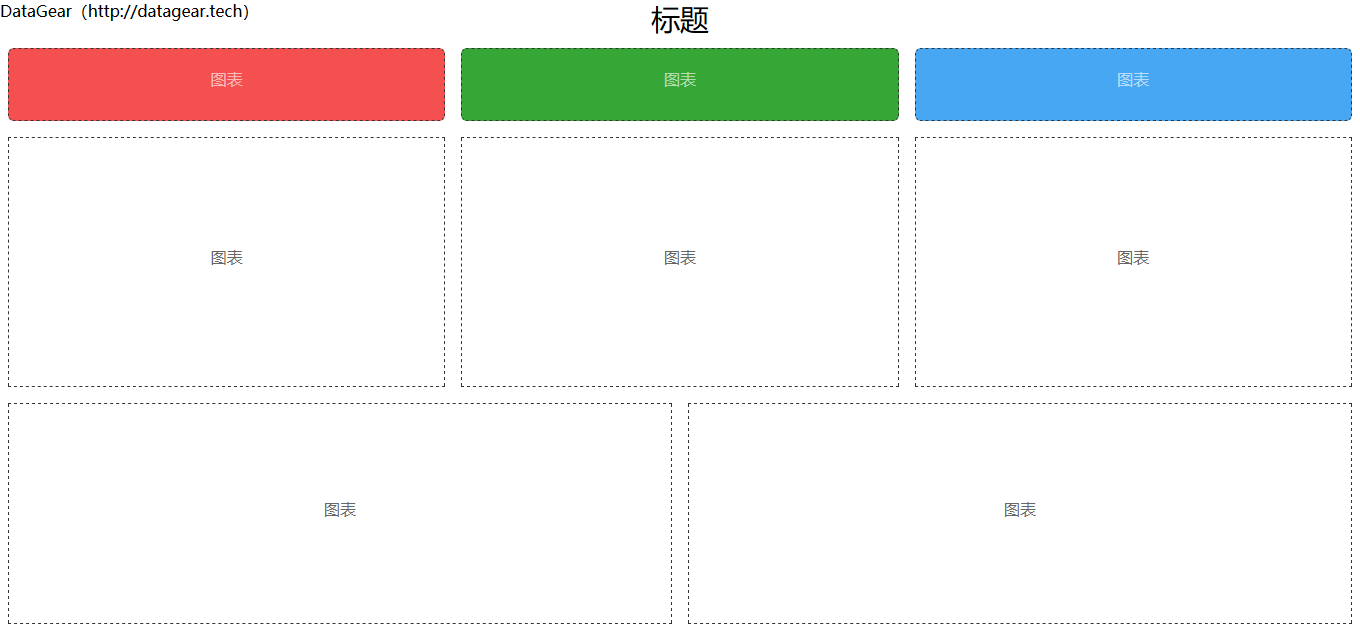
Provides 12 large-screen HTML template directories, template-001 through template-012
HTMLAdmin dashboard
DataGearDashboardTemplate — HTML Admin dashboard Template
By waodng
DataGear large-screen dashboard templates providing 12 static large-screen HTML pages that can be packaged as a ZIP and imported into the DataGear data visualization analysis platform; after binding charts via the dg-chart-widget attribute, they can be used to create data visualization dashboards.
Explore the design
Compare the page layouts and mobile experience. Open any screenshot for a closer look.
Author preview
Author-provided preview
Preview provided in the project README.
One original preview is available. Open the full image to inspect the design.
Screenshots show visual appearance; interactive behavior may differ.
Recorded 2026-10-03View source
What stands out
A quick read of the recorded project description.
Templates are static HTML and can be packaged as a ZIP and imported directly into DataGear
Charts can be connected to the dashboard by setting the chart ID via the dg-chart-widget attribute of div elements
The README includes preview images for each template and DataGear dashboard preview images for some templates
The code is under the MIT license and can be used, modified, used commercially, and distributed for free
Template Details
This repository is a collection of static large-screen HTML templates intended for use with the DataGear data visualization analysis platform. The repository stores multiple large-screen pages in directories named template-001 through template-012. The README provides preview images for each template and, for some templates, dashboard preview images in DataGear.
Usage: enter a template-*/ directory, package all files in that directory into a ZIP (files must be at the root of the archive, without an extra nested level), import the archive via the Import option in the dropdown menu to the right of the Add button on the DataGear dashboard management page, then edit the imported dashboard template and set the chart ID for the dg-chart-widget attribute of the div elements in the HTML to complete the dashboard.
The templates themselves are static HTML and do not include data sources or chart data; data integration, chart definitions, and dashboard management depend on the DataGear platform. The repository README notes that it is continuously updated, with the most recent update shown as 2022-02-23. The code is under the MIT license, but third-party assets such as demo images, fonts, and icons must be checked against their respective licenses.
HTMLBackend
Is it right for your project?
Use Cases
- Import templates into the DataGear platform to quickly build large-screen data visualization dashboards
- Replace or select different layout large-screen HTML templates for an existing DataGear dashboard
- Refer to the HTML structure of the templates to adjust large-screen page layouts and chart mounting positions
Suitable For
- Developers using the DataGear data visualization analysis platform who need large-screen dashboard templates
- Front-end personnel who need static HTML large-screen pages as a starting point for dashboards
- Users who want to package and import templates into DataGear according to the template directory structure
Getting started & customization
Use these recorded setup notes alongside the repository instructions for your chosen version.
- 1
Enter a template-*/ directory and package all files in that directory into a ZIP; files must be directly at the root of the archive, without an extra nested level
- 2
On the DataGear dashboard management page, click Import in the dropdown menu to the right of the Add button to import the above archive
- 3
Edit the imported dashboard template and set the chart ID for the dg-chart-widget attribute of the div elements in the HTML
- 4
The templates are static HTML; data sources and charts must be configured separately in the DataGear platform
- 5
Third-party assets such as demo images, fonts, and icons must be checked against their respective licenses; the MIT license of the code alone is not sufficient to determine this
License & source material
Usage conditions & limitations
Free to use · keep license noticeThis entry covers the free version under the MIT license in a public repository; the free scope is the code of this version and does not mean that external services or third-party assets are free.
Must comply with when using
- The code of this version may be used, modified, used commercially, and distributed for free.
- When distributing copies or substantial portions of the code, retain the original author's copyright notice and the full MIT license notice.
- The code is provided as is; warranties and limitations of liability are governed by the original license and applicable law.
Additional costs & items to verify
- The templates must be used with the DataGear data visualization analysis platform; after import, they take effect only after editing in the dashboard management page and binding chart IDs; the templates themselves are static HTML and do not include data sources or chart data.
- Before use, chart IDs must be configured in the DataGear platform for the dg-chart-widget attribute of div elements; data integration and chart definitions depend on that platform.
- When importing, all files in the template directory must be packaged as a ZIP, and the files must be directly at the root of the archive, without an extra nested level; otherwise, import will not work properly.
- Demo images, fonts, icons, and other third-party assets must be checked against their respective licenses; the MIT license of the code alone is not sufficient to determine this.
- External services such as domains, hosting, databases, payments, or AI may incur additional charges.
View Original Text Basis
Permission is hereby granted, free of charge
Original License Text
可作为看板模板导入[DataGear](http://www.datagear.tech)数据可视化分析平台
Original README
为HTML中`div`元素的`dg-chart-widget`属性设置图表ID
Original README
https://github.com/waodng/DataGearDashboardTemplate/blob/master/LICENSEhttps://github.com/waodng/DataGearDashboardTemplate/blob/master/README.md将目录内的所有文件打包成`ZIP`压缩包(注意:所有文件都应直接在压缩包根目录内,不要多嵌套一层)
Original README
Compiled by DeepSeek based on repository license and README ·2026-10-03. Results only cover the materials read; dependencies, images, fonts, and subsequent term changes are subject to their respective original texts.
Project checks & description sources
Template Information
- Source platforms
- GitHub
- Documentation and maintenance reference score
- Partly documented · 60 / 100
- Technologies
- HTML
- Website type
- Admin dashboard
How this score is calculated
Our heuristic uses license records (up to 30), a demo link (12), a preview (10), stars (15), recorded maintenance (15), description completeness (8), feature records (5) and classification data (5). It is not a code, security or performance test, or a Google score. A link does not establish tested functionality.
What to verify for this project
- Repository update recorded
- 2022-02-23
- Screenshot last checked
- 2026-10-03
No demo link is recorded. Use the repository instructions to evaluate the project locally; the screenshot alone cannot establish interactive behavior.
The catalog identifies HTML as the primary stack. Check the actual dependency manifest and lockfile for versions and hosting requirements. These notes use recorded metadata, not a code audit or a deployment test.
Use a selection guide →How this description was prepared
AI-assisted description based on catalog records and repository material. Repository authors are not automatically the reviewers of this description.
Automatically checked against source and license rules; no manual editorial review.
Inspect the recorded source material
SHA-256: b537473877678ed53f775de3db465bce8eb19471da83912ec75cd62e15ffd028
2026-10-03T08:32:53.994Z
Source file / repository# DataGear大屏看板模板 静态大屏HTML模板,可作为看板模板导入[DataGear](http://www.datagear.tech)数据可视化分析平台,制作大屏展示数据可视化看板。 持续更新中.... # 导入模板 1. 进入此项目其中一个模板目录`template-*/` 2. 将目录内的所有文件打包成`ZIP`压缩包(注意:所有文件都应直接在压缩包根目录内,不要多嵌套一层) 3. 在[DataGear](http://www.datagear.tech)程序的看板管理页面,点击【添加】按钮右侧下拉菜单的【导入】按钮,导入上述压缩包 4. 编辑导入的看板模板,为HTML中`div`元素的`dg-chart-widget`属性设置图表ID 5. 数据可视化看板制作完成 # DataGear [DataGear](http://www.datagear.tech)是一款数据可视化分析平台,使用Java语言开发,采用浏览器/服务器架构,支持SQL、CSV、Excel、HTTP接口、JSON等多种数据源, 主要功能包括数据管理、SQL工作台、数据导入/导出、数据集管理、图表管理、看板管理等。 官网地址: [http://www.datagear.tech](http://www.datagear.tech) 源码地址: [https://gitee.com/datagear/datagear](https://gitee.com/datagear/datagear) [https://github.com/datageartech/datagear](https://github.com/datageartech/datagear) # 模板参考项目 [Lang/大屏数据展示模板](https://gitee.com/lvyeyou/DaShuJuZhiDaPingZhanShi) # 模板效果图 template-001  template-002  template-003  template-004  template-005  template-006  template-007  template-008  template-009  template-010  template-011  template-012  # 看板效果图 template-002  template-005  template-006  template-008 
Explore similar templates
Compare previews and descriptions within the same stack and category.

gentelella
Gentelella v4 is a free, open-source admin dashboard template maintained by Colorlib, built with vanilla JavaScript, SCSS, and Vite 8 without Bootstrap or jQuery.
HTML · Admin dashboard

coreui-free-bootstrap-admin-template
A free Bootstrap admin template maintained by CoreUI, built on CoreUI's own UI component library. It provides compiled HTML pages and Pug template source code, covering dashboards, authentication, forms, components, icons, and error pages.
HTML · Admin dashboard

dashboards
A collection of responsive dashboard HTML templates open-sourced by Keen IO, built on CSS Grid, offering multiple prebuilt admin data interface layouts.
HTML · Admin dashboard

SB Admin 2
SB Admin 2 is a classic Bootstrap admin template from Start Bootstrap, offering dashboards, charts, tables, and common management pages.
HTML · Admin dashboard

Adminator-admin-dashboard
Adminator 4 is a vanilla HTML, CSS and JavaScript admin dashboard template with a CSS-variable token design system, built-in light and dark themes, no jQuery or Bootstrap dependency, and 18 pages covering dashboards, mail, calendar, charts, forms, tables and error pages.
HTML · Admin dashboard

SB Admin
SB Admin is a lightweight, open-source Bootstrap admin template from Start Bootstrap. It offers a sidebar-and-top-bar layout with data tables, forms, and stat cards, plus responsive design.
HTML · Admin dashboard