Markdown article generation, reading local content/articles/*.md by default
Next.jsReactBlog
blog-v2 — Next.js Blog Template
By wimpykid719
A Markdown blog template based on Next.js App Router that supports local or GitHub repositories as article sources, with built-in article list and pagination, RSS, sitemap, OG images, code highlighting, and KaTeX formulas.
Explore the design
Compare the page layouts and mobile experience. Open any screenshot for a closer look.
Desktop homepage1 / 3
Desktop captureTop of page
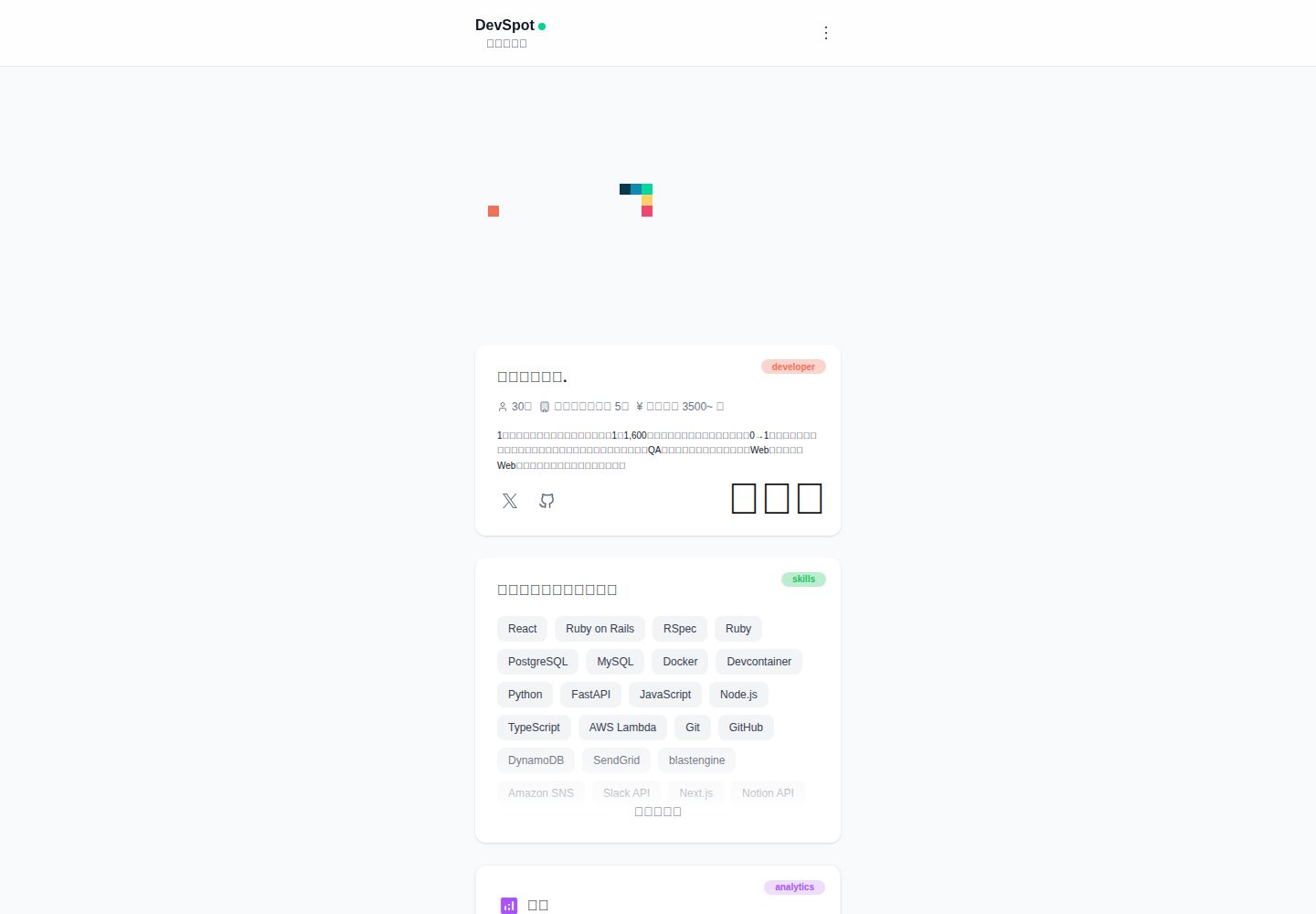
Actual screenshot captured by the server browser.
All pages & views 3
Screenshots show visual appearance; interactive behavior may differ.
Recorded 2026-10-14View source
What stands out
A quick read of the recorded project description.
Optional GitHub article source: after setting GITHUB_REPOS, reads Markdown from the repository's articles/ directory
Article list supports pagination (/articles?page=2) and provides article detail pages
Built-in RSS (/rss.xml, up to 50 items with categories), sitemap.xml, robots.txt, and OG image route
Supports highlight.js code highlighting and KaTeX mathematical formulas
Optional GA4 tracking and home Analytics Dashboard (requires GA4 Data API service account credentials)
Template Details
This is a blog template built with Next.js (App Router), where articles are generated from Markdown. By default, it reads articles from local `content/articles/*.md`, but by setting the environment variable `GITHUB_REPOS`, it can instead read Markdown from the `articles/` directory of a GitHub repository.
Pages and routes include: home `/`, article list `/articles` (supports `?page=` pagination), article detail `/articles/[slug]`, RSS `/rss.xml` (up to 50 items with categories output), sitemap `/sitemap.xml`, `/robots.txt`, and `/opengraph-image` for OG/Twitter. For SEO, it provides canonical, OG, Twitter Card, and supports Google Search Console verification.
Article front matter must include fields such as title, emoji, type (tech or idea), topics, published, date, etc. The optional `qiitaId` replaces the slug, making the URL `/articles/<qiitaId>`; canonical can be configured to preferentially point to the original Qiita/Zenn article. In GitHub source mode, slug conflicts are resolved on a first-come, first-served basis according to the order of `GITHUB_REPOS`, and only articles with `published: true` are displayed.
Optional integrations include GA4 PV tracking and a home Analytics Dashboard (requires service account credentials for the GA4 Data API), as well as code highlighting (highlight.js) and mathematical formulas (KaTeX). The project uses pnpm, provides a DevContainer configuration, and the README gives Vercel as the deployment method. The README does not describe deployment details for platforms other than Vercel, nor does it provide performance or production-readiness information.
Next.jsBlog
Is it right for your project?
Use Cases
- Maintain and publish a personal technical blog using Markdown
- Use the articles/ directory from a Zenn or Qiita repository as a unified article source for display
- Blog sites that need basic SEO outputs such as RSS, sitemap, and OG images
- Develop in a DevContainer and deploy a Next.js blog to Vercel
Suitable For
- Individual creators who are used to writing in Markdown
- Developers using Next.js App Router who want to manage dependencies with pnpm
- People who need to sync articles from a GitHub repository to their own blog
- Developers who want to deploy a blog on Vercel
Getting started & customization
Use these recorded setup notes alongside the repository instructions for your chosen version.
- 1
The project uses pnpm (packageManager: pnpm); to run locally, enter the app directory and execute pnpm install and pnpm dev
- 2
DevContainer is recommended: after cloning the repository, first copy .devcontainer/.env.sample to .devcontainer/.env, then Reopen in Container in VS Code, and inside the container execute cd app && pnpm dev
- 3
It is recommended to set NEXT_PUBLIC_SITE_URL (without a trailing slash) for generating sitemap, robots, rss, and canonical; if not set, it falls back to site.json, then to http://localhost:3000
- 4
When using a GitHub article source, GITHUB_REPOS must be configured; GITHUB_OWNER, GITHUB_BLOG_PATH (default articles), and GITHUB_TOKEN are optional
- 5
When deploying to Vercel, configure environment variables in Project Settings → Environment Variables and confirm that pnpm build passes; RSS and sitemap use fs or the GitHub API and run on the Node.js runtime
License & source material
Usage conditions & limitations
Free to use · keep license noticeThis entry covers the free version under the MIT license in a public repository; the free scope is the code of that version and does not mean that external services or third-party materials are free.
Must comply with when using
- Free use, modification, commercial use, and distribution of this version's code are permitted.
- When distributing copies or substantial portions of the code, retain the original author's copyright notice and the full MIT license notice.
- The code is provided as is; warranties and limitations of liability are governed by the original license and applicable law.
Additional costs & items to verify
- Demo images, fonts, icons, and other third-party materials must be checked against their respective licenses and cannot be judged solely by the code's MIT license.
- External services such as domains, hosting, databases, payments, or AI may incur separate charges.
- Optional feature: after setting the environment variable GITHUB_REPOS, articles are read from the articles/ directory of a GitHub repository instead of local Markdown.
- Optional feature: Google Analytics PV tracking is enabled only after setting the GA4 measurement ID.
- After setting GITHUB_REPOS, the article list and body are fetched via the GitHub Contents API instead of local files.
- GITHUB_TOKEN is optional, but is required when accessing private repositories or avoiding rate limits.
- The home Analytics Dashboard (PV/popular pages) is an optional feature and requires the GA4 Data API.
- Before using the GA4 Data API, the service account must be granted at least view permission on the Google Analytics (GA4) side.
- To generate canonical links pointing to the original Zenn/Qiita articles, ZENN_USER_NAME and QIITA_USER_NAME must be set.
- When using a GitHub article source in DevContainer, GITHUB_REPOS is required.
- When using a GitHub article source in DevContainer, GITHUB_OWNER is required.
- GITHUB_TOKEN is optional but recommended; it is required when accessing private repositories or avoiding rate limits.
- The README gives Vercel as the deployment method and calls it the simplest.
- When deploying to Vercel, variables such as NEXT_PUBLIC_SITE_URL must be set in Project Settings → Environment Variables.
- /rss.xml and sitemap.xml must run on the Node.js runtime because they use fs or the GitHub API to fetch articles.
- npm/npx commands require confirmation before execution, and can be bypassed with USE_NPM_ANYWAY=1.
- pnpm-workspace.yaml sets minimumReleaseAge: 4320 (3 days), preventing installation of newly released packages.
View Original Text Basis
Permission is hereby granted, free of charge
Original License Text
- **GitHub記事ソース(任意)**: 環境変数 `GITHUB_REPOS` を設定すると、GitHubリポジトリ上の `articles/` 配下Markdownも読み込み可能
Original README
- **Google Analytics(任意)**: GA4測定IDを設定するとPV計測
Original README
`GITHUB_REPOS` を設定すると、ローカルではなく **GitHubのContents API** から記事一覧/本文を取得します。
Original README
- `GITHUB_TOKEN`: 任意(private repoやレート制限対策)
Original README
- **GA4 Data API(任意)**: ホームの「Analytics Dashboard(PV/人気ページ)」表示に使用
Original README
- 事前に **Google Analytics(GA4)側でサービスアカウントに閲覧権限以上**を付与してください
Original README
- **`ZENN_USER_NAME`**, **`QIITA_USER_NAME`**: 原本canonical(Zenn/Qiita)生成に使用(`site.json` でも設定可)
Original README
- `GITHUB_REPOS`(必須;推奨フォーマット: `owner/repo-a,owner/repo-b`)
Original README
- `GITHUB_OWNER`(必須;リポジトリパス用)
Original README
- `GITHUB_TOKEN`(任意だが推奨;privateリポジトリやレート制限対策に必要)
Original README
Vercelへのデプロイが最も簡単です。
Original README
- **Project Settings → Environment Variables** に `NEXT_PUBLIC_SITE_URL`(必要に応じて他の変数も)を設定
Original README
- `/rss.xml` や `sitemap.xml` は記事取得に `fs`(ローカル)またはGitHub APIを使うため、**Node.js runtime**で動作します(実装で固定済み)
Original README
- npm/npxコマンドは実行前に確認が必要です(`USE_NPM_ANYWAY=1` でバイパス可能)
Original README
https://github.com/wimpykid719/blog-v2/blob/main/LICENSE.mdhttps://github.com/wimpykid719/blog-v2/blob/main/README.md- `pnpm-workspace.yaml` に `minimumReleaseAge: 4320`(3日)を設定し、新しくリリースされたパッケージのインストールを防止します
Original README
Compiled by DeepSeek based on repository license and README ·2026-10-14. Results only cover the materials read; dependencies, images, fonts, and subsequent term changes are subject to their respective original texts.
Project checks & description sources
Template Information
- Source platforms
- GitHub
- Documentation and maintenance reference score
- More documented · 80 / 100
- Technologies
- Next.js · React
- Website type
- Blog
How this score is calculated
Our heuristic uses license records (up to 30), a demo link (12), a preview (10), stars (15), recorded maintenance (15), description completeness (8), feature records (5) and classification data (5). It is not a code, security or performance test, or a Google score. A link does not establish tested functionality.
What to verify for this project
- Repository update recorded
- 2026-04-16
- Screenshot last checked
- 2026-10-14
A demo link is listed. Check it with your own content and viewport sizes; its presence does not confirm that forms, authentication or payments work.
The catalog identifies Next.js as the primary stack. Check the actual dependency manifest and lockfile for versions and hosting requirements. These notes use recorded metadata, not a code audit or a deployment test.
Use a selection guide →How this description was prepared
AI-assisted description based on catalog records and repository material. Repository authors are not automatically the reviewers of this description.
Review declaration: codex-user-requested-batch-review-20261015 · 2026-10-15
Inspect the recorded source material
SHA-256: e2782dbb5c4a0529467ef5c6f29e03bdcf15b61465f6361411879ef5eab265eb
2026-10-14T15:46:49.350Z
Source file / repository# 🏡 DevSpot Blog(Next.js)
[English](./README.en.md) | **日本語**
> 💡 **個人クリエイターにおすすめ!**
> このブログは**誰でも簡単にデプロイできて、無料で運用できる**個人クリエイター向けのブログテンプレートです。Vercelへのデプロイが簡単で、コストゼロで始められます。
## 概要
Next.js(App Router)で作ったブログです。記事はMarkdownから生成され、**記事一覧**・**記事詳細**・**RSS**・**サイトマップ**・**OG画像**などを備えています。
## 主な機能
- **Markdown記事配信**: `content/articles/*.md`(ローカル)から記事を生成
- **GitHub記事ソース(任意)**: 環境変数 `GITHUB_REPOS` を設定すると、GitHubリポジトリ上の `articles/` 配下Markdownも読み込み可能
- **記事一覧 + ページネーション**: `/articles?page=2` のようにページング
- **SEO対応**: canonical/OG/Twitter Card、`robots.txt`、`sitemap.xml`
- **RSSフィード**: `/rss.xml`(最大50件、カテゴリ出力)
- **コードハイライト/数式**: highlight.js / KaTeX 対応
- **Google Analytics(任意)**: GA4測定IDを設定するとPV計測
## ページ / ルーティング
- **ホーム**: `/`
- **記事一覧**: `/articles`(`?page=` 対応)
- **記事詳細**: `/articles/[slug]`
- **RSS**: `/rss.xml`
- **サイトマップ**: `/sitemap.xml`
- **robots**: `/robots.txt`
- **OG画像**: `/opengraph-image`(OG/Twitter用)
## 記事の追加・更新(ローカルMarkdown)
1. `content/articles/` に `my-article.md` を追加
2. front matter を設定(必須項目あり)
例:
```md
---
title: "記事タイトル"
emoji: "📝"
type: "tech" # "tech" | "idea"
topics: ["Next.js", "TypeScript"]
published: true
date: "2025.12.31" # 例: YYYY.MM.DD / YYYY-MM-DD / YYYY/MM/DD
# qiitaId: "xxxxxxxxxxxxxxxxxxxx" # 任意
---
# 見出し
本文...
```
### `slug` と `qiitaId` について(重要)
- **通常**: `content/articles/my-article.md` → slug は `my-article`
- **`qiitaId` を指定**: slug は `qiitaId` に置き換わります(URLが `/articles/<qiitaId>` になります)
- canonical URL は、設定に応じて **Qiita/Zenn(原本)を優先**します(後述)
## 記事の追加・更新(GitHubリポジトリから読み込む:任意)
`GITHUB_REPOS` を設定すると、ローカルではなく **GitHubのContents API** から記事一覧/本文を取得します。
- `GITHUB_REPOS`: 例 `["owner/repo-a","owner/repo-b"]` または `owner/repo-a,owner/repo-b`
- `GITHUB_BLOG_PATH`: 記事ディレクトリ(デフォルト `articles`)
- `GITHUB_TOKEN`: 任意(private repoやレート制限対策)
- `GITHUB_OWNER`: 任意(`GITHUB_REPOS` に repo名だけ書く場合の補完)
注意:
- slug が衝突する場合は **`GITHUB_REPOS` の指定順で先勝ち**します
- `published: true` の記事のみ表示されます
### GitHubリポジトリの階層構造
GitHubリポジトリから記事を読み込む場合、以下の階層構造でMarkdownファイルを配置してください。
```
リポジトリルート/
├── articles/ # 記事ディレクトリ(GITHUB_BLOG_PATH で変更可能、デフォルト: articles)
│ ├── article-1.md
│ ├── article-2.md
│ └── ...
└── .gitignore # その他のファイル(任意)
```
**例: Zenn記事用リポジトリ**
```
zenn-content/
└── articles/
├── nextjs-tutorial.md
├── react-server-components.md
└── ...
```
**例: Qiita記事用リポジトリ**
```
qiita-content/
└── articles/
├── fastapi-guide.md
├── docker-basics.md
└── ...
```
**複数リポジトリを指定する場合:**
```bash
GITHUB_REPOS='["zenn-content","qiita-content"]'
```
この場合、両方のリポジトリの `articles/` 配下のMarkdownファイルが読み込まれます。
**ファイル名とslugの関係:**
- ファイル名: `my-article.md` → slug は `my-article`
- front matter に `qiitaId` がある場合: slug は `qiitaId` に置き換わります
## 環境変数
### 必須(推奨)
- **`NEXT_PUBLIC_SITE_URL`**: 本番URL(末尾スラッシュ無し推奨)
- `sitemap.xml` / `robots.txt` / `rss.xml` / canonical URL の生成に使われます
- 未設定時は `site.json` → それも空なら `http://localhost:3000` にフォールバック
### 任意
- **`NEXT_PUBLIC_GA4_MEASUREMENT_ID`**: GA4測定ID(設定時のみ計測スクリプトを挿入)
- **GA4 Data API(任意)**: ホームの「Analytics Dashboard(PV/人気ページ)」表示に使用
- **`GA4_PROPERTY_ID`**: GA4のプロパティID(数値。例: `123456789`)
- **`GA4_CLIENT_EMAIL`**: サービスアカウントの `client_email`
- **`GA4_PRIVATE_KEY`**: サービスアカウントの `private_key`(改行を含む場合は `\n` でも可)
- 事前に **Google Analytics(GA4)側でサービスアカウントに閲覧権限以上**を付与してください
- **`NEXT_PUBLIC_GOOGLE_SITE_VERIFICATION`**: Google Search Console 用 verification
- **`ZENN_USER_NAME`**, **`QIITA_USER_NAME`**: 原本canonical(Zenn/Qiita)生成に使用(`site.json` でも設定可)
- **GitHub記事ソース**: `GITHUB_REPOS`, `GITHUB_BLOG_PATH`, `GITHUB_TOKEN`, `GITHUB_OWNER`
## ローカルでの環境構築 / 起動
このプロジェクトは `packageManager: pnpm` です。
### 方法1: DevContainerを使用(推奨)
このプロジェクトには **DevContainer設定** が含まれており、Docker環境で一貫した開発環境を提供します。
#### 特徴
- 🐳 **マルチステージDockerビルド**: Zsh開発環境 + 軽量な本番イメージ
- 📦 **pnpm** via Corepack
- 🖥️ **Zsh with autosuggestions & persistent history** でスムーズなCLIワークフロー
- 🛠 **Biome** をフォーマッター & リンターとして使用(Git統合で一貫したコミット)
- 🎨 **Tailwind CSS** サポート(VS Code拡張機能もプリインストール済み)
- 🔧 **Devcontainer設定** で再現可能でポータブルなワークスペース
- 🛡️ **サプライチェーン攻撃対策**: バージョンピン、リリース年齢チェック、npm/npx使用制限
#### セットアップ手順
1. **リポジトリをクローン**
```zsh
git clone https://github.com/wimpykid719/blog-v2
cd blog-v2
```
2. **環境ファイルを作成**
コンテナを起動する前に、サンプル環境ファイルをコピーします:
```zsh
cp .devcontainer/.env.sample .devcontainer/.env
```
3. **GitHub記事ソースの設定(任意)**
このプロジェクトは、GitHubリポジトリに保存されたMarkdownファイルから `/articles` ページを生成できます。
`.devcontainer/.env` に以下の変数を設定してください(`.devcontainer/.env.sample` からコピー後):
- `GITHUB_REPOS`(必須;推奨フォーマット: `owner/repo-a,owner/repo-b`)
- `GITHUB_OWNER`(必須;リポジトリパス用)
- `GITHUB_BLOG_PATH`(任意、デフォルト: `articles`)
- `GITHUB_TOKEN`(任意だが推奨;privateリポジトリやレート制限対策に必要)
4. **Dev Containerで開く**
VS Codeでプロジェクトを開き、「Reopen in Container」を実行して開発環境を初期化します。
必要なツール(pnpm、Biome、Tailwindなど)はすべてプリインストール済みです。
5. **Next.jsアプリを起動**
コンテナ内で:
```zsh
cd app && pnpm dev
```
アプリは 👉 http://localhost:3000 でアクセスできます。
6. **Biome設定**
初回起動時、Biomeがnode_modulesにインストールされたBiomeを参照できないためエラーが発生する場合があります。
解決するには、Ctrl+Shift+P でコマンドパレットを開き、以下のコマンドを実行してください:
```
>Biome: Restart
```
### 方法2: 通常のローカル環境
DevContainerを使用しない場合:
```bash
cd app
pnpm install
pnpm dev
```
ブラウザで `http://localhost:3000` を開いて確認してください。
### Lint / Format
```bash
pnpm lint
pnpm format
```
## デプロイ(Vercel)
Vercelへのデプロイが最も簡単です。
- **Project Settings → Environment Variables** に `NEXT_PUBLIC_SITE_URL`(必要に応じて他の変数も)を設定
- `pnpm build` が通ることを確認してデプロイ
補足:
- `/rss.xml` や `sitemap.xml` は記事取得に `fs`(ローカル)またはGitHub APIを使うため、**Node.js runtime**で動作します(実装で固定済み)
## 🛡️ サプライチェーン攻撃対策
このボイラープレートには、npmサプライチェーン攻撃から保護するためのセキュリティ対策が含まれています:
### 1. pnpm使用の強制
- npm/npxコマンドは実行前に確認が必要です(`USE_NPM_ANYWAY=1` でバイパス可能)
- Corepack経由でpnpmが主要パッケージマネージャーとして強制されます
### 2. バージョンピン
- `save-exact=true` を設定した `.npmrc` により、正確なバージョンが保存されます
- `npm-package-json-lint` がすべての依存関係が正確なバージョン(`^` や `~` なし)を使用していることをチェックします
- `pnpm lint:package-json` を実行してバージョンピンを確認できます
### 3. リリース年齢保護
- `pnpm-workspace.yaml` に `minimumReleaseAge: 4320`(3日)を設定し、新しくリリースされたパッケージのインストールを防止します
- `renovate.json` でRenovateが新しいバージョンに更新する前に3日待つように設定されています
### 設定ファイル
初期化時に以下のセキュリティ設定ファイルが `app/` に自動的にコピーされます:
- `.npmrc` - バージョンピン設定
- `.npmpackagejsonlintrc.json` - package.jsonのリンティングルール
- `pnpm-workspace.yaml` - リリース年齢保護付きのpnpmワークスペース設定
ルートレベルの設定:
- `renovate.json` - 依存関係更新用のRenovate bot設定
## 📂 プロジェクト構造
```
.
├── .devcontainer/ # Devcontainer設定、Dockerfile & 環境設定
│ ├── .env.sample
│ ├── .zshrc
│ ├── app/ # Next.jsアプリ初期化用のテンプレートファイル
│ │ ├── .npmrc
│ │ ├── .npmpackagejsonlintrc.json
│ │ └── pnpm-workspace.yaml
│ ├── compose.yml
│ ├── devcontainer.json
│ ├── Dockerfile
│ └── entrypoint.sh
├── .gitignore # Git ignoreファイル
├── app/ # Next.jsアプリケーションソースコード
│ ├── public/ # 静的アセット
│ ├── src/ # アプリケーションソース
│ ├── content/ # Markdown記事(ローカル)
│ ├── next.config.ts
│ └── package.json
├── LICENSE.md # プロジェクトライセンス
├── README.md
└── renovate.json # Renovate bot設定
```
## ✅ 主な特徴
- Docker & Dev Containersによる一貫した開発環境
- Biome + TailwindCSSが標準装備されたオピニオン付きセットアップ
- 生産性向上のための履歴永続化付きZshシェル
- デプロイに最適化された本番対応ビルド
- 無料で運用可能(Vercelなど)
- 簡単なデプロイプロセス
## 📜 ライセンス
MIT
Explore similar templates
Compare previews and descriptions within the same stack and category.

tailwind-nextjs-starter-blog
A Next.js and Tailwind CSS blog starter template using Contentlayer for Markdown/MDX, with built-in SEO, code highlighting, and tags. It targets personal technical blogs and migration from Jekyll/Hugo to React, and supports one-click Vercel deployment.
Next.js · Blog

Nextjs-tailwindcss-blog-template
A Next.js blog styled with Tailwind CSS. The current branch processes Markdown with Velite; the earlier Contentlayer setup is retained in a separate historical branch.
Next.js · Blog

Next-js-Blog-Boilerplate
A blog starter built on Next.js 12 and Tailwind CSS 3, integrating TypeScript, ESLint, Prettier, and PostCSS.
Next.js · Blog

nextjs-blog-theme
A Next.js 15 and Tailwind CSS 4.x blog starter by Netlify, designed by Bejamas, with MDX support, dark/light theme switching, and environment-variable configuration. It includes a visual setup wizard for deploying to Netlify and manages content via local .mdx files.
Next.js · Blog

blog
A personal blog forked from Timlrx's tailwind-nextjs-starter-blog, built with Next.js, React, and Tailwind CSS. Content is stored as Markdown/MDX under data/, with site, author, navigation, and project data in separate files.
Next.js · Blog

tailnext
Tailnext is a free, open-source template built on the Next.js 14 App Router and Tailwind CSS, created by the onWidget team.
Next.js · Blog