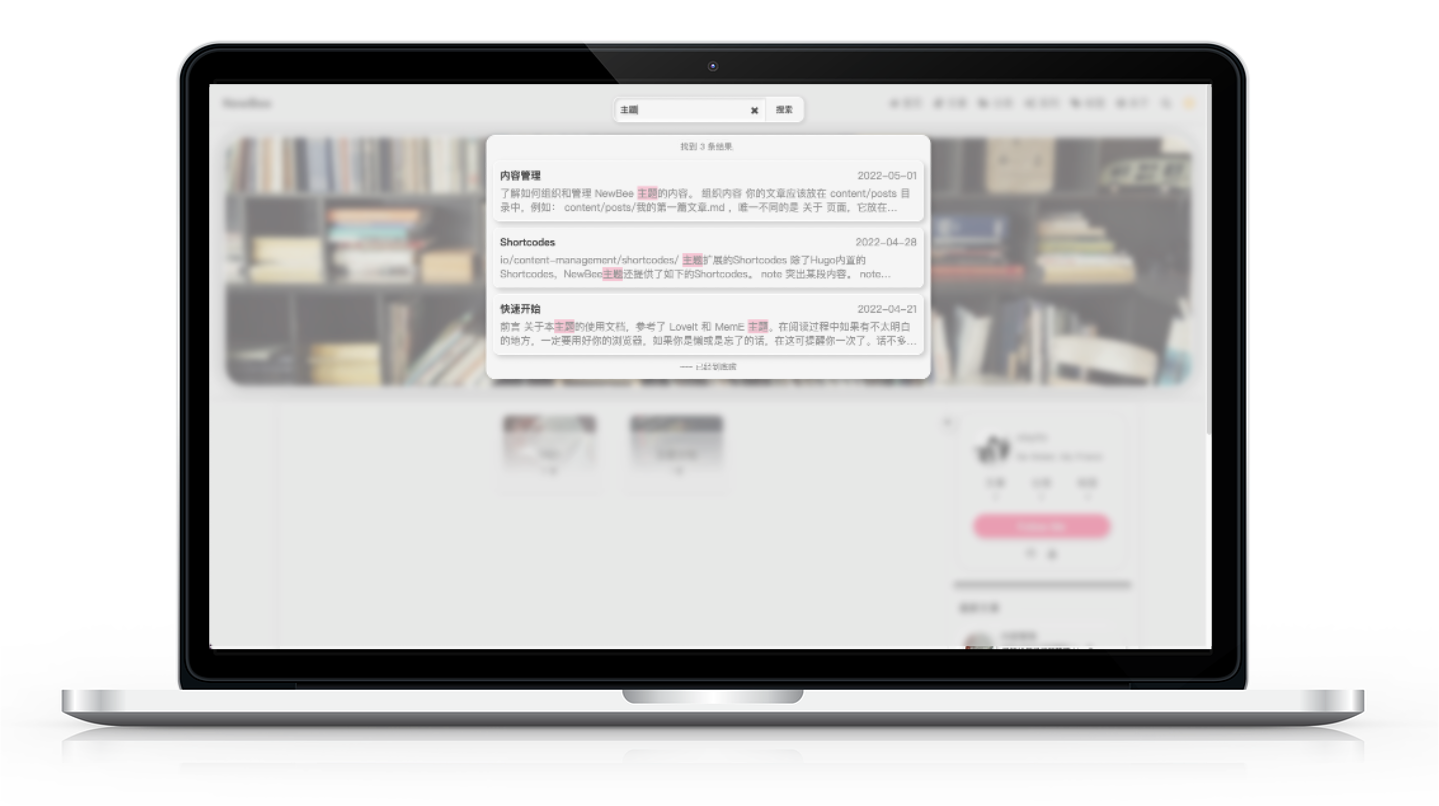
Built-in local search that works without additional configuration
HugoBlog
NewBee — Hugo Blog Template
By xioyito
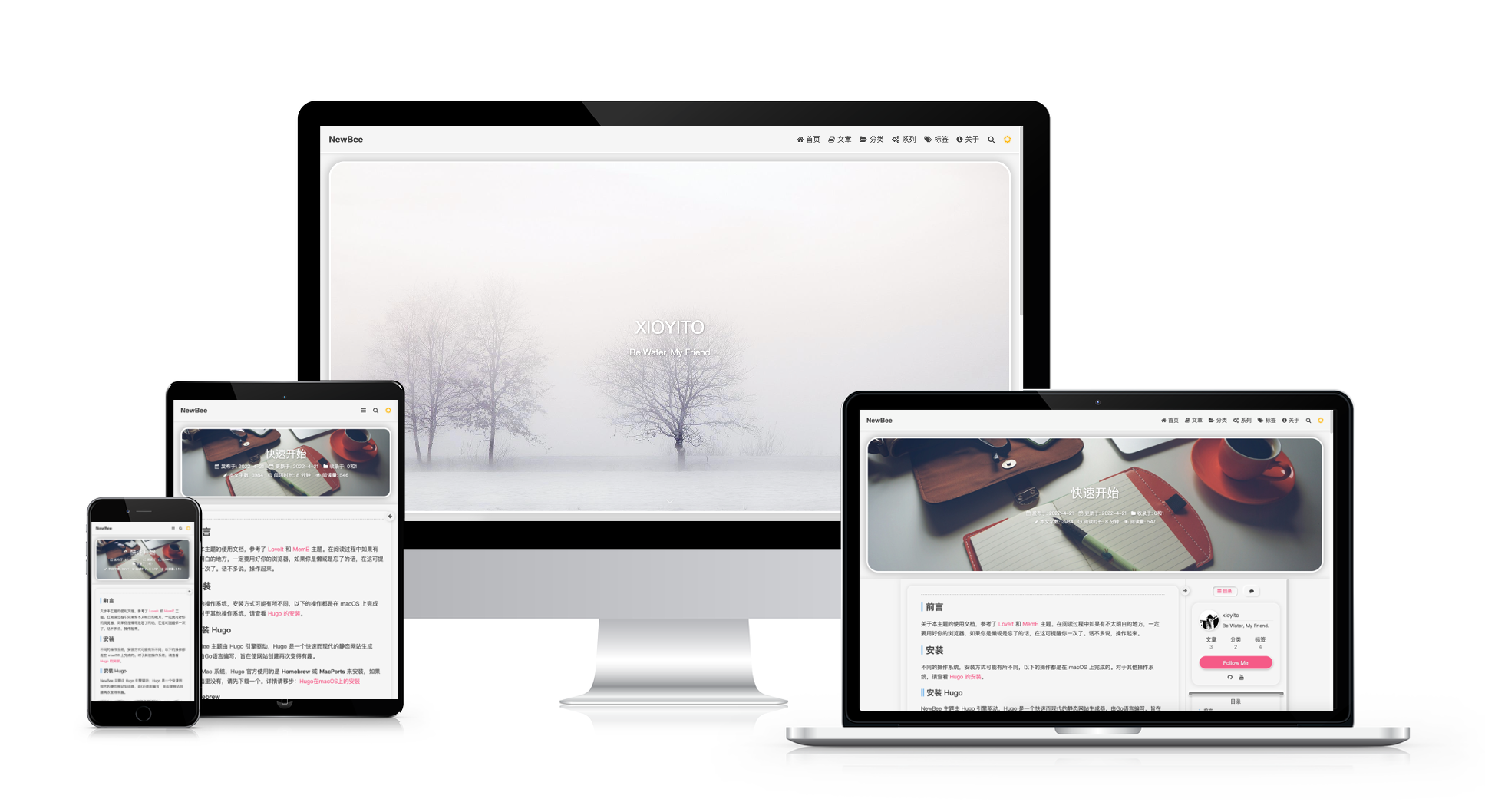
NewBee is a Hugo-based blog theme with a Light-Neumorphism style, featuring built-in local search, multilingual support, dark mode, and Valine comments.
Explore the design
Compare the page layouts and mobile experience. Open any screenshot for a closer look.
Author preview
Author-provided preview
Preview provided in the project README.
One original preview is available. Open the full image to inspect the design.
Screenshots show visual appearance; interactive behavior may differ.
Recorded 2026-10-02View source
What stands out
A quick read of the recorded project description.
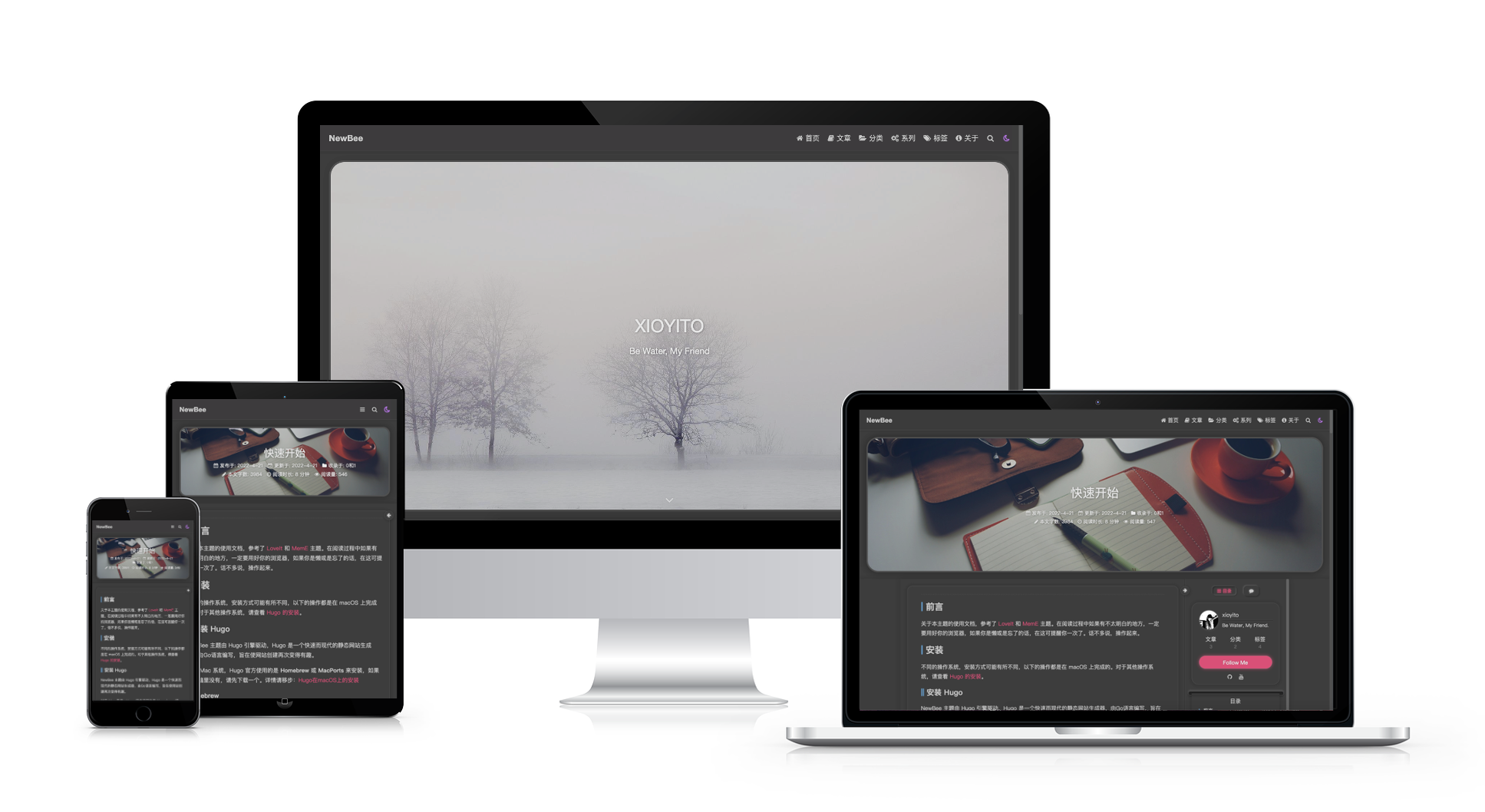
Supports multilingual content, syntax highlighting, and dark mode
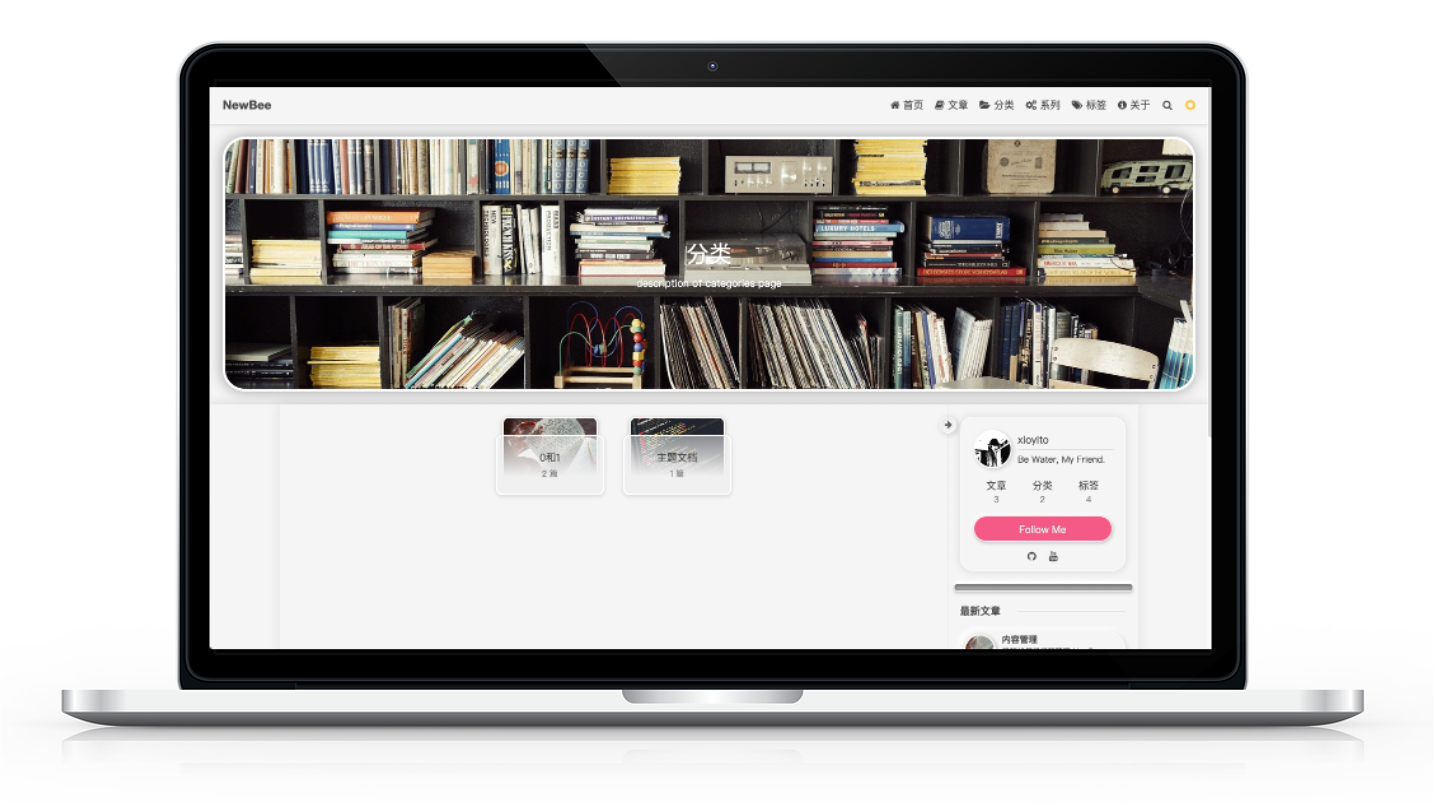
Provides archive pages, categories, tags, and series taxonomies
Integrates Valine comments, Aplayer/MetingJS music player, and visitor/page view statistics
Sidebar can be toggled at any time, including author card, previous/next post buttons, and sponsorship card
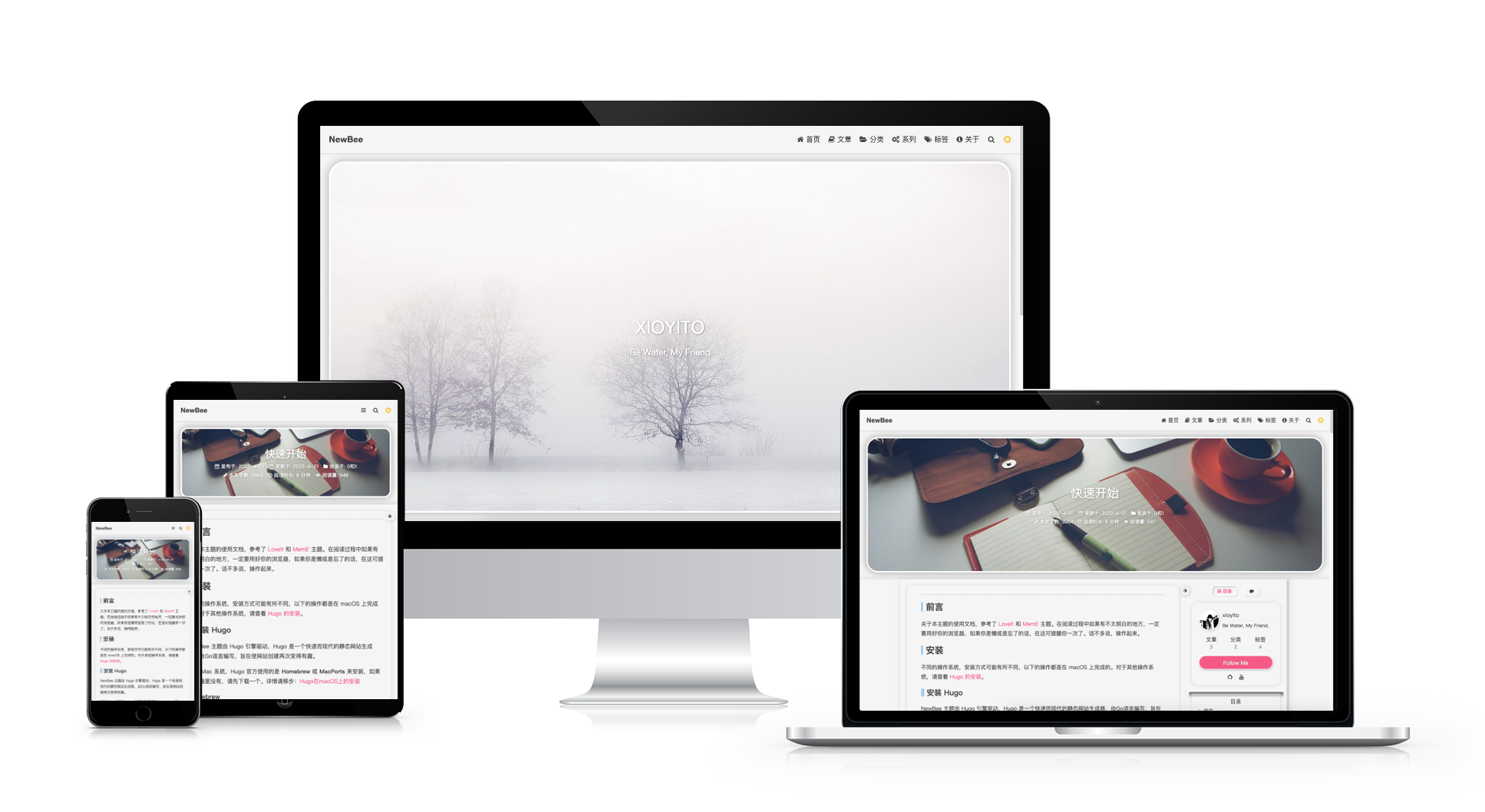
Adopts a Light-Neumorphism style with responsive layout
Template Details
NewBee is a Hugo blog theme developed by xioyito, released under the MIT license. In the README, the author provides preview screenshots of light and dark modes, category archives, local search, and an example site at xioyito.top to see the actual effect.
In terms of features, the theme includes local search that requires no additional configuration, supports multilingual content, syntax highlighting, custom header and footer, dark mode, and a sidebar that can be toggled at any time. For content organization, it offers archive pages, categories, tags, and series taxonomies, along with author cards, previous/next post buttons, and a sponsorship card. It also integrates Valine comments, a music player based on Aplayer and MetingJS, and visitor and page view statistics.
Installation follows the standard Hugo process: first create a site, then place the theme in the themes directory (either by manual download or git clone), and copy the theme's config-example/hugo.toml to the site root as a starting point for configuration. Style overrides can be implemented by appending custom styles to static/css/custom.css. The README does not specify a required Hugo version, only recommending the extended version.
Note that features such as comments, music player, and visitor statistics depend on external services, and their availability and costs should be verified independently. The licenses for third-party assets such as demo images, fonts, and icons also need separate confirmation.
HugoBlog
Is it right for your project?
Use Cases
- Building a personal tech blog that requires categories, tags, and series archives
- Wanting a blog with built-in site search without relying on third-party search services
- Needing a reading experience with dark mode and a toggleable sidebar
- Configuring interactive features such as comments, music playback, and visitor statistics for articles
Suitable For
- Individual developers building blogs with Hugo
- Bloggers who prefer the Light-Neumorphism visual style and high interactivity
- Site authors who need multilingual support and local search
- Users willing to independently verify third-party services and asset licenses
Getting started & customization
Use these recorded setup notes alongside the repository instructions for your chosen version.
- 1
Install the Hugo extended version first, then create a site with hugo new site
- 2
Download the theme manually or git clone it into the site's themes directory
- 3
Copy the theme's config-example/hugo.toml to the site root as a starting point for configuration
- 4
Custom styles can be written into static/css/custom.css
- 5
Valine comments, music player, and visitor statistics depend on external services; verify their availability and costs yourself
License & source material
Usage conditions & limitations
Free to use · keep license noticeThis entry covers the free version under the MIT license in the public repository; the free scope applies to that version's code and does not imply that external services or third-party assets are free.
Must comply with when using
- Free use, modification, commercial use, and distribution of that version's code are permitted.
- When distributing copies or substantial portions of the code, retain the original author's copyright notice and the full MIT license notice.
- The code is provided as is; warranties and limitations of liability are governed by the original license and applicable law.
Additional costs & items to verify
- The comment feature relies on the third-party Valine service, requiring self-deployment or use of an external service; its availability and costs must be verified independently.
- The music player is based on Aplayer and MetingJS and depends on external music API services; availability and costs must be confirmed independently.
- Visitor and page view statistics rely on external services, which must be configured and their availability and costs confirmed independently.
- Sponsorship is voluntary and does not affect the free use of the theme under the MIT license.
- Demo images, fonts, icons, and other third-party assets must be checked against their respective licenses; they cannot be judged solely by the code's MIT license.
- External services such as domain, hosting, database, payment, or AI may incur additional charges.
View Original Text Basis
Permission is hereby granted, free of charge
Original License Text
Valine comment
Original README
Music player based on Aplayer and MetingJS
Original README
Count of Visitor and views
Original README
https://github.com/xioyito/NewBee/blob/main/LICENSEhttps://github.com/xioyito/NewBee/blob/main/README.mdIf you like the theme and support my work, just do:
Original README
Compiled by DeepSeek based on repository license and README ·2026-10-02. Results only cover the materials read; dependencies, images, fonts, and subsequent term changes are subject to their respective original texts.
Project checks & description sources
Template Information
- Source platforms
- GitHub
- Documentation and maintenance reference score
- Partly documented · 60 / 100
- Technologies
- Hugo
- Website type
- Blog
How this score is calculated
Our heuristic uses license records (up to 30), a demo link (12), a preview (10), stars (15), recorded maintenance (15), description completeness (8), feature records (5) and classification data (5). It is not a code, security or performance test, or a Google score. A link does not establish tested functionality.
What to verify for this project
- Repository update recorded
- 2023-11-26
- Screenshot last checked
- 2026-10-02
No demo link is recorded. Use the repository instructions to evaluate the project locally; the screenshot alone cannot establish interactive behavior.
The catalog identifies Hugo as the primary stack. Check the actual dependency manifest and lockfile for versions and hosting requirements. These notes use recorded metadata, not a code audit or a deployment test.
Use a selection guide →How this description was prepared
AI-assisted description based on catalog records and repository material. Repository authors are not automatically the reviewers of this description.
Automatically checked against source and license rules; no manual editorial review.
Inspect the recorded source material
SHA-256: e68deec39a48fe6e28b759c6b2671a7e52bb336b88680a3a3399a561b74ce3b8
2026-10-02T10:14:00.450Z
Source file / repository
English | [简体中文](https://github.com/xioyito/NewBee/blob/master/README.zh-cn.md)
## Preview
---
## Example Site
You can see this theme in action on [my site](https://xioyito.top).
## Features
* Functions
* local search without any configuration
* multi-language
* Syntax Highlight
* Custom Header
* Custom footer
* night mode
* A sidebar can be open or close at all times
* Extended Shortcodes
* Valine comment
* Music player based on Aplayer and MetingJS
* Count of Visitor and views
* Components
* Archive(posts) page
* Categories taxonomy
* Tags taxonomy
* series taxonomy
* Author card
* Pre and Next button
* sponsor card
* Other
* Responsive
* Light-Neumorphism style
* High interaction
* Smooth transitions
## Quick Start
For more information, please go to: <https://gohugo.io/getting-started/quick-start/>
### Install Hugo(extended version)
The following is For macOS system, other systems see: <https://gohugo.io/getting-started/installing/>
#### Homebrew
``` bash
~ % brew install hugo
```
#### MacPorts
``` bash
~ % port install hugo
```
### install NewBee
First, you need to create a new site(e.g. my-blog) by Hugo:
``` bash
~ % hugo new site my-blog
```
You have 2 methods to install NewBee after creating a new site:
#### Method 1
download the theme manually by going to <https://github.com/xioyito/NewBee> and pasting it to `themes` in your root directory.
#### Method 2
clone it directly to `themes`:
``` bash
~ % cd my-blog
my-blog % git clone https://github.com/xioyito/NewBee.git themes/NewBee
```
### Configuration
That's simple, just copy the file `NewBee/config-example/hugo.toml` to your Hugo root directory.
### First post
create a new post:
``` bash
my-blog % hugo new "posts/first-post.md"
```
create about page:
``` bash
my-blog % hugo new "about/_index.md"
```
Now:
``` bash
my-blog % hugo server -D
```
go to <http://localhost:1313/> in your browser. From now your browser will refresh automatically when the files in your site changes , so you don’t need to refresh your browser every time.
## Customize NewBee
if you want to override some of the styles, just create a file `my-blog/static/css/custom.css` and add your own styles into this file.
## Help NewBee be better
### Found a bug?
If you find any bugs, welcome to use [Issue](https://github.com/xioyito/NewBee/issues) or create a new [Pull Request](https://github.com/xioyito/NewBee/pulls) to fix the issue.
### A NewBee theme user?
I'd appreciate your support, if you want to share your site, please make a contribution and add your site to the [list](https://github.com/xioyito/NewBee/blob/master/USERS.md).
## Sponsoring
If you like the theme and support my work, just do:
* [Alipay](https://github.com/xioyito/NewBee/raw/master/images/Alipay.jpeg)
* [Wechat](https://github.com/xioyito/NewBee/raw/master/images/Wechat.jpeg)
Thank you.
## License
Copyright © 2022 [xioyito](https://github.com/xioyito)
NewBee theme is released under the MIT License, see more: <https://github.com/xioyito/NewBee/blob/master/LICENSE>
Explore similar templates
Compare previews and descriptions within the same stack and category.

hugo-PaperMod
A fast, clean, responsive Hugo theme for blogs and lightweight portfolios, with three layout modes (Regular, Home-Info, Profile), automatic and manual light/dark themes, Fuse.js client-side search, multilingual support, and built-in Open Graph, Twitter Cards, and Schema.org data.
Hugo · Portfolio

LoveIt
LoveIt is a clean, elegant, and feature-rich Hugo blog theme derived from LeaveIt and KeepIt, MIT-licensed. It offers light/dark modes, responsive layout, multilingual support, and search via Lunr.js or Algolia.
Hugo · Blog

hugo-coder
hugo-coder is a minimalist Hugo blog theme maintained by luizdepra under the MIT license. It provides a clean, text-focused blog appearance, configuration documentation in the docs directory, and a complete exampleSite with hugo.toml.
Hugo · Blog

blowfish
Blowfish is a Hugo personal website and blog theme built with Tailwind CSS 4, focused on lightness, simplicity, and content-first presentation.
Hugo · Blog

hugo-paper
hugo-paper is a simple, clean, and customizable Hugo blog theme configured through config.toml or hugo.toml.
Hugo · Blog

hextra
Hextra is a Hugo theme for documentation and blog sites, built on Hugo and Tailwind CSS with design referencing Nextra.
Hugo · Documentation