Astro-based static blog template that can be created via GitHub Use this template
AstroStarter
ulbo-astro-theme-template — Astro Starter Template
By xxy1103
ulBo is an Astro-based personal blog theme template that provides long-form reading tools, content discovery, SEO metadata, and static deployment configuration, under the MIT license.
Explore the design
Compare the page layouts and mobile experience. Open any screenshot for a closer look.
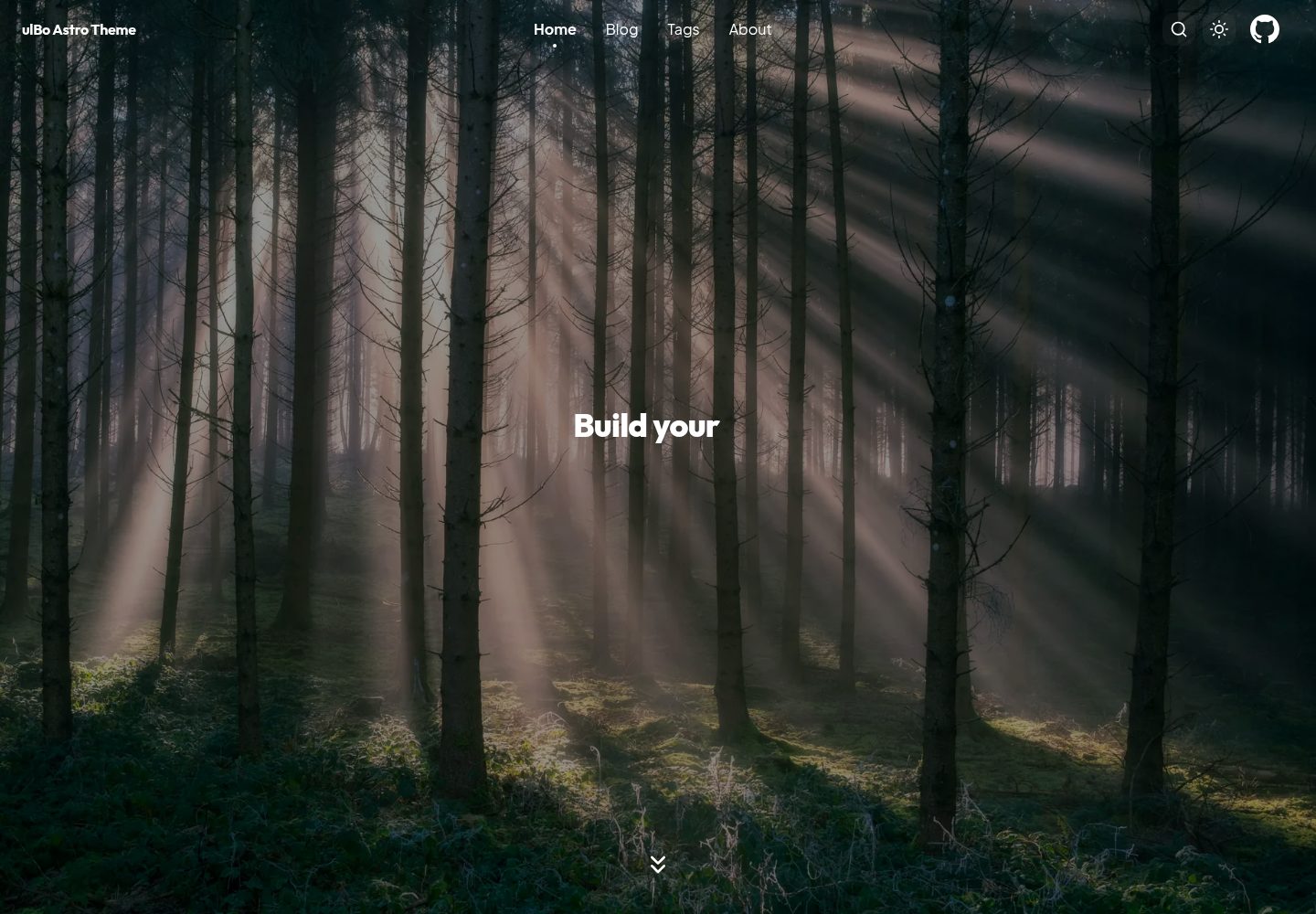
Desktop homepage1 / 3
Desktop captureTop of page
Actual screenshot captured by the server browser.
All pages & views 3
Screenshots show visual appearance; interactive behavior may differ.
Recorded 2026-10-02View source
What stands out
A quick read of the recorded project description.
Supports Markdown / MDX articles with strict Frontmatter validation and draft isolation
Built-in Fuse.js fuzzy search, Cmd/Ctrl + K shortcut, archive, tag filtering, and pagination
Provides long-form reading tools such as KaTeX formulas, Mermaid diagrams, code copy, image lightbox, and PDF export
Generates RSS, Sitemap, Canonical, Open Graph, Twitter Card, and JSON-LD structured data
Site, profile, and Hero content are configured centrally under src/config/, making migration and customization easier
Template Details
ulBo Astro Theme is an Astro theme template for personal blogs. The repository is provided as a GitHub Template, allowing you to create your own blog project directly. The theme covers pages including home, archive, tags, About, and article detail, and includes light/dark themes, responsive layout, and page animations based on Astro View Transitions.
For writing and reading, the template supports Markdown / MDX articles, with strict Frontmatter validation, draft isolation, a fixed table of contents, word count and reading time, code copy, KaTeX formulas, Mermaid diagrams, image lightbox, and print-friendly PDF export. Content discovery relies on Fuse.js fuzzy search with a Cmd/Ctrl + K shortcut, along with archive, tag filtering, and pagination.
For publishing and engineering, the template generates RSS, Sitemap, Canonical, Open Graph, Twitter Card, and JSON-LD structured data, and production builds exclude drafts. Site, profile, and Hero content are configured centrally under src/config/, and core pages build normally even if the article directory is empty. The project outputs static files; the repository already includes Cloudflare Workers Static Assets configuration, and it can also be deployed to Vercel, Netlify, or GitHub Pages.
Usage limitations: requires Node.js 22.12.0 or higher and npm 9.6.5 or higher; image optimization must be run explicitly via npm run optimize:images, and a normal build will not modify articles or images; third-party assets such as demo images, fonts, and icons must be checked against their respective licenses, and external services such as domains and hosting may incur additional charges.
AstroStarter
Is it right for your project?
Use Cases
- Building a personal technical blog and publishing Markdown / MDX long-form articles over the long term
- Needing archive, tag filtering, and fuzzy search to organize existing articles
- Wanting article pages to include reading elements such as formulas, diagrams, code blocks, and image lightbox
- Deploying the static site to Cloudflare Workers / Pages, Vercel, Netlify, or GitHub Pages
Suitable For
- Writers, developers, and independent creators who want to maintain personal content over the long term
- Users who prefer static site generation and a Markdown / MDX writing workflow
- Blog projects that need publishing fundamentals such as SEO metadata, RSS, and Sitemap
- Users who use VS Code and are willing to manage articles with the ulBo Article Manager extension
Getting started & customization
Use these recorded setup notes alongside the repository instructions for your chosen version.
- 1
Environment requires Node.js 22.12.0 or higher and npm 9.6.5 or higher
- 2
After clicking Use this template on the GitHub repository to create a project, run npm install and npm run dev, then access http://localhost:4321 by default
- 3
Usually you only need to modify src/config/site.ts, src/config/profile.ts, and src/config/hero.ts, write articles in src/content/blog/, and place images in public/image/
- 4
Production build uses npm run build, with output directory dist; for image optimization, first run npm run optimize:images:dry-run to preview, then run npm run optimize:images
- 5
The repository already includes Cloudflare Workers Static Assets configuration, so you can run npm run build and npm run deploy; for other platforms, set the build command to npm run build and the output directory to dist
License & source material
Usage conditions & limitations
Free to use · keep license noticeThis entry covers the free version under the MIT license in the public repository; the free scope is the code of this version and does not mean external services or third-party assets are free.
Must comply with when using
- Allows free use, modification, commercial use, and distribution of this version's code.
- When distributing copies or substantial portions of the code, retain the original author's copyright notice and the full MIT license notice.
- The code is provided as is; warranties and limitations of liability are governed by the original license and applicable law.
Additional costs & items to verify
- Using this theme requires Node.js 22.12.0 or higher and npm 9.6.5 or higher; environments below these versions cannot run it.
- Image optimization is not automatically performed during a normal build; you must manually run the optimize:images command, otherwise WebP will not be generated or article references updated.
- The accompanying ulBo Article Manager is an optional VS Code extension that must be installed from the extension repository as a local VSIX and is not part of the theme itself.
- Deployment requires using external hosting services such as Cloudflare, Vercel, Netlify, or GitHub Pages, which may incur additional costs.
- Demo images, fonts, icons, and other third-party assets must be checked against their respective licenses; the code's MIT license alone cannot be used to judge them.
- External services such as domains, hosting, databases, payments, or AI may incur additional charges.
View Original Text Basis
Permission is hereby granted, free of charge
Original License Text
环境要求: - Node.js 22.12.0 或更高版本 - npm 9.6.5 或更高版本
Original README
需要优化图片时,先预览变更,再显式执行:
Original README
当前版本可从插件仓库安装本地 VSIX
Original README
https://github.com/xxy1103/ulbo-astro-theme-template/blob/main/LICENSEhttps://github.com/xxy1103/ulbo-astro-theme-template/blob/main/README.md项目输出为静态文件,可部署到 Cloudflare Workers / Pages、Vercel、Netlify 或 GitHub Pages。
Original README
Compiled by DeepSeek based on repository license and README ·2026-10-02. Results only cover the materials read; dependencies, images, fonts, and subsequent term changes are subject to their respective original texts.
Project checks & description sources
Template Information
- Source platforms
- Astro Themes
- Documentation and maintenance reference score
- More documented · 87 / 100
- Technologies
- Astro
- Website type
- Starter
How this score is calculated
Our heuristic uses license records (up to 30), a demo link (12), a preview (10), stars (15), recorded maintenance (15), description completeness (8), feature records (5) and classification data (5). It is not a code, security or performance test, or a Google score. A link does not establish tested functionality.
What to verify for this project
- Repository update recorded
- 2026-09-27
- Screenshot last checked
- 2026-10-02
A demo link is listed. Check it with your own content and viewport sizes; its presence does not confirm that forms, authentication or payments work.
The catalog identifies Astro as the primary stack. Check the actual dependency manifest and lockfile for versions and hosting requirements. These notes use recorded metadata, not a code audit or a deployment test.
Use a selection guide →How this description was prepared
AI-assisted description based on catalog records and repository material. Repository authors are not automatically the reviewers of this description.
Automatically checked against source and license rules; no manual editorial review.
Inspect the recorded source material
SHA-256: 01a791ae32d7e5139c1ed3bc294d2c4e8c5def2e43769864f494172490297932
2026-10-02T18:47:00.326Z
Source file / repository# ulBo Astro Theme
<p align="center">
<strong>一个兼顾视觉表达、长文阅读与发布工程的 Astro 个人博客主题。</strong>
</p>
<p align="center">
<a href="./README.md">中文</a> ·
<a href="./README.en.md">English</a>
</p>
<p align="center">
<a href="https://astro.build/"><img alt="Astro 6" src="https://img.shields.io/badge/Astro-6.4.8-BC52EE?logo=astro"></a>
<a href="https://nodejs.org/"><img alt="Node.js 22+" src="https://img.shields.io/badge/Node.js-22%2B-339933?logo=nodedotjs&logoColor=white"></a>
<a href="./LICENSE"><img alt="License: MIT" src="https://img.shields.io/badge/License-MIT-blue.svg"></a>
</p>
<p align="center">
<a href="https://template.ulna520.top"><strong>在线预览</strong></a> ·
<a href="https://blog.ulna520.top">真实博客</a> ·
<a href="https://astro.build/themes/details/ulbo/">Astro 主题商城</a> ·
<a href="https://github.com/xxy1103/ulbo_vscode">VS Code 文章管理工具</a>
</p>

## 为什么选择 ulBo
ulBo 面向希望长期维护个人内容的写作者、开发者和独立创作者。它不只提供一套博客页面,还把阅读体验、内容组织、搜索发现、SEO、图片优化和日常写作流程组合成一套完整方案。
| 方向 | 能力 |
| --- | --- |
| **视觉与动效** | 沉浸式 Hero、响应式布局、明暗主题,以及基于 Astro View Transitions 和 Material Design 3 曲线的页面动效。 |
| **长文阅读** | 固定目录、字数与阅读时长、代码复制、KaTeX 公式、Mermaid 图表、图片灯箱和适合打印的 PDF 导出。 |
| **内容发现** | Fuse.js 模糊搜索、`Cmd/Ctrl + K` 快捷入口、文章归档、标签筛选与分页。 |
| **发布质量** | 严格 Frontmatter、草稿隔离、RSS、Sitemap、Canonical、Open Graph、Twitter Card 和 JSON-LD。 |
| **配置与迁移** | 站点、个人资料和 Hero 内容集中在 `src/config/`;支持 Markdown / MDX 与 Hexo 风格图片路径。 |
| **性能工程** | 图片懒加载、异步解码、按需 KaTeX、延迟搜索索引、预取策略,以及可预览的 WebP 优化流程。 |
## 主题预览
<table>
<tr>
<td width="50%"><img src="./docs/images/promo/ulbo-light-dark.png" alt="ulBo 明暗主题"></td>
<td width="50%"><img src="./docs/images/promo/ulbo-longform.png" alt="ulBo 长文阅读"></td>
</tr>
<tr>
<td align="center"><strong>一致的明暗主题体验</strong></td>
<td align="center"><strong>为技术长文准备的阅读工具</strong></td>
</tr>
</table>

## 快速开始
点击 GitHub 仓库中的 **Use this template** 创建自己的博客,然后运行:
```bash
npm install
npm run dev
```
默认访问地址为 `http://localhost:4321`。
环境要求:
- Node.js 22.12.0 或更高版本
- npm 9.6.5 或更高版本
## 配置博客
通常只需要修改以下位置:
| 文件 | 用途 |
| --- | --- |
| `src/config/site.ts` | 网站地址、标题、描述、语言和仓库链接 |
| `src/config/profile.ts` | 头像、身份介绍、联系方式和社交链接 |
| `src/config/hero.ts` | 首页、归档、标签、About 和文章默认 Hero |
| `src/content/blog/` | Markdown / MDX 文章 |
| `public/image/` | 文章与页面图片 |
即使 `src/content/blog/` 还是空目录,首页、归档、标签和 About 等核心页面也可以正常构建,适合先完成个性化配置,再开始发布内容。
## 写一篇文章
在 `src/content/blog/` 中新建 `.md` 或 `.mdx` 文件:
```md
---
title: "我的第一篇文章"
date: "2026-08-03T10:00:00+08:00"
description: "介绍如何使用 ulBo 搭建个人博客,包括主题配置、文章写作、本地预览、图片优化与部署流程。"
draft: false
categories:
- "记录"
tags:
- "astro"
- "blog"
---
正文从这里开始。
```
完整字段与校验规则见 [Frontmatter 标准](./standard/frontmatter.md)。
生产构建会统一排除草稿,覆盖首页、归档、详情页、标签、搜索索引和 RSS;开发环境仍可通过草稿标识查看和校对内容。
## 推荐搭配 ulBo Article Manager
[ulBo Article Manager](https://github.com/xxy1103/ulbo_vscode) 是为本主题开发的可选 VS Code 写作工具。它让你在熟悉的 Markdown 编辑器旁完成:
- 新建草稿,搜索、筛选和打开文章;
- 可视化编辑标题、日期、描述、分类、标签和草稿状态;
- 使用 VS Code 语言模型生成文章描述,不可用时回退到本地提取;
- 启动 Astro 开发服务并直接预览当前文章;
- 发布前校验 Frontmatter、标签和正文引用图片;
- 将文章与关联图片精确暂存到 Git;
- 将删除的文章移入系统回收站,保留恢复能力。
主题负责展示与构建,插件负责写作和文章管理。插件不会自动执行 commit、push 或部署,最终发布仍由你控制。
当前版本可从插件仓库安装本地 VSIX,详细说明见 [ulBo Article Manager README](https://github.com/xxy1103/ulbo_vscode#readme)。
## SEO 与性能
当前代码已经实现:
- Canonical、robots、Open Graph、Twitter Card 和 JSON-LD;
- 首页 `WebSite`、About 页 `Person`、文章页 `BlogPosting` 结构化数据;
- RSS、Sitemap,以及归档分页的 `noindex,follow` 与 `rel=prev/next`;
- Markdown 图片懒加载和异步解码;
- 文章 Hero 预加载、KaTeX 样式按需加载;
- 搜索索引首次打开时再获取;
- 防止明暗主题首屏闪烁;
- 独立于普通构建的 WebP 图片优化工具。
`npm run build` 只负责构建,不会修改文章或图片。需要优化图片时,先预览变更,再显式执行:
```bash
npm run optimize:images:dry-run
npm run optimize:images
```
更完整的实现边界和代码位置见 [英文 README](./README.en.md#seo-optimizations-code-aligned)。
## 常用命令
| 命令 | 说明 |
| --- | --- |
| `npm run dev` | 启动开发服务器 |
| `npm run build` | 构建生产版本,不修改文章或图片 |
| `npm run preview` | 预览生产构建结果 |
| `npm run check` | 检查 Astro 与 TypeScript |
| `npm test` | 运行测试 |
| `npm run frontmatter:check` | 只读检查文章 Frontmatter |
| `npm run frontmatter:fix` | 规范化 Frontmatter,并验证正文未被改动 |
| `npm run optimize:images:dry-run` | 预览图片优化结果 |
| `npm run optimize:images` | 生成 WebP 并更新文章引用 |
## 部署
项目输出为静态文件,可部署到 Cloudflare Workers / Pages、Vercel、Netlify 或 GitHub Pages。
仓库已包含 Cloudflare Workers Static Assets 配置:
```bash
npm run build
npm run deploy
```
使用其他平台时,将构建命令设为 `npm run build`,输出目录设为 `dist`。
## 项目结构
```text
src/
├─ components/ 页面组件
├─ config/ 站点、个人资料与 Hero 配置
├─ content/blog/ Markdown / MDX 文章
├─ layouts/ 通用页面与文章布局
├─ lib/ 内容、搜索和资料处理逻辑
├─ pages/ 首页、归档、标签、About、RSS 等路由
├─ plugins/ Markdown / HTML 处理插件
└─ scripts/ 搜索、目录、Mermaid、灯箱与页面交互
```
前端模块关系见 [架构地图](./docs/frontend-architecture-map.md)。
## 相关项目
- [ulBo Article Manager](https://github.com/xxy1103/ulbo_vscode):配套的 VS Code 文章管理工具。
- [xxy1103.github.io](https://github.com/xxy1103/xxy1103.github.io):使用 ulBo 搭建的真实个人博客。
## 参与贡献
欢迎提交 Issue 和 Pull Request。开始前请阅读 [贡献指南](./CONTRIBUTING.md)、[行为准则](./CODE_OF_CONDUCT.md) 与 [安全策略](./SECURITY.md)。
## 许可证
[MIT](./LICENSE)
Explore similar templates
Compare previews and descriptions within the same stack and category.

astrowind
AstroWind is a free, open-source Astro starter theme using Astro and Tailwind CSS, released under the MIT license.
Astro · Blog
accessible-astro-starter
An accessibility-focused Astro 6 starter template with WCAG 2.2 AA practices, Tailwind CSS 4, TypeScript, Prettier, ESLint, form validation, blog and portfolio examples, and preference toggles for dark mode, high contrast, and reduced motion.
Astro · Blog

astro-erudite
astro-erudite is an opinionated, unstyled static blog template built with Astro and native CSS, with no UI or CSS framework and minimal dependencies.
Astro · Portfolio

astro-shopify
A lightweight Shopify headless ecommerce starter template built with Astro and Svelte, integrating the Shopify Storefront API for product and inventory data, with built-in cart state management and basic add-to-cart and checkout flow.
Astro · E-commerce

brutal
Brutal is a neobrutalism Astro starter theme from ElianCodes, derived from the author's personal site and generalized. It includes a Markdown blog collection, build-time RSS and sitemap, image optimization, Tailwind CSS styling, and Biome checks, with no JavaScript by default.
Astro · Starter

qwind
Qwind is a free and open-source website template built on Qwik and Tailwind CSS, featuring directory-based routing via QwikCity, a Markdown blog, dark mode, and static deployment configuration.
Astro · Tool Site