A backend management frontend template built with Vue 3, Vite, TypeScript, and Element Plus
VueViteAdmin dashboard
vue3-element-template — Vue Admin dashboard Template
By youlaitech
A streamlined backend management frontend template based on Vue 3, Vite, TypeScript, and Element Plus, derived from vue3-element-admin, with built-in permission system and Mock data support.
Explore the design
Compare the page layouts and mobile experience. Open any screenshot for a closer look.
Author preview
Author-provided preview
Preview provided in the project README.
One original preview is available. Open the full image to inspect the design.
Screenshots show visual appearance; interactive behavior may differ.
Recorded 2026-10-03View source
What stands out
A quick read of the recorded project description.
Provides a permission system consisting of dynamic routing, button permissions, role permissions, and data permissions
Built-in infrastructure including multiple layouts, dark mode, fullscreen, watermark, API documentation, and a code generator
Supports both local Mock data and online APIs for data interaction, allowing independent development without a backend
Comes with 9 backend implementations covering languages such as Java, Node.js, Go, Python, PHP, C#, and Rust, sharing the same RESTful API specification and database structure
Uses the MIT license, allowing free use, modification, commercial use, and distribution
Template Details
vue3-element-template is a streamlined version of vue3-element-admin, positioned as an enterprise-level mid- and back-office frontend template, with a tech stack of Vue 3, Vite, TypeScript, and Element Plus. The project is upgraded from vue-element-admin and emphasizes no excessive encapsulation and ease of onboarding, making it suitable as a frontend starting point for backend management systems.
Functionally, the template provides a permission system consisting of dynamic routing, button permissions, role permissions, and data permissions; infrastructure includes multiple layouts, dark mode, fullscreen, watermark, API documentation, and a code generator. For data interaction, it supports both local Mock and online APIs, allowing independent development without a backend.
In terms of ecosystem, the project comes with 9 backend implementations covering languages such as Java, Node.js, Go, Python, PHP, C#, and Rust, sharing the same RESTful API specification and database structure, and the frontend can switch between them; there is also a mobile app youlai-app and frontend variants such as TS version, JS version, and NaiveUI version. The repository uses the MIT license and can be used commercially for free, but third-party assets such as demo images, fonts, and icons must be checked against their respective licenses.
VueViteBackend
Is it right for your project?
Use Cases
- As a frontend starting point for enterprise-level mid- and back-office management systems, developing business features on top of the permission system and basic layouts
- Enabling local Mock APIs in a backend-free environment to independently develop and debug frontend pages
- Connecting to the accompanying Java, Node.js, Go, Python, PHP, C#, or Rust backend to build a complete frontend-backend separated application
- As a reference project for learning the combination of Vue 3, Vite, TypeScript, and Element Plus
Suitable For
- Development teams that need to quickly set up a backend management frontend skeleton
- Frontend developers who prefer the Vue 3 and Element Plus tech stack
- Projects that want the frontend to flexibly switch between multiple backend implementations
- Mid- and back-office projects that require permission control and Mock data support
Getting started & customization
Use these recorded setup notes alongside the repository instructions for your chosen version.
- 1
Environment requires Node.js ^20.19.0 or >=22.12.0, and the package manager uses pnpm >= 8.0.0
- 2
After cloning the repository, run pnpm install to install dependencies, pnpm run dev to start the development server, access http://localhost:3000 by default, and log in with admin / 123456
- 3
To enable local Mock, set VITE_MOCK_ENABLED to true in .env.development
- 4
To connect to a local backend, change VITE_PROXY_TARGET in .env.development to http://localhost:8000 and start the corresponding backend
- 5
Run pnpm run build to package and generate the dist directory, upload it to the server, and configure Nginx reverse proxy
License & source material
Usage conditions & limitations
Free to use · keep license noticeThis entry covers the free version under the MIT license in the public repository; the free scope is the code of this version and does not mean that external services or third-party assets are free.
Must comply with when using
- Allows free use, modification, commercial use, and distribution of this version's code.
- When distributing copies or substantial portions of the code, retain the original author's copyright notice and the full MIT license notice.
- The code is provided as is; warranties and limitations of liability are governed by the original license and applicable law.
Additional costs & items to verify
- Technical support, business cooperation, secondary development, or project customization are optional paid/commercial services and are not included in the free open-source part.
- Default data comes from the project's online API and requires internet access; for offline or independent deployment, use local Mock or a self-built backend instead.
- Connecting to a real backend requires deploying and running the accompanying backend service (default port 8000); the template itself does not include a backend runtime environment.
- AI programming specifications depend on an external Agent Skill repository, and that external resource must be additionally installed to obtain the corresponding assistance.
- Demo images, fonts, icons, and other third-party assets must be checked against their respective licenses and cannot be judged solely by the code's MIT license.
- External services such as domain names, hosting, databases, payments, or AI may incur additional charges.
View Original Text Basis
Permission is hereby granted, free of charge
Original License Text
如需技术支持、商务合作、二次开发或项目定制,可联系作者微信
Original README
前端默认使用线上接口,也可切换为本地 Mock 或对接本地后端。
Original README
九种后端默认端口均为 `8000`,将 `.env.development` 的 `VITE_PROXY_TARGET` 改为 `http://localhost:8000` 并启动对应后端即可
Original README
https://github.com/youlaitech/vue3-element-template/blob/master/LICENSEhttps://github.com/youlaitech/vue3-element-template/blob/master/README.mdnpx skills add https://github.com/youlaitech/youlai-skills --skill vue-admin
Original README
Compiled by DeepSeek based on repository license and README ·2026-10-03. Results only cover the materials read; dependencies, images, fonts, and subsequent term changes are subject to their respective original texts.
Project checks & description sources
Template Information
- Source platforms
- GitHub
- Documentation and maintenance reference score
- More documented · 80 / 100
- Technologies
- Vue · Vite
- Website type
- Admin dashboard
How this score is calculated
Our heuristic uses license records (up to 30), a demo link (12), a preview (10), stars (15), recorded maintenance (15), description completeness (8), feature records (5) and classification data (5). It is not a code, security or performance test, or a Google score. A link does not establish tested functionality.
What to verify for this project
- Repository update recorded
- 2026-09-30
- Screenshot last checked
- 2026-10-03
No demo link is recorded. Use the repository instructions to evaluate the project locally; the screenshot alone cannot establish interactive behavior.
The catalog identifies Vue as the primary stack. Check the actual dependency manifest and lockfile for versions and hosting requirements. These notes use recorded metadata, not a code audit or a deployment test.
Use a selection guide →How this description was prepared
AI-assisted description based on catalog records and repository material. Repository authors are not automatically the reviewers of this description.
Review declaration: [email protected] · 2026-10-04
Inspect the recorded source material
SHA-256: 26e22d3ed2776682b8558ca02820ea4a5d01df3b4b89a4b1d93c7b790be0d41e
2026-10-03T22:31:46.355Z
Source file / repository<div align="center">
# <img alt="logo" width="40" valign="middle" src="./public/images/logo.png"> vue3-element-template
**Vue3 + Vite + TypeScript 企业级后台管理前端模板**
[](https://vuejs.org/)
[](https://element-plus.org/)
[](https://gitee.com/youlaiorg/vue3-element-template/stargazers)
[](https://github.com/youlaitech/vue3-element-template)
[](https://gitcode.com/youlai/vue3-element-template/stargazers)
[](LICENSE)
</div>
<p align="center"><img src="./public/images/rainbow.png" alt="rainbow"></p>
<div align="center">
[](https://vue.youlai.tech/template)
[](https://www.youlai.tech/vue3-element-admin)
[](https://www.youlai.tech/docs/web/)
</div>
## 项目简介
[vue3-element-template](https://gitee.com/youlaiorg/vue3-element-template) 是 [vue3-element-admin](https://gitee.com/youlaiorg/vue3-element-admin) 的精简版,基于 Vue 3、Vite、TypeScript、Element Plus 构建的企业级中后台前端模板,配套 [9 种后端实现](#生态矩阵)(覆盖 Java / Node.js / Go / Python / PHP / C# / Rust 7 种语言)及移动端 [youlai-app](https://gitee.com/youlaiorg/youlai-app)。其他前端版本:[TS 版](https://gitee.com/youlaiorg/vue3-element-admin) · [JS 版](https://gitee.com/youlaiorg/vue3-element-admin-js) · [NaiveUI 版](https://gitee.com/youlaiorg/vue3-naiveui-admin)。
## 项目特色
- **简洁易用**:基于 [vue-element-admin](https://gitee.com/panjiachen/vue-element-admin) 升级的 Vue3 版本,无过度封装,易上手。
- **权限体系**:动态路由、按钮权限、角色权限和数据权限。
- **基础设施**:多布局、暗黑模式、全屏、水印、接口文档、代码生成器。
- **数据交互**:支持 Mock 数据与线上接口文档,配套 Java / Node 后端源码。
- **持续更新**:项目持续开源更新,跟进主流技术栈。
## 系统预览
**PC 端**
<table align="center">
<tr>
<td><img alt="PC预览1" width="400" src="./public/images/preview/pc-01.png"></td>
<td><img alt="PC预览2" width="400" src="./public/images/preview/pc-02.png"></td>
</tr>
<tr>
<td><img alt="PC预览3" width="400" src="./public/images/preview/pc-03.png"></td>
<td><img alt="PC预览4" width="400" src="./public/images/preview/pc-04.png"></td>
</tr>
<tr>
<td><img alt="PC预览5" width="400" src="./public/images/preview/pc-05.png"></td>
<td><img alt="PC预览6" width="400" src="./public/images/preview/pc-06.png"></td>
</tr>
</table>
**移动端**
<table align="center">
<tr>
<td><img alt="APP预览1" width="200" src="./public/images/preview/app-01.png"></td>
<td><img alt="APP预览2" width="200" src="./public/images/preview/app-02.png"></td>
<td><img alt="APP预览3" width="200" src="./public/images/preview/app-03.png"></td>
<td><img alt="APP预览4" width="200" src="./public/images/preview/app-04.png"></td>
</tr>
</table>
## 快速开始
**环境要求**:Node.js `^20.19.0` 或 `>=22.12.0` · pnpm `>=8.0.0`
| 环境类型 | 版本要求 | 备注 |
| -------- | -------- | ---- |
| **Node.js** | `^20.19.0` 或 `>=22.12.0` | 推荐 LTS 版本(主版本为偶数) |
| **包管理器** | `pnpm >= 8.0.0` | 项目使用 pnpm 作为包管理器 |
| **开发工具** | [Visual Studio Code](https://code.visualstudio.com/Download) | 推荐安装 Vue、TypeScript 相关插件 |
```bash
# 克隆代码
git clone https://gitee.com/youlaiorg/vue3-element-template.git
cd vue3-element-template
# 安装 pnpm(已安装可跳过)
npm install pnpm -g
# 设置镜像源(可忽略)
pnpm config set registry https://registry.npmmirror.com
# 安装依赖
pnpm install
# 启动运行
pnpm run dev
```
启动后访问 [http://localhost:3000](http://localhost:3000),使用 `admin` / `123456` 登录。
> 更多内容详见官方文档:[快速开始](https://www.youlai.tech/docs/web/) · [部署指南](https://www.youlai.tech/docs/web/deployment/deploy.html)
## AI 编程
本项目配套 [Agent Skill](https://skills.sh/youlaitech/youlai-skills),安装后 AI 编程助手会自动遵循本项目的 Vue3 开发规范(命名、目录结构、BEM + UnoCSS、组件与 API 约定)。支持 CodeBuddy、Claude Code、Cursor、Codex、GitHub Copilot 等 70+ Agent。
```bash
npx skills add https://github.com/youlaitech/youlai-skills --skill vue-admin
```
## 生态矩阵
**前端**
| 项目 | 技术栈 | 说明 | 更新状态 |
|:-----|:-------|:-----|:---------|
| [vue3-element-admin](https://gitee.com/youlaiorg/vue3-element-admin) | Vue 3 + Vite + TS + Element Plus | PC 管理前端(主推) | ✅️ |
| [vue3-element-admin-js](https://gitee.com/youlaiorg/vue3-element-admin-js) | Vue 3 + Vite + JS + Element Plus | JavaScript 版本 | ✅️ |
| [vue3-element-template](https://gitee.com/youlaiorg/vue3-element-template) | Vue 3 + Vite + TS + Element Plus | 精简模板 | ✅️ |
| [vue3-naiveui-admin](https://gitee.com/youlaiorg/vue3-naiveui-admin) | Vue 3 + Vite + TS + Naive UI | Naive UI 版本 | ✅️ |
| [youlai-app](https://gitee.com/youlaiorg/youlai-app) | Vue 3 + UniApp | 移动端 App | ✅️ |
**后端**
| 项目 | 技术栈 | 说明 | 更新状态 |
|:-----|:-------|:-----|:---------|
| [youlai-boot](https://gitee.com/youlaiorg/youlai-boot) | Spring Boot + MyBatis-Plus | Java(主推) | ✅️ |
| [youlai-nest](https://gitee.com/youlaiorg/youlai-nest) | NestJS + TypeORM | Node.js | ✅️ |
| [youlai-gin](https://gitee.com/youlaiorg/youlai-gin) | Go + Gorm | Go | ✅️ |
| [youlai-django](https://gitee.com/youlaiorg/youlai-django) | Django + DRF | Python | ✅️ |
| [youlai-fastapi](https://gitee.com/youlaiorg/youlai-fastapi) | FastAPI + SQLAlchemy | Python | ✅️ |
| [youlai-think](https://gitee.com/youlaiorg/youlai-think) | ThinkPHP + ThinkORM | PHP | ✅️ |
| [youlai-aspnet](https://gitee.com/youlaiorg/youlai-aspnet) | ASP.NET Core + EF Core | C# | ✅️ |
| [youlai-axum](https://gitee.com/youlaiorg/youlai-axum) | Axum + SeaORM | Rust | ✅️ |
| [youlai-laravel](https://gitee.com/youlaiorg/youlai-laravel) | Laravel + Eloquent | PHP | ❌️ |
> 九种后端共享同一套 **RESTful API 规范** 和 **数据库结构**,前端可无缝切换。
**变种与衍生版本**
| 项目 | 基础 | 说明 | 更新状态 |
|:-----|:-----|:-----|:---------|
| [youlai-boot-tenant](https://gitee.com/youlaiorg/youlai-boot-tenant) | youlai-boot | 多租户 SaaS,租户隔离与租户配置 | ✅️ |
| [youlai-boot-flex](https://gitee.com/youlaiorg/youlai-boot-flex) | youlai-boot | 改用 MyBatis-Flex | ✅️ |
| [youlai-boot (db-pg)](https://gitee.com/youlaiorg/youlai-boot/tree/db-pg) | youlai-boot | PostgreSQL 数据库分支 | ✅️ |
| [youlai-boot (multi-module)](https://gitee.com/youlaiorg/youlai-boot/tree/multi-module) | youlai-boot | 多模块工程拆分 | ✅️ |
| [youlai-nest (multi-tenant)](https://gitee.com/youlaiorg/youlai-nest/tree/multi-tenant) | youlai-nest | 多租户 SaaS,租户隔离与租户配置 | ✅️ |
| [youlai-boot (spring-boot-3)](https://gitee.com/youlaiorg/youlai-boot/tree/spring-boot-3) | youlai-boot | Spring Boot 3 兼容分支 | ❌️ |
## 开发指南
| 名称 | 地址 |
| -------- | -------- |
| 视频教程 | [https://www.bilibili.com/video/BV1eFUuYyEFj](https://www.bilibili.com/video/BV1eFUuYyEFj) |
| 项目搭建 | [基于 Vue3 + Vite + TypeScript + Element-Plus 从0到1搭建后台管理系统](https://blog.csdn.net/u013737132/article/details/130191394) |
| 官方文档 | [https://www.youlai.tech/docs/web/](https://www.youlai.tech/docs/web/) |
| 部署指南 | [https://www.youlai.tech/docs/web/deployment/deploy.html](https://www.youlai.tech/docs/web/deployment/deploy.html) |
| 常见问题 | [https://www.youlai.tech/docs/faq/](https://www.youlai.tech/docs/faq/) |
| 代码规范 | [ESLint V9 + Prettier + Stylelint + EditorConfig 约束和统一前端代码规范](https://youlai.blog.csdn.net/article/details/145608723) |
| 提交规范 | [Husky + Lint-staged + Commitlint + Commitizen + cz-git 配置 Git 提交规范](https://youlai.blog.csdn.net/article/details/145615236) |
| 接口文档 | [https://www.apifox.cn](https://www.apifox.cn/apidoc/shared-195e783f-4d85-4235-a038-eec696de4ea5) |
## 项目部署
执行 `pnpm run build` 打包生成 `dist` 目录,上传至服务器并配置 Nginx 反向代理。
```bash
pnpm run build
```
详细部署流程(Nginx 配置、反向代理、HTTPS 等)见 [部署指南](https://www.youlai.tech/docs/web/deployment/deploy.html)。
## 数据接口
前端默认使用线上接口,也可切换为本地 Mock 或对接本地后端。
**本地 Mock**:将 `.env.development` 的 `VITE_MOCK_ENABLED` 设为 `true` 即启用本地 Mock 接口,无需后端即可独立开发。
**对接后端**:九种后端默认端口均为 `8000`,将 `.env.development` 的 `VITE_PROXY_TARGET` 改为 `http://localhost:8000` 并启动对应后端即可(主推 Java 后端 [youlai-boot](https://gitee.com/youlaiorg/youlai-boot.git),其余见各自仓库 README)。
## 提交规范
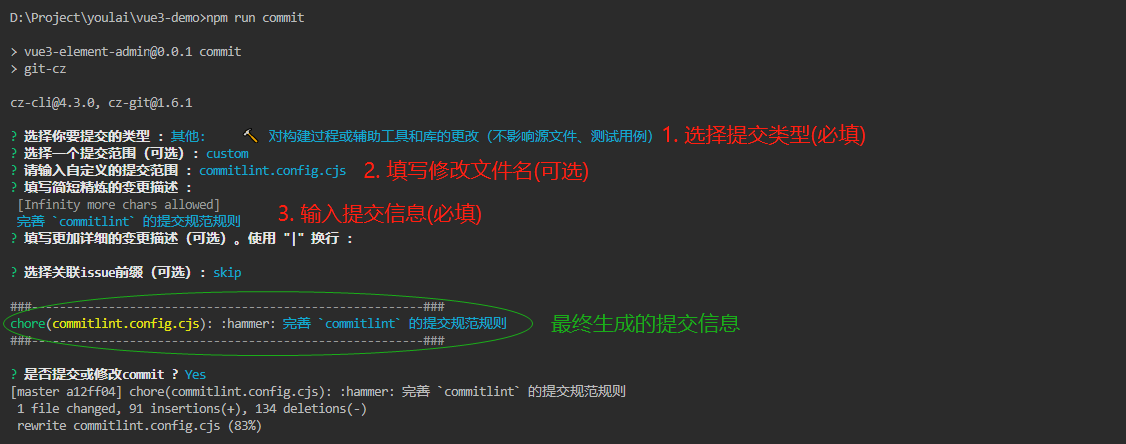
执行 `pnpm run commit` 唤起 git commit 交互,根据提示完成信息的输入和选择。

## 技术合作
本项目采用 [MIT](LICENSE) 协议开源,可免费商用。欢迎在 [Issue](https://gitee.com/youlaiorg/vue3-element-admin/issues) 提交问题或反馈,也欢迎提交 [Pull Request](https://gitee.com/youlaiorg/vue3-element-admin/pulls) 共建。如需技术支持、商务合作、二次开发或项目定制,可联系作者微信(见下方二维码)。
<table align="center">
<tr>
<td align="center">
<img src="./public/images/qrcode/wechat-official.jpg" height="180" alt="公众号「有来技术」"><br>
<sub>公众号「有来技术」</sub>
</td>
<td> </td>
<td align="center">
<img src="./public/images/qrcode/wechat-mp.jpg" height="180" alt="小程序「有来技术」"><br>
<sub>小程序「有来技术」</sub>
</td>
<td> </td>
<td align="center">
<img src="./public/images/qrcode/wechat-personal.png" height="180" alt="添加作者微信"><br>
<sub>添加作者微信</sub>
</td>
</tr>
</table>
<p align="center"><em>技术交流 · 问题反馈 · 商务合作</em></p>
Explore similar templates
Compare previews and descriptions within the same stack and category.

vuestic-admin
Vuestic Admin is an open-source Vue 3 admin template maintained by Epicmax, built on Vuestic UI with Vite, Pinia, and Tailwind CSS. It provides a ready-to-run dashboard with a dark theme, global configuration, i18n internationalization, and responsive layout.
Vue · Admin dashboard

v3-admin-vite
v3-admin-vite is an AI-friendly Vue3 admin template built on Vue3, Vite, TypeScript, and Element Plus. It keeps a lean structure with detailed comments, supports backend-controlled dynamic route permissions, page-level and button-level permissions, multiple themes and layouts, and mobile compatibility.
Vue · Admin dashboard

vue-typescript-admin-template
A Vue 2.6 + TypeScript + Element UI admin template ported from vue-element-admin, offering type safety and enterprise features like permission authentication, internationalization, dynamic themes, editors, charts, Excel/PDF handling, and PWA support.
Vue · Admin dashboard

vue-antd-admin
Vue Antd Admin is the Vue implementation of Ant Design Pro, providing an out-of-the-box front-end and design solution for admin dashboards.
Vue · Admin dashboard

coreui-free-vue-admin-template
CoreUI's official free Vue admin template, MIT licensed, built on Vue 3 and the CoreUI component library with Vue Router, Pinia, and Vite.
Vue · Admin dashboard
nova-admin
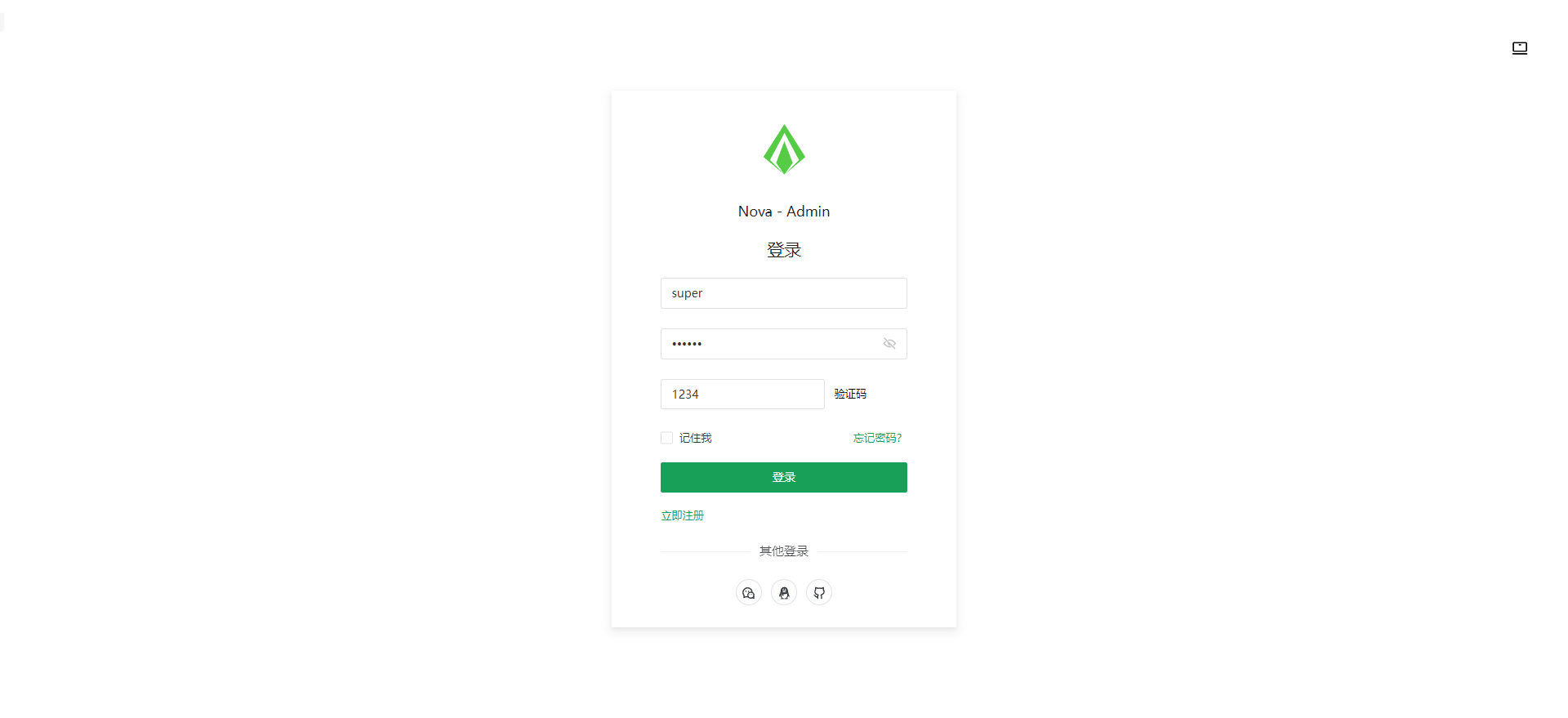
Nova Admin is an admin template built on Vue3, Vite, TypeScript, and Naive UI, with Unocss for styling.
Vue · Admin dashboard