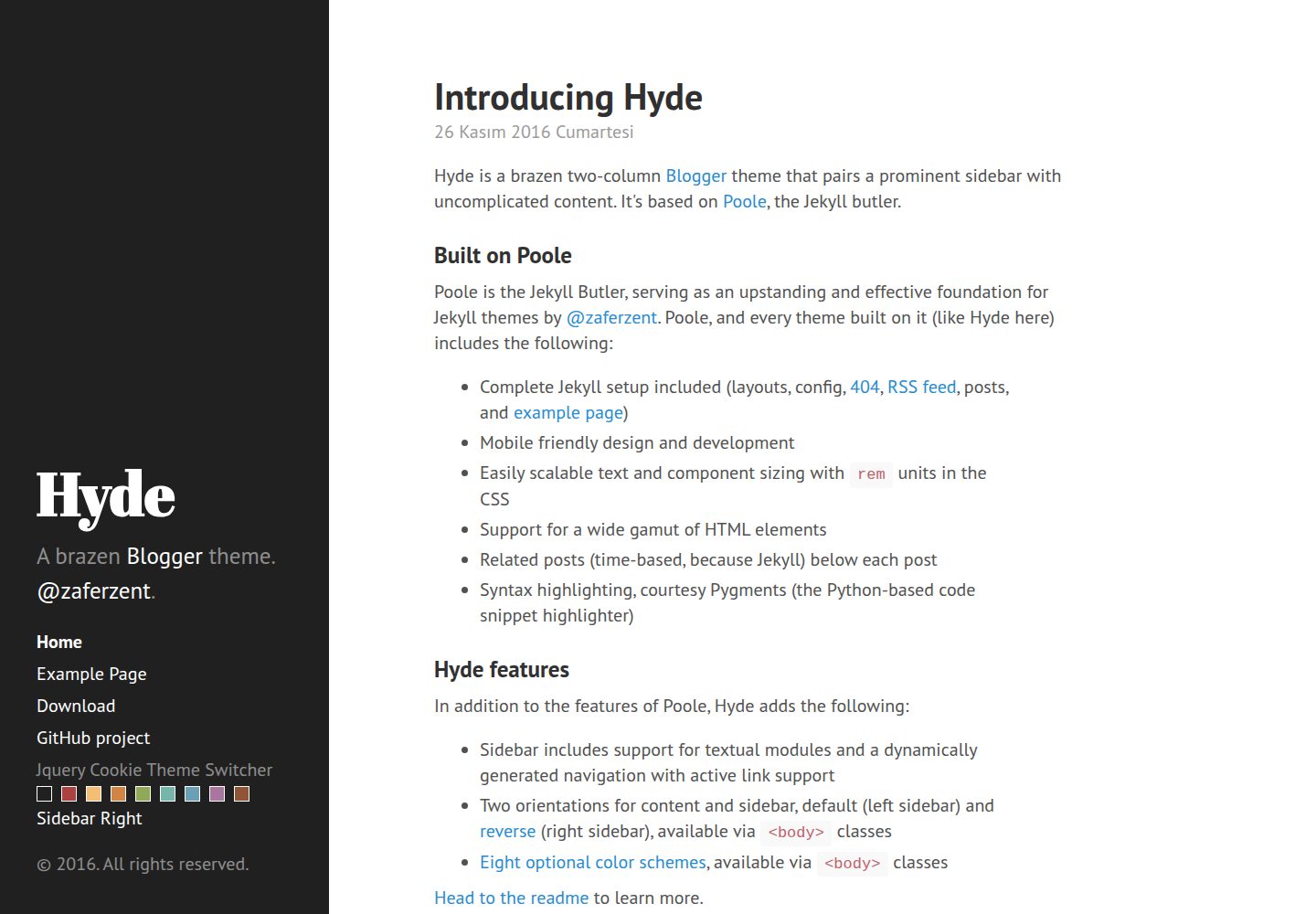
Adapts Jekyll's Hyde theme to the Blogger/Blogspot platform
JekyllBlog
Hyde-Blogger-Template — Jekyll Blog Template
By zaferzent
A two-column blog template that ports Jekyll's Hyde theme to the Blogger/Blogspot platform, with a prominent sidebar and switchable color schemes.
Explore the design
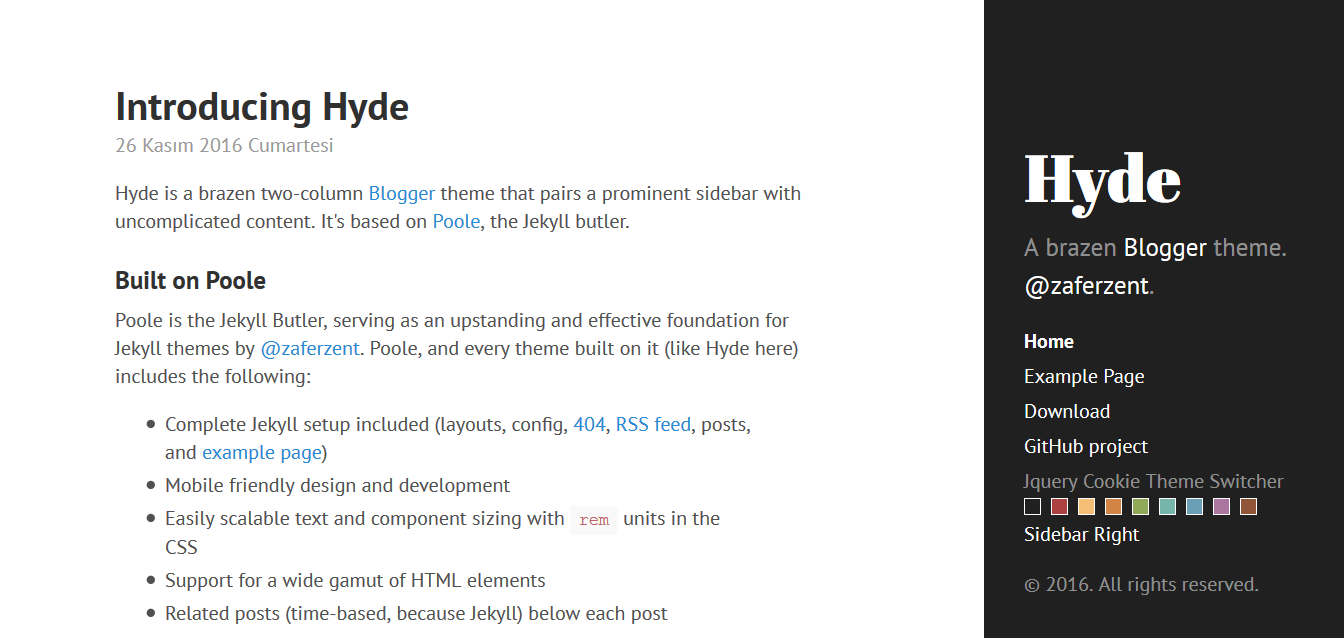
Compare the page layouts and mobile experience. Open any screenshot for a closer look.
Desktop homepage1 / 2
Desktop captureTop of page
Actual screenshot captured by the server browser.
All pages & views 2
Screenshots show visual appearance; interactive behavior may differ.
Recorded 2026-10-02View source
What stands out
A quick read of the recorded project description.
Two-column layout with a prominent sidebar paired with a clean content area
Includes eight selectable themes based on base16 color schemes
Supports moving the sidebar to the right via the layout-reverse class
Sidebar content is sticky by default; removing .sidebar-sticky changes it to normal flow
Comes with a jQuery Cookie color scheme switcher; the selection is not retained after refreshing the page
Template Details
Hyde-Blogger-Template is a version of the Jekyll theme Hyde adapted to the Blogger (Blogspot) platform; the original Jekyll version is maintained by poole. The template uses a two-column layout, with a prominent sidebar on one side and a content area on the other, and an overall clean style.
The template provides several configurable options, mainly controlled through classes on the <body> element: a sidebar navigation link list, sticky sidebar content (.sidebar-sticky; removing it makes content flow normally from top to bottom), eight themes based on base16 color schemes, and reversing the page direction with a single class (layout-reverse, moving the sidebar to the right). Themes and reversed layout can be combined. It also includes a color scheme switcher based on jQuery Cookie, but the selected color scheme is not retained after refreshing the page.
Usage is limited to Blogger/Blogspot blogs, and installation is done by importing in the Blogger dashboard under "Template > Edit HTML" or "Template > Backup/Restore". The repository has two branches: master is used for development and accepts pull requests, while gh-pages is used for hosting the site and contains analytics code; the README recommends avoiding the latter. The code is open source under the MIT license.
JekyllBlog
Is it right for your project?
Use Cases
- Building a text-focused two-column blog on Blogger
- Blogs that need a sidebar for navigation links or a personal profile
- Quickly changing color schemes or left/right layout by switching classes
- Migrating from Jekyll Hyde to Blogger while keeping a similar appearance
Suitable For
- Bloggers using the Blogger/Blogspot platform
- Those who prefer a clean two-column layout with a prominent sidebar
- Users who need a small number of theme color schemes and layout switches
Getting started & customization
Use these recorded setup notes alongside the repository instructions for your chosen version.
- 1
Only applicable to Blogger/Blogspot blogs; cannot be used directly with other static site generators
- 2
Installation method: import in the Blogger dashboard under "Template > Edit HTML" or "Template > Backup/Restore"
- 3
Options such as themes and reversed layout are set via classes on the <body> element
- 4
The repository's master branch is used for development and accepts pull requests; the gh-pages branch contains analytics code and is recommended to be avoided
- 5
Third-party assets such as demo images, fonts, and icons must be checked separately under their respective licenses
License & source material
Usage conditions & limitations
Free to use · keep license noticeThis listing covers the free version in the public repository under the MIT license; the free scope is the code of that version and does not mean external services or third-party assets are free.
Must comply with when using
- The code of this version may be used, modified, used commercially, and distributed for free.
- When distributing copies or substantial portions of the code, retain the original author's copyright notice and the full MIT license notice.
- The code is provided as is; warranties and limitations of liability are governed by the original license and applicable law.
Additional costs & items to verify
- This template can only be used on the Blogger/Blogspot platform and cannot be used directly with other static site generators or self-hosted sites.
- The gh-pages branch is used for hosting the site and contains analytics tracking code; the README explicitly recommends avoiding that branch.
- Demo images, fonts, icons, and other third-party assets must be checked under their respective licenses and cannot be judged solely by the code's MIT license.
- External services such as domains, hosting, databases, payments, or AI may incur separate charges.
View Original Text Basis
Permission is hereby granted, free of charge
Original License Text
Only available on Blogger / Blogspot based blogs.
Original README
https://github.com/zaferzent/Hyde-Blogger-Template/blob/master/LICENSE.mdhttps://github.com/zaferzent/Hyde-Blogger-Template/blob/master/README.md`gh-pages` for our hosted site, which includes our analytics tracking code. **Please avoid using this branch.**
Original README
Compiled by DeepSeek based on repository license and README ·2026-10-02. Results only cover the materials read; dependencies, images, fonts, and subsequent term changes are subject to their respective original texts.
Project checks & description sources
Template Information
- Source platforms
- GitHub
- Documentation and maintenance reference score
- Partly documented · 72 / 100
- Technologies
- Jekyll
- Website type
- Blog
How this score is calculated
Our heuristic uses license records (up to 30), a demo link (12), a preview (10), stars (15), recorded maintenance (15), description completeness (8), feature records (5) and classification data (5). It is not a code, security or performance test, or a Google score. A link does not establish tested functionality.
What to verify for this project
- Repository update recorded
- 2024-01-11
- Screenshot last checked
- 2026-10-02
A demo link is listed. Check it with your own content and viewport sizes; its presence does not confirm that forms, authentication or payments work.
The catalog identifies Jekyll as the primary stack. Check the actual dependency manifest and lockfile for versions and hosting requirements. These notes use recorded metadata, not a code audit or a deployment test.
Use a selection guide →How this description was prepared
AI-assisted description based on catalog records and repository material. Repository authors are not automatically the reviewers of this description.
Automatically checked against source and license rules; no manual editorial review.
Inspect the recorded source material
SHA-256: 3bc71d9610e307c8858aa473bf32ea6527468ea018c35fc748d374e61af671ec
2026-10-02T10:50:10.886Z
Source file / repository# Hyde Blogger Template
Hyde adapted into the Blogger from Jekyll. The Jekyll version is [here](https://github.com/poole/hyde).
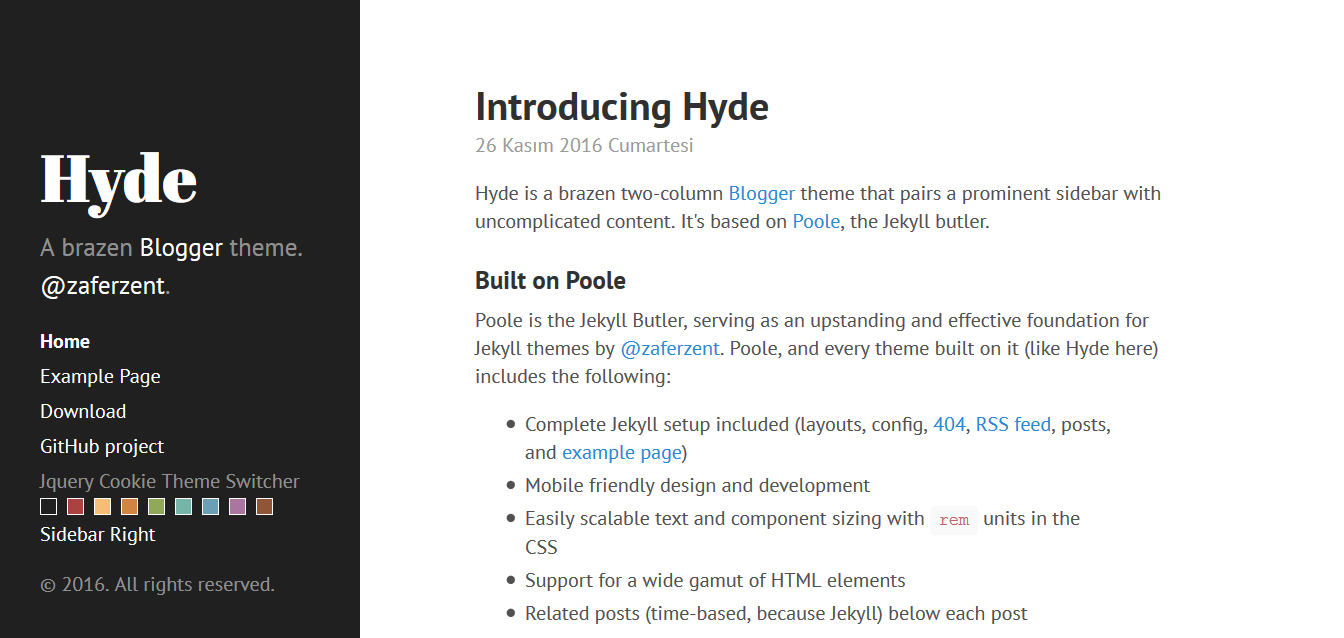
Hyde is a brazen two-column [Blogger](http://blogger.com) template that pairs a prominent sidebar with uncomplicated content.
[Demo](http://hydebloggertemplate.blogspot.com/)
## Contents
- [Usage](#usage)
- [Options](#options)
- [Sidebar menu](#sidebar-menu)
- [Sticky sidebar content](#sticky-sidebar-content)
- [Themes](#themes)
- [Jquery Cookie Theme Switcher](#jquery-cookie-theme-switcher)
- [Reverse layout](#reverse-layout)
- [Development](#development)
- [Author](#author)
- [License](#license)
## Usage
Only available on Blogger / Blogspot based blogs. Install `Blogger dashboard > Template > Edit HTML` or `Blogger dashboard > Template > Backup / Restore`
## Options
Hyde includes some customizable options, typically applied via classes on the `<body>` element.
### Sidebar menu
Create a list of links in the sidebar.
```html
<nav class='sidebar-nav'>
<a class='sidebar-nav-item active' href='/'>Home</a>
<a class='sidebar-nav-item' href='/p/example-page.html'>Example Page</a>
<a class='sidebar-nav-item' href=''>Download</a>
<a class='sidebar-nav-item' href=''>GitHub project</a>
</nav>
```
### Sticky sidebar content
By default Hyde ships with a sidebar that affixes it's content to the bottom of the sidebar. You can optionally disable this by removing the `.sidebar-sticky` class from the sidebar's `.container`. Sidebar content will then normally flow from top to bottom.
```html
<!-- Default sidebar -->
<div class="sidebar">
<div class="container sidebar-sticky">
...
</div>
</div>
<!-- Modified sidebar -->
<div class="sidebar">
<div class="container">
...
</div>
</div>
```
### Themes
Hyde ships with eight optional themes based on the [base16 color scheme](https://github.com/chriskempson/base16). Apply a theme to change the color scheme (mostly applies to sidebar and links).
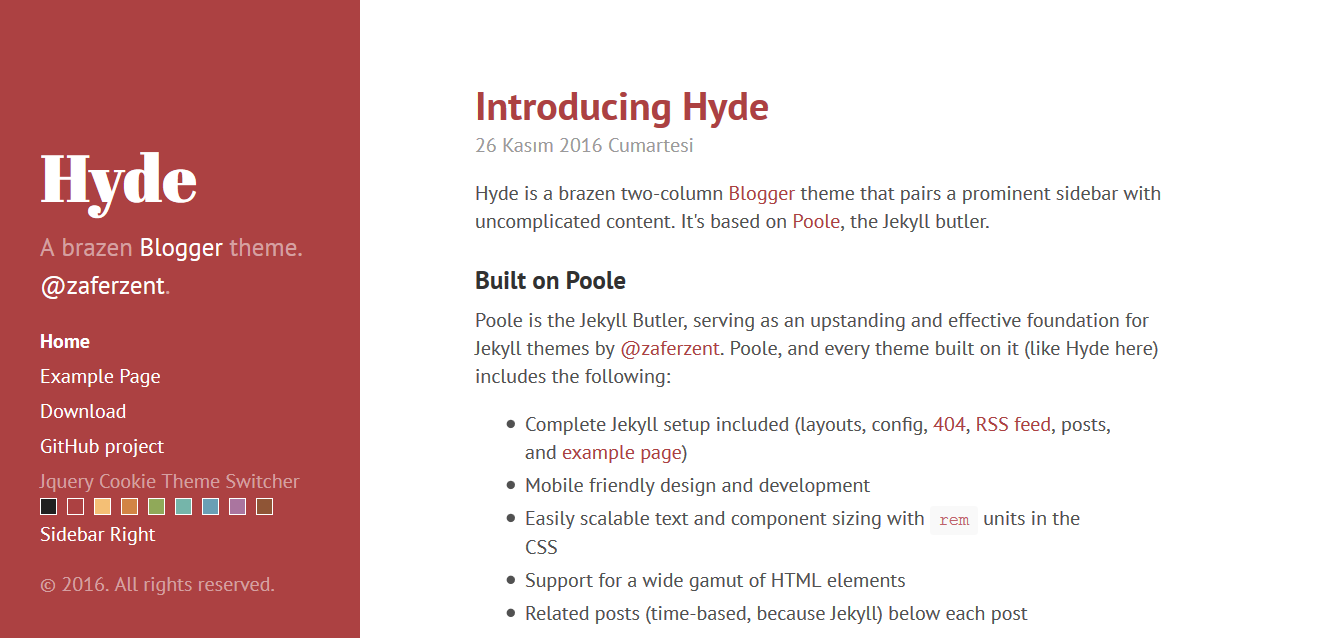
There are eight themes available at this time.

To use a theme, add anyone of the available theme classes to the `<body>` element.
```html
<body class="theme-base-08">
...
</body>
```
### Jquery Cookie Theme Switcher
Use the jQuery Cookie Theme Switcher on Blogger. *Does not change when the page is refreshed
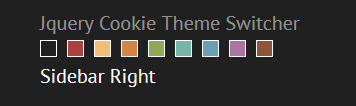
If you want to remove.
```html
<ul class='cscheme'>
<li class='default' id='default'><a href=''/></li>
<li class='red' id='orange'><a href=''/></li>
<li class='yellow' id='blue'><a href=''/></li>
<li class='orange' id='green'><a href=''/></li>
<li class='green' id='rosse'><a href=''/></li>
<li class='cyan' id='dark'><a href=''/></li>
<li class='blue' id='mavi'><a href=''/></li>
<li class='magenta' id='mor'><a href=''/></li>
<li class='brown' id='kahve'><a href=''/></li>
</ul>
<a class='color-div' id='sright' value='s'>Sidebar Right</a>
```
Using together optional theme and reverse layout.
```html
<body class="theme-base-08 layout-reverse">
...
</body>
```
### Reverse layout
Hyde's page orientation can be reversed with a single class.
```html
<body class="layout-reverse">
...
</body>
```
## Development
Hyde has two branches, but only one is used for active development.
- `master` for development. **All pull requests should be submitted against `master`.**
- `gh-pages` for our hosted site, which includes our analytics tracking code. **Please avoid using this branch.**
## Author
**Zafer Zent**
- <https://github.com/zaferzent>
- <https://twitter.com/zaferzent>
## License
Open sourced under the [MIT license](LICENSE.md).
<3
Explore similar templates
Compare previews and descriptions within the same stack and category.

al-folio
A Jekyll academic homepage theme for scholars and researchers, with a clean responsive design and out-of-the-box support for publication lists, project showcases, CVs, and blogs.
Jekyll · Portfolio

minimal-mistakes
Minimal Mistakes is a two-column Jekyll theme for personal sites, blogs, project documentation, or portfolios.
Jekyll · Portfolio

Beautiful Jekyll
Beautiful Jekyll is a mature, easy-to-use Jekyll blog theme maintained by Dean Attali since 2015, with over 50,000 users.
Jekyll · Blog

jekyll-TeXt-theme
A customizable Jekyll theme for personal sites, team sites, blogs, projects, and documentation.
Jekyll · Blog

startbootstrap-clean-blog-jekyll
The official Jekyll version of Start Bootstrap's Clean Blog theme, offering a blog home page, about page, contact page, and sample post pages, with a Formspree-powered contact form.
Jekyll · Blog

So Simple
A minimal reading-oriented Jekyll theme by Michael Rose for personal blogs, portfolios, and long-form reading. It offers multiple layouts, microformat markup, Disqus comments, Google Analytics, Jekyll SEO Tag, three skins, and aggregation by year, category, and tag with a grid view.
Jekyll · Blog