基于 React、Next.js App Router、Tailwind CSS、shadcn/ui 和 TypeScript 的样板基础
Next.jsReact启动器
create-next-app — Next.js 启动器模板
作者 AdoryVo
AdoryVo 维护的 Next.js 项目样板集合,基于 React、Next.js App Router、Tailwind CSS、shadcn/ui 和 TypeScript,README 列出了计划中的多种样板类型与可选技术栈。
看看你的网站会是什么样
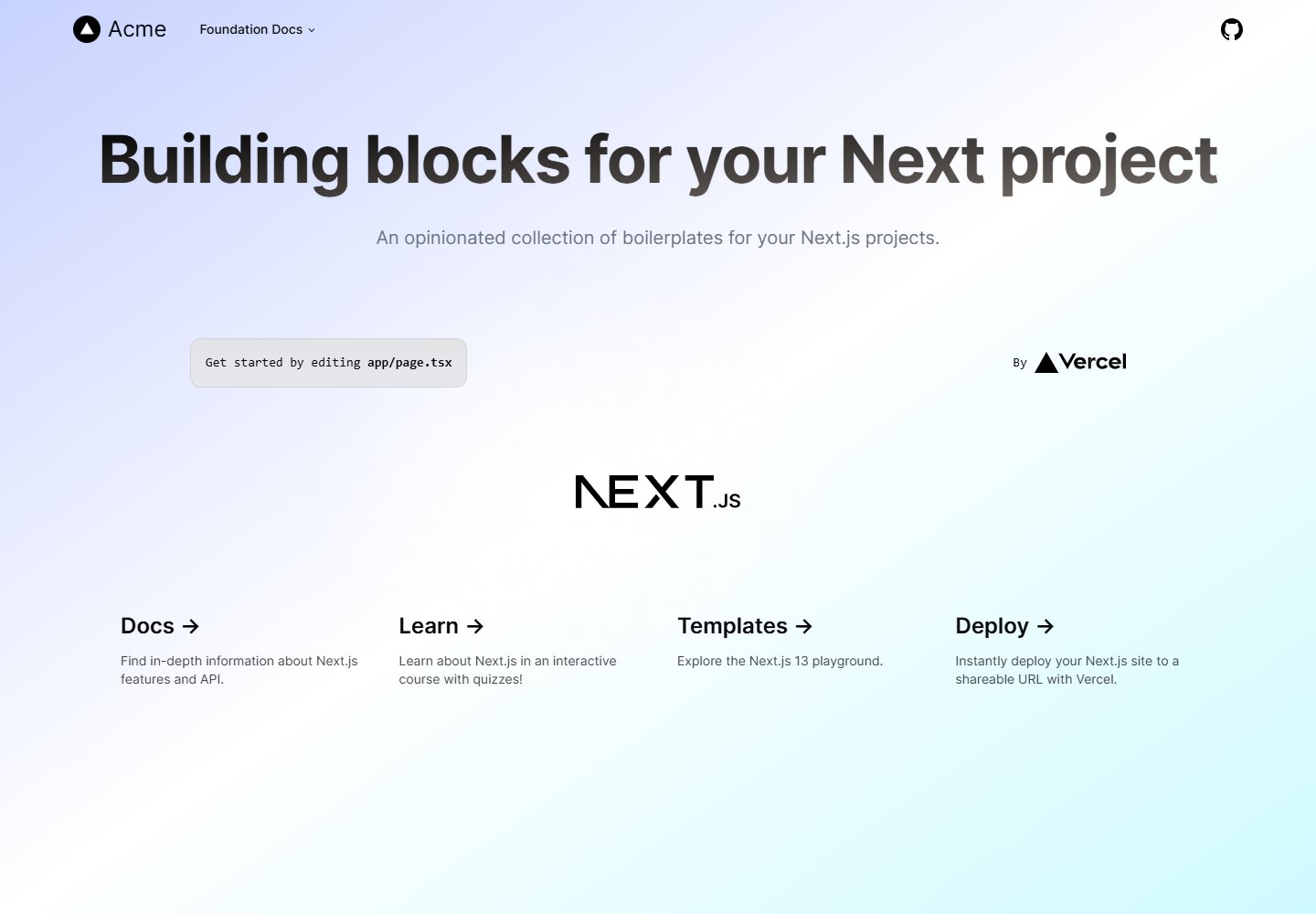
浏览真实页面截图,比较内容排版与手机效果。点击下方缩略图切换,放大查看整页细节。
全部页面与视图 2
截图用于了解视觉与布局,交互效果请以实际项目为准。
采集于 2026-10-16查看来源
值得关注的模板亮点
从已有项目资料中,快速了解它的特点。
README 列出计划中的样板类型:业务仪表盘、电商、博客、营销页和作品集
辅助工具包含 Lucide 图标、React Wrap Balancer、ESLint、Prettier、@vercel/git-hooks 与 lint-staged
Options 章节列出大量可选技术,覆盖 UI、服务端、工具和 DevOps/SEO 类别
开发服务器默认运行在 http://localhost:3000,编辑 app/page.tsx 可自动更新页面
使用 next/font 自动优化并加载 Inter 字体
模板详细介绍
这是一个面向 Next.js 项目的样板集合,README 将其描述为“opinionated collection of boilerplates”。当前 README 主要列出计划中的样板类型:用户平台方向包括业务仪表盘和电商,视觉演示方向包括博客、营销页和作品集。基础技术栈为 React、Next.js App Router、Tailwind CSS、shadcn/ui 和 TypeScript;辅助工具包括 Lucide 图标、React Wrap Balancer、ESLint、Prettier、@vercel/git-hooks 与 lint-staged。
README 还以“Options”形式列出大量可选用技术,涵盖 UI、服务端、工具和 DevOps/SEO 类别,例如 Framer Motion、Lexical、Novel、Radix UI、React Email、React Three Fiber、Tiptap、Tremor、Auth.js 或 Clerk、Prisma、Resend、Stripe 或 Lemon Squeezy、Upstash、Vercel AI SDK、Zod 或 Valibot、Zustand、Playwright 等。这些选项的说明是“Ideas pulled from”若干开源项目,README 未说明它们是否已集成、默认启用或需要手动配置。
使用方式上,README 要求先执行 npm install、pnpm install 或所选包管理器的安装命令,然后运行 npm run dev、yarn dev 或 pnpm dev,在浏览器打开 http://localhost:3000 查看结果。编辑 app/page.tsx 可修改页面,文件保存后页面自动更新。项目使用 next/font 自动优化并加载 Inter 字体。部署部分指向 Vercel 平台和 Next.js 部署文档。README 未提供各样板的具体功能说明、目录结构、环境变量或配置步骤。
Next.jsReact启动器
适合你的项目吗?
适用场景
- 作为启动 Next.js 项目的样板参考,了解作者计划覆盖的样板类型
- 在本地运行开发服务器并编辑 app/page.tsx 查看页面自动更新
- 查阅 README 中列出的可选技术栈,评估后续可能引入的 UI、服务端或工具库
- 参考 Vercel 部署说明将 Next.js 应用部署到 Vercel 平台
适合人群
- 希望基于 React、Next.js App Router、Tailwind CSS、shadcn/ui 和 TypeScript 起步的开发者
- 需要参考多种 Next.js 样板方向(仪表盘、电商、博客、营销页、作品集)的开发者
- 希望了解一组常见 Next.js 可选技术组合的开发者
- 计划使用 Vercel 部署 Next.js 应用的开发者
上手与定制指南
结合仓库当前版本的说明,按下面的资料检查内容、配置与运行要求。
- 1
使用 npm install、pnpm install 或所选包管理器安装依赖
- 2
运行 npm run dev、yarn dev 或 pnpm dev 启动开发服务器
- 3
在浏览器打开 http://localhost:3000 查看结果
- 4
编辑 app/page.tsx 可修改页面,保存后页面自动更新
- 5
README 未提供环境变量、数据库或第三方服务的配置步骤
授权与来源资料
使用条件与限制
免费使用 · 保留许可声明本次收录的是公开仓库中采用 MIT 许可的免费版本;免费范围为该版本代码,不代表外部服务或第三方素材免费。
使用时需要遵守
- 允许免费使用、修改、商用和分发该版本代码。
- 分发代码副本或实质性部分时,保留原作者版权声明和完整 MIT 许可声明。
- 代码按现状提供;担保与责任限制以原许可证及适用法律为准。
额外费用与待核对事项
- 演示图片、字体、图标及其他第三方素材需按各自许可核对,不能仅凭代码的 MIT 许可判断。
- 域名、托管、数据库、支付或 AI 等外部服务可能另外收费。
- README 仅列出“计划中的样板类型”,未说明这些样板是否已实现或可直接使用。
- Options 章节的技术选项说明为“Ideas pulled from”若干开源项目,README 未说明它们是否已集成、默认启用或需要手动配置。
- PlanetScale 作为可选数据库服务,使用可能涉及第三方账号与费用。
- Vercel Postgres 作为可选数据库服务,使用可能涉及第三方账号与费用。
- Resend 作为可选邮件服务,使用可能涉及第三方账号与 API 密钥。
- Stripe 作为可选支付服务,使用可能涉及第三方账号与费用。
- Lemon Squeezy 作为可选支付服务,使用可能涉及第三方账号与费用。
- Upstash (redis) 作为可选缓存服务,使用可能涉及第三方账号与费用。
- uploadthing 作为可选文件上传服务,使用可能涉及第三方账号与 API 密钥。
- 部署说明指向 Vercel 平台,使用该托管服务可能涉及第三方账号与费用。
查看原文依据
Permission is hereby granted, free of charge
许可证原文
Planned boilerplates:
README 原文
Ideas pulled from
README 原文
- [PlanetScale](https://planetscale.com)
README 原文
- [Vercel Postgres](https://vercel.com/storage/postgres)
README 原文
- [Resend](https://resend.com)
README 原文
- [Stripe](https://vercel.com/guides/getting-started-with-nextjs-typescript-stripe)
README 原文
or [Lemon Squeezy](https://docs.lemonsqueezy.com/guides/getting-started)
README 原文
- [Upstash (redis)](https://docs.upstash.com/redis)
README 原文
- [uploadthing](https://docs.uploadthing.com)
README 原文
https://github.com/AdoryVo/create-next-app/blob/main/LICENSE.mdhttps://github.com/AdoryVo/create-next-app/blob/main/README.mdThe easiest way to deploy your Next.js app is to use the [Vercel Platform](https://vercel.com/new?utm_medium=default-template&filter=next.js&utm_source=create-next-app&utm_campaign=create-next-app-readme) from the creators of Next.js.
README 原文
DeepSeek 根据仓库许可证和 README 整理 ·2026-10-13。结果仅覆盖已读取资料,依赖、图片、字体及后续条款变更以各自原文为准。
项目核对记录与介绍依据
模板资料
- 来源平台
- GitHub
- 资料与维护参考分
- 资料一般 · 70 / 100
- 技术栈
- Next.js · React
- 网站类型
- 启动器
这个分数如何计算
本站按许可资料(最高30分)、演示链接(12分)、预览图(10分)、Star数(15分)、记录的维护时间(15分)、描述完整度(8分)、功能记录(5分)和分类资料(5分)计算。它不是代码、安全或性能测试,也不是 Google 评分;有链接不代表已实测可用。
这个项目需要核对什么
- 记录的仓库更新时间
- 2023-10-25
- 截图检查日期
- 2026-10-16
已收录演示链接。请用你的内容与屏幕尺寸检查;有演示不代表表单、认证或支付已经可用。
目录记录的主要技术栈是 Next.js。请通过依赖清单和锁文件核对实际版本与托管要求。这些说明基于收录资料,不代表代码审计或部署实测。
查看具体选型方法 →介绍的制作与核对状态
介绍由 AI 辅助整理目录与仓库资料。仓库作者不等于这篇介绍的审核者。
审核声明: codex-user-requested-batch-review-20261017 · 2026-10-16
查看当时使用的来源资料
SHA-256: 873dc474bdd6ee21c421b09c86c1e27e906af1de27a9caeec3fe636cff84065b
2026-10-13T21:57:20.162Z
来源文件 / 仓库# 💡 create-next-app (adory)
An opinionated collection of boilerplates for Next.js projects.
Planned boilerplates:
- User platforms
- Business dashboards
- E-commerce
- Visual demonstrations
- Blogs
- Marketing
- Portfolio
Stack foundations:
- React
- Next.js App Router
- Tailwind CSS
- shadcn/ui
- TypeScript
Stack supporters:
- Lucide icons
- React Wrap Balancer
- ESLint
- Prettier
- [@vercel/git-hooks](https://github.com/vercel/git-hooks) & [lint-staged](https://github.com/okonet/lint-staged)
See more stack options below!
## Getting Started
First, install dependencies with `npm install`, `pnpm install`, or your package manager of choice.
Then, run the development server:
```bash
npm run dev
# or
yarn dev
# or
pnpm dev
```
Open [http://localhost:3000](http://localhost:3000) with your browser to see the result.
You can start editing the page by modifying `app/page.tsx`. The page auto-updates as you edit the file.
This project uses [`next/font`](https://nextjs.org/docs/basic-features/font-optimization) to automatically optimize and load Inter, a custom Google Font.
## Options
Ideas pulled from
[vercel/commerce](https://github.com/vercel/commerce),
[shadcn/taxonomy](https://github.com/shadcn/taxonomy),
[steven-tey/precedent](https://github.com/steven-tey/precedent),
[sadmann7/skateshop](https://github.com/sadmann7/skateshop).
- UI
- [Framer Motion](https://www.framer.com/motion/)
- [Lexical](https://lexical.dev/)
- [Lucide icons](https://lucide.dev/docs/lucide-react)
- [Novel](https://novel.sh/)
- [Radix UI](https://www.radix-ui.com/docs/primitives/overview/getting-started)
- [React Email](https://react.email)
- [React Three Fiber](https://docs.pmnd.rs/react-three-fiber/getting-started/introduction)
- [React Wrap Balancer](https://react-wrap-balancer.vercel.app)
- [shadcn/ui](https://ui.shadcn.com)
- [Tailwind CSS Typography plugin](https://tailwindcss.com/docs/typography-plugin)
- [Tiptap](https://tiptap.dev/)
- [Tremor](https://www.tremor.so/docs/getting-started/installation)
- Server
- [Auth.js](https://authjs.dev/getting-started/oauth-tutorial)
or [Clerk](https://clerk.com/docs/nextjs/get-started-with-nextjs)
- [Prisma](https://www.prisma.io/docs/getting-started/quickstart)
- [PlanetScale](https://planetscale.com)
- [Vercel Postgres](https://vercel.com/storage/postgres)
- [Resend](https://resend.com)
- [Stripe](https://vercel.com/guides/getting-started-with-nextjs-typescript-stripe)
or [Lemon Squeezy](https://docs.lemonsqueezy.com/guides/getting-started)
- [Tier](https://www.tier.run/docs/fullstack-framework-tutorials/flat-rate)
- [Upstash (redis)](https://docs.upstash.com/redis)
- [Vercel AI SDK](https://sdk.vercel.ai/docs/getting-started)
- Utils
- [date-fns](https://date-fns.org/v2.30.0/docs/Getting-Started#installation)
or [Day.js](https://day.js.org/docs/en/installation/typescript)
- [inflect](https://www.npmjs.com/package/i)
- [ms](https://www.npmjs.com/package/ms)
- [uploadthing](https://docs.uploadthing.com)
- [Zod](https://zod.dev) or [Valibot](https://valibot.dev/guides/introduction/)
- [Zustand](https://docs.pmnd.rs/zustand/getting-started/introduction)
- DevOps/SEO
- [@vercel/analytics](https://vercel.com/docs/concepts/analytics/quickstart)
- [@vercel/og](https://vercel.com/docs/concepts/functions/edge-functions/og-image-generation)
- [Playwright](https://playwright.dev/docs/intro)
## Learn More
To learn more about Next.js, take a look at the following resources:
- [Next.js Documentation](https://nextjs.org/docs) - learn about Next.js features and API.
- [Learn Next.js](https://nextjs.org/learn) - an interactive Next.js tutorial.
You can check out [the Next.js GitHub repository](https://github.com/vercel/next.js/) - your feedback and contributions are welcome!
## Deploy on Vercel
The easiest way to deploy your Next.js app is to use the [Vercel Platform](https://vercel.com/new?utm_medium=default-template&filter=next.js&utm_source=create-next-app&utm_campaign=create-next-app-readme) from the creators of Next.js.
Check out our [Next.js deployment documentation](https://nextjs.org/docs/deployment) for more details.
看看同类模板
对比同技术栈与用途的模板,找到更适合的视觉与内容结构。

ai-website-cloner-template
Clone any website with one command using AI coding agents
Next.js · 启动器

Next.js SaaS Starter
Next.js SaaS Starter 是 Next.js 官方维护的 SaaS 起点模板,定位介于学习资源和可直接部署的脚手架之间。
Next.js · SaaS

Next.js Commerce
Next.js Commerce 是 Vercel 团队维护的电商启动模板,基于 Next.js App Router 构建,采用服务端渲染、React Server Components、Server Actions …
Next.js · 电商

Next-js-Boilerplate
Next-js-Boilerplate 是一个面向 Next.js 16、Tailwind CSS 4 和 TypeScript 的启动器,核心定位是开发者体验优先。
Next.js · 启动器

tailwind-nextjs-starter-blog
tailwind-nextjs-starter-blog 是一个面向个人技术博客的 Next.js 与 Tailwind CSS 启动模板,其 v2 版本基于 App Router 与 React Server Comp…
Next.js · 博客

next-forge
Production-grade Turborepo template for Next.js apps.
Next.js · 启动器