以 Ruby gem 形式发布的 Jekyll 博客主题,通过 Gemfile 与 _config.yml 的 theme 字段启用
Jekyll博客
jekyll-theme-mint — Jekyll 博客模板
作者 aidewoode
jekyll-theme-mint 是一个采用 MIT 许可的 Jekyll 博客主题,强调可读性与可访问性,支持明暗主题切换、强调色配置、社交链接、Disqus 评论与 Google Analytics。
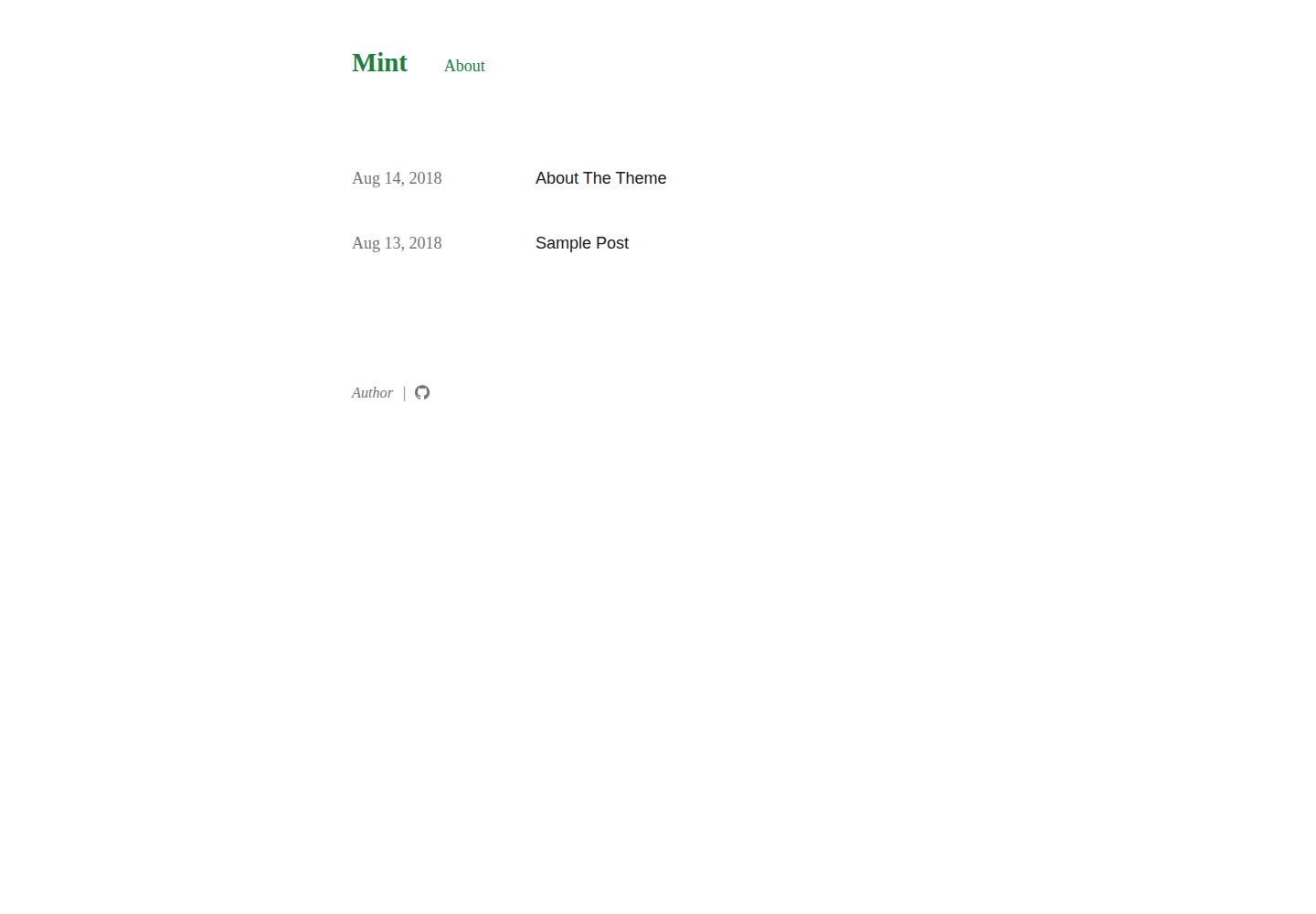
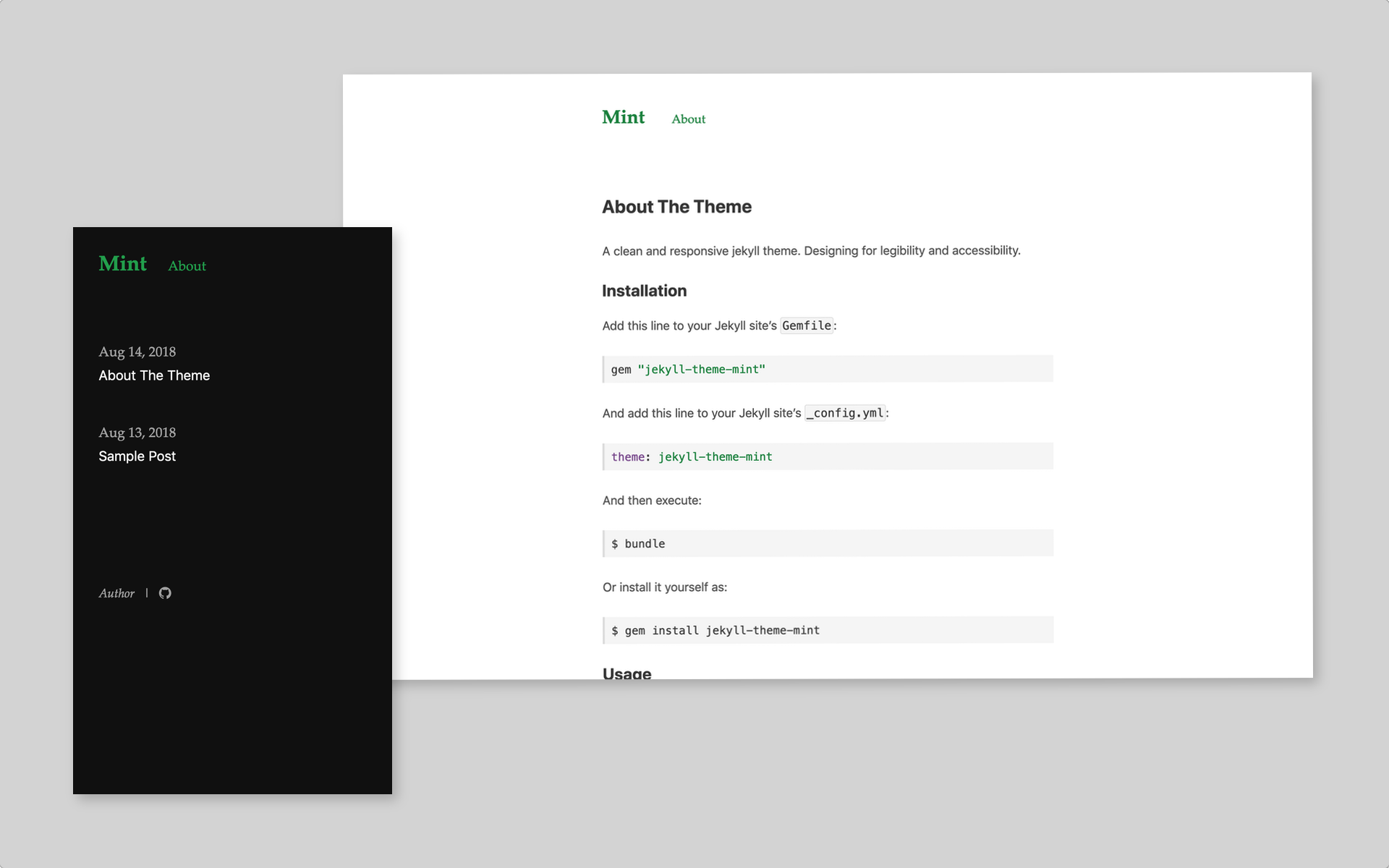
看看你的网站会是什么样
浏览真实页面截图,比较内容排版与手机效果。点击下方缩略图切换,放大查看整页细节。
全部页面与视图 3
截图用于了解视觉与布局,交互效果请以实际项目为准。
采集于 2026-10-02查看来源
值得关注的模板亮点
从已有项目资料中,快速了解它的特点。
支持 light、dark、auto 三种博客主题模式,auto 会跟随系统与浏览器设置切换
可在 _config.yml 中分别设置明暗主题的强调色与日期格式
内置 GitHub、Twitter、Facebook、Dribbble 社交链接配置项
支持 Disqus 评论与 Google Analytics,并可在单篇文章中关闭评论
页面链接默认位于页眉,可通过 Front Matter 的 is_footer 改为显示在页脚
模板详细介绍
jekyll-theme-mint 是一个面向 Jekyll 站点的博客主题,仓库描述为简洁且响应式,设计目标放在可读性与可访问性上。主题以 Ruby gem 形式发布,可通过 Gemfile 引入并配合 _config.yml 中的 theme 字段启用。
在配置层面,主题提供多项 _config.yml 选项:blog_theme 可设为 light、dark 或 auto,其中 auto 会在系统与浏览器支持时自动切换;light-theme-accent-color 与 dark-theme-accent-color 分别控制明暗主题的强调色;date_format 用于自定义日期显示格式。社交链接支持 github_username、twitter_username、facebook_username、dribbble_username 四个字段。
功能集成方面,填入 disqus_shortname 可启用 Disqus 评论,并可在单篇文章的 Front Matter 中用 comments: false 关闭;填入 google_analytics 追踪 ID 可启用 Google Analytics。页面链接默认显示在站点页眉,若在页面 Front Matter 中设置 is_footer: true,则会改为显示在页脚。
开发与构建方面,README 给出 bundle install 安装依赖、bundle exec jekyll serve 本地预览(默认 http://localhost:4000)以及 gem build jekyll-theme-mint.gemspec 构建 gem 的命令。主题采用 MIT 许可,允许免费使用、修改、商用与分发,但演示图片、字体、图标等第三方素材需按各自许可单独核对。
Jekyll博客
适合你的项目吗?
适用场景
- 使用 Jekyll 搭建个人博客并需要明暗主题切换
- 希望以少量 _config.yml 配置接入社交链接、评论与访问统计
- 需要把部分页面链接放到页脚而非页眉的站点结构
适合人群
- 使用 Jekyll 构建博客的开发者
- 偏好通过 _config.yml 集中配置主题外观与集成的用户
- 需要 MIT 许可下可修改与分发的博客主题的项目
上手与定制指南
结合仓库当前版本的说明,按下面的资料检查内容、配置与运行要求。
- 1
在 Jekyll 站点的 Gemfile 中加入 gem "jekyll-theme-mint",并在 _config.yml 中设置 theme: jekyll-theme-mint
- 2
执行 bundle 安装依赖,或使用 gem install jekyll-theme-mint 单独安装
- 3
本地预览可运行 bundle exec jekyll serve 并访问 http://localhost:4000
- 4
构建 gem 使用 gem build jekyll-theme-mint.gemspec
- 5
演示图片、字体、图标等第三方素材需按各自许可单独核对
授权与来源资料
使用条件与限制
免费使用 · 保留许可声明本次收录的是公开仓库中采用 MIT 许可的免费版本;免费范围为该版本代码,不代表外部服务或第三方素材免费。
使用时需要遵守
- 允许免费使用、修改、商用和分发该版本代码。
- 分发代码副本或实质性部分时,保留原作者版权声明和完整 MIT 许可声明。
- 代码按现状提供;担保与责任限制以原许可证及适用法律为准。
额外费用与待核对事项
- 启用 Disqus 评论需在 _config.yml 中填入你自己的 Disqus shortname,即依赖第三方 Disqus 服务与账号。
- 启用 Google Analytics 需填入你自己的 Google Analytics 追踪 ID,即依赖第三方 Google 服务与账号。
- 演示图片、字体、图标及其他第三方素材需按各自许可核对,不能仅凭代码的 MIT 许可判断。
- 域名、托管、数据库、支付或 AI 等外部服务可能另外收费。
查看原文依据
Permission is hereby granted, free of charge
许可证原文
disqus_shortname: your_disqus_shortname
README 原文
https://github.com/aidewoode/jekyll-theme-mint/blob/master/LICENSEhttps://github.com/aidewoode/jekyll-theme-mint/blob/master/README.mdgoogle_analytics: your_google_analystics_tracker_id
README 原文
DeepSeek 根据仓库许可证和 README 整理 ·2026-10-02。结果仅覆盖已读取资料,依赖、图片、字体及后续条款变更以各自原文为准。
项目核对记录与介绍依据
模板资料
- 来源平台
- GitHub
- 资料与维护参考分
- 资料一般 · 72 / 100
- 技术栈
- Jekyll
- 网站类型
- 博客
这个分数如何计算
本站按许可资料(最高30分)、演示链接(12分)、预览图(10分)、Star数(15分)、记录的维护时间(15分)、描述完整度(8分)、功能记录(5分)和分类资料(5分)计算。它不是代码、安全或性能测试,也不是 Google 评分;有链接不代表已实测可用。
这个项目需要核对什么
- 记录的仓库更新时间
- 2022-07-15
- 截图检查日期
- 2026-10-02
已收录演示链接。请用你的内容与屏幕尺寸检查;有演示不代表表单、认证或支付已经可用。
目录记录的主要技术栈是 Jekyll。请通过依赖清单和锁文件核对实际版本与托管要求。这些说明基于收录资料,不代表代码审计或部署实测。
查看具体选型方法 →介绍的制作与核对状态
介绍由 AI 辅助整理目录与仓库资料。仓库作者不等于这篇介绍的审核者。
已完成服务器许可规则与 AI 来源核对;未经过人工编辑审核。
查看当时使用的来源资料
SHA-256: 2617346dee8feb064db42167c62fcdc5cb6fff927479a0ae70ffd45d9f827c6a
2026-10-02T10:57:28.598Z
来源文件 / 仓库# jekyll-theme-mint
A clean and responsive jekyll theme. Designing for legibility and accessibility.
## Installation
Add this line to your Jekyll site's `Gemfile`:
```ruby
gem "jekyll-theme-mint"
```
And add this line to your Jekyll site's `_config.yml`:
```yaml
theme: jekyll-theme-mint
```
And then execute:
$ bundle
Or install it yourself as:
$ gem install jekyll-theme-mint
## Usage
### Theme
Edit `_config.yml` file to change blog theme.
```yaml
blog_theme: light # use light theme
# or
blog_theme: dark # use dark theme
# or
blog_theme: auto # auto change the theme when your system and browser supported
```
### Accent color of theme
Edit `_config.yml` file to change accent color of theme.
```yaml
light-theme-accent-color: '#333'
dark-theme-accent-color: '#eee'
```
### Add social links
Edit `_config.yml` file to add your social links.
```yaml
github_username: your_name
twitter_username: your_name
facebook_username: your_name
dribbble_username: your_name
```
### Customize date formate
Edit `_config.yml` file to change default date formate.
```yaml
date_format: '%b %-d, %Y'
```
### Enable Disqus
Edit `_config.yml` file to add your Disqus short name and you can enable Disqus on your site.
```yaml
disqus_shortname: your_disqus_shortname
```
You can also disable Disqus on specific post by `comments: false` to the post's Front Matter.
### Enable Google Analytics
Edit `_config.yml` file to add your google analytics tracking id and you can enable google analytics on your site.
```yaml
google_analytics: your_google_analystics_tracker_id
```
### Footer page
Normally, the links to the pages is displayed in the site header. If you want to display the page link on the footer, you can add this to the front matter of page.
``` yaml
is_footer: true
```
## Development
To set up your environment to develop this theme, run `bundle install`.
For test, you can run `bundle exec jekyll serve` and open your browser at `http://localhost:4000`.
For more information you can see here <https://jekyllrb.com/docs/themes/>.
## Build gem
$ gem build jekyll-theme-mint.gemspec
## License
The theme is available as open source under the terms of the [MIT License](https://opensource.org/licenses/MIT).
看看同类模板
对比同技术栈与用途的模板,找到更适合的视觉与内容结构。

al-folio
al-folio 是一个面向学者与研究人员的 Jekyll 作品集主题,设计简洁、响应式,适合搭建个人学术主页。
Jekyll · 作品集

minimal-mistakes
:triangular_ruler: Jekyll theme for building a personal site, blog, project documentation, or portfolio.
Jekyll · 作品集

Beautiful Jekyll
Beautiful Jekyll 是一个在 Jekyll 生态中经过长期打磨的博客主题,由 Dean Attali 维护,自 2015 年起积累了超过 5 万用户。
Jekyll · 博客

jekyll-TeXt-theme
💎 🐳 A super customizable Jekyll theme for personal site, team site, blog, project, documentation, etc.
Jekyll · 博客

startbootstrap-clean-blog-jekyll
A Jekyll version of the Clean Blog theme by Start Bootstrap
Jekyll · 博客

So Simple
So Simple 是 Michael Rose 开发的 Jekyll 主题,定位清晰:为文字和图片提供一个干净、可读性强的展示框架。
Jekyll · 博客