提供对象、动作、权限、工作流、管理界面与 MCP 服务器等基础构件
Next.jsReact后台启动器
hq — Next.js 后台模板
作者 aiwah-labs
HQ 是 Aiwah Labs 开源的、面向自托管业务基础设施的模板,把对象、动作、权限、工作流、管理界面和 MCP 服务组合在一起,让团队与 AI 代理在同一系统中协作。README 明确标注为早期预览,尚未达到生产可用状态,API 会变化。
看看你的网站会是什么样
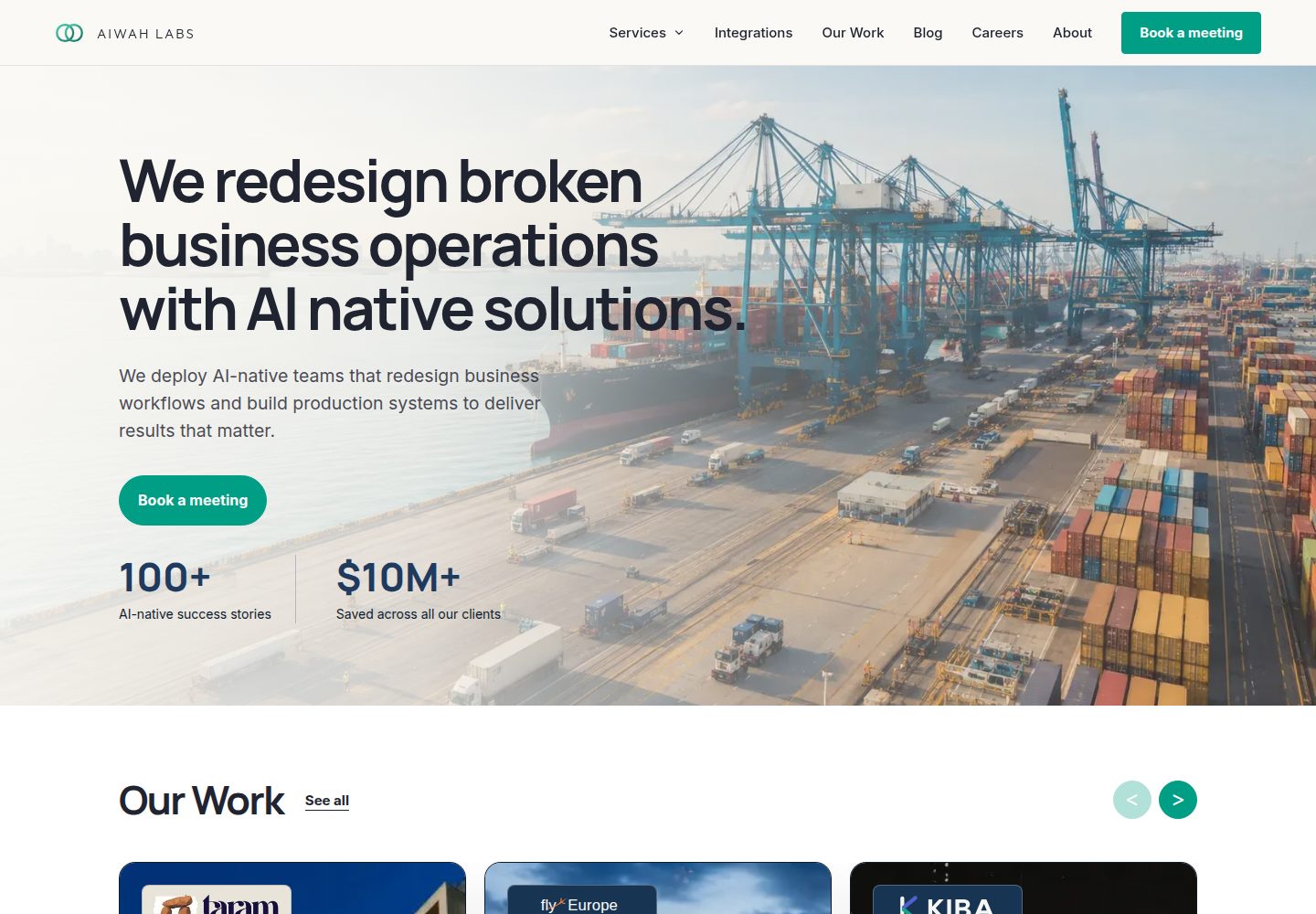
浏览真实页面截图,比较内容排版与手机效果。点击下方缩略图切换,放大查看整页细节。
全部页面与视图 3
截图用于了解视觉与布局,交互效果请以实际项目为准。
采集于 2026-10-14查看来源
值得关注的模板亮点
从已有项目资料中,快速了解它的特点。
附带 CRM 和 Projects/Tasks 两个可运行的示例模块,而非占位代码
通过 MCP 配置可接入 Claude Desktop、Cursor、OpenClaw 等 MCP 客户端
权限区分人员角色与代理作用域,高风险动作需人工确认后执行
支持自托管部署,数据保存在自己的数据库中,逻辑位于自己的代码库
README 明确标注为早期预览,API 会变化,不建议用于生产环境
模板详细介绍
HQ 是一个自托管业务基础设施模板,定位为团队与 AI 代理共同工作的操作系统。它提供对象、动作、权限、工作流、管理界面(Workshop)以及 MCP 服务器等基础能力,并附带 CRM 与 Projects/Tasks 两个可运行的示例模块,供使用者阅读、复制或删除。README 建议的用法是克隆仓库后交给编码代理,按自身业务进行改造,数据保存在自己的数据库中,业务逻辑留在自己的代码库内。
技术栈与运行环境方面,README 要求 Node 22、pnpm 10 和 Docker,本地启动后通过 http://localhost:3002 访问,并使用 [email protected] / password 登录。仓库还提供 pnpm doctor 检查环境、pnpm db:studio 浏览数据库、pnpm mcp 启动 MCP 服务器等命令。部署部分给出了 setup-server.sh、first-deploy.sh 与 setup-nginx.sh 脚本,并要求在 .env.prod 中填写 DATABASE_URL、SESSION_SECRET、INTERNAL_API_SECRET。
需要特别注意的是,README 在开头即声明这是早期预览,不适用于生产环境,API 会发生变化,并建议关注 releases。文档未提供性能、并发、安全审计或长期维护承诺方面的说明,也未列出具体依赖版本,因此这些方面无法从现有资料判断。
Next.js后台启动器
适合你的项目吗?
适用场景
- 希望以自托管方式搭建内部业务系统,并保留数据与代码控制权的团队
- 需要让 AI 代理通过 MCP 访问自有业务数据与动作的场景
- 希望基于现成示例模块(CRM、Projects/Tasks)快速改造出自身业务模块的开发者
- 需要把重复性操作编排为定时、事件触发或按需运行的工作流
- 需要为人员与代理分别设定权限、并对高风险操作加入人工审批的流程
适合人群
- 具备 Node、pnpm 与 Docker 使用经验、愿意自行部署和维护的开发者
- 计划把仓库交给编码代理进行二次开发的技术团队
- 需要评估早期预览项目、能接受 API 变动风险的使用者
- 希望参考 CRM 与 Projects/Tasks 示例来设计自有模块结构的工程师
上手与定制指南
结合仓库当前版本的说明,按下面的资料检查内容、配置与运行要求。
- 1
本地环境需要 Node 22、pnpm 10 和 Docker
- 2
克隆仓库后依次执行 pnpm install、pnpm db:local:bootstrap、pnpm dev:platform,访问 http://localhost:3002,使用 [email protected] / password 登录
- 3
可用 pnpm doctor 检查环境、pnpm db:studio 浏览数据库、pnpm mcp 启动 MCP 服务器
- 4
部署时先运行 setup-server.sh,再克隆到 /opt/hq,复制 .env.example 为 .env.prod 并填写 DATABASE_URL、SESSION_SECRET、INTERNAL_API_SECRET,之后执行 first-deploy.sh 与 setup-nginx.sh
- 5
README 声明项目为早期预览、尚未生产就绪且 API 会变化,部署前应关注 releases 与 DEPLOY.md
授权与来源资料
使用条件与限制
免费使用 · 保留许可声明本次收录的是公开仓库中采用 MIT 许可的免费版本;免费范围为该版本代码,不代表外部服务或第三方素材免费。
使用时需要遵守
- 允许免费使用、修改、商用和分发该版本代码。
- 分发代码副本或实质性部分时,保留原作者版权声明和完整 MIT 许可声明。
- 代码按现状提供;担保与责任限制以原许可证及适用法律为准。
额外费用与待核对事项
- 演示图片、字体、图标及其他第三方素材需按各自许可核对,不能仅凭代码的 MIT 许可判断。
- 域名、托管、数据库、支付或 AI 等外部服务可能另外收费。
- README 明确声明这是早期预览版本,尚未达到生产可用状态,且 API 会发生变化,因此不适合直接用于生产环境。
- 本地运行需要预先安装 Node 22、pnpm 10 和 Docker,环境不满足时无法启动。
- 本地默认登录凭据为 [email protected] / password,仅用于开发环境,部署前必须更换。
- 接入 MCP 客户端时需要自行提供 MCP_BOT_API_KEY 环境变量。
- 生产部署前必须在 .env.prod 中填写 DATABASE_URL、SESSION_SECRET、INTERNAL_API_SECRET 等配置。
查看原文依据
Permission is hereby granted, free of charge
许可证原文
> **Early preview.** Not production ready. APIs will change. [Watch releases](https://github.com/aiwah-labs/hq/releases).
README 原文
You'll need Node 22, pnpm 10, and Docker.
README 原文
Open http://localhost:3002 and log in with `[email protected]` / `password`.
README 原文
"env": { "MCP_BOT_API_KEY": "your-key" }
README 原文
https://github.com/aiwah-labs/hq/blob/main/LICENSEhttps://github.com/aiwah-labs/hq/blob/main/README.md# Fill in DATABASE_URL, SESSION_SECRET, INTERNAL_API_SECRET
README 原文
DeepSeek 根据仓库许可证和 README 整理 ·2026-10-14。结果仅覆盖已读取资料,依赖、图片、字体及后续条款变更以各自原文为准。
项目核对记录与介绍依据
模板资料
- 来源平台
- GitHub
- 资料与维护参考分
- 资料较完整 · 88 / 100
- 技术栈
- Next.js · React
- 网站类型
- 后台 · 启动器
这个分数如何计算
本站按许可资料(最高30分)、演示链接(12分)、预览图(10分)、Star数(15分)、记录的维护时间(15分)、描述完整度(8分)、功能记录(5分)和分类资料(5分)计算。它不是代码、安全或性能测试,也不是 Google 评分;有链接不代表已实测可用。
这个项目需要核对什么
- 记录的仓库更新时间
- 2026-04-20
- 截图检查日期
- 2026-10-14
已收录演示链接。请用你的内容与屏幕尺寸检查;有演示不代表表单、认证或支付已经可用。
目录记录的主要技术栈是 Next.js。请通过依赖清单和锁文件核对实际版本与托管要求。这些说明基于收录资料,不代表代码审计或部署实测。
查看具体选型方法 →介绍的制作与核对状态
介绍由 AI 辅助整理目录与仓库资料。仓库作者不等于这篇介绍的审核者。
审核声明: codex-user-requested-batch-review-20261015 · 2026-10-15
查看当时使用的来源资料
SHA-256: 71464c846df05df56188bb9e58932e27950fb22cf7118e7a9961d03375dd71f2
2026-10-14T17:10:16.867Z
来源文件 / 仓库<p align="center"> <img src="./docs/assets/hq-banner.png" alt="HQ — the operating system where your team and your AI agents work together" width="100%"> </p> # HQ > **Early preview.** Not production ready. APIs will change. [Watch releases](https://github.com/aiwah-labs/hq/releases). **The operating system where your team and your AI agents work together.** HQ is a template for self-hosted business infrastructure. Clone it, hand it to a coding agent, and shape it to what your business does. Your data stays in your database. Your logic lives in your codebase. [Quick start](#quick-start) · [The platform](#the-platform) · [Connect your agents](#connect-your-agents) · [Docs](./docs) · [Deploy](./DEPLOY.md) --- ## Quick start You'll need Node 22, pnpm 10, and Docker. ```bash git clone https://github.com/aiwah-labs/hq cd hq pnpm install pnpm db:local:bootstrap pnpm dev:platform ``` Open http://localhost:3002 and log in with `[email protected]` / `password`. ```bash pnpm doctor # check your setup pnpm db:studio # browse the database pnpm mcp # run the MCP server ``` --- ## The platform HQ gives you the pieces you'd build anyway — objects, actions, permissions, workflows, an admin UI, and an MCP server — so you can skip the first three months and get to the work only you can do. **Objects** are the things your business runs on. Contacts, deals, projects, whatever it is you track. Define the shape once and every part of the platform picks it up: the API, the admin UI, the agents. **Actions** are what happens to those objects. A human clicking a button, an agent calling a tool, a workflow step — they all hit the same code path with the same permissions. You write the action once. You don't write it again for each caller. **Agents** are the AI that works inside the system. They have access to your data, your actions, and your team's context. They answer messages, react to events, run on a schedule, or show up as a step in a workflow. **Workflows** chain actions together. You define them in code. They run on a schedule, on an event, or on demand. They handle the repetitive stuff nobody should have to think about. **Workshop** is where your team works from. One place for records, workflow runs, agent activity, and things waiting for approval. **MCP** is the door from the outside. Claude Desktop, Cursor, OpenClaw — any MCP client gets typed access to your actions and data. No extra plumbing. **Permissions** decide who can do what. People have roles. Agents have scopes. High-risk actions wait for a human to say yes before they run. --- ## Connect your agents ```json { "mcpServers": { "hq": { "command": "node", "args": ["/path/to/hq/apps/mcp/dist/server.js"], "env": { "MCP_BOT_API_KEY": "your-key" } } } } ``` Drop that into Claude Desktop, OpenClaw, Hermes, or any other MCP client. Your actions show up automatically. --- ## Build your domain HQ ships with two example modules — a CRM and Projects/Tasks. Real working code, not stubs. Read them, copy what's useful, delete the rest. - [Add an object](./docs/add-object.md) - [Add an action](./docs/add-action.md) - [Add a workflow](./docs/add-workflow.md) - [Add an agent](./docs/add-agent.md) - [Build a full module](./docs/example-modules/README.md) --- ## Deploy ```bash curl -fsSL https://raw.githubusercontent.com/aiwah-labs/hq/main/scripts/setup-server.sh | bash git clone https://github.com/aiwah-labs/hq /opt/hq cd /opt/hq && cp .env.example .env.prod # Fill in DATABASE_URL, SESSION_SECRET, INTERNAL_API_SECRET bash scripts/first-deploy.sh && bash scripts/setup-nginx.sh your-domain.com ``` Full guide in [DEPLOY.md](./DEPLOY.md). --- ## Contributing Issues and PRs welcome. See [CONTRIBUTING.md](./CONTRIBUTING.md). Security issues in [SECURITY.md](./SECURITY.md). --- MIT · Built by [Aiwah Labs](https://aiwahlabs.com) · Questions? [[email protected]](mailto:[email protected])
看看同类模板
对比同技术栈与用途的模板,找到更适合的视觉与内容结构。

ai-website-cloner-template
Clone any website with one command using AI coding agents
Next.js · 启动器

Next.js SaaS Starter
Next.js SaaS Starter 是 Next.js 官方维护的 SaaS 起点模板,定位介于学习资源和可直接部署的脚手架之间。
Next.js · SaaS

Next.js Commerce
Next.js Commerce 是 Vercel 团队维护的电商启动模板,基于 Next.js App Router 构建,采用服务端渲染、React Server Components、Server Actions …
Next.js · 电商

Next-js-Boilerplate
Next-js-Boilerplate 是一个面向 Next.js 16、Tailwind CSS 4 和 TypeScript 的启动器,核心定位是开发者体验优先。
Next.js · 启动器

tailwind-nextjs-starter-blog
tailwind-nextjs-starter-blog 是一个面向个人技术博客的 Next.js 与 Tailwind CSS 启动模板,其 v2 版本基于 App Router 与 React Server Comp…
Next.js · 博客

next-forge
Production-grade Turborepo template for Next.js apps.
Next.js · 启动器