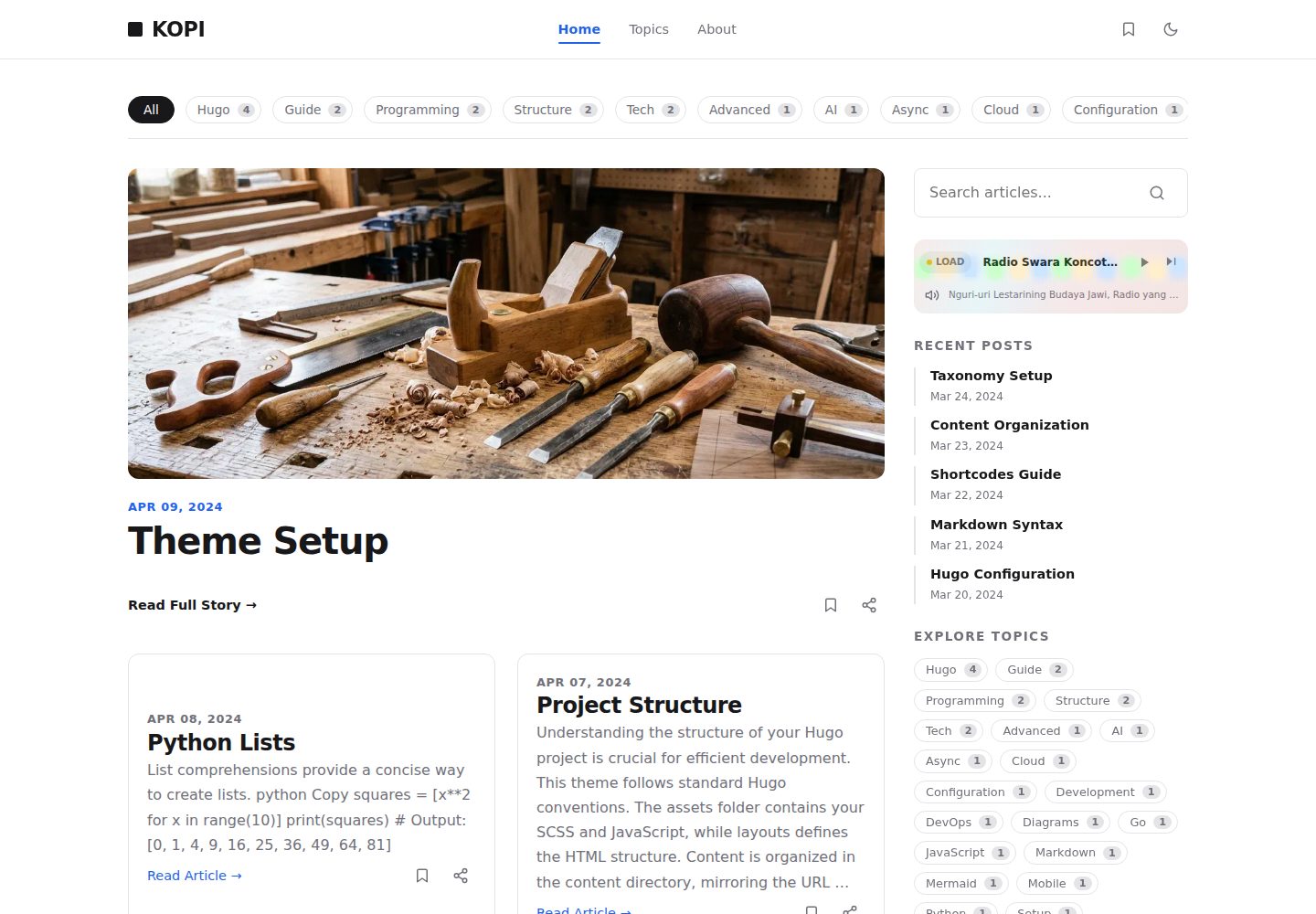
双栏杂志式布局,适合以文章列表和正文阅读为主的博客
Hugo博客
kopi — Hugo 博客模板
作者 bect
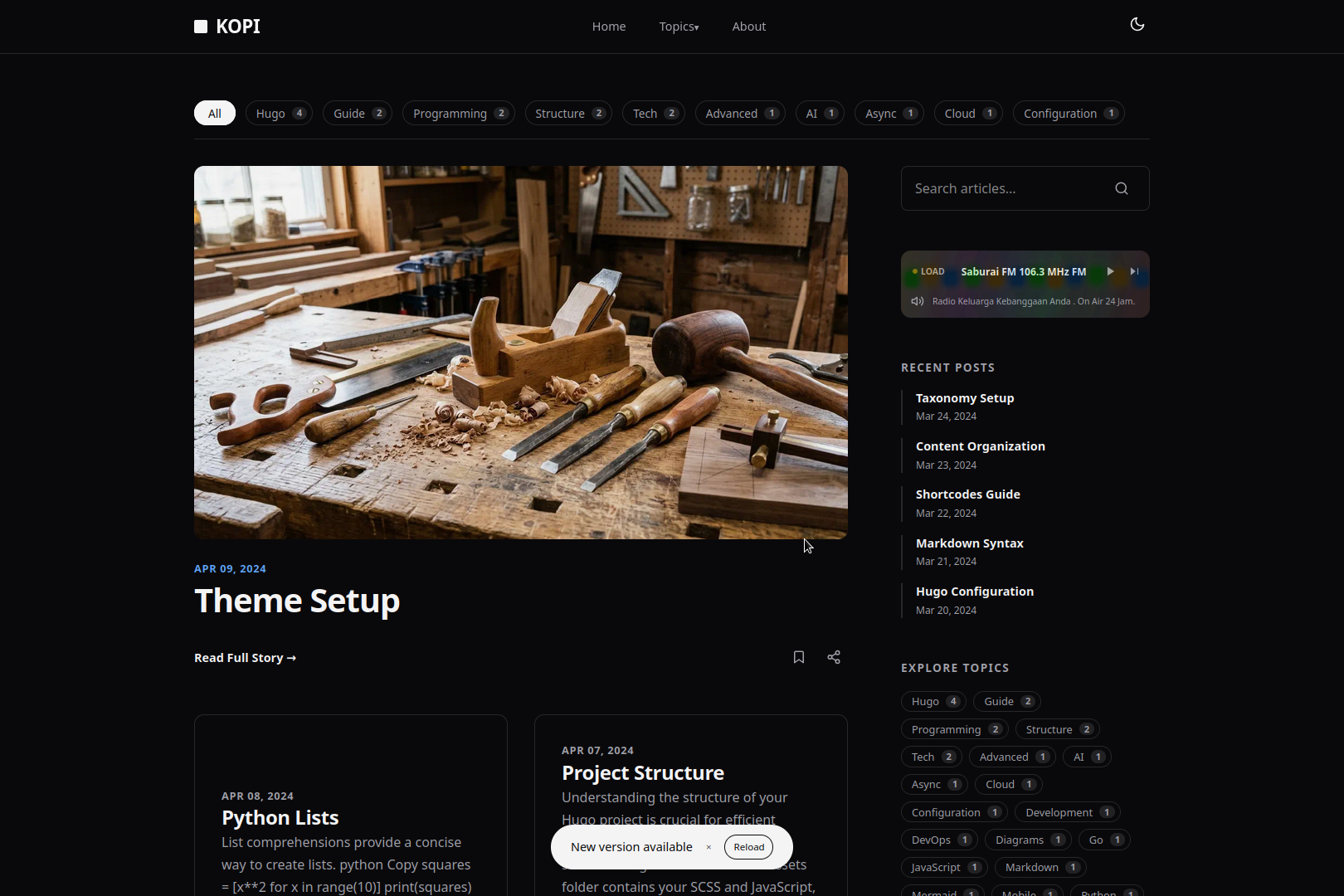
Kopi 是一个采用 MIT 许可的 Hugo 博客主题,提供双栏杂志式布局、跟随系统的深色模式、基于 Turbo 的页面导航和 Mermaid 图表支持,需使用 Hugo Extended 版本构建。
看看你的网站会是什么样
浏览真实页面截图,比较内容排版与手机效果。点击下方缩略图切换,放大查看整页细节。
全部页面与视图 3
截图用于了解视觉与布局,交互效果请以实际项目为准。
采集于 2026-10-02查看来源
值得关注的模板亮点
从已有项目资料中,快速了解它的特点。
深色模式跟随系统设置自动切换
使用 Turbo 处理站内页面导航
支持在内容中渲染 Mermaid 图表
内置可选的 Radio 组件,通过 data/radio.yaml 配置电台列表
提供可直接复制到仓库的 GitHub Pages 部署工作流
模板详细介绍
Kopi 是一个面向博客的 Hugo 主题,采用双栏杂志式布局,并跟随系统设置自动切换深色模式。页面导航由 Turbo 驱动,用于在站内跳转时减少整页刷新;主题同时支持在内容中渲染 Mermaid 图表。样式使用 Dart Sass 编译 SCSS,因此必须使用 Hugo 的 Extended 构建版本。
安装方式有三种:新建 Hugo 站点并以 git submodule 方式加入主题、在已有 Hugo 站点中追加 submodule 并在 hugo.yaml 中设置 theme,或直接使用主题自带的 GitHub Pages 部署工作流。该工作流在 themes/kopi 缺失时会自动克隆主题仓库,并在未配置主题或配置了其他主题时强制将 theme 设为 kopi。
主题包含一个可选的 Radio 组件:在首页 outputs 中加入 RADIO 即可启用,移除则关闭;电台列表通过 /data/radio.yaml 维护,每项可填写标题、描述、流地址、所在地和官网地址。主题代码采用 MIT 许可,可免费使用、修改、商用和分发,但演示图片、字体、图标等第三方素材需单独核对其许可。
Hugo博客
适合你的项目吗?
适用场景
- 从零开始搭建一个 Hugo 博客并套用现成主题
- 为已有的 Hugo 站点更换为双栏杂志式外观
- 在 GitHub Pages 上部署静态博客,并借助自带工作流完成构建
- 在博客文章中嵌入 Mermaid 图表
- 在站点首页展示可自定义的电台播放列表
适合人群
- 使用 Hugo 并希望采用双栏杂志式布局的博客作者
- 需要深色模式与站内平滑导航的静态站点
- 计划通过 GitHub Actions 部署到 GitHub Pages 的用户
- 需要在文章中展示 Mermaid 图表的写作者
上手与定制指南
结合仓库当前版本的说明,按下面的资料检查内容、配置与运行要求。
- 1
必须使用 Hugo Extended 版本,因为主题通过 Dart Sass 编译 SCSS
- 2
新建站点时可用 git submodule 将主题加入 themes/kopi,并在 hugo.yaml 中设置 theme: 'kopi'
- 3
已有站点只需添加 submodule 并配置 theme 字段
- 4
使用 GitHub Pages 部署时,可复制 exampleSite/.github/workflows/deploy.yml 到仓库,并在 Settings → Pages 中将 Source 设为 GitHub Actions
- 5
Radio 组件默认不启用,需在首页 outputs 中加入 RADIO,并通过 /data/radio.yaml 维护电台条目
授权与来源资料
使用条件与限制
免费使用 · 保留许可声明本次收录的是公开仓库中采用 MIT 许可的免费版本;免费范围为该版本代码,不代表外部服务或第三方素材免费。
使用时需要遵守
- 允许免费使用、修改、商用和分发该版本代码。
- 分发代码副本或实质性部分时,保留原作者版权声明和完整 MIT 许可声明。
- 代码按现状提供;担保与责任限制以原许可证及适用法律为准。
额外费用与待核对事项
- 必须使用 Hugo 的 Extended 构建版本(0.157.0 或更高),因为主题通过 Dart Sass 编译 SCSS;标准版 Hugo 无法构建。
- 使用自带的 GitHub Pages 部署工作流时,若 themes/kopi 缺失会自动克隆主题仓库,且会强制将站点主题设为 kopi,可能覆盖你原有的主题配置。
- 该部署工作流会在未配置主题或配置了其他主题时强制把 theme 改为 kopi,属于对站点配置的自动改写。
- Radio 组件默认不启用,需在首页 outputs 中加入 RADIO,并通过 /data/radio.yaml 维护电台条目;电台流地址等外部服务由使用者自行提供并承担相应费用与合规责任。
- 演示图片、字体、图标及其他第三方素材需按各自许可核对,不能仅凭代码的 MIT 许可判断。
- 域名、托管、数据库、支付或 AI 等外部服务可能另外收费。
查看原文依据
Permission is hereby granted, free of charge
许可证原文
it requires the **Extended** build of Hugo
README 原文
The workflow makes these fallbacks so a bare site always builds with Kopi:
README 原文
If no `theme` is configured, or `theme` points to any other theme, the workflow forces `theme: 'kopi'`
README 原文
https://github.com/bect/kopi/blob/main/LICENSEhttps://github.com/bect/kopi/blob/main/README.mdedit `/data/radio.yaml` using this format per station
README 原文
DeepSeek 根据仓库许可证和 README 整理 ·2026-10-02。结果仅覆盖已读取资料,依赖、图片、字体及后续条款变更以各自原文为准。
项目核对记录与介绍依据
模板资料
- 来源平台
- GitHub
- 资料与维护参考分
- 资料较完整 · 83 / 100
- 技术栈
- Hugo
- 网站类型
- 博客
这个分数如何计算
本站按许可资料(最高30分)、演示链接(12分)、预览图(10分)、Star数(15分)、记录的维护时间(15分)、描述完整度(8分)、功能记录(5分)和分类资料(5分)计算。它不是代码、安全或性能测试,也不是 Google 评分;有链接不代表已实测可用。
这个项目需要核对什么
- 记录的仓库更新时间
- 2026-09-16
- 截图检查日期
- 2026-10-02
已收录演示链接。请用你的内容与屏幕尺寸检查;有演示不代表表单、认证或支付已经可用。
目录记录的主要技术栈是 Hugo。请通过依赖清单和锁文件核对实际版本与托管要求。这些说明基于收录资料,不代表代码审计或部署实测。
查看具体选型方法 →介绍的制作与核对状态
介绍由 AI 辅助整理目录与仓库资料。仓库作者不等于这篇介绍的审核者。
已完成服务器许可规则与 AI 来源核对;未经过人工编辑审核。
查看当时使用的来源资料
SHA-256: eb997fa0f556ce6ca295d470047a073d014e28290d3ed69800c80606de0f5784
2026-10-02T17:10:24.450Z
来源文件 / 仓库# Kopi Hugo Theme
Kopi is a Hugo theme with a two-column magazine layout, system-driven dark mode, Turbo-based page navigation, and Mermaid diagram support. It compiles SCSS with Dart Sass, so it requires the **Extended** build of Hugo.
[](https://github.com/bect/kopi/actions/workflows/deploy.yml)
**[Live Demo](https://bect.github.io/kopi/)**
[](https://bect.github.io/kopi/)
## Requirements
Hugo **Extended** version `0.157.0` or higher.
## Installation
Choose one of the three setup routes below.
### 1. New Hugo blog
Start a site from scratch and add the theme as a submodule:
```bash
hugo new site your-blog
cd your-blog
git init
git submodule add https://github.com/bect/kopi.git themes/kopi
echo "theme: 'kopi'" >> hugo.yaml
hugo server -D
```
### 2. Existing Hugo blog
Add the theme to a site you already have:
```bash
git submodule add https://github.com/bect/kopi.git themes/kopi
```
Then set the theme in `hugo.yaml`:
```yaml
theme: 'kopi'
```
### 3. Deploy to GitHub Pages instantly
The theme ships a ready-to-use deployment workflow at
`exampleSite/.github/workflows/deploy.yml`. Copy it into your repo and push —
no local theme setup required.
```bash
# inside your site's repository
mkdir -p .github/workflows
cp /path/to/kopi/exampleSite/.github/workflows/deploy.yml .github/workflows/
git add .github/workflows/deploy.yml
git push
```
Then complete the setup in GitHub:
1. Push the site's repository to GitHub (your site lives at the repo root).
2. In **Settings → Pages**, set *Build and deployment* → *Source* to **GitHub Actions**.
3. Push a commit to `main` (or run the workflow manually from the **Actions** tab).
The workflow makes these fallbacks so a bare site always builds with Kopi:
- If `themes/kopi` is not present (or not added as a submodule), the workflow
clones `https://github.com/bect/kopi.git` into `themes/kopi`.
- If no `theme` is configured, or `theme` points to any other theme, the
workflow forces `theme: 'kopi'` in `hugo.yaml`/`config.yaml`/`config.toml`
(or creates `hugo.yaml` if no config file exists).
## Configuration
Add the following to your site's `hugo.yaml`. See `exampleSite/hugo.yaml` for a full example.
```yaml
baseURL: 'https://example.com/'
languageCode: 'en-US'
title: 'Your Site Title'
theme: 'kopi'
params:
subtitle: 'Your site subtitle or tagline'
author:
name: "Your Name"
bio: "A short bio about yourself."
link: "#" # Link to your profile or about page
role: "Your Role"
menus:
main:
- name: 'Home'
pageRef: '/'
weight: 10
- name: 'About'
url: '/about'
weight: 20
mediaTypes:
application/radio+json:
suffixes:
- json
outputFormats:
RADIO:
mediaType: application/radio+json
baseName: radio
isPlainText: true
notAlternative: true
outputs:
home:
- HTML
- RSS
- JSON
- RADIO
```
## Radio Widget
The radio widget is controlled by your site's `hugo.yaml`.
- **Enable**: add `RADIO` to the `outputs` list for the home page (shown in the configuration above).
- **Disable**: remove `RADIO` from the `outputs` list:
```yaml
outputs:
home:
- HTML
- RSS
- JSON
```
**Customize the playlist**: edit `/data/radio.yaml` using this format per station:
```yaml
- title: "Station Name"
description: "A short description of the station."
stream_url: "https://stream.url/here"
location: "City, Country"
website_url: "https://station-website.com"
```
## License
This theme is licensed under the **MIT License**. See the LICENSE file for more details.
## Acknowledgements
- Turbo.js for the fast navigation.
- Mermaid.js for diagram rendering.看看同类模板
对比同技术栈与用途的模板,找到更适合的视觉与内容结构。

hugo-PaperMod
PaperMod 是 Hugo 生态里知名度较高的主题之一,定位很明确:给博客和轻量作品集站点提供一套干净、响应式的阅读界面。
Hugo · 作品集

LoveIt
❤️A clean, elegant but advanced blog theme for Hugo 一个简洁、优雅且高效的 Hugo 主题
Hugo · 博客

hugo-coder
A minimalist blog theme for hugo.
Hugo · 博客

blowfish
Personal Website & Blog Theme for Hugo
Hugo · 博客

hugo-paper
🪺 A simple, clean, customizable Hugo theme
Hugo · 博客

hextra
Hextra 是一个 Hugo 主题,定位在文档站与博客之间:既提供侧边栏导航、目录、面包屑、分页这类文档站结构,也能承载博客内容。
Hugo · 文档