使用 Next.js App Router 组织页面与路由
Next.jsReact启动器
next-authjs-template — Next.js 启动器模板
作者 caru-ini
基于 Next.js App Router 的认证启动模板,集成 Auth.js、Prisma、PostgreSQL、Tailwind CSS 与 shadcn/ui,附带 Docker 本地数据库与 T3 Env 环境变量校验。
看看你的网站会是什么样
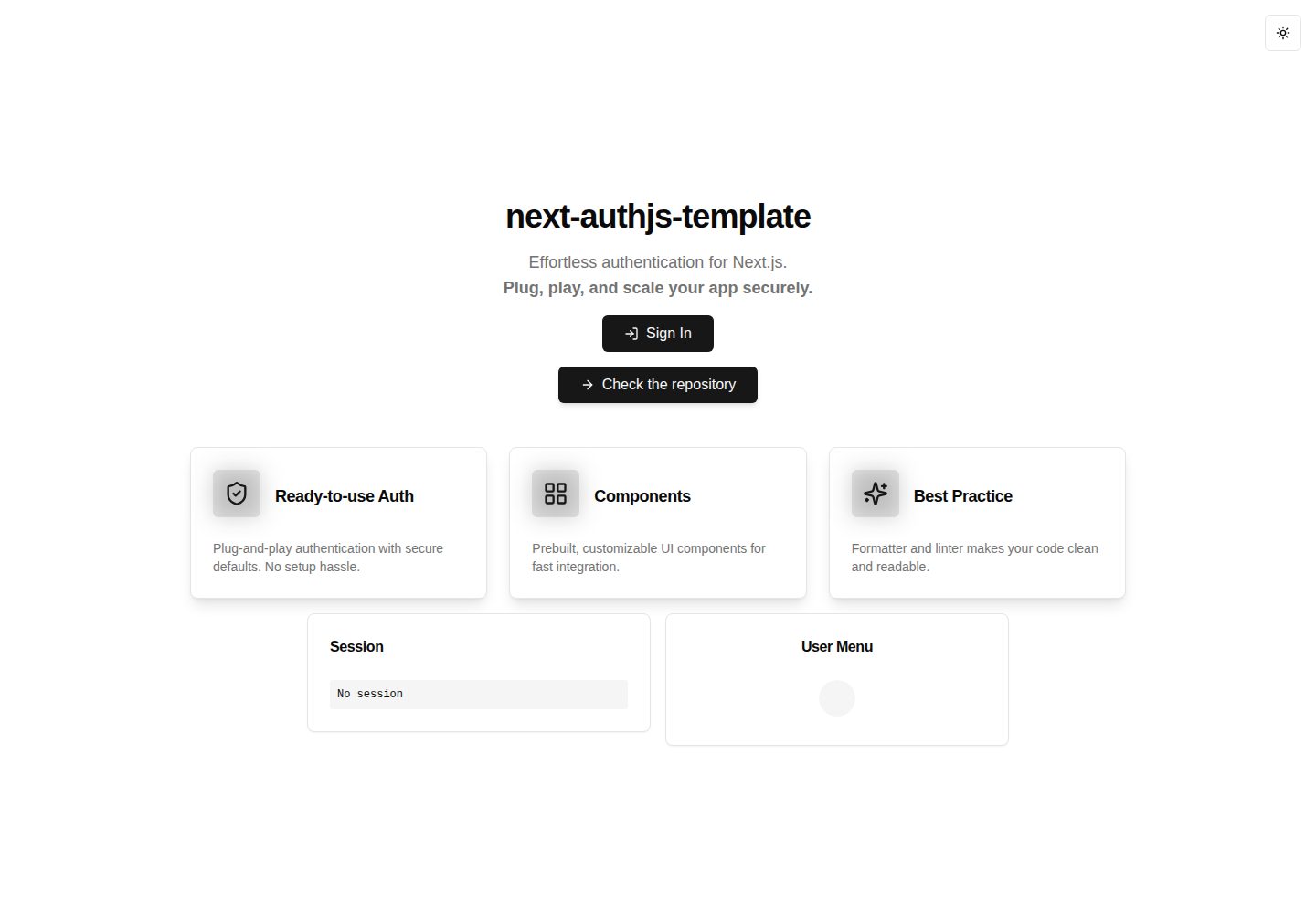
浏览真实页面截图,比较内容排版与手机效果。点击下方缩略图切换,放大查看整页细节。
全部页面与视图 2
截图用于了解视觉与布局,交互效果请以实际项目为准。
采集于 2026-10-03查看来源
值得关注的模板亮点
从已有项目资料中,快速了解它的特点。
集成 Auth.js(Next-Auth v5)实现认证流程
通过 Prisma 访问 PostgreSQL,并提供迁移脚本
使用 Tailwind CSS 与 shadcn/ui 构建界面组件
提供 docker-compose 启动本地数据库容器
用 T3 Env 对环境变量做类型安全校验
模板详细介绍
这是一个面向认证场景的全栈启动模板,仓库描述为 Next.js 15 + Auth.js + Prisma + shadcn/ui Starter Kit。模板使用 Next.js 的 App Router,认证层采用 Auth.js(Next-Auth v5),数据层通过 Prisma 访问 PostgreSQL,本地开发用 Docker 启动数据库容器。UI 部分由 Tailwind CSS 与 shadcn/ui 组件构成,环境变量通过 T3 Env 做类型安全校验,代码检查使用 ESLint 9 的 flat config。
使用路径在 README 中写得比较完整:可用 create-next-app 或 GitHub CLI 以模板方式创建仓库,安装依赖后用 auth CLI 生成认证密钥,在 .env.local 中配置 AUTH_SECRET、DATABASE_URL 以及 GitHub OAuth 的 ID 与 Secret,再通过 docker-compose 启动数据库、执行 Prisma 迁移并运行开发服务器。部署方面 README 推荐 Vercel 或 Coolify,并提示在 Coolify 等自托管平台上需要设置 AUTH_TRUST_HOST=true。
需要注意的限制:模板默认的第三方登录示例为 GitHub OAuth,README 未列出其他登录方式;数据库默认指向本地 PostgreSQL 容器;仓库中另有更完整的 fullstack-template(改用 better-auth、Hono、S3 等),本模板定位为基础认证起步版本。演示站点与截图仅用于展示界面,第三方素材与外部服务(域名、托管、数据库)的许可与费用需另行核对。
Next.js启动器
适合你的项目吗?
适用场景
- 需要快速搭建带登录功能的全栈项目骨架
- 以 GitHub OAuth 作为示例验证认证流程
- 在本地用 Docker 运行 PostgreSQL 进行开发调试
- 作为学习 Next.js App Router 与 Auth.js 配合方式的参考项目
适合人群
- 熟悉 Next.js 与 TypeScript、希望省去认证配置的开发者
- 需要 Prisma + PostgreSQL 数据层起步代码的团队
- 偏好 Tailwind CSS 与 shadcn/ui 组件风格的界面开发者
- 准备部署到 Vercel 或 Coolify 等平台的自托管用户
上手与定制指南
结合仓库当前版本的说明,按下面的资料检查内容、配置与运行要求。
- 1
可通过 pnpm create next-app -e 或 gh repo create --template 以模板方式创建仓库
- 2
安装依赖后使用 pnpm dlx auth@latest secret 生成 AUTH_SECRET
- 3
在 .env.local 中配置 AUTH_SECRET、DATABASE_URL、AUTH_GITHUB_ID 与 AUTH_GITHUB_SECRET
- 4
用 docker-compose up -d 启动数据库,再执行 pnpm prisma:migrate 完成迁移
- 5
在 Coolify 等自托管平台部署时需设置 AUTH_TRUST_HOST=true
授权与来源资料
使用条件与限制
免费使用 · 保留许可声明本次收录的是公开仓库中采用 MIT 许可的免费版本;免费范围为该版本代码,不代表外部服务或第三方素材免费。
使用时需要遵守
- 允许免费使用、修改、商用和分发该版本代码。
- 分发代码副本或实质性部分时,保留原作者版权声明和完整 MIT 许可声明。
- 代码按现状提供;担保与责任限制以原许可证及适用法律为准。
额外费用与待核对事项
- 使用 GitHub OAuth 登录需自行注册 GitHub OAuth 应用并提供客户端 ID 与密钥,属于外部服务账号要求。
- 需配置 GitHub OAuth 客户端密钥,认证依赖 GitHub 外部服务,非本地独立运行。
- 需自行提供 PostgreSQL 数据库连接,模板默认指向本地容器,生产环境需另备数据库服务。
- 部署推荐使用 Vercel 或 Coolify 等第三方托管平台,可能产生外部服务费用。
- 在 Coolify 等自托管平台部署时必须额外设置 AUTH_TRUST_HOST=true 环境变量。
- 更高级功能(better-auth、Hono、S3 等)位于另一个独立模板仓库,不在本免费模板范围内。
- 演示图片、字体、图标及其他第三方素材需按各自许可核对,不能仅凭代码的 MIT 许可判断。
- 域名、托管、数据库、支付或 AI 等外部服务可能另外收费。
查看原文依据
Permission is hereby granted, free of charge
许可证原文
AUTH_GITHUB_ID=your_github_id
README 原文
AUTH_GITHUB_SECRET=your_github_secret
README 原文
DATABASE_URL="postgresql://postgres:postgres@localhost:5432/postgres?schema=public"
README 原文
Recommend [Vercel](https://vercel.com/) or [Coolify](https://coolify.io/) for deployment.
README 原文
you should set `AUTH_TRUST_HOST=true` in environment variables.
README 原文
https://github.com/caru-ini/next-authjs-template/blob/main/LICENSEhttps://github.com/caru-ini/next-authjs-template/blob/main/README.mdWant to use `better-auth` instead of `auth.js` or more advanced features? Check out our **Enhanced Fullstack Template**!
README 原文
DeepSeek 根据仓库许可证和 README 整理 ·2026-10-03。结果仅覆盖已读取资料,依赖、图片、字体及后续条款变更以各自原文为准。
项目核对记录与介绍依据
模板资料
- 来源平台
- GitHub
- 资料与维护参考分
- 资料较完整 · 87 / 100
- 技术栈
- Next.js · React
- 网站类型
- 启动器
这个分数如何计算
本站按许可资料(最高30分)、演示链接(12分)、预览图(10分)、Star数(15分)、记录的维护时间(15分)、描述完整度(8分)、功能记录(5分)和分类资料(5分)计算。它不是代码、安全或性能测试,也不是 Google 评分;有链接不代表已实测可用。
这个项目需要核对什么
- 记录的仓库更新时间
- 2026-09-29
- 截图检查日期
- 2026-10-03
已收录演示链接。请用你的内容与屏幕尺寸检查;有演示不代表表单、认证或支付已经可用。
目录记录的主要技术栈是 Next.js。请通过依赖清单和锁文件核对实际版本与托管要求。这些说明基于收录资料,不代表代码审计或部署实测。
查看具体选型方法 →介绍的制作与核对状态
介绍由 AI 辅助整理目录与仓库资料。仓库作者不等于这篇介绍的审核者。
审核声明: [email protected] · 2026-10-04
查看当时使用的来源资料
SHA-256: ca11744bbb310b1d880f096ed1a48a4087f1edfc1063191e4564182429936a5c
2026-10-03T13:46:35.406Z
来源文件 / 仓库# Next.js Auth.js Template This project is a web application template with authentication features, using Next.js 15 and Auth.js. It incorporates modern web development best practices, enabling rapid development initiation. ## Key Features - **Next.js 15(App Router)**: Utilizing the latest React framework - **ESLint 9**: Latest version of ESLint (flat config) - **Auth.js(Next-Auth v5)**: Easy implementation of a secure authentication system - **Tailwind CSS**: Customizable utility-first CSS framework - **shadcn/ui**: Functional UI components - **Prisma**: Efficient database operations with a type-safe ORM - **PostgreSQL**: Reliable relational database - **Docker**: Database containerization for local development - **T3 Env**: Type-safe environment variables with validation ## Setup Instructions 1. Clone the repository With create-next-app ```bash pnpm create next-app -e https://github.com/caru-ini/next-authjs-template ``` or using GitHub CLI ```bash gh repo create <your-repo-name> --template https://github.com/caru-ini/next-authjs-template --clone ``` 2. Install dependencies: ```bash pnpm i ``` 3. Generate auth.js secret ```bash pnpm dlx auth@latest secret ``` 4. Set up environment variables: Create a `.env.local` file and set the necessary environment variables: ```env AUTH_SECRET=your_auth_secret # already generated DATABASE_URL="postgresql://postgres:postgres@localhost:5432/postgres?schema=public" AUTH_GITHUB_ID=your_github_id AUTH_GITHUB_SECRET=your_github_secret ``` 5. Set up the database: ```bash docker-compose up -d ``` 6. Run Prisma migrations: ```bash pnpm prisma:migrate ``` 7. Start the development server: ```bash pnpm dev ``` ## Deployment Recommend [Vercel](https://vercel.com/) or [Coolify](https://coolify.io/) for deployment. On coolify (or other self-hosted deployment platforms), you should set `AUTH_TRUST_HOST=true` in environment variables. ## Technologies Used - [Next.js](https://nextjs.org/) - [Auth.js](https://authjs.dev/) - [Prisma](https://www.prisma.io/) - [PostgreSQL](https://www.postgresql.org/) - [Tailwind CSS](https://tailwindcss.com/) - [shadcn/ui](https://ui.shadcn.com/) - [Docker](https://www.docker.com/) - [T3 Env](https://github.com/t3-oss/t3-env) ## License This project is released under the MIT License. See the [LICENSE](LICENSE) file for details. ## Support If you have any questions or need assistance, please open an issue or contact the project maintainer directly. ## Star Us! If you find this project useful, we'd greatly appreciate it if you could star our GitHub repository. Your support is a huge encouragement for us to continue improving and maintaining this project. --- ## Want more advanced features? Want to use `better-auth` instead of `auth.js` or more advanced features? Check out our **Enhanced Fullstack Template**! ### Key Improvements - 🔐 **Better Auth** - More flexible and modern authentication system - 🔥 **Hono + Hono RPC** - Type-safe API routes with Hono framework and Hono RPC client - 🍃 **Tailwind CSS 4** - Latest version with enhanced features - ⚛️ **React 19** - Latest React with improved performance - 📦 **AWS S3 Integration** - Ready-to-use file upload functionality - 🔧 **Enhanced DX** - Pre-commit hooks, better linting. - 💡 **AI-ready** - Pre-configured AI-ready configuration for Cursor(AI IDE). **👀Check the repository**: [caru-ini/fullstack-template](https://github.com/caru-ini/fullstack-template)
看看同类模板
对比同技术栈与用途的模板,找到更适合的视觉与内容结构。

ai-website-cloner-template
Clone any website with one command using AI coding agents
Next.js · 启动器

Next.js SaaS Starter
Next.js SaaS Starter 是 Next.js 官方维护的 SaaS 起点模板,定位介于学习资源和可直接部署的脚手架之间。
Next.js · SaaS

Next.js Commerce
Next.js Commerce 是 Vercel 团队维护的电商启动模板,基于 Next.js App Router 构建,采用服务端渲染、React Server Components、Server Actions …
Next.js · 电商

Next-js-Boilerplate
Next-js-Boilerplate 是一个面向 Next.js 16、Tailwind CSS 4 和 TypeScript 的启动器,核心定位是开发者体验优先。
Next.js · 启动器

tailwind-nextjs-starter-blog
tailwind-nextjs-starter-blog 是一个面向个人技术博客的 Next.js 与 Tailwind CSS 启动模板,其 v2 版本基于 App Router 与 React Server Comp…
Next.js · 博客

next-forge
Production-grade Turborepo template for Next.js apps.
Next.js · 启动器