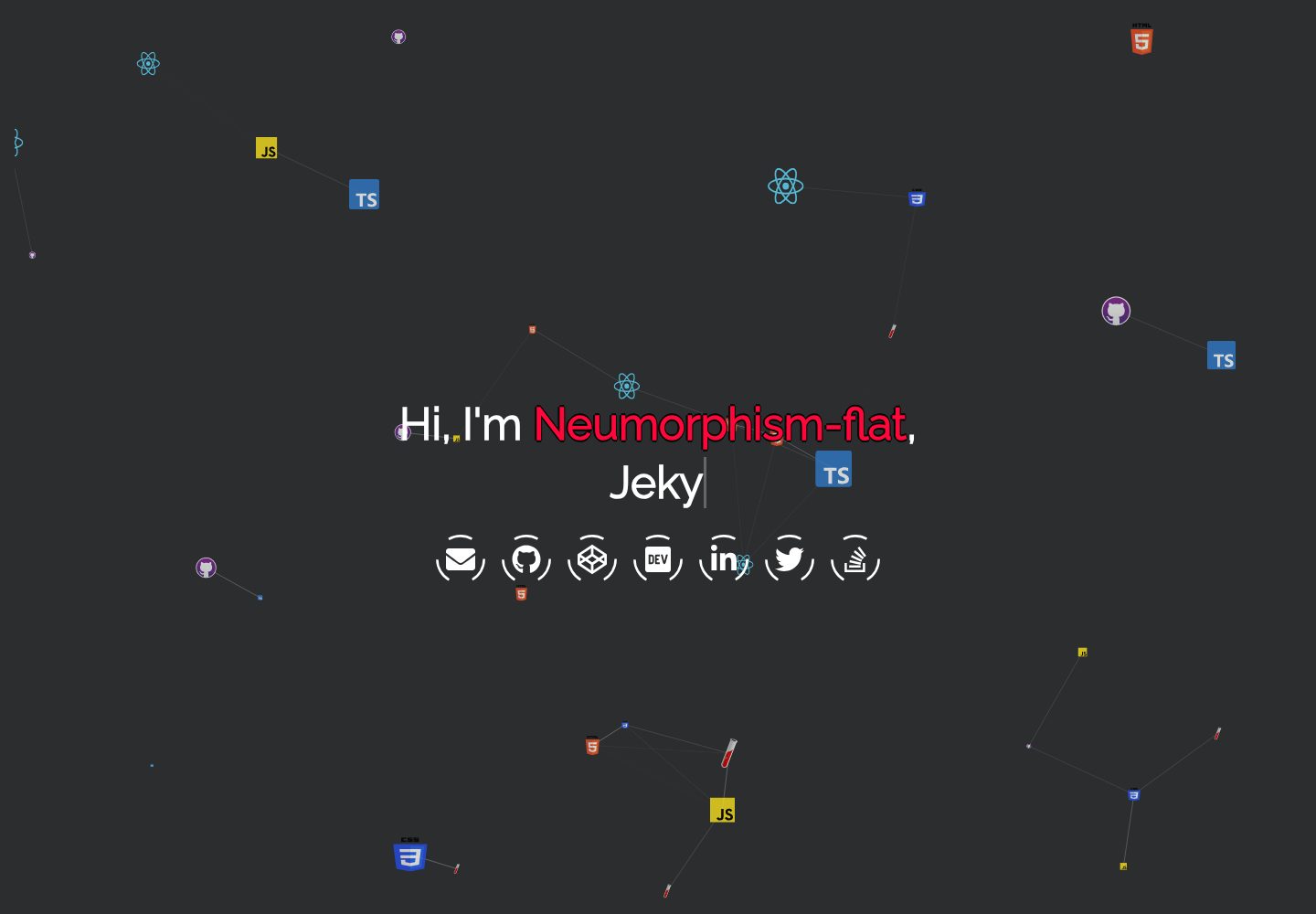
移动优先的响应式布局,主内容区采用深色新拟态设计
Jekyll作品集
lab — Jekyll 作品集模板
作者 doda-agency
基于 Jekyll 的个人网站主题,采用新拟态(Neumorphism)深色设计,适合展示简历与作品集,可部署在 GitHub Pages 上。
看看你的网站会是什么样
浏览真实页面截图,比较内容排版与手机效果。点击下方缩略图切换,放大查看整页细节。
全部页面与视图 2
截图用于了解视觉与布局,交互效果请以实际项目为准。
采集于 2026-10-13查看来源
值得关注的模板亮点
从已有项目资料中,快速了解它的特点。
首页包含 tsParticles 动画背景、打字轮播和社交图标动画
技能词云支持按分类筛选,分类可在配置和样式中增删
通过 GitHub API 自动填充开源项目区块
Gulp 开发流程集成 BrowserSync、Autoprefixer 和资源压缩
支持 Google Analytics 与滚动动画(AOS)
模板详细介绍
这是一个用 Jekyll 构建的个人网站主题,面向希望展示简历和作品集的开发者。页面采用移动优先的响应式设计,主内容区使用深色新拟态(Neumorphism)风格,首页包含动画背景、打字轮播和社交图标动画。
主题包含可筛选的技能词云,并通过 GitHub API 自动填充开源项目区块;滚动动画、预加载动画和粒子背景分别由 AOS、自定义脚本和 tsParticles 实现。开发流程使用 Gulp,配合 BrowserSync、Autoprefixer 以及 JS 与 SCSS 压缩。
个性化主要通过 _config.yml 和 _data 目录下的 YAML 文件完成,技能分类可在配置与样式中增删。若要让开源项目区块自动拉取仓库,需要配置 GitHub Metadata 插件并生成个人访问令牌。README 中的安装命令以 macOS 为例,其他系统需自行查找对应命令。
Jekyll作品集
适合你的项目吗?
适用场景
- 开发者搭建个人简历网站
- 展示个人作品集与开源项目
- 作为 GitHub Pages 上的静态个人主页
- 需要新拟态视觉风格的个人站点
适合人群
- 熟悉 Jekyll 与 YAML 配置的开发者
- 希望用 GitHub Pages 托管个人网站的人
- 需要简历与作品集合一页面的自由职业者或求职者
- 接受自行调整 SCSS 与配置文件的使用者
上手与定制指南
结合仓库当前版本的说明,按下面的资料检查内容、配置与运行要求。
- 1
需安装 Ruby、Node.js、Jekyll、Bundler 与 Yarn,README 命令以 macOS 为例
- 2
运行 yarn 和 bundle install 安装依赖,使用 gulp 启动本地服务
- 3
编辑 _config.yml 与 _data 目录下的 YAML 文件进行个性化
- 4
开源项目区块需配置 GitHub Metadata 插件并设置 JEKYLL_GITHUB_TOKEN
- 5
部署方式为 fork 仓库并在 GitHub 仓库设置中启用 GitHub Pages
授权与来源资料
使用条件与限制
免费使用 · 保留许可声明本次收录的是公开仓库中采用 MIT 许可的免费版本;免费范围为该版本代码,不代表外部服务或第三方素材免费。
使用时需要遵守
- 允许免费使用、修改、商用和分发该版本代码。
- 分发代码副本或实质性部分时,保留原作者版权声明和完整 MIT 许可声明。
- 代码按现状提供;担保与责任限制以原许可证及适用法律为准。
额外费用与待核对事项
- 演示图片、字体、图标及其他第三方素材需按各自许可核对,不能仅凭代码的 MIT 许可判断。
- 域名、托管、数据库、支付或 AI 等外部服务可能另外收费。
- README 中的安装命令与说明仅针对 macOS,其他操作系统需自行查找对应命令。
- 若要自动拉取 GitHub 仓库填充开源项目区块,必须为 GitHub Metadata 插件进行身份认证。
- 使用 GitHub Metadata 插件需在 GitHub 生成个人访问令牌(personal access token)。
- 需在仓库内创建 .env 文件并填入生成的 JEKYLL_GITHUB_TOKEN。
- 还需修改 _config.yml 中的 repository 值才能完成 GitHub Metadata 插件配置。
- 为获得最佳效果,需确保要展示的每个 GitHub 项目都补充了描述、主页链接和主题标签等信息。
- 若想贡献主题或就自行实现中的问题提 issue,推荐直接 fork 仓库。
查看原文依据
Permission is hereby granted, free of charge
许可证原文
`The commands and instructions I provide are for MacOS - please look up the specific commands for your OS on your own.`
README 原文
If you want to automatically have your Github repositories pulled for the *Open Source Projects* section, then you also need to authenticate yourself for the Github Metadata plugin to work.
README 原文
You need to generate a new personal access token on GitHub:
README 原文
Create a `.env` file inside your repository and add your generated `JEKYLL_GITHUB_TOKEN`:
README 原文
To complete the configuration for the Github Metadata plugin, you also need to change the value of `repository` inside `_config.yml`.
README 原文
For optimal results, you should make sure, that every Github project, you want included on this portfolio, has added following informations on Github:
README 原文
https://github.com/doda-agency/lab/blob/master/LICENSEhttps://github.com/doda-agency/lab/blob/master/README.md> Recommended way: If you want to contribute to this theme or open issues due to problems implementing this on your own, I would recommend forking the repository directly.
README 原文
DeepSeek 根据仓库许可证和 README 整理 ·2026-10-13。结果仅覆盖已读取资料,依赖、图片、字体及后续条款变更以各自原文为准。
项目核对记录与介绍依据
模板资料
- 来源平台
- GitHub
- 资料与维护参考分
- 资料一般 · 74 / 100
- 技术栈
- Jekyll
- 网站类型
- 作品集
这个分数如何计算
本站按许可资料(最高30分)、演示链接(12分)、预览图(10分)、Star数(15分)、记录的维护时间(15分)、描述完整度(8分)、功能记录(5分)和分类资料(5分)计算。它不是代码、安全或性能测试,也不是 Google 评分;有链接不代表已实测可用。
这个项目需要核对什么
- 记录的仓库更新时间
- 2025-05-05
- 截图检查日期
- 2026-10-13
已收录演示链接。请用你的内容与屏幕尺寸检查;有演示不代表表单、认证或支付已经可用。
目录记录的主要技术栈是 Jekyll。请通过依赖清单和锁文件核对实际版本与托管要求。这些说明基于收录资料,不代表代码审计或部署实测。
查看具体选型方法 →介绍的制作与核对状态
介绍由 AI 辅助整理目录与仓库资料。仓库作者不等于这篇介绍的审核者。
审核声明: [email protected] · 2026-10-13
查看当时使用的来源资料
SHA-256: efe68bd913e804e10e26e0e2352090730b5637b86094269df30f4017fb492eee
2026-10-13T01:51:41.603Z
来源文件 / 仓库# lab <!-- omit in toc -->
> lab designed Jekyll theme for personal websites, portfolios and resumes.
[](https://github.com/miorey/neumorphism-flat/issues)
[](LICENSE)
[View Demo](https://miorey.github.io/neumorphism-flat/) · [Report Bug](https://github.com/miorey/neumorphism-flat/issues) · [Request Feature](https://github.com/miorey/neumorphism-flat/issues)
<!-- TABLE OF CONTENTS -->
## Table of Contents <!-- omit in toc -->
* [About The Project](#about-the-project)
* [Built With](#built-with)
* [Features](#features)
* [Getting Started](#getting-started)
* [Prerequisites](#prerequisites)
* [Installation](#installation)
* [Usage](#usage)
* [Personalize and Customize](#personalize-and-customize)
* [_config.yml](#_configyml)
* [Github Metadata Plugin](#github-metadata-plugin)
* [_data/*.yml](#_datayml)
* [Particles.js](#particlesjs)
* [Contributing](#contributing)
* [License](#license)
* [Acknowledgements](#acknowledgements)
<!-- ABOUT THE PROJECT -->
## About The Project
[![Project Screenshot][product-screenshot]](https://miorey.github.io/neumorphism-flat/)
This is a personal website built with `Jekyll` and hosted on `Github Pages`, which is based on the new `Neumorphism` design trend and was developed with a mobile-first approach. This can be used by developers, who want to showcase their resume and portfolio. If you want to use this for your own website, fork this repository and then refer to [personalize and customize](#personalize-and-customize).
### Built With
* [Jekyll](https://jekyllrb.com/)
### Features
* Mobile-First Responsive Design
* Animated preloader animation
* Landing Page with animated background with [tsParticles](https://particles.js.org/), a Typing Carousel and animated social icons
* Dark Neumorphism Design on main content
* [Animations On Scroll](https://michalsnik.github.io/aos/)
* Filterable *Skills* word cloud
* [Github's API](https://developer.github.com/v3/) automatically populating the *Open Source Projects* section
* Gulp dev workflow with [BrowserSync](https://browsersync.io/), [Autoprefixer](https://autoprefixer.github.io/) and `JS` & `SCSS` minifying.
* [Google Analytics](https://analytics.google.com/)
<!-- GETTING STARTED -->
## Getting Started
To get a local copy up and running follow these simple steps.
`The commands and instructions I provide are for MacOS - please look up the specific commands for your OS on your own.`
### Prerequisites
#### Install on macOS

You can install ruby through different rbenv with
```sh
brew install rbenv ruby-build
RUBY_CONFIGURE_OPTS=--with-openssl-dir=/usr/local/bin/openssl rbenv install 3.1.4
```
Add the gem to your `.bash_profile`, `.zshrc`:
```bash
export GEM_HOME="$HOME/.gem"
export PATH="$HOME/.gem/bin:$PATH"
```
or install ruby directly with:
```sh
brew install ruby-install
ruby-install ruby 3.1 -- --with-openssl-dir=/usr/local/bin/openssl
chruby 3.1.4
```
[NodeJS](https://nodejs.org/en/)
```sh
brew install node
```
If you need to switch between Node versions regularly, I would recommend to install Node via [Node Version Manager](https://github.com/nvm-sh/nvm/blob/master/README.md#manual-install).
* [Jekyll](https://jekyllrb.com/)
```sh
gem install bundler jekyll
```
For more information, refer to [this](https://jekyllrb.com/docs/installation/).
* [Yarn](https://yarnpkg.com/)
```sh
npm install -g yarn
```
3: Install dependencies
```sh
yarn
bundle install
```
<!-- USAGE EXAMPLES -->
## Usage
* Run and develop locally with live server at `http://localhost:4000`, this will also build production-ready `JS` and `SCSS` assets with every change
```sh
gulp
```
* After committing and pushing, see the `Settings` page of your repository to see where your site is published at via `Github Pages`.
### Personalize and Customize
#### _config.yml
Edit `_config.yml` to personalize your site. For documentation, refer to [docs/config.md](https://github.com/miorey/neumorphism-flat/issues/blob/master/docs/config.md).
#### Github Metadata Plugin
If you want to automatically have your Github repositories pulled for the *Open Source Projects* section, then you also need to authenticate yourself for the Github Metadata plugin to work.
You need to generate a new personal access token on GitHub:
* Go to the [Github Token site](https://github.com/settings/tokens/new)
* Select the scope `public_repository`, and add a description.
* Confirm and save the settings. Copy the token you see on the page.
* Create a `.env` file inside your repository and add your generated `JEKYLL_GITHUB_TOKEN`:
```text
JEKYLL_GITHUB_TOKEN=0YOUR0GENERATED0TOKEN0
```
To complete the configuration for the Github Metadata plugin, you also need to change the value of `repository` inside `_config.yml`. After this, you should the Github Metadata plugin should work properly.
For optimal results, you should make sure, that every Github project, you want included on this portfolio, has added following informations on Github:
* Description
* Homepage link, if there is a live version of it
* Topics
#### _data/*.yml
Edit files inside `_data` to add information to the portfolio. For documentation, refer to [docs/data.md](https://github.com/miorey/neumorphism-flat/blob/master/docs/data.md).
##### Add / remove skills section
You can add and remove skills. \
Ex: adding **design** section
update `skills_types` in `_config.yml`
```yaml
skills_types:
- languages
- frameworks
- infrastructure
- tools
- design
```
Create the following file:
`_data/skills-design.yml`
```yaml
- name: Gimp
weight: 3
- name: Photoshop
weight: 1
- name: Paint
weight: 2
```
In `_sass/main.scss` update `$skillsTypes` and `$skillsTypesColors`
```scss
$skillsTypes: languages, frameworks, tools, infrastructure, design;
$skillsTypesColors: (
languages: #FF987A,
frameworks: #E8796F,
tools: #E86FC8,
infrastructure: #EE7AFF,
design: #fff
);
```
#### tsParticles
Edit `assets/particles.json` to customize the landing page background animation. To test it online [this](https://codepen.io/Miorey/pen/YzJgvYe).
##### Flying skills
To add your own flying skills add / remove the skills based on your own logos in `particles.shape.options.image`
### Deploy on GitHub
> Recommended way: If you want to contribute to this theme or open issues due to problems implementing this on your own, I would recommend forking the repository directly. This makes it easier for me to solve open issues and questions or check pull requests.
Fork the repository (using the `Fork` button at the top) and then clone the repository
```sh
# Replace {YOUR_USERNAME} with your actual username
git clone https://github.com/{YOUR_USERNAME}/neumorphism-flat.git
```
Go into the Settings of your fork repository and activate GitHub pages

## Contributing
Contributions are what make the open source community such an amazing place to learn, inspire, and create. Any contributions you make are **greatly appreciated**.
1. Fork the Project
2. Create your Feature Branch (`git checkout -b feature/AmazingFeature`)
3. Commit your Changes (`git commit -m 'Add some AmazingFeature'`)
4. Push to the Branch (`git push origin feature/AmazingFeature`)
5. Open a Pull Request
<!-- LICENSE -->
## License
Distributed under the MIT License. See `LICENSE` for more information.
<!-- ACKNOWLEDGEMENTS -->
## Acknowledgements
* [Font Awesome](https://fontawesome.com/)
* [Normalize.css](https://necolas.github.io/normalize.css/)
* Based Preloader on [Codrin Pavel's](https://codepen.io/zerospree/pen/aCjAz) version
* Typing Carousel by [Gregory Schier](https://codepen.io/gschier/pen/jkivt)
* Social Button Animation by [Stéphane Lyver](https://codepen.io/wouwi/pen/Lwrmi)
* Adapted [Damian Jankowski's](https://codepen.io/dolaron/pen/rNadmOE) color palette for the neumorphism design
* Based Timeline on [Krishna Babu's](https://codepen.io/krishnab/pen/OPwqbW) version
* Demo image recorded from [Am I Responsive](https://ui.dev/amiresponsive)
<!-- MARKDOWN LINKS & IMAGES -->
[product-screenshot]: https://raw.githubusercontent.com/miorey/neumorphism-flat/master/docs/screenshot.gif
看看同类模板
对比同技术栈与用途的模板,找到更适合的视觉与内容结构。

al-folio
al-folio 是一个面向学者与研究人员的 Jekyll 作品集主题,设计简洁、响应式,适合搭建个人学术主页。
Jekyll · 作品集

minimal-mistakes
:triangular_ruler: Jekyll theme for building a personal site, blog, project documentation, or portfolio.
Jekyll · 作品集

Beautiful Jekyll
Beautiful Jekyll 是一个在 Jekyll 生态中经过长期打磨的博客主题,由 Dean Attali 维护,自 2015 年起积累了超过 5 万用户。
Jekyll · 博客

So Simple
So Simple 是 Michael Rose 开发的 Jekyll 主题,定位清晰:为文字和图片提供一个干净、可读性强的展示框架。
Jekyll · 博客
Jalpc
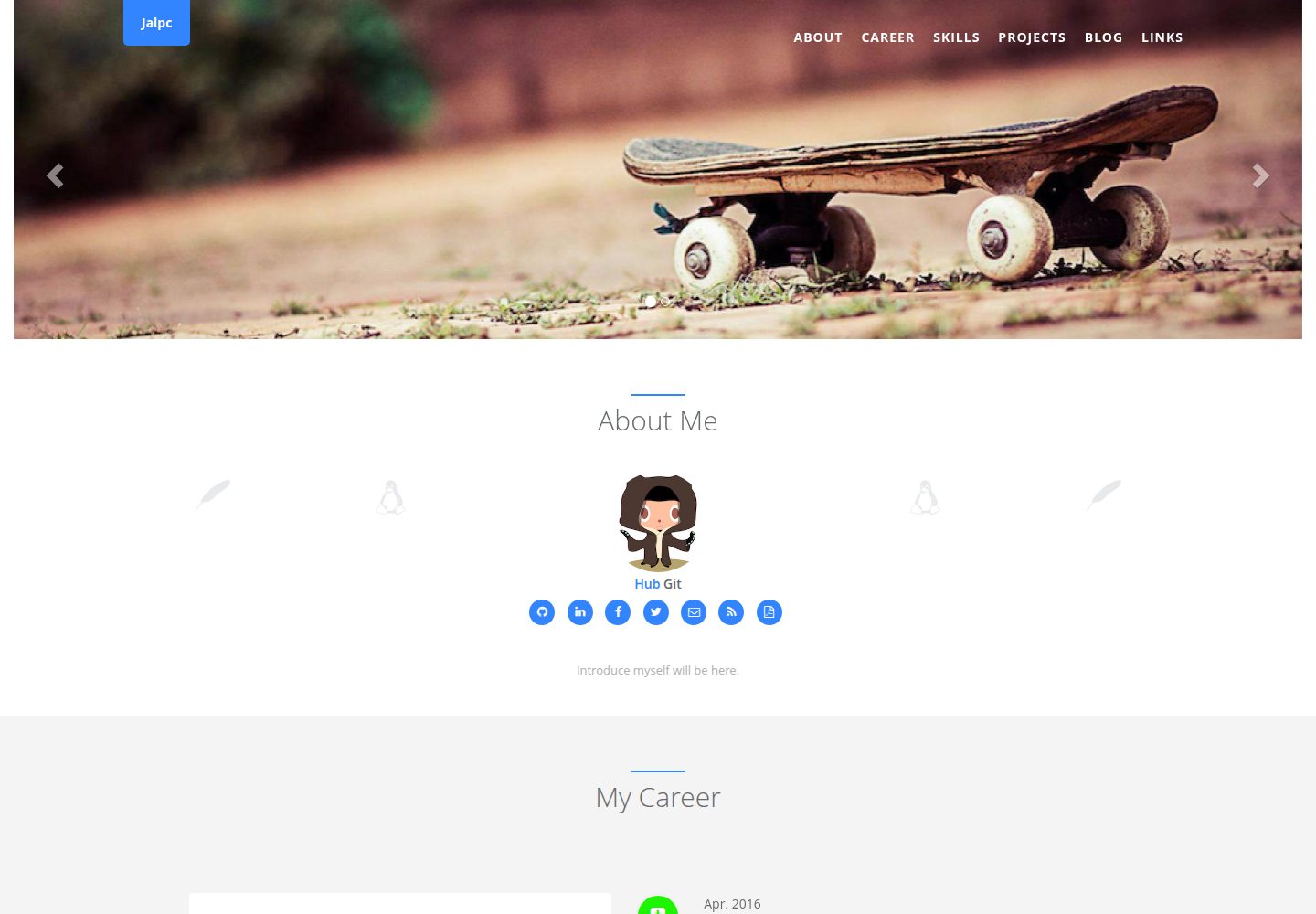
🍎Jalpc -- A flexible Jekyll theme, 3 steps to build your website.
Jekyll · 作品集
feeling-responsive
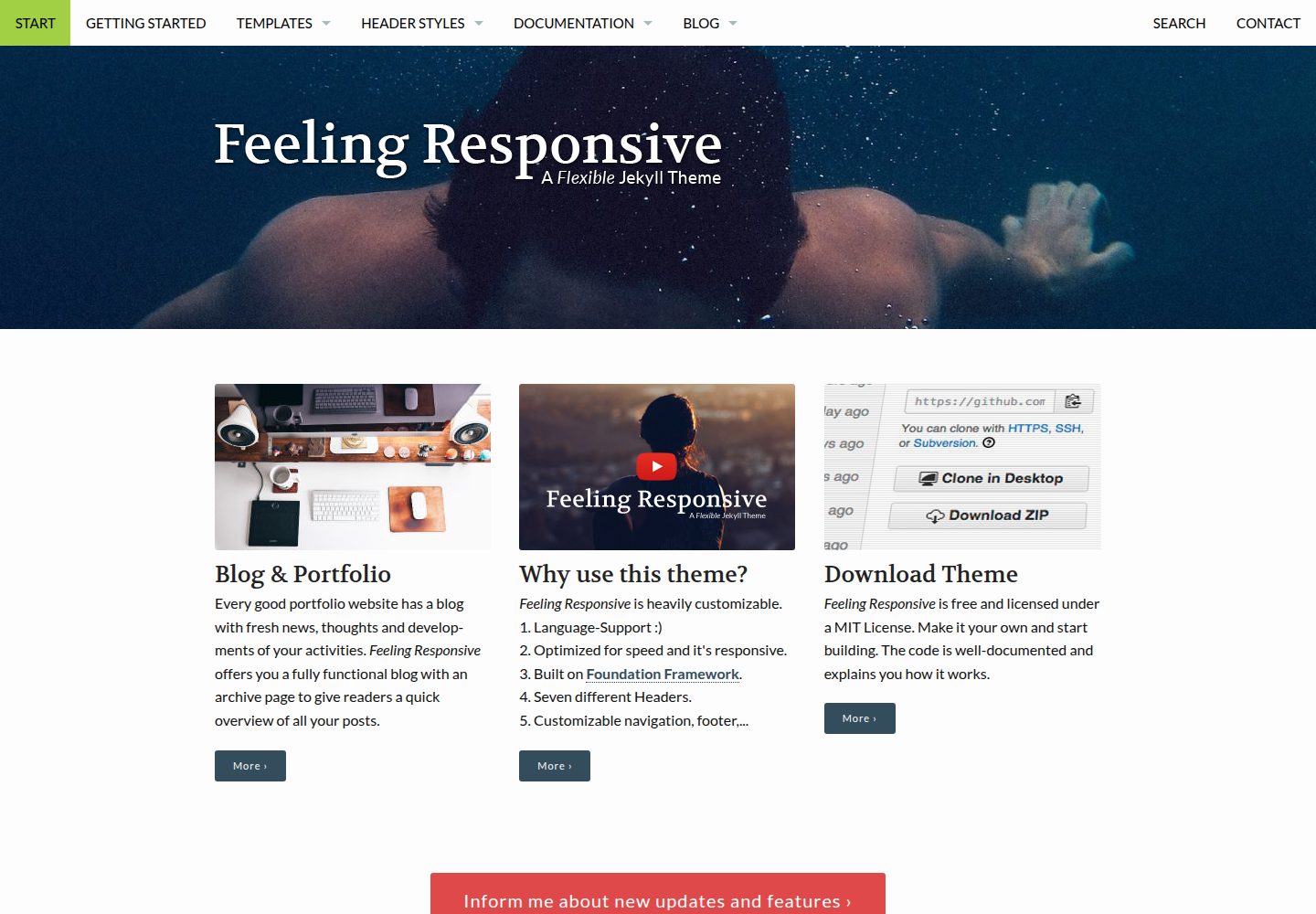
»Feeling Responsive« is a free flexible theme for Jekyll built on Foundation framework. You can use it for you…
Jekyll · 作品集