预置 Next.js App Router、React、TypeScript 与 shadcn/ui、TailwindCSS 的完整前端配置
Next.jsReactHTML企业官网启动器
next-ts-shadcn-ui — Next.js 企业官网模板
作者 doinel1a
基于 Next.js App Router 的 TypeScript 启动模板,预置 shadcn/ui、TailwindCSS、TanStack Query、主题切换与 Playwright 测试等配置,用于快速搭建企业官网、落地页或单页应用。
看看你的网站会是什么样
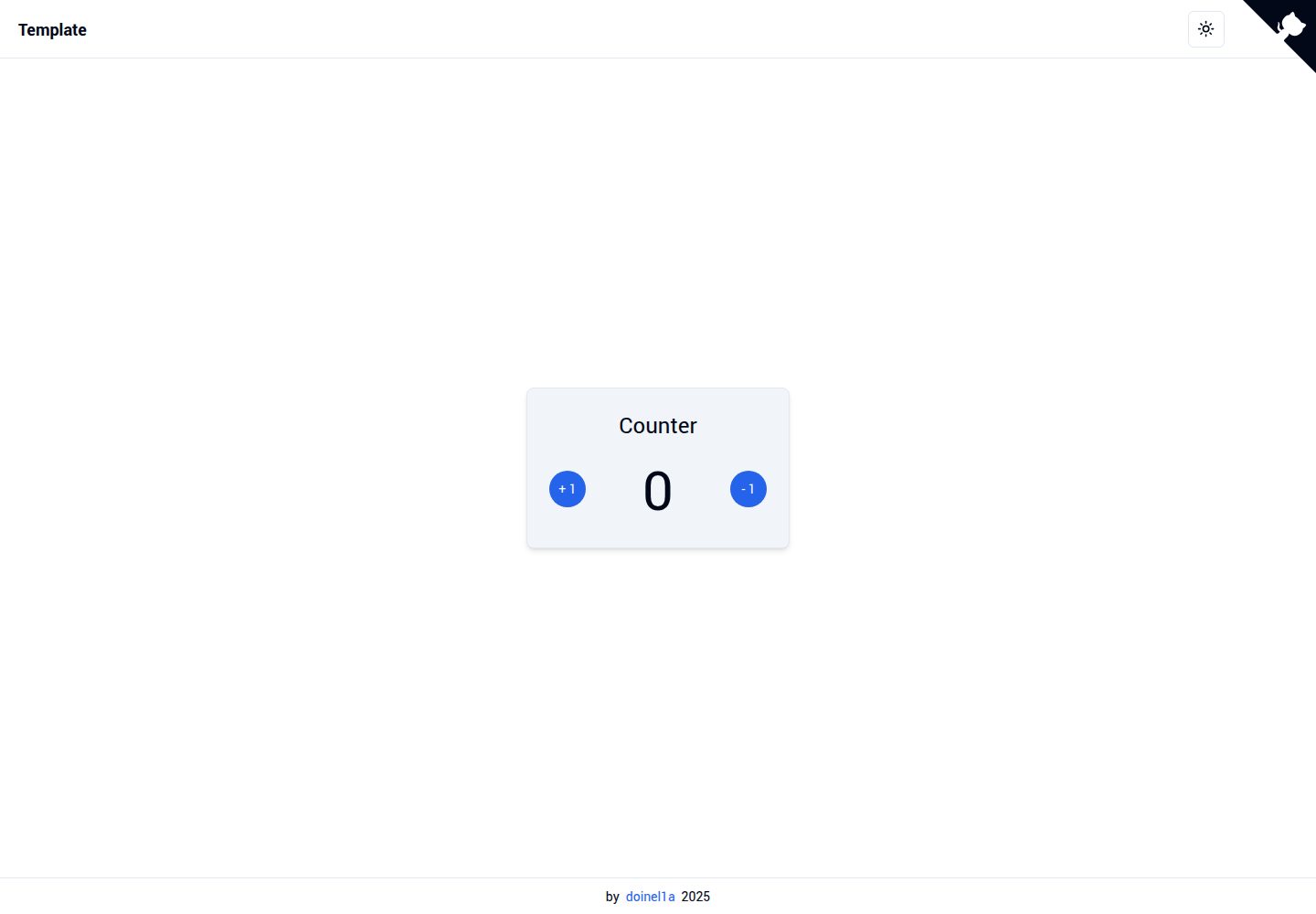
浏览真实页面截图,比较内容排版与手机效果。点击下方缩略图切换,放大查看整页细节。
全部页面与视图 2
截图用于了解视觉与布局,交互效果请以实际项目为准。
采集于 2026-10-03查看来源
值得关注的模板亮点
从已有项目资料中,快速了解它的特点。
内置 next-themes 明暗主题切换,并提供导航栏、页脚、GitHub 角标等基础页面组件
集成 TanStack Query 管理服务端状态,附带开发工具配置
使用 Zod 与 T3 Env 模式校验环境变量,支持通过 SKIP_ENV_VALIDATION 跳过校验
包含 Playwright 端到端测试、ESLint、Prettier、Husky 与 Commitlint 等代码质量工具
提供 dev、build、preview、typecheck、lint、format、test 等 npm 脚本
模板详细介绍
这是一个面向前端项目的启动模板,仓库名为 next-ts-shadcn-ui,由 doinel1a 维护,采用 MIT 许可。它的定位是省去新项目开始前的重复配置工作:把 Next.js App Router、React、TypeScript、shadcn/ui、TailwindCSS 以及 ESLint、Prettier、Husky、Commitlint 等工具预先接好,让开发者可以直接进入组件编写阶段。
模板自带一套基础页面结构,包括根布局与首页、导航栏、页脚、GitHub 角标和一个示例交互组件 counter;组件目录区分 providers 与 ui,样式入口为 TailwindCSS 的 globals.css 并附带 SCSS 覆盖文件。功能层面集成了 next-themes 的明暗主题切换、TanStack Query 的服务端状态管理、Zod 与 T3 Env 模式的环境变量校验,以及 Playwright 端到端测试。
使用上有一些明确前提:需要 Node.js 24 或更高版本,或使用 Bun 作为替代运行时;默认包管理器为 pnpm,也支持 npm、yarn、bun,切换时需删除 pnpm 锁文件并按说明重新安装。环境变量默认只校验 NODE_ENV,其余变量需自行在 src/env.ts 中按 T3 Env 模式补充;设置 SKIP_ENV_VALIDATION=true 可跳过校验,便于 Docker 构建。模板本身不包含后端、数据库或部署配置,仓库中的演示图片、字体、图标等第三方素材需按各自许可单独核对。
Next.jsReactHTML企业官网启动器
适合你的项目吗?
适用场景
- 快速启动一个需要 TypeScript 与组件库支持的企业官网或产品落地页
- 搭建单页应用或 Web App 的前端骨架,再按需接入业务逻辑
- 作为团队内部统一前端工程规范的起始仓库,复用已配置的 lint、格式化与提交钩子
- 在已有 shadcn/ui 使用经验的项目中,直接沿用其组件与主题体系
适合人群
- 熟悉 Next.js App Router 与 TypeScript 的前端开发者
- 需要现成 UI 组件库与主题切换能力的企业官网或落地页项目
- 希望统一代码检查、格式化与 Git 提交规范的团队
- 愿意使用 pnpm、npm、yarn 或 bun 中任一包管理器的项目
上手与定制指南
结合仓库当前版本的说明,按下面的资料检查内容、配置与运行要求。
- 1
需要 Node.js 24 或更高版本,也可使用 Bun 作为替代运行时
- 2
克隆仓库后按所选包管理器执行安装命令,默认使用 pnpm
- 3
开发服务器通过 npm run dev 等对应脚本启动,默认访问 localhost:3000
- 4
环境变量默认仅校验 NODE_ENV,其他变量需在 src/env.ts 中按 T3 Env 模式添加
- 5
从 pnpm 切换到其他包管理器时,需先删除 pnpm-lock.yaml 再重新安装依赖
授权与来源资料
使用条件与限制
免费使用 · 保留许可声明本次收录的是公开仓库中采用 MIT 许可的免费版本;免费范围为该版本代码,不代表外部服务或第三方素材免费。
使用时需要遵守
- 允许免费使用、修改、商用和分发该版本代码。
- 分发代码副本或实质性部分时,保留原作者版权声明和完整 MIT 许可声明。
- 代码按现状提供;担保与责任限制以原许可证及适用法律为准。
额外费用与待核对事项
- 使用前提:需要 Node.js 24 或更高版本,或改用 Bun 1.x 作为替代运行时,低于该版本的环境无法直接运行。
- 默认包管理器为 pnpm 11 及以上,也可改用 npm、yarn 或 bun;切换时需先删除 pnpm-lock.yaml 再重新安装依赖。
- 环境变量默认仅校验 NODE_ENV,其他变量需自行在 src/env.ts 中按 T3 Env 模式补充,模板不预置业务所需变量。
- 如需在 Docker 构建等场景跳过环境变量校验,需显式设置 SKIP_ENV_VALIDATION=true。
- 演示图片、字体、图标及其他第三方素材需按各自许可核对,不能仅凭代码的 MIT 许可判断。
- 域名、托管、数据库、支付或 AI 等外部服务可能另外收费。
查看原文依据
Permission is hereby granted, free of charge
许可证原文
- **[Node.js][node]** ≥ 24 - or **[Bun][bun]** ≥ 1.x as an alternative runtime
README 原文
- **[pnpm][pnpm]** ≥ 11 - or npm, yarn, or bun (see [switching package manager](#switching-package-manager))
README 原文
Only `NODE_ENV` is validated by default - add your own variables to `src/env.ts` following the [T3 Env](https://env.t3.gg/) pattern.
README 原文
https://github.com/doinel1a/next-ts-shadcn-ui/blob/main/LICENSEhttps://github.com/doinel1a/next-ts-shadcn-ui/blob/main/README.mdSet `SKIP_ENV_VALIDATION=true` to bypass env validation (useful for Docker builds).
README 原文
DeepSeek 根据仓库许可证和 README 整理 ·2026-10-03。结果仅覆盖已读取资料,依赖、图片、字体及后续条款变更以各自原文为准。
项目核对记录与介绍依据
模板资料
- 来源平台
- GitHub
- 资料与维护参考分
- 资料较完整 · 88 / 100
- 技术栈
- Next.js · React · HTML
- 网站类型
- 企业官网 · 启动器
这个分数如何计算
本站按许可资料(最高30分)、演示链接(12分)、预览图(10分)、Star数(15分)、记录的维护时间(15分)、描述完整度(8分)、功能记录(5分)和分类资料(5分)计算。它不是代码、安全或性能测试,也不是 Google 评分;有链接不代表已实测可用。
这个项目需要核对什么
- 记录的仓库更新时间
- 2026-08-04
- 截图检查日期
- 2026-10-03
已收录演示链接。请用你的内容与屏幕尺寸检查;有演示不代表表单、认证或支付已经可用。
目录记录的主要技术栈是 Next.js。请通过依赖清单和锁文件核对实际版本与托管要求。这些说明基于收录资料,不代表代码审计或部署实测。
查看具体选型方法 →介绍的制作与核对状态
介绍由 AI 辅助整理目录与仓库资料。仓库作者不等于这篇介绍的审核者。
审核声明: [email protected] · 2026-10-04
查看当时使用的来源资料
SHA-256: 3b238e862e403e6494d34d9b4c5316bb9d436b012d8a1a0e94dc546fa019e974
2026-10-03T23:23:27.738Z
来源文件 / 仓库[issues]: https://github.com/doinel1a/next-ts-shadcn-ui/issues [pulls]: https://github.com/doinel1a/next-ts-shadcn-ui/pulls [license]: https://github.com/doinel1a/next-ts-shadcn-ui/blob/main/LICENSE [demo]: https://next-ts-shadcn-ui.d1a.app/ [node]: https://nodejs.org/en [bun]: https://bun.com/docs/installation [pnpm]: https://pnpm.io/installation [yarn]: https://yarnpkg.com/getting-started/install [corepack]: https://nodejs.org/api/corepack.html [typescript]: https://www.typescriptlang.org/ [nextjs]: https://nextjs.org/ [react]: https://react.dev/ [tailwindcss]: https://tailwindcss.com/ [shadcn]: https://ui.shadcn.com/ [radix-ui]: https://www.radix-ui.com/ [zod]: https://zod.dev/ [tanstack-query]: https://tanstack.com/query [next-themes]: https://github.com/pacocoursey/next-themes [tabler-icons]: https://tabler.io/icons [sass]: https://sass-lang.com/ [playwright]: https://playwright.dev/ [eslint]: https://eslint.org/ [prettier]: https://prettier.io/ [husky]: https://typicode.github.io/husky/ [commitlint]: https://commitlint.js.org/ # Next.js · TypeScript · shadcn/ui - Template [][license] [][nextjs] [][typescript] [][tailwindcss] [][shadcn] [][playwright] Every new front-end project starts the same way: configuring Next.js, wiring up TailwindCSS, installing shadcn/ui, setting up ESLint, Prettier, Husky, and Commitlint - before a single component is written. This template eliminates that overhead. It combines **[Next.js 16 App Router][nextjs]**, **[React 19][react]**, **[shadcn/ui][shadcn]**, and **[TailwindCSS 4][tailwindcss]** into a ready-to-use starter with every tool pre-configured and wired together. - **Type-safe by default** - TypeScript 6 with strict mode and `ts-reset` patches applied - **Beautiful UI included** - shadcn/ui + Radix UI + TailwindCSS 4 components pre-configured - **Dark mode ready** - `next-themes` integrated with a working theme toggle out of the box - **Server state management** - TanStack Query 5 with devtools pre-configured - **React Compiler enabled** - automatic memoization via `babel-plugin-react-compiler` - **E2E test infrastructure included** - Playwright tests ready to run - **Code quality enforced** - ESLint 10, Prettier, Husky hooks, Commitlint, and lint-staged wired together --- [Demo][demo] | [Report a bug][issues] | [Request a feature][issues] | [Open a pull request][pulls] --- ## Table of contents - [Getting started](#getting-started) - [Prerequisites](#prerequisites) - [Installation](#installation) - [Environment variables](#environment-variables) - [Switching package manager](#switching-package-manager) - [Project structure](#project-structure) - [Available scripts](#available-scripts) - [Tech stack](#tech-stack) --- ## Getting started ### Prerequisites - **[Node.js][node]** ≥ 24 - or **[Bun][bun]** ≥ 1.x as an alternative runtime - **[pnpm][pnpm]** ≥ 11 - or npm, yarn, or bun (see [switching package manager](#switching-package-manager)) ### Installation Clone the repository and install dependencies: ```bash git clone https://github.com/doinel1a/next-ts-shadcn-ui YOUR-PROJECT-NAME cd YOUR-PROJECT-NAME ``` | | **npm** | **bun** | **pnpm** | **yarn** | | ----------- | ------------- | ------------- | -------------- | -------------- | | **install** | `npm install` | `bun install` | `pnpm install` | `yarn install` | ### Start the development server | | **npm** | **bun** | **pnpm** | **yarn** | | ------- | ------------- | --------- | ---------- | ---------- | | **dev** | `npm run dev` | `bun dev` | `pnpm dev` | `yarn dev` | Open [http://localhost:3000](http://localhost:3000) in your browser. ### Environment variables The template ships with a minimal environment configuration. Only `NODE_ENV` is validated by default - add your own variables to `src/env.ts` following the [T3 Env](https://env.t3.gg/) pattern. | Variable | Description | Side | Required | | ---------- | ------------------- | ------ | --------------------------- | | `NODE_ENV` | Runtime environment | Server | No (default: `development`) | > [!NOTE] > Set `SKIP_ENV_VALIDATION=true` to bypass env validation (useful for Docker builds). ### Switching package manager <details> <summary>Steps to switch from pnpm to npm, yarn, or bun</summary> **1.** Delete the pnpm lock file: ```bash rm pnpm-lock.yaml ``` **2.** (Optional) Declare the new package manager in `package.json` so tooling and CI pick it up automatically: ```json "packageManager": "[email protected]" ``` Replace `[email protected]` with `[email protected]` or `[email protected]` as appropriate. See [Corepack docs][corepack] for details. **3.** Install dependencies with the new package manager: ```bash # npm npm install # yarn yarn install # bun bun install ``` </details> > [!NOTE] > All scripts in `package.json` use package-manager-agnostic syntax and work without changes after switching. --- ## Project structure ``` . ├── __tests__/ # Playwright E2E tests ├── src/ │ ├── app/ │ │ ├── layout.tsx # Root layout with providers │ │ └── page.tsx # Home page │ ├── assets/ │ │ └── fonts/ # Self-hosted Roboto font files │ ├── components/ │ │ ├── providers/ # Root, TanStack Query, and theme providers │ │ ├── ui/ # shadcn/ui components │ │ ├── github-corner.tsx │ │ ├── navbar.tsx │ │ ├── footer.tsx │ │ └── counter.tsx # Example interactive component │ ├── lib/ │ │ ├── constants/ │ │ ├── types/ │ │ └── utils.ts # cn() utility (clsx + tailwind-merge) │ ├── styles/ │ │ ├── globals.css # TailwindCSS 4 entry point │ │ └── globals.scss # Global SCSS overrides │ └── env.ts # Env validation (Zod + T3 env-nextjs) └── public/ # Static assets ``` --- ## Available scripts | Script | Description | | ----------- | ---------------------------------------------- | | `dev` | Start the Next.js dev server | | `build` | Build for production | | `preview` | Start the production server (`next start`) | | `typecheck` | Run TypeScript compiler without emitting files | | `lint` | Run ESLint | | `lint:fix` | Run ESLint and auto-fix issues | | `format` | Format all source files with Prettier | | `test` | Run Playwright E2E tests | | `test:ui` | Run Playwright with interactive UI mode | --- ## Tech stack | Tool | Purpose | | -------------------------------------------------- | --------------------------------------------- | | **[Next.js 16][nextjs]** | Full-stack React framework with App Router | | **[React 19][react]** | UI library with React Compiler enabled | | **[TypeScript 6][typescript]** | Static typing with strict mode | | **[shadcn/ui][shadcn]** + **[Radix UI][radix-ui]** | Accessible, composable UI component library | | **[TailwindCSS 4][tailwindcss]** | Utility-first CSS framework | | **[TanStack Query 5][tanstack-query]** | Server state management and data fetching | | **[next-themes][next-themes]** | Dark/light mode with SSR support | | **[Zod 4][zod]** | Schema validation for env vars and forms | | **[SASS/SCSS][sass]** | Extended CSS with nesting and variables | | **[Tabler Icons][tabler-icons]** | Consistent SVG icon set for React | | **[Playwright][playwright]** | End-to-end browser testing | | **[ESLint 10][eslint]** + **[Prettier][prettier]** | Linting and formatting | | **[Husky][husky]** + **[Commitlint][commitlint]** | Git hooks and conventional commit enforcement |
看看同类模板
对比同技术栈与用途的模板,找到更适合的视觉与内容结构。

ai-website-cloner-template
Clone any website with one command using AI coding agents
Next.js · 启动器

Next.js SaaS Starter
Next.js SaaS Starter 是 Next.js 官方维护的 SaaS 起点模板,定位介于学习资源和可直接部署的脚手架之间。
Next.js · SaaS

Next.js Commerce
Next.js Commerce 是 Vercel 团队维护的电商启动模板,基于 Next.js App Router 构建,采用服务端渲染、React Server Components、Server Actions …
Next.js · 电商

Next-js-Boilerplate
Next-js-Boilerplate 是一个面向 Next.js 16、Tailwind CSS 4 和 TypeScript 的启动器,核心定位是开发者体验优先。
Next.js · 启动器

tailwind-nextjs-starter-blog
tailwind-nextjs-starter-blog 是一个面向个人技术博客的 Next.js 与 Tailwind CSS 启动模板,其 v2 版本基于 App Router 与 React Server Comp…
Next.js · 博客

next-forge
Production-grade Turborepo template for Next.js apps.
Next.js · 启动器