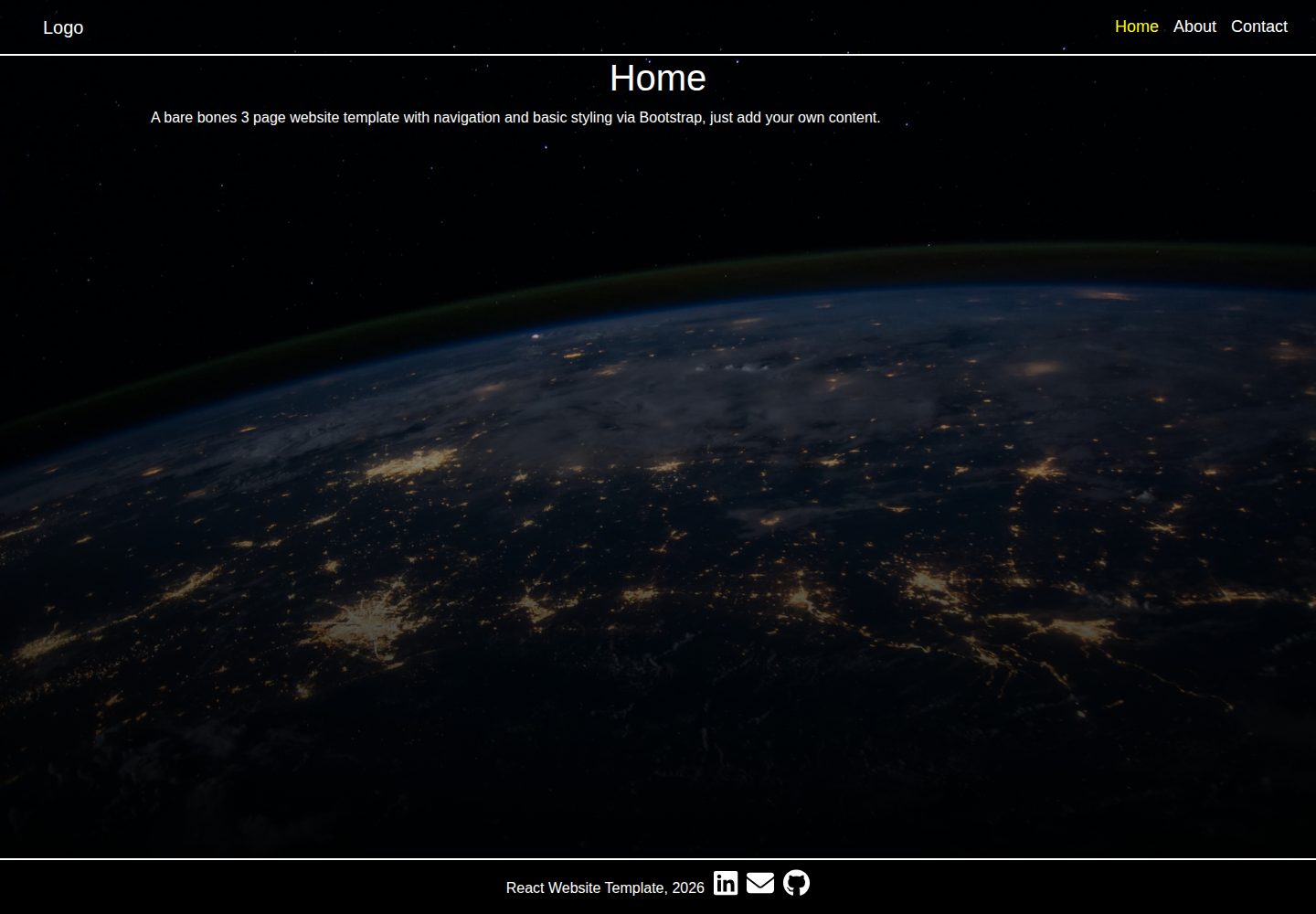
包含三个页面,并预设导航和页脚布局
React启动器
react-3-page-website-template — React 启动器模板
作者 HobbaZ
一个包含三个页面、导航和页脚的静态 React 单页应用模板,使用 Bootstrap 和 Font Awesome。
看看你的网站会是什么样
浏览真实页面截图,比较内容排版与手机效果。点击下方缩略图切换,放大查看整页细节。
全部页面与视图 3
截图用于了解视觉与布局,交互效果请以实际项目为准。
采集于 2026-10-17查看来源
值得关注的模板亮点
从已有项目资料中,快速了解它的特点。
集成 Font Awesome 用于图标显示
使用 Bootstrap 进行样式构建
提供本地开发安装步骤(npm install、npm start)
README 说明在 Heroku 部署静态 React 站点时需要调整文件结构
模板详细介绍
该模板旨在提供一个简单的静态 React 网站起点,包含三个页面以及导航和页脚的基本布局,并集成了 Font Awesome 图标。技术栈为 React、Bootstrap 和 Font Awesome。README 提供了本地安装步骤:克隆仓库、运行 npm install 安装依赖、使用 npm start 在 localhost:3000 启动开发服务器。部署方面,README 提到已部署在 Heroku,并说明若要在 Heroku 上运行静态 React 站点,需要将 create-react-app 生成的文件从 client 文件夹移到根目录并删除空文件夹。README 未说明具体页面内容、路由实现方式、构建命令或测试情况,仅注明项目没有测试。
React启动器
适合你的项目吗?
适用场景
- 快速启动一个简单的静态 React 单页应用项目
- 需要一个包含导航和页脚基础结构的 React 模板
- 希望使用 Bootstrap 和 Font Awesome 搭建静态页面
- 作为学习 React 静态网站搭建的起点
适合人群
- 需要静态 React 网站模板的开发者
- 希望快速搭建包含多页面导航的 React 项目
- 使用 Bootstrap 和 Font Awesome 的前端项目
上手与定制指南
结合仓库当前版本的说明,按下面的资料检查内容、配置与运行要求。
- 1
克隆仓库后,在项目根目录运行 npm install 安装依赖
- 2
运行 npm start 启动开发服务器,默认地址为 localhost:3000
- 3
若端口 3000 被占用,可使用 npx kill-port 3000 终止占用进程
- 4
部署到 Heroku 时,需将 create-react-app 生成的文件从 client 文件夹移至根目录并删除空文件夹
授权与来源资料
使用条件与限制
免费使用 · 保留许可声明本次收录的是公开仓库中采用 MIT 许可的免费版本;免费范围为该版本代码,不代表外部服务或第三方素材免费。
使用时需要遵守
- 允许免费使用、修改、商用和分发该版本代码。
- 分发代码副本或实质性部分时,保留原作者版权声明和完整 MIT 许可声明。
- 代码按现状提供;担保与责任限制以原许可证及适用法律为准。
额外费用与待核对事项
- 演示图片、字体、图标及其他第三方素材需按各自许可核对,不能仅凭代码的 MIT 许可判断。
- 域名、托管、数据库、支付或 AI 等外部服务可能另外收费。
- 首页背景图片来自 Unsplash 上 NASA 的照片,README 仅给出署名链接,未说明该图片的授权条款;复用模板时需自行核实该第三方图片的使用许可。
- 作者提供可选的 Buy Me a Coffee 捐赠链接(3 美元),属自愿赞助,不影响代码的免费使用。
查看原文依据
Permission is hereby granted, free of charge
许可证原文
Photo by <a href="https://unsplash.com/@nasa?utm_source=unsplash&utm_medium=referral&utm_content=creditCopyText">NASA</a> on <a href="https://unsplash.com/s/photos/website?utm_source=unsplash&utm_medium=referral&utm_content=creditCopyText">Unsplash</a>
README 原文
https://github.com/HobbaZ/react-3-page-website-template/blob/main/LICENSEhttps://github.com/HobbaZ/react-3-page-website-template/blob/main/README.mdIf this has helped you with your web development, consider buying me a Coffee (only costs $3) at [zachobba]( https://buymeacoffee.com/zachobbaS)
README 原文
DeepSeek 根据仓库许可证和 README 整理 ·2026-10-17。结果仅覆盖已读取资料,依赖、图片、字体及后续条款变更以各自原文为准。
项目核对记录与介绍依据
模板资料
- 来源平台
- GitHub
- 资料与维护参考分
- 资料一般 · 65 / 100
- 技术栈
- React
- 网站类型
- 启动器
这个分数如何计算
本站按许可资料(最高30分)、演示链接(12分)、预览图(10分)、Star数(15分)、记录的维护时间(15分)、描述完整度(8分)、功能记录(5分)和分类资料(5分)计算。它不是代码、安全或性能测试,也不是 Google 评分;有链接不代表已实测可用。
这个项目需要核对什么
- 记录的仓库更新时间
- 2022-08-07
- 截图检查日期
- 2026-10-17
已收录演示链接。请用你的内容与屏幕尺寸检查;有演示不代表表单、认证或支付已经可用。
目录记录的主要技术栈是 React。请通过依赖清单和锁文件核对实际版本与托管要求。这些说明基于收录资料,不代表代码审计或部署实测。
查看具体选型方法 →介绍的制作与核对状态
介绍由 AI 辅助整理目录与仓库资料。仓库作者不等于这篇介绍的审核者。
审核声明: codex-user-requested-batch-review-20261018 · 2026-10-18
查看当时使用的来源资料
SHA-256: adae384b1c7e738fb6b7c6c5e5370a64c351b264fb1893d9aec36d48e51d723b
2026-10-17T06:26:09.756Z
来源文件 / 仓库# React-3-page-website-template
[](https://choosealicense.com/licenses/mit/)

[](https://github.com/HobbaZ/react-3-page-website-template/commits)
[](https://github.com/HobbaZ/react-3-page-website-template/branches)
[]()

[](https://img.shields.io/github/issues/HobbaZ/react-3-page-website-template)


## Description
### Project Aim ###
To create a simple static React website template app.
### What Problem Does It Solve ###
Starting a React basic static website from scratch
### What I Learnt ###
Remembered to take all files from client folder so Heroku can find buildpack.
## Deployment
View the deployed website on Heroku [here](https://react-3-page-website-template.herokuapp.com/)
## Table of Contents
- [Description](#description)
- [User Story](#user-story)
- [Screenshots](#screenshots)
- [Installation](#installation)
- [Features](#features)
- [Technology](#technology)
- [Contributors](#contributors)
- [Acknowledgements](#acknowledgements)
- [Testing](#testing)
- [License](#license)
- [Questions](#questions)
## User Story
I Want to create a template for basic setup of a static React SPA.
So That I can develop static websites faster.
## Screenshots

## Installation
1. Clone the repo to your computer by clicking the green code button and copying the SSH version or clicking the blue use template button.
2. Open Gitbash in your desired folder and type ```git clone ``` then right click to paste the string and hit enter. The repo will then be cloned to your computer.
3. Navigate to the repo folder and type ```code .``` into gitbash to open the repo in VS Code.
4. Open a new Terminal in VS Code and type ```npm install``` to install the repo dependencies.
5. Finally, type ```npm start``` into the terminal and it will start the dev server at localhost:3000.
Note: To make a static React site work on Heroku you need to take all the files out of the folder name you specified in the react-create-app. E.g. if you did create-react-app client, React will create the app in a folder called client, take all the files out of the client folder so they are now all at root level and then delete the empty client folder.
## Features
- 3 pages with navigation and footer setup
- Fontawesome set up for icons
## Technology
- React
- Bootstrap
- Fontawesome
## Contributors
[Zachary Hobba](https://github.com/HobbaZ)
You can also contribute by opening a pull request or submitting an issue.
## Acknowledgements
Photo by <a href="https://unsplash.com/@nasa?utm_source=unsplash&utm_medium=referral&utm_content=creditCopyText">NASA</a> on <a href="https://unsplash.com/s/photos/website?utm_source=unsplash&utm_medium=referral&utm_content=creditCopyText">Unsplash</a>
Important: If you get a something is running on port 3000 error, , type ```npx kill-port 3000``` into your VS Code terminal and hit enter, will kill port 3000 and let you run the app.
## Testing
No tests for this project
## License
MIT
**Copyright 2022 Zachary Hobba**
Permission is hereby granted, free of charge, to any person obtaining a copy of this software and associated documentation files (the "Software"), to deal in the Software without restriction, including without limitation the rights to use, copy, modify, merge, publish, distribute, sublicense, and/or sell copies of the Software, and to permit persons to whom the Software is furnished to do so, subject to the following conditions:
The above copyright notice and this permission notice shall be included in all copies or substantial portions of the Software.
THE SOFTWARE IS PROVIDED "AS IS", WITHOUT WARRANTY OF ANY KIND, EXPRESS OR IMPLIED, INCLUDING BUT NOT LIMITED TO THE WARRANTIES OF MERCHANTABILITY, FITNESS FOR A PARTICULAR PURPOSE AND NONINFRINGEMENT. IN NO EVENT SHALL THE AUTHORS OR COPYRIGHT HOLDERS BE LIABLE FOR ANY CLAIM, DAMAGES OR OTHER LIABILITY, WHETHER IN AN ACTION OF CONTRACT, TORT OR OTHERWISE, ARISING FROM, OUT OF OR IN CONNECTION WITH THE SOFTWARE OR THE USE OR OTHER DEALINGS IN THE SOFTWARE.
## Questions
Find me on Github at [HobbaZ](https://github.com/HobbaZ)
If this has helped you with your web development, consider buying me a Coffee (only costs $3) at [zachobba]( https://buymeacoffee.com/zachobbaS)
Email me at [[email protected]]([email protected])看看同类模板
对比同技术栈与用途的模板,找到更适合的视觉与内容结构。
ant-design-pro
Ant Design Pro 是 Ant Design 官方推出的企业级中后台前端脚手架,基于 React 19、Umi Max 4 和 antd 6 构建,内置 TypeScript 支持。
React · 后台

react-boilerplate
react-boilerplate 是一个为有一定 React 和 Redux 经验的开发者设计的启动器,目标是快速搭建可扩展、离线优先的 Web 应用。
React · 启动器

react-starter-kit
全栈 React SaaS 启动器 Monorepo,包含 React 应用、Astro 营销站、tRPC 和 Cloudflare Workers;Bun 与 Vite 属于其工具链。
React · SaaS

fastapi-react
fastapi-react 是一个基于 Cookiecutter 的模板,用于快速搭建 FastAPI 与 React(TypeScript)的全栈项目。
React · 后台

shadcn-landing-page
Free Landing page template using Shadcn, React, Typescript and Tailwind
React · 企业官网

start-ui-web
Start UI [web] 是 BearStudio 团队维护的一个有主见的全栈启动器,用于快速搭建 Web 应用。
React · 启动器