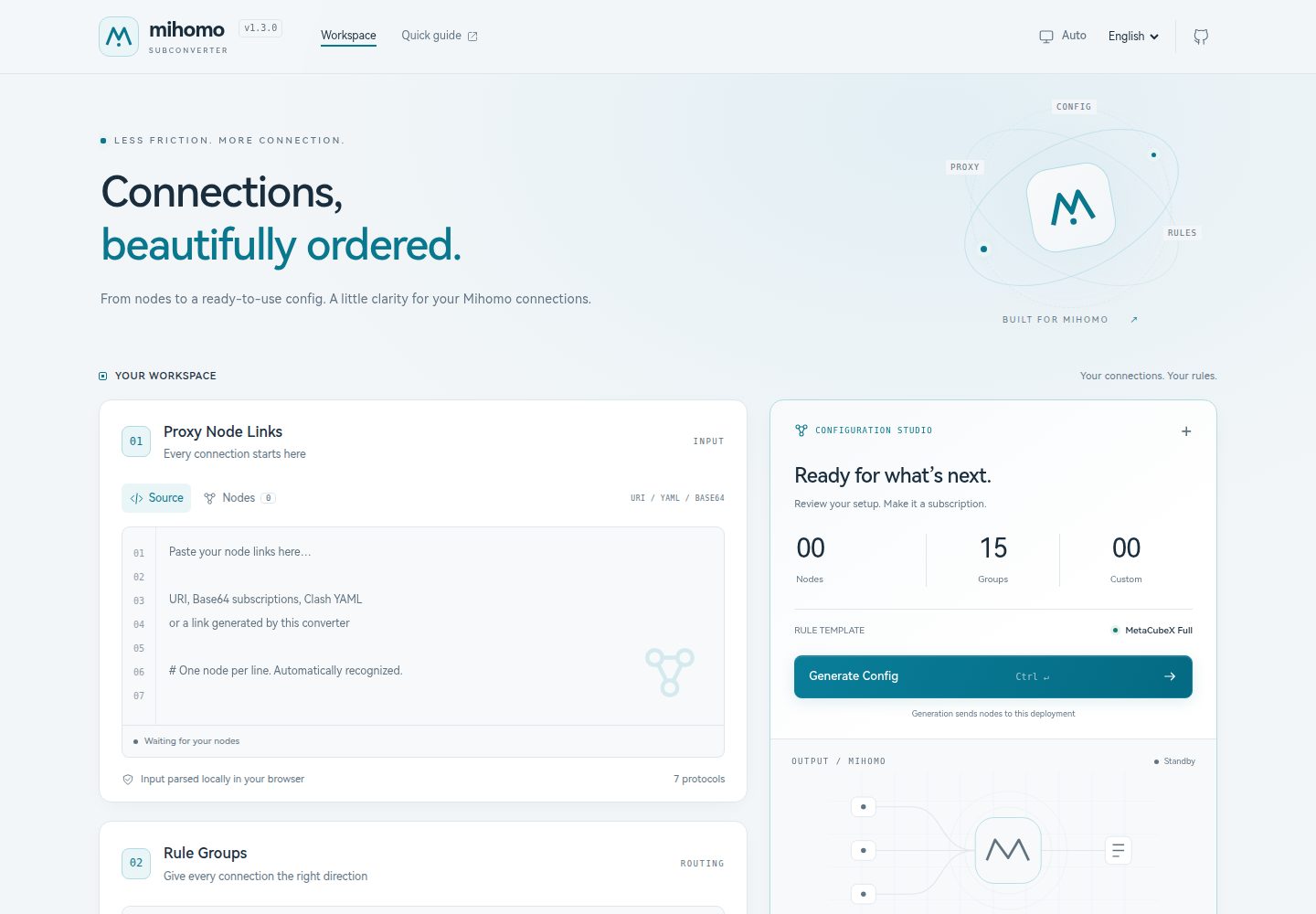
支持 Hysteria2、AnyTLS、VLESS(含 xhttp)、Trojan、VMess、Shadowsocks、TUIC 等多种协议 URI 解析
Next.jsReact工具站
mihomo-subconverter — Next.js 工具站模板
作者 ififi2017
一个基于 Next.js 的自托管 Mihomo / Clash 订阅转换工具,粘贴代理链接并选择规则模板后生成可用的配置订阅地址,支持一键部署到 Vercel。
看看你的网站会是什么样
浏览真实页面截图,比较内容排版与手机效果。点击下方缩略图切换,放大查看整页细节。
全部页面与视图 2
截图用于了解视觉与布局,交互效果请以实际项目为准。
采集于 2026-10-04查看来源
值得关注的模板亮点
从已有项目资料中,快速了解它的特点。
可粘贴转换链接、base64 订阅或 Clash proxies: YAML,节点在本地提取,不抓取远程机场 URL
规则模板使用 ACL4SSR / sub-web 兼容的 INI 格式,默认 MetaCubeX Full,支持 .list 与 .mrs 规则集
生成的 YAML 将 GitHub raw / gh-proxy 规则集地址改写为 testingcf.jsdelivr.net,便于中国大陆访问
提供 Vercel 一键部署,零环境变量即可运行,可选 ACCESS_TOKEN 与 TEMPLATE_ALLOWED_HOSTS 加固公开部署
界面支持英文与中文,新增语言只需添加 locales JSON 并在 lib/i18n.js 注册
模板详细介绍
mihomo-subconverter 是一个自托管的 Mihomo / Clash 订阅转换工具,使用 Next.js 构建,采用 MIT 许可。它的核心流程是:把代理节点链接粘贴到界面,选择规则模板,生成一个可直接填入 Mihomo 兼容客户端的订阅链接。项目提供 Vercel 一键部署按钮,零环境变量即可运行;也可以本地通过 npm install 与 npm run dev 启动。
在输入方面,它支持 Hysteria2(hysteria2://、hy2://)、AnyTLS、VLESS(含 type=xhttp / splithttp)、Trojan、VMess、Shadowsocks、TUIC 等协议 URI;同时可以粘贴本工具生成的转换链接、base64 订阅内容,或 Clash 配置的 proxies: 段,节点在本地解析,不会去抓取远程机场 URL。规则模板采用 ACL4SSR / sub-web 的 INI 约定,默认使用 MetaCubeX Full 模板,规则集来自 MetaCubeX/meta-rules-dat 的 .mrs 二进制格式;生成的 YAML 中会把 GitHub raw / gh-proxy 规则集地址改写为 testingcf.jsdelivr.net,以便在中国大陆访问。
功能上还包含:自定义规则(以最高优先级前置 DOMAIN-SUFFIX / IP-CIDR 规则)、可绑定自定义域名并自动用于生成的链接、英文与中文界面,以及可选的 ACCESS_TOKEN 与 TEMPLATE_ALLOWED_HOSTS 环境变量用于加固公开部署。接口为 GET /api/clash 与 POST /api/clash,UI 预览用 POST 避免节点 URI 出现在请求 URL 中,而复制给客户端的订阅链接仍是 GET。
限制与注意点:生成的订阅链接会把节点凭据嵌入 URL,等同于密码,任何拿到链接或沿途请求日志的人都能读取节点;设置 ACCESS_TOKEN 只阻止陌生人使用你的部署,并不改变这一点。项目不抓取远程机场订阅 URL。演示图片、字体、图标等第三方素材需按各自许可单独核对,代码的 MIT 许可不覆盖它们。
Next.js工具站
适合你的项目吗?
适用场景
- 把多个代理节点 URI 转换为 Mihomo / Clash 客户端可直接使用的订阅链接
- 自托管一个订阅转换服务,并绑定自己的域名让生成的链接自动使用该域名
- 用自定义 INI 模板定义代理组与规则集,或为内置规则追加最高优先级的 DOMAIN-SUFFIX / IP-CIDR 规则
- 在公开部署上通过 ACCESS_TOKEN 限制他人调用 /api/clash 与 /api/preview-template 接口
- 为现有 sub-web 远程配置链接寻找可直接复用的模板格式
适合人群
- 需要自托管 Mihomo / Clash 订阅转换、且希望零配置部署到 Vercel 的用户
- 熟悉 ACL4SSR / sub-web INI 模板格式、想自定义代理组与规则集的人
- 需要在中国大陆访问规则集、希望生成链接走 jsDelivr 镜像的用户
- 希望界面支持中英文、或计划自行添加其他语言的开发者
上手与定制指南
结合仓库当前版本的说明,按下面的资料检查内容、配置与运行要求。
- 1
Vercel 一键部署无需环境变量;本地运行使用 npm install 与 npm run dev,默认地址为 http://localhost:3000
- 2
可选设置 ACCESS_TOKEN,使 /api/clash 与 /api/preview-template 要求匹配的 token 查询参数,UI 会自动检测并提示输入
- 3
可选设置 TEMPLATE_ALLOWED_HOSTS 作为自定义模板 URL 的主机后缀白名单;未设置时允许任意公开 http(s) 主机,内网地址始终被拒绝
- 4
在 Vercel 项目 Settings → Domains 绑定自定义域名后,通过该域名生成的订阅链接会自动使用它
- 5
生成的订阅链接内嵌节点凭据,应像密码一样对待;设置 ACCESS_TOKEN 只防止他人使用你的部署,不改变链接本身的可读性
授权与来源资料
使用条件与限制
免费使用 · 保留许可声明本次收录的是公开仓库中采用 MIT 许可的免费版本;免费范围为该版本代码,不代表外部服务或第三方素材免费。
使用时需要遵守
- 允许免费使用、修改、商用和分发该版本代码。
- 分发代码副本或实质性部分时,保留原作者版权声明和完整 MIT 许可声明。
- 代码按现状提供;担保与责任限制以原许可证及适用法律为准。
额外费用与待核对事项
- 演示图片、字体、图标及其他第三方素材需按各自许可核对,不能仅凭代码的 MIT 许可判断。
- 域名、托管、数据库、支付或 AI 等外部服务可能另外收费。
- 项目零配置即可运行;ACCESS_TOKEN 与 TEMPLATE_ALLOWED_HOSTS 为可选加固变量,非必需。
- 设置 ACCESS_TOKEN 后,调用 /api/clash 与 /api/preview-template 必须携带匹配的 token 查询参数,否则无法访问。
- TEMPLATE_ALLOWED_HOSTS 为自定义模板 URL 的主机后缀白名单;未设置时允许任意公开 http(s) 主机,内网/私有地址始终被拒绝。
- 生成的订阅链接把节点凭据嵌入 URL,等同于密码;任何拿到链接或沿途请求日志的人都能读取节点。
- 设置 ACCESS_TOKEN 只阻止陌生人使用你的部署,并不能防止链接持有者读取节点凭据。
- 转换器仅在本地解析节点,不会抓取远程机场订阅 URL。
- 生成的 YAML 会把 GitHub raw / gh-proxy 规则集地址改写为 testingcf.jsdelivr.net 镜像。
- 默认模板 UI 链接使用 jsDelivr-CF 镜像以便中国大陆打开,GitHub raw 仅在生成时作为回退。
- API 参数必须恰好进行一次 URL 编码(标准查询字符串编码)。
- 复制给 Mihomo 的订阅链接仍为 GET URL,客户端只能以 GET 方式获取。
查看原文依据
Permission is hereby granted, free of charge
许可证原文
The converter works with zero configuration, but two optional variables harden a public deployment
README 原文
When set, `/api/clash` and `/api/preview-template` require a matching `token` query parameter.
README 原文
Comma-separated host allowlist for custom template URLs, matched by suffix (e.g. `githubusercontent.com` also allows `raw.githubusercontent.com`). When unset, any public http(s) host is allowed; private/internal addresses are always rejected.
README 原文
generated subscription links embed your node credentials in the URL. Treat them like passwords — anyone with the link (or access to request logs along the way) can read your nodes.
README 原文
Setting `ACCESS_TOKEN` does not change this; it only prevents strangers from using your deployment.
README 原文
both are parsed locally and the converter still does **not** fetch remote airport URLs.
README 原文
GitHub raw / gh-proxy ruleset URLs are rewritten to `testingcf.jsdelivr.net` in the generated YAML
README 原文
The UI links to the jsDelivr-CF mirror so the file opens in mainland China; GitHub raw is only a fallback at generate time.
README 原文
Parameters must be URL-encoded exactly once (standard query-string encoding).
README 原文
https://github.com/ififi2017/mihomo-subconverter/blob/main/LICENSEhttps://github.com/ififi2017/mihomo-subconverter/blob/main/README.mdThe **subscription link** copied into Mihomo remains a GET URL — clients can only fetch that way.
README 原文
DeepSeek 根据仓库许可证和 README 整理 ·2026-10-04。结果仅覆盖已读取资料,依赖、图片、字体及后续条款变更以各自原文为准。
项目核对记录与介绍依据
模板资料
- 来源平台
- GitHub
- 资料与维护参考分
- 资料较完整 · 83 / 100
- 技术栈
- Next.js · React
- 网站类型
- 工具站
这个分数如何计算
本站按许可资料(最高30分)、演示链接(12分)、预览图(10分)、Star数(15分)、记录的维护时间(15分)、描述完整度(8分)、功能记录(5分)和分类资料(5分)计算。它不是代码、安全或性能测试,也不是 Google 评分;有链接不代表已实测可用。
这个项目需要核对什么
- 记录的仓库更新时间
- 2026-10-04
- 截图检查日期
- 2026-10-04
已收录演示链接。请用你的内容与屏幕尺寸检查;有演示不代表表单、认证或支付已经可用。
目录记录的主要技术栈是 Next.js。请通过依赖清单和锁文件核对实际版本与托管要求。这些说明基于收录资料,不代表代码审计或部署实测。
查看具体选型方法 →介绍的制作与核对状态
介绍由 AI 辅助整理目录与仓库资料。仓库作者不等于这篇介绍的审核者。
审核声明: [email protected] · 2026-10-04
查看当时使用的来源资料
SHA-256: 94ef109baf2e86d2334adf97a90cc77ec64d523a574acb22ad3bdde55fc9704c
2026-10-04T17:12:53.212Z
来源文件 / 仓库# Mihomo Subscription Converter
[](https://vercel.com/new/clone?repository-url=https://github.com/ififi2017/mihomo-subconverter)
[](LICENSE)
[](https://nextjs.org)
A lightweight Mihomo / Clash subscription converter. Paste your proxy node links, choose a rule template, and get a ready-to-use configuration file — deployable to Vercel in one click.
> Rule sets are powered by [MetaCubeX/meta-rules-dat](https://github.com/MetaCubeX/meta-rules-dat) in `.mrs` binary format. Template format follows the [ACL4SSR](https://github.com/ACL4SSR/ACL4SSR) / sub-web INI convention for compatibility. Protocol parsing patterns reference [sublink-worker](https://github.com/7Sageer/sublink-worker) by 7Sageer.
---
## Supported Protocols
| Protocol | URI prefix |
|----------|-----------|
| Hysteria2 | `hysteria2://` / `hy2://` |
| AnyTLS | `anytls://` |
| VLESS | `vless://` (including `type=xhttp` / `splithttp`) |
| Trojan | `trojan://` |
| VMess | `vmess://` |
| Shadowsocks | `ss://` |
| TUIC | `tuic://` |
Converter links are also supported — paste a subscription URL generated by this tool (or any URL that carries node URIs in its `config` query parameter), and the nodes are extracted automatically. You can also paste a **base64 subscription blob** or a Clash config's **`proxies:`** section; both are parsed locally and the converter still does **not** fetch remote airport URLs.
---
## Features
- **Multi-protocol** — Hysteria2, AnyTLS, VLESS (incl. xhttp), Trojan, VMess, Shadowsocks, TUIC
- **Converter / base64 / YAML import** — Paste a converter link, a base64 subscription, or Clash `proxies:` YAML; nodes are extracted locally (remote airport URLs are never fetched)
- **INI rule templates** — Bundled MetaCubeX Full template with jsDelivr mirrors (works in mainland China), or point to any compatible `.ini` file
- **China-reachable rule sets** — GitHub raw / gh-proxy ruleset URLs are rewritten to `testingcf.jsdelivr.net` in the generated YAML
- **sub-web compatible** — Template URLs work with [CareyWang/sub-web](https://github.com/CareyWang/sub-web) remote config links without modification
- **Custom rules** — Prepend your own `DOMAIN-SUFFIX` / `IP-CIDR` rules at highest priority
- **Live subscription URL** — Generated link always reflects your current proxy list; paste it once into any Mihomo-compatible client
- **Custom domain aware** — Bind a custom domain in Vercel; generated links use it automatically
- **i18n** — English and Chinese UI; adding a new language takes two steps (see below)
- **Zero-config deploy** — No environment variables needed (optional hardening available, see below)
---
## Deploy to Vercel
### One-click deploy
Click the **Deploy with Vercel** button above. Fork the repo and deploy — no environment variables required.
### Custom domain
Add your domain under **Vercel project → Settings → Domains**. Once set up, any subscription link generated through your domain will automatically use it — no extra configuration needed.
### Optional environment variables
The converter works with zero configuration, but two optional variables harden a public deployment (set them under **Vercel project → Settings → Environment Variables**):
| Variable | Effect |
|----------|--------|
| `ACCESS_TOKEN` | When set, `/api/clash` and `/api/preview-template` require a matching `token` query parameter. The UI detects this automatically and prompts for the token (stored in the browser, appended to generated links). |
| `TEMPLATE_ALLOWED_HOSTS` | Comma-separated host allowlist for custom template URLs, matched by suffix (e.g. `githubusercontent.com` also allows `raw.githubusercontent.com`). When unset, any public http(s) host is allowed; private/internal addresses are always rejected. |
> **Security note:** generated subscription links embed your node credentials in the URL. Treat them like passwords — anyone with the link (or access to request logs along the way) can read your nodes. Setting `ACCESS_TOKEN` does not change this; it only prevents strangers from using your deployment.
### Run locally
```bash
npm install
npm run dev
```
Open http://localhost:3000
### Run tests
```bash
npm test
```
---
## Usage
1. **Paste nodes** — Add proxy URIs one per line, a previously generated converter link, a base64 subscription, or a Clash YAML `proxies:` section (embedded nodes are extracted locally)
2. **Rule template** *(optional)* — Leave empty to use the default MetaCubeX Full template, or paste a URL to your own `.ini` file
3. **Custom rules** *(optional)* — Add rules that take priority over all built-in ones
4. **Generate** — Click **Generate Config** or press `Ctrl / ⌘ + Enter`
5. **Use it** — Copy the subscription link into your client's remote profile URL field
---
## Rule Templates
The converter uses an ACL4SSR-compatible INI file to define proxy groups and rule sets.
**Default template** (used when the Custom Template URL field is left empty). The UI links to the jsDelivr-CF mirror so the file opens in mainland China; GitHub raw is only a fallback at generate time. A snapshot is also bundled in `templates/MetaCubeX_Full.ini`.
```
https://testingcf.jsdelivr.net/gh/ififi2017/clash_rules@master/config/MetaCubeX_Full.ini
```
Open the link above to see a working example of the expected format — it's a good starting point for writing your own template.
### Using a custom template
1. Copy the default template above as a starting point
2. Edit the `custom_proxy_group` and `ruleset` lines to suit your needs
3. Host the file on GitHub (raw URL), any CDN, or a static file server
4. Paste the URL into the **Custom Template URL** field in the UI
**sub-web compatibility:** The template format follows the ACL4SSR / sub-web INI convention — any remote config URL that works in [CareyWang/sub-web](https://sub-web.pages.dev/) ([GitHub](https://github.com/CareyWang/sub-web)) under "远程配置" will also work here without modification. Both `.list` and `.mrs` rule formats are supported.
### Template format reference
```ini
; Lines starting with ; or # are comments
; Proxy groups — backtick-separated fields
custom_proxy_group=🚀 Node Select`select`[]♻️ Auto Select`[]DIRECT
custom_proxy_group=♻️ Auto Select`url-test`.*`http://www.gstatic.com/generate_204`300,,50
custom_proxy_group=🇭🇰 HK Nodes`url-test`(HK|Hong Kong|港)`http://www.gstatic.com/generate_204`300,,50
; Rule sets — GROUP,URL or GROUP,[]INLINE_RULE
; .list (classical text) and .mrs (MetaCubeX binary) are both supported
ruleset=🛑 AdBlock,https://example.com/rules/ban.list
ruleset=🎯 Direct,https://example.com/rules/cn.mrs
ruleset=🎯 Direct,[]GEOIP,CN
ruleset=🐟 Catch-all,[]FINAL
```
**Proxy group types:**
| Type | Fields after type |
|------|-------------------|
| `select` | `[]GroupName` or `[]DIRECT` / `[]REJECT` (one per backtick field) |
| `url-test` | `filter-regex` · `health-check-url` · `interval,,tolerance` |
| `fallback` | same as `url-test` |
| `load-balance` | same as `url-test` |
**Special inline rules:**
| INI value | Clash output |
|-----------|-------------|
| `[]FINAL` | `MATCH,<group>` |
| `[]GEOIP,CN` | `GEOIP,CN,<group>,no-resolve` |
| `[]IP-CIDR,x.x.x.x/y` | `IP-CIDR,x.x.x.x/y,<group>` |
---
## API
```
GET /api/clash?config=<encoded_links>[&template=<encoded_url>][&customRules=<json_array>][&groups=<json_array>][&token=<token>]
POST /api/clash
```
The UI uses **POST** for preview generation (node URIs stay out of the request URL). The **subscription link** copied into Mihomo remains a GET URL — clients can only fetch that way.
`POST` JSON body fields match the query parameters (`config`, `template`, `customRules`, `groups`, `token`). `token` may also be sent as a query parameter.
| Parameter | Description |
|-----------|-------------|
| `config` | URL-encoded proxy URIs (newlines), Clash YAML `proxies:` section, or a base64 subscription |
| `template` | URL-encoded `.ini` template URL (optional, defaults to MetaCubeX Full) |
| `customRules` | JSON array of custom rule strings (optional) |
| `groups` | JSON array of rule-group names to include (optional, defaults to all) |
| `token` | Access token, required only when the deployment sets `ACCESS_TOKEN` |
Parameters must be URL-encoded exactly once (standard query-string encoding).
**Example:**
```bash
curl "https://your-domain.vercel.app/api/clash?config=hysteria2%3A%2F%2Fpwd%40host%3A443%3Fpeer%3Dsni%23MyNode"
```
---
## Adding a New Language
Translations live in the `locales/` directory as plain JSON files. Adding a new language requires two steps:
**1. Create the translation file**
Copy `locales/en.json` to `locales/<lang>.json` (use a [BCP 47](https://en.wikipedia.org/wiki/IETF_language_tag) language code, e.g. `ja`, `ko`, `fr`) and translate the values.
**2. Register the language**
In `lib/i18n.js`, add two lines:
```js
import ja from '../locales/ja.json' // 1. import the file
export const LOCALES = {
en: { name: 'English', messages: en },
zh: { name: '中文', messages: zh },
ja: { name: '日本語', messages: ja }, // 2. register it here
}
```
That's it — the language switcher in the header will pick it up automatically. PRs are welcome!
---
## License
MIT
看看同类模板
对比同技术栈与用途的模板,找到更适合的视觉与内容结构。
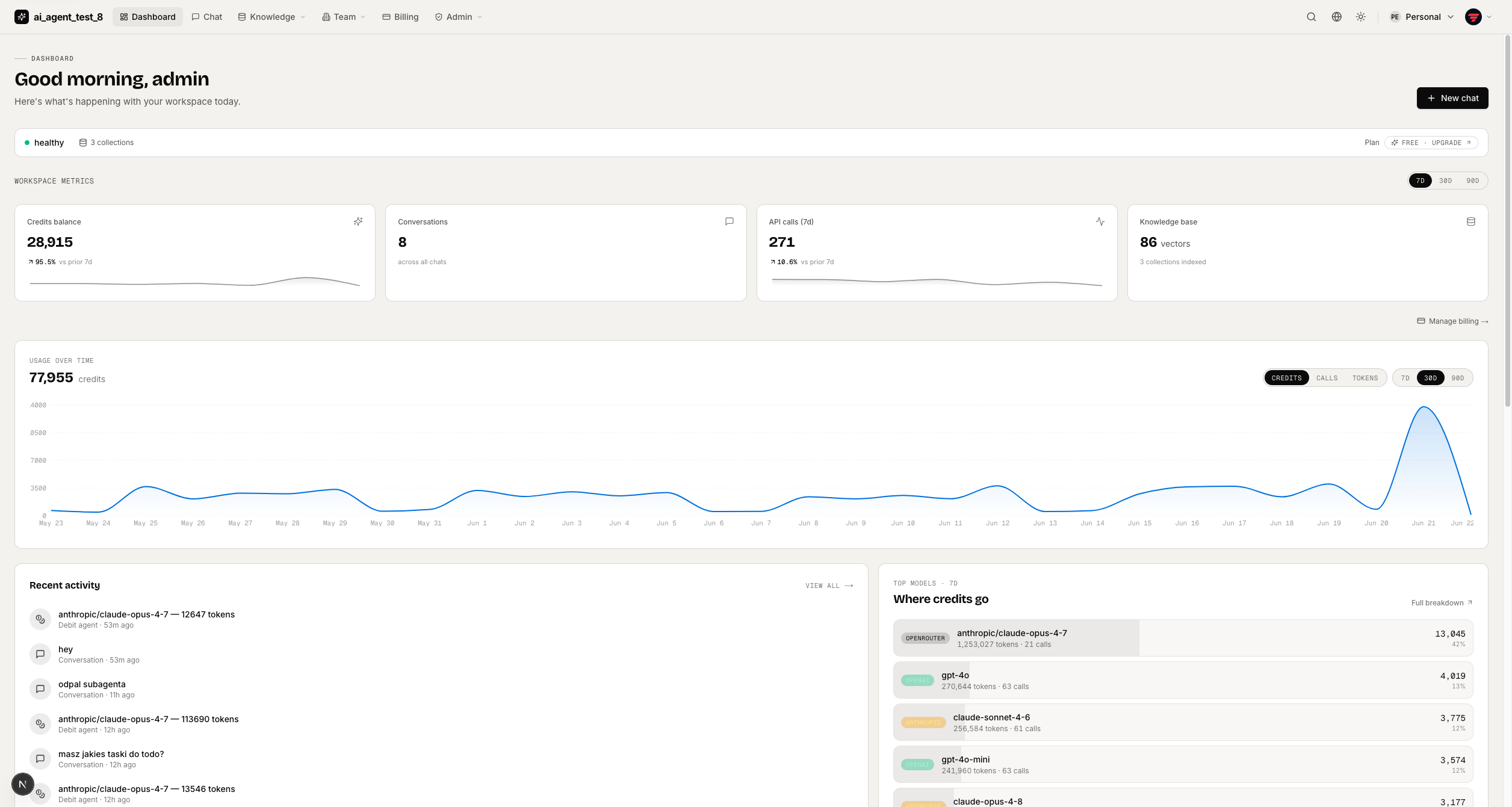
full-stack-ai-agent-template
Full-stack AI app generator — FastAPI + Next.js with AI Agents, RAG, streaming, auth, and 20+ integrations out…
Next.js · 工具站
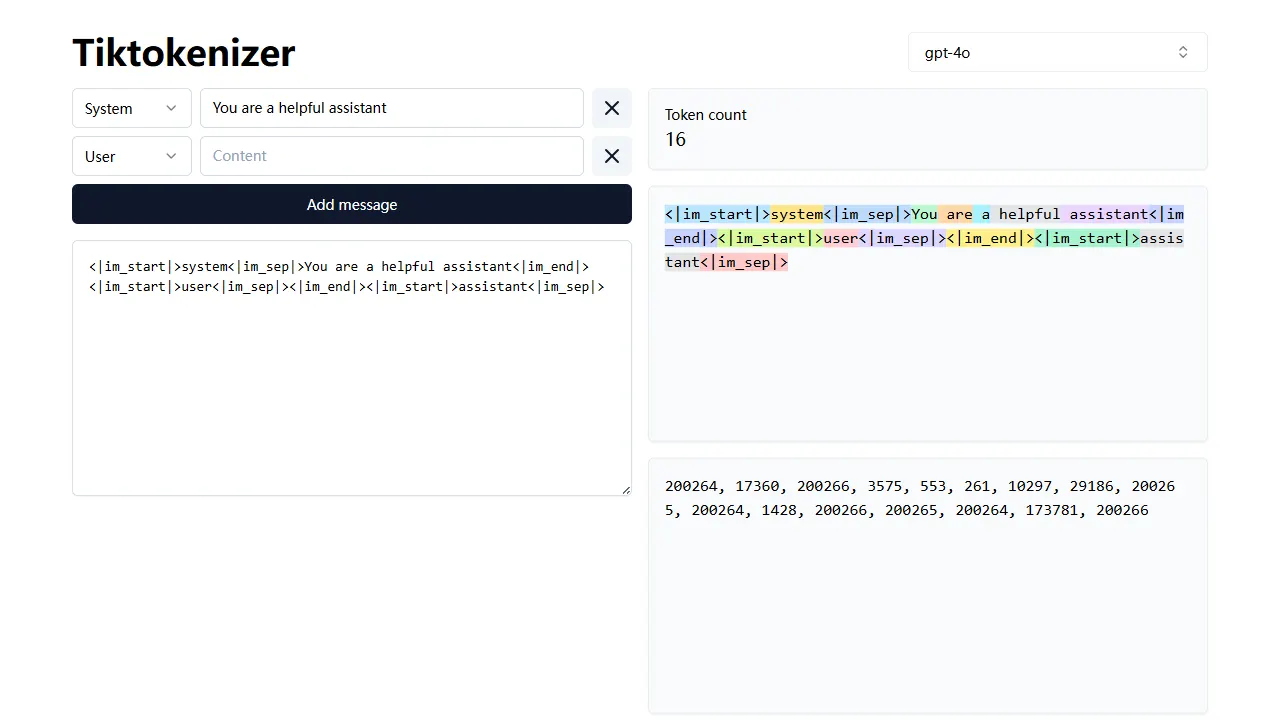
tiktokenizer
tiktokenizer 是一个开源的在线工具站项目,核心功能是计算文本对应的 token 数量,服务于 openai/tiktoken 库。
Next.js · 工具站

resume builder
resume builder 是一个开源的在线简历生成工具,演示站点可直接体验。 它基于 Next.js、TypeScript 和 Material UI 构建,前端状态管理采用 Zustand,整体界面简洁,交互流畅。
Next.js · 工具站
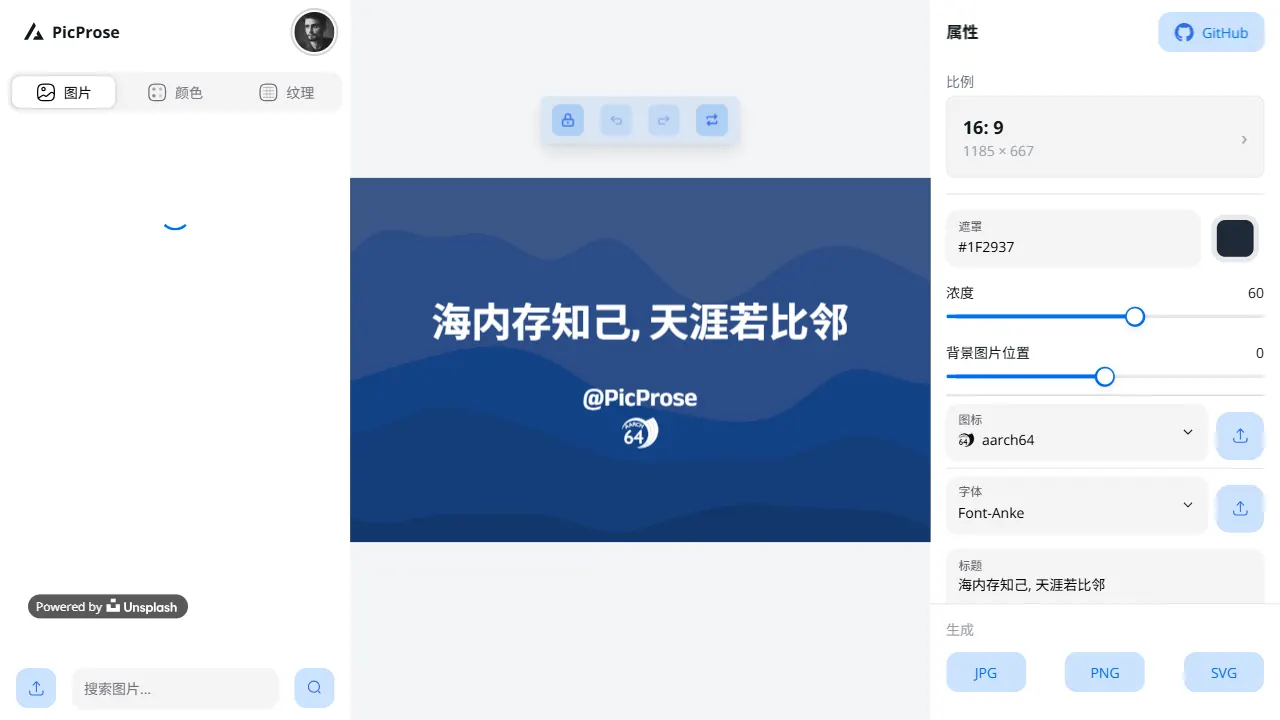
picprose
PicProse 是一个开源的封面图生成工具,专为博客作者、内容创作者和开发者设计。 它通过直观的界面,让用户快速为 Medium、YouTube、B站等平台生成专业封面。
Next.js · 工具站
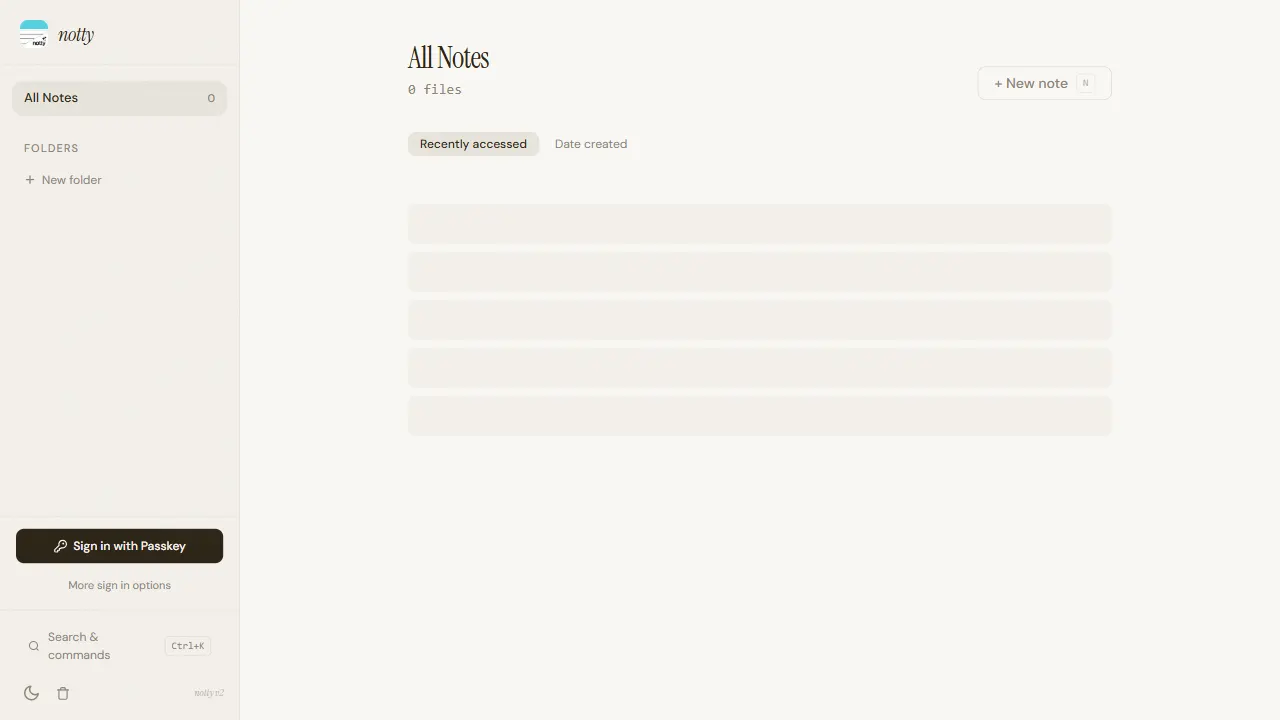
notty
Notty 是一个定位明确的笔记应用模板,核心卖点是“离线优先 + 实时协作 + 数据自主”。
Next.js · 工具站
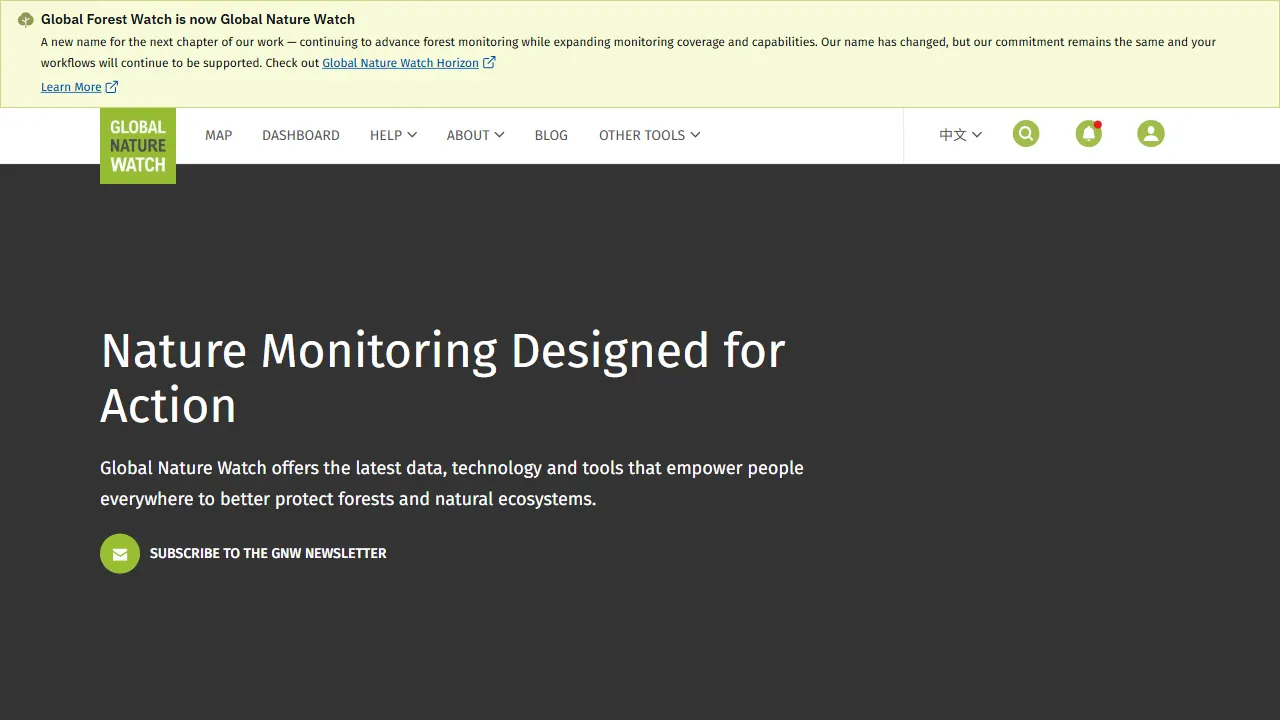
gfw
gfw 是 Global Forest Watch 的官方 Web 应用,一个面向森林监测与告警的在线工具站。
Next.js · 工具站