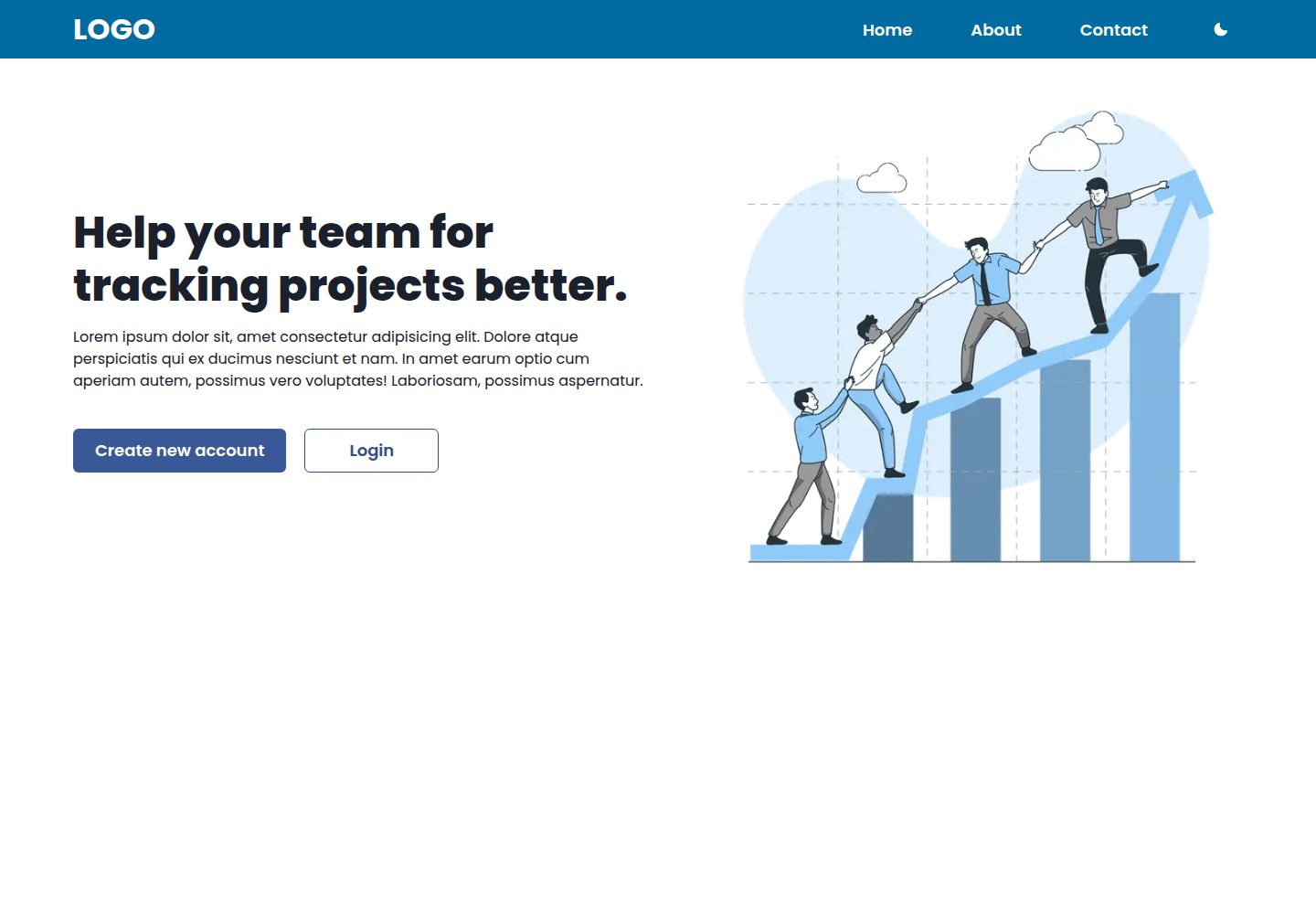
基于 Next.js 与 Chakra UI 构建的启动模板
Next.jsReact启动器
cna-chakra-ui-template — Next.js 启动器模板
作者 imadatyatalah
基于 Next.js 与 Chakra UI 的启动模板,内置 ESLint、深色模式与 SEO 基础配置,可通过 create-next-app 示例方式或 GitHub 模板按钮创建项目。
看看你的网站会是什么样
浏览真实页面截图,比较内容排版与手机效果。点击下方缩略图切换,放大查看整页细节。
全部页面与视图 2
截图用于了解视觉与布局,交互效果请以实际项目为准。
采集于 2026-10-03查看来源
值得关注的模板亮点
从已有项目资料中,快速了解它的特点。
README 标注已配置 ESLint
支持深色模式
README 标注对 SEO 友好
提供在线演示站点与桌面、手机端截图
采用 MIT 许可证,仓库内附完整许可文件
模板详细介绍
这是一个 Next.js 与 Chakra UI 组合的启动模板,仓库定位为起始项目(starter),用于快速搭建使用 Chakra UI 组件库的 Next.js 应用。README 说明其构建技术为 Next.js 和 Chakra UI,并列出三项特性:已配置 ESLint、支持深色模式、对 SEO 友好。模板提供了在线演示站点,并附带桌面端与手机端首页截图。
使用方式有两种:一是通过 create-next-app 的 --example 参数指向该仓库地址生成新项目;二是在 GitHub 上点击 Use this template 按钮创建仓库副本,然后克隆到本地,用 yarn 安装依赖并以 yarn dev 启动,默认运行在 localhost:3000。仓库还提供了 Vercel 一键部署按钮。
许可方面,仓库采用 MIT 许可证,允许免费使用、修改、商用和分发该版本代码,分发时需保留版权声明与许可声明。需要注意,演示图片、字体、图标等第三方素材的授权需单独核对,域名、托管等外部服务可能产生费用。资料未说明模板包含的具体页面数量、组件清单或路由结构。
Next.jsReact启动器
适合你的项目吗?
适用场景
- 需要以 Chakra UI 作为组件库搭建 Next.js 新项目时作为起点
- 希望项目初始就带有 ESLint 与深色模式配置
- 通过 create-next-app 的 --example 参数快速拉取模板生成应用
- 在 GitHub 上使用 Use this template 创建自己的仓库副本
- 通过 Vercel 部署按钮将模板直接发布为在线站点
适合人群
- 使用 Next.js 与 Chakra UI 技术栈的前端开发者
- 需要轻量起始模板而非完整业务系统的项目
- 希望自带 ESLint、深色模式与 SEO 基础配置的团队
- 准备在 Vercel 上部署演示或原型站点的个人开发者
上手与定制指南
结合仓库当前版本的说明,按下面的资料检查内容、配置与运行要求。
- 1
可用 npx create-next-app@latest --example https://github.com/imadatyatalah/cna-chakra-ui-template 创建项目
- 2
也可在 GitHub 点击 Use this template 生成仓库后克隆到本地
- 3
安装依赖使用 yarn,启动开发服务器使用 yarn dev
- 4
开发服务器默认地址为 http://localhost:3000
- 5
仓库提供 Vercel 一键部署按钮,可直接克隆并部署
授权与来源资料
使用条件与限制
免费使用 · 保留许可声明本次收录的是公开仓库中采用 MIT 许可的免费版本;免费范围为该版本代码,不代表外部服务或第三方素材免费。
使用时需要遵守
- 允许免费使用、修改、商用和分发该版本代码。
- 分发代码副本或实质性部分时,保留原作者版权声明和完整 MIT 许可声明。
- 代码按现状提供;担保与责任限制以原许可证及适用法律为准。
额外费用与待核对事项
- 演示图片、字体、图标及其他第三方素材需按各自许可核对,不能仅凭代码的 MIT 许可判断。
- 域名、托管、数据库、支付或 AI 等外部服务可能另外收费。
查看原文依据
https://github.com/imadatyatalah/cna-chakra-ui-template/blob/main/LICENSEhttps://github.com/imadatyatalah/cna-chakra-ui-template/blob/main/README.mdPermission is hereby granted, free of charge
许可证原文
DeepSeek 根据仓库许可证和 README 整理 ·2026-10-03。结果仅覆盖已读取资料,依赖、图片、字体及后续条款变更以各自原文为准。
项目核对记录与介绍依据
模板资料
- 来源平台
- GitHub
- 资料与维护参考分
- 资料较完整 · 77 / 100
- 技术栈
- Next.js · React
- 网站类型
- 启动器
这个分数如何计算
本站按许可资料(最高30分)、演示链接(12分)、预览图(10分)、Star数(15分)、记录的维护时间(15分)、描述完整度(8分)、功能记录(5分)和分类资料(5分)计算。它不是代码、安全或性能测试,也不是 Google 评分;有链接不代表已实测可用。
这个项目需要核对什么
- 记录的仓库更新时间
- 2022-06-05
- 截图检查日期
- 2026-10-03
已收录演示链接。请用你的内容与屏幕尺寸检查;有演示不代表表单、认证或支付已经可用。
目录记录的主要技术栈是 Next.js。请通过依赖清单和锁文件核对实际版本与托管要求。这些说明基于收录资料,不代表代码审计或部署实测。
查看具体选型方法 →介绍的制作与核对状态
介绍由 AI 辅助整理目录与仓库资料。仓库作者不等于这篇介绍的审核者。
审核声明: [email protected] · 2026-10-04
查看当时使用的来源资料
SHA-256: bea20d2df9b186b1ae150582673d9d1be05aa135c75207eaec4f7f8f672edfc7
2026-10-03T21:03:09.507Z
来源文件 / 仓库<h1 align="center">Next.js Chakra UI Template</h1> <div align="center"> <a href="https://cna-chakra-ui-template.vercel.app/">View Demo</a> · <a href="https://github.com/imadatyatalah/cna-chakra-ui-template/issues">Report Bug</a> · <a href="https://github.com/imadatyatalah/cna-chakra-ui-template/issues">Request Feature</a> </div> <div align="center"> [](https://www.codefactor.io/repository/github/imadatyatalah/cna-chakra-ui-template) [](https://github.com/imadatyatalah/cna-chakra-ui-template/blob/main/LICENSE) [](https://github.com/imadatyatalah/cna-chakra-ui-template/stargazers) [](https://github.com/imadatyatalah/cna-chakra-ui-template/network/members) </div> ### Built With - [Next.js](https://nextjs.org/) - [Chakra UI](https://chakra-ui.com/) ### Features - ESLint ready. - Dark Mode ready. - SEO friendly. ### Screenshot  ## Deploy [](https://vercel.com/new/clone?repository-url=https%3A%2F%2Fgithub.com%2Fimadatyatalah%2Fcna-chakra-ui-template&demo-title=Next.js%20and%20Chakra-UI%20Template.&demo-url=https%3A%2F%2Fcna-chakra-ui-template.vercel.app%2F&demo-image=https%3A%2F%2Fraw.githubusercontent.com%2Fimadatyatalah%2Fcna-chakra-ui-template%2Fmain%2Fscreenshot.png) ## Getting Started Create a new application using `create-next-app` with the `-e | --example` flag pointing to this repository's _url_, like so: ```bash npx create-next-app@latest --example https://github.com/imadatyatalah/cna-chakra-ui-template ``` > **Tip:** You can find `create-next-app`'s documentation at [https://nextjs.org/docs/api-reference/create-next-app](https://nextjs.org/docs/api-reference/create-next-app). You can also click on the `Use this template` button. After that, clone the repository that was created on your account and follow the steps below: ```bash # Installing project dependencies yarn # Starting the project yarn dev ``` Your site is now running at [`http://localhost:3000`](http://localhost:3000)! ## License Distributed under the MIT License. See [`LICENSE`](https://github.com/imadatyatalah/cna-chakra-ui-template/blob/main/LICENSE) for more information.
看看同类模板
对比同技术栈与用途的模板,找到更适合的视觉与内容结构。

ai-website-cloner-template
Clone any website with one command using AI coding agents
Next.js · 启动器

Next.js SaaS Starter
Next.js SaaS Starter 是 Next.js 官方维护的 SaaS 起点模板,定位介于学习资源和可直接部署的脚手架之间。
Next.js · SaaS

Next.js Commerce
Next.js Commerce 是 Vercel 团队维护的电商启动模板,基于 Next.js App Router 构建,采用服务端渲染、React Server Components、Server Actions …
Next.js · 电商

Next-js-Boilerplate
Next-js-Boilerplate 是一个面向 Next.js 16、Tailwind CSS 4 和 TypeScript 的启动器,核心定位是开发者体验优先。
Next.js · 启动器

tailwind-nextjs-starter-blog
tailwind-nextjs-starter-blog 是一个面向个人技术博客的 Next.js 与 Tailwind CSS 启动模板,其 v2 版本基于 App Router 与 React Server Comp…
Next.js · 博客

next-forge
Production-grade Turborepo template for Next.js apps.
Next.js · 启动器