以 Next.js app 目录结构为主,同时保留 pages 目录结构以兼容旧项目
Next.jsReactSaaS启动器
rp-nextjs-starter — Next.js SaaS模板
作者 imrishit98
基于 Next.js 的启动模板,集成 Tailwind CSS 与 shadcn/ui,内置 robots.txt 和 sitemap 生成等 SEO 配置,采用 app 目录结构并保留 pages 目录兼容性。
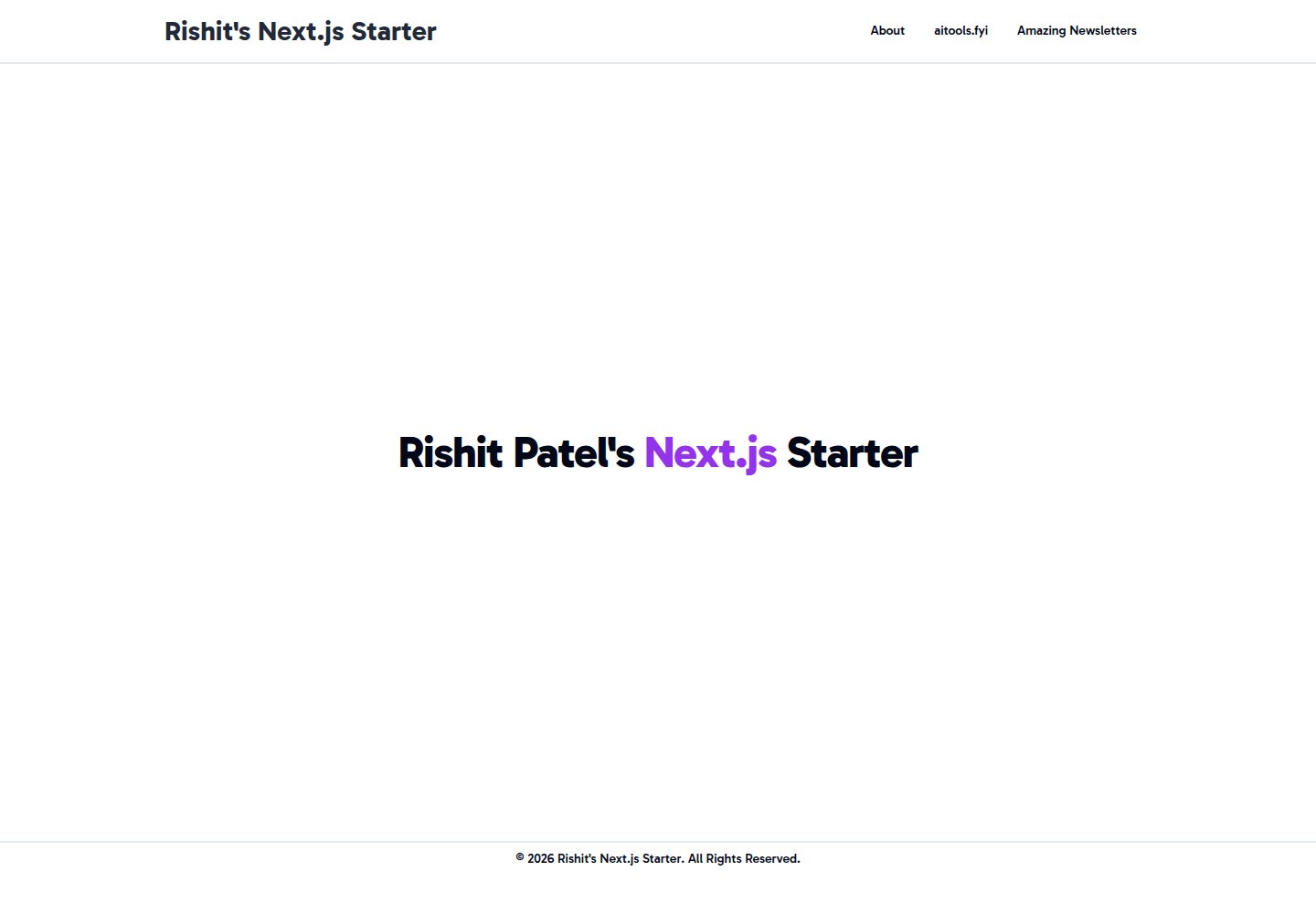
看看你的网站会是什么样
浏览真实页面截图,比较内容排版与手机效果。点击下方缩略图切换,放大查看整页细节。
全部页面与视图 3
截图用于了解视觉与布局,交互效果请以实际项目为准。
采集于 2026-10-01查看来源
值得关注的模板亮点
从已有项目资料中,快速了解它的特点。
集成 Tailwind CSS 与 shadcn/ui
内置 robots.js,依据 siteConfig 生成 robots.txt 并支持自定义爬虫规则
内置 sitemap.js,递归扫描 src/app 生成站点地图,可排除指定路径并处理动态路由
提供 Netlify 与 Vercel 的部署入口,以及 create-next-app 模板初始化命令
模板详细介绍
rp-nextjs-starter 是作者 Rishit Patel 维护的 Next.js 项目启动模板,采用 MIT 许可发布。模板以 app 目录结构为主,同时保留旧版 pages 目录结构以兼容既有项目;如果只需要 pages 目录方案,作者另提供了 rp-nextjs-starter-pages-dir 模板。样式层使用 Tailwind CSS,组件层引入 shadcn/ui。
SEO 方面,模板在 src/app 下提供 robots.js 与 sitemap.js:前者依据 siteConfig 生成 robots.txt 的 host 与 sitemap 地址,并可通过 rules 数组调整爬虫规则;后者递归扫描 src/app 目录生成站点地图,支持排除指定路径(如 API 路由、私有页面),并处理动态路由与嵌套目录,可调整 changeFrequency 与 priority。使用前需要更新 site-config.js 中的站点 URL。
模板提供 Netlify 与 Vercel 的部署入口,README 也给出通过 create-next-app 以该仓库为模板初始化项目的命令。仓库未在资料中说明测试、数据库、鉴权或支付等后端能力,这些部分需要自行补充。
Next.jsReactSaaS启动器
适合你的项目吗?
适用场景
- 快速初始化一个带 Tailwind CSS 与 shadcn/ui 的 Next.js 项目
- 需要同时兼容 app 目录与 pages 目录结构的项目
- 希望开箱获得 robots.txt 与 sitemap 生成能力的站点
- 通过 create-next-app 模板命令或 Vercel、Netlify 部署入口搭建新项目
适合人群
- 需要 Next.js 起步模板的前端开发者
- 希望使用 Tailwind CSS 与 shadcn/ui 组合的项目
- 需要基础 SEO 文件(robots.txt、sitemap)配置的站点
- 从 pages 目录迁移或需要兼容旧目录结构的项目
上手与定制指南
结合仓库当前版本的说明,按下面的资料检查内容、配置与运行要求。
- 1
可通过 yarn create next-app -e 或 npx create-next-app -e 指定该仓库地址初始化项目
- 2
本地运行使用 npm run dev 或 yarn dev,默认访问 http://localhost:3000
- 3
编辑 src/app/page.js 即可修改首页内容,文件保存后页面自动更新
- 4
使用 SEO 功能前需在 site-config.js 中填写正确的站点 URL
- 5
如需 pages 目录方案,可改用作者提供的 rp-nextjs-starter-pages-dir 模板或手动创建 pages 目录
授权与来源资料
使用条件与限制
免费使用 · 保留许可声明本次收录的是公开仓库中采用 MIT 许可的免费版本;免费范围为该版本代码,不代表外部服务或第三方素材免费。
使用时需要遵守
- 允许免费使用、修改、商用和分发该版本代码。
- 分发代码副本或实质性部分时,保留原作者版权声明和完整 MIT 许可声明。
- 代码按现状提供;担保与责任限制以原许可证及适用法律为准。
额外费用与待核对事项
- 演示图片、字体、图标及其他第三方素材需按各自许可核对,不能仅凭代码的 MIT 许可判断。
- 域名、托管、数据库、支付或 AI 等外部服务可能另外收费。
查看原文依据
https://github.com/imrishit98/rp-nextjs-starter/blob/main/LICENSE.mdhttps://github.com/imrishit98/rp-nextjs-starter/blob/main/README.mdPermission is hereby granted, free of charge
许可证原文
DeepSeek 根据仓库许可证和 README 整理 ·2026-10-01。结果仅覆盖已读取资料,依赖、图片、字体及后续条款变更以各自原文为准。
项目核对记录与介绍依据
模板资料
- 来源平台
- GitHub
- 资料与维护参考分
- 资料较完整 · 92 / 100
- 技术栈
- Next.js · React
- 网站类型
- SaaS · 启动器
这个分数如何计算
本站按许可资料(最高30分)、演示链接(12分)、预览图(10分)、Star数(15分)、记录的维护时间(15分)、描述完整度(8分)、功能记录(5分)和分类资料(5分)计算。它不是代码、安全或性能测试,也不是 Google 评分;有链接不代表已实测可用。
这个项目需要核对什么
- 记录的仓库更新时间
- 2026-09-26
- 截图检查日期
- 2026-10-01
已收录演示链接。请用你的内容与屏幕尺寸检查;有演示不代表表单、认证或支付已经可用。
目录记录的主要技术栈是 Next.js。请通过依赖清单和锁文件核对实际版本与托管要求。这些说明基于收录资料,不代表代码审计或部署实测。
查看具体选型方法 →介绍的制作与核对状态
介绍由 AI 辅助整理目录与仓库资料。仓库作者不等于这篇介绍的审核者。
已完成服务器许可规则与 AI 来源核对;未经过人工编辑审核。
查看当时使用的来源资料
SHA-256: bf0cf6e131d62a6f95434eb0ae9e02cddaf2fcaf979c3424029a78c9784b774d
2026-10-01T00:22:49.080Z
来源文件 / 仓库# Rishit Patel's Default Next.js Starter
This is a starter template for Next.js projects. It's a simple, clean, and modern starter template that includes Tailwind CSS, shadcn/ui, and more. It's built with new app directory structure but it also includes the old pages directory structure for backwards compatibility. If you want to use only the old pages directory structure, then you can use the [rp-nextjs-starter-pages-dir](https://github.com/imrishit98/rp-nextjs-starter-pages-dir) starter template.
Popular Projects Built With This Starter Template:
- [aitools.fyi - Find the best ai tools!](https://aitools.fyi)
- [PDFPeer - Chat with any document!](https://pdfpeer.com)
- [Amazing Newsletters - Find the best newsletters!](https://amazingnewsletters.com)
- [revrn - Idea to revenue in days!](https://revrn.com)
## Getting Started
Table of Contents:
- [Rishit Patel's Default Next.js Starter](#rishit-patels-default-nextjs-starter)
- [Getting Started](#getting-started)
- [⚡️ Quick Start](#️-quick-start)
- [🚀 Getting Started](#-getting-started)
- [📦 Deployment](#-deployment)
- [🔍 SEO](#-seo)
- [robots.js](#robotsjs)
- [sitemap.js](#sitemapjs)
- [📝 License](#-license)
- [📧 Contact](#-contact)
- [📚 Resources](#-resources)
## ⚡️ Quick Start
[](https://app.netlify.com/start/deploy?repository=https%3A%2F%2Fgithub.com%2Fimrishit98%2Frp-nextjs-starter) [](https://vercel.com/new/clone?repository-url=https%3A%2F%2Fgithub.com%2Fimrishit98%2Frp-nextjs-starter)
How to use:
```bash
yarn create next-app -e https://github.com/imrishit98/rp-nextjs-starter
# or
npx create-next-app -e https://github.com/imrishit98/rp-nextjs-starter
```
## 🚀 Getting Started
First, run the development server:
```bash
npm run dev
# or
yarn dev
```
Open [http://localhost:3000](http://localhost:3000) with your browser to see the result.
You can start editing the page by modifying `src/app/page.js`. The page auto-updates as you edit the file.
If you want to use the old pages directory structure, then you can use the [rp-nextjs-starter-pages-dir](https://github.com/imrishit98/rp-nextjs-starter-pages-dir) starter template or just create pages directory manually and move the files to it.
## 📦 Deployment
The easiest way to deploy your Next.js app is to use the [Vercel Platform](https://vercel.com/new) from the creators of Next.js.
Check out our [Next.js deployment documentation](https://nextjs.org/docs/deployment) for more details.
## 🔍 SEO
This starter template includes built-in SEO features to help improve your website's search engine visibility.
### robots.js
The `src/app/robots.js` file generates a robots.txt file for your website. It uses the `siteConfig` to set the host and sitemap URL. You can customize the rules to allow or disallow specific paths for web crawlers.
To modify the robots.txt settings:
1. Open `src/app/robots.js`
2. Adjust the `rules` array to add or modify crawler instructions
3. Update the `siteConfig` in `site-config.js` if needed
### sitemap.js
The `src/app/sitemap.js` file automatically generates a sitemap for your website based on the pages in your `src/app` directory. It helps search engines discover and index your pages more efficiently.
Key features:
- Recursively scans the `src/app` directory for pages
- Excludes specified paths (e.g., API routes, private pages)
- Handles dynamic routes and nested folders
To customize the sitemap generation:
1. Open `src/app/sitemap.js`
2. Modify the `ignorePaths` array to exclude additional paths if needed
3. Adjust the `changeFrequency` and `priority` values for pages as required
4. Update the `siteConfig` in `site-config.js` to set the correct base URL
Remember to update your `site-config.js` file with the correct URL for your website to ensure proper functionality of both the robots.txt and sitemap features.
## 📝 License
This project is licensed under the MIT License - see the [LICENSE](LICENSE.md) file for details.
## 📧 Contact
If you want to contact me you can reach me at [rishitpatel.com/contact](https://rishitpatel.com/contact).
## 📚 Resources
- [Next.js Documentation](https://nextjs.org/docs) - learn about Next.js features and API.
- [Learn Next.js](https://nextjs.org/learn) - an interactive Next.js tutorial.
- [Tailwind CSS Documentation](https://tailwindcss.com/docs) - learn about Tailwind CSS features and API.
- [shadcn/ui Documentation](https://ui.shadcn.com/docs) - learn about shadcn/ui.
看看同类模板
对比同技术栈与用途的模板,找到更适合的视觉与内容结构。

ai-website-cloner-template
Clone any website with one command using AI coding agents
Next.js · 启动器

Next.js SaaS Starter
Next.js SaaS Starter 是 Next.js 官方维护的 SaaS 起点模板,定位介于学习资源和可直接部署的脚手架之间。
Next.js · SaaS

Next.js Commerce
Next.js Commerce 是 Vercel 团队维护的电商启动模板,基于 Next.js App Router 构建,采用服务端渲染、React Server Components、Server Actions …
Next.js · 电商

Next-js-Boilerplate
Next-js-Boilerplate 是一个面向 Next.js 16、Tailwind CSS 4 和 TypeScript 的启动器,核心定位是开发者体验优先。
Next.js · 启动器

tailwind-nextjs-starter-blog
tailwind-nextjs-starter-blog 是一个面向个人技术博客的 Next.js 与 Tailwind CSS 启动模板,其 v2 版本基于 App Router 与 React Server Comp…
Next.js · 博客

next-forge
Production-grade Turborepo template for Next.js apps.
Next.js · 启动器